Warning indicator lights NISSAN ROGUE 2023 User Guide
[x] Cancel search | Manufacturer: NISSAN, Model Year: 2023, Model line: ROGUE, Model: NISSAN ROGUE 2023Pages: 508, PDF Size: 2.44 MB
Page 141 of 508

JVI0980X
Example
FOG LIGHT SWITCH (if so equipped)
To turn the fog lights on, turn the head-
light switch to theposition, then turn
the fog light switch to theposition.
To turn the fog lights on with the head-
light switch in the AUTO position or
position (Type B), the headlights must be
on, then turn the fog light switch to the
position.
To turn them off, turn the fog light switch
to the OFF position.
The headlights must be on for the fog
lights to operate. The fog lights automa-
tically turn off when the high beam
headlights are selected.
JVI1569X
To sound the horn, push the center pad
area of the steering wheel.
WARNING
Do not disassemble the horn. Doing
so could affect proper operation of
the supplemental front air bag sys-
tem. Tampering with the supple-
mental front air bag system may
result in serious personal injury.
JVI1592X
The heated steering wheel system is
designed to operate only when the sur-
face temperature of the steering wheel is
below 68°F (20°C).
Push the heated steering wheel switch to
warm the steering wheel after the engine
starts. The indicator light on the switch
will illuminate.
If the surface temperature of the steering
wheel is below 68°F (20°C), the system will
heat the steering wheel and cycle off and
on to maintain a temperature above 68°F
(20°C). The indicator light will remain on
as long as the system is on.
Push the switch again to turn the heated
steering wheel system off manually. The
Instruments and controls2-59
HORNHEATED STEERING WHEEL (if so equipped)
Page 179 of 508
the welcome light and farewell light
function, see “Vehicle Settings” (P.2-23).
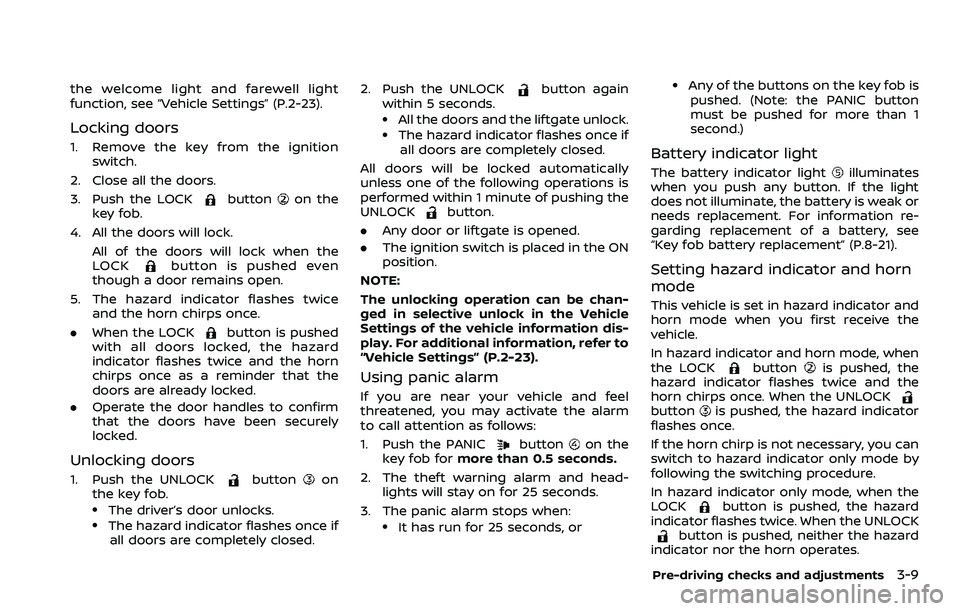
Locking doors
1. Remove the key from the ignitionswitch.
2. Close all the doors.
3. Push the LOCK
buttonon the
key fob.
4. All the doors will lock. All of the doors will lock when the
LOCK
button is pushed even
though a door remains open.
5. The hazard indicator flashes twice and the horn chirps once.
. When the LOCK
button is pushed
with all doors locked, the hazard
indicator flashes twice and the horn
chirps once as a reminder that the
doors are already locked.
. Operate the door handles to confirm
that the doors have been securely
locked.
Unlocking doors
1. Push the UNLOCKbuttonon
the key fob.
.The driver’s door unlocks..The hazard indicator flashes once if
all doors are completely closed. 2. Push the UNLOCK
button again
within 5 seconds.
.All the doors and the liftgate unlock..The hazard indicator flashes once if all doors are completely closed.
All doors will be locked automatically
unless one of the following operations is
performed within 1 minute of pushing the
UNLOCK
button.
. Any door or liftgate is opened.
. The ignition switch is placed in the ON
position.
NOTE:
The unlocking operation can be chan-
ged in selective unlock in the Vehicle
Settings of the vehicle information dis-
play. For additional information, refer to
“Vehicle Settings” (P.2-23).
Using panic alarm
If you are near your vehicle and feel
threatened, you may activate the alarm
to call attention as follows:
1. Push the PANIC
buttonon the
key fob for more than 0.5 seconds.
2. The theft warning alarm and head- lights will stay on for 25 seconds.
3. The panic alarm stops when:
.It has run for 25 seconds, or
.Any of the buttons on the key fob is pushed. (Note: the PANIC button
must be pushed for more than 1
second.)
Battery indicator light
The battery indicator lightilluminates
when you push any button. If the light
does not illuminate, the battery is weak or
needs replacement. For information re-
garding replacement of a battery, see
“Key fob battery replacement” (P.8-21).
Setting hazard indicator and horn
mode
This vehicle is set in hazard indicator and
horn mode when you first receive the
vehicle.
In hazard indicator and horn mode, when
the LOCK
buttonis pushed, the
hazard indicator flashes twice and the
horn chirps once. When the UNLOCK
buttonis pushed, the hazard indicator
flashes once.
If the horn chirp is not necessary, you can
switch to hazard indicator only mode by
following the switching procedure.
In hazard indicator only mode, when the
LOCK
button is pushed, the hazard
indicator flashes twice. When the UNLOCK
button is pushed, neither the hazard
indicator nor the horn operates.
Pre-driving checks and adjustments3-9
Page 191 of 508
Using panic alarm
If you are near your vehicle and feel
threatened, you may activate the alarm
to call attention as follows:
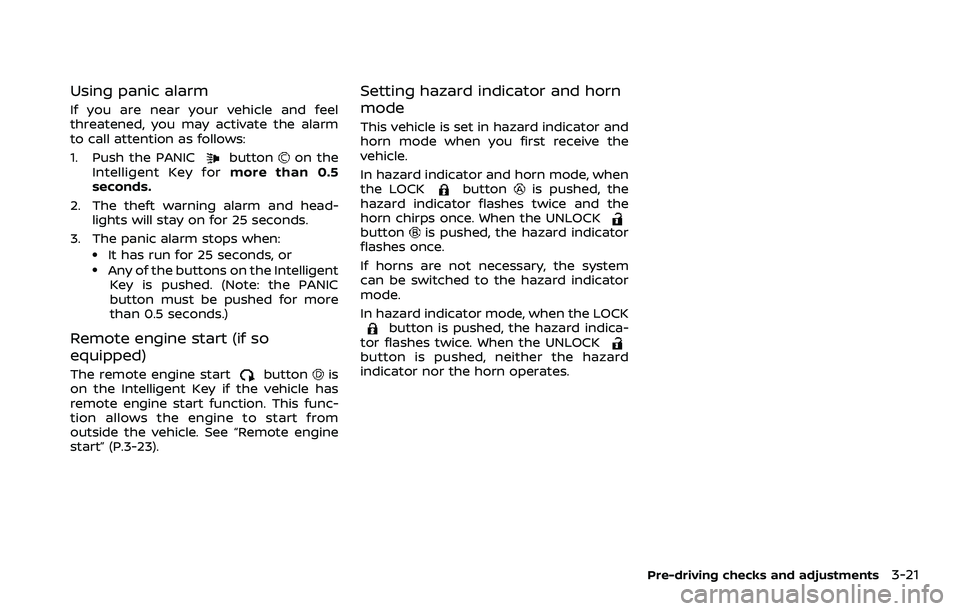
1. Push the PANIC
buttonon the
Intelligent Key for more than 0.5
seconds.
2. The theft warning alarm and head- lights will stay on for 25 seconds.
3. The panic alarm stops when:
.It has run for 25 seconds, or.Any of the buttons on the Intelligent Key is pushed. (Note: the PANIC
button must be pushed for more
than 0.5 seconds.)
Remote engine start (if so
equipped)
The remote engine startbuttonis
on the Intelligent Key if the vehicle has
remote engine start function. This func-
tion allows the engine to start from
outside the vehicle. See “Remote engine
start” (P.3-23).
Setting hazard indicator and horn
mode
This vehicle is set in hazard indicator and
horn mode when you first receive the
vehicle.
In hazard indicator and horn mode, when
the LOCK
buttonis pushed, the
hazard indicator flashes twice and the
horn chirps once. When the UNLOCK
buttonis pushed, the hazard indicator
flashes once.
If horns are not necessary, the system
can be switched to the hazard indicator
mode.
In hazard indicator mode, when the LOCK
button is pushed, the hazard indica-
tor flashes twice. When the UNLOCK
button is pushed, neither the hazard
indicator nor the horn operates.
Pre-driving checks and adjustments3-21
Page 202 of 508
3-32Pre-driving checks and adjustments
SPA2447
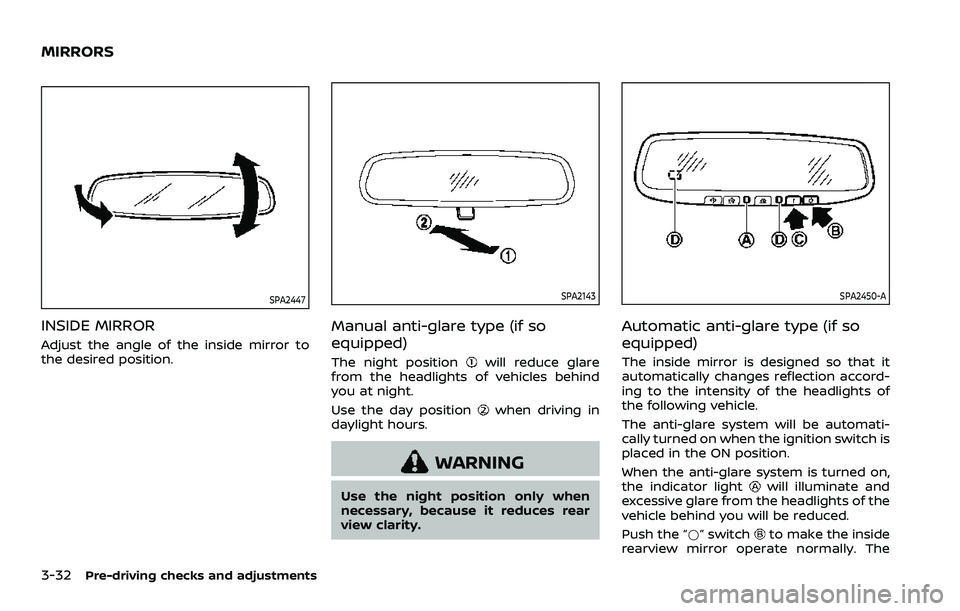
INSIDE MIRROR
Adjust the angle of the inside mirror to
the desired position.
SPA2143
Manual anti-glare type (if so
equipped)
The night positionwill reduce glare
from the headlights of vehicles behind
you at night.
Use the day position
when driving in
daylight hours.
WARNING
Use the night position only when
necessary, because it reduces rear
view clarity.
SPA2450-A
Automatic anti-glare type (if so
equipped)
The inside mirror is designed so that it
automatically changes reflection accord-
ing to the intensity of the headlights of
the following vehicle.
The anti-glare system will be automati-
cally turned on when the ignition switch is
placed in the ON position.
When the anti-glare system is turned on,
the indicator light
will illuminate and
excessive glare from the headlights of the
vehicle behind you will be reduced.
Push the “*” switch
to make the inside
rearview mirror operate normally. The
MIRRORS
Page 257 of 508
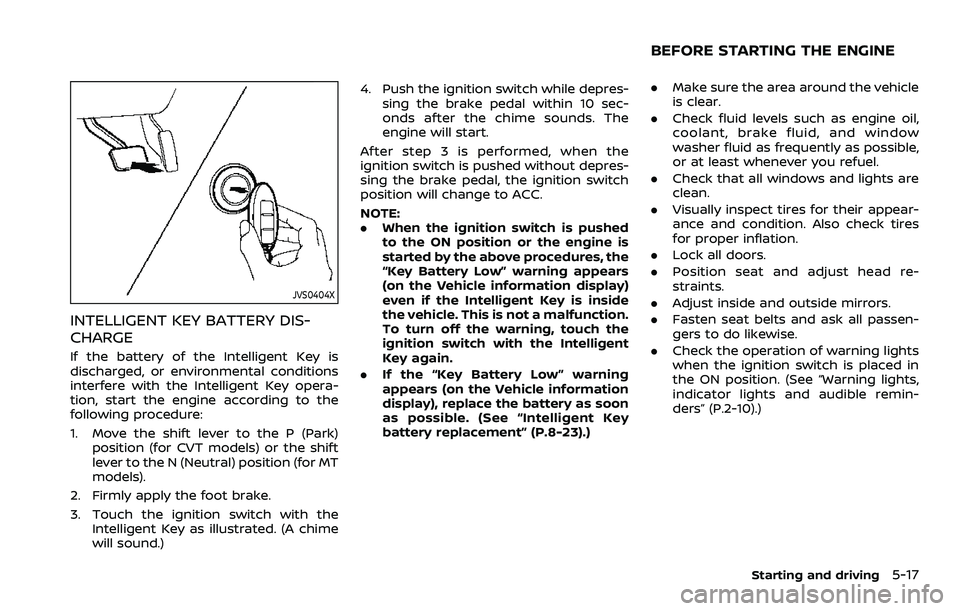
JVS0404X
INTELLIGENT KEY BATTERY DIS-
CHARGE
If the battery of the Intelligent Key is
discharged, or environmental conditions
interfere with the Intelligent Key opera-
tion, start the engine according to the
following procedure:
1. Move the shift lever to the P (Park)position (for CVT models) or the shift
lever to the N (Neutral) position (for MT
models).
2. Firmly apply the foot brake.
3. Touch the ignition switch with the Intelligent Key as illustrated. (A chime
will sound.) 4. Push the ignition switch while depres-
sing the brake pedal within 10 sec-
onds after the chime sounds. The
engine will start.
After step 3 is performed, when the
ignition switch is pushed without depres-
sing the brake pedal, the ignition switch
position will change to ACC.
NOTE:
. When the ignition switch is pushed
to the ON position or the engine is
started by the above procedures, the
“Key Battery Low” warning appears
(on the Vehicle information display)
even if the Intelligent Key is inside
the vehicle. This is not a malfunction.
To turn off the warning, touch the
ignition switch with the Intelligent
Key again.
. If the “Key Battery Low” warning
appears (on the Vehicle information
display), replace the battery as soon
as possible. (See “Intelligent Key
battery replacement” (P.8-23).)
.Make sure the area around the vehicle
is clear.
. Check fluid levels such as engine oil,
coolant, brake fluid, and window
washer fluid as frequently as possible,
or at least whenever you refuel.
. Check that all windows and lights are
clean.
. Visually inspect tires for their appear-
ance and condition. Also check tires
for proper inflation.
. Lock all doors.
. Position seat and adjust head re-
straints.
. Adjust inside and outside mirrors.
. Fasten seat belts and ask all passen-
gers to do likewise.
. Check the operation of warning lights
when the ignition switch is placed in
the ON position. (See “Warning lights,
indicator lights and audible remin-
ders” (P.2-10).)
Starting and driving5-17
BEFORE STARTING THE ENGINE
Page 268 of 508
5-28Starting and driving
automatic brake hold function.
The electronic parking brake is automati-
cally released as soon as the vehicle
starts while the accelerator pedal is
depressed.
WARNING
.The electronic parking brake will
not be automatically applied
when the engine is stopped with-
out using the ignition switch (for
example, by engine stalling).
Without the vehicle stationary,
the electronic parking brake will
not be automatically applied
even if the engine is turned off
with the ignition switch.
. Before leaving the vehicle, move
the shift lever to the 1 (1st) or R
(Reverse) position and check that
the electronic parking brake in-
dicator light is illuminated to
confirm that the electronic park-
ing brake is applied. The electro-
nic parking brake indicator light
will remain on for a period of time
after the driver’s door is locked.
CAUTION
When parking in an area where the
outside temperature is below 32°F
(0°C), do not apply the parking brake
to prevent it from freezing.
For safe parking, place the shift lever
in the 1 (1st) or R (Reverse) position
and securely block the wheels.
NOTE:
. To keep the electronic parking brake
released after the engine is turned
off, place the ignition switch in the
OFF position, depress the brake
pedal and push down the parking
brake switch before opening the
driver’s door.
. If a malfunction occurs in the elec-
tronic parking brake system (for
example, due to battery discharge),
it is recommended to contact a
NISSAN dealer.
. If the shift lever is moved to the P
(Park) position when the brake force
is maintained by the automatic
brake hold function, the electronic
parking brake will apply automati-
cally. .
If the driver’s seat belt is unfastened
when the brake force is maintained
by the automatic brake hold func-
tion, the electronic parking brake
will apply automatically.
. If the ignition switch is placed in the
OFF position when the brake force is
maintained by the automatic brake
hold function, the electronic parking
brake will apply automatically.
Manual operation
The electronic parking brake will not be
automatically applied if the engine is
stopped without using the ignition switch
(for example, by engine stalling). In such a
case, you have to apply the parking brake
manually.
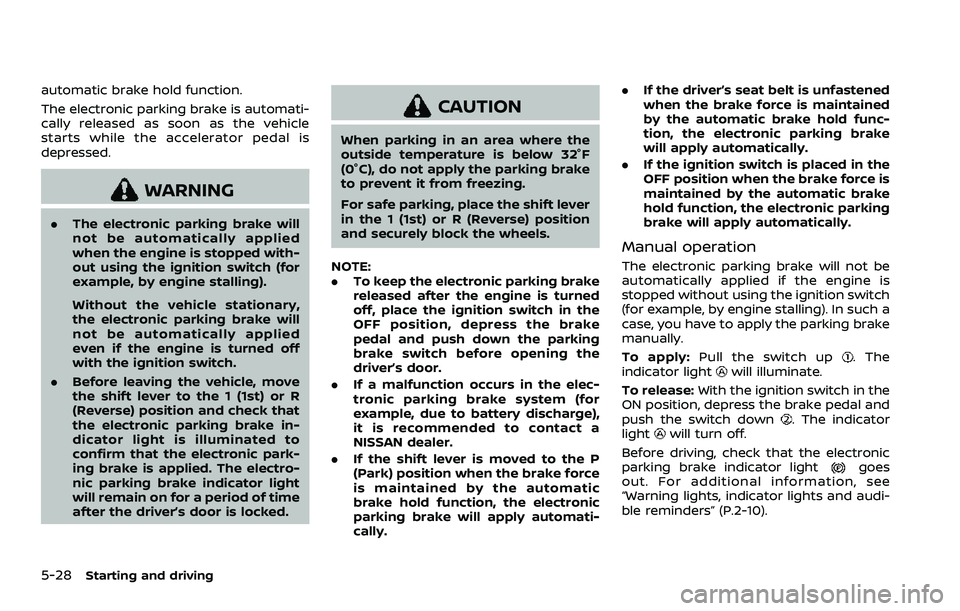
To apply: Pull the switch up
. The
indicator lightwill illuminate.
To release: With the ignition switch in the
ON position, depress the brake pedal and
push the switch down
. The indicator
lightwill turn off.
Before driving, check that the electronic
parking brake indicator light
goes
out. For additional information, see
“Warning lights, indicator lights and audi-
ble reminders” (P.2-10).
Page 357 of 508
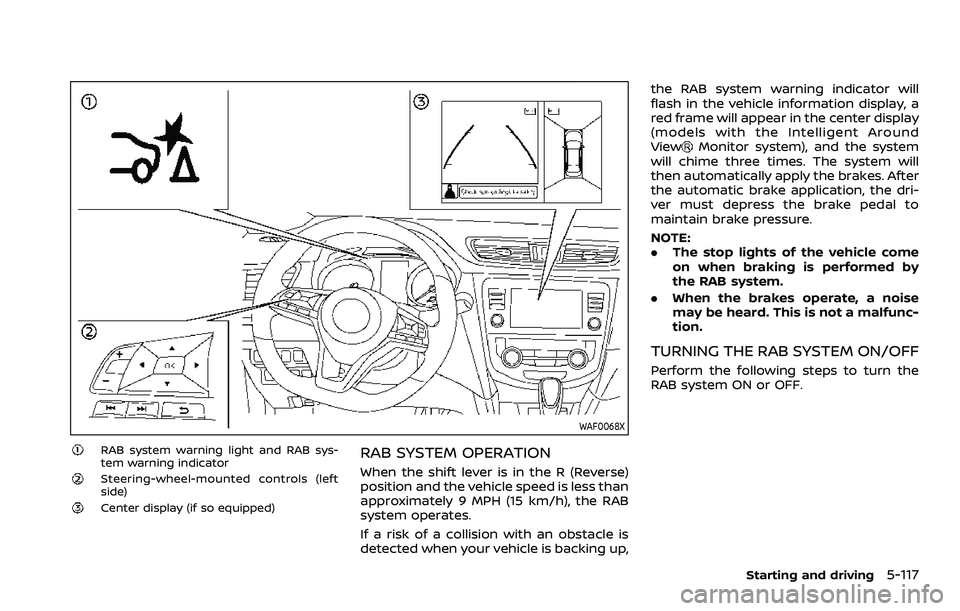
WAF0068X
RAB system warning light and RAB sys-
tem warning indicator
Steering-wheel-mounted controls (left
side)
Center display (if so equipped)
RAB SYSTEM OPERATION
When the shift lever is in the R (Reverse)
position and the vehicle speed is less than
approximately 9 MPH (15 km/h), the RAB
system operates.
If a risk of a collision with an obstacle is
detected when your vehicle is backing up,the RAB system warning indicator will
flash in the vehicle information display, a
red frame will appear in the center display
(models with the Intelligent Around
View
Monitor system), and the system
will chime three times. The system will
then automatically apply the brakes. After
the automatic brake application, the dri-
ver must depress the brake pedal to
maintain brake pressure.
NOTE:
. The stop lights of the vehicle come
on when braking is performed by
the RAB system.
. When the brakes operate, a noise
may be heard. This is not a malfunc-
tion.
TURNING THE RAB SYSTEM ON/OFF
Perform the following steps to turn the
RAB system ON or OFF.
Starting and driving5-117
Page 385 of 508
To shut off the engine in an emergency
situation while driving, perform the fol-
lowing procedure:
.Rapidly push the push-button ignition
switch 3 consecutive times in less
than 1.5 seconds, or
. Push and hold the push-button igni-
tion switch for more than 2 seconds.TIRE PRESSURE MONITORING SYS-
TEM (TPMS)
This vehicle is equipped with the Tire
Pressure Monitoring System (TPMS). It
monitors tire pressure of all tires except
the spare (if so equipped). When the low
tire pressure warning light is lit, and the
“Tire Pressure Low - Add Air” warning
message is displayed in the vehicle in-
formation display, one or more of your
tires is significantly under-inflated. If the
vehicle is being driven with low tire
pressure, the TPMS will activate and warn
you of it by the low tire pressure warning
light. This system will activate only when
the vehicle is driven at speeds above 16
MPH (25 km/h). For more details, see
“Warning lights, indicator lights and audi-
ble reminders” (P.2-10) and “Tire Pressure
Monitoring System (TPMS)” (P.5-5).
WARNING
.If the low tire pressure warning
light illuminates while driving,
avoid sudden steering maneu-
vers or abrupt braking, reduce
vehicle speed, pull off the road
to a safe location and stop the
vehicle as soon as possible. Driv-
ing with under-inflated tires may
permanently damage the tires and increase the likelihood of tire
failure. Serious vehicle damage
could occur and may lead to an
accident and could result in ser-
ious personal injury. Check the
tire pressure for all four tires.
Adjust the tire pressure to the
recommended COLD tire pressure
shown on the Tire and Loading
Information label to turn the low
tire pressure warning light OFF. If
the light still illuminates while
driving after adjusting the tire
pressure, a tire may be flat. If
you have a flat tire, replace it with
a spare tire (if so equipped) or
repair it using the emergency tire
puncture repair kit (if so
equipped) as soon as possible.
. Since the spare tire (if so
equipped) is not equipped with
the TPMS, when a spare tire is
mounted or a wheel is replaced,
the TPMS will not function and
the low tire pressure warning
light will flash for approximately
1 minute. The light will remain on
after 1 minute. Have your tires
replaced and/or TPMS system
reset as soon as possible. It is
recommended you visit a NISSAN
dealer for these services.
In case of emergency6-3
EMERGENCY ENGINE SHUT OFF (models
with push-button ignition switch)FLAT TIRE
Page 500 of 508
11-2
Conventional (fixed speed) cruise
control mode .................................................................. 5-91
CoolantCapacities and
recommended fluids/lubricants............... 10-2
Changing engine coolant ................................. 8-6
Checking engine coolant level...................... 8-5
Corrosion protection .................................................... 7-7
Cruise control ................................................................. 5-62
Cup holders...................................................................... 2-69
CVT, Driving with CVT (Continuously
Variable Transmission)............................. 5-13, 5-20
D
Daytime Running Lights (DRL) system....... 2-57
Defroster switch, Rear window and
outside mirror defroster switch....................... 2-51
Dimensions and weights....................................... 10-8
Display Vehicle information display.......................... 2-19
Drive belt ........................................................................\
.... 8-13
Driver and front passenger supplemental
knee air bag..................................................................... 1-57
Driving Cold weather driving ..................................... 5-141
Driving with CVT (Continuously
Variable Transmission)..................................... 5-20
Driving with manual transmission.......... 5-25
Intelligent 4x4 ..................................................... 5-123
On-pavement and off-road driving .......... 5-9
Precautions when starting
and driving.................................................................... 5-4
Safety precautions .............................................. 5-10
Dynamic driver assistance switch
(models without ProPILOT assist) .................. 2-61
E
ECO mode switch........................................................ 2-64
ECO mode system ...................................................... 5-32 Ambient ECO............................................................ 5-34
ECO Drive Report.................................................. 5-34
ECO Pedal Guide function ............................. 5-33
Economy, Fuel............................................................. 5-123
Elapsed time.................................................................... 2-40
Elapsed time and trip odometer..................... 2-40
Electric power steering........................................ 5-128
Electric power steering warning light ........ 2-14
Emergency Call (SOS) button ............................ 2-67
Emergency tire puncture repair kit (if
so equipped).................................................................... 8-41
Emission control information label............ 10-10
Emission control system warranty ............ 10-18
Engine Before starting the engine............................ 5-17
Break-in schedule ............................................ 5-121
Capacities and
recommended fluids/lubricants............... 10-2
Changing engine coolant ................................. 8-6
Changing engine oil and filter ...................... 8-6
Checking engine coolant level...................... 8-5
Checking engine oil level................................... 8-6
Coolant temperature gauge .......................... 2-7
Emergency engine shut off.............. 5-16, 6-3
Engine compartment
check locations ......................................................... 8-3
Engine cooling system ........................................ 8-4
Engine oil.....................................................................\
... 8-6
Engine oil and oil
filter recommendation ..................................... 10-5
Engine oil viscosity .............................................. 10-6
Engine serial number ........................................ 10-9
Engine specifications......................................... 10-7 Engine start operation indicator
(for Continuously Variable Transmission
(CVT) models)........................................................... 2-31
Engine start operation indicator
(for Manual Transmission
(MT) models) ............................................................. 2-31
If your vehicle overheats ................................ 6-16
Starting the engine.............................. 5-18, 5-19
Event Data Recorders (EDR)............................. 10-20
Exhaust gas (carbon monoxide) ......................... 5-4
Explanation of scheduled
maintenance items ........................................................ 9-5
F
F.M.V.S.S./C.M.V.S.S. certification label ......... 10-9
Filter Air cleaner housing filter ................................ 8-15
Changing engine oil and filter ...................... 8-6
Flashers (See hazard warning
flasher switch).................................................................... 6-2
Flat tire........................................................................\
............. 6-3
Flat towing..................................................................... 10-16
Floor mat cleaning ......................................................... 7-5
Fluid Brake and clutch fluid ......................................... 8-9
Capacities and
recommended fluids/lubricants............... 10-2
Continuously Variable Transmission
(CVT) fluid....................................................................... 8-9
Engine coolant........................................................... 8-4
Engine oil.....................................................................\
... 8-6
Window washer fluid ......................................... 8-10
Fog light switch ............................................................ 2-59
Front manual seat adjustment ............................ 1-4
Front passenger air bag and
status light........................................................................\
1-50
Page 501 of 508
Front seat, Front seat adjustment .................... 1-4
FuelCapacities and
recommended fluids/lubricants............... 10-2
Fuel economy...................................................... 5-123
Fuel information.................................................... 10-3
Fuel octane rating ............................................... 10-3
Fuel-filler cap............................................................ 3-28
Fuel-filler door......................................................... 3-28
Gauge........................................................................\
........ 2-8
Fuel Efficient Driving Tips................................... 5-122
Fuses........................................................................\
.............. 8-18
Fusible links...................................................................... 8-19
G
Garage door opener HomeLink® Universal Transceiver ........... 2-83
Gas cap........................................................................\
........ 3-28
Gauge........................................................................\
................ 2-5 Engine coolant temperature gauge......... 2-7
Fuel gauge .................................................................... 2-8
Odometer....................................................................... 2-6
Speedometer .............................................................. 2-6
Tachometer.................................................................. 2-7
General maintenance................................................... 9-2
Glove box ........................................................................\
... 2-71
H
Hazard warning flasher switch ............................ 6-2
Head restraints/headrests....................................... 1-8
Headlights Bulb replacement ................................................. 8-25
Headlight switch ................................................... 2-52
Heated seats ................................................................... 2-60
Heated steering wheel ............................................ 2-59 Heater
Heater and air
conditioner operation....................................... 4-26
High beam assist ......................................................... 2-55
Hill start assist system ......................................... 5-136
HomeLink® Universal Transceiver .................. 2-83
Hood release ................................................................... 3-25
Hook Luggage hook ......................................................... 2-73
Horn........................................................................\
................ 2-59
How to enable/disable the
steering assist ................................................................ 5-73
I
Ignition switch ............................................................... 5-14
Ignition switch (model without Intelligent
Key system) ...................................................................... 5-12
Ignition switch positions ....................................... 5-15
Immobilizer system.................................................... 2-47
Indicator Vehicle information display.......................... 2-19
indicator light Electronic parking brake
indicator light .......................................................... 2-12
Inside mirror .................................................................... 3-32
Inspection/maintenance (I/M) test ............ 10-19
Instrument brightness control ............................. 2-9
Instrument panel ............................................................. 2-4
Intelligent 4x4 ............................................................. 5-123
Intelligent Around View® Monitor................... 4-10
Intelligent Auto Headlight system ................. 2-52
Intelligent Cruise Control (ICC) ......................... 5-75
Intelligent Cruise Control
(ICC) indicator ................................................................. 2-34
Intelligent Driver Alertness................................... 5-94
Intelligent Engine Brake ...................................... 5-134 Intelligent Forward Collision Warning
(I-FCW)........................................................................\
........ 5-107
Intelligent Key system ............................................. 3-11
Key operating range .......................................... 3-13
Key operation .......................................................... 3-14
Remote keyless operation ............................ 3-19
Intelligent Lane Intervention (I-LI) .................. 5-40
Intelligent Trace Control..................................... 5-133
Interior light replacement..................................... 8-27
Interior light switch.................................................... 2-81
Interior lights................................................................... 2-80
ISOFIX child restraint ................................................ 1-24
J
Jump starting ................................................................. 6-14
K
Key Ignition switch (model without
Intelligent Key system) ..................................... 5-12
Ignition switch positions ................................ 5-15
Key positions................................................................... 5-14
Keyless entry (See remote keyless entry system) ........... 3-7
With Intelligent Key system
(See Intelligent Key system) ......................... 3-19
Keys ........................................................................\
.................... 3-2 For Intelligent Key system............................. 3-11
L
LabelsAir bag warning labels ..................................... 1-61
Air conditioner specification label....... 10-10
Emission control information label .... 10-10
11-3