navigation NISSAN ROGUE HYBRID 2018 Owners Manual
[x] Cancel search | Manufacturer: NISSAN, Model Year: 2018, Model line: ROGUE HYBRID, Model: NISSAN ROGUE HYBRID 2018Pages: 482, PDF Size: 5.79 MB
Page 4 of 482
This manual includes information for all
features and equipment available on this
model. Features and equipment in your ve-
hicle may vary depending on model, trim
level, options selected, order, date of pro-
duction, region or availability. Therefore,
you may find information about features or
equipment that are not included or in-
stalled on your vehicle.
All information, specifications and illustra-
tions in this manual are those in effect at
the time of printing. NISSAN reserves the
right to change specifications, perfor-
mance, design or component suppliers
without notice and without obligation.
From time to time, NISSAN may update or
revise this manual to provide Owners with
the most accurate information currently
available. Please carefully read and retain
with this manual all revision updates sent
to you by NISSAN to ensure you have ac-
cess to accurate and up-to-date informa-
tion regarding your vehicle. Current ver-
sions of vehicle Owner’s Manuals and any
updates can also be found in the Owner
section of the NISSAN website at
https://owners.nissanusa.com/nowners/
navigation/manualsGuide. If you have
questions concerning any information in
your Owner’s Manual, contact NISSAN Consumer Affairs. For contact information,
refer to the NISSAN CUSTOMER CARE PRO-
GRAM page in this Owner’s Manual.
IMPORTANT INFORMATION ABOUT
THIS MANUAL
You will see various symbols in this manual.
They are used in the following ways:
WARNING
This is used to indicate the presence of
a hazard that could cause death or seri-
ous personal injury. To avoid or reduce
the risk, the procedures must be fol-
lowed precisely.
CAUTION
This is used to indicate the presence of
a hazard that could cause minor or
moderate personal injury or damage to
your vehicle. To avoid or reduce the risk,
the procedures must be followed
carefully.
If you see this symbol, it means
“Do not do
this” or“Do not let this happen.”If you see a symbol similar to these in an
illustration, it means the arrow points to
the front of the vehicle.
Arrows in an illustration that are similar to
these indicate movement or action.
Arrows in an illustration that are similar to these
call attention to an item in the illustration.
APD1005
WHEN READING THE MANUAL
Page 10 of 482
HEV Overview
NISSAN PURE DRIVE® Hybrid System.......... HEV-2
Lithium-ion (Li-ion) battery ................... HEV-2
High-voltage cautions ........................ HEV-3
Road accident cautions ...................... HEV-3
Emergency shut-off system ..................HEV-4
Operation of the hybrid system ...............HEV-5
Starting and slow speed driving ...........HEV-5
Medium or high speed driving .............HEV-5
Rapid acceleration .........................HEV-5
Deceleration and braking ..................HEV-6
Stopping ..................................HEV-6
Energy monitors .............................HEV-6
Assist charge gauge .......................HEV-6 Energy Flow (models with Navigation
System)
................................... HEV-7
Fuel Economy .............................HEV-9
Energy/Fuel History
(models with Navigation System) ..........HEV-9
Regenerative brake .......................... HEV-10
Efficient use of your vehicle ...................HEV-11
Approaching Vehicle Sound for Pedestrians
(VSP) system .................................HEV-11
Hybrid vehicle precautions .................. HEV-12
High-voltage components and their
locations ................................. HEV-12
Hybrid vehicle characteristics ............. HEV-13
Page 15 of 482
DECELERATION AND BRAKING
The Li-ion battery is charged by the electric
motor that changes the energy of the ro-
tating wheels into electric power. For addi-
tional information, refer to “Regenerative
brake” in this section.
STOPPING
The gasoline engine may stop running to
save fuel depending on the available Li-ion
battery charge.The NISSAN PURE DRIVE® Hybrid System
displays the energy flow between the en-
gine, Li-ion battery, and tires on the ad-
vanced drive assist display in the meter.
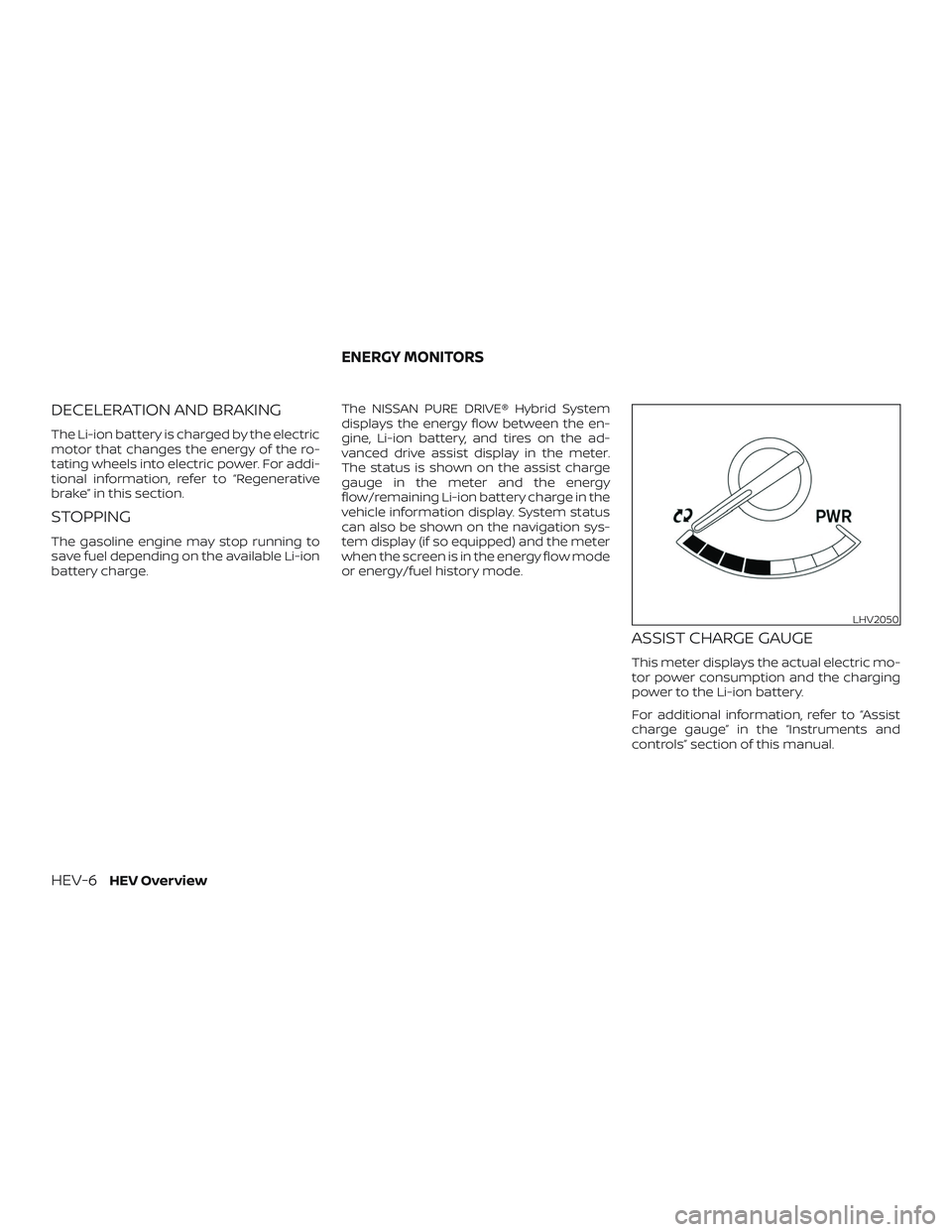
The status is shown on the assist charge
gauge in the meter and the energy
flow/remaining Li-ion battery charge in the
vehicle information display. System status
can also be shown on the navigation sys-
tem display (if so equipped) and the meter
when the screen is in the energy flow mode
or energy/fuel history mode.
ASSIST CHARGE GAUGE
This meter displays the actual electric mo-
tor power consumption and the charging
power to the Li-ion battery.
For additional information, refer to “Assist
charge gauge” in the “Instruments and
controls” section of this manual.
LHV2050
ENERGY MONITORS
HEV-6HEV Overview
Page 16 of 482
ENERGY FLOW (models with
Navigation System)
When you use this system, make sure the
hybrid system is in the READY to drive
mode. For additional information, refer to
“Operation of the hybrid system” in this
section.
If you use the system with the hybrid
system off for a long time, it will dis-
charge the 12-volt battery power, and
the hybrid system will not start.
The energy monitor for various operating
modes can be displayed on the navigation
system monitor and the meter.1. Press the MENU button on the control panel.
2. Select the “Info” key by touching the touch-screen.
3. Select the “Vehicle” key by touching the touch-screen or highlight the “Vehicle”
key on the display by using the
TUNE/SCROLL knob and press the OK
button. 4. Select the “Energy Flow” key by touch-
ing the touch-screen or highlight the
“Energy Flow” key on the display by us-
ing the TUNE/SCROLL knob and press
the OK button.
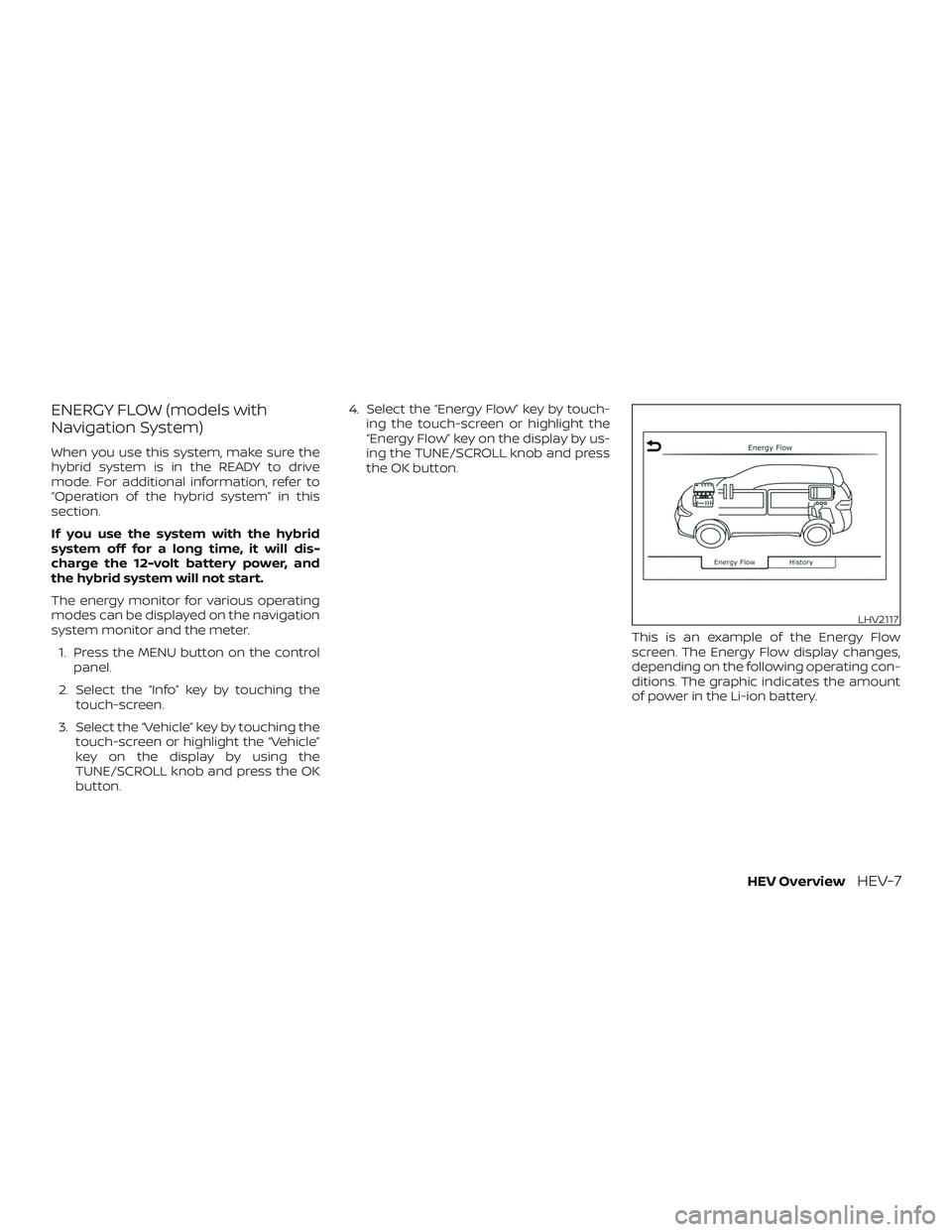
This is an example of the Energy Flow
screen. The Energy Flow display changes,
depending on the following operating con-
ditions. The graphic indicates the amount
of power in the Li-ion battery.
LHV2117
HEV OverviewHEV-7
Page 18 of 482
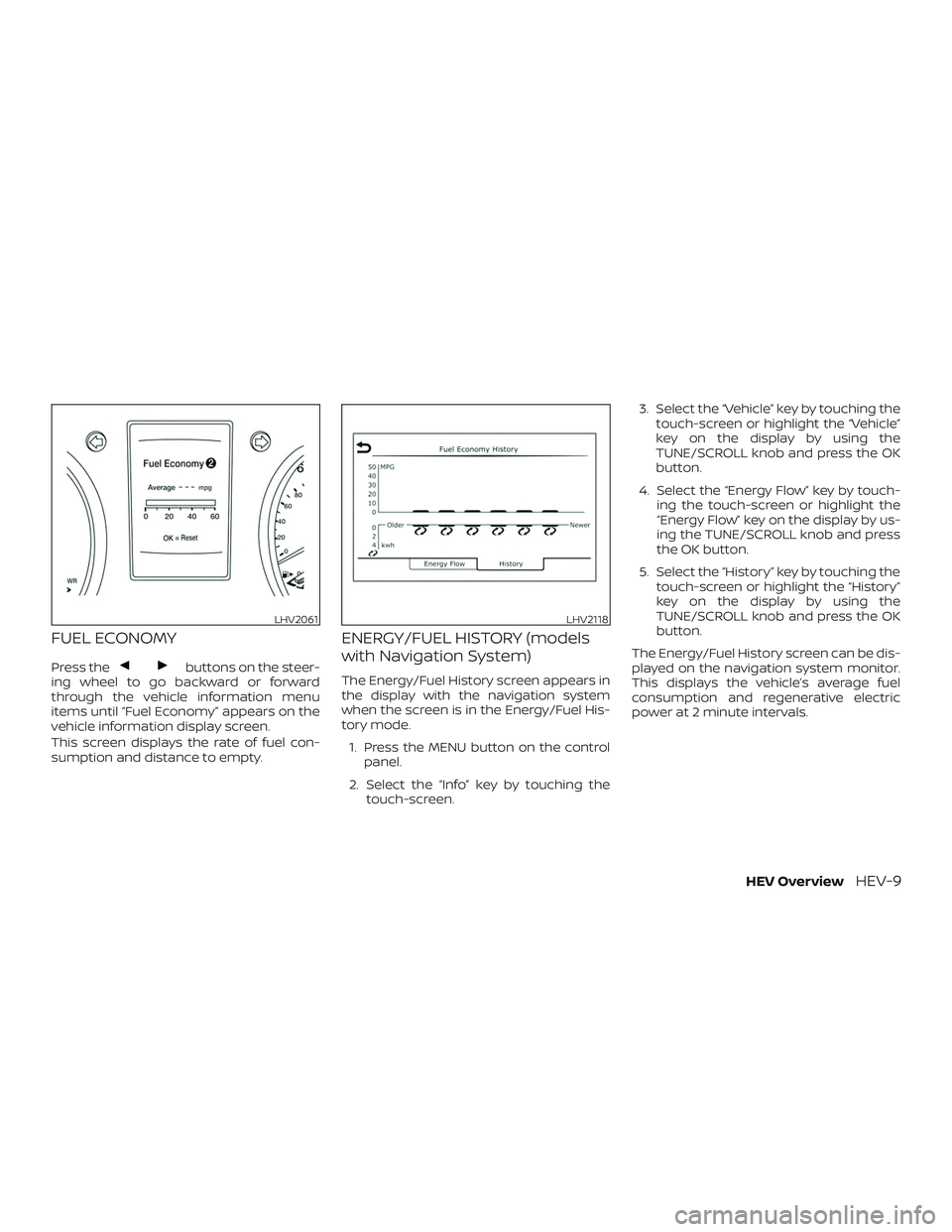
FUEL ECONOMY
Press thebuttons on the steer-
ing wheel to go backward or forward
through the vehicle information menu
items until “Fuel Economy” appears on the
vehicle information display screen.
This screen displays the rate of fuel con-
sumption and distance to empty.
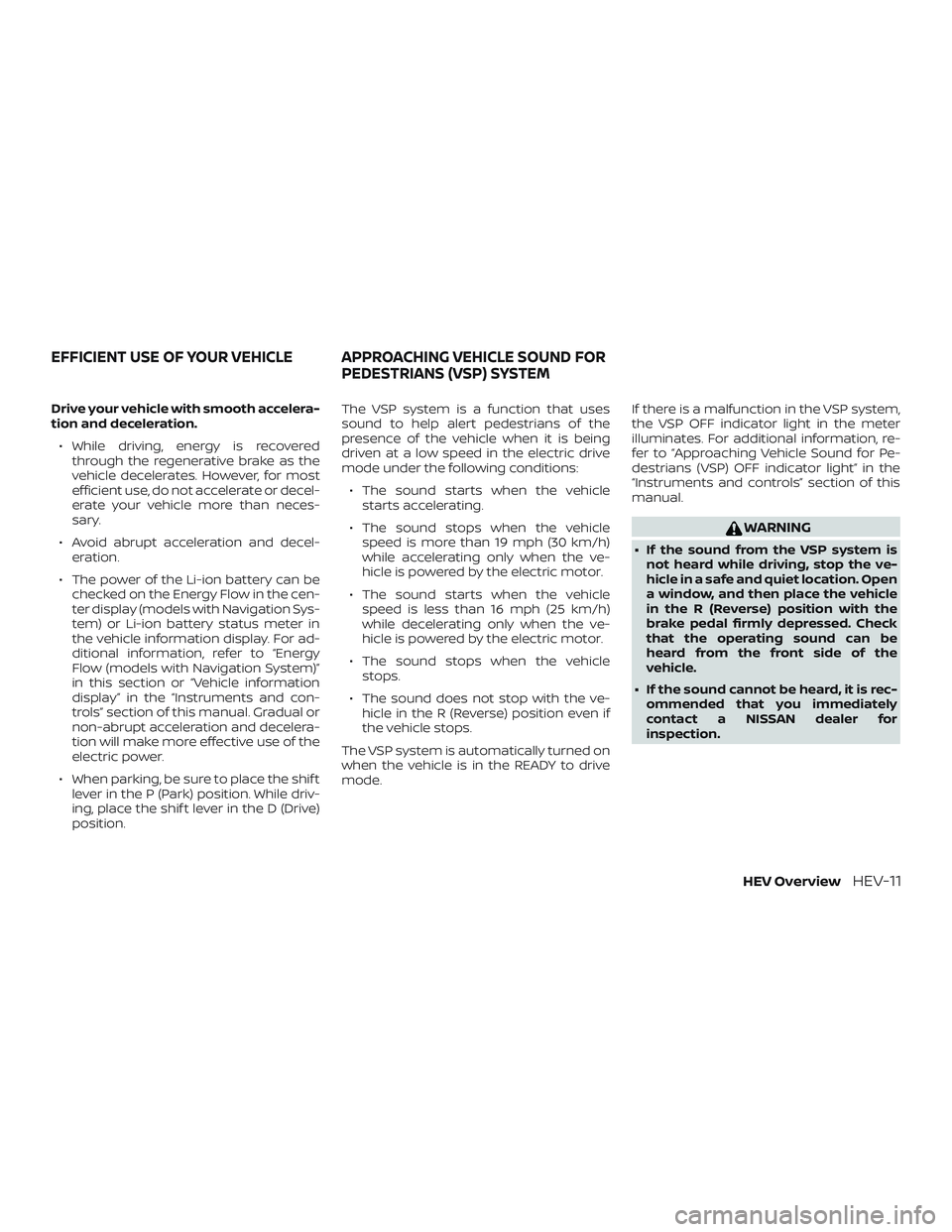
ENERGY/FUEL HISTORY (models
with Navigation System)
The Energy/Fuel History screen appears in
the display with the navigation system
when the screen is in the Energy/Fuel His-
tory mode.
1. Press the MENU button on the control panel.
2. Select the “Info” key by touching the touch-screen. 3. Select the “Vehicle” key by touching the
touch-screen or highlight the “Vehicle”
key on the display by using the
TUNE/SCROLL knob and press the OK
button.
4. Select the “Energy Flow” key by touch- ing the touch-screen or highlight the
“Energy Flow” key on the display by us-
ing the TUNE/SCROLL knob and press
the OK button.
5. Select the “History” key by touching the touch-screen or highlight the “History”
key on the display by using the
TUNE/SCROLL knob and press the OK
button.
The Energy/Fuel History screen can be dis-
played on the navigation system monitor.
This displays the vehicle’s average fuel
consumption and regenerative electric
power at 2 minute intervals.
LHV2061LHV2118
HEV OverviewHEV-9
Page 20 of 482
Drive your vehicle with smooth accelera-
tion and deceleration.∙ While driving, energy is recovered through the regenerative brake as the
vehicle decelerates. However, for most
efficient use, do not accelerate or decel-
erate your vehicle more than neces-
sary.
∙ Avoid abrupt acceleration and decel- eration.
∙ The power of the Li-ion battery can be checked on the Energy Flow in the cen-
ter display (models with Navigation Sys-
tem) or Li-ion battery status meter in
the vehicle information display. For ad-
ditional information, refer to “Energy
Flow (models with Navigation System)”
in this section or “Vehicle information
display” in the “Instruments and con-
trols” section of this manual. Gradual or
non-abrupt acceleration and decelera-
tion will make more effective use of the
electric power.
∙ When parking, be sure to place the shif t lever in the P (Park) position. While driv-
ing, place the shif t lever in the D (Drive)
position. The VSP system is a function that uses
sound to help alert pedestrians of the
presence of the vehicle when it is being
driven at a low speed in the electric drive
mode under the following conditions:
∙ The sound starts when the vehicle starts accelerating.
∙ The sound stops when the vehicle speed is more than 19 mph (30 km/h)
while accelerating only when the ve-
hicle is powered by the electric motor.
∙ The sound starts when the vehicle speed is less than 16 mph (25 km/h)
while decelerating only when the ve-
hicle is powered by the electric motor.
∙ The sound stops when the vehicle stops.
∙ The sound does not stop with the ve- hicle in the R (Reverse) position even if
the vehicle stops.
The VSP system is automatically turned on
when the vehicle is in the READY to drive
mode. If there is a malfunction in the VSP system,
the VSP OFF indicator light in the meter
illuminates. For additional information, re-
fer to “Approaching Vehicle Sound for Pe-
destrians (VSP) OFF indicator light” in the
“Instruments and controls” section of this
manual.
WARNING
∙ If the sound from the VSP system is
not heard while driving, stop the ve-
hicle in a safe and quiet location. Open
a window, and then place the vehicle
in the R (Reverse) position with the
brake pedal firmly depressed. Check
that the operating sound can be
heard from the front side of the
vehicle.
∙ If the sound cannot be heard, it is rec- ommended that you immediately
contact a NISSAN dealer for
inspection.
EFFICIENT USE OF YOUR VEHICLE APPROACHING VEHICLE SOUND FOR PEDESTRIANS (VSP) SYSTEM
HEV OverviewHEV-11
Page 31 of 482
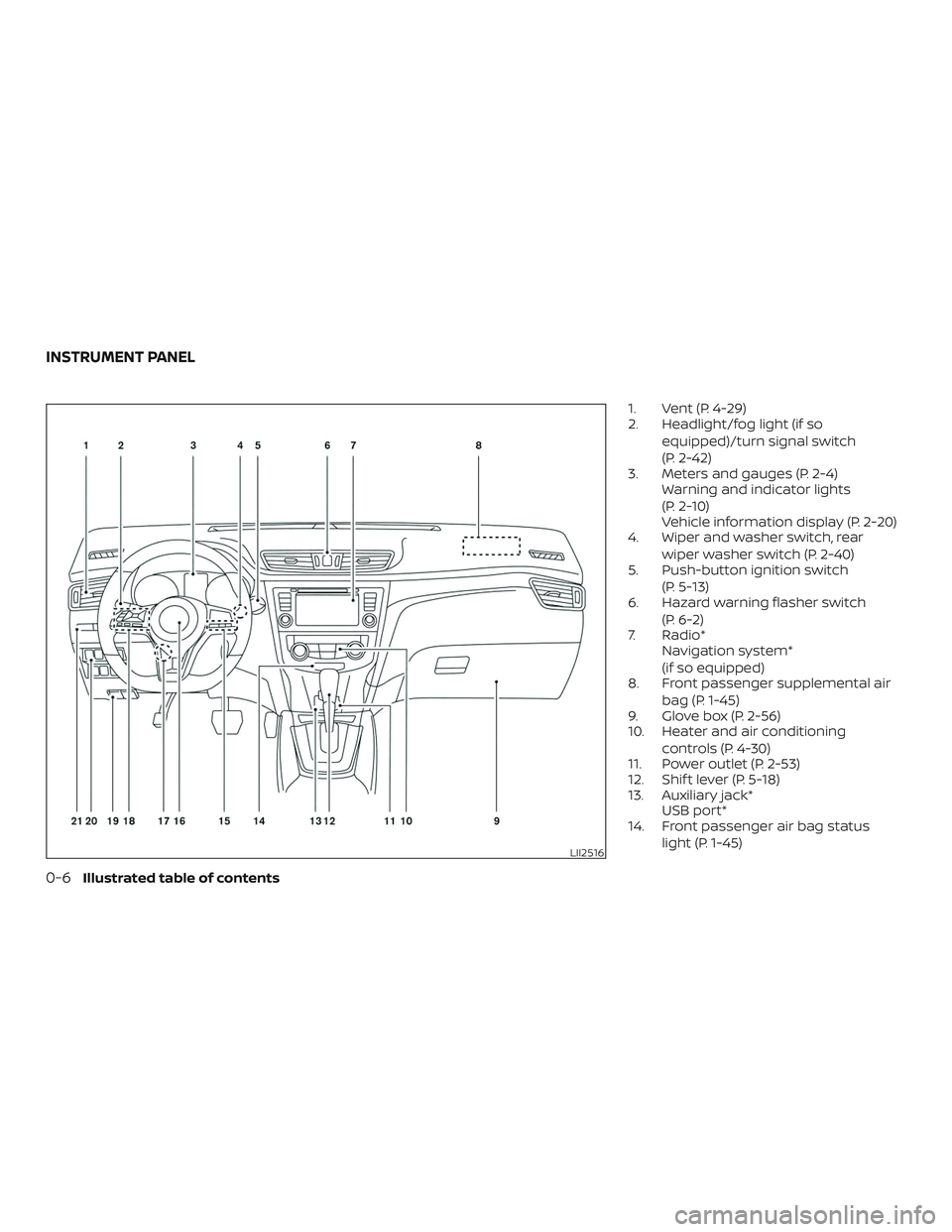
1. Vent (P. 4-29)
2. Headlight/fog light (if soequipped)/turn signal switch
(P. 2-42)
3. Meters and gauges (P. 2-4) Warning and indicator lights
(P. 2-10)
Vehicle information display (P. 2-20)
4. Wiper and washer switch, rear
wiper washer switch (P. 2-40)
5. Push-button ignition switch
(P. 5-13)
6. Hazard warning flasher switch
(P. 6-2)
7. Radio* Navigation system*
(if so equipped)
8. Front passenger supplemental air
bag (P. 1-45)
9. Glove box (P. 2-56)
10. Heater and air conditioning
controls (P. 4-30)
11. Power outlet (P. 2-53)
12. Shif t lever (P. 5-18)
13. Auxiliary jack* USB port*
14. Front passenger air bag status
light (P. 1-45)
LII2516
INSTRUMENT PANEL
0-6Illustrated table of contents
Page 103 of 482

1. Vent (P. 4-29)
2. Headlight/fog light(if so equipped)/turn signal switch
(P. 2-42)
3. Meters and gauges (P. 2-4) Warning and indicator lights
(P. 2-10)
Vehicle information display (P. 2-20)
4. Wiper and washer switch, rear
wiper washer switch (P. 2-40)
5. Push-button ignition switch
(P. 5-13)
6. Hazard warning flasher switch
(P. 6-2)
7. Radio* Navigation system*
(if so equipped)
8. Front passenger supplemental air
bag (P. 1-45)
9. Glove box (P. 2-56)
10. Heater and air conditioning
controls (P. 4-30)
11. Power outlet (P. 2-53)
12. Shif t lever (P. 5-18)
13. Auxiliary jack* USB port*
14. Front passenger air bag status
light (P. 1-45)
LII2516
INSTRUMENT PANEL
2-2Instruments and controls
Page 125 of 482
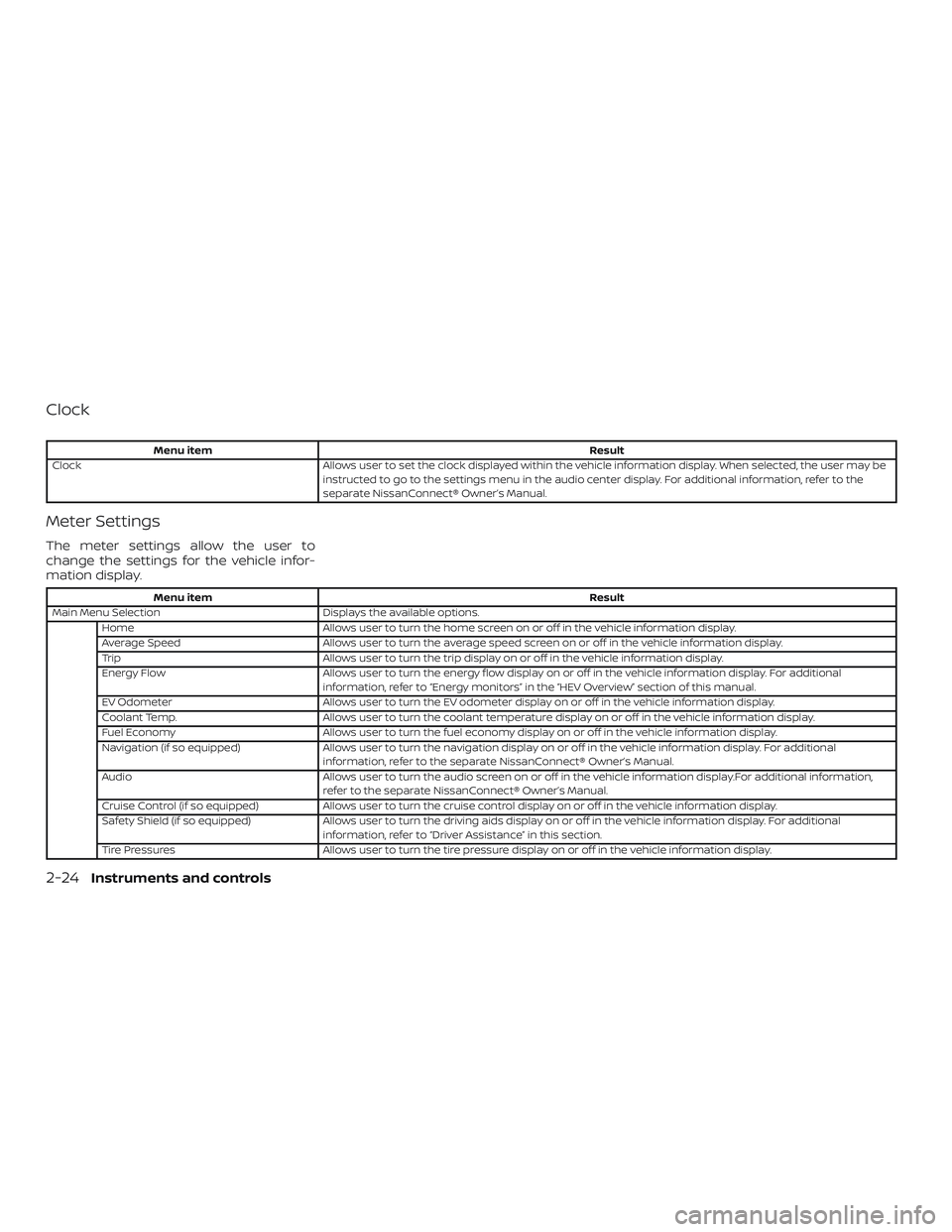
Clock
Menu itemResult
Clock Allows user to set the clock displayed within the vehicle information display. When selected, the user may be
instructed to go to the settings menu in the audio center display. For additional information, refer to the
separate NissanConnect® Owner’s Manual.
Meter Settings
The meter settings allow the user to
change the settings for the vehicle infor-
mation display.
Menu item Result
Main Menu Selection Displays the available options.
Home Allows user to turn the home screen on or off in the vehicle information display.
Average Speed Allows user to turn the average speed screen on or off in the vehicle information display.
Trip Allows user to turn the trip display on or off in the vehicle information display.
Energy Flow Allows user to turn the energy flow display on or off in the vehicle information display. For additional
information, refer to “Energy monitors” in the “HEV Overview” section of this manual.
EV Odometer Allows user to turn the EV odometer display on or off in the vehicle information display.
Coolant Temp. Allows user to turn the coolant temperature display on or off in the vehicle information display.
Fuel Economy Allows user to turn the fuel economy display on or off in the vehicle information display.
Navigation (if so equipped) Allows user to turn the navigation display on or off in the vehicle information display. For additional
information, refer to the separate NissanConnect® Owner’s Manual.
Audio Allows user to turn the audio screen on or off in the vehicle information display.For additional information,
refer to the separate NissanConnect® Owner’s Manual.
Cruise Control (if so equipped) Allows user to turn the cruise control display on or off in the vehicle information display.
Safety Shield (if so equipped) Allows user to turn the driving aids display on or off in the vehicle information display. For additional
information, refer to “Driver Assistance” in this section.
Tire Pressures Allows user to turn the tire pressure display on or off in the vehicle information display.
2-24Instruments and controls
Page 130 of 482
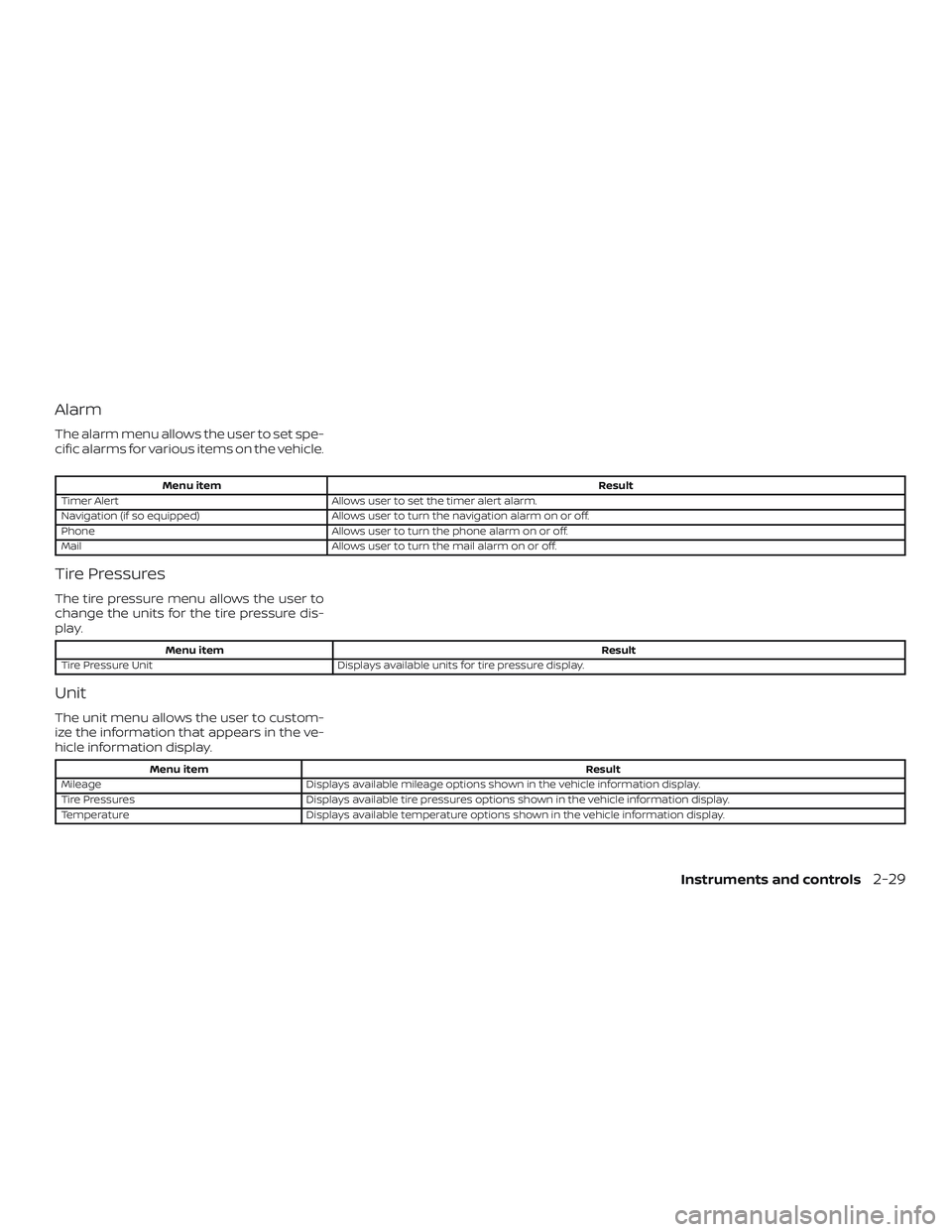
Alarm
The alarm menu allows the user to set spe-
cific alarms for various items on the vehicle.
Menu itemResult
Timer Alert Allows user to set the timer alert alarm.
Navigation (if so equipped) Allows user to turn the navigation alarm on or off.
Phone Allows user to turn the phone alarm on or off.
Mail Allows user to turn the mail alarm on or off.
Tire Pressures
The tire pressure menu allows the user to
change the units for the tire pressure dis-
play.
Menu item Result
Tire Pressure Unit Displays available units for tire pressure display.
Unit
The unit menu allows the user to custom-
ize the information that appears in the ve-
hicle information display.
Menu item Result
Mileage Displays available mileage options shown in the vehicle information display.
Tire Pressures Displays available tire pressures options shown in the vehicle information display.
Temperature Displays available temperature options shown in the vehicle information display.
Instruments and controls2-29