warning light NISSAN ROGUE SPORT 2017 Manual Online
[x] Cancel search | Manufacturer: NISSAN, Model Year: 2017, Model line: ROGUE SPORT, Model: NISSAN ROGUE SPORT 2017Pages: 512, PDF Size: 3.33 MB
Page 380 of 512
— The camera area of wind-shield is fogged up, or covered
with dirt, water drops, ice,
snow, etc.
— Strong light (for example, sun- light or high beams from on-
coming vehicles) enters the
front camera. Strong light
causes the area around the
pedestrian to be cast in a
shadow, making it difficult to
see.
— A sudden change in bright- ness occurs. (For example,
when the vehicle enters or
exits a tunnel or a shaded
area or lightning flashes.)
— The poor contrast of a person to the background, such as
having clothing color or pat-
tern which is similar to the
background.
— The pedestrian’s profile is par- tially obscured or unidentifi-
able due to the pedestrian
transporting cargo, wearing
bulky or very loose-fitting
clothing or accessories.
. The system performance may
degrade in the following condi- tions:
— The vehicle is driven on a
slippery road.
— The vehicle is driven on a slope.
— Excessively heavy baggage is loaded in the rear seat or the
cargo area of your vehicle.
. The system is designed to auto-
matically check the sensor (radar
and camera)’s functionality, with-
in certain limitations. The system
may not detect blockage of sen-
sor areas covered by ice, snow or
stickers, for example. In these
cases, the system may not be
able to warn the driver properly.
Be sure that you check, clean and
clear sensor areas regularly.
. In some road and traffic condi-
tions, the AEB system may unex-
pectedly apply partial braking.
When acceleration is necessary,
depress the accelerator pedal to
override the system.
. The AEB system may react a
roadside object (traffic sign,
guard rail etc.)
. Braking distances increase on
slippery surfaces. .
Excessive noise will interfere with
the warning chime sound, and
the chime may not be heard.
Starting and driving5-95
Page 381 of 512

5-96Starting and driving
SSD0253
When driving on some roads, such as
winding, hilly, curved, narrow roads, or
roads which are under construction, the
sensor may detect vehicles in a different
lane, or may temporarily not detect a
vehicle traveling ahead. This may cause
the system to work inappropriately.
The detection of vehicles may also be
affected by vehicle operation (steering
maneuver or traveling position in the
lane, etc.) or vehicle condition.If this
occurs, the system may warn you by
blinking the system indicator and
sounding the chime unexpectedly. You
will have to manually control the proper
distance away from the vehicle travel-
ing ahead.
JVS0972X
SYSTEM TEMPORARILY UNAVAIL-
ABLE
Condition A
In the following conditions, the AEB
system warning light (orange) will illumi-
nate and the system will be turned off
automatically.
. The radar sensor picks up interference
from another radar source.
. The camera area of windshield is
misted or frozen.
. Strong light is shining from the front.
. The cabin temperature is over ap-
proximately 104°F (40°C) in direct sun-
light.
Page 382 of 512

.The camera area of windshield glass is
continuously covered with dirt, etc.
Action to take:
When the above conditions no longer
exist, the AEB with pedestrian detection
system will resume automatically.
NOTE:
When the inside of the windshield on
camera area is misted or frozen, it will
take a period of time to remove it after
air conditioner turns on. If dirt appears
on this area, it is recommended you
visit a NISSAN dealer.
Condition B
In the following condition, the AEB system
warning light (orange) will illuminate and
the “Unavailable: Front Radar Obstruc-
tion” warning message will appear in the
vehicle information display.
. The sensor area of the front of the
vehicle is covered with dirt or is
obstructed
Action to take:
If the warning light (orange) comes on,
stop the vehicle in a safe place and turn
the engine off. Clean the radar cover on
the front of the vehicle with a soft cloth,
and restart the engine. If the warning light
continues to illuminate, have the AEB with
pedestrian detection system checked. It is recommended that you visit a NISSAN
dealer for this service.
.
When driving on roads with limited
road structures or buildings (for ex-
ample, long bridges, deserts, snow
fields, driving next to long walls).
Action to take:
When the above conditions no longer
exist, the AEB with pedestrian detection
system will resume automatically.
Condition C
When VDC system is OFF, the AEB brake
will not operate. In this case only visible
and audible warning operates. The AEB
system warning light (orange) will illumi-
nate.
Action to take:
When VDC system is ON, the AEB with
pedestrian detection system will resume
automatically.
SYSTEM MALFUNCTION
If the AEB with pedestrian detection
system malfunctions, it will be turned off
automatically, a chime will sound, the AEB
system warning light will (orange) will
illuminate and the warning message
“Malfunction” will appear in the vehicle
information display. Action to take:
If the warning light (orange) comes on,
stop the vehicle in a safe location. Turn
the engine off and restart the engine. If
the warning light continues to illuminate,
have the AEB with pedestrian detection
system checked. It is recommended that
you visit a NISSAN dealer for this service.
Starting and driving5-97
Page 383 of 512

5-98Starting and driving
JVS1042X
SYSTEM MAINTENANCE
The radar sensoris located on the front
of the vehicle. The camerais located on
the upper side of the windshield.
To keep the AEB with pedestrian detec-
tion system operating properly, be sure to
observe the following:
. Always keep the sensor area on the
front of the vehicle and windshield
clean.
. Do not strike or damage the areas
around the sensors (ex. bumper, wind-
shield).
. Do not cover or attach stickers or
similar objects on the front of the
vehicle near the sensor area. This could cause failure or malfunction.
. Do not attach metallic objects near
the radar sensor area (brush guard,
etc.). This could cause failure or mal-
function.
. Do not place reflective materials, such
as white paper or a mirror, on the
instrument panel. The reflection of
sunlight may adversely affect the
camera unit’s detection capability.
. Do not alter, remove or paint the front
of the vehicle near the sensor area.
Before customizing or restoring the
sensor area, it is recommended that
you visit a NISSAN dealer.
Radio frequency statement
For USA
FCC : OAYSRR3B
This device complies with part 15 of the
FCC Rules. Operation is subject to the
following two conditions:
(1) This device may not cause harmful
interference, and (2) this device must
accept any interference received, in-
cluding interference that may cause
undesired operation.
FCC Warning
Changes or modifications not expressly
approved by the party responsible for
compliance could void the user’s
authority to operate the equipment For Canada
Applicable law: Canada 310
This device complies with Industry Ca-
nada licence-exempt RSS standard(s).
Operation is subject to the following
two conditions: (1) this device may not
cause interference, and (2) this device
must accept any interference, including
interference that may cause undesired
operation of the device.
Frequency bands: 24.05 – 24.25GHz
Output power: less than 20 milliwatts
Page 387 of 512
5-102Starting and driving
mended that you visit a NISSAN
dealer for this service.
. If the “AWD Error” warning ap-
pears while driving, there may be
a malfunction in the AWD system.
Reduce the vehicle speed and
have your vehicle checked as
soon as possible. It is recom-
mended that you visit a NISSAN
dealer for this service.
. Never drive on dry, hard surface
roads in the LOCK mode, as this
will overload the powertrain and
may cause a serious malfunction.
JVS1024X
INTELLIGENT 4X4 LOCK SWITCH
OPERATIONS
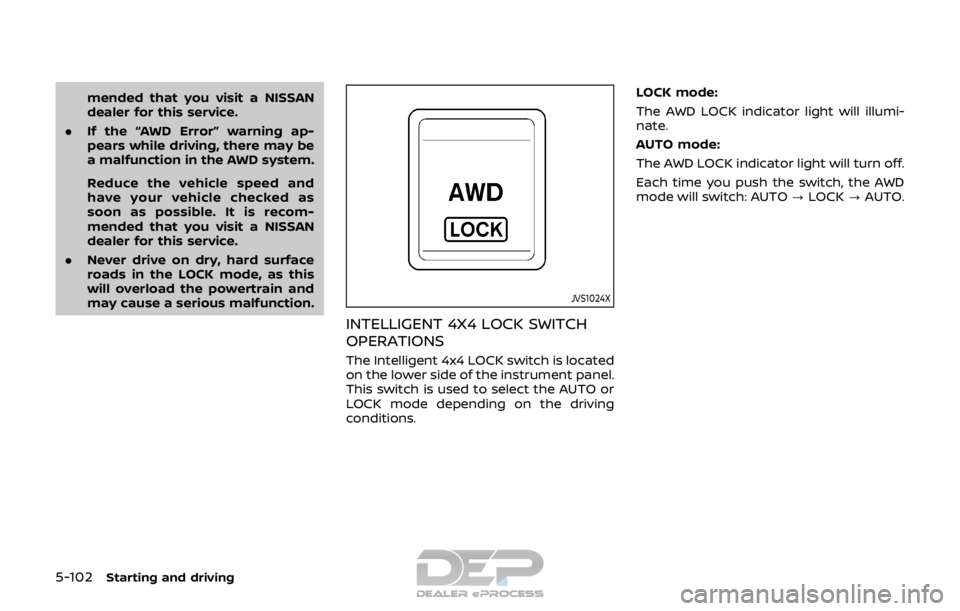
The Intelligent 4x4 LOCK switch is located
on the lower side of the instrument panel.
This switch is used to select the AUTO or
LOCK mode depending on the driving
conditions. LOCK mode:
The AWD LOCK indicator light will illumi-
nate.
AUTO mode:
The AWD LOCK indicator light will turn off.
Each time you push the switch, the AWD
mode will switch: AUTO
?LOCK ?AUTO.
Page 388 of 512
AWD modeWheels driven AWD LOCK indicator light Use conditions
AUTO Distribution of torque to
the front and rear wheels
changes automatically,
depending on road condi-
tions encountered [ratio;
100 : 0
/?50 : 50]. This
results in improved driving
stability.*1 -
For driving on paved
or slippery roads
LOCK All-Wheel Drive (AWD) *2*3*
For driving on rough
roads
*1: When the rotation difference between the front and rear wheels is large, the AWD
mode may change from AUTO to LOCK
for a while, however, this is not a mal-
function.
*2: The LOCK mode will change to the AUTO mode automatically when the vehicle has
been driven at a high speed. The AWD
LOCK indicator light turns off.
*3: The LOCK mode will automatically be cancelled when the ignition switch is
placed in the OFF position.
.The AWD torque distribution between
the front and rear wheels can be
displayed in the vehicle information
display. See “Vehicle information dis-
play” (P.2-18).
. If the Intelligent 4x4 LOCK switch is
operated while accelerating or decel-
erating, or if the ignition switch is
turned off, you may feel a jolt. This is
normal.
. The oil temperature of the powertrain
parts will increase if the vehicle is
continuously operated under condi-
tions where the difference in rotation
between the front and rear wheels is
large (wheel slip), such as when driving
the vehicle on rough roads, through
sand or mud, or freeing a stuck
vehicle. In these cases, the master
warning light illuminates and the
AWD mode changes to 2WD to protect the powertrain parts. Stop driving
with the engine idling and wait until
the warning light turns off and the
AWD returns to the AUTO mode. If the
warning light remains on, have your
vehicle checked as soon as possible. It
is recommended that you visit a
NISSAN dealer for this service.
WARNING
.
When driving straight, shift the
Intelligent 4x4 LOCK switch to
AUTO. Do not operate the Intelli-
gent 4x4 LOCK switch when mak-
ing a turn or backing up.
. Do not operate the Intelligent 4x4
LOCK switch with the front wheel
spinning.
. Engine idling speed is high while
warming up the engine. Be espe-
cially careful when starting or
driving on slippery surfaces.
. When turning the vehicle in LOCK
mode on paved roads, you may
feel a braking effect. This is a
normal condition of the AWD
model.
Starting and driving5-103
Page 390 of 512
curb..HEADED UPHILL WITH CURB:
Turn the wheels away from the
curb and move the vehicle back
until the curb side wheel gently
touches the curb.
.HEADED UPHILL OR DOWNHILL, NOCURB:
Turn the wheels toward the side of
the road so the vehicle will move
away from the center of the road if
it moves.
4. Models with Intelligent Key system:
Place the ignition switch in the OFF
position.
Models without Intelligent Key sys-
tem:
Place the ignition switch in the LOCK
position and remove the key.
WARNING
.If the engine is not running or is
turned off while driving, the
power assist for the steering will
not work. Steering will be harder
to operate.
. When the electric power steering
warning light illuminates with the
engine running, the power assist
for the steering will cease opera-
tion. You will still have control of
the vehicle but the steering will
be harder to operate.
The electric power steering is designed to
provide power assist while driving to
operate the steering wheel with light
force.
When the steering wheel is operated
repeatedly or continuously while parking
or driving at a very low speed, the power
assist for the steering wheel will be
reduced. This is to prevent overheating
of the electric power steering and protect
it from getting damaged. While the power
assist is reduced, steering wheel opera-
tion will become heavy. When the tem-
perature of the electric power steering
goes down, the power assist level will
return to normal. Avoid repeating such steering wheel operations that could
cause the electric power steering to over-
heat.
You may hear a noise when the steering
wheel is operated quickly. However, this is
not a malfunction.
If the electric power steering warning
light
illuminates while the engine is
running, it may indicate the electric
power steering is not functioning prop-
erly and may need servicing. Have the
electric power steering checked. It is
recommended that you visit a NISSAN
dealer for this service. (See “Electric power
steering warning light” (P.2-12).)
When the electric power steering warning
light illuminates with the engine running,
the power assist for the steering will
cease operation. You will still have control
of the vehicle. However, greater steering
effort is needed, especially in sharp turns
and at low speeds.
The mode of the Power Steering can be
changed to:
. NORMAL
. SPORT
For more information, see “Vehicle infor-
mation display” (P.2-18).
Starting and driving5-105
ELECTRIC POWER STEERING
Page 391 of 512
5-106Starting and driving
BRAKING PRECAUTIONS
The brake system has two separate
hydraulic circuits. If one circuit malfunc-
tions, you will still have braking at two
wheels.
Vacuum assisted brakes
The brake booster aids braking by using
engine vacuum. If the engine stops, you
can stop the vehicle by depressing the
brake pedal. However, greater foot pres-
sure on the brake pedal will be required to
stop the vehicle and the stopping dis-
tance will be longer.
Using the brakes
Avoid resting your foot on the brake
pedal while driving. This will cause over-
heating of the brakes, wearing out the
brake pads faster and reduce gas mile-
age.
To help reduce brake wear and to prevent
the brakes from overheating, reduce
speed and downshift to a lower gear
before going down a slope or long grade.
Overheated brakes may reduce braking
performance and could result in loss of
vehicle control.
WARNING
.While driving on a slippery sur-
face, be careful when braking,
accelerating or downshifting.
Abrupt braking or accelerating
could cause the wheels to skid
and result in an accident.
. If the engine is not running or is
turned off while driving, the
power assist for the brakes will
not work. Braking will be harder.
Wet brakes
When the vehicle is washed or driven
through water, the brakes may get wet.
As a result, your braking distance will be
longer and the vehicle may pull to one
side during braking.
To dry brakes, drive the vehicle at a safe
speed while lightly tapping the brake
pedal to heat-up the brakes. Do this until
the brakes return to normal. Avoid driving
the vehicle at high speeds until the brakes
function correctly.
Parking brake break-in
Break in the parking brake shoes when-
ever the stopping effect of the parking
brake is weakened or whenever the
parking brake shoes and/or drums/ro-
tors are replaced, in order to assure the
best braking performance.
This procedure is described in the vehicle
service manual. It is recommended you
visit a NISSAN dealer for this service.
BRAKE SYSTEM
Page 392 of 512
BRAKE ASSIST
When the force applied to the brake pedal
exceeds a certain level, the Brake Assist is
activated generating greater braking
force than a conventional brake booster
even with light pedal force.
WARNING
The Brake Assist is only an aid to
assist braking operation and is not a
collision warning or avoidance de-
vice. It is the driver’s responsibility to
stay alert, drive safely and be in
control of the vehicle at all times.
ANTI-LOCK BRAKING SYSTEM (ABS)
WARNING
.The Anti-lock Braking System
(ABS) is a sophisticated device,
but it cannot prevent accidents
resulting from careless or dan-
gerous driving techniques. It can
help maintain vehicle control dur-
ing braking on slippery surfaces.
Remember that stopping dis-
tances on slippery surfaces will
be longer than on normal sur- faces even with ABS. Stopping
distances may also be longer on
rough, gravel or snow covered
roads, or if you are using tire
chains. Always maintain a safe
distance from the vehicle in front
of you. Ultimately, the driver is
responsible for safety.
. Tire type and condition may also
affect braking effectiveness.
— When replacing tires, install
the specified size of tires on
all four wheels.
— When installing a spare tire, make sure that it is the proper
size and type as specified on
the Tire and Loading Informa-
tion label. See “Tire and Load-
ing Information label” (P.10-
10) of this manual.
— For detailed information, see “Wheels and tires” (P.8-29) of
this manual.
The Anti-lock Braking System (ABS) con-
trols the brakes so the wheels do not lock
during hard braking or when braking on
slippery surfaces. The system detects the
rotation speed at each wheel and varies
the brake fluid pressure to prevent each
wheel from locking and sliding. By pre- venting each wheel from locking, the
system helps the driver maintain steering
control and helps to minimize swerving
and spinning on slippery surfaces.
Using the system
Depress the brake pedal and hold it down.
Depress the brake pedal with firm steady
pressure, but do not pump the brakes.
The ABS will operate to prevent the
wheels from locking up. Steer the vehicle
to avoid obstacles.
WARNING
Do not pump the brake pedal. Doing
so may result in increased stopping
distances.
Self-test feature
The ABS includes electronic sensors, elec-
tric pumps, hydraulic solenoids and a
computer. The computer has a built-in
diagnostic feature that tests the system
each time you start the engine and move
the vehicle at a low speed in forward or
reverse. When the self-test occurs, you
may hear a “clunk” noise and/or feel a
pulsation in the brake pedal. This is
normal and does not indicate a malfunc-
tion. If the computer senses a malfunc-
Starting and driving5-107
BRAKE ASSIST
Page 393 of 512

5-108Starting and driving
tion, it switches the ABS off and illumi-
nates the ABS warning light on the
instrument panel. The brake system then
operates normally, but without anti-lock
assistance.
If the ABS warning light illuminates during
the self-test or while driving, have the
vehicle checked. It is recommended you
visit a NISSAN dealer for this service.
Normal operation
The ABS operates at speeds above 3 to 6
MPH (5 to 10 km/h). The speed varies
according to road conditions.
When the ABS senses that one or more
wheels are close to locking up, the
actuator rapidly applies and releases
hydraulic pressure. This action is similar
to pumping the brakes very quickly. You
may feel a pulsation in the brake pedal
and hear a noise from under the hood or
feel a vibration from the actuator when it
is operating. This is normal and indicates
that the ABS is operating properly. How-
ever, the pulsation may indicate that road
conditions are hazardous and extra care
is required while driving.The Vehicle Dynamic Control (VDC) sys-
tem uses various sensors to monitor
driver inputs and vehicle motion. Under
certain driving conditions, the VDC sys-
tem helps to perform the following func-
tions.
.
Controls brake pressure to reduce
wheel slip on one slipping drive wheel
so power is transferred to a non
slipping drive wheel on the same axle.
. Controls brake pressure and engine
output to reduce drive wheel slip
based on vehicle speed (traction con-
trol function).
. Controls brake pressure at individual
wheels and engine output to help the
driver maintain control of the vehicle
in the following conditions:
— understeer (vehicle tends to not
follow the steered path despite
increased steering input)
— oversteer (vehicle tends to spin due to certain road or driving condi-
tions).
The VDC system can help the driver to
maintain control of the vehicle, but it
cannot prevent loss of vehicle control in
all driving situations.
When the VDC system operates, the VDC
warning light
in the instrument panel
flashes so note the following: .
The road may be slippery or the
system may determine some action
is required to help keep the vehicle on
the steered path.
. You may feel a pulsation in the brake
pedal and hear a noise or vibration
from under the hood. This is normal
and indicates that the VDC system is
working properly.
. Adjust your speed and driving to the
road conditions.
If a malfunction occurs in the system, the
VDC warning light
illuminates in the
instrument panel. The VDC system auto-
matically turns off.
The VDC OFF switch is used to turn off the
VDC system. The VDC off indicator
illuminates to indicate the VDC system is
off. When the VDC switch is used to turn
off the system, the VDC system still
operates to prevent one drive wheel from
slipping by transferring power to a non
slipping drive wheel. The VDC warning
light
flashes if this occurs. All other
VDC functions are off, and the VDC
warning light
will not flash. The VDC
system is automatically reset to on when
the ignition switch is placed in the off
position then back to the on position.
See “Vehicle Dynamic Control (VDC) warn-
ing light” (P.2-15) and “Vehicle Dynamic
Control (VDC) off indicator light” (P.2-17).
VEHICLE DYNAMIC CONTROL (VDC) SYSTEM