tow NISSAN SENTRA 1996 B14 / 4.G Owners Manual
[x] Cancel search | Manufacturer: NISSAN, Model Year: 1996, Model line: SENTRA, Model: NISSAN SENTRA 1996 B14 / 4.GPages: 191, PDF Size: 1.43 MB
Page 14 of 191
WARNING
cIf you judge it to be safe, drive care-
fully to the nearest service station for
repairs. Otherwise, have your vehicle
towed because driving it could be
dangerous.
cPressing the brake pedal with the
engine stopped and/or low brake
fluid level may increase your stop-
ping distance and braking will require
greater pedal effort as well as pedal
travel.
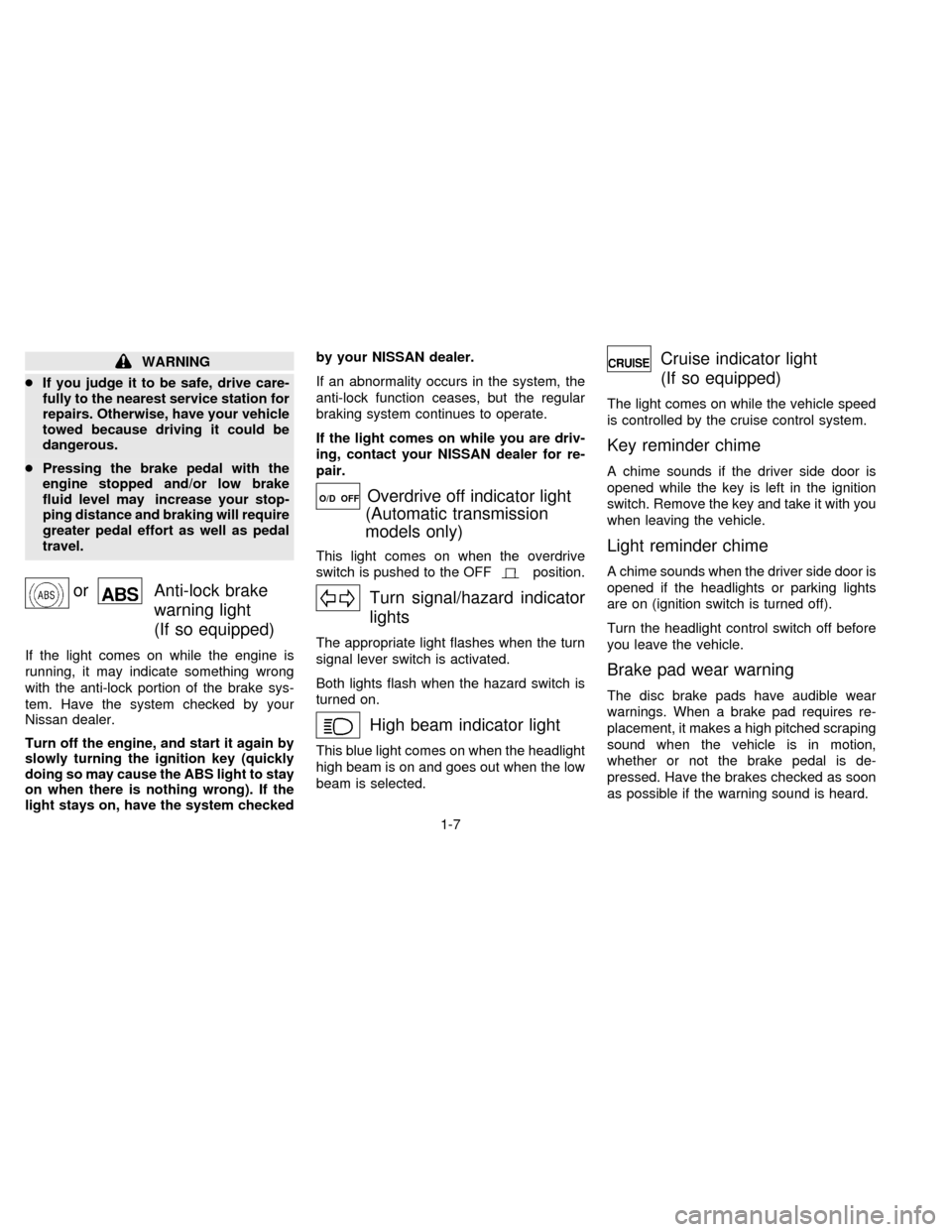
orAnti-lock brake
warning light
(If so equipped)
If the light comes on while the engine is
running, it may indicate something wrong
with the anti-lock portion of the brake sys-
tem. Have the system checked by your
Nissan dealer.
Turn off the engine, and start it again by
slowly turning the ignition key (quickly
doing so may cause the ABS light to stay
on when there is nothing wrong). If the
light stays on, have the system checkedby your NISSAN dealer.
If an abnormality occurs in the system, the
anti-lock function ceases, but the regular
braking system continues to operate.
If the light comes on while you are driv-
ing, contact your NISSAN dealer for re-
pair.
O/D OFFOverdrive off indicator light
(Automatic transmission
models only)
This light comes on when the overdrive
switch is pushed to the OFF
position.
Turn signal/hazard indicator
lights
The appropriate light flashes when the turn
signal lever switch is activated.
Both lights flash when the hazard switch is
turned on.
High beam indicator light
This blue light comes on when the headlight
high beam is on and goes out when the low
beam is selected.
Cruise indicator light
(If so equipped)
The light comes on while the vehicle speed
is controlled by the cruise control system.
Key reminder chime
A chime sounds if the driver side door is
opened while the key is left in the ignition
switch. Remove the key and take it with you
when leaving the vehicle.
Light reminder chime
A chime sounds when the driver side door is
opened if the headlights or parking lights
are on (ignition switch is turned off).
Turn the headlight control switch off before
you leave the vehicle.
Brake pad wear warning
The disc brake pads have audible wear
warnings. When a brake pad requires re-
placement, it makes a high pitched scraping
sound when the vehicle is in motion,
whether or not the brake pedal is de-
pressed. Have the brakes checked as soon
as possible if the warning sound is heard.
1-7
ZX
Page 16 of 191
intermittently. In addition, the starter mo-
tor does not operate.
cThe alarm automatically turns off after 2
to 3 minutes. However, the alarm reacti-
vates if the vehicle is tampered with
again. The alarm can be shut off by
unlocking a door or trunk lid with the key
or by pressing the
buttonon the
multi-remote controller.
The alarm is activated by:
copening the door or trunk lid without
using the key (even if the door is un-
locked by releasing the door inside lock
switch) or opening the trunk lid by oper-
ating the opener lever.
copening the hood.
How to stop the alarm
The alarm stops only by unlocking a door or
the trunk lid with the key or by pressing
the
buttonon the multi-remote control-
ler.The alarm does not stop if the ignition
switch is turned to ACC or ON position.
If the system does not operate as de-
scribed above, have it checked by your
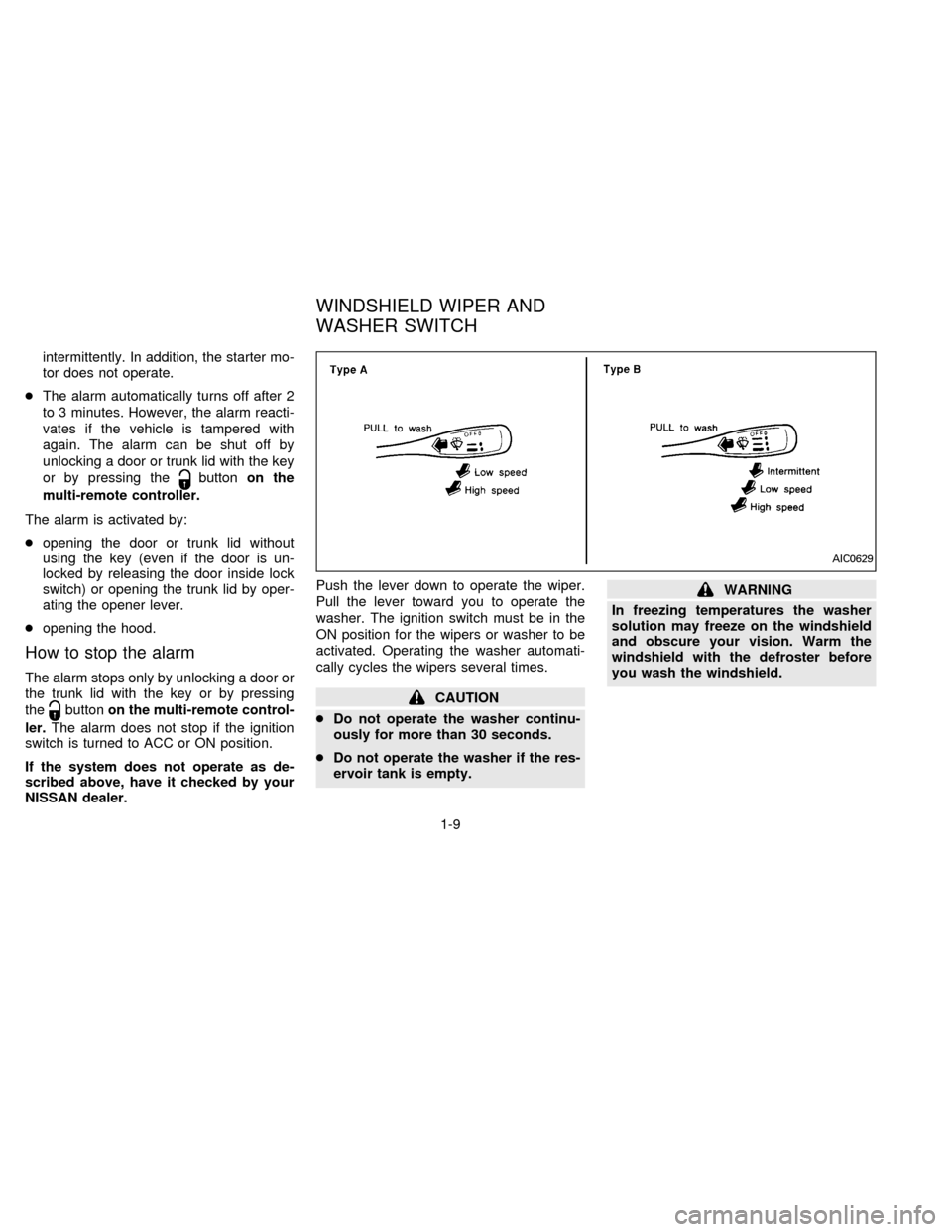
NISSAN dealer.Push the lever down to operate the wiper.
Pull the lever toward you to operate the
washer. The ignition switch must be in the
ON position for the wipers or washer to be
activated. Operating the washer automati-
cally cycles the wipers several times.CAUTION
cDo not operate the washer continu-
ously for more than 30 seconds.
cDo not operate the washer if the res-
ervoir tank is empty.
WARNING
In freezing temperatures the washer
solution may freeze on the windshield
and obscure your vision. Warm the
windshield with the defroster before
you wash the windshield.
AIC0629
WINDSHIELD WIPER AND
WASHER SWITCH
1-9
ZX
Page 19 of 191

Turn signal
Move the lever up or down to signal the
turning direction. When the turn is com-
pleted, the turn signals cancel automati-
cally.
Lane change signal
To signal a lane change, move the lever up
or down to the point where the indicator light
begins to flash, but the lever does not latch.
The instrument brightness control operates
when the headlight switch is in the
orposition.
Turn the control to adjust the brightness of
instrument panel lights.To turn the front fog lights on, rotate the
switch to theposition.
To turn them off, turn the switch toward the
back of the vehicle to the OFF position.
The low-beam headlight function must be
on for the fog lights to operate. The fog
lights automatically turn off whenever the
high-beam headlight function is selected.
AIC0608AIC0618
INSTRUMENT BRIGHTNESS
CONTROLFRONT FOG LIGHT SWITCH
(If so equipped)
1-12
ZX
Page 23 of 191

Rear power windows (If so equipped)
The rear power window switches open or
close only the corresponding window. To
open the window, push the switch down-
ward. To close the window, lift the switch
upward.
Automatic power window switch
To fully open the driver side window, press
the automatic power window switch down
and release it; it need not be held. The
window automatically opens all the way.The sun roof only operates when the igni-
tion key is in the ON position.
Sliding the sun roof
To open the roof, push the switch toward
DOWN/OPEN.
To close the roof, push the switch toward
UP/CLOSE.
Tilting the sun roof
Close the sun roof by pushing the switch
toward UP/CLOSE. Continuing to push the
UP/CLOSE button tilts the sun roof up.
AIC0614AIC0615AIC0616
SUN ROOF
(If so equipped)
1-16
ZX
Page 24 of 191
To tilt the sun roof down, push the switch
toward DOWN/OPEN. Continuing to push
the DOWN/OPEN switch opens the sun
roof.
Sun shade
Open and close the sun shade by sliding it
forward or backward.
WARNING
cBe extremely careful not to have any
part of your body in the sun roof
opening while it is closing.
cDo not stand up or extend any por-
tion of your body out of the opening
while driving.
cRemove water drops, snow, ice or
sand from the sun roof before
opening.
cDo not place any heavy object on the
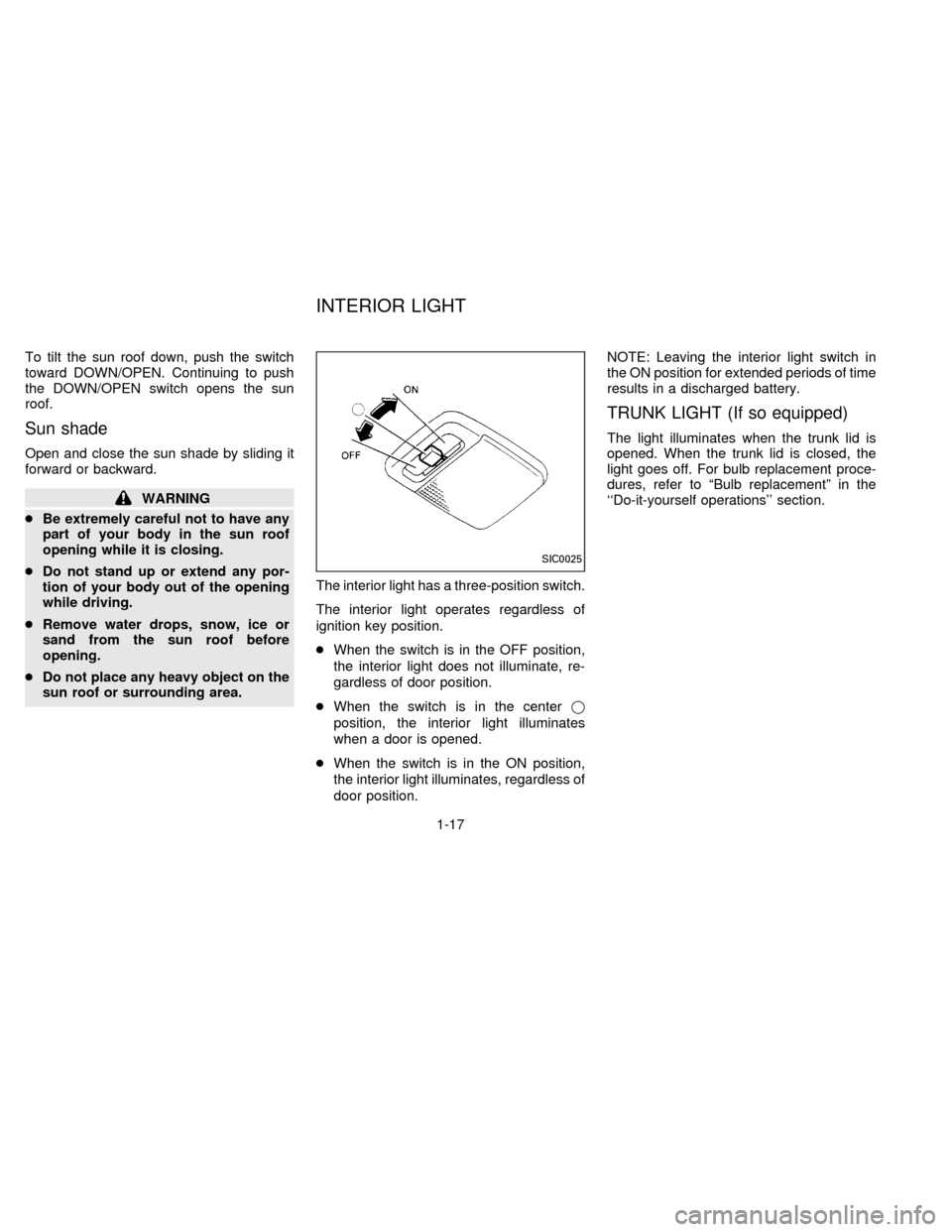
sun roof or surrounding area.The interior light has a three-position switch.
The interior light operates regardless of
ignition key position.
cWhen the switch is in the OFF position,
the interior light does not illuminate, re-
gardless of door position.
cWhen the switch is in the centerj
position, the interior light illuminates
when a door is opened.
cWhen the switch is in the ON position,
the interior light illuminates, regardless of
door position.NOTE: Leaving the interior light switch in
the ON position for extended periods of time
results in a discharged battery.
TRUNK LIGHT (If so equipped)
The light illuminates when the trunk lid is
opened. When the trunk lid is closed, the
light goes off. For bulb replacement proce-
dures, refer to ªBulb replacementº in the
``Do-it-yourself operations'' section.
SIC0025
INTERIOR LIGHT
1-17
ZX
Page 27 of 191

A key number plate is supplied with your
key. Record the key number that is on the
key number plate and keep it in a safe place
(such as your wallet), NOT IN THE CAR. If
you lose your keys, see your NISSAN
dealer for duplicates by using the key num-
ber. NISSAN does not record key numbers
so it is very important to keep track of your
key number plate.
A key number is only necessary when you
have lost all keys and do not have one to
duplicate from. If you still have a key, this
key can be duplicated by your NISSAN
dealer or a locksmith shop.
Locking front door with key
To lock the door, turn the key towards the
front of the vehicle.
To unlock, turn it towards the rear.
Locking the door without key
To lock the door from the outside without a
key, move the inside lock knob to the Lock
position, then close the door.
When locking the door this way, be certain
not to leave the key inside the vehicle.
APD0619
APD0622
PD1160M
KEY DOOR LOCKS
2-2
ZX
Page 28 of 191
WARNING
cAlways have the doors locked while
driving. Along with the use of seat
belts, this provides greater safety in
the event of an accident by helping to
prevent persons from being thrown
from the vehicle. This also helps keep
children and others from unintention-
ally opening the doors, and will help
keep out intruders.
cBefore opening any door, always
look for and avoid oncoming traffic.
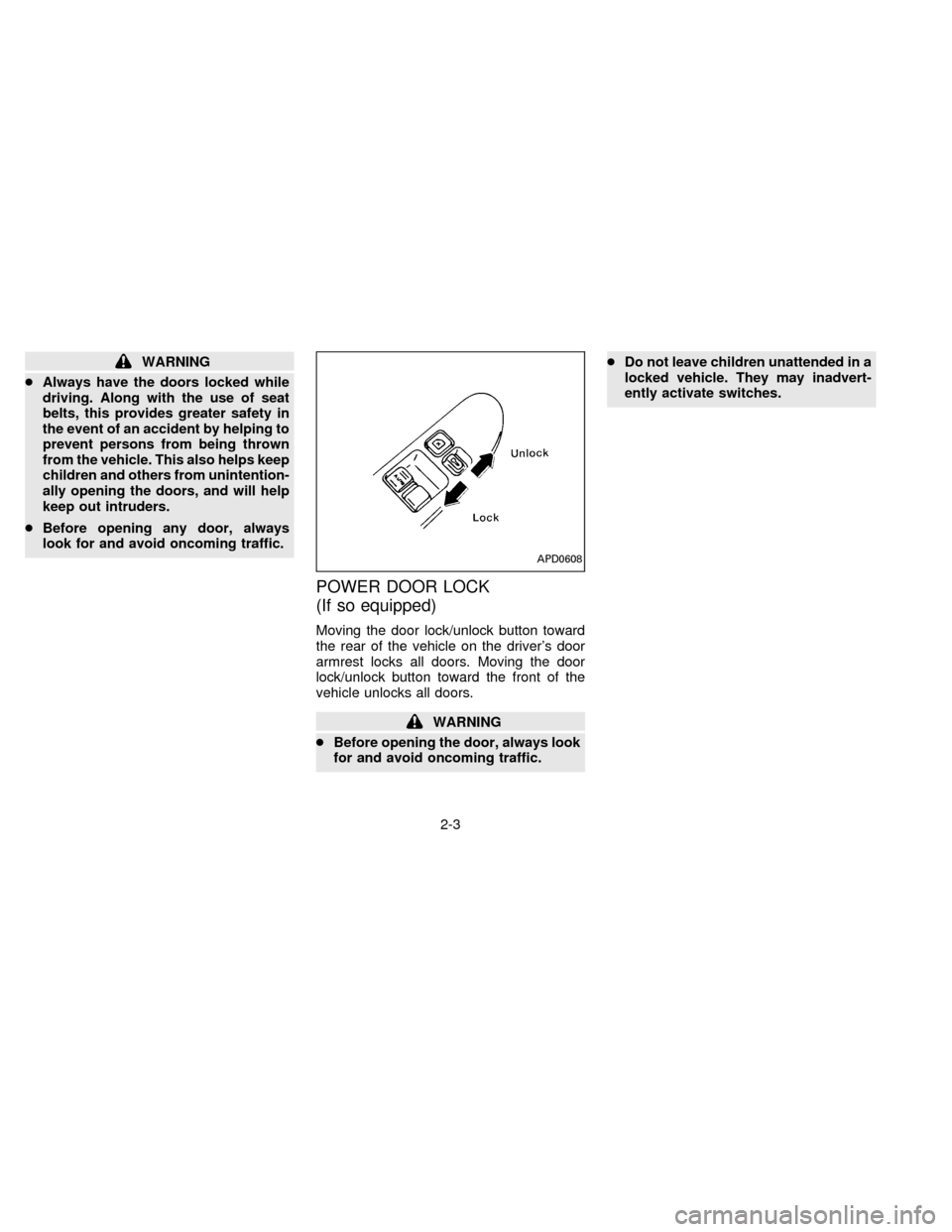
POWER DOOR LOCK
(If so equipped)
Moving the door lock/unlock button toward
the rear of the vehicle on the driver's door
armrest locks all doors. Moving the door
lock/unlock button toward the front of the
vehicle unlocks all doors.
WARNING
cBefore opening the door, always look
for and avoid oncoming traffic.cDo not leave children unattended in a
locked vehicle. They may inadvert-
ently activate switches.
APD0608
2-3
ZX
Page 49 of 191
WARNING
The seatback should not be reclined
any more than needed for comfort. Seat
belts are most effective when the pas-
senger sits well back and straight up in
the seat. If the seat is reclined, the risk
of sliding under the lap belt and being
injured is increased.
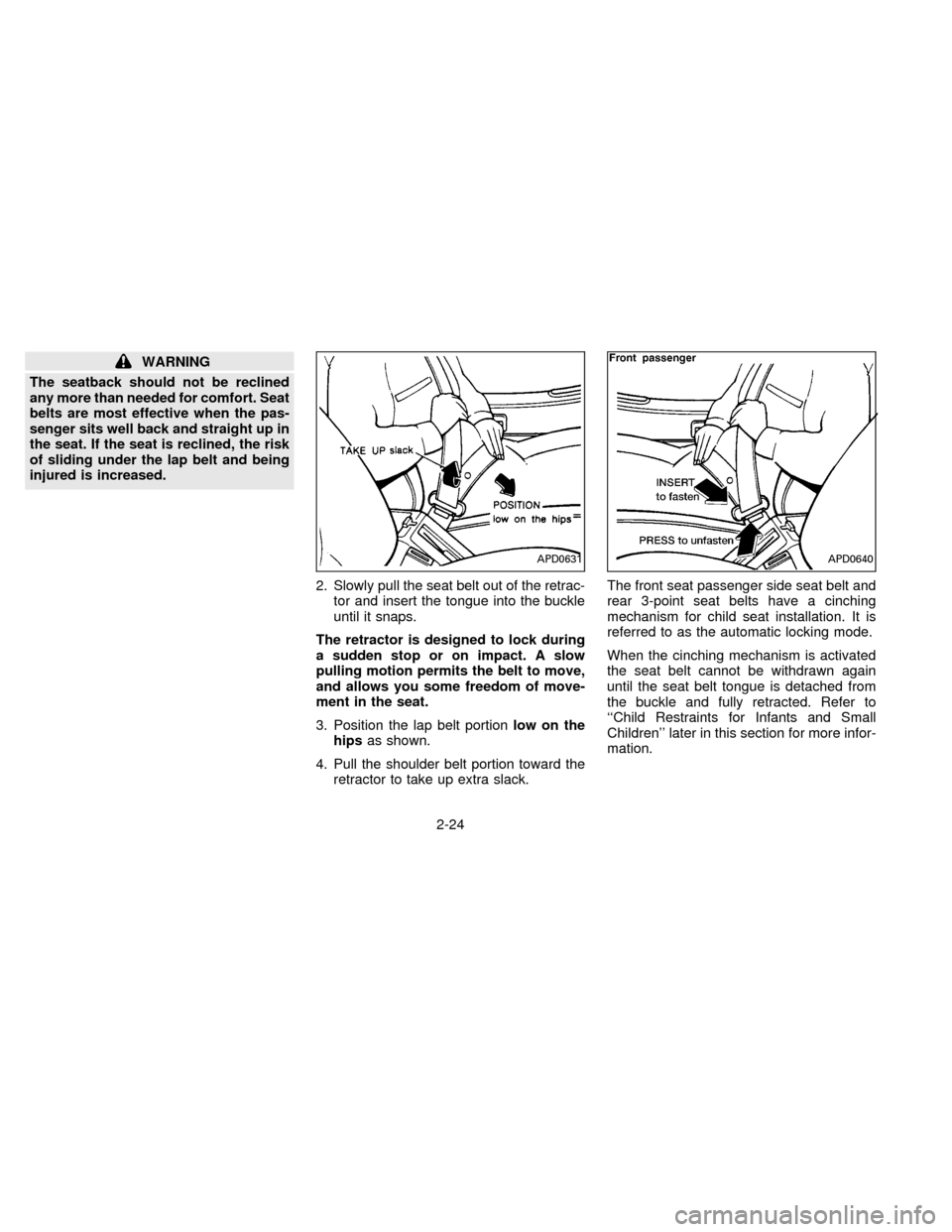
2. Slowly pull the seat belt out of the retrac-
tor and insert the tongue into the buckle
until it snaps.
The retractor is designed to lock during
a sudden stop or on impact. A slow
pulling motion permits the belt to move,
and allows you some freedom of move-
ment in the seat.
3. Position the lap belt portionlow on the
hipsas shown.
4. Pull the shoulder belt portion toward the
retractor to take up extra slack.The front seat passenger side seat belt and
rear 3-point seat belts have a cinching
mechanism for child seat installation. It is
referred to as the automatic locking mode.
When the cinching mechanism is activated
the seat belt cannot be withdrawn again
until the seat belt tongue is detached from
the buckle and fully retracted. Refer to
``Child Restraints for Infants and Small
Children'' later in this section for more infor-
mation.
APD0631APD0640
2-24
ZX
Page 73 of 191

for more than 2 seconds. For example, in
the diagram ch2 is to be memorized. The
radio mutes when the select button is
pushed.
3. The indicator, ch2, then comes on in the
display and the sound resumes. Memo-
rizing is now complete.
4. Other buttons can be set in the same
manner.
If the battery cable is disconnected, or if the
fuse blows, the radio memory is cancelled.
In that case, reset the desired stations.Adjusting tone quality and sound
balance
To adjust BASS, TREB (treble), FADER,
and BAL (balance) the control knobs must
be released from their stowed positions.
Pushing the knobs once moves them to the
released position.
In the released position, the knobs control
tone quality. Turn the control knobs to ad-
just BASS and TREB to the most pleasing
level.
From the released position, the knobs must
be pulled out in order to control FADER and
BAL. FADER adjusts the sound level be-
tween the front and rear speakers, and BAL
adjusts the sound level between the right
and left speakers.
AHA0624
3-12
ZX
Page 77 of 191

Adjusting tone quality and sound
balance
To adjust BASS, TREB (treble), FADER,
and BAL (balance) the control knobs must
be released from their stowed positions.
Pushing the knobs once moves them to the
released position.
In the released position, the knobs control
tone quality. Turn the control knobs to ad-
just BASS and TREB to the most pleasing
level.
From the released position, the knobs must
be pulled out in order to control FADER andBAL. FADER adjusts the sound level be-
tween the front and rear speakers, and BAL
adjusts the sound level between the right
and left speakers.
Cassette tape operation
Turn the ignition key to ACC or ON, then
lightly insert the cassette tape into the tape
door.
The cassette tape automatically pulls into
the player. The word TAPE and an arrow
indicating tape side illuminates in the dis-
play window.Do not force the cassette tape into the
tape door.
Pressing strongly could cause player
damage.
The cassette tape automatically changes
directions to play the other side when the
first side is complete. At this time, the arrow
in the display window changes direction.
cTo maintain good quality sound, NIS-
SAN recommends using cassette
tapes of 60 minutes or shorter in
length.
cCassette tapes should be removed
from the player when not in use. Store
cassettes in their protective cases
and away from direct sunlight, heat,
moisture and magnetic sources.
cDirect sunlight can cause the cassette
to become deformed. The use of de-
formed cassettes may cause the cas-
sette to jam in the player.
cDo not use cassettes with labels
which are peeling and loose. If used,
the label could jam in the player.
cIf a cassette has loose tape, insert a
pencil through one of the cassette
hubs and rewind the tape firmly
AHA0522
3-16
ZX