climate control NISSAN SENTRA 2014 B17 / 7.G Owners Manual
[x] Cancel search | Manufacturer: NISSAN, Model Year: 2014, Model line: SENTRA, Model: NISSAN SENTRA 2014 B17 / 7.GPages: 388, PDF Size: 4.31 MB
Page 8 of 388
Table of
ContentsIllustrated table of contents
Safety—Seats, seat belts and supplemental restraint system
Instruments and controls
Pre-driving checks and adjustments
Monitor, climate, audio, phone and voice recognition systems
Starting and driving
In case of emergency
Appearance and care
Maintenance and do-it-yourself
Technical and consumer information
Index
0
1
2
3
4
5
6
7
8
9
10
Page 15 of 388
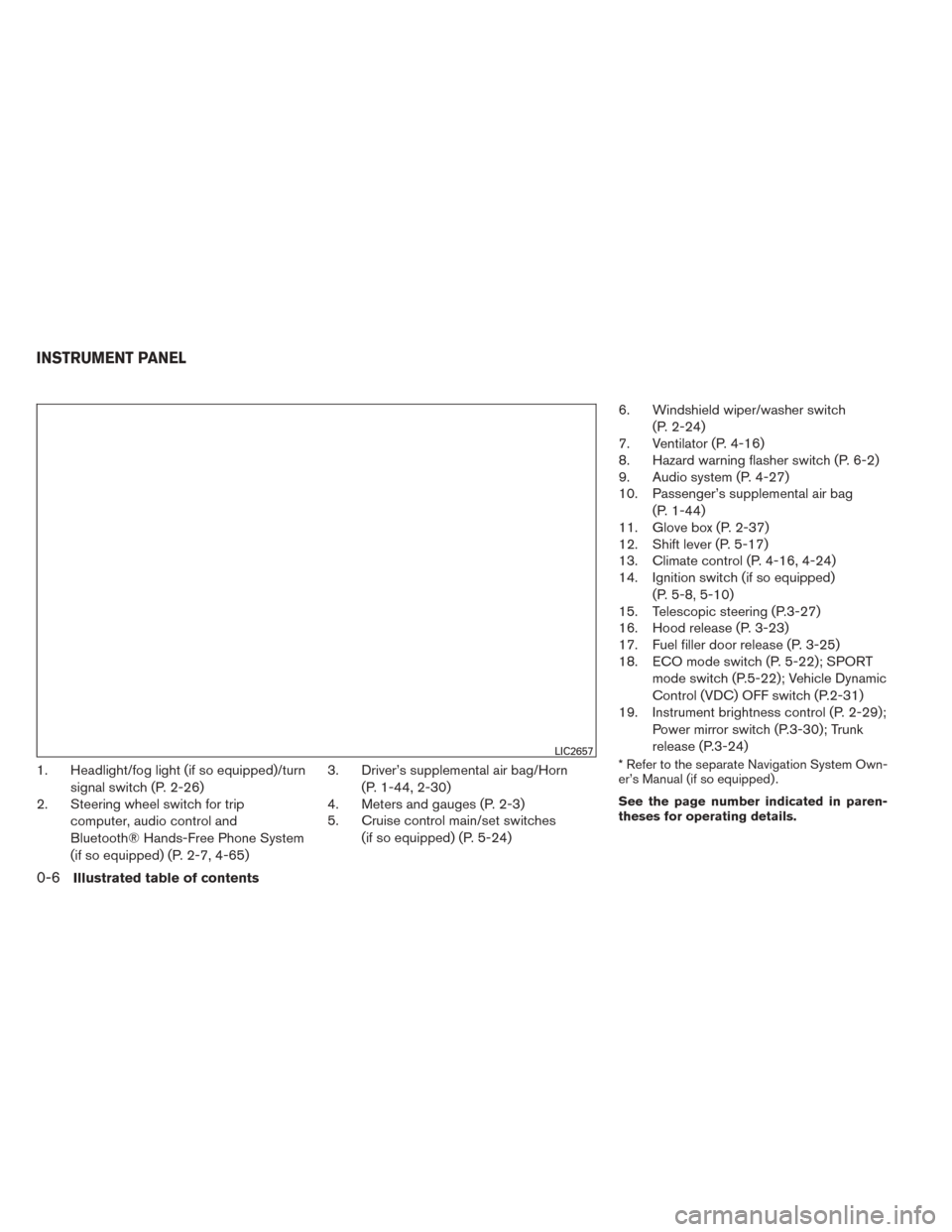
1. Headlight/fog light (if so equipped)/turnsignal switch (P. 2-26)
2. Steering wheel switch for trip
computer, audio control and
Bluetooth® Hands-Free Phone System
(if so equipped) (P. 2-7, 4-65) 3. Driver’s supplemental air bag/Horn
(P. 1-44, 2-30)
4. Meters and gauges (P. 2-3)
5. Cruise control main/set switches
(if so equipped) (P. 5-24) 6. Windshield wiper/washer switch
(P. 2-24)
7. Ventilator (P. 4-16)
8. Hazard warning flasher switch (P. 6-2)
9. Audio system (P. 4-27)
10. Passenger’s supplemental air bag
(P. 1-44)
11. Glove box (P. 2-37)
12. Shift lever (P. 5-17)
13. Climate control (P. 4-16, 4-24)
14. Ignition switch (if so equipped)
(P. 5-8, 5-10)
15. Telescopic steering (P.3-27)
16. Hood release (P. 3-23)
17. Fuel filler door release (P. 3-25)
18. ECO mode switch (P. 5-22); SPORT
mode switch (P.5-22); Vehicle Dynamic
Control (VDC) OFF switch (P.2-31)
19. Instrument brightness control (P. 2-29);
Power mirror switch (P.3-30); Trunk
release (P.3-24)* Refer to the separate Navigation System Own-
er’s Manual (if so equipped) .
See the page number indicated in paren-
theses for operating details.LIC2657
INSTRUMENT PANEL
0-6Illustrated table of contents
Page 75 of 388
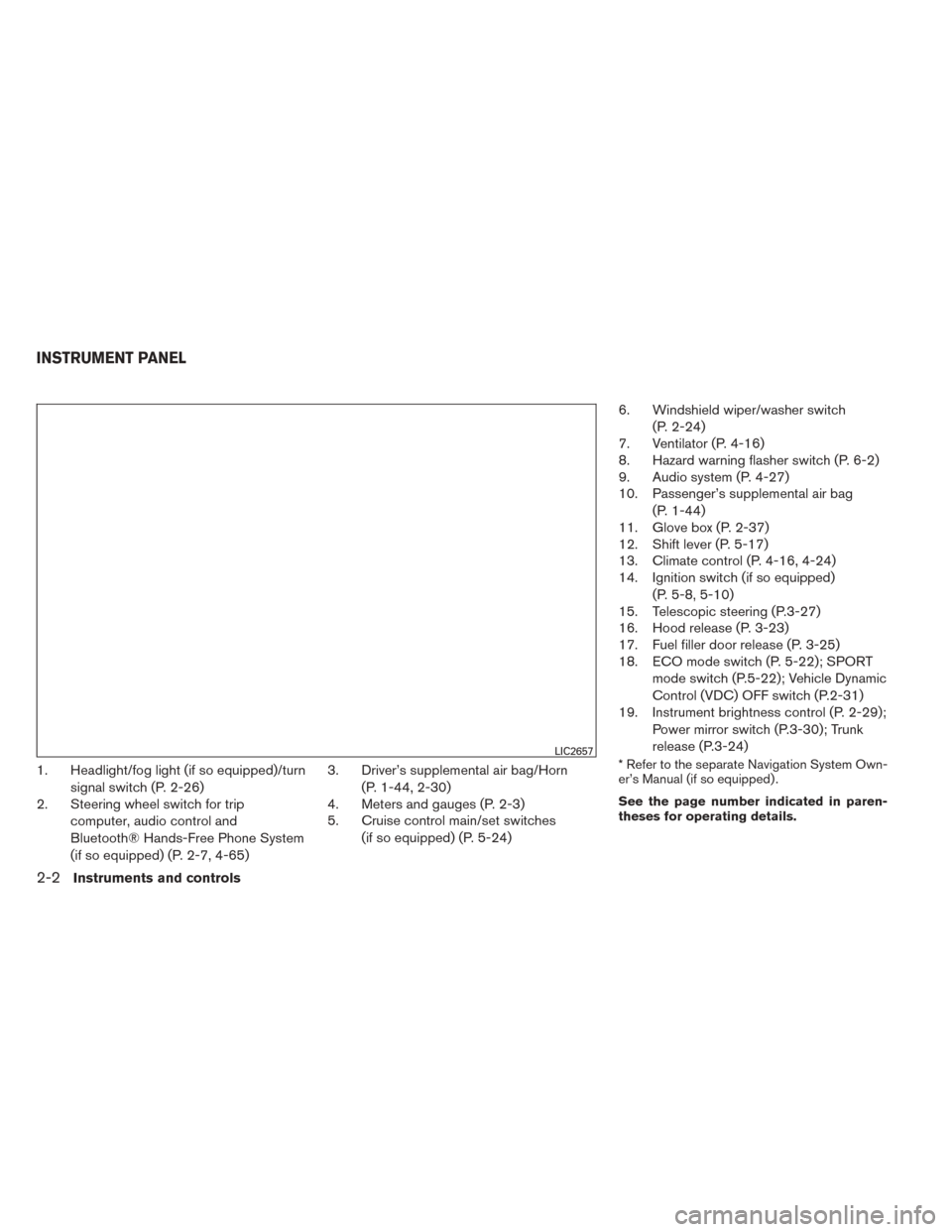
1. Headlight/fog light (if so equipped)/turnsignal switch (P. 2-26)
2. Steering wheel switch for trip
computer, audio control and
Bluetooth® Hands-Free Phone System
(if so equipped) (P. 2-7, 4-65) 3. Driver’s supplemental air bag/Horn
(P. 1-44, 2-30)
4. Meters and gauges (P. 2-3)
5. Cruise control main/set switches
(if so equipped) (P. 5-24) 6. Windshield wiper/washer switch
(P. 2-24)
7. Ventilator (P. 4-16)
8. Hazard warning flasher switch (P. 6-2)
9. Audio system (P. 4-27)
10. Passenger’s supplemental air bag
(P. 1-44)
11. Glove box (P. 2-37)
12. Shift lever (P. 5-17)
13. Climate control (P. 4-16, 4-24)
14. Ignition switch (if so equipped)
(P. 5-8, 5-10)
15. Telescopic steering (P.3-27)
16. Hood release (P. 3-23)
17. Fuel filler door release (P. 3-25)
18. ECO mode switch (P. 5-22); SPORT
mode switch (P.5-22); Vehicle Dynamic
Control (VDC) OFF switch (P.2-31)
19. Instrument brightness control (P. 2-29);
Power mirror switch (P.3-30); Trunk
release (P.3-24)* Refer to the separate Navigation System Own-
er’s Manual (if so equipped) .
See the page number indicated in paren-
theses for operating details.LIC2657
INSTRUMENT PANEL
2-2Instruments and controls
Page 152 of 388
4 Monitor, climate, audio, phone and voice
recognition systems
Control panel buttons — color screen with
Navigation System (if so equipped)..................4-4
How to use the touch-screen ....................4-5
How to use the BACK button ....................4-7
How to use the APPS – i button .................4-7
button
...................................4-9
How to use the ON-OFF button/VOL
(volume) control knob ...........................4-9
How to use the CAMERA button .................4-9
RearView Monitor (if so equipped) ..................4-10
How to read the displayed lines .................4-11
Difference between predicted and actual
distances ..................................... 4-11
Adjusting the screen ........................... 4-14
Operating tips ................................. 4-15
Vents . .......................................... 4-16
Heater and Air Conditioner (manual)
(if so equipped) .................................. 4-16
Controls ...................................... 4-17
Heater operation .............................. 4-18
Air conditioner operation (if so equipped) ........4-19
Air flow charts ................................. 4-20
Heater and air conditioner (automatic)
(if so equipped) .................................. 4-24Automatic operation
........................... 4-25
Manual operation .............................. 4-26
Operating tips ................................. 4-26
Servicing air conditioner (if so equipped) ............4-27
Audio system .................................... 4-27
Radio ........................................ 4-27
FM radio reception ............................ 4-28
AM radio reception ............................ 4-28
Satellite radio reception (if so equipped) . . . ......4-28
Audio operation precautions ....................4-29
FM/AM radio with compact disc (CD) player
(if so equipped) ............................... 4-36
FM/AM/SAT radio with compact disc (CD)
player (Type A) (if so equipped) .................4-42
FM/AM/SAT radio with compact disc (CD)
player (Type B) (if so equipped) .................4-48
USB interface (models without Navigation
System) (if so equipped) .......................4-52
USB interface (models with Navigation
System) ...................................... 4-54
iPod®* player operation without Navigation
System (if so equipped) ........................ 4-56
iPod®* player operation with Navigation
System (if so equipped) ........................ 4-58
Page 155 of 388
WARNING
●Positioning of the heating or air condi-
tioning controls and display controls
should not be done while driving in or-
der that full attention may be given to
the driving operation.
● Do not disassemble or modify this sys-
tem. If you do, it may result in accidents,
fire, or electrical shock.
● Do not use this system if you notice any
abnormality, such as a frozen screen or
lack of sound. Continued use of the
system may result in accident, fire or
electric shock.
● In case you notice any foreign object in
the system hardware, spill liquid on it,
or notice smoke or smell coming from it,
stop using the system immediately and
contact your nearest NISSAN dealer. Ig-
noring such conditions may lead to ac-
cidents, fire or electrical shock.
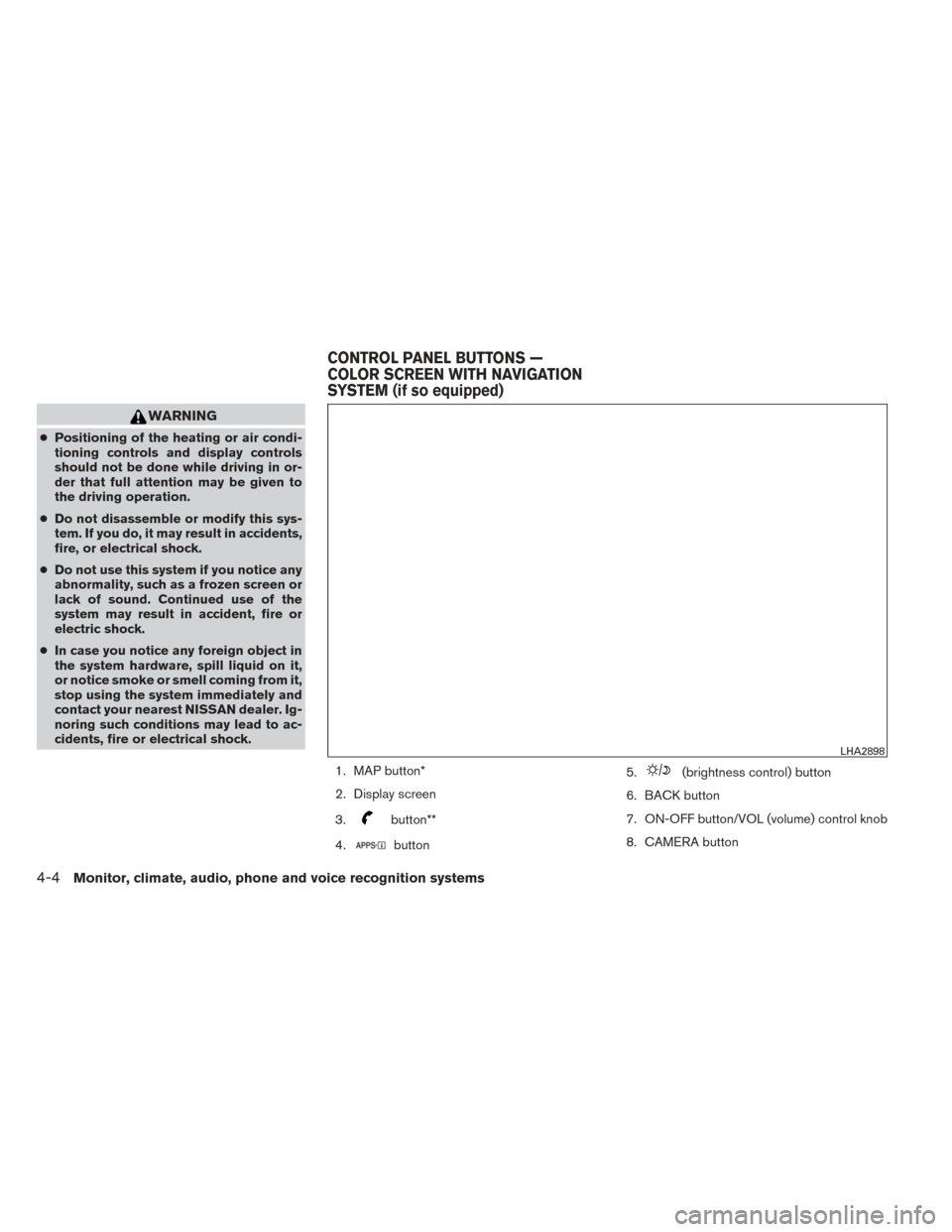
1. MAP button*
2. Display screen
3.
button**
4.
button 5.
(brightness control) button
6. BACK button
7. ON-OFF button/VOL (volume) control knob
8. CAMERA button
LHA2898
CONTROL PANEL BUTTONS —
COLOR SCREEN WITH NAVIGATION
SYSTEM (if so equipped)
4-4Monitor, climate, audio, phone and voice recognition systems
Page 156 of 388
9. NAV button*
* For information regarding the Navigation system
control buttons, refer to the separate Navigation
System Owner’s Manual.
** For information regarding the Bluetooth®
Hands-Free Phone System control button, see
“Bluetooth® Hands-Free Phone System with
navigation system” or “Bluetooth® Hands-Free
Phone System without navigation system” in this
section.
When you use this system, make sure the engine
is running.
If you use the system with the engine not
running (ignition ON or ACC) for a long
time, it will discharge the battery, and the
engine will not start.
Reference symbols:
“Example” — Words marked in quotes refer to a
key shown only on the display. These keys can be
selected by touching the screen.HOW TO USE THE TOUCH-
SCREEN
CAUTION
● The glass display screen may break if it
is hit with a hard or sharp object. If the
glass screen breaks, do not touch it.
Doing so could result in an injury.
● To clean the display, never use a rough
cloth, alcohol, benzine, thinner or any
kind of solvent or paper towel with a
chemical cleaning agent. They will
scratch or deteriorate the panel.
● Do not splash any liquid such as water
or car fragrance on the display. Contact
with liquid will cause the system to
malfunction.
To help ensure safe driving, some functions can-
not be operated while driving.
The on-screen functions that are not available
while driving will be “grayed out” or muted.
Park the vehicle in a safe location and then oper-
ate the navigation system.
WARNING
● ALWAYS give your full attention to
driving.
● Avoid using vehicle features that could
distract you. If distracted, you could
lose control of your vehicle and cause
an accident.
Monitor, climate, audio, phone and voice recognition systems4-5
Page 159 of 388
![NISSAN SENTRA 2014 B17 / 7.G Owners Manual To select and/or adjust several functions, features
and modes that are available for your vehicle:
1. Press the [] button.
2. Touch the “Settings” key.
3. Touch the desired item.
Menu item Result](/img/5/397/w960_397-158.png "NISSAN SENTRA 2014 B17 / 7.G Owners Manual To select and/or adjust several functions, features
and modes that are available for your vehicle:
1. Press the [] button.
2. Touch the “Settings” key.
3. Touch the desired item.
Menu item Result")
To select and/or adjust several functions, features
and modes that are available for your vehicle:
1. Press the [] button.
2. Touch the “Settings” key.
3. Touch the desired item.
Menu item Result
Audio See “Audio system” in this section for more information.
Navigation See the separate Navigation System Owner’s Manual for more information.
Phone & Bluetooth See “Bluetooth Hands-Free Phone System with Navigation System” in this section.
System Touch this key to select and/or adjust various functions of this system. A screen with additional options will appear.
Display Touch this key to adjust the appearance of the display.
Brightness Adjusts the brightness of the display.
Display Mode Adjusts to fit the level of lighting in the vehicle. Touch key to cycle through options. “Day” and “Night” modes are suited for the re- spective times of day while “Auto” controls the display automatically.
Scroll Direction Adjusts the direction of the menu scroll. Choose to either move up or down.
Clock Touch this key to adjust the time.
Time Format The clock can be set to 12 hours or 24 hours.
Date Format Select from five possible formats of displaying the day, month, and year.
Clock Mode Adjust the mode for the clock. “Auto” uses the system’s GPS to automatically maintain the time. “Manual” allows you to set the
clock using the “Set Clock Manually” key.
Set Clock Manually Adjust the clock manually, Touch the “+” or “-” keys to adjust the hours, minutes, day, month and year up or down. “Clock Mode” must be set to manual for this option to be available.
Daylight Savings Time Adjusts the daylight savings time on or off.
Time Zone Choose the applicable time zone from the list.
Language Touch this key to change the language on the display.
Camera Touch this key to change the camera settings.
4-8Monitor, climate, audio, phone and voice recognition systems
Page 160 of 388
Menu itemResult
Display Mode Touch this key to select the touch-screen display mode (day, night, or automatic) .
Brightness Adjust touch-screen brightness.
Contrast Adjust touch-screen contrast.
Color Adjust touch-screen color.
Temperature Unit Touch this key to change the temperature unit being displayed (Fahrenheit or Celsius) .
Touchscreen click Toggles the touch-screen click feature on or off. When activated a click sound will be heard every time a key on the screen is
touched.
System Beeps Toggle the system beep tones feature on or off. When activated, a beep sound will be heard when a pop-up message appears on
the screen or a button on the unit (such as the
button) is pressed and held for 2 seconds.
Return to Factory Settings/Clear
Memory Touch this key to return all settings to default and to clear the memory.
Software Licenses Touch this key to display software licensing information.
Traffic Touch this key to display traffic settings. See the separate Navigation System Owner’s Manual for more information.
SXM Touch this key to display SXM status information. For SXM setup, refer to “Audio System” in this section.
BUTTON
To change the display brightness, press
the
button. Pressing the button again will
change the display to the day or the night display.
If no operation is performed within 5 seconds, the
display will return to the previous display.
Press and hold the
button for more than
two seconds to turn the display off. Press the
button again to turn the display on.
HOW TO USE THE ON-OFF
BUTTON/VOL (volume) CONTROL
KNOB
Press the ON-OFF button to turn audio function
on and off. Turn the volume control knob to adjust
audio volume.
HOW TO USE THE CAMERA
BUTTON
For more information regarding the CAMERA
button, see “REARVIEW MONITOR” in this sec-
tion.
Monitor, climate, audio, phone and voice recognition systems4-9
Page 167 of 388
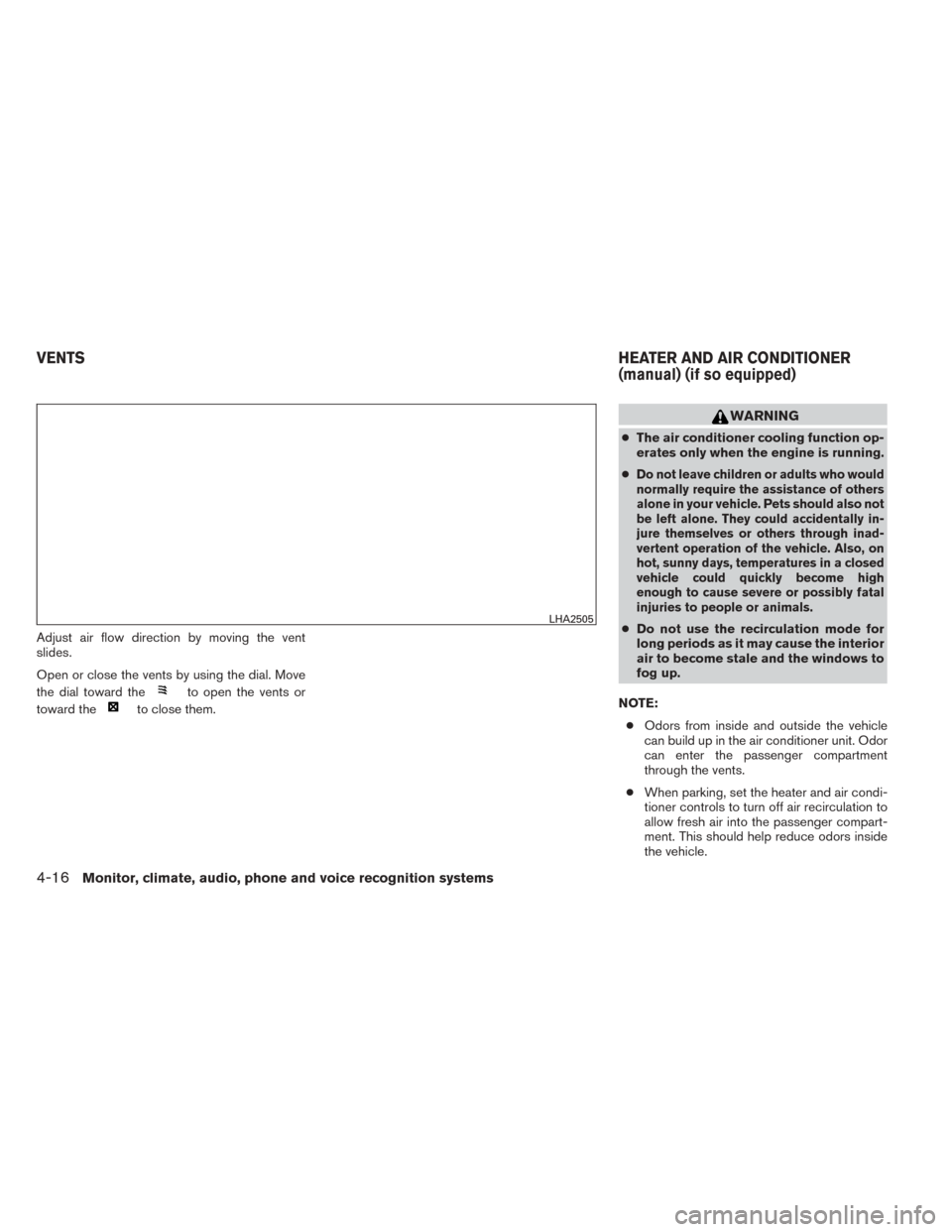
Adjust air flow direction by moving the vent
slides.
Open or close the vents by using the dial. Move
the dial toward the
to open the vents or
toward the
to close them.
WARNING
● The air conditioner cooling function op-
erates only when the engine is running.
●
Do not leave children or adults who would
normally require the assistance of others
alone in your vehicle. Pets should also not
be left alone. They could accidentally in-
jure themselves or others through inad-
vertent operation of the vehicle. Also, on
hot, sunny days, temperatures in a closed
vehicle could quickly become high
enough to cause severe or possibly fatal
injuries to people or animals.
● Do not use the recirculation mode for
long periods as it may cause the interior
air to become stale and the windows to
fog up.
NOTE: ● Odors from inside and outside the vehicle
can build up in the air conditioner unit. Odor
can enter the passenger compartment
through the vents.
● When parking, set the heater and air condi-
tioner controls to turn off air recirculation to
allow fresh air into the passenger compart-
ment. This should help reduce odors inside
the vehicle.LHA2505
VENTS HEATER AND AIR CONDITIONER
(manual) (if so equipped)
4-16Monitor, climate, audio, phone and voice recognition systems
Page 168 of 388
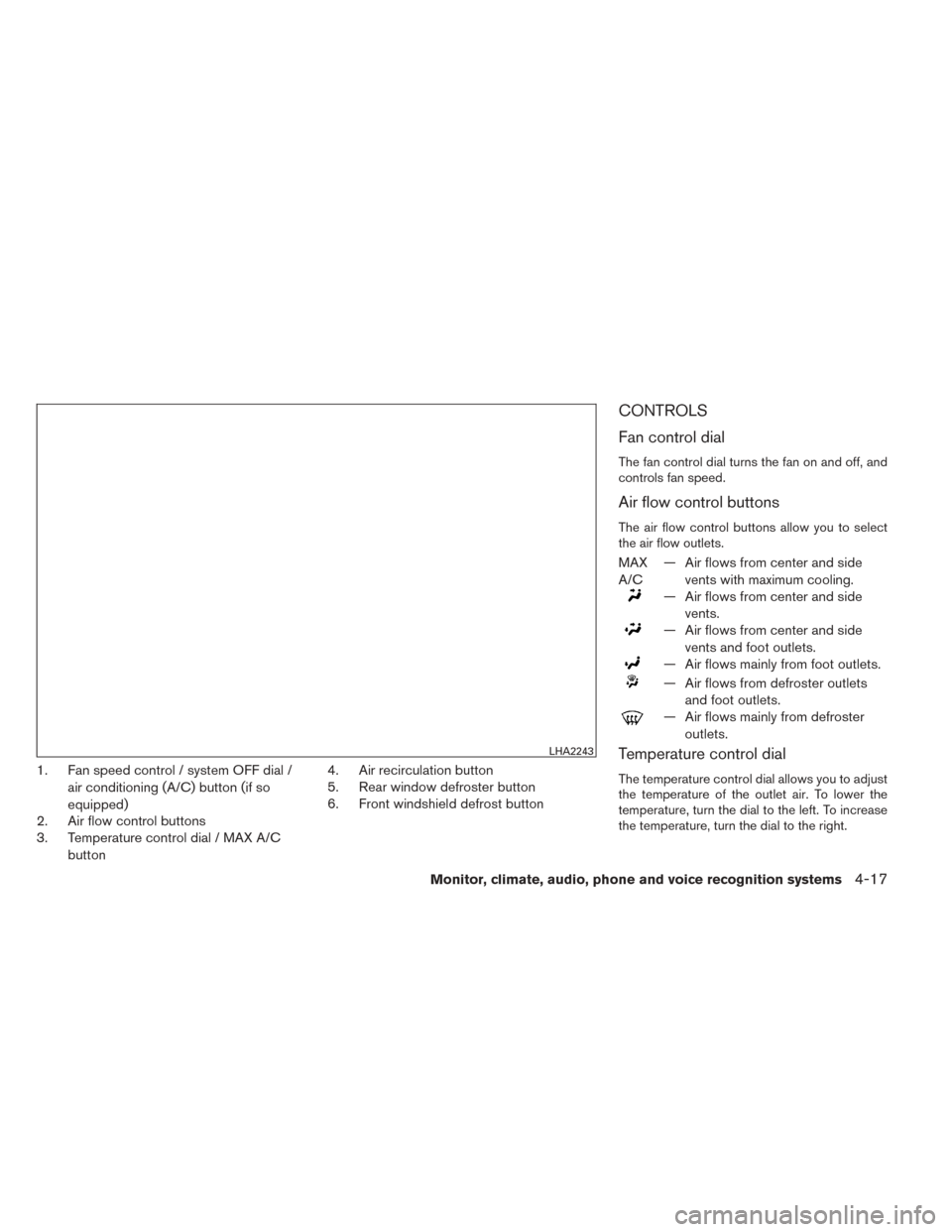
1. Fan speed control / system OFF dial /air conditioning (A/C) button (if so
equipped)
2. Air flow control buttons
3. Temperature control dial / MAX A/C
button 4. Air recirculation button
5. Rear window defroster button
6. Front windshield defrost button
CONTROLS
Fan control dial
The fan control dial turns the fan on and off, and
controls fan speed.
Air flow control buttons
The air flow control buttons allow you to select
the air flow outlets.
MAX
A/C
— Air flows from center and side
vents with maximum cooling.
— Air flows from center and sidevents.
— Air flows from center and sidevents and foot outlets.
— Air flows mainly from foot outlets.
— Air flows from defroster outletsand foot outlets.
— Air flows mainly from defrosteroutlets.
Temperature control dial
The temperature control dial allows you to adjust
the temperature of the outlet air. To lower the
temperature, turn the dial to the left. To increase
the temperature, turn the dial to the right.
LHA2243
Monitor, climate, audio, phone and voice recognition systems4-17