USB port NISSAN SENTRA 2018 Owner´s Manual
[x] Cancel search | Manufacturer: NISSAN, Model Year: 2018, Model line: SENTRA, Model: NISSAN SENTRA 2018Pages: 507, PDF Size: 5.59 MB
Page 265 of 507
battery will be charged while connected to
the vehicle with the ignition switch in the
ACC or ON position.
While connected to the vehicle, the iPod®
may only be able to be operated by the
vehicle audio controls.
To disconnect the iPod® from the vehicle,
remove the USB end of the cable from the
USB connection port on the vehicle, then
remove the cable from the iPod®.
* iPod® is a trademark of Apple Inc., regis-
tered in the U.S. and other countries.
Compatibility
The following models are compatible:∙ iPod® Classic 5th generation (firmware version 1.3.0 or later)
∙ iPod® Classic 6th generation (firmware version 2.0.1 or later)
∙ iPod® Classic 7th generation (firmware version 2.0.4 or later)
∙ iPod® Touch 2nd generation (firmware version 4.2.1 or later)*
∙ iPod® Touch 3rd generation (firmware version 5.1 or later) ∙ iPod® Touch 4th generation (firmware
version 5.1 or later)
∙ iPod® nano - 1st generation (firmware version 1.3.1 or later)
∙ iPod® nano - 2nd generation (firmware version 1.1.3 or later)
∙ iPod® nano - 3rd generation (firmware version 1.1.3 or later)
∙ iPod® nano - 4th generation (firmware version 1.0.4 or later)
∙ iPod® nano - 5th generation (firmware version 1.0.2 or later)
∙ iPod® nano - 6th generation (firmware version 1.1 or later)
∙ iPhone® 3G (firmware version 4.2.1 or later)
∙ iPhone® 3GS (firmware version 5.1 or later)
∙ iPhone® 4 (firmware version 5.1 or later)
∙ iPhone® 4S (firmware version 5.1 or later)
* Some features of this iPod® may not be
fully functional.
Make sure that your iPod® firmware is up-
dated to the version indicated above.Audio main operation
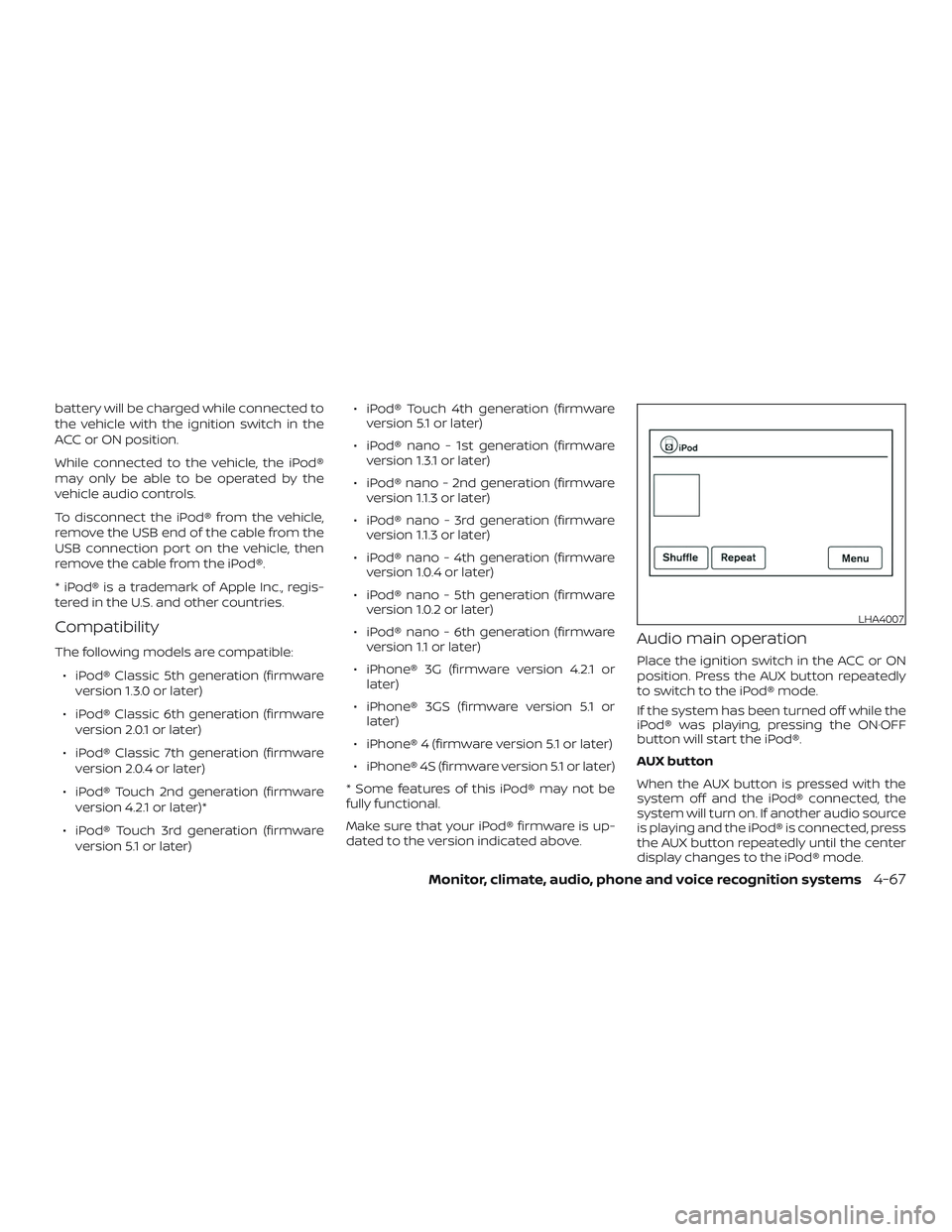
Place the ignition switch in the ACC or ON
position. Press the AUX button repeatedly
to switch to the iPod® mode.
If the system has been turned off while the
iPod® was playing, pressing the ON·OFF
button will start the iPod®.
AUX button
When the AUX button is pressed with the
system off and the iPod® connected, the
system will turn on. If another audio source
is playing and the iPod® is connected, press
the AUX button repeatedly until the center
display changes to the iPod® mode.
LHA4007
Monitor, climate, audio, phone and voice recognition systems4-67
Page 497 of 507
11 Index
A
Air bag (See supplemental restraint
system) .................... .1-44
Air bag system Front (See supplemental front impact air
bagsystem)................1-51
Side and curtain (See supplemental side
air bag and curtain side-impact
airbagsystem)..............1-59
Air bag warning labels ............1-62
Airbagwarninglight..........1-63, 2-19
Air bag warning light,
supplemental ..............1-63, 2-19
Air cleaner ...................8-18
Air cleaner housing filter ..........8-18
Air conditioner Air conditioner operation ....4-26,4-32
Air conditioner service ..........4-34
Air conditioner specification label . .10-13
Air conditioner system refrigerant and oil
recommendations ............10-8
Air conditioner system refrigerant
recommendations ............10-8
Heater and air conditioner (automatic)
(if so equipped) ..............4-31
Heater and air conditioner
controls...............4-24,4-32
Heater and air conditioner
(manual) ..................4-23
Servicing air conditioner ........4-34
Air flow charts .............4-20,4-27 Alarm system
(See vehicle security system)
.......2-36
Anchor point locations ...........1-28
Antenna ....................4-73
Antifreeze ...................5-77
Anti-lock brake warning light ........2-14
Anti-lock Braking System (ABS) ......5-73
Apps .......................4-74
APPS button ...................4-7
Armrests.................... .1-7
Audible reminders ..............2-22
Audiosystem.................4-34 AMradioreception............4-35
Bluetooth® audio .........4-69,4-70
Bluetooth® streaming audio ......4-70
Compact disc (CD)
player.............4-46,4-51,4-58
FM/AM radio with compact disc (CD)
player....................4-43
FM/AM/SAT radio with compact disc (CD)
player ................4-48,4-53
FMradioreception............4-35
iPod®Player.............4-63,4-66
iPod® player operation ......4-63,4-66
Radio ....................4-34
Steering wheel audio control
switch....................4-72
USBinterface............4-59,4-61
USB (Universal Serial Bus) Connection
Port..................4-59,4-61
Autolightswitch ...............2-42
Automatic Automatic power window switch . . .2-58 Automatic anti-glare inside mirror
....3-32
Automatic door locks .............3-7
Automatic Emergency Braking
(AEB) ...................2-14,5-62
AUXjack....................4-59
B
Back button ...................4-7
Battery..................5-77,8-14 Charge warning light ...........2-15
Battery replacement ............8-25
Keyfob................8-25,8-26
NISSAN Intelligent Key® .........8-27
Before starting the engine .........5-14
Belt(Seedrivebelt)..............8-16
Blind Spot Warning (BSW) ..........5-27
Bluetooth® audio ...........4-69,4-70
Bluetooth® hands-free phone
system .....................4-79
Bluetooth® Hands-Free Phone System with
N
avigationSystem..............4-91
Bluetooth® streaming audio with
NavigationSystem..............4-70
Bluetooth® streaming audio without
Navigation System (if so equipped) . . .4-69
Booster seats .................1-41
Brake Anti-lock Braking System (ABS) ....5-73
Brakefluid.................8-12
Brakelight(Seestoplight).......8-33
Brakesystem...............5-72