alarm NISSAN SENTRA 2019 Owner´s Manual
[x] Cancel search | Manufacturer: NISSAN, Model Year: 2019, Model line: SENTRA, Model: NISSAN SENTRA 2019Pages: 461, PDF Size: 5.79 MB
Page 109 of 461
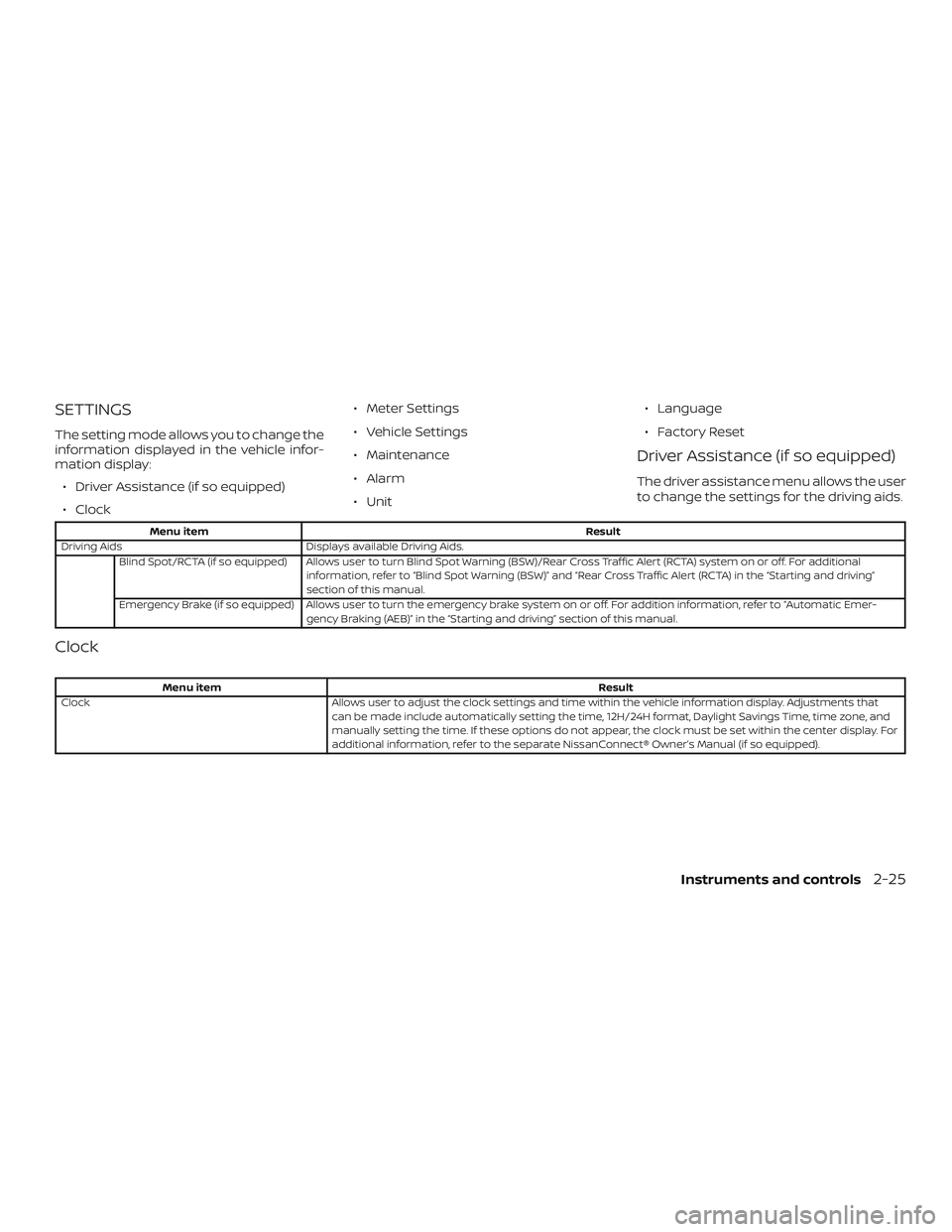
SETTINGS
The setting mode allows you to change the
information displayed in the vehicle infor-
mation display:∙ Driver Assistance (if so equipped)
∙ Clock ∙ Meter Settings
∙ Vehicle Settings
∙ Maintenance
∙ Alarm
∙ Unit
∙ Language
∙ Factory Reset
Driver Assistance (if so equipped)
The driver assistance menu allows the user
to change the settings for the driving aids.
Menu item
Result
Driving Aids Displays available Driving Aids.
Blind Spot/RCTA (if so equipped) Allows user to turn Blind Spot Warning (BSW)/Rear Cross Traffic Alert (RCTA) system on or off. For additional information, refer to “Blind Spot Warning (BSW)” and “Rear Cross Traffic Alert (RCTA) in the “Starting and driving”
section of this manual.
Emergency Brake (if so equipped) Allows user to turn the emergency brake system on or off. For addition information, refer to “Automatic Emer- gency Braking (AEB)” in the “Starting and driving” section of this manual.
Clock
Menu item Result
Clock Allows user to adjust the clock settings and time within the vehicle information display. Adjustments that
can be made include automatically setting the time, 12H/24H format, Daylight Savings Time, time zone, and
manually setting the time. If these options do not appear, the clock must be set within the center display. For
additional information, refer to the separate NissanConnect® Owner’s Manual (if so equipped).
Instruments and controls2-25
Page 112 of 461
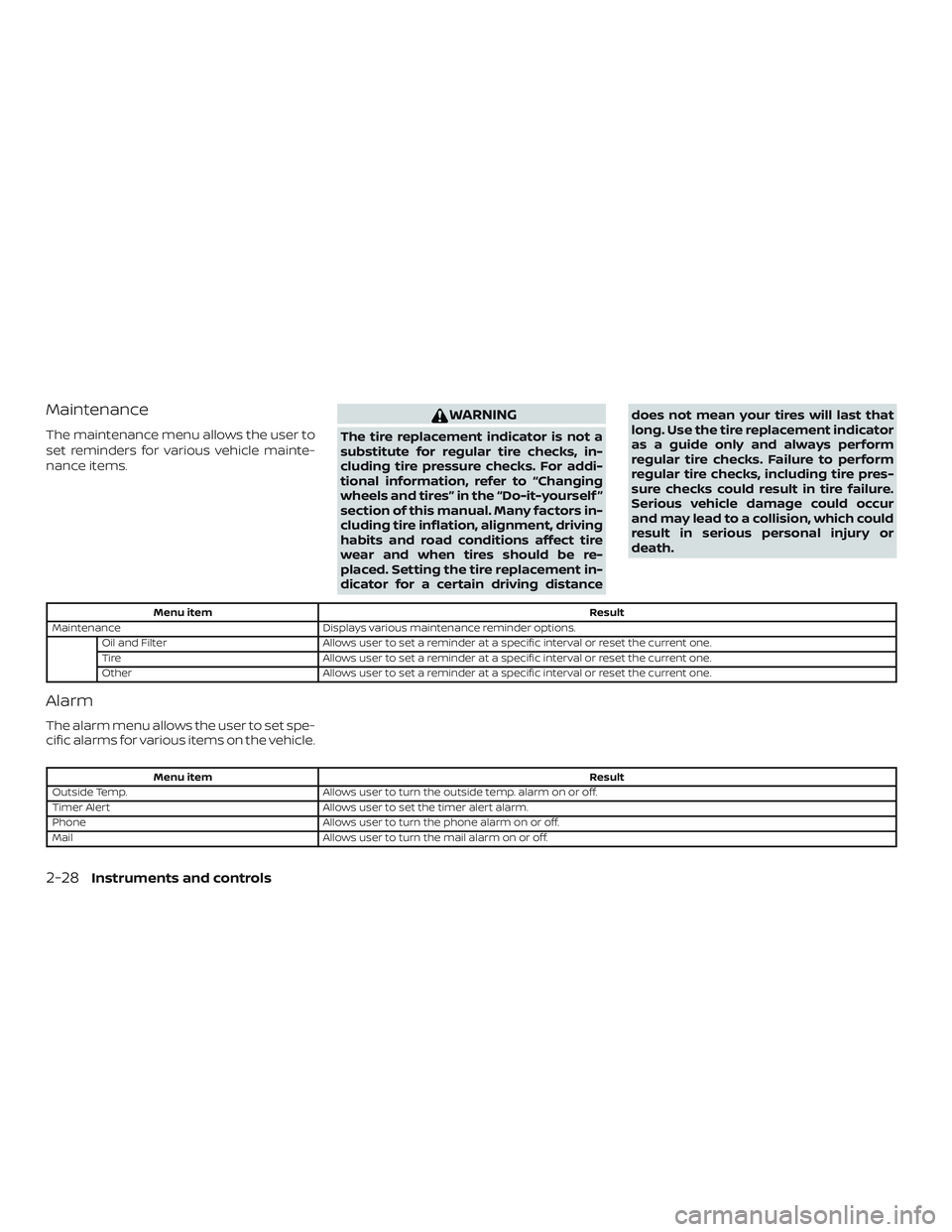
Maintenance
The maintenance menu allows the user to
set reminders for various vehicle mainte-
nance items.
WARNING
The tire replacement indicator is not a
substitute for regular tire checks, in-
cluding tire pressure checks. For addi-
tional information, refer to “Changing
wheels and tires” in the “Do-it-yourself ”
section of this manual. Many factors in-
cluding tire inflation, alignment, driving
habits and road conditions affect tire
wear and when tires should be re-
placed. Setting the tire replacement in-
dicator for a certain driving distancedoes not mean your tires will last that
long. Use the tire replacement indicator
as a guide only and always perform
regular tire checks. Failure to perform
regular tire checks, including tire pres-
sure checks could result in tire failure.
Serious vehicle damage could occur
and may lead to a collision, which could
result in serious personal injury or
death.
Menu item
Result
Maintenance Displays various maintenance reminder options.
Oil and Filter Allows user to set a reminder at a specific interval or reset the current one.
Tire Allows user to set a reminder at a specific interval or reset the current one.
Other Allows user to set a reminder at a specific interval or reset the current one.
Alarm
The alarm menu allows the user to set spe-
cific alarms for various items on the vehicle.
Menu item Result
Outside Temp. Allows user to turn the outside temp. alarm on or off.
Timer Alert Allows user to set the timer alert alarm.
Phone Allows user to turn the phone alarm on or off.
Mail Allows user to turn the mail alarm on or off.
2-28Instruments and controls
Page 115 of 461
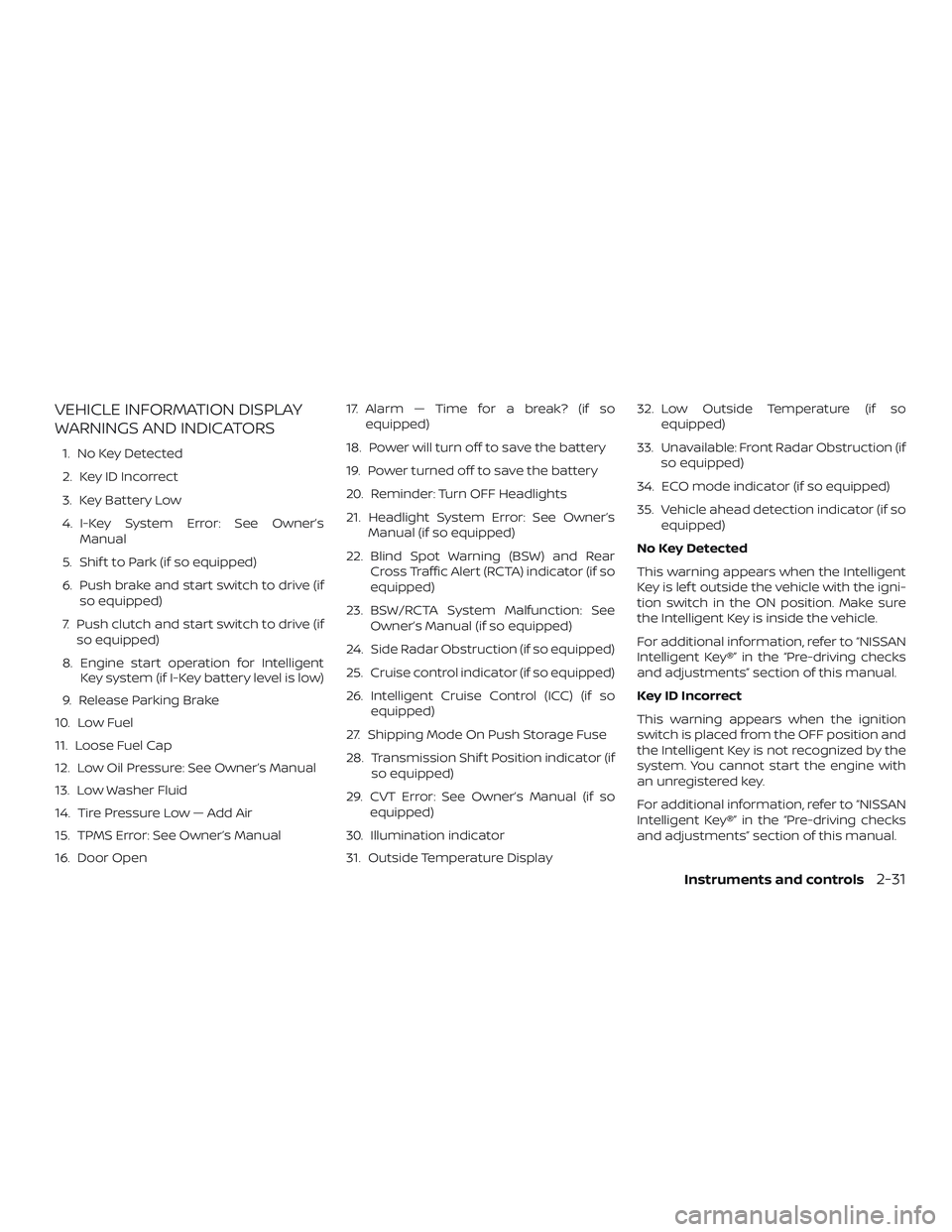
VEHICLE INFORMATION DISPLAY
WARNINGS AND INDICATORS
1. No Key Detected
2. Key ID Incorrect
3. Key Battery Low
4. I-Key System Error: See Owner’sManual
5. Shif t to Park (if so equipped)
6. Push brake and start switch to drive (if so equipped)
7. Push clutch and start switch to drive (if so equipped)
8. Engine start operation for Intelligent Key system (if I-Key battery level is low)
9. Release Parking Brake
10. Low Fuel
11. Loose Fuel Cap
12. Low Oil Pressure: See Owner’s Manual
13. Low Washer Fluid
14. Tire Pressure Low — Add Air
15. TPMS Error: See Owner’s Manual
16. Door Open 17. Alarm — Time for a break? (if so
equipped)
18. Power will turn off to save the battery
19. Power turned off to save the battery
20. Reminder: Turn OFF Headlights
21. Headlight System Error: See Owner’s Manual (if so equipped)
22. Blind Spot Warning (BSW) and Rear Cross Traffic Alert (RCTA) indicator (if so
equipped)
23. BSW/RCTA System Malfunction: See Owner’s Manual (if so equipped)
24. Side Radar Obstruction (if so equipped)
25. Cruise control indicator (if so equipped)
26. Intelligent Cruise Control (ICC) (if so equipped)
27. Shipping Mode On Push Storage Fuse
28. Transmission Shif t Position indicator (if so equipped)
29. CVT Error: See Owner’s Manual (if so equipped)
30. Illumination indicator
31. Outside Temperature Display 32. Low Outside Temperature (if so
equipped)
33. Unavailable: Front Radar Obstruction (if so equipped)
34. ECO mode indicator (if so equipped)
35. Vehicle ahead detection indicator (if so equipped)
No Key Detected
This warning appears when the Intelligent
Key is lef t outside the vehicle with the igni-
tion switch in the ON position. Make sure
the Intelligent Key is inside the vehicle.
For additional information, refer to “NISSAN
Intelligent Key®” in the “Pre-driving checks
and adjustments” section of this manual.
Key ID Incorrect
This warning appears when the ignition
switch is placed from the OFF position and
the Intelligent Key is not recognized by the
system. You cannot start the engine with
an unregistered key.
For additional information, refer to “NISSAN
Intelligent Key®” in the “Pre-driving checks
and adjustments” section of this manual.
Instruments and controls2-31
Page 117 of 461
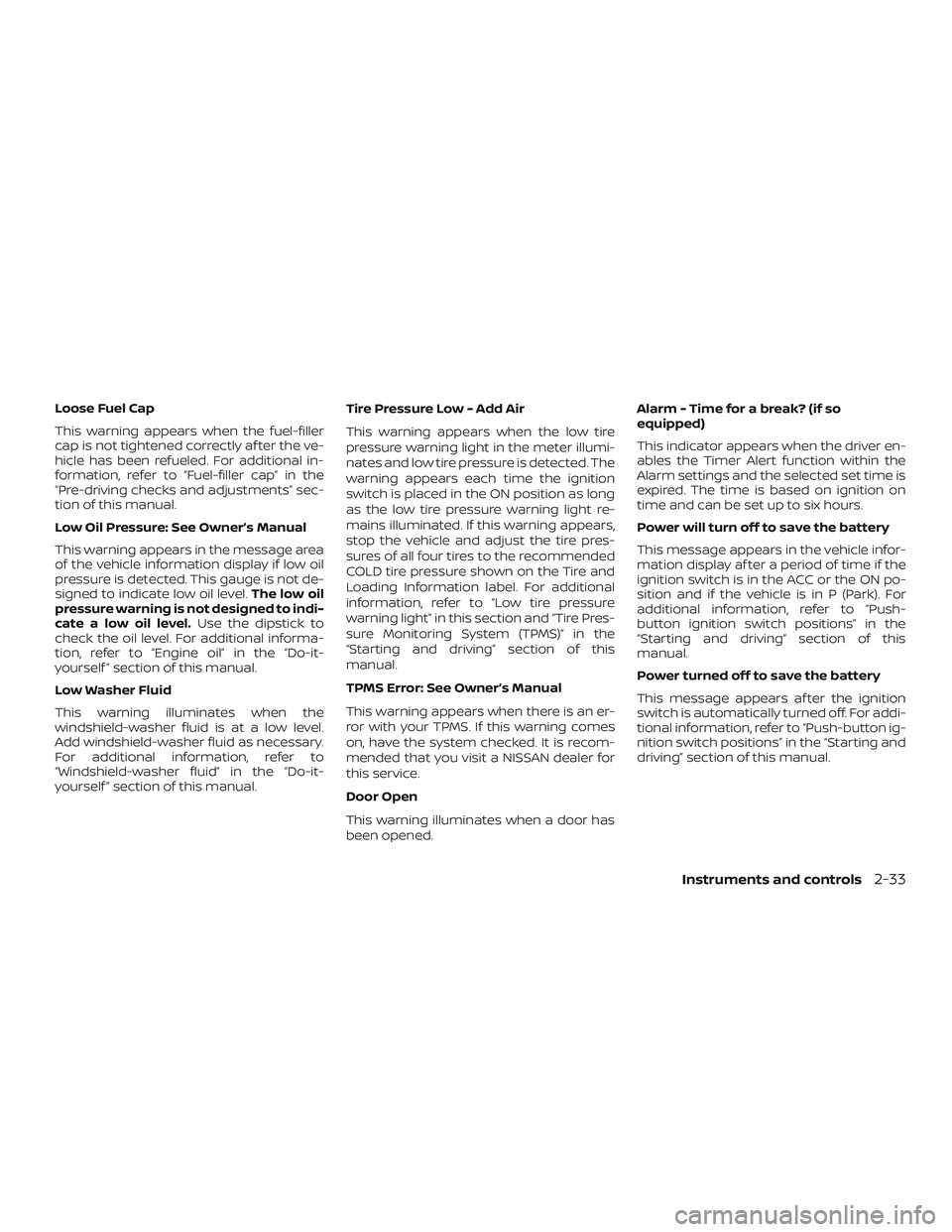
Loose Fuel Cap
This warning appears when the fuel-filler
cap is not tightened correctly af ter the ve-
hicle has been refueled. For additional in-
formation, refer to “Fuel-filler cap” in the
“Pre-driving checks and adjustments” sec-
tion of this manual.
Low Oil Pressure: See Owner’s Manual
This warning appears in the message area
of the vehicle information display if low oil
pressure is detected. This gauge is not de-
signed to indicate low oil level.The low oil
pressure warning is not designed to indi-
cate a low oil level. Use the dipstick to
check the oil level. For additional informa-
tion, refer to “Engine oil” in the “Do-it-
yourself ” section of this manual.
Low Washer Fluid
This warning illuminates when the
windshield-washer fluid is at a low level.
Add windshield-washer fluid as necessary.
For additional information, refer to
“Windshield-washer fluid” in the “Do-it-
yourself ” section of this manual. Tire Pressure Low - Add Air
This warning appears when the low tire
pressure warning light in the meter illumi-
nates and low tire pressure is detected. The
warning appears each time the ignition
switch is placed in the ON position as long
as the low tire pressure warning light re-
mains illuminated. If this warning appears,
stop the vehicle and adjust the tire pres-
sures of all four tires to the recommended
COLD tire pressure shown on the Tire and
Loading Information label. For additional
information, refer to “Low tire pressure
warning light” in this section and “Tire Pres-
sure Monitoring System (TPMS)” in the
“Starting and driving” section of this
manual.
TPMS Error: See Owner’s Manual
This warning appears when there is an er-
ror with your TPMS. If this warning comes
on, have the system checked. It is recom-
mended that you visit a NISSAN dealer for
this service.
Door Open
This warning illuminates when a door has
been opened.Alarm - Time for a break? (if so
equipped)
This indicator appears when the driver en-
ables the Timer Alert function within the
Alarm settings and the selected set time is
expired. The time is based on ignition on
time and can be set up to six hours.
Power will turn off to save the battery
This message appears in the vehicle infor-
mation display af ter a period of time if the
ignition switch is in the ACC or the ON po-
sition and if the vehicle is in P (Park). For
additional information, refer to “Push-
button ignition switch positions” in the
“Starting and driving” section of this
manual.
Power turned off to save the battery
This message appears af ter the ignition
switch is automatically turned off. For addi-
tional information, refer to “Push-button ig-
nition switch positions” in the “Starting and
driving” section of this manual.
Instruments and controls2-33
Page 119 of 461
CVT Error: See Owner’s Manual (if so
equipped)
This warning illuminates when there is a
problem with the CVT system. If this warn-
ing comes on, have the system checked. It
is recommended that you visit a NISSAN
dealer for this service.
Illumination indicator
This indicator appears when the vehicle
information display screen brightness is
being adjusted.
Outside Temperature Display
The outside temperature display appears
in the center region of the vehicle informa-
tion display.
Low Outside Temperature (if so
equipped)
This warning appears if the outside tem-
perature is below 37°F (3°C). The tempera-
ture can be changed to display in Celsius or
Fahrenheit. For additional information, re-
fer to “Settings” in this section.Unavailable: Front Radar Obstruction (if
so equipped)
This warning appears when the Intelligent
Cruise Control (ICC) system or the Auto-
matic Emergency Braking (AEB) system
becomes unavailable because the front ra-
dar is obstructed. For additional informa-
tion, refer to “Intelligent Cruise Control (ICC)”
or “Automatic Emergency Braking (AEB)” in
the “Starting and driving” section of this
manual.
ECO mode indicator (if so equipped)
This indicator shows when the ECO mode
is engaged.
For additional information, refer to “ECO
mode” in the “Starting and driving” section
of this manual.
Vehicle ahead detection indicator (if so
equipped)
This indicator shows when the Automatic
Emergency Braking (AEB) system is en-
gaged and has detected a vehicle.
For additional information, refer to “Auto-
matic Emergency Braking (AEB)” in the
“Starting and driving” section of this
manual.
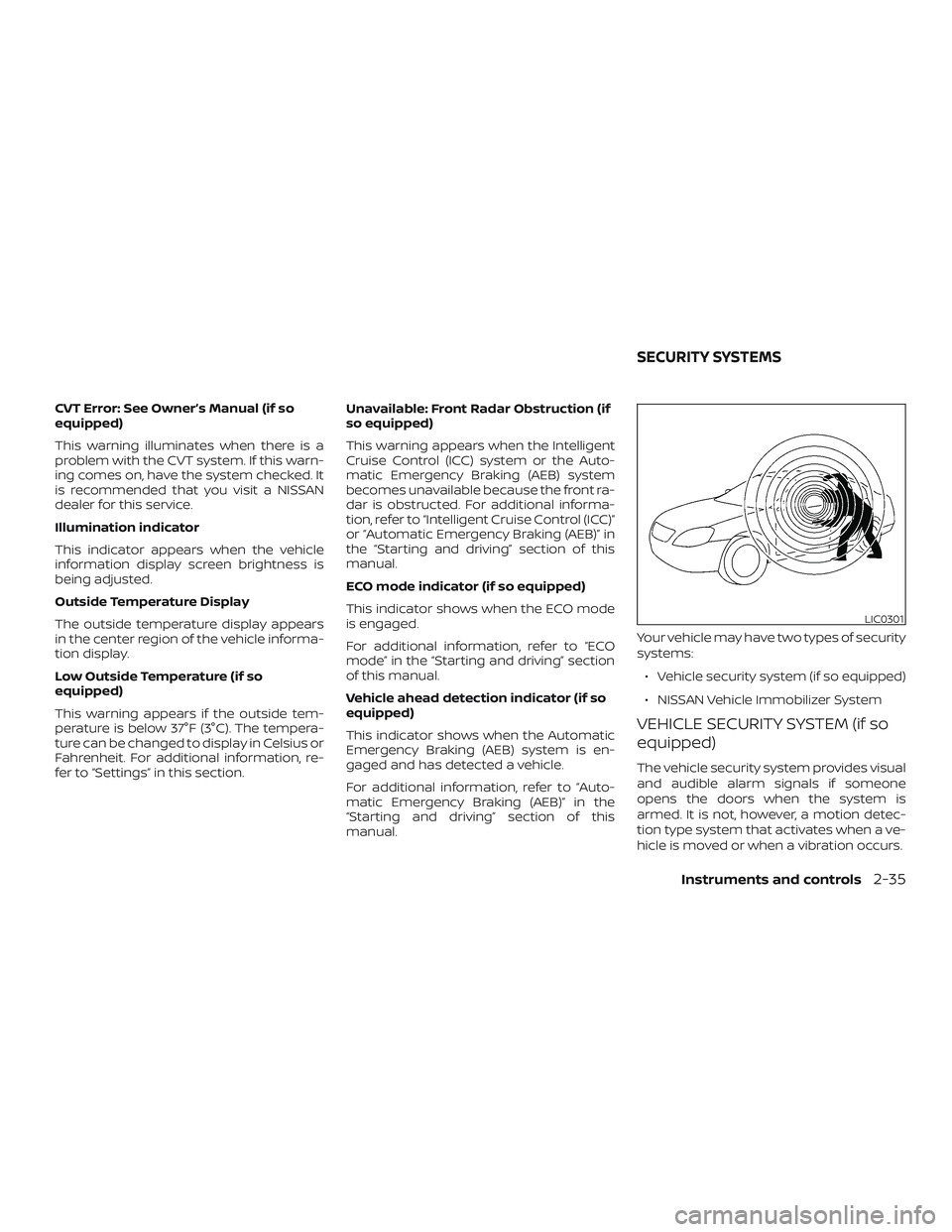
Your vehicle may have two types of security
systems:
∙ Vehicle security system (if so equipped)
∙ NISSAN Vehicle Immobilizer System
VEHICLE SECURITY SYSTEM (if so
equipped)
The vehicle security system provides visual
and audible alarm signals if someone
opens the doors when the system is
armed. It is not, however, a motion detec-
tion type system that activates when a ve-
hicle is moved or when a vibration occurs.
LIC0301
SECURITY SYSTEMS
Instruments and controls2-35
Page 121 of 461
Vehicle security system activation
The vehicle security system will give the
following alarm:∙ The headlights blink and the horn sounds intermittently.
∙ The alarm automatically turns off af ter a period of time. However, the alarm
reactivates if the vehicle is tampered
with again. The alarm can be shut off by
unlocking the driver’s door with the key,
a request switch, by pressing the
button on the key fob or Intelligent Key
or placing the ignition switch in the ON
or ACC position.
The alarm is activated by:
∙ opening a door without using the key, a request switch, key fob or Intelligent Key
(even if the door is unlocked by using
the inside lock knob or the power door
lock switch).
How to stop an activated alarm
The alarm stops only by unlocking the driv-
er’s door by pressing the
button on
the key fob or Intelligent Key, or by unlock-
ing all doors with any request switch (Intel-
ligent Key models) or placing the ignition
switch in the ON or ACC position.
NISSAN VEHICLE IMMOBILIZER
SYSTEM
The NISSAN Vehicle Immobilizer System
will not allow the engine to start without
the use of a registered key.
If the engine fails to start using a registered
key (for example, when interference is
caused by another registered key, an auto-
mated toll road device or automatic pay-
ment device on the key ring), restart the
engine using the following procedures:
1. Leave the ignition switch in the ON po- sition for approximately 5 seconds.
2. Place the ignition switch in the OFF or LOCK position and wait approximately
10 seconds.
3. Repeat steps 1 and 2.
4. Restart the engine while holding the device (which may have caused the in-
terference) separate from the regis-
tered key.
If the no start condition re-occurs, NISSAN
recommends placing the registered key on
a separate key ring to avoid interference
from other devices.
Never leave these keys in the vehicle. FCC Notice:
For USA:
This device complies with Part 15 of the
FCC Rules. Operation is subject to the fol-
lowing two conditions: (1) This device
may not cause harmful interference, and
(2) this device must accept any interfer-
ence received, including interference
that may cause undesired operation.
NOTE:
Changes or modifications not expressly
approved by the party responsible for
compliance could void the user’s author-
ity to operate the equipment.
For Canada:
This device complies with Industry
Canada licence-exempt RSS standard(s).
Operation is subject to the following two
conditions: (1) this device may not cause
interference, and (2) this device must ac-
cept any interference received, including
interference that may cause undesired
operation of the device.
Instruments and controls2-37
Page 158 of 461
WARNING
∙ Radio waves could adversely affectelectric medical equipment. Those
who use a pacemaker should contact
the electric medical equipment
manufacturer for the possible influ-
ences before use.
∙ The remote keyless entry key fob transmits radio waves when the but-
tons are pressed. The FAA advises ra-
dio waves may affect aircraf t naviga-
tion and communication systems. Do
not operate the remote keyless entry
key fob while on an airplane. Make
sure the buttons are not operated un-
intentionally when the unit is stored
for a flight.
It is possible to lock/unlock all doors, turn
the interior lights on, and activate the panic
alarm by using the key fob from outside the
vehicle.
Be sure to remove the key from the ve-
hicle before locking the doors.
The key fob can operate at a distance of
approximately 33 f t (10 m) from the vehicle.
The effective distance depends on the
conditions around the vehicle. As many as four key fobs can be used with
one vehicle. For information concerning
the purchase and use of additional key
fobs, it is recommended that you visit a
NISSAN dealer.
The key fob will not function when:
∙ The battery is discharged.
∙ The distance between the vehicle and the key fob is over 33 f t (10 m).
The panic alarm will not activate when
the key is in the ignition switch.
CAUTION
Listed below are conditions or occur-
rences which will damage the key fob:
∙ Do not allow the key fob, which con- tains electrical components, to come
into contact with water or salt water.
This could affect the system function.
∙ Do not drop the key fob.
∙ Do not strike the key fob sharply against another object.
∙ Do not change or modif y the key fob.
∙ Wetting may damage the key fob. If the key fob gets wet, immediately
wipe until it is completely dry. ∙ Do not place the key fob for an ex-
tended period in an area where tem-
peratures exceed 140°F (60°C).
∙ Do not attach the key fob with a key holder that contains a magnet.
∙ Do not place the key fob near equip- ment that produces a magnetic field,
such as a TV, audio equipment and
personal computers.
If a key fob is lost or stolen, NISSAN rec-
ommends erasing the ID code of that
key fob. This will prevent the key fob
from unauthorized use to unlock the
vehicle. For information regarding the
erasing procedure, it is recommended
that you visit a NISSAN dealer.
REMOTE KEYLESS ENTRY SYSTEM (if
so equipped)
3-8Pre-driving checks and adjustments
Page 160 of 461
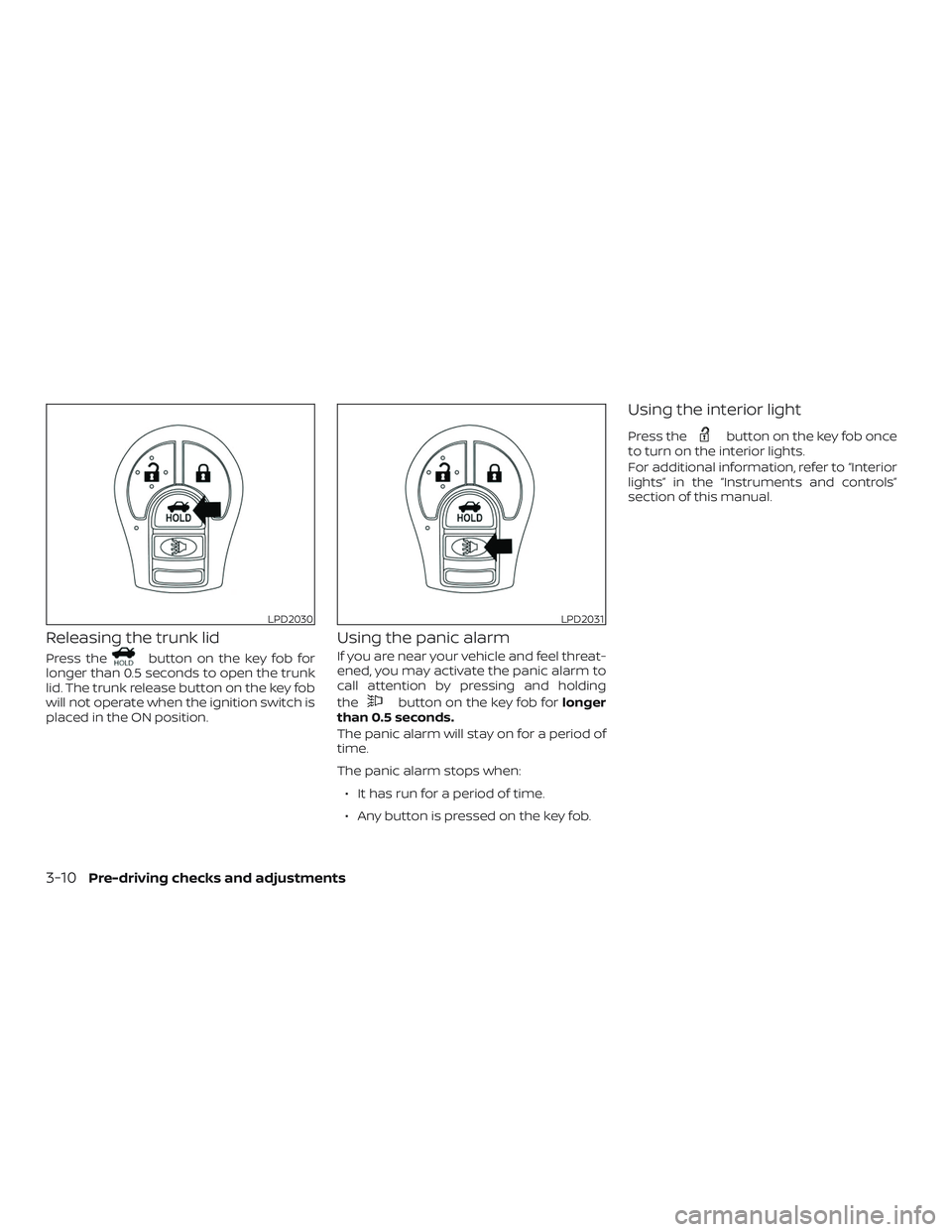
Releasing the trunk lid
Press thebutton on the key fob for
longer than 0.5 seconds to open the trunk
lid. The trunk release button on the key fob
will not operate when the ignition switch is
placed in the ON position.
Using the panic alarm
If you are near your vehicle and feel threat-
ened, you may activate the panic alarm to
call attention by pressing and holding
the
button on the key fob for longer
than 0.5 seconds.
The panic alarm will stay on for a period of
time.
The panic alarm stops when:
∙ It has run for a period of time.
∙ Any button is pressed on the key fob.
Using the interior light
Press thebutton on the key fob once
to turn on the interior lights.
For additional information, refer to “Interior
lights” in the “Instruments and controls”
section of this manual.
LPD2030LPD2031
3-10Pre-driving checks and adjustments
Page 161 of 461
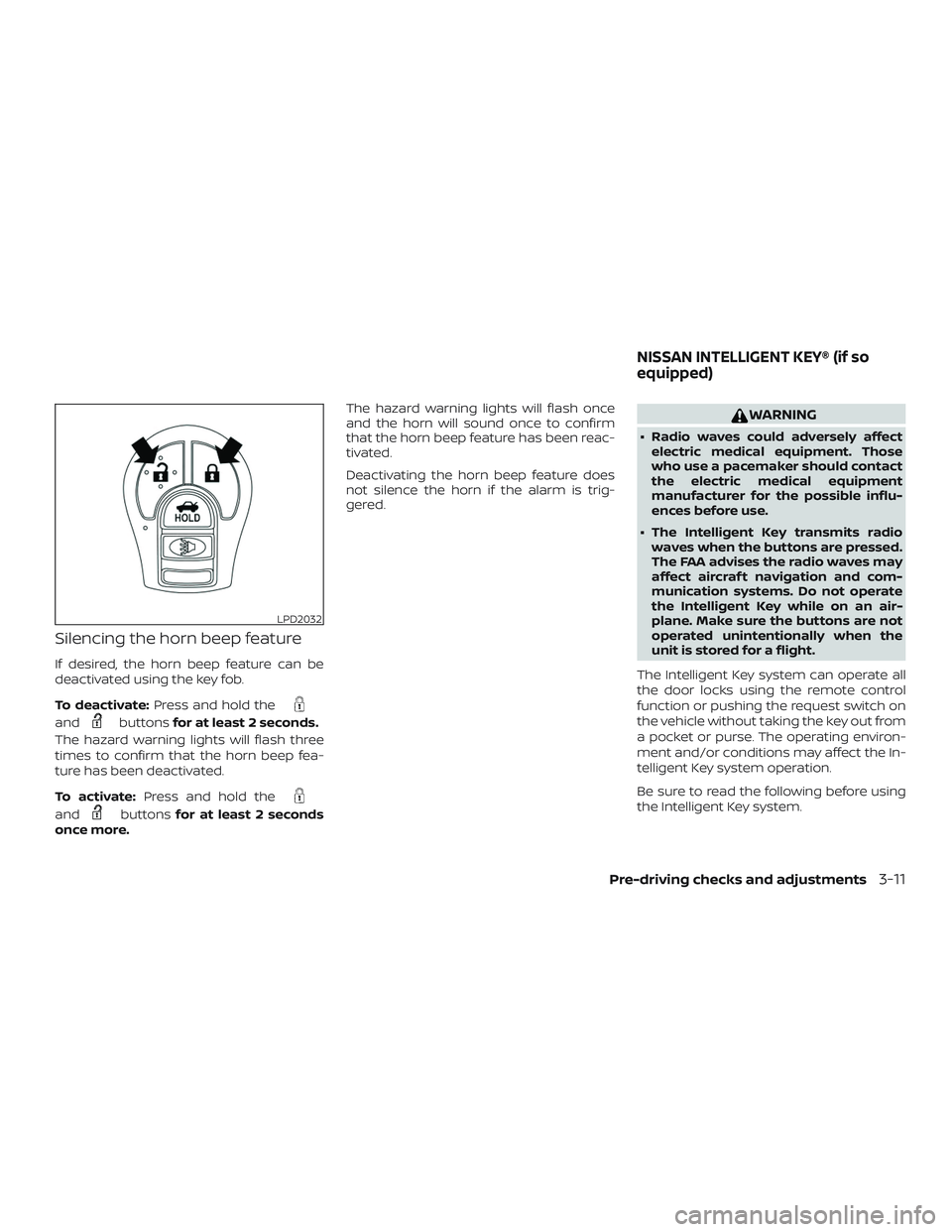
Silencing the horn beep feature
If desired, the horn beep feature can be
deactivated using the key fob.
To deactivate:Press and hold the
andbuttonsfor at least 2 seconds.
The hazard warning lights will flash three
times to confirm that the horn beep fea-
ture has been deactivated.
To activate: Press and hold the
andbuttonsfor at least 2 seconds
once more. The hazard warning lights will flash once
and the horn will sound once to confirm
that the horn beep feature has been reac-
tivated.
Deactivating the horn beep feature does
not silence the horn if the alarm is trig-
gered.
WARNING
∙ Radio waves could adversely affect
electric medical equipment. Those
who use a pacemaker should contact
the electric medical equipment
manufacturer for the possible influ-
ences before use.
∙ The Intelligent Key transmits radio waves when the buttons are pressed.
The FAA advises the radio waves may
affect aircraf t navigation and com-
munication systems. Do not operate
the Intelligent Key while on an air-
plane. Make sure the buttons are not
operated unintentionally when the
unit is stored for a flight.
The Intelligent Key system can operate all
the door locks using the remote control
function or pushing the request switch on
the vehicle without taking the key out from
a pocket or purse. The operating environ-
ment and/or conditions may affect the In-
telligent Key system operation.
Be sure to read the following before using
the Intelligent Key system.
LPD2032
NISSAN INTELLIGENT KEY® (if so
equipped)
Pre-driving checks and adjustments3-11
Page 170 of 461
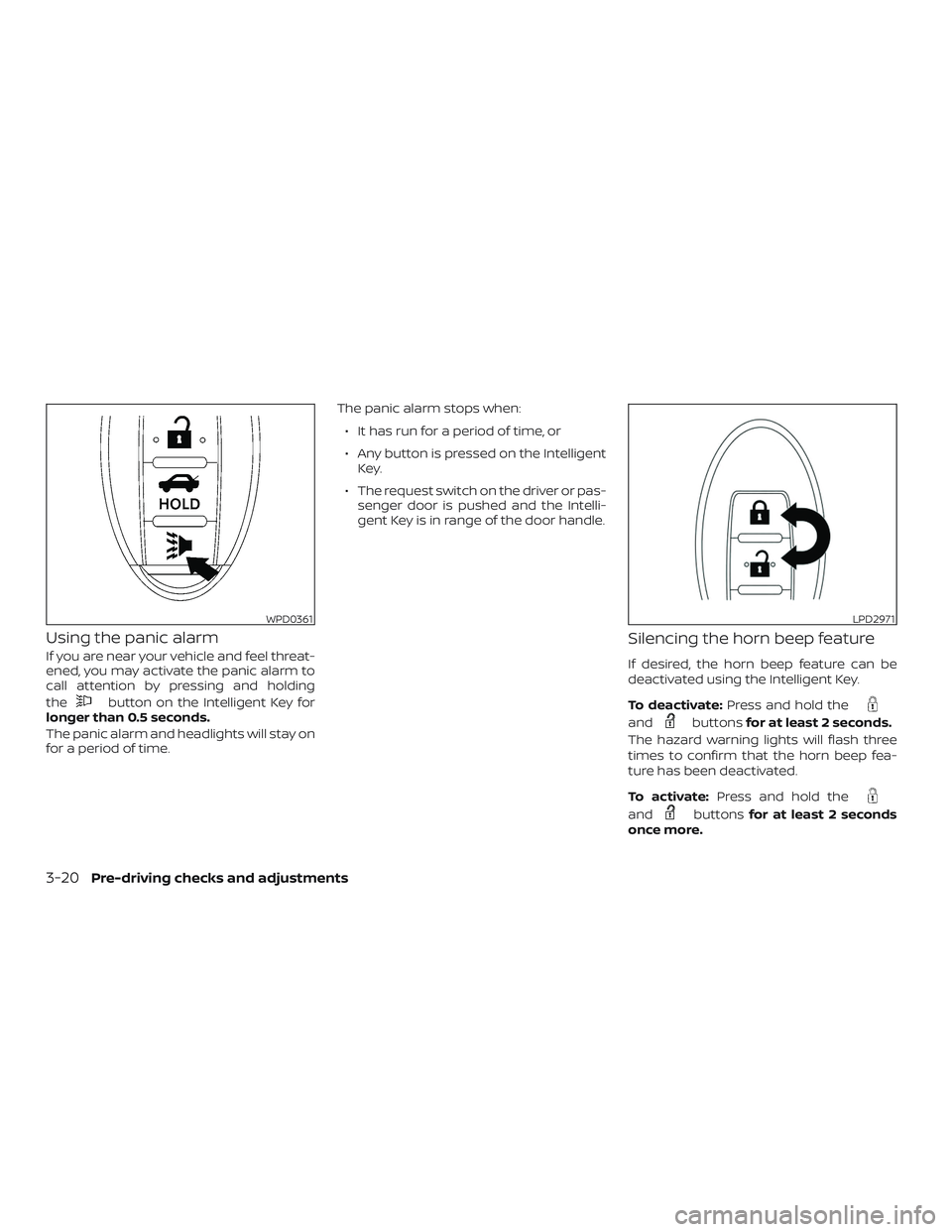
Using the panic alarm
If you are near your vehicle and feel threat-
ened, you may activate the panic alarm to
call attention by pressing and holding
the
button on the Intelligent Key for
longer than 0.5 seconds.
The panic alarm and headlights will stay on
for a period of time. The panic alarm stops when:
∙ It has run for a period of time, or
∙ Any button is pressed on the Intelligent Key.
∙ The request switch on the driver or pas- senger door is pushed and the Intelli-
gent Key is in range of the door handle.
Silencing the horn beep feature
If desired, the horn beep feature can be
deactivated using the Intelligent Key.
To deactivate: Press and hold the
andbuttonsfor at least 2 seconds.
The hazard warning lights will flash three
times to confirm that the horn beep fea-
ture has been deactivated.
To activate: Press and hold the
andbuttonsfor at least 2 seconds
once more.
WPD0361LPD2971
3-20Pre-driving checks and adjustments