headlights NISSAN SENTRA 2021 User Guide
[x] Cancel search | Manufacturer: NISSAN, Model Year: 2021, Model line: SENTRA, Model: NISSAN SENTRA 2021Pages: 528, PDF Size: 3.51 MB
Page 149 of 528
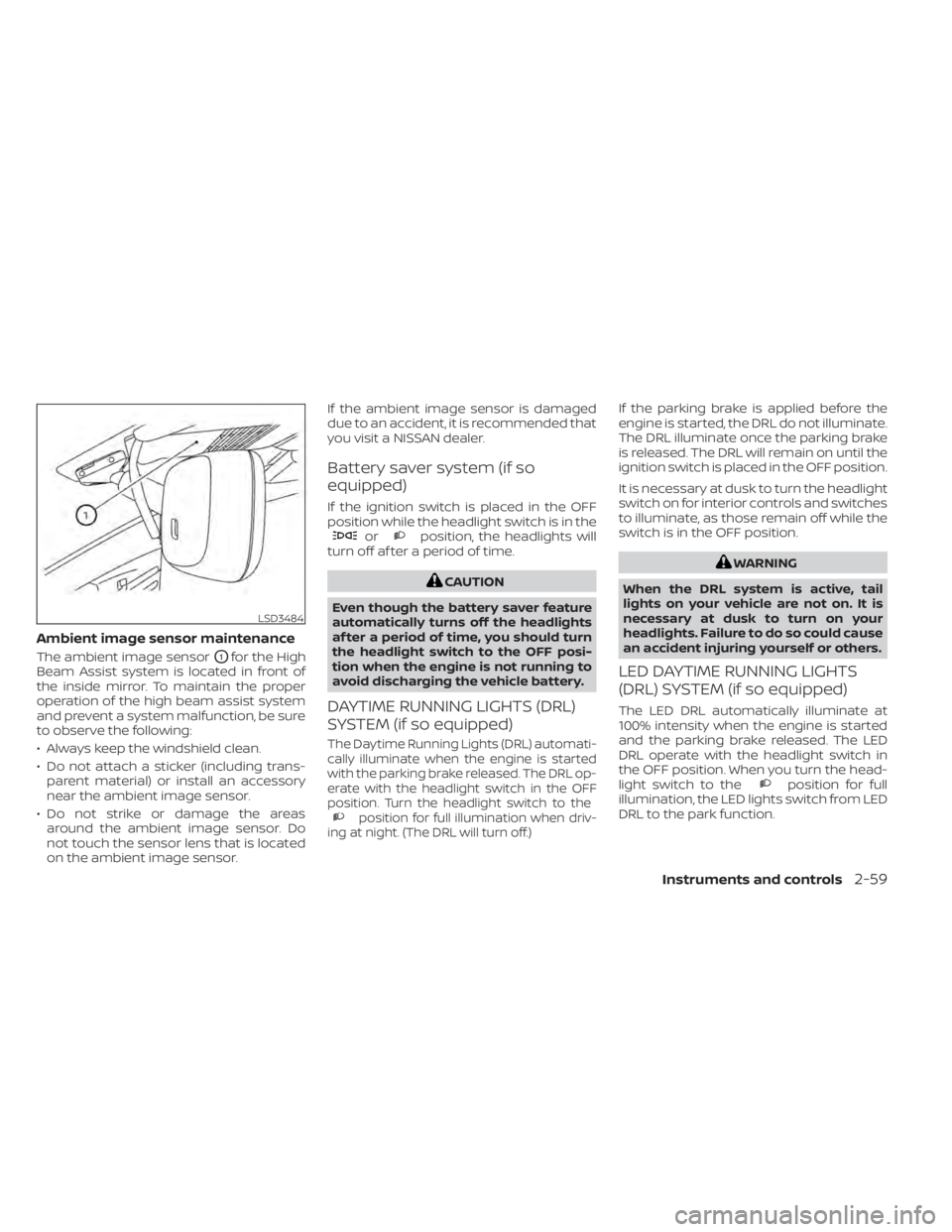
Ambient image sensor maintenance
The ambient image sensorO1for the High
Beam Assist system is located in front of
the inside mirror. To maintain the proper
operation of the high beam assist system
and prevent a system malfunction, be sure
to observe the following:
• Always keep the windshield clean.
• Do not attach a sticker (including trans- parent material) or install an accessory
near the ambient image sensor.
• Do not strike or damage the areas around the ambient image sensor. Do
not touch the sensor lens that is located
on the ambient image sensor. If the ambient image sensor is damaged
due to an accident, it is recommended that
you visit a NISSAN dealer.
Battery saver system (if so
equipped)
If the ignition switch is placed in the OFF
position while the headlight switch is in the
orposition, the headlights will
turn off af ter a period of time.
position for full illumination when driv-
ing at night. (The DRL will turn off.)
If the parking brake is applied before the
engine is started, the DRL do not illuminate.
The DRL illuminate once the parking brake
is released. The DRL will remain on until the
ignition switch is placed in the OFF position.
It is necessary at dusk to turn the headlight
switch on for interior controls and switches
to illuminate, as those remain off while the
switch is in the OFF position.
position for full
illumination, the LED lights switch from LED
DRL to the park function.
LSD3484
Page 151 of 528
Move the lever up or down until the turn
signal begins to flash, but the lever does
not latch, and release the lever. The turn
signal will automatically flash three times.
Choose the appropriate method to signal
a lane change based on road and traffic
conditions.
NOTE:
If the turn signal light bulb malfunctions,
the turn signal indicator will flash at a
higher frequency when the turn signal is
activated.
NOTE:
The 3 flash pass feature may be disabled.
For additional information, refer to “Ve-
hicle information display ” in this section.FOG LIGHT SWITCH (if so
equipped)
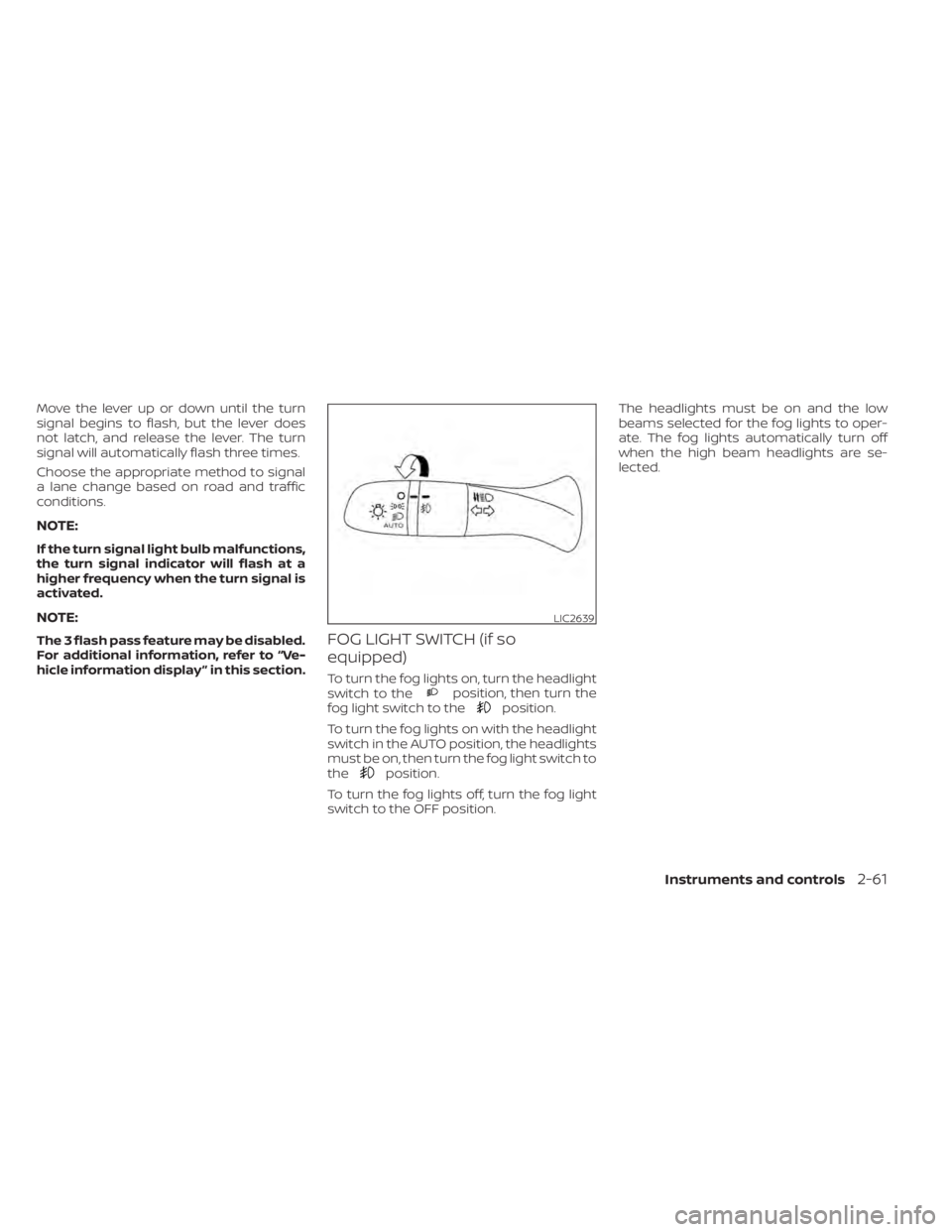
To turn the fog lights on, turn the headlight
switch to theposition, then turn the
fog light switch to theposition.
To turn the fog lights on with the headlight
switch in the AUTO position, the headlights
must be on, then turn the fog light switch to
the
position.
To turn the fog lights off, turn the fog light
switch to the OFF position. The headlights must be on and the low
beams selected for the fog lights to oper-
ate. The fog lights automatically turn off
when the high beam headlights are se-
lected.
LIC2639
Page 185 of 528
Locking doors
1. Place the power switch in the LOCKposition.
2. Close all doors.
3. Press the
button on the Intelli-
gent Key.
4. The hazard warning lights flash twice and the horn beeps once.
5. All doors and the rear hatch will be locked.
button on the Intelligent
Key to unlock the driver’s door.
2. The hazard warning lights flash once. 3. Press the
button again within 1
minute to unlock all doors and rear
hatch.
All doors and trunk lid will be locked auto-
matically unless one of the following op-
erations is performed within 1 minute af ter
pressing the
button:
• Opening any doors or trunk lid.
• Pushing the power switch.
The interior light illuminates for a period of
time when a door is unlocked and the
room light switch is in the DOOR position.
The light can be turned off without waiting
by performing one of the following opera-
tions:
• Placing the power switch in the ON posi- tion.
• Locking the doors with the Intelligent Key.
• Switching the room light switch to the OFF position.
Releasing the trunk lid
Press thebutton for longer than 1
second to open the trunk lid. The trunk
release button will not operate when the
ignition switch is placed in the ON position.
Using the panic alarm
If you are near your vehicle and feel threat-
ened, you may activate the panic alarm to
call attention by pressing and holding the
button on the Intelligent Key for lon-
ger than 0.5 seconds.
The panic alarm and headlights will stay on
for a period of time.
The panic alarm stops when:
• It has run for a period of time.
• Any button is pressed on the Intelligent Key.
• The request switch (if so equipped) on the driver or passenger door is pushed and
the Intelligent Key is in range of the door
handle.
Silencing the horn beep feature
If desired, the horn beep feature can be
deactivated using the Intelligent Key.
To deactivate: Press and hold the
andbuttonsfor at least 2 seconds.
The hazard warning lights will flash three
times to confirm that the horn beep fea-
ture has been deactivated.
Pre-driving checks and adjustments3-15
Page 199 of 528
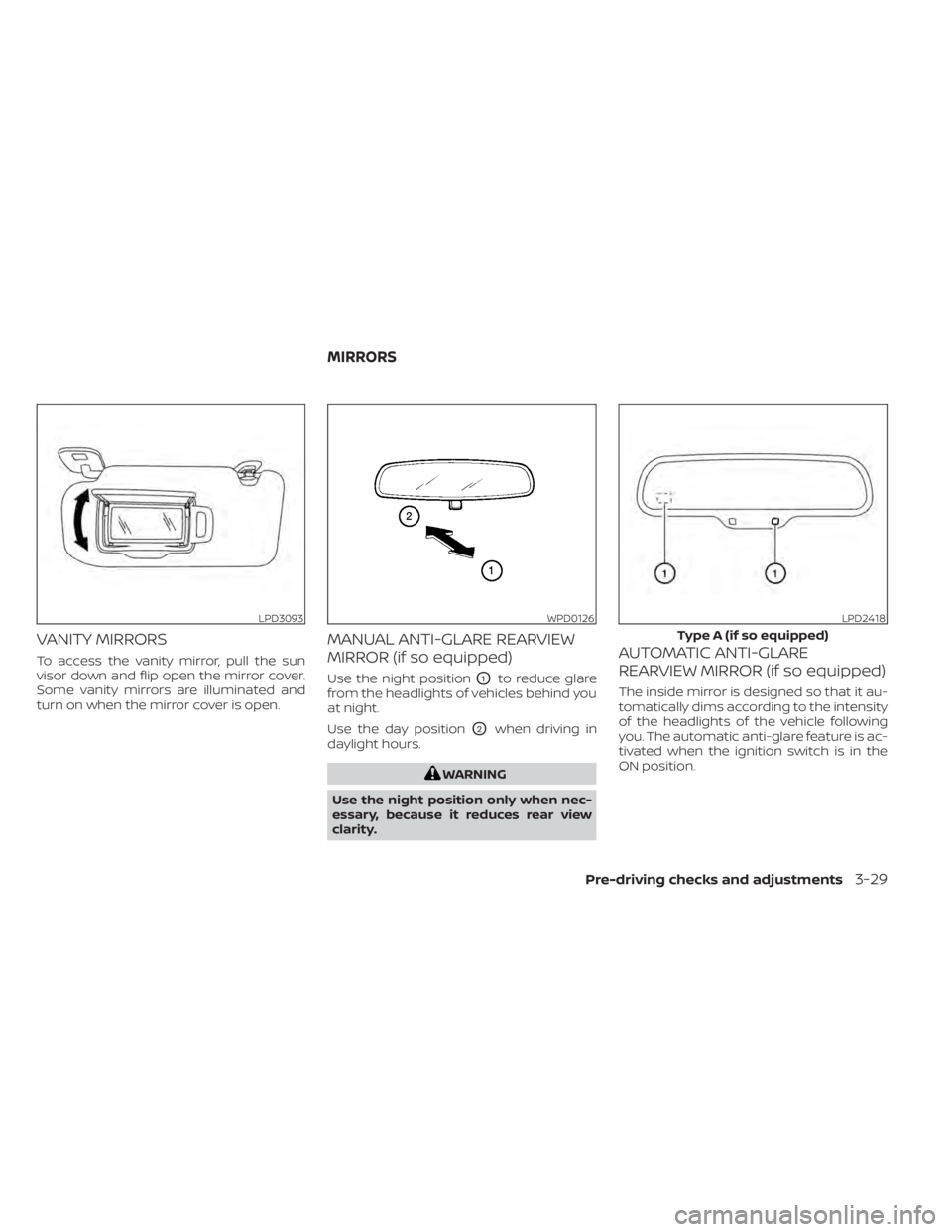
VANITY MIRRORS
To access the vanity mirror, pull the sun
visor down and flip open the mirror cover.
Some vanity mirrors are illuminated and
turn on when the mirror cover is open.
MANUAL ANTI-GLARE REARVIEW
MIRROR (if so equipped)
Use the night positionO1to reduce glare
from the headlights of vehicles behind you
at night.
Use the day position
O2when driving in
daylight hours.
LPD3093WPD0126LPD2418
Type A (if so equipped)
MIRRORS
Pre-driving checks and adjustments3-29
Page 314 of 528
–When rain, snow or dirt adheres to
the windshield in front of the
multi-sensing camera unit.
– When the headlights are not
bright due to dirt on the lens or if
the aiming is not adjusted
properly.
– When strong light enters the cam-
era unit. (For example, the light di-
rectly shines on the front of the
vehicle at sunrise or sunset.)
– When a sudden change in bright-
ness occurs. (For example, when
the vehicle enters or exits a tunnel
or under a bridge.)
– In areas not covered by the navi-
gation system.
– If there are deviations in relation
to the navigation, for example due
to changes in the road routing.
– When overtaking buses or trucks
with speed stickers.
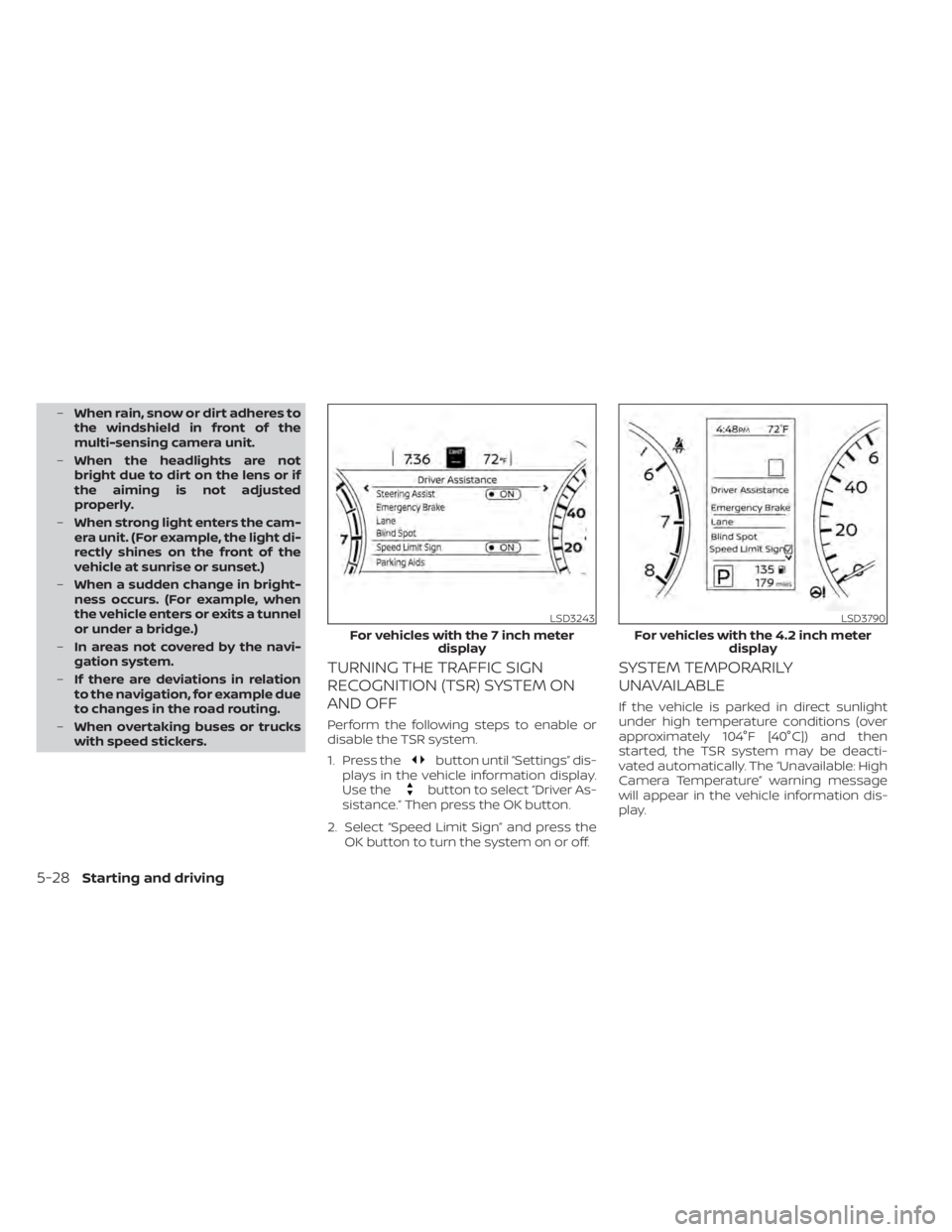
TURNING THE TRAFFIC SIGN
RECOGNITION (TSR) SYSTEM ON
AND OFF
Perform the following steps to enable or
disable the TSR system.
1. Press the
button until “Settings” dis-
plays in the vehicle information display.
Use the
button to select “Driver As-
sistance.” Then press the OK button.
2. Select “Speed Limit Sign” and press the OK button to turn the system on or off.
SYSTEM TEMPORARILY
UNAVAILABLE
If the vehicle is parked in direct sunlight
under high temperature conditions (over
approximately 104°F [40°C]) and then
started, the TSR system may be deacti-
vated automatically. The “Unavailable: High
Camera Temperature” warning message
will appear in the vehicle information dis-
play.
LSD3243
For vehicles with the 7 inch meter display
Page 320 of 528
•The system may not function prop-
erly under the following conditions:
– On roads where there are multiple
parallel lane markers; lane mark-
ers that are faded or not painted
clearly; yellow painted lane mark-
ers; non-standard lane markers;
or lane markers covered with wa-
ter, dirt, snow, etc.
– On roads where the discontinued
lane markers are still detectable.
– On roads where there are sharp
curves.
– On roads where there are sharply
contrasting objects, such as shad-
ows, snow, water, wheel ruts,
seams or lines remaining af ter
road repairs. (The LDW system
could detect these items as lane
markers.)
– On roads where the traveling lane
merges or separates.
– When the vehicle’s traveling direc-
tion does not align with the lane
marker.
– When traveling close to the ve-
hicle in front of you, which ob-
structs the lane camera unit de-
tection range. –
When rain, snow, dirt or an object
adheres to the windshield in front
of the lane camera unit.
– When the headlights are not
bright due to dirt on the lens or if
the aiming is not adjusted
properly.
– When strong light enters the lane
camera unit. (For example, the
light directly shines on the front of
the vehicle at sunrise or sunset.)
– When a sudden change in bright-
ness occurs. (For example, when
the vehicle enters or exits a tunnel
or under a bridge.)
SYSTEM TEMPORARILY
UNAVAILABLE
If the vehicle is parked in direct sunlight
under high temperature conditions (over
approximately 104°F [40°C]) and then
started, the LDW system may be deacti-
vated automatically and the following
message will appear in the vehicle infor-
mation display: “Unavailable: High Cabin
Temperature.”
When the interior temperature is reduced,
the LDW system will resume operating au-
tomatically. The LDW system is not designed to warn
under the following conditions:
• When you operate the lane change signal
and change traveling lanes in the direc-
tion of the signal. (The LDW system will
become operable again approximately 2
seconds af ter the lane change signal is
turned off.)
• When the vehicle speed lowers to less than approximately 37 mph (60 km/h).
Af ter the above conditions have finished
and the necessary operating conditions
are satisfied, the LDW functions will resume.
SYSTEM MALFUNCTION
If the LDW system malfunctions, it will can-
cel automatically and “Not Available Sys-
tem Malfunction” will appear in the vehicle
information display. If “Not Available Sys-
tem Malfunction” appears in the vehicle in-
formation display, pull off the road to a safe
location and stop the vehicle. Place the
shif t lever in the P (Park) position and the
ignition switch in the OFF position and re-
start the engine/motor. If “Not Available
System Malfunction” continues to appear
in the vehicle information display, have the
system checked. It is recommended that
you visit a NISSAN dealer for this service.
5-34Starting and driving
Page 464 of 528
3. Replace the battery with a new one.Recommended battery: CR2032 or
equivalent.• Do not touch the internal circuit and electric terminals as doing so could
cause a malfunction.
• Hold the battery by the edges. Holding the battery across the contact points
will seriously deplete the storage ca-
pacity.
• Make sure that the + side faces the bottom of the lower part.
4. Close the lid securely as illustrated with
OCandOD.
5. Operate the buttons to check the operation.
If you need assistance with replacement, it
is recommended that you visit a NISSAN
dealer for this service.
FCC Notice:
For USA:
This device complies with Part 15 of the
FCC Rules. Operation is subject to the fol-
lowing two conditions: (1) This device
may not cause harmful interference, and
(2) this device must accept any interfer- ence received, including interference
that may cause undesired operation.
Note:
Changes or modifications not expressly
approved by the party responsible for
compliance could void the user’s author-
ity to operate the equipment.
For Canada:
This device complies with Industry
Canada licence-exempt RSS standard(s).
Operation is subject to the following two
conditions: (1) this device may not cause
interference, and (2) this device must ac-
cept any interference, including interfer-
ence that may cause undesired opera-
tion of the device.
HEADLIGHTS
For additional information on headlight
bulb replacement, refer to the instructions
outlined in this section.
Replacing the halogen headlight
bulb (if so equipped)
If halogen headlight bulb replacement is
required, it is recommended that you visit a
NISSAN dealer for this service.
Page 483 of 528
secondary latch keeps the hood from
opening when the primary latch is re-
leased.
When driving in areas using road salt or
other corrosive materials, check lubrica-
tion frequently.
Lights*:Clean the headlights on a regular
basis. Make sure that the headlights, stop
lights, tail lights, turn signal lights, and other
lights are all operating properly and in-
stalled securely. Also check headlight aim.
Road wheel nuts (lug nuts)*: When check-
ing the tires, make sure no wheel nuts are
missing, and check for any loose wheel
nuts. Tighten if necessary.
Tire rotation*: Tires should be rotated ev-
ery 7,500 miles (12,000 km).
Tires*: Check the pressure with a gauge
of ten and always prior to long distance
trips. If necessary, adjust the pressure in all
tires, including the spare, to the pressure
specified. Check carefully for damage, cuts
or excessive wear.
Tire Pressure Monitoring System (TPMS)
transmitter components: Replace the
TPMS transmitter grommet seal, valve core
and cap when the tires are replaced due to
wear or age. Wheel alignment and balance:
If the ve-
hicle should pull to either side while driving
on a straight and level road, or if you detect
uneven or abnormal tire wear, there may
be a need for wheel alignment. If the steer-
ing wheel or seat vibrates at normal high-
way speeds, wheel balancing may be
needed.
For additional information regarding tires,
refer to “Important Tire Safety Information”
(US) or “Tire Safety Information” (Canada) in
the Warranty Information Booklet.
Windshield: Clean the windshield on a
regular basis. Check the windshield at least
every six months for cracks or other dam-
age. Have a damaged windshield repaired
by a qualified repair facility. It is recom-
mended that you have a damaged wind-
shield repaired by a NISSAN dealer, or a
NISSAN Certified Collision Center. To locate
a collision center in your area, refer to
http://collision.nissanusa.com.
Windshield wiper blades*: Check for
cracks or wear if they do not wipe properly.Inside the vehicle
The maintenance items listed here should
be checked on a regular basis, such as
when performing scheduled maintenance,
cleaning the vehicle, etc.
Accelerator pedal: Check the pedal for
smooth operation and make sure the
pedal does not catch or require uneven
effort. Keep the floor mat away from the
pedal.
Brake pedal: Check the pedal for smooth
operation. If the brake pedal suddenly goes
down further than normal, the pedal feels
spongy or the vehicle seems to take longer
to stop, have your vehicle checked imme-
diately. It is recommended that you visit a
NISSAN dealer for this service. Keep the
floor mat away from the pedal.
Brakes: Check that the brakes do not pull
the vehicle to one side when applied.
Continuously Variable Transmission
(CVT) P (Park) position mechanism (if so
equipped): On a fairly steep hill check that
the vehicle is held securely with the shif t
lever in the P (Park) position without apply-
ing any brakes.
Maintenance and schedules9-3
Page 519 of 528
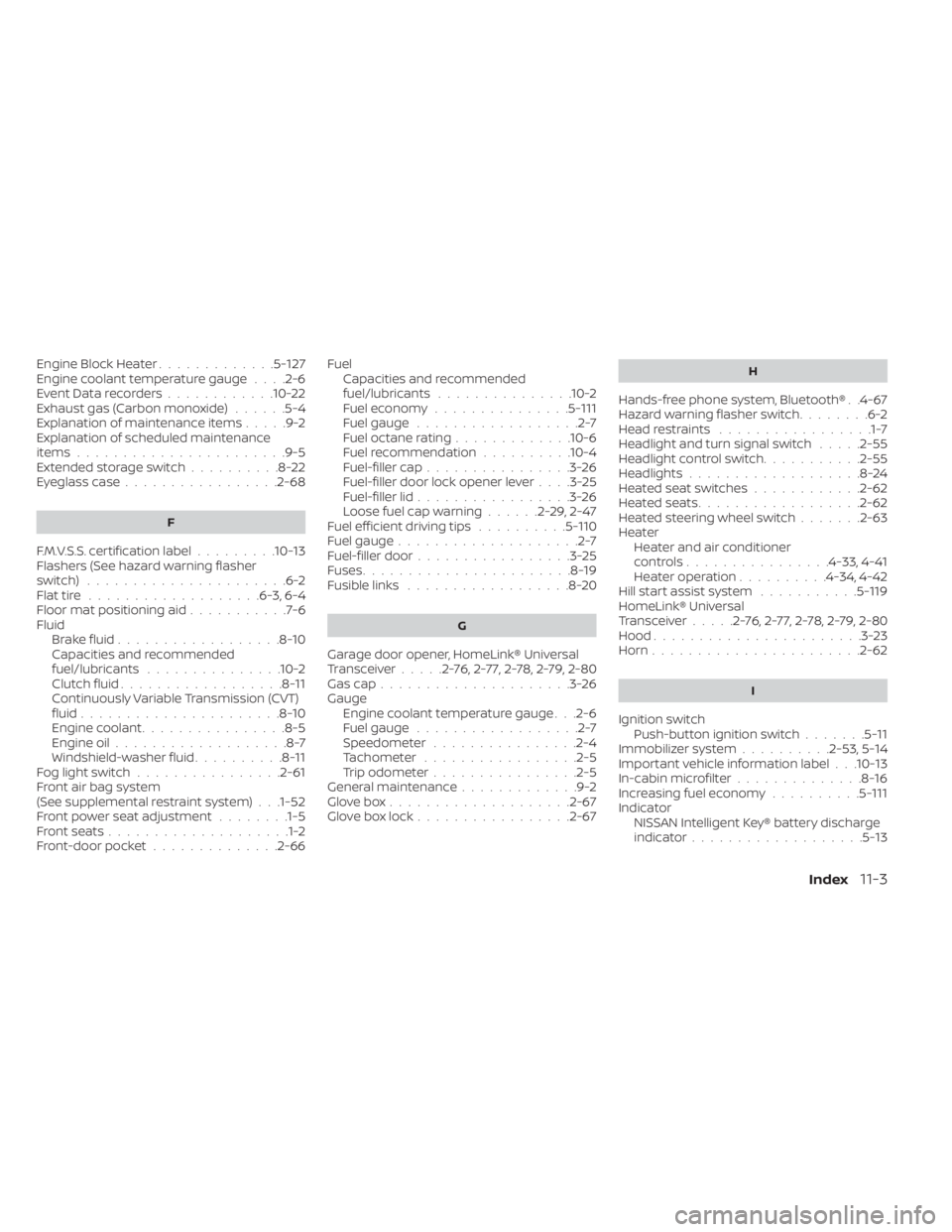
Engine Block Heater.............5-127Engine coolant temperature gauge. . . .2-6Event Data recorders............10-22Exhaust gas (Carbon monoxide)......5-4Explanation of maintenance items.....9-2Explanation of scheduled maintenance
items.......................9-5Extended storage switch..........8-22Eyeglass case.................2-68
F
F.M.V.S.S. certification label.........10-13Flashers (See hazard warning flasher
switch)......................6-2Flat tire.................. .6-3, 6-4Floor mat positioning aid...........7-6Fluid
Brake fluid..................8-10Capacities and recommended
fuel/lubricants...............10-2Clutch fluid..................8-11Continuously Variable Transmission (CVT)
fluid......................8-10Engine coolant................8-5Engine oil...................8-7Windshield-washer fluid..........8-11Fog light switch................2-61Front air bag system
(See supplemental restraint system). . .1-52Front power seat adjustment........1-5Front seats....................1-2Front-door pocket..............2-66
FuelCapacities and recommended
fuel/lubricants
...............10-2Fuel economy...............5-111Fuel gauge..................2-7Fuel octane rating.............10-6Fuel recommendation..........10-4Fuel-filler cap................3-26Fuel-filler door lock opener lever. . . .3-25Fuel-filler lid.................3-26Loose fuel cap warning......2-29,2-47Fuel efficient driving tips..........5-110Fuel gauge....................2-7Fuel-filler door.................3-25Fuses.......................8-19Fusible links..................8-20
G
Garage door opener, HomeLink® Universal
Transceiver.....2-76,2-77,2-78,2-79, 2-80Gas cap.....................3-26Gauge
Engine coolant temperature gauge. . .2-6Fuel gauge..................2-7Speedometer................2-4Tachometer................ .2-5Trip odometer................2-5General maintenance.............9-2Glove box................... .2-67Glove box lock.................2-67
H
Hands-free phone system, Bluetooth®. .4-67Hazard warning flasher switch........6-2Head restraints.................1-7Headlight and turn signal switch.....2-55Headlight control switch...........2-55Headlights...................8-24Heated seat switches............2-62Heated seats................. .2-62Heated steering wheel switch.......2-63Heater
Heater and air conditioner
controls
................4-33, 4-41Heater operation..........4-34, 4-42Hill start assist system...........5-119HomeLink® Universal
Transceiver.....2-76,2-77,2-78,2-79, 2-80Hood.......................3-23Horn...................... .2-62
I
Ignition switch
Push-button ignition switch.......5-11Immobilizer system..........2-53, 5-14Important vehicle information label. . .10-13In-cabin microfilter..............8-16Increasing fuel economy..........5-111IndicatorNISSAN Intelligent Key® battery discharge
indicator
...................5-13
Index11-3
Page 520 of 528
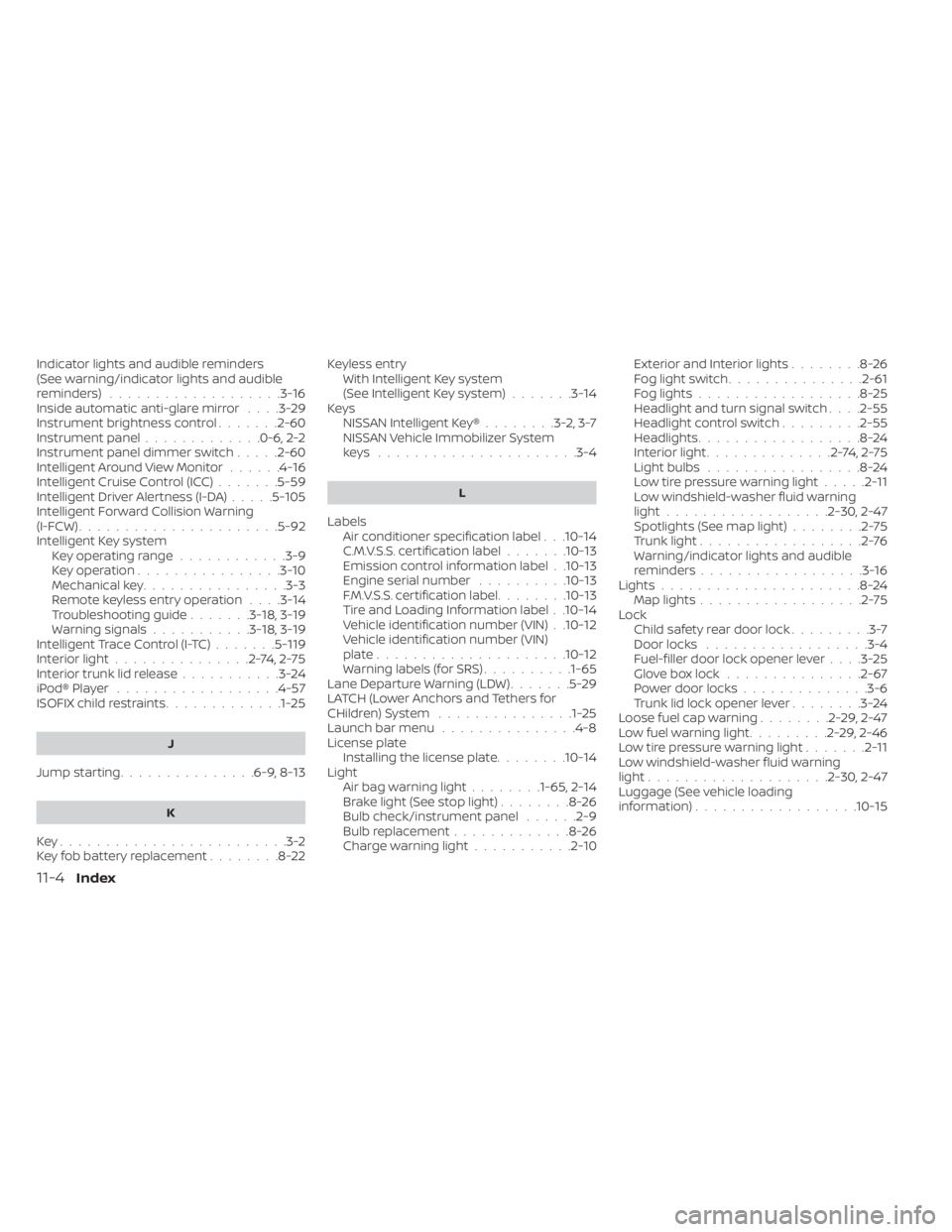
Indicator lights and audible reminders
(See warning/indicator lights and audible
reminders)
...................3-16Inside automatic anti-glare mirror. . . .3-29Instrument brightness control.......2-60Instrument panel.............0-6, 2-2Instrument panel dimmer switch.....2-60Intelligent Around View Monitor......4-16Intelligent Cruise Control (ICC).......5-59Intelligent Driver Alertness (I-DA).....5-105Intelligent Forward Collision Warning
(I-FCW)......................5-92Intelligent Key system
Key operating range............3-9Key operation................3-10Mechanical key................3-3Remote keyless entry operation. . . .3-14Troubleshooting guide.......3-18,3-19Warning signals...........3-18,3-19Intelligent Trace Control (I-TC).......5-119Interior light...............2-74,2-75Interior trunk lid release...........3-24iPod® Player................. .4-57ISOFIX child restraints.............1-25
J
Jump starting...............6-9, 8-13
K
Key.........................3-2Key fob battery replacement........8-22
Keyless entry
With Intelligent Key system
(See Intelligent Key system)
.......3-14KeysNISSAN Intelligent Key®........3-2,3-7NISSAN Vehicle Immobilizer System
keys..................... .3-4
L
Labels
Air conditioner specification label. . .10-14C.M.V.S.S. certification label.......10-13Emission control information label. .10-13Engine serial number..........10-13F.M.V.S.S. certification label........10-13Tire and Loading Information label. .10-14Vehicle identification number (VIN). .10-12Vehicle identification number (VIN)
plate.................... .10-12Warning labels (for SRS)..........1-65Lane Departure Warning (LDW).......5-29LATCH (Lower Anchors and Tethers for
CHildren) System...............1-25Launch bar menu...............4-8License plate
Installing the license plate........10-14LightAir bag warning light........1-65, 2-14Brake light (See stop light)........8-26Bulb check/instrument panel......2-9Bulb replacement.............8-26Charge warning light...........2-10
Exterior and Interior lights........8-26Fog light switch...............2-61Fog lights..................8-25Headlight and turn signal switch. . . .2-55Headlight control switch.........2-55Headlights..................8-24Interior light..............2-74,2-75Light bulbs.................8-24Low tire pressure warning light.....2-11Low windshield-washer fluid warning
light................. .2-30, 2-47Spotlights (See map light)........2-75Trunk light..................2-76Warning/indicator lights and audible
reminders..................3-16Lights......................8-24Map lights..................2-75Lock
Child safety rear door lock.........3-7Door locks................. .3-4Fuel-filler door lock opener lever. . . .3-25Glove box lock...............2-67Power door locks..............3-6Trunk lid lock opener lever........3-24Loose fuel cap warning........2-29,2-47Low fuel warning light.........2-29,2-46Low tire pressure warning light.......2-11Low windshield-washer fluid warning
light................... .2-30, 2-47Luggage (See vehicle loading
information)..................10-15
11-4Index