headlights NISSAN SENTRA 2023 User Guide
[x] Cancel search | Manufacturer: NISSAN, Model Year: 2023, Model line: SENTRA, Model: NISSAN SENTRA 2023Pages: 556, PDF Size: 6.11 MB
Page 143 of 556
If the ambient image sensor is damaged
due to an accident, it is recommended that
you visit a NISSAN dealer.
Battery saver system
The light reminder chime will sound if the
headlight switch is in either theorposition and when the driver’s door is
opened with the ignition switch in the OFF
or LOCK position.
If the ignition switch is placed in the OFF or
LOCK position while the headlight switch is
in the
orposition, the battery
saver function will turn off the lights af ter a
period of time to prevent the battery from
being discharged.
Be sure to turn the headlight switch to the
OFF or AUTO position when you leave the
vehicle.
CAUTION
Do not leave the lights on when the en-
gine is not running for extended peri-
ods of time to prevent the battery from
being discharged.
LED DAYTIME RUNNING LIGHTS
(DRL) SYSTEM (if so equipped)
The LED DRL automatically illuminate at
100% intensity when the engine is started
and the parking brake released. The LED
DRL operate with the headlight switch in
the OFF (if so equipped), or AUTO position
during day conditions. For CAN:the LED
DRL can turn on when headlight is in the
position during day conditions (rear
position lights will turn on as well). When
you turn the headlight switch to the
position for full illumination, the LED lights
switch from LED DRL to the park function.
If the parking brake is applied before the
engine is started, the LED DRL do not illumi-
nate. The LED DRL illuminate when the
parking brake is released. The LED DRL will
remain on until the ignition switch is placed
in the OFF position.
It is necessary at dusk to turn the headlight
switch on for interior controls and switches
to illuminate, as those remain off while the
switch is in the OFF or AUTO position.
WARNING
When the LED DRL system is active, tail
lights on your vehicle are not on. It is
necessary at dusk to turn on your
headlights. Failure to do so could cause
an accident injuring yourself and
others.
Instruments and controls2-57
Page 145 of 556
FOG LIGHT SWITCH (if so
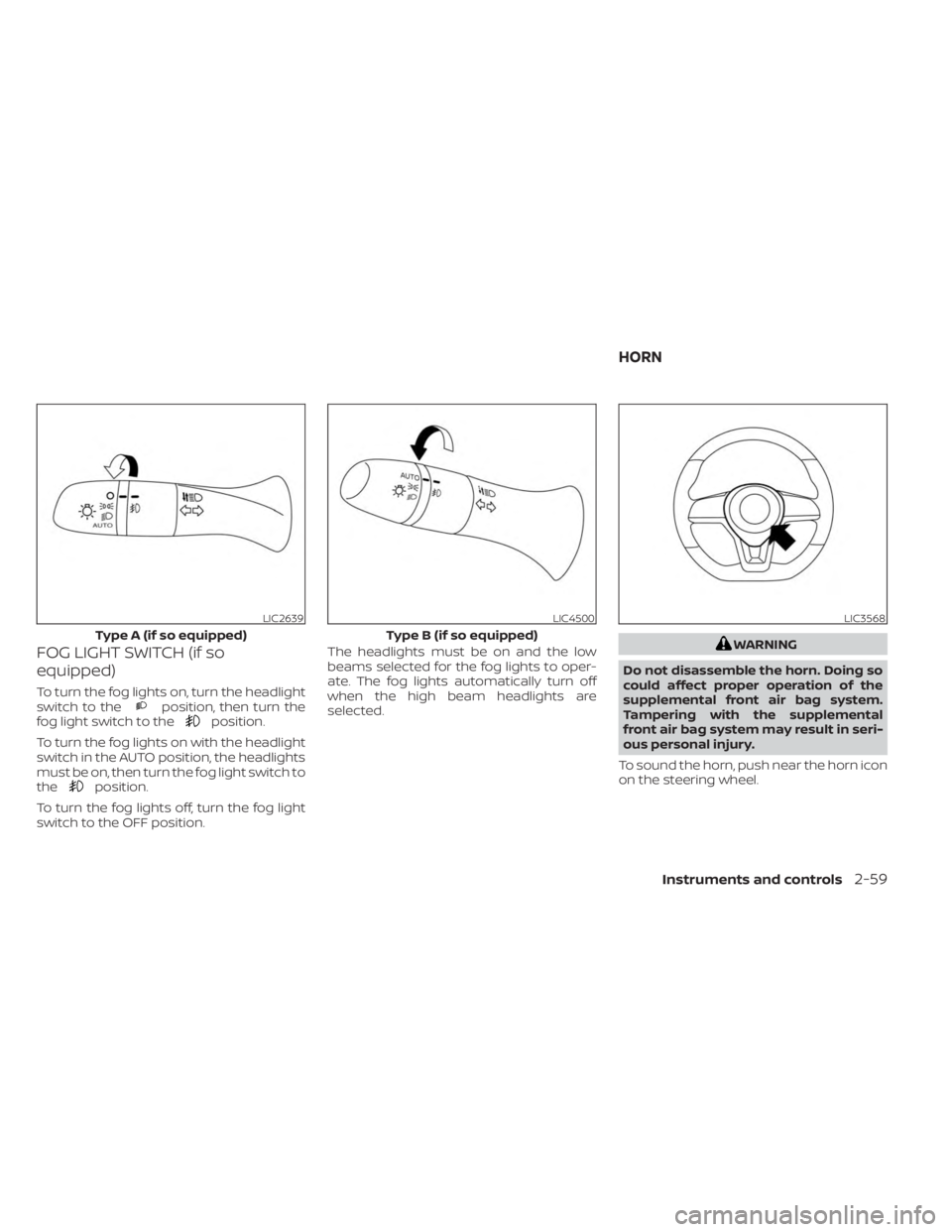
equipped)
To turn the fog lights on, turn the headlight
switch to theposition, then turn the
fog light switch to theposition.
To turn the fog lights on with the headlight
switch in the AUTO position, the headlights
must be on, then turn the fog light switch to
the
position.
To turn the fog lights off, turn the fog light
switch to the OFF position. The headlights must be on and the low
beams selected for the fog lights to oper-
ate. The fog lights automatically turn off
when the high beam headlights are
selected.
WARNING
Do not disassemble the horn. Doing so
could affect proper operation of the
supplemental front air bag system.
Tampering with the supplemental
front air bag system may result in seri-
ous personal injury.
To sound the horn, push near the horn icon
on the steering wheel.
LIC2639
Type A (if so equipped)
LIC4500
Type B (if so equipped)
LIC3568
HORN
Instruments and controls2-59
Page 150 of 556
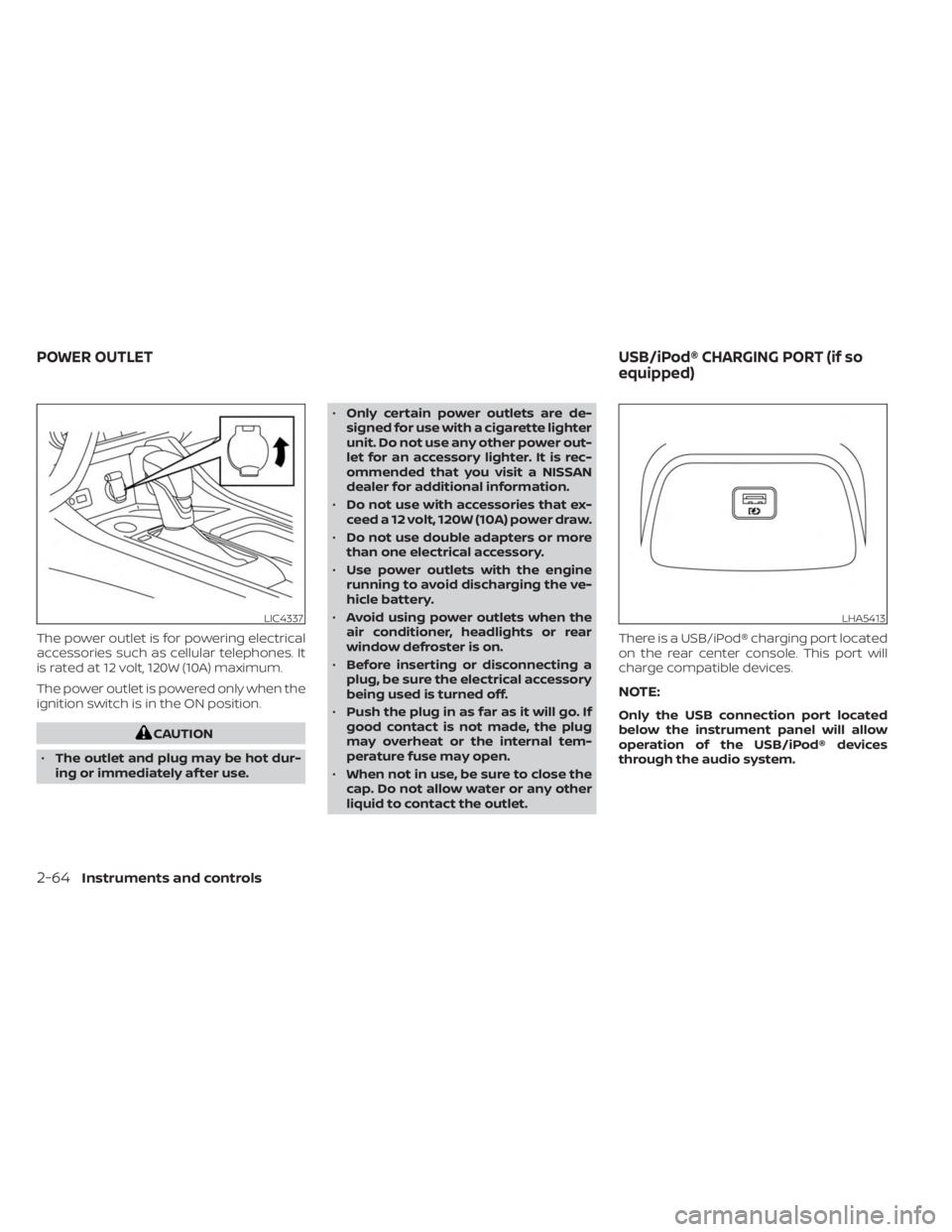
The power outlet is for powering electrical
accessories such as cellular telephones. It
is rated at 12 volt, 120W (10A) maximum.
The power outlet is powered only when the
ignition switch is in the ON position.
CAUTION
• The outlet and plug may be hot dur-
ing or immediately af ter use. •
Only certain power outlets are de-
signed for use with a cigarette lighter
unit. Do not use any other power out-
let for an accessory lighter. It is rec-
ommended that you visit a NISSAN
dealer for additional information.
• Do not use with accessories that ex-
ceed a 12 volt, 120W (10A) power draw.
• Do not use double adapters or more
than one electrical accessory.
• Use power outlets with the engine
running to avoid discharging the ve-
hicle battery.
• Avoid using power outlets when the
air conditioner, headlights or rear
window defroster is on.
• Before inserting or disconnecting a
plug, be sure the electrical accessory
being used is turned off.
• Push the plug in as far as it will go. If
good contact is not made, the plug
may overheat or the internal tem-
perature fuse may open.
• When not in use, be sure to close the
cap. Do not allow water or any other
liquid to contact the outlet. There is a USB/iPod® charging port located
on the rear center console. This port will
charge compatible devices.
NOTE:
Only the USB connection port located
below the instrument panel will allow
operation of the USB/iPod® devices
through the audio system.
LIC4337LHA5413
POWER OUTLET
USB/iPod® CHARGING PORT (if so
equipped)
2-64Instruments and controls
Page 177 of 556
Using the interior lights
The interior lights illuminate for a period of
time when a door is unlocked and the inte-
rior lights switch is not in the OFF position.
The interior lights can be turned off without
waiting by performing one of the following
operations:
• Placing the ignition switch in the ONposition.
• Locking the doors with the request switch (if so equipped) or the Intelligent
Key.
• Switching the interior light switch to the OFF position.
For additional information, see “Interior
lights” (P. 2-74).
Releasing the trunk lid
Press thebutton for 0.5 seconds to
open the trunk lid. The trunk release button
will not operate when the ignition switch is
placed in the ON position.
Using the panic alarm
If you are near your vehicle and feel threat-
ened, you may activate the panic alarm to
call attention by pressing and holding the
button on the Intelligent Key for lon-
ger than 0.5 seconds.
The panic alarm and headlights will stay on
for a period of time.
The panic alarm stops when:
• It has run for a period of time.
•
(unlock) button is pressed on the
Intelligent Key.
Silencing the horn beep feature
If desired, the horn beep feature can be
deactivated using the Intelligent Key.
To deactivate: Press and hold the
andbuttonsfor at least 4 seconds.
The hazard warning lights will flash three
times to confirm that the horn beep fea-
ture has been deactivated.
To activate: Press and hold the
andbuttonsfor at least 4 seconds once
more.
The hazard warning lights will flash once
and the horn will sound once to confirm
that the horn beep feature has been
reactivated.
Deactivating the horn beep feature does
not silence the horn if the alarm is
triggered.
WARNING SIGNALS
To help prevent the vehicle from moving
unexpectedly by erroneous operation of
the Intelligent Key or to help prevent the
vehicle from being stolen, a chime or
buzzer sounds from inside and outside the
vehicle and a warning is displayed in the
instrument panel.
When a chime or beep sounds or a warning
is displayed, be sure to check the vehicle
and the Intelligent Key.
For additional information, see “Trouble-
shooting guide” (P. 3-16) and “Vehicle infor-
mation display 4.2 inch (11 cm) Type A”
(P. 2-18) or “Vehicle information display 7
inch (18 cm) Type B” (P. 2-32)
Pre-driving checks and adjustments3-15
Page 190 of 556
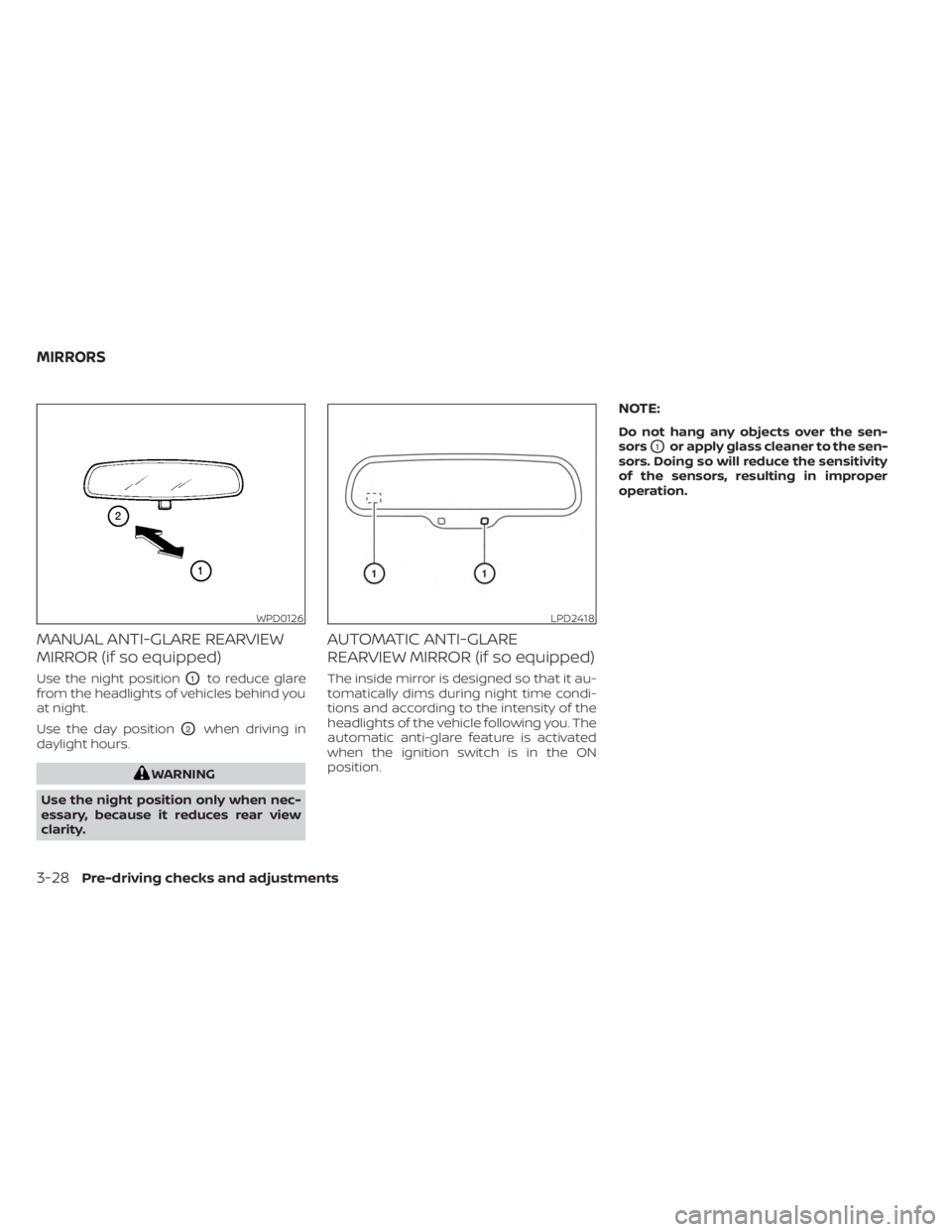
MANUAL ANTI-GLARE REARVIEW
MIRROR (if so equipped)
Use the night positionO1to reduce glare
from the headlights of vehicles behind you
at night.
Use the day position
O2when driving in
daylight hours.
WARNING
Use the night position only when nec-
essary, because it reduces rear view
clarity.
AUTOMATIC ANTI-GLARE
REARVIEW MIRROR (if so equipped)
The inside mirror is designed so that it au-
tomatically dims during night time condi-
tions and according to the intensity of the
headlights of the vehicle following you. The
automatic anti-glare feature is activated
when the ignition switch is in the ON
position.
NOTE:
Do not hang any objects over the sen-
sors
O1or apply glass cleaner to the sen-
sors. Doing so will reduce the sensitivity
of the sensors, resulting in improper
operation.
WPD0126LPD2418
MIRRORS
3-28Pre-driving checks and adjustments
Page 303 of 556
CAUTION
• The TSR system is intended as an aid
to careful driving. It is the driver’s re-
sponsibility to stay alert, drive safely,
and observe all road regulations that
currently apply, including looking out
for road signs.
• The TSR system may not function
properly under the following
conditions:
– When the road sign is not clearly
visible, for example, due to dam-
age or weather conditions.
– When rain, snow or dirt adheres to
the windshield in front of the
multi-sensing camera unit.
– When the headlights are not
bright, for example, due to dirt on
the lens or if the aiming is not ad-
justed properly.
– When strong light enters the cam-
era unit. (For example, the light di-
rectly shines on the front of the
vehicle at sunrise or sunset.)
– When a sudden change in bright-
ness occurs. (For example, when
the vehicle enters or exits a tunnel
or under a bridge.) –
If there are deviations in relation
to the navigation, for example due
to changes in the road routing.
– When overtaking buses or trucks
with speed stickers.
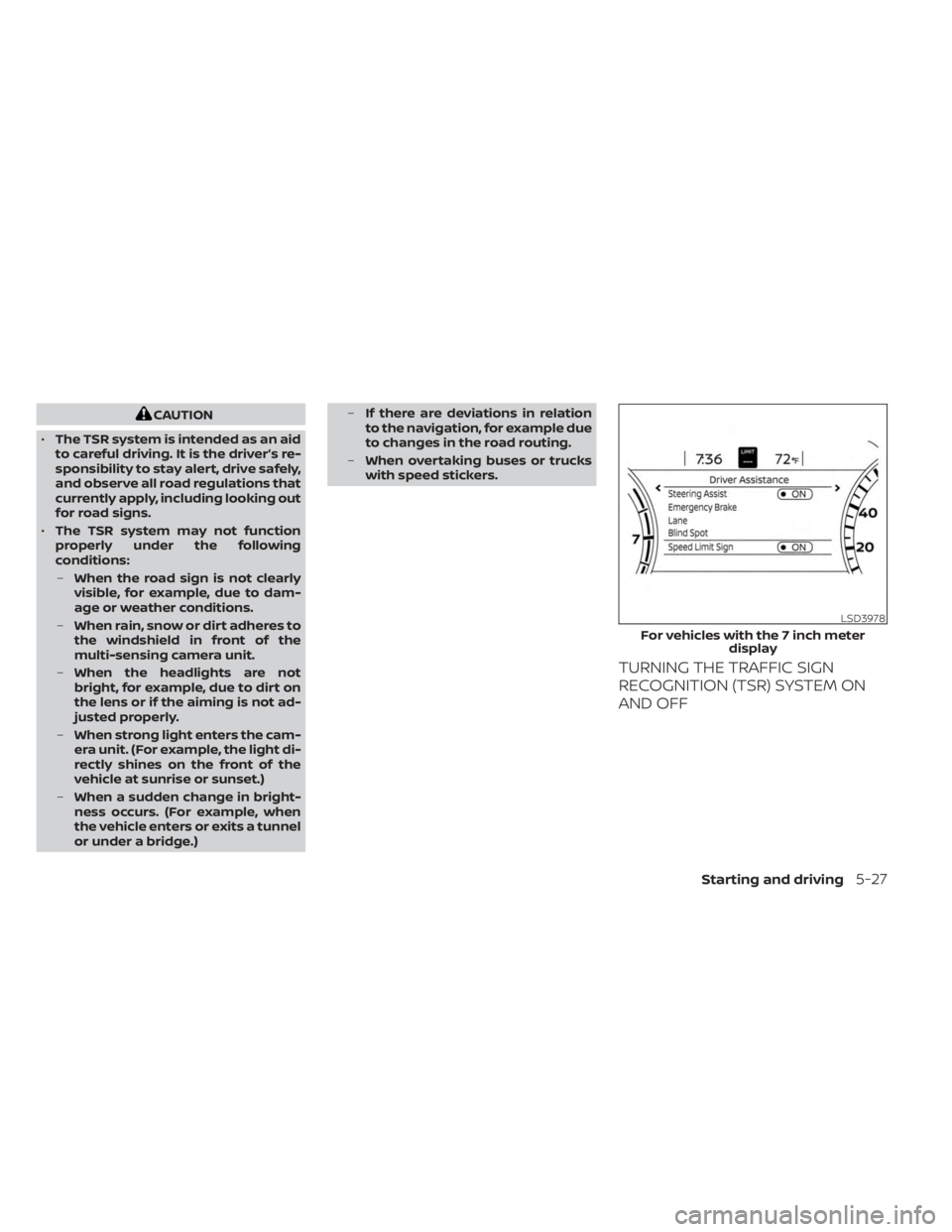
TURNING THE TRAFFIC SIGN
RECOGNITION (TSR) SYSTEM ON
AND OFF
LSD3978
For vehicles with the 7 inch meter
display
Starting and driving5-27
Page 310 of 556
–When driving without normal tire
conditions (for example, tire wear,
low tire pressure, installation of
spare tire, tire chains, nonstan-
dard wheels).
– When the vehicle is equipped with
non-original brake parts or sus-
pension parts.
– When you are towing a trailer or
other vehicle.
• The system may not function prop-
erly under the following conditions:
– On roads where there are multiple
parallel lane markers; lane mark-
ers that are faded or not painted
clearly; yellow painted lane mark-
ers; non-standard lane markers;
or lane markers covered with wa-
ter, dirt, snow, etc.
– On roads where the discontinued
lane markers are still detectable.
– On roads where there are sharp
curves. –
On roads where there are sharply
contrasting objects, such as shad-
ows, snow, water, wheel ruts,
seams or lines remaining af ter
road repairs. (The LDW system
could detect these items as lane
markers.)
– On roads where the traveling lane
merges or separates.
– When the vehicle’s traveling direc-
tion does not align with the lane
marker.
– When traveling close to the ve-
hicle in front of you, which ob-
structs the lane camera unit de-
tection range.
– When rain, snow, dirt or an object
adheres to the windshield in front
of the lane camera unit.
– When the headlights are not
bright due to dirt on the lens or if
the aiming is not adjusted
properly.
– When strong light enters the lane
camera unit. (For example, the
light directly shines on the front of
the vehicle at sunrise or sunset.) –
When a sudden change in bright-
ness occurs. (For example, when
the vehicle enters or exits a tunnel
or under a bridge.)
SYSTEM TEMPORARILY
UNAVAILABLE
If the vehicle is parked in direct sunlight
under high temperature conditions (over
approximately 104°F [40°C]) and then
started, the LDW system may be deacti-
vated automatically and the following
message will appear in the vehicle infor-
mation display: “Unavailable: High Cabin
Temperature.”
When the interior temperature is reduced,
the LDW system will resume operating
automatically.
The LDW system is not designed to warn
under the following conditions:
• When you operate the lane change signal and change traveling lanes in the direc-
tion of the signal. (The LDW system will
become operable again approximately 2
seconds af ter the lane change signal is
turned off.)
• When the vehicle speed lowers to less than approximately 37 mph (60 km/h).
5-34Starting and driving
Page 374 of 556
– Vehicles where the tires are diffi-cult to see or the shape of the rear
of the vehicle is unclear or
obstructed.
– Parked vehicles.
• The AEB with Pedestrian Detection
system has some performance limi-
tations.
– If a stationary vehicle is in the ve-
hicle’s path, the system will not
function when the vehicle ap-
proaches the stationary vehicle at
speeds over approximately 50
mph (80 km/h).
– Pedestrian detection will not
function when the vehicle is
driven at speeds over approxi-
mately 37 mph (60 km/h) or below
approximately 6 mph (10km/h).
• For pedestrians, the AEB with Pedes-
trian Detection system will not issue
the first warning. •
The AEB with Pedestrian Detection
system may not function properly or
detect a vehicle or pedestrians
ahead in the following conditions:
– In poor visibility conditions (such
as rain, snow, fog, dust storms,
sand storms, smoke, and road
spray from other vehicles).
– If dirt, ice, snow, fog or other ma-
terial is covering the radar sensor
area or camera area of
windshield.
– If strong light (for example, sun-
light or high beams) enters the
front camera or a sudden change
in brightness occurs (for example,
entering a tunnel or driving in
lightning).
– In dark or dimly lit conditions,
such as at night or in tunnels, in-
cluding cases where your vehi-
cle’s headlights are off or dim, or
the tail lights of the vehicle ahead
are off.
– When the direction of the camera
is misaligned.
– When driving on a steep downhill
slope, on roads with sharp curves,
and/or bumpy or dirt roads.
– If there is interference by other ra-
dar sources. –
When your vehicle’s position or
movement is changed quickly or
significantly (for example, lane
change, turning vehicle, abrupt
steering, sudden acceleration or
deceleration).
– When your vehicle or the vehicle
or pedestrian ahead moves
quickly or significantly such that
the system cannot detect and re-
act in time (for example, pedes-
trian moving quickly toward the
vehicle at close range, vehicle cut-
ting in, changing lanes, making a
turn, steering abruptly, sudden
acceleration or deceleration).
– When the vehicle or pedestrian is
offset from the vehicle’s forward
path.
– If the speed difference between
the two vehicles is small.
– The pedestrian’s profile is par-
tially obscured or unidentifiable;
for example, due to transporting
luggage, pushing a stroller, wear-
ing bulky or very loose-fitting
clothing or accessories, or being
in a unique posture (such as rais-
ing hands).
5-98Starting and driving
Page 447 of 556
8 Do-it-yourself
Maintenance precautions.......................8-2
Engine compartment check locations ...........8-3
Engine cooling system ..........................8-4
Checking engine coolant level ................8-5
Changing engine coolant ....................8-5
Engine oil .......................................8-6
Checking engine oil level .....................8-6
Changing engine oil and oil filter ..............8-6
Continuously Variable Transmission (CVT)
fluid (if so equipped) ............................ 8-10
Brake and clutch (if so equipped) fluid ..........8-10
Brake fluid ................................... 8-10
Clutch (if so equipped) fluid ...................8-11
Windshield-washer fluid .........................8-11
Windshield-washer fluid reservoir ............8-11
Battery......................................... 8-13
Jump starting ............................... 8-14
Variable voltage control system ................8-15
Drive belt ....................................... 8-15
Spark plugs .................................... 8-16
Replacing spark plugs .......................8-16
Air cleaner ..................................... 8-17In-cabin microfilter
.......................... 8-17
Windshield wiper blades ........................8-18
Cleaning .................................... 8-18
Replacing ................................... 8-18
Brakes ......................................... 8-19
Fuses .......................................... 8-20
Engine compartment .......................8-20
Passenger compartment ...................8-22
Battery replacement ........................... 8-23
NISSAN Intelligent Key® ......................8-23
Lights .......................................... 8-25
Headlights .................................. 8-25
Turn signal bulb ............................. 8-26
Fog lights (if so equipped) ...................8-26
Exterior and interior lights ...................8-27
Wheels and tires ...............................
8-29
Tir
e pressure ................................ 8-29
Tire labeling ................................. 8-33
Types of tires ................................ 8-36
Tire chains .................................. 8-37
Changing wheels and tires ..................8-38
Page 471 of 556
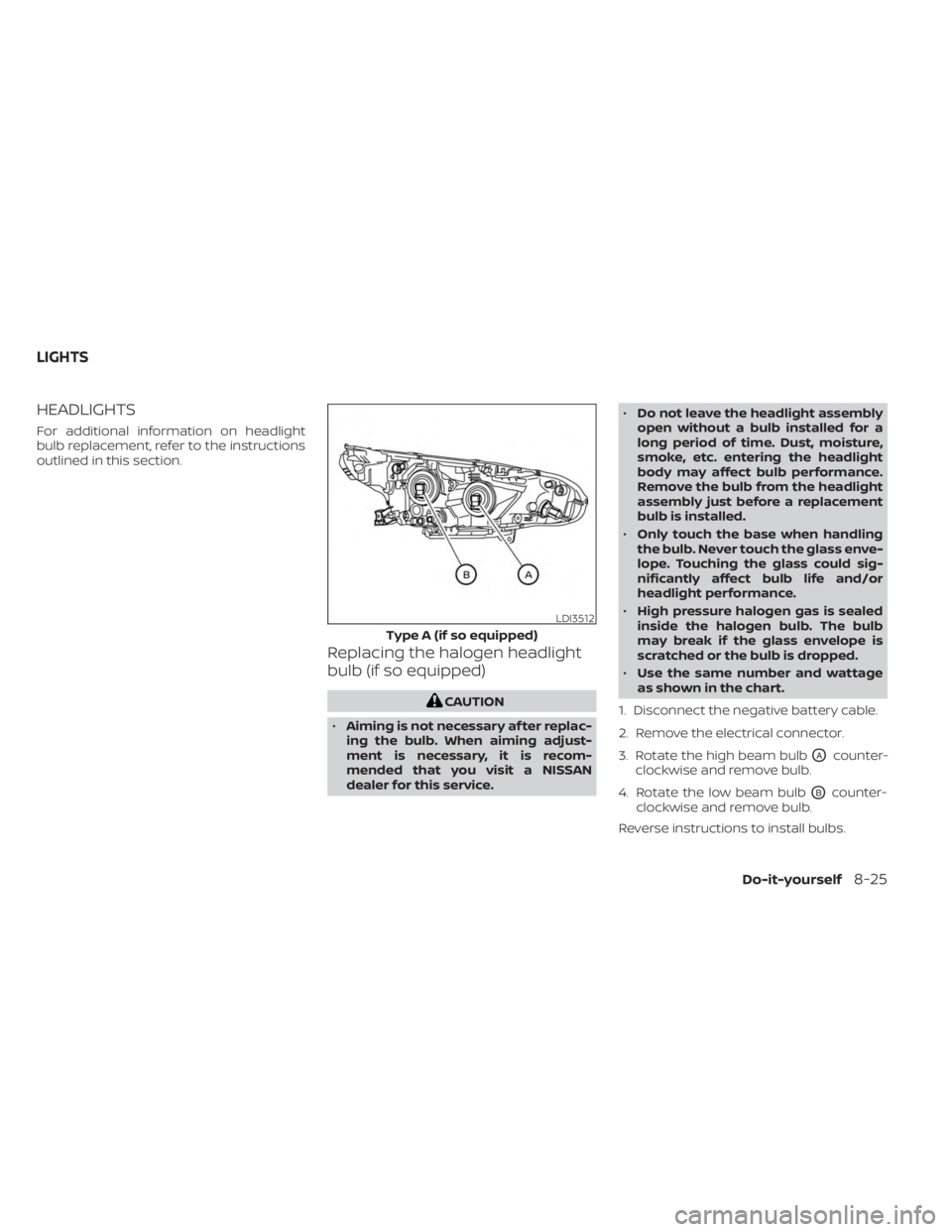
HEADLIGHTS
For additional information on headlight
bulb replacement, refer to the instructions
outlined in this section.
Replacing the halogen headlight
bulb (if so equipped)
CAUTION
• Aiming is not necessary af ter replac-
ing the bulb. When aiming adjust-
ment is necessary, it is recom-
mended that you visit a NISSAN
dealer for this service. •
Do not leave the headlight assembly
open without a bulb installed for a
long period of time. Dust, moisture,
smoke, etc. entering the headlight
body may affect bulb performance.
Remove the bulb from the headlight
assembly just before a replacement
bulb is installed.
• Only touch the base when handling
the bulb. Never touch the glass enve-
lope. Touching the glass could sig-
nificantly affect bulb life and/or
headlight performance.
• High pressure halogen gas is sealed
inside the halogen bulb. The bulb
may break if the glass envelope is
scratched or the bulb is dropped.
• Use the same number and wattage
as shown in the chart.
1. Disconnect the negative battery cable.
2. Remove the electrical connector.
3. Rotate the high beam bulb
OAcounter-
clockwise and remove bulb.
4. Rotate the low beam bulb
OBcounter-
clockwise and remove bulb.
Reverse instructions to install bulbs.
LDI3512
Type A (if so equipped)
LIGHTS
Do-it-yourself8-25