display NISSAN TEANA 2014 Service Manual
[x] Cancel search | Manufacturer: NISSAN, Model Year: 2014, Model line: TEANA, Model: NISSAN TEANA 2014Pages: 4801, PDF Size: 51.2 MB
Page 4718 of 4801

C1730, C1731, C1732, C1733 FLAT TIRE
WT-43
< DTC/CIRCUIT DIAGNOSIS >
C
D
F
G H
I
J
K L
M A
B
WT
N
O P
3.CHECK TIRE PRESSURE SIGNAL
With CONSULT
1. Adjust tire pressure for all wheels to the specified value. Refer to WT-60, "Tire"
.
2. Select Data Monitor from AIR PRESSURE MONITOR of BCM.
3. Check that the air pressures match the specified value.
Is the inspection result normal?
YES >> Inspection End.
NO >> Repair or replace malfunctioning components.
Monitor item Displayed value
AIR PRESS FL Approximately equal to value indicated on tire gauge for front LH tire
AIR PRESS FR Approximately equal to value indicated on tire gauge for front RH tire
AIR PRESS RR Approximately equa l to value indicated on tire gauge for rear RH tire
AIR PRESS RL Approximately equal to value indicated on tire gauge for rear LH tire
Revision: November 20132014 Altima NAMRevision: November 20132014 Altima NAM
Page 4719 of 4801
WT-44
< DTC/CIRCUIT DIAGNOSIS >
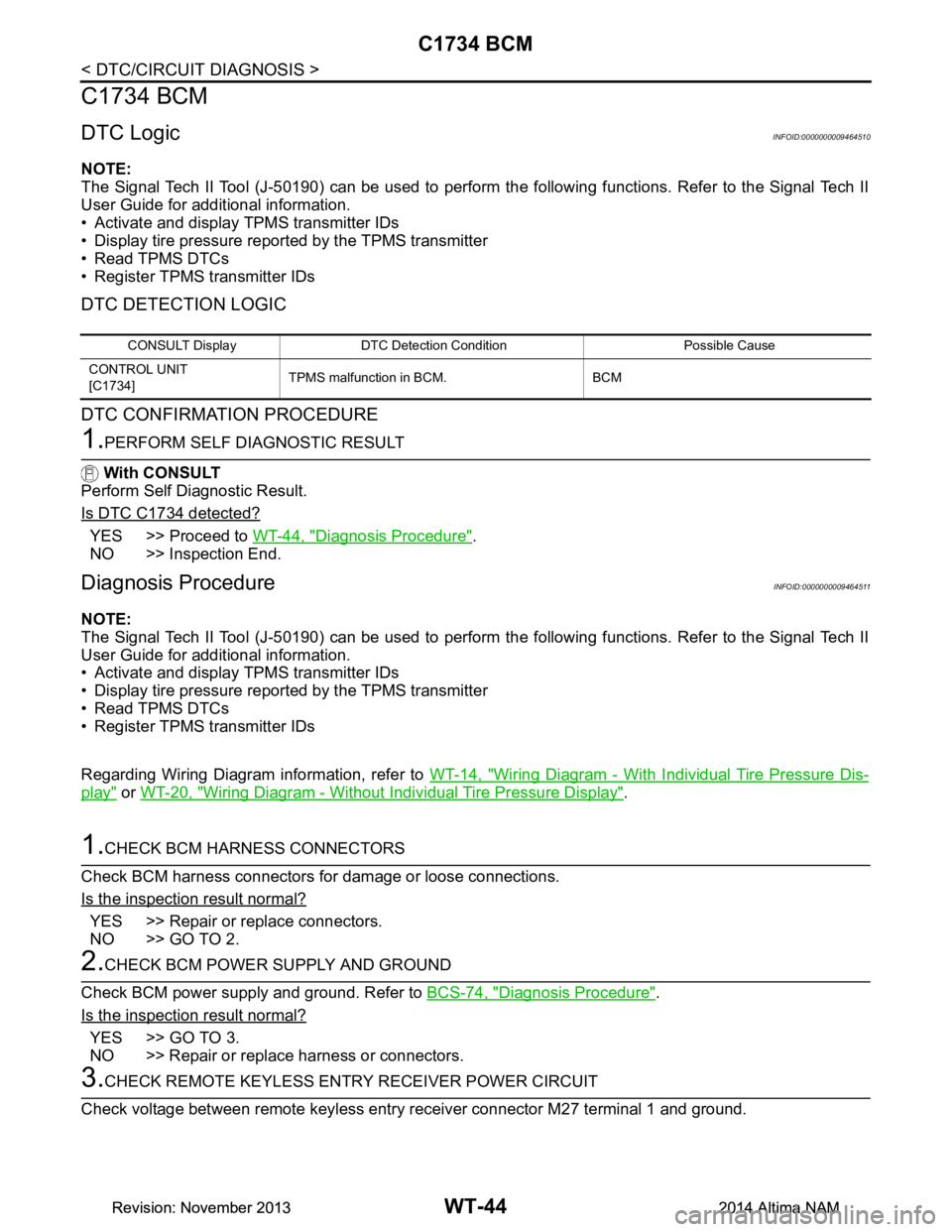
C1734 BCM
C1734 BCM
DTC LogicINFOID:0000000009464510
NOTE:
The Signal Tech II Tool (J-50190) can be used to perform the following functions. Refer to the Signal Tech II
User Guide for additional information.
• Activate and display TPMS transmitter IDs
• Display tire pressure reported by the TPMS transmitter
• Read TPMS DTCs
• Register TPMS transmitter IDs
DTC DETECTION LOGIC
DTC CONFIRMATION PROCEDURE
1.PERFORM SELF DIAGNOSTIC RESULT
With CONSULT
Perform Self Diagnostic Result.
Is DTC C1734 detected?
YES >> Proceed to WT-44, "Diagnosis Procedure".
NO >> Inspection End.
Diagnosis ProcedureINFOID:0000000009464511
NOTE:
The Signal Tech II Tool (J-50190) can be used to perform the following functions. Refer to the Signal Tech II
User Guide for additional information.
• Activate and display TPMS transmitter IDs
• Display tire pressure reported by the TPMS transmitter
• Read TPMS DTCs
• Register TPMS transmitter IDs
Regarding Wiring Diagram information, refer to WT-14, "Wiring Diagram - With Individual Tire Pressure Dis-
play" or WT-20, "Wiring Diagram - Without Individual Tire Pressure Display".
1.CHECK BCM HARNESS CONNECTORS
Check BCM harness connectors fo r damage or loose connections.
Is the inspection result normal?
YES >> Repair or replace connectors.
NO >> GO TO 2.
2.CHECK BCM POWER SUPPLY AND GROUND
Check BCM power supply and ground. Refer to BCS-74, "Diagnosis Procedure"
.
Is the inspection result normal?
YES >> GO TO 3.
NO >> Repair or replace harness or connectors.
3.CHECK REMOTE KEYL ESS ENTRY RECEIVER POWER CIRCUIT
Check voltage between remote keyless entry receiver connector M27 terminal 1 and ground.
CONSULT Display DTC Detectio n Condition Possible Cause
CONTROL UNIT
[C1734] TPMS malfunction in BCM. BCM
Revision: November 20132014 Altima NAMRevision: November 20132014 Altima NAM
Page 4721 of 4801

WT-46
< DTC/CIRCUIT DIAGNOSIS >
C1735 IGNITION SIGNAL
C1735 IGNITION SIGNAL
DTC LogicINFOID:0000000009464512
NOTE:
The Signal Tech II Tool (J-50190) can be used to perform the following functions. Refer to the Signal Tech II
User Guide for additional information.
• Activate and display TPMS transmitter IDs
• Display tire pressure reported by the TPMS transmitter
• Read TPMS DTCs
• Register TPMS transmitter IDs
DTC DETECTION LOGIC
DTC CONFIRMATION PROCEDURE
1.PERFORM SELF DIAGNOSTIC RESULT
With CONSULT
Perform Self Diagnostic Result.
Is DTC C1735 detected?
YES >> Proceed to WT-46, "Diagnosis Procedure".
NO >> Inspection End.
Diagnosis ProcedureINFOID:0000000009464513
NOTE:
The Signal Tech II Tool (J-50190) can be used to perform the following functions. Refer to the Signal Tech II
User Guide for additional information.
• Activate and display TPMS transmitter IDs
• Display tire pressure reported by the TPMS transmitter
• Read TPMS DTCs
• Register TPMS transmitter IDs
1.CHECK CAN IGNITION SIGNAL
With CONSULT
1. Select Data Monitor from INTELLIGENT KEY of BCM.
2. Check IGN RLY1-F/B value.
Is the inspection result normal?
YES >> GO TO 2.
NO >> Check CAN system. Refer to LAN-18, "Trouble Diagnosis Flow Chart"
.
2.CHECK BCM POWER SUPPLY AND GROUND
Check BCM power supply and ground. Refer to BCS-74, "Diagnosis Procedure"
.
Is the inspection result normal?
YES >> GO TO 3.
NO >> Repair or replace harness or connectors.
3.DRIVE VEHICLE
Clear DTC and test drive vehicle to check for low tire pressure warning lamp.
Does the vehicle operate without any low tire pressure warning lamp?
CONSULT Display DTC Detectio n Condition Possible Cause
IGNITION SIGNAL LINE - BCM/TPMS
[C1735] BCM has detected a mismatch between IGN
ON signals. BCM
Monitor item Displayed value
IGN RLY1 F/B On with ignition in ON position
Revision: November 20132014 Altima NAMRevision: November 20132014 Altima NAM
Page 4724 of 4801
LOW TIRE PRESSURE WARNING LAMP DOES NOT TURN ON
WT-49
< SYMPTOM DIAGNOSIS >
C
D
F
G H
I
J
K L
M A
B
WT
N
O P
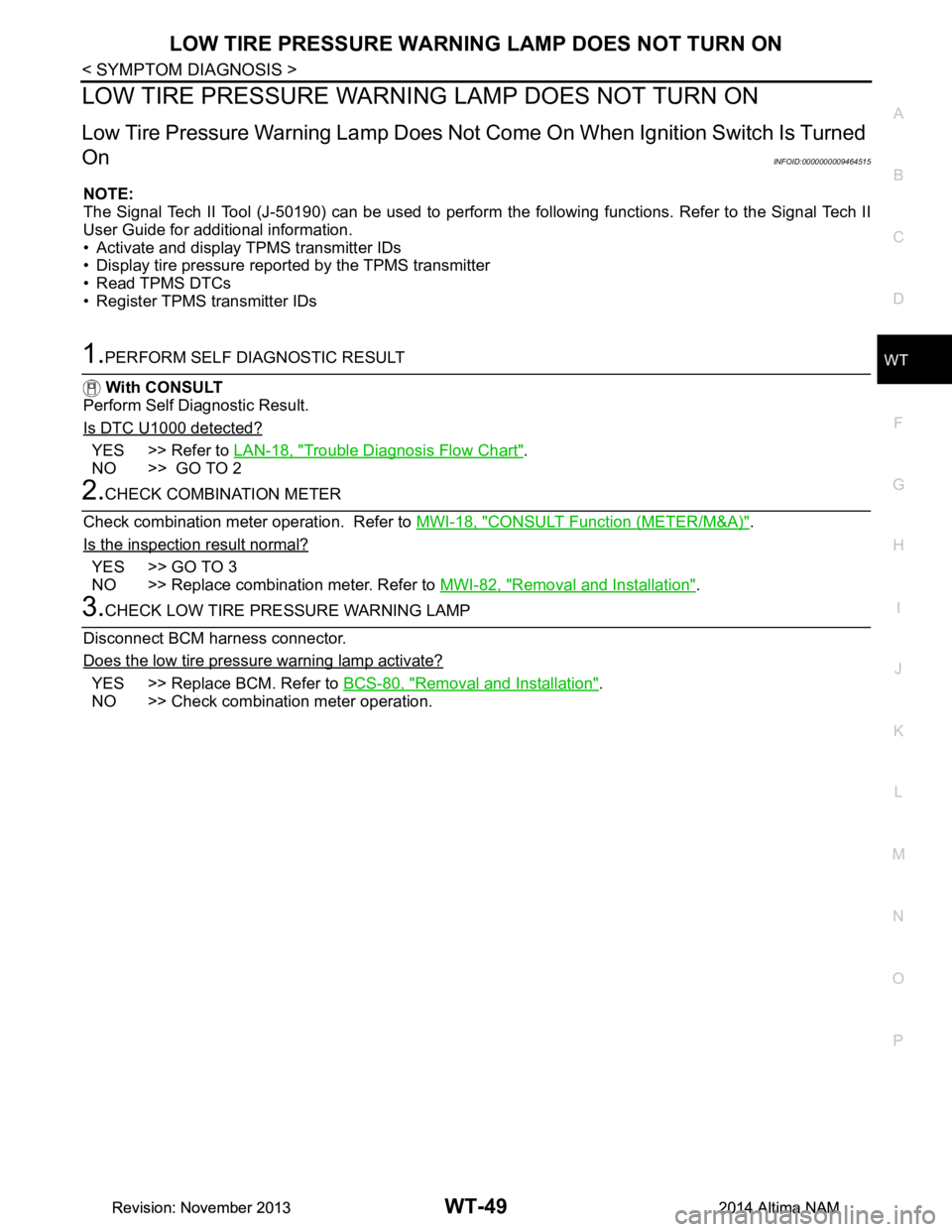
LOW TIRE PRESSURE WARNIN G LAMP DOES NOT TURN ON
Low Tire Pressure Warning Lamp Does Not Come On When Ignition Switch Is Turned
On
INFOID:0000000009464515
NOTE:
The Signal Tech II Tool (J-50190) can be used to perform the following functions. Refer to the Signal Tech II
User Guide for additional information.
• Activate and display TPMS transmitter IDs
• Display tire pressure repor ted by the TPMS transmitter
• Read TPMS DTCs
• Register TPMS transmitter IDs
1.PERFORM SELF DIAGNOSTIC RESULT
With CONSULT
Perform Self Diagnostic Result.
Is DTC U1000 detected?
YES >> Refer to LAN-18, "Trouble Diagnosis Flow Chart".
NO >> GO TO 2
2.CHECK COMBINATION METER
Check combination meter operation. Refer to MWI-18, "CONSULT Function (METER/M&A)"
.
Is the inspection result normal?
YES >> GO TO 3
NO >> Replace combination meter. Refer to MWI-82, "Removal and Installation"
.
3.CHECK LOW TIRE PRESSURE WARNING LAMP
Disconnect BCM harness connector.
Does the low tire pressure warning lamp activate?
YES >> Replace BCM. Refer to BCS-80, "Removal and Installation".
NO >> Check combination meter operation.
Revision: November 20132014 Altima NAMRevision: November 20132014 Altima NAM
Page 4745 of 4801

WW-10
< SYSTEM DESCRIPTION >
DIAGNOSIS SYSTEM (BCM)
DIAGNOSIS SYSTEM (BCM)
COMMON ITEM
COMMON ITEM : CONSULT Function (BCM - COMMON ITEM)INFOID:0000000009944151
CAUTION:
After disconnecting the CONSULT vehicle interface (VI) from the data link connector, the ignition must
be cycled OFF → ON (for at least 5 seconds) → OFF. If this step is not performed, the BCM may not go
to ”sleep mode”, potentially causing a di scharged battery and a no-start condition.
APPLICATION ITEM
CONSULT performs the following functions via CAN communication with BCM.
SYSTEM APPLICATION
BCM can perform the following functions.
Direct Diagnostic Mode Description
Ecu Identification The BCM part number is displayed.
Self Diagnostic Result The BCM self diagnostic results are displayed.
Data Monitor The BCM input/output data is displayed in real time.
Active Test The BCM activates outputs to test components.
Work support The settings for BCM functions can be changed.
Configuration • The vehicle specification can be read and saved.
• The vehicle specification can be written when replacing BCM.
CAN Diag Support Mntr The result of transmit/receive diagnosis of CAN communication is displayed.
System Sub System Direct Diagnostic Mode
Ecu Identification
Self Diagnostic Result
Data Monitor
Active Test
Work support
Configuration
CAN Diag Su pport Mntr
Door lock DOOR LOCK ××××
Rear window defogger REAR DEFOGGER ×××
Warning chime BUZZER ××
Interior room lamp timer INT LAMP ×××
Remote keyless entry system MULTI REMOTE ENT ×××
Exterior lamp HEADLAMP ×××
Wiper and washer WIPER ×××
Turn signal and hazard warning lamps FLASHER ××
Air conditioner AIR CONDITIONER ×
Intelligent Key system INTELLIGENT KEY ××××
Combination switch COMB SW ×
BCM BCM × × ×××
Immobilizer IMMU ×××
Interior room lamp battery saver BATTERY SAVER ××
Trunk open TRUNK ×
Vehicle security system THEFT ALM ×××
Revision: November 20132014 Altima NAMRevision: November 20132014 Altima NAM
Page 4749 of 4801

WW-14
< SYSTEM DESCRIPTION >
DIAGNOSIS SYSTEM (IPDM E/R)
APPLICATION ITEM
CONSULT performs the following functions via CAN communication with IPDM E/R.
ECU IDENTIFICATION
The IPDM E/R part number is displayed.
SELF DIAGNOSTIC RESULT
Refer to PCS-20, "DTC Index".
DATA MONITOR
Direct Diagnostic Mode Description
Ecu Identification The IPDM E/R part number is displayed.
Self Diagnostic Result The IPDM E/R self diagnostic results are displayed.
Data Monitor The IPDM E/R input/output data is displayed in real time.
Active Test The IPDM E/R activates outputs to test components.
CAN Diag Support Mntr The result of transmit/receive diagnosis of CAN communication is displayed.
Monitor Item [Unit] Main
Signals Description
MOTOR FAN REQ [%] ×Indicates cooling fan speed signal received from ECM on CAN communication
line
AC COMP REQ [On/Off] ×Indicates A/C compressor request signal received from ECM on CAN commu-
nication line
TAIL&CLR REQ [On/Off] ×Indicates position light request signal received from BCM on CAN communica-
tion line
HL LO REQ [On/Off] ×Indicates low beam request signal received from BCM on CAN communication
line
HL HI REQ [On/Off] ×Indicates high beam request signal received from BCM on CAN communication
line
FR FOG REQ [On/Off] ×Indicates front fog light request signal received from BCM on CAN communica-
tion line
FR WIP REQ [Stop/1LOW/Low/Hi] ×Indicates front wiper request signal received from BCM on CAN communication
line
WIP AUTO STOP [STOP P/ACT P] ×Indicates condition of front wiper auto stop signal
WIP PROT [Off/BLOCK] ×Indicates condition of front wiper fail-safe operation
IGN RLY1 -REQ [On/Off] Indicates ignition switch ON signal received from BCM on CAN communication
line
IGN RLY [On/Off] ×Indicates condition of ignition relay
PUSH SW [On/Off] Indicates condition of push-button ignition switch
INTER/NP SW [On/Off] Indicates condition of CVT shift position
ST RLY CONT [On/Off] Indicates starter relay status signal received from BCM on CAN communication
line
IHBT RLY -REQ [On/Off] Indicates starter control relay signal received from BCM on CAN communication
line
ST/INHI RLY [Off/ ST /INHI] Indicates condition of starter relay and starter control relay
DETENT SW [On/Off] Indicates condition of CVT shift selector (park position switch)
DTRL REQ [Off] Indicates daytime light request signal received from BCM on CAN communica-
tion line
HOOD SW [On/Off] Indicates condition of hood switch
THFT HRN REQ [On/Off] Indicates theft warning horn request signal received from BCM on CAN commu-
nication line
Revision: November 20132014 Altima NAMRevision: November 20132014 Altima NAM