ESP NISSAN TIIDA 2011 Service User Guide
[x] Cancel search | Manufacturer: NISSAN, Model Year: 2011, Model line: TIIDA, Model: NISSAN TIIDA 2011Pages: 3787, PDF Size: 78.35 MB
Page 155 of 3787
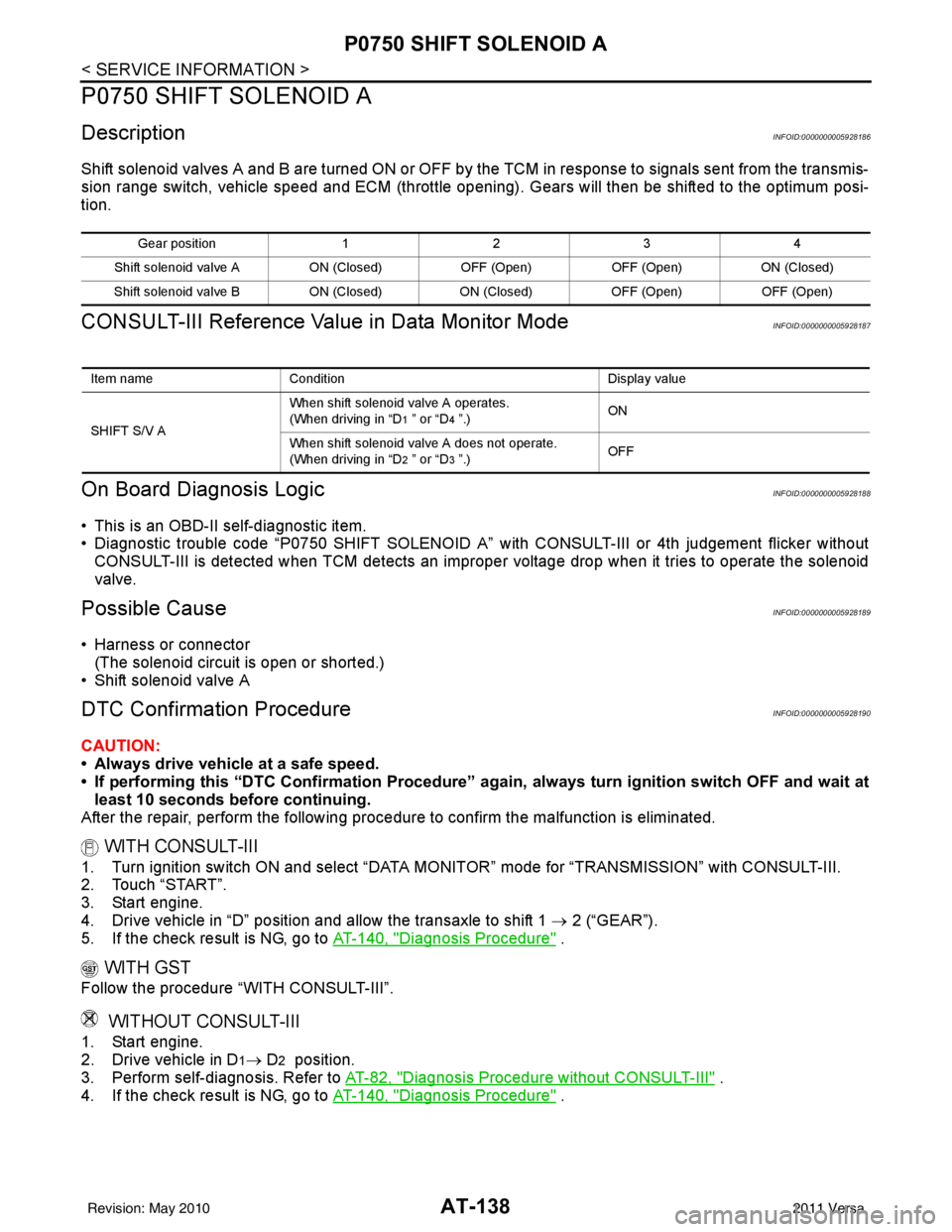
AT-138
< SERVICE INFORMATION >
P0750 SHIFT SOLENOID A
P0750 SHIFT SOLENOID A
DescriptionINFOID:0000000005928186
Shift solenoid valves A and B are turned ON or OFF by the TCM in response to signals sent from the transmis-
sion range switch, vehicle speed and ECM (throttle opening) . Gears will then be shifted to the optimum posi-
tion.
CONSULT-III Reference Value in Data Monitor ModeINFOID:0000000005928187
On Board Diagn osis LogicINFOID:0000000005928188
• This is an OBD-II self-diagnostic item.
• Diagnostic trouble code “P0750 SHIFT SOLENOID A” wi th CONSULT-III or 4th judgement flicker without
CONSULT-III is detected when TCM detects an improper voltage drop when it tries to operate the solenoid
valve.
Possible CauseINFOID:0000000005928189
• Harness or connector (The solenoid circuit is open or shorted.)
• Shift solenoid valve A
DTC Confirmation ProcedureINFOID:0000000005928190
CAUTION:
• Always drive vehicle at a safe speed.
• If performing this “DTC Confirmation Procedure” again, always turn ignition switch OFF and wait at
least 10 seconds before continuing.
After the repair, perform the following proc edure to confirm the malfunction is eliminated.
WITH CONSULT-III
1. Turn ignition switch ON and select “DATA MONI TOR” mode for “TRANSMISSION” with CONSULT-III.
2. Touch “START”.
3. Start engine.
4. Drive vehicle in “D” position and allow the transaxle to shift 1 → 2 (“GEAR”).
5. If the check result is NG, go to AT-140, "
Diagnosis Procedure" .
WITH GST
Follow the procedure “WITH CONSULT-III”.
WITHOUT CONSULT-III
1. Start engine.
2. Drive vehicle in D
1→ D2 position.
3. Perform self-diagnosis. Refer to AT-82, "
Diagnosis Procedure without CONSULT-III" .
4. If the check result is NG, go to AT-140, "
Diagnosis Procedure" .
Gea r p osit io n1234
Shift solenoid valve A ON (Closed)OFF (Open)OFF (Open)ON (Closed)
Shift solenoid valve B ON (Closed)ON (Closed) OFF (Open)OFF (Open)
Item name Condition Display value
SHIFT S/V A When shift solenoid valve A operates.
(When driving in “D
1 ” or “D4 ”.)
ON
When shift solenoid valve A does not operate.
(When driving in “D
2 ” or “D3 ”.) OFF
Revision: May 2010
2011 Versa
Page 160 of 3787
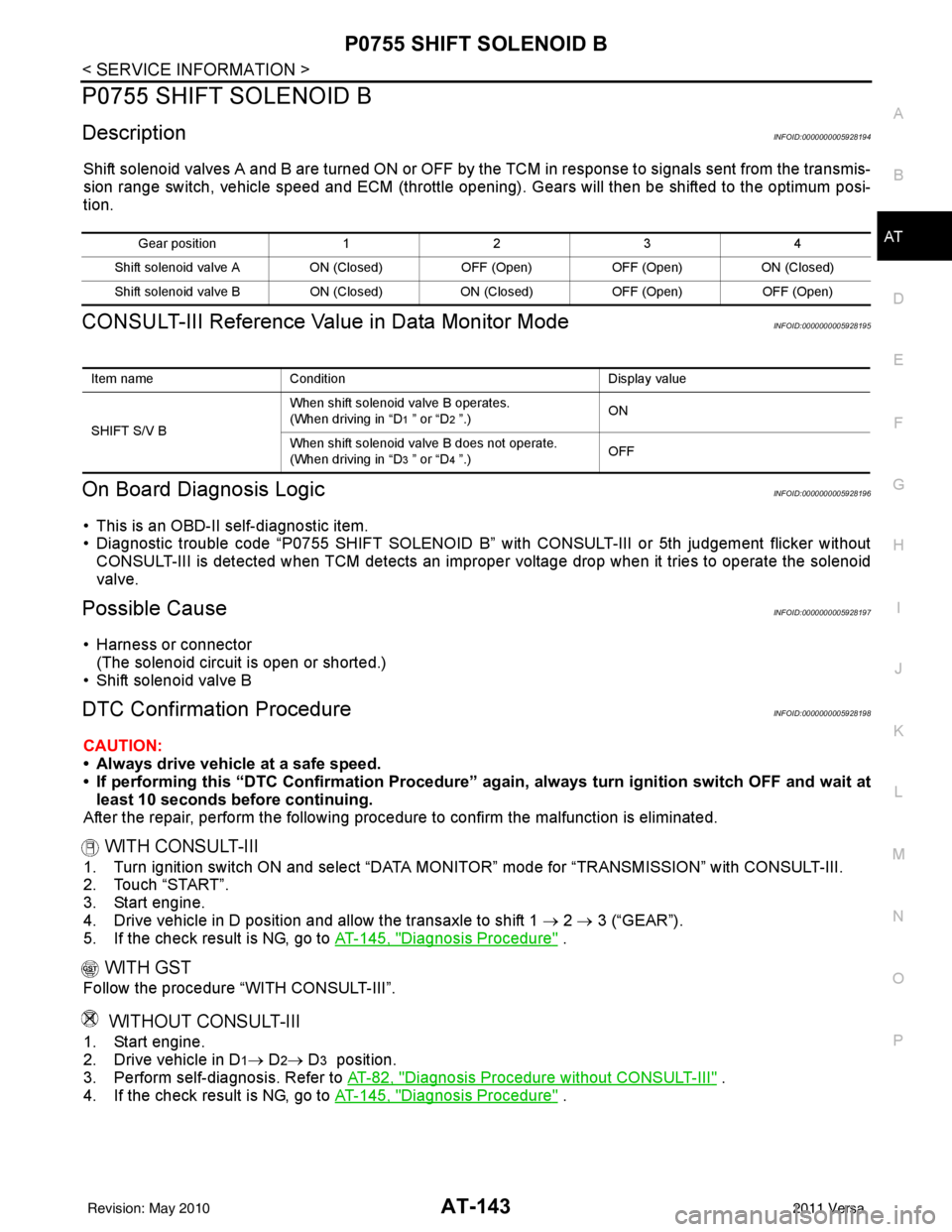
P0755 SHIFT SOLENOID BAT-143
< SERVICE INFORMATION >
DE
F
G H
I
J
K L
M A
B
AT
N
O P
P0755 SHIFT SOLENOID B
DescriptionINFOID:0000000005928194
Shift solenoid valves A and B are turned ON or OFF by the TCM in response to signals sent from the transmis-
sion range switch, vehicle speed and ECM (throttle openi ng). Gears will then be shifted to the optimum posi-
tion.
CONSULT-III Reference Val ue in Data Monitor ModeINFOID:0000000005928195
On Board Diagnosis LogicINFOID:0000000005928196
• This is an OBD-II self-diagnostic item.
• Diagnostic trouble code “P0755 SHIFT SOLENOID B” with CONSULT-III or 5th judgement flicker without
CONSULT-III is detected when TCM detects an improper voltage drop when it tries to operate the solenoid
valve.
Possible CauseINFOID:0000000005928197
• Harness or connector
(The solenoid circuit is open or shorted.)
• Shift solenoid valve B
DTC Confirmation ProcedureINFOID:0000000005928198
CAUTION:
• Always drive vehicle at a safe speed.
• If performing this “DTC Confirmation Procedure” again, always turn ignition switch OFF and wait at
least 10 seconds before continuing.
After the repair, perform the following procedure to confirm the malfunction is eliminated.
WITH CONSULT-III
1. Turn ignition switch ON and select “DATA MO NITOR” mode for “TRANSMISSION” with CONSULT-III.
2. Touch “START”.
3. Start engine.
4. Drive vehicle in D position and allow the transaxle to shift 1 → 2 → 3 (“GEAR”).
5. If the check result is NG, go to AT-145, "
Diagnosis Procedure" .
WITH GST
Follow the procedure “WITH CONSULT-III”.
WITHOUT CONSULT-III
1. Start engine.
2. Drive vehicle in D
1→ D2→ D3 position.
3. Perform self-diagnosis. Refer to AT-82, "
Diagnosis Procedure without CONSULT-III" .
4. If the check result is NG, go to AT-145, "
Diagnosis Procedure" .
Gear position 123 4
Shift solenoid valve A ON (Closed)OFF (Open)OFF (Open)ON (Closed)
Shift solenoid valve B ON (Closed)ON (Closed) OFF (Open)OFF (Open)
Item name Condition Display value
SHIFT S/V B When shift solenoid valve B operates.
(When driving in “D
1 ” or “D2 ”.)
ON
When shift solenoid valve B does not operate.
(When driving in “D
3 ” or “D4 ”.) OFF
Revision: May 2010
2011 Versa
Page 165 of 3787
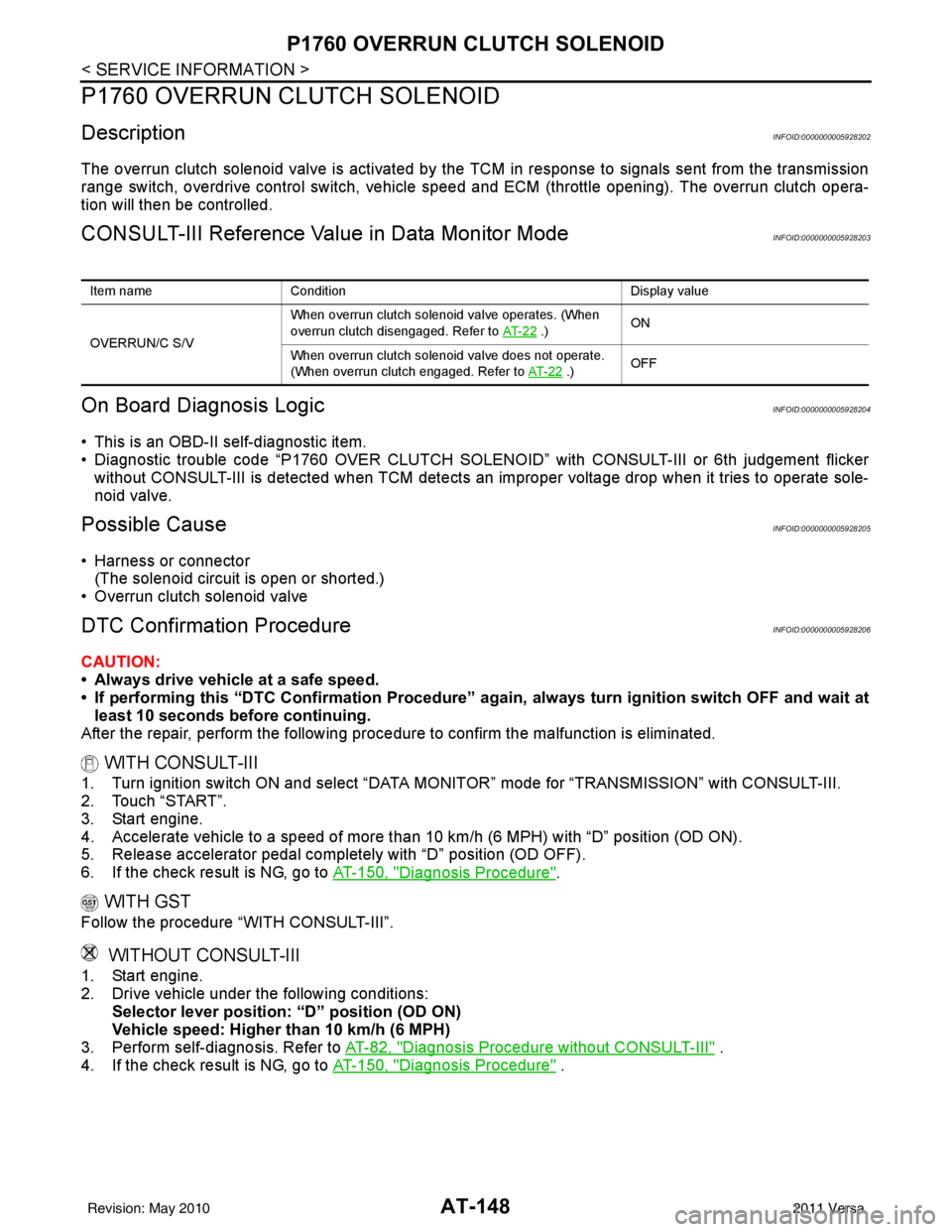
AT-148
< SERVICE INFORMATION >
P1760 OVERRUN CLUTCH SOLENOID
P1760 OVERRUN CLUTCH SOLENOID
DescriptionINFOID:0000000005928202
The overrun clutch solenoid valve is activated by the TCM in response to signals sent from the transmission
range switch, overdrive control switch, vehicle speed and ECM (throttle opening). The overrun clutch opera-
tion will then be controlled.
CONSULT-III Reference Value in Data Monitor ModeINFOID:0000000005928203
On Board Diagn osis LogicINFOID:0000000005928204
• This is an OBD-II self-diagnostic item.
• Diagnostic trouble code “P1760 OVER CLUTCH SOLENOID ” with CONSULT-III or 6th judgement flicker
without CONSULT-III is detected when TCM detects an improper voltage drop when it tries to operate sole-
noid valve.
Possible CauseINFOID:0000000005928205
• Harness or connector
(The solenoid circuit is open or shorted.)
• Overrun clutch solenoid valve
DTC Confirmation ProcedureINFOID:0000000005928206
CAUTION:
• Always drive vehicle at a safe speed.
• If performing this “DTC Confirmation Procedure” again, always turn ignition switch OFF and wait at
least 10 seconds before continuing.
After the repair, perform the following proc edure to confirm the malfunction is eliminated.
WITH CONSULT-III
1. Turn ignition switch ON and select “DATA MONI TOR” mode for “TRANSMISSION” with CONSULT-III.
2. Touch “START”.
3. Start engine.
4. Accelerate vehicle to a speed of more t han 10 km/h (6 MPH) with “D” position (OD ON).
5. Release accelerator pedal completely with “D” position (OD OFF).
6. If the check result is NG, go to AT-150, "
Diagnosis Procedure".
WITH GST
Follow the procedure “WITH CONSULT-III”.
WITHOUT CONSULT-III
1. Start engine.
2. Drive vehicle under the following conditions:
Selector lever position: “D” position (OD ON)
Vehicle speed: Higher than 10 km/h (6 MPH)
3. Perform self-diagnosis. Refer to AT-82, "
Diagnosis Procedure without CONSULT-III" .
4. If the check result is NG, go to AT-150, "
Diagnosis Procedure" .
Item nameCondition Display value
OVERRUN/C S/V When overrun clutch solenoid valve operates. (When
overrun clutch disengaged. Refer to
AT- 2 2
.)ON
When overrun clutch solenoid valve does not operate.
(When overrun clutch engaged. Refer to AT- 2 2
.)OFF
Revision: May 2010
2011 Versa
Page 223 of 3787

AT-206
< SERVICE INFORMATION >
A/T SHIFT LOCK SYSTEM
A/T SHIFT LOCK SYSTEM
DescriptionINFOID:0000000005928267
WITH INTELLIGENT KEY
• The mechanical key interlock mechanism also operates as a shift lock:With the ignition knob switch turned to ON, selector lever cannot be shifted from “P” position to any other
position unless brake pedal is depressed.
With the ignition knob switch turned to OFF, selector lever cannot be shifted from “P” position to any other
position.
• The shift lock and key interlock mechanisms are contro lled by the ON-OFF operation of the shift lock sole-
noid and by the operation of the i gnition knob switch, respectively.
WITHOUT INTELLIGENT KEY
• The mechanical key interlock mechanism also operates as a shift lock:
With the ignition switch turned to ON, selector lever cannot be shifted from “P” position to any other position
unless brake pedal is depressed.
With the key removed, selector lever cannot be shifted from “P” position to any other position.
The key cannot be removed unless selector lever is placed in “P” position.
• The shift lock and key interlock mechanisms are contro lled by the ON-OFF operation of the shift lock sole-
noid and by the operation of the rotator and slider located inside key cylinder, respectively.
Revision: May 2010 2011 Versa
Page 247 of 3787
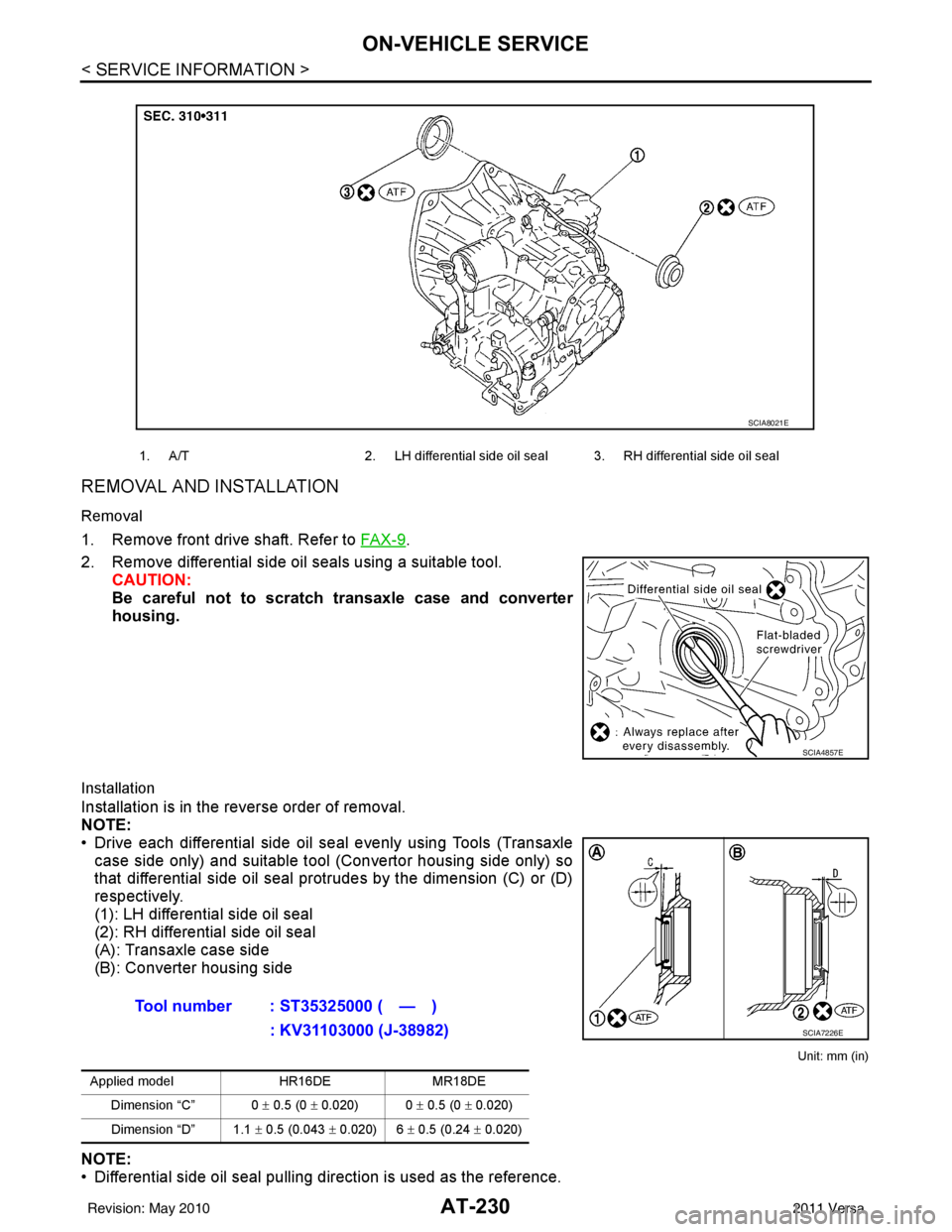
AT-230
< SERVICE INFORMATION >
ON-VEHICLE SERVICE
REMOVAL AND INSTALLATION
Removal
1. Remove front drive shaft. Refer to FA X - 9.
2. Remove differential side oil seals using a suitable tool. CAUTION:
Be careful not to scratch transaxle case and converter
housing.
Installation
Installation is in the reverse order of removal.
NOTE:
• Drive each differential side oil seal evenly using Tools (Transaxlecase side only) and suitable tool (Convertor housing side only) so
that differential side oil seal prot rudes by the dimension (C) or (D)
respectively.
(1): LH differential side oil seal
(2): RH differential side oil seal
(A): Transaxle case side
(B): Converter housing side
Unit: mm (in)
NOTE:
• Differential side oil seal pulling direction is used as the reference.
1. A/T 2. LH differential side oil seal 3. RH differential side oil seal
SCIA8021E
SCIA4857E
Tool number : ST35325000 ( — )
: KV31103000 (J-38982)
Applied model HR16DEMR18DE
Dimension “C” 0 ± 0.5 (0 ± 0.020) 0 ± 0.5 (0 ± 0.020)
Dimension “D” 1.1 ± 0.5 (0.043 ± 0.020) 6 ± 0.5 (0.24 ± 0.020)
SCIA7226E
Revision: May 2010 2011 Versa
Page 332 of 3787
REPAIR FOR COMPONENT PARTSAT-315
< SERVICE INFORMATION >
DE
F
G H
I
J
K L
M A
B
AT
N
O P
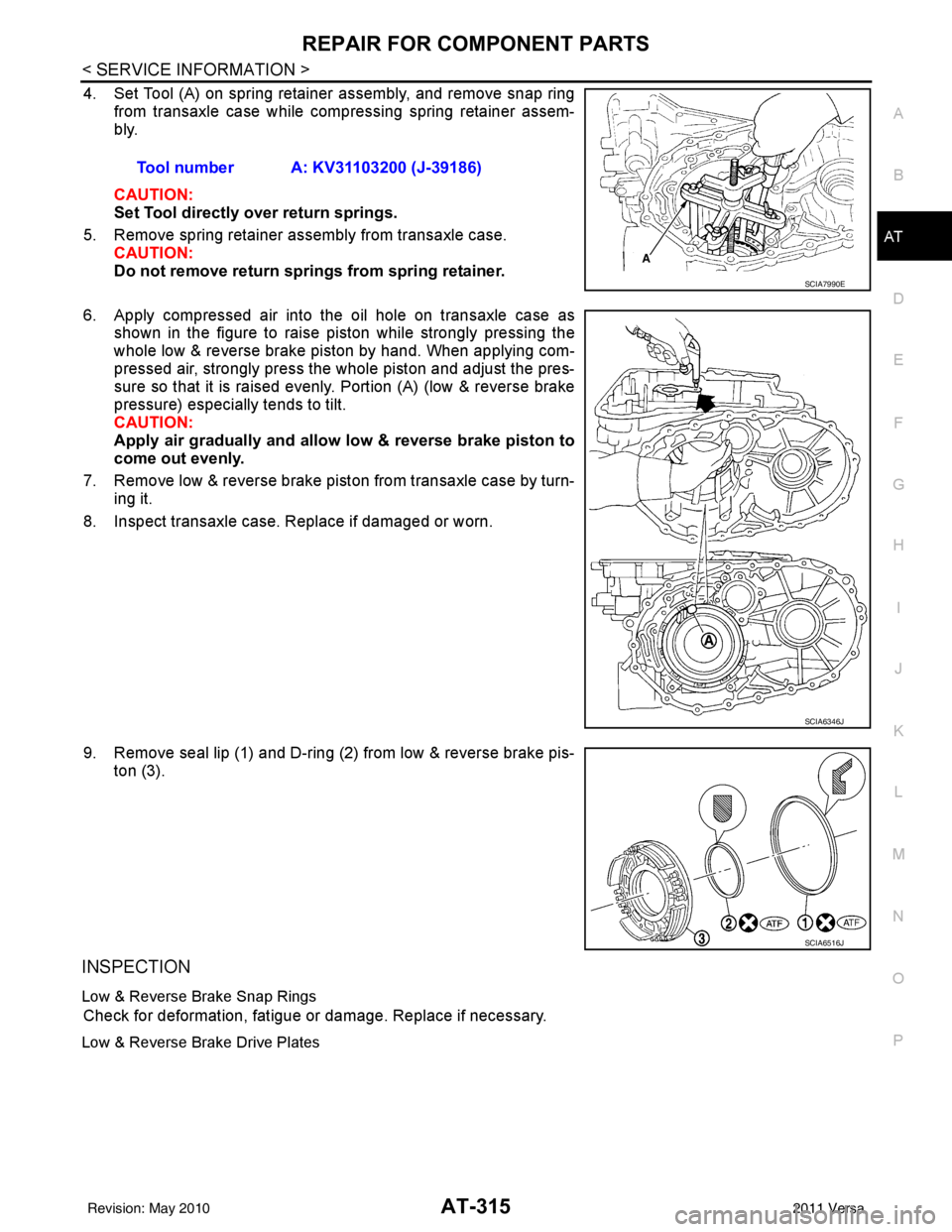
4. Set Tool (A) on spring retainer assembly, and remove snap ring from transaxle case while compressing spring retainer assem-
bly.
CAUTION:
Set Tool directly over return springs.
5. Remove spring retainer assembly from transaxle case. CAUTION:
Do not remove return springs from spring retainer.
6. Apply compressed air into the oil hole on transaxle case as shown in the figure to raise piston while strongly pressing the
whole low & reverse brake piston by hand. When applying com-
pressed air, strongly press the whole piston and adjust the pres-
sure so that it is raised evenly. Portion (A) (low & reverse brake
pressure) especially tends to tilt.
CAUTION:
Apply air gradually and allow low & reverse brake piston to
come out evenly.
7. Remove low & reverse brake piston from transaxle case by turn- ing it.
8. Inspect transaxle case. Replace if damaged or worn.
9. Remove seal lip (1) and D-ring (2) from low & reverse brake pis- ton (3).
INSPECTION
Low & Reverse Brake Snap Rings
Check for deformation, fatigue or damage. Replace if necessary.
Low & Reverse Brake Drive Plates
Tool number A: KV31103200 (J-39186)
SCIA7990E
SCIA6346J
SCIA6516J
Revision: May 2010 2011 Versa
Page 361 of 3787
AT-344
< SERVICE INFORMATION >
ASSEMBLY
ASSEMBLY
Assembly (1)INFOID:0000000005928303
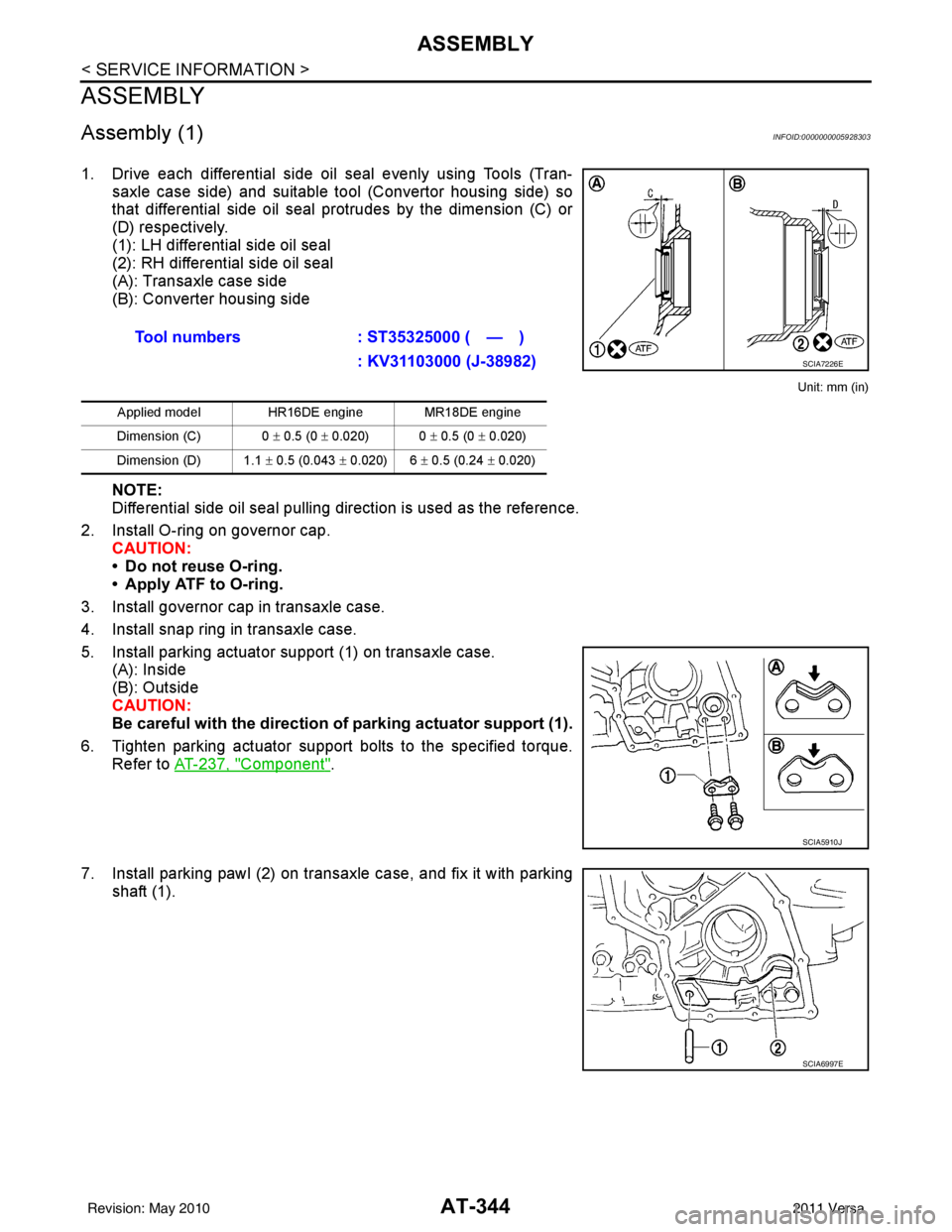
1. Drive each differential side oil seal evenly using Tools (Tran-saxle case side) and suitable tool (Convertor housing side) so
that differential side oil seal protrudes by the dimension (C) or
(D) respectively.
(1): LH differential side oil seal
(2): RH differential side oil seal
(A): Transaxle case side
(B): Converter housing side
Unit: mm (in)
NOTE:
Differential side oil seal pulling direction is used as the reference.
2. Install O-ring on governor cap. CAUTION:
• Do not reuse O-ring.
• Apply ATF to O-ring.
3. Install governor cap in transaxle case.
4. Install snap ring in transaxle case.
5. Install parking actuator support (1) on transaxle case. (A): Inside
(B): Outside
CAUTION:
Be careful with the direction of parking actuator support (1).
6. Tighten parking actuator support bolts to the specified torque. Refer to AT-237, "
Component".
7. Install parking pawl (2) on transaxle case, and fix it with parking shaft (1).Tool numbers
: ST35325000 ( — )
: KV31103000 (J-38982)
Applied model HR16DE engine MR18DE engine
Dimension (C) 0 ± 0.5 (0 ± 0.020) 0 ± 0.5 (0 ± 0.020)
Dimension (D) 1.1 ± 0.5 (0.043 ± 0.020) 6 ± 0.5 (0.24 ± 0.020)
SCIA7226E
SCIA5910J
SCIA6997E
Revision: May 2010 2011 Versa
Page 418 of 3787
![NISSAN TIIDA 2011 Service User Guide AUDIOAV-21
< SERVICE INFORMATION > [AUDIO WITHOUT NAVIGATION]
C
D
E
F
G H
I
J
L
M A
B
AV
N
O P
NOTE:
Noise resulting from variations in field strength, such as fading noise and multi-path noise, or e](/img/5/57396/w960_57396-417.png "NISSAN TIIDA 2011 Service User Guide AUDIOAV-21
< SERVICE INFORMATION > [AUDIO WITHOUT NAVIGATION]
C
D
E
F
G H
I
J
L
M A
B
AV
N
O P
NOTE:
Noise resulting from variations in field strength, such as fading noise and multi-path noise, or e")
AUDIOAV-21
< SERVICE INFORMATION > [AUDIO WITHOUT NAVIGATION]
C
D
E
F
G H
I
J
L
M A
B
AV
N
O P
NOTE:
Noise resulting from variations in field strength, such as fading noise and multi-path noise, or external noise
from trains and other sources. It is not a malfunction.
• Fading noise: This noise occurs because of variations in the field strength in a narrow range due to moun-
tains or buildings blocking the signal.
• Multi-path noise: This noise results from the waves sent directly from the broadcast station arriving at the antenna at a different time from the waves t hat reflect off of mountains or buildings.
Noise InspectionINFOID:0000000005931285
The vehicle itself can be a source of noise if noise prevention parts or electrical equipment is malfunctioning.
Check if noise is caused and/or changed by engine speed, ignition switch turned to each position, and opera-
tion of each piece of electrical equipment, and determine the cause.
NOTE:
The source of the noise can be found easily by listening to the noise while removing the fuses of electrical
components, one by one.
TYPE OF NOISE AND POSSIBLE CAUSE
No sound can be heard from one or several speakers. • Open or short in audio signal circuit between audio unit and front
speaker. Refer to AV- 2 4 , "
Sound Is Not Heard from Front Door
Speaker (Base System)" or AV- 2 6 , "Sound Is Not Heard from
Front Door Speaker or Tweeter (Premium System)" .
• Front speaker. Refer to AV- 2 4 , "
Sound Is Not Heard from Front
Door Speaker (Base System)" or AV- 2 6 , "Sound Is Not Heard
from Front Door Speaker or Tweeter (Premium System)" .
• Open or short in audio signal circuit between audio unit and rear
speaker. Refer to AV- 2 5 , "
Sound Is Not Heard from Rear Door
Speaker (Base System)" or AV- 2 7 , "Sound Is Not Heard from
Rear Door Speaker (Premium System)" .
• Rear speaker. Refer to AV- 2 5 , "
Sound Is Not Heard from Rear
Door Speaker (Base System)" or AV- 2 7 , "Sound Is Not Heard
from Rear Door Speaker (Premium System)" .
• Tweeter (mid level and premium system) AV- 2 6 , "
Sound Is Not
Heard from Front Door Speaker or Tweeter (Premium System)"
or AV- 2 7 , "
Sound Is Not Heard from Rear Door Speaker (Premi-
um System)" .
• Audio unit. Refer to AV- 2 9 , "
Removal and Installation" .
No sound can be heard from radio or noise is heard. • Antenna feeder. Refer to
AV- 3 3 , "
Location of Antenna" .
• Antenna. Refer to AV- 3 3 , "
Location of Antenna" .
• Audio unit. Refer to AV- 2 9 , "
Removal and Installation" .
Symptom
Check item
Occurrence condition Possible cause
Occurs only when engine is ON. A continuous growling noise occurs. The speed of
the noise varies with changes in the engine speed.
Ignition components
A whistling noise occurs while the engine speed is
high. A booming noise occurs while the engine is
running and the lighting switch is ON. Generator
Noise only occurs when various
electrical components are oper-
ating. A cracking or snapping sound occurs with the op-
eration of various switches.
Relay malfunction, radio malfunction
The noise occurs when various motors are operat-
ing. • Motor case ground
•Motor
The noise occurs constantly, not just under certain conditions. • Rear defogger coil malfunction
• Open circuit in printed heater
A cracking or snapping sound occurs while the vehicle is being driven, especially when
it is vibrating excessively. • Ground wire of body parts.
• Ground due to improper part installation
• Wiring connections or a short circuit
Revision: May 2010
2011 Versa
Page 460 of 3787
![NISSAN TIIDA 2011 Service User Guide AUDIOAV-63
< SERVICE INFORMATION > [AUDIO WITH NAVIGATION]
C
D
E
F
G H
I
J
L
M A
B
AV
N
O P
On-Board DiagnosisINFOID:0000000006216707
METHOD OF STARTING
1. Start the engine.
2. Turn OFF audio.
3. Whil](/img/5/57396/w960_57396-459.png "NISSAN TIIDA 2011 Service User Guide AUDIOAV-63
< SERVICE INFORMATION > [AUDIO WITH NAVIGATION]
C
D
E
F
G H
I
J
L
M A
B
AV
N
O P
On-Board DiagnosisINFOID:0000000006216707
METHOD OF STARTING
1. Start the engine.
2. Turn OFF audio.
3. Whil")
AUDIOAV-63
< SERVICE INFORMATION > [AUDIO WITH NAVIGATION]
C
D
E
F
G H
I
J
L
M A
B
AV
N
O P
On-Board DiagnosisINFOID:0000000006216707
METHOD OF STARTING
1. Start the engine.
2. Turn OFF audio.
3. While pressing the “SET UP” switch, turn the MENU dial coun- terclockwise 3 clicks or more first, then clockwise and counter-
clockwise 3 clicks or more, respectively. (After the diagnosis
mode starts, the initial screen of the diagnosis mode appears.)
• On-board diagnosis can be performed in the service test mode.
• On-board diagnosis checks that t he system can be operated normally.
Service test mode
46 (L) —AUX sound
signal LH—— —
——
47 (W) — USB D- — — —— —
48 (GR) — AUX sound
signal RH—— —
——
49 (G) — USB D+ — — —— —
50 (BR) — AUX sound
signal
ground—— —
——
51 (R) — USB V BUS
signal—— —
——
53 (GR) — SHIELD — — —— —
54 — Satellite an-
tenna signal
—— —
——
55 — GPS anten-
na signal—— —
——
56 — SHIELD — — —— —
57 — Antenna on
signal—— —
——
58 — Main anten-
na signal
—— —
——
Te r m i n a l
(Wire color) ItemSignal
input/
output Condition
Reference value
(Approx.) Example of symp-
tom
+– Ignition
switch Operation
JSNIA2456ZZ
Mode
ItemContent
Service version —The version data of the parts is shown
displayed.
Revision: May 2010
2011 Versa
Page 462 of 3787
![NISSAN TIIDA 2011 Service User Guide AUDIOAV-65
< SERVICE INFORMATION > [AUDIO WITH NAVIGATION]
C
D
E
F
G H
I
J
L
M A
B
AV
N
O P
System state Running system status
• SD card slot Access
• Power Supply
• Speed Signal
• Direction](/img/5/57396/w960_57396-461.png "NISSAN TIIDA 2011 Service User Guide AUDIOAV-65
< SERVICE INFORMATION > [AUDIO WITH NAVIGATION]
C
D
E
F
G H
I
J
L
M A
B
AV
N
O P
System state Running system status
• SD card slot Access
• Power Supply
• Speed Signal
• Direction")
AUDIOAV-65
< SERVICE INFORMATION > [AUDIO WITH NAVIGATION]
C
D
E
F
G H
I
J
L
M A
B
AV
N
O P
System state Running system status
• SD card slot Access
• Power Supply
• Speed Signal
• Direction Signal
• Illumination Signal
• GPS Antenna
• EXT. Phone Sig
• Microphone Current
• Radio Antenna
• USB Device
•iPod
® firmware version
• Steering wheel X11C The current system status is dis-
played.
System history •Bluetooth
® Module - Sub-Unit
Connection Malfunction
• SD-card Slot - Sub-Unit Connec- tion Malfunction
• Programming Error
• Radio-Antenna Circuit Malfunc- tion
• FM-Antenna 1 Connection Mal- function
• Satellite Antenna Connection
Failure
• GPS Antenna Circuit Malfunc- tion
• CD-Drive Mechanical Malfunc- tion
• CD Read Malfunction
• Power Supply voltage: Lower
Limit Exceeded
• Power Supply voltage: Upper
Limit Exceeded
• Reduced system Functionality due to over temperature
• Display switched OFF due to over temperature
• SD card removed without being de-mounted
• Code plug missing The history of the system status is re-
ported in the re
port memory, dis-
played.
Speaker test 100Hz —This activates a sequence of test tone
outputs to the four speaker lines one
after the other for 1 second.
The frequency can be chosen by user
selection (100Hz and 4KHz).
Speaker test 4KHz
Display test —This provides a test sequence where
test displays (plain colored display:
e.g. white, black, red, blue, green) are
shown one after the other.
The respective color is shown for an
indicated period of time (parameter).
After the display test, the design of the
display previously available is stored.
While the screen shows a plain col-
ored display, a pixel malfunction may
be detected.
Mode
ItemContent
Revision: May 2010 2011 Versa