differential NISSAN TITAN 2004 1.G Owners Manual
[x] Cancel search | Manufacturer: NISSAN, Model Year: 2004, Model line: TITAN, Model: NISSAN TITAN 2004 1.GPages: 328, PDF Size: 4.93 MB
Page 13 of 328

17. Heated seat switch (if so equipped)
(P. 2-29)
18. Power outlet/Cigarette lighter (acces-
sory) (P. 2-32, P. 2-33)
19. Vehicle dynamic control (VDC) off
switch (if so equipped) (P. 2-29)
20. Tow mode switch (P. 2-31)
21. Electronic locking rear differential sys-
tem switch (if so equipped) (P. 2-30)
22. Shift selector lever (console) (if so
equipped) (P. 5-9)
23. Power outlet (P. 2-32)
24. Passenger air bag status light (P. 2-17)
25. Hazard lights (P. 2-27)
26. 4WD shift switch (if so equipped)
(P. 5-20)
27. Shift selector lever (column) (if so
equipped) (P. 5-9)
28. Instrument brightness control (P. 2-26)
29. Tilt steering wheel control (P. 3-13)
30. Cargo lamp switch (P. 2-28)
31. Rear sonar system off switch (if so
equipped) (P. 2-31)
32. Pedal position adjustment switch
(if so equipped) (P. 3-13)
*: Refer to the separate Navigation System Own-
er’s Manual (if so equipped) .See the page number indicated in paren-
theses for operating details.
Illustrated table of contents0-7
ZREVIEW COPY:Ð2004 Titan(tzw)
Owners Manual(owners)ÐUSA English(nna)
02/20/04Ðtbrooks
X
Page 68 of 328

2 Instruments and controls
Instrument panel...................................2-2
Meters and gauges................................2-3
Speedometer and odometer.....................2-4
Tachometer....................................2-5
Engine coolant temperature gauge...............2-5
Fuel gauge....................................2-6
Engine oil pressure gauge.......................2-6
Voltmeter......................................2-7
Automatic transmission fluid temperature
gauge (if so equipped)..........................2-7
Compass and outside temperature display
(if so equipped)...................................2-8
Outside temperature display.....................2-8
Compass display...............................2-9
Warning/indicator lights and audible reminders......2-12
Checking bulbs...............................2-12
Warning lights................................2-13
Indicator lights................................2-16
Audible reminders.............................2-19
Security systems (if so equipped)..................2-20
Vehicle security system.........................2-20
Nissan vehicle immobilizer system (NVIS)........2-21
Windshield wiper and washer switch...............2-22Switch operation..............................2-22
Heated mirror switch (if so equipped)...............2-23
Headlight and turn signal switch....................2-23
Headlight control switch........................2-23
Daytime running light system (Canada only)......2-26
Instrument brightness control...................2-26
Turn signal switch.............................2-27
Fog light switch (if so equipped)................2-27
Hazard warning flasher switch.....................2-27
Cargo lamp switch...............................2-28
Horn............................................2-28
Heated seat (if so equipped).......................2-29
Vehicle dynamic control (VDC) off switch
(if so equipped)..................................2-29
Electronic locking rear differential system switch
(if so equipped)..................................2-30
Rear sonar system off switch (if so equipped)........2-31
Tow mode switch.................................2-31
Power outlet.....................................2-32
Cigarette lighter..................................2-33
Storage.........................................2-34
Instrument panel storage trays..................2-34
Console box (if so equipped)...................2-35
ZREVIEW COPY:Ð2004 Titan(tzw)
Owners Manual(owners)ÐUSA English(nna)
02/23/04Ðdebbie
X
Page 71 of 328

18. Power outlet/Cigarette lighter
(accessory) (P. 2-32/P. 2-33)
19. Vehicle dynamic control (VDC) off
switch (if so equipped) (P. 2-29)
20. Tow mode switch (P. 2-31)
21. Electronic locking rear differential
system switch (if so equipped)
(P .2-30)
22. Shift selector lever (console)
(if so equipped) (P. 5-9)
23. Power outlet (P. 2-32)
24. Passenger air bag status light (P. 2-17)
25. Hazard lights (P. 2-27)
26. 4WD shift switch (if so equipped)
(P. 5-20)
27. Shift selector lever (column)
(if so equipped) (P. 5-9)
28. Instrument brightness control (P. 2-26)
29. Tilt steering wheel control (P. 3-13)
30. Cargo lamp switch (P. 2-28)
31. Rear sonar system off switch (if so
equipped) (P. 2-31)
32. Pedal position adjustment switch
(if so equipped) (P. 3-13)
*: Refer to the separate Navigation System Own-
er’s Manual (if so equipped) .
See the page number indicated in paren-
theses for operating details.
1. Warning/indicator lights
2. Tachometer
3. Speedometer
4. Engine coolant temperature gauge
5. Fuel gauge
6. Engine oil pressure gauge7. Automatic transmission fluid tempera-
ture gauge (if so equipped)
8. Odometer/Twin trip odometer
9. Voltmeter
LIC0540
METERS AND GAUGES
Instruments and controls2-3
ZREVIEW COPY:Ð2004 Titan(tzw)
Owners Manual(owners)ÐUSA English(nna)
02/20/04Ðtbrooks
X
Page 80 of 328

orAnti-lock brake warning lightLow tire pressure warning light4WD shift indicator light (model)
Automatic transmission check warning lightLow windshield washer fluid warning lightorFront passenger air bag status
light
Automatic transmission park warning light
(model)Seat belt warning light and chimeHigh beam indicator light (Blue)
orBrake warning lightSupplemental air bag warning lightMalfunction indicator lamp (MIL)
Charge warning lightAutomatic transmission position indicator lightSecurity indicator light (NVIS) (if so equipped)
Door open warning lightorActive brake limited slip (if so
equipped)Slip indicator light (if so equipped)
Engine oil pressure low/engine coolant tem-
perature high warning lightCruise main switch indicator lightTransfer 4LO position indicator light
(model)
4WD warning light (model)Cruise set switch indicator lightTurn signal/hazard indicator lights
Low fuel warning lightElectronic locking rear differential system on
indicator light (if so equipped)Vehicle dynamic control off indicator light (if so
equipped)
CHECKING BULBS
With all doors closed, apply the parking brake
and turn the ignition key to the ON position
without starting the engine. The following lights
will come on:
,or,,,,
The following lights come on briefly and then go
off:
or,,,,,
,,,
If any light fails to come on, it may indicate
a burned-out bulb or an open circuit in the
electrical system. Have the system repaired
promptly.
WARNING/INDICATOR LIGHTS AND
AUDIBLE REMINDERS
2-12Instruments and controls
ZREVIEW COPY:Ð2004 Titan(tzw)
Owners Manual(owners)ÐUSA English(nna)
02/20/04Ðtbrooks
X
Page 85 of 328

orActive brake lim-
ited slip (if so
equipped)
This indicator light comes on if the active brake
limited slip is activated. If activated, the system
will apply brake to the slipping rear wheel, giving
the non-slipping rear wheel more traction.
Cruise main switch indicator
light
The light comes on when the cruise control main
switch is pushed. The light goes out when the
main switch is pushed again. When the cruise
main switch indicator light comes on, the cruise
control system is operational.
Cruise set switch indicator
light
The light comes on while the vehicle speed is
controlled by the cruise control system. If the light
blinks while the engine is running, it may indicate
the cruise control system is not functioning prop-
erly. Have the system checked by a NISSAN
dealer.
Electronic locking rear differ-
ential system on indicator light
(if so equipped)
This light comes on when the electronic locking
rear differential system clutch is fully engaged.
The indicator light flashes when the system is first
turned on. When the system fully engages, the
light remains on. If the switch is on and the
indicator light continues to flash, the system is
not engaged.
For additional information, see “Electronic lock-
ing rear differential system switch” later in this
section and “Electronic locking rear differential
system” in the “Starting and driving” section of
this manual.
4WD shift indicator light
(
model)
The light should turn off within 1 second after
turning the ignition switch to ON.
While the engine is running, the 4WD shift indi-
cator light will illuminate the position selected by
the 4WD shift switch.
The 4WD shift indicator light may blink
while shifting from one drive mode to the
other.
orFront passenger
air bag status light
The front passenger air bag status light (or) will be lit and the passenger front air
bag will be OFF depending on how the right front
passenger seat is being used.
For front passenger air bag status light operation,
see “Front passenger air bag and status light” in
the “Safety — Seats, seat belts and supplemental
air bags” section of this manual.
High beam indicator light
(Blue)
This blue light comes on when the headlight high
beams are on and goes out when the low beams
are selected.
The high beam indicator light also comes on
when the passing signal is activated.
Malfunction indicator lamp
(MIL)
If this indicator lamp comes on steady or blinks
while the engine is running, it may indicate a
potential emission control malfunction.
The malfunction indicator lamp may also come on
steady if the fuel filler cap is loose or missing, or if
the vehicle runs out of fuel. Check to make sure
Instruments and controls2-17
ZREVIEW COPY:Ð2004 Titan(tzw)
Owners Manual(owners)ÐUSA English(nna)
02/20/04Ðtbrooks
X
Page 98 of 328
CAUTION
cDo not use the electronic locking rear
differential system on dry pavement.
Doing so could damage drivetrain
components.
cDo not drive the vehicle at speeds faster
than 12 mph (20 km/h) when the system
is engaged. Doing so could damage
drivetrain components.
cDo not turn on the electronic locking
rear differential system while the tires
are spinning. Doing so could damage
drivetrain components.Activate the electronic locking rear differential
system when one of the rear wheels has lost
traction or when the vehicle is driven in off-road
conditions such as in mud, snow or sand.
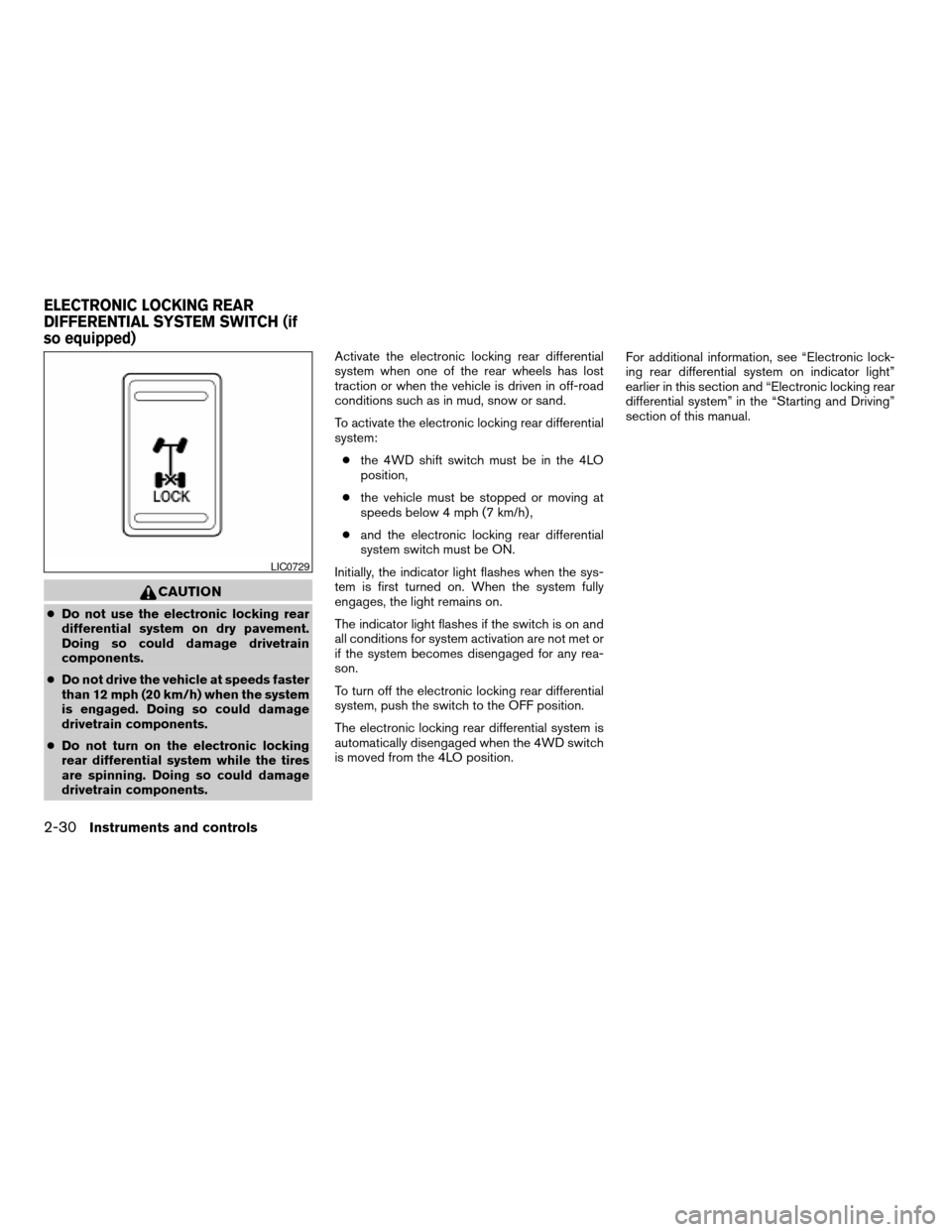
To activate the electronic locking rear differential
system:
cthe 4WD shift switch must be in the 4LO
position,
cthe vehicle must be stopped or moving at
speeds below 4 mph (7 km/h) ,
cand the electronic locking rear differential
system switch must be ON.
Initially, the indicator light flashes when the sys-
tem is first turned on. When the system fully
engages, the light remains on.
The indicator light flashes if the switch is on and
all conditions for system activation are not met or
if the system becomes disengaged for any rea-
son.
To turn off the electronic locking rear differential
system, push the switch to the OFF position.
The electronic locking rear differential system is
automatically disengaged when the 4WD switch
is moved from the 4LO position.For additional information, see “Electronic lock-
ing rear differential system on indicator light”
earlier in this section and “Electronic locking rear
differential system” in the “Starting and Driving”
section of this manual.
LIC0729
ELECTRONIC LOCKING REAR
DIFFERENTIAL SYSTEM SWITCH (if
so equipped)
2-30Instruments and controls
ZREVIEW COPY:Ð2004 Titan(tzw)
Owners Manual(owners)ÐUSA English(nna)
02/20/04Ðtbrooks
X
Page 193 of 328

5 Starting and driving
Precautions when starting and driving................5-2
Exhaust gas (carbon monoxide)..................5-2
Three-way catalyst..............................5-2
On-pavement and off-road driving
precautions....................................5-3
Low tire pressure warning system................5-3
Avoiding collision and rollover....................5-5
Drinking alcohol/drugs and driving................5-5
Driving safety precautions.......................5-5
Ignition switch.....................................5-7
Automatic transmission..........................5-7
Key positions..................................5-8
Nissan vehicle immobilizer system (NVIS).........5-8
Before starting the engine..........................5-8
Starting the engine................................5-9
Driving the vehicle.................................5-9
Engine protection mode.........................5-9
Automatic transmission.........................5-10
Parking brake....................................5-16
Cruise control....................................5-17
Precautions on cruise control...................5-17
Cruise control operations.......................5-17Break-in schedule................................5-19
Increasing fuel economy...........................5-19
Using four wheel drive (4WD).............5-20
Transfer case shifting procedures...............5-20
Electronic locking rear differential system
(if so equipped)..................................5-25
Parking/parking on hills............................5-26
Power steering...................................5-27
Brake system....................................5-27
Brake precautions.............................5-27
Anti-lock brake system (ABS)...................5-28
Vehicle dynamic control (VDC) system
(if so equipped)..................................5-29
Rear sonar system (if so equipped).................5-30
Cold weather driving..............................5-31
Freeing a frozen door lock......................5-31
Anti-freeze....................................5-31
Battery.......................................5-31
Draining of coolant water.......................5-31
Tire equipment................................5-32
Special winter equipment.......................5-32
Driving on snow or ice.........................5-32
ZREVIEW COPY:Ð2004 Titan(tzw)
Owners Manual(owners)ÐUSA English(nna)
02/23/04Ðdebbie
X
Page 214 of 328
The transfer case 4WD shift switch is used to
select either 2WD or 4WD depending on the
driving conditions. There are three types of drive
modes available, 2WD, 4H and 4LO.
The 4WD shift switch electronically controls the
transfer case operation. Rotate the switch to
move between each mode, 2WD, 4H and 4LO.
You must push the switch in to select 4LO,
and the vehicle MUST be stationary and the
automatic transmission selector lever in
the N position when changing into or out of
4LO.
WARNING
When parking, apply the parking brake
before stopping the engine and make sure
that the 4WD shift indicator light is on and
the ATP warning light goes off. Otherwise,
the vehicle could unexpectedly move even
if the automatic transmission is in the P
position.
CAUTION
cNever shift the 4WD shift switch be-
tween 4LO and 4H while driving.cThe 4H position provides greater trac-
tion. Avoid excessive speed, as it will
cause increased fuel consumption and
higher oil temperatures, and could
damage drivetrain components.
Speeds over 62.5 MPH (100 km/h) in 4H
is not recommend.
cThe 4LO position provides maximum
power and traction. Avoid raising ve-
hicle speed excessively, as the maxi-
mum speed is approximately 31 MPH
(50 km/h) .
cWhen driving straight, shift the 4WD
shift switch to the 2WD or 4H position.
Do not move the 4WD shift switch when
making a turn or reversing.
cDo not shift the 4WD shift switch (be-
tween 2WD and 4H) while driving on
steep downhill grades. Use the engine
brake and low automatic transmission
gears (D1 or D2) for engine braking.
cDo not operate the 4WD shift switch
(between 2WD and 4H) with the rear
wheels spinning.cDo not drive on dry hard surface roads
in the 4H or 4LO position. Driving on dry
hard surfaces in 4H or 4LO may cause
unnecessary noise and tire wear.
NISSAN recommends driving in the
2WD position under these conditions.
cVehicles equipped with a limited slip
differential (LSD) have improved driving
performance on rough roads. They have
increased traction performance, so
when making a turn on paved roads,
vibration and tire squealing may occur.
cThe 4WD transfer case may not be
shifted between 4H and 4LO at low am-
bient temperatures and the transfer
4LO position indicator light may blink
even when the 4WD shift switch is
shifted. After driving for a while you can
change the 4WD transfer case between
4H and 4LO.
When driving on rough roads,
cSet the 4WD shift switch to 4H or 4LO.
cDrive carefully according to the road surface
conditions.
When the vehicle is stuck,
cPlace stones or wooden blocks under the
tires to free the vehicle.
5-22Starting and driving
ZREVIEW COPY:Ð2004 Titan(tzw)
Owners Manual(owners)ÐUSA English(nna)
02/23/04Ðdebbie
X
Page 217 of 328
High-temperature transfer case oil makes the
warning light blink rapidly (about twice per sec-
ond) . If the warning light blinks rapidly during
operation, stop the vehicle in a safe place imme-
diately. Then if the light goes off after a while, you
can continue driving.
A large difference between the diameters of front
and rear wheels will make the warning light blink
slowly (about once per two seconds) . Change
the 4WD shift switch into 2WD and do not drive
fast.
CAUTION
cIf the warning light comes on or blinks
slowly during operation or rapidly after
stopping the vehicle for a while, have
your vehicle checked by a NISSAN
dealer as soon as possible.
cShifting between 4H and 4LO is not
recommended when the 4WD warning
light turns on.
cWhen the warning light comes on, the
2WD mode may be engaged even if the
4WD shift switch is in 4H. Be especially
careful when driving. If corresponding
parts are malfunctioning, the 4WD
mode will not be engaged even if the
4WD shift switch is shifted.cDo not drive the vehicle in the 4H or 4LO
position on dry hard surface roads. Driv-
ing on dry, hard surfaces in 4H or 4LO
may cause unnecessary noise, tire wear
and increased fuel consumption.
If the 4WD warning light turns on when
you are driving on dry hard surface
roads:
cin the 4H position, shift the 4WD shift
switch to 2WD.
cin the 4LO position, stop the vehicle,
move the automatic transmission
shift selector lever to the N position
with the brake pedal depressed, and
shift the 4WD shift switch to 2WD.
cIf the warning light is still on after the
above operation, have your vehicle
checked by a NISSAN dealer as soon as
possible.
cThe transfer case may be damaged if
you continue driving with the warning
light blinking rapidly.The electronic locking rear differential system
can help provide additional traction when one of
the rear wheels has lost traction or when the
vehicle is driven in off-road conditions such as in
mud, snow or sand. Activate the system before
driving the vehicle in areas where the vehicle can
become stuck.
cWhen additional traction is required activate
the electronic locking rear differential sys-
tem by pushing the switch ON, see “Elec-
tronic Locking Rear Differential System
Switch” in the “Instruments and controls”
section.
cOnce the system fully engages the indicator
light will remain on in the instrument panel,
see “Electronic locking rear differential sys-
tem on indicator light” in the “Instruments
and controls” section.
cWhen the system is activated both rear
wheels will engage providing additional trac-
tion.
The rear wheels may momentarily slip or have to
turn at different speeds to engage the system (for
example, if the vehicle is turned left or right) .
ELECTRONIC LOCKING REAR
DIFFERENTIAL SYSTEM (if so
equipped)
Starting and driving5-25
ZREVIEW COPY:Ð2004 Titan(tzw)
Owners Manual(owners)ÐUSA English(nna)
02/23/04Ðdebbie
X
Page 231 of 328
CAUTION
Be sure to center the spare tire suspend-
ing plate on the wheel and then lift the
spare tire.
Jacking up vehicle and removing the
damaged tire
WARNING
cNever get under the vehicle while it is
supported only by the jack.
cUse only the jack provided with your
vehicle to lift the vehicle. Do not use the
jack provided with your vehicle on other
vehicles. The jack is designed for lifting
only your vehicle during a tire change.
cUse the correct jack-up points. Never
use any other part of the vehicle for jack
support.
cNever jack up the vehicle more than
necessary.
cNever use blocks on or under the jack.
cDo not start or run the engine while
vehicle is on the jack. It may cause the
vehicle to move. This is especially true
for vehicles with limited slip
differentials.cDo not allow passengers to stay in the
vehicle while it is on the jack.
cNever run the engine with a wheel(s) off
the ground. It may cause the vehicle to
move.
Always refer to the illustration for the correct
placement and jack-up points for your specific
vehicle model and jack type.
Carefully read the caution label attached to
the jack body and the following instruc-
tions.
1. Loosen each wheel nut one or two turns by
turning counterclockwise with the wheel nut
wrench.Do not remove the wheel nuts
until the tire is off the ground.
In case of emergency6-5
ZREVIEW COPY:Ð2004 Titan(tzw)
Owners Manual(owners)ÐUSA English(nna)
02/23/04Ðdebbie
X