check engine NISSAN TITAN 2005 1.G Service Manual
[x] Cancel search | Manufacturer: NISSAN, Model Year: 2005, Model line: TITAN, Model: NISSAN TITAN 2005 1.GPages: 352, PDF Size: 6.08 MB
Page 274 of 352
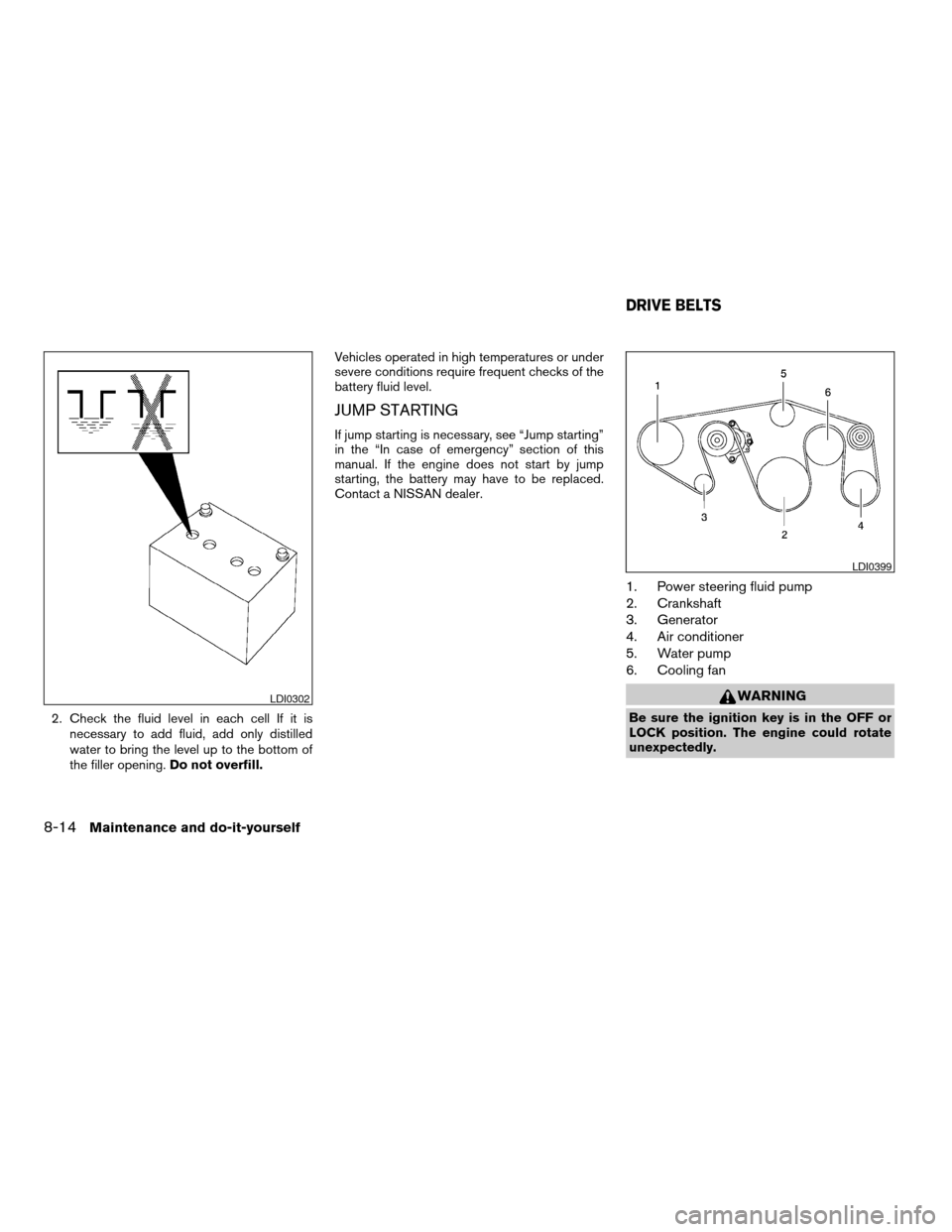
2. Check the fluid level in each cell If it is
necessary to add fluid, add only distilled
water to bring the level up to the bottom of
the filler opening.Do not overfill.Vehicles operated in high temperatures or under
severe conditions require frequent checks of the
battery fluid level.
JUMP STARTING
If jump starting is necessary, see “Jump starting”
in the “In case of emergency” section of this
manual. If the engine does not start by jump
starting, the battery may have to be replaced.
Contact a NISSAN dealer.
1. Power steering fluid pump
2. Crankshaft
3. Generator
4. Air conditioner
5. Water pump
6. Cooling fan
WARNING
Be sure the ignition key is in the OFF or
LOCK position. The engine could rotate
unexpectedly.
LDI0302
LDI0399
DRIVE BELTS
8-14Maintenance and do-it-yourself
ZREVIEW COPYÐ2005 Titan(tzw)
Owners ManualÐUSA_English(nna)
08/26/04Ðtbrooks
X
Page 275 of 352
1. Visually inspect each belt for signs of un-
usual wear, cuts, fraying or looseness. If the
belt is in poor condition or is loose, have it
replaced or adjusted by a NISSAN dealer.
2. Have the belts checked regularly for condi-
tion and tension in accordance with the
maintenance schedule found in the
“NISSAN Service and Maintenance Guide”.
REPLACING SPARK PLUGS
Platinum-tipped spark plugs
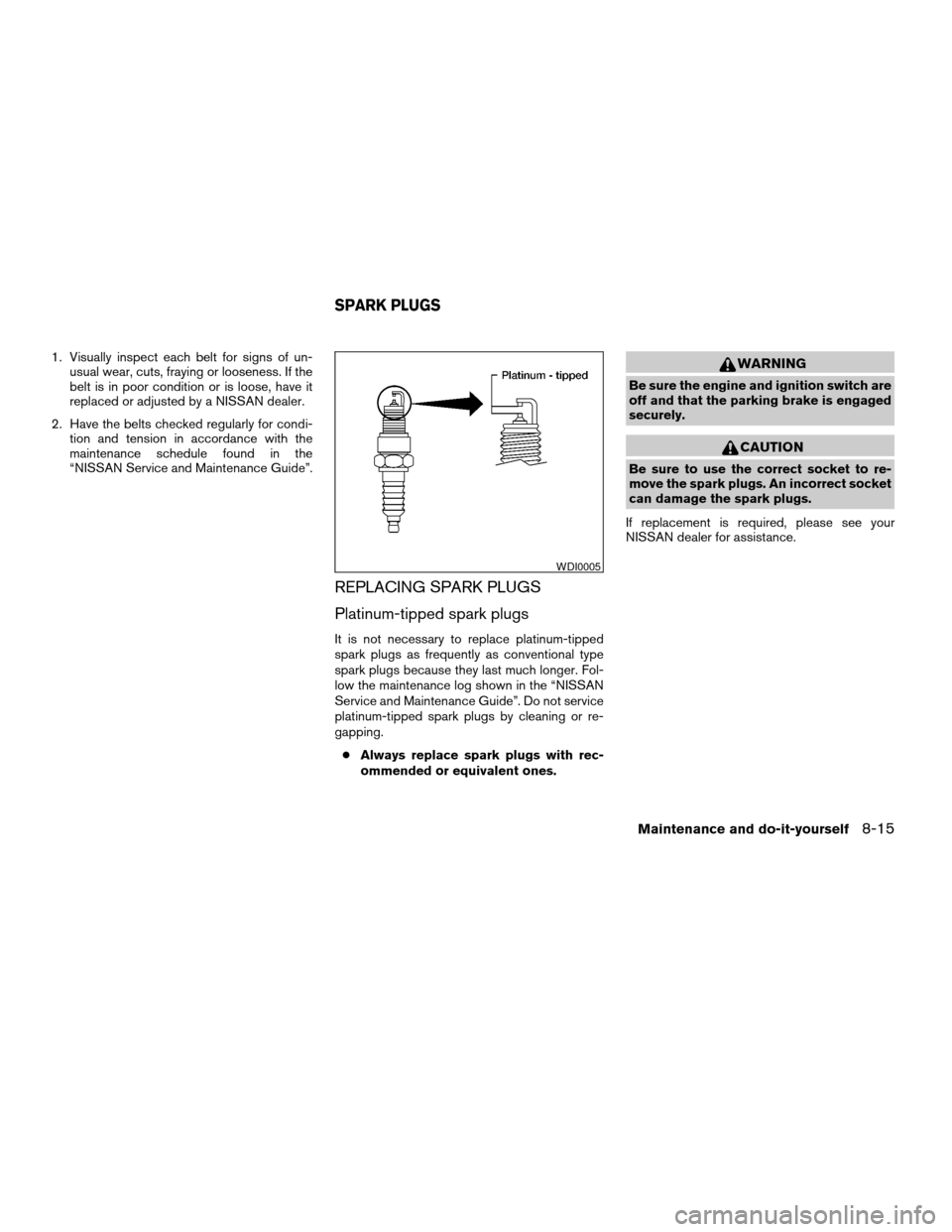
It is not necessary to replace platinum-tipped
spark plugs as frequently as conventional type
spark plugs because they last much longer. Fol-
low the maintenance log shown in the “NISSAN
Service and Maintenance Guide”. Do not service
platinum-tipped spark plugs by cleaning or re-
gapping.
cAlways replace spark plugs with rec-
ommended or equivalent ones.
WARNING
Be sure the engine and ignition switch are
off and that the parking brake is engaged
securely.
CAUTION
Be sure to use the correct socket to re-
move the spark plugs. An incorrect socket
can damage the spark plugs.
If replacement is required, please see your
NISSAN dealer for assistance.
WDI0005
SPARK PLUGS
Maintenance and do-it-yourself8-15
ZREVIEW COPYÐ2005 Titan(tzw)
Owners ManualÐUSA_English(nna)
08/26/04Ðtbrooks
X
Page 279 of 352

If you wax the surface of the hood, be careful not
to let wax get into the washer nozzle
s1. This may
cause clogging or improper windshield washer
operation. If wax gets into the nozzle, remove it
with a needle or small pin
s2.
CHECKING PARKING BRAKE
From the released position, firmly push the park-
ing brake down. If the number of clicks is out of
the range listed, see a NISSAN dealer.
c3–4 clicks under depressing force of 44 lb
(196 N) .
CHECKING BRAKE PEDAL
With the engine running, check the distanceA
between the upper surface of the pedal and the
metal floor. If it is out of the range shown, see a
NISSAN dealer.
Distance A: Under depression force of
110 lb (490 N)
3 1/2 in (90 mm) or more
Self-adjusting brakes
Your vehicle is equipped with self-adjusting
brakes.
WDI0378
WDI0293WDI0229
PARKING BRAKE AND BRAKE PEDAL
Maintenance and do-it-yourself8-19
ZREVIEW COPYÐ2005 Titan(tzw)
Owners ManualÐUSA_English(nna)
08/26/04Ðtbrooks
X
Page 280 of 352
The front and rear disc-type brakes self-adjust
every time the brake pedal is applied.
WARNING
See a NISSAN dealer for a brake system
check if the brake pedal height does not
return to normal.
Brake pad wear indicators
The disc brake pads on your vehicle have audible
wear indicators. When a brake pad requires re-
placement, a high pitched scraping or screech-
ing sound will be heard when the vehicle is in
motion. The noise will be heard whether or not the
brake pedal is depressed. Have the brakes
checked as soon as possible if the wear indicator
sound is heard.
Under some driving or climate conditions, occa-
sional brake squeak, squeal or other noise may
be heard. Occasional brake noise during light to
moderate stops is normal and does not affect the
function or performance of the brake system.
Proper brake inspection intervals should
be followed.For more information regarding
brake inspections, see the appropriate mainte-
nance schedule information in the “NISSAN Ser-
vice and Maintenance Guide”.
BRAKE BOOSTER
Check the brake booster function as follows:
1. With the engine off, press and release the
brake pedal several times. When brake
pedal movement (distance of travel) remains
the same from one pedal application to the
next, continue on to the next step.
2. While depressing the brake pedal, start the
engine. The pedal height should drop a little.
3. With the brake pedal depressed, stop the
engine. Keep the pedal depressed for about
30 seconds. The pedal height should not
change.
4. Run the engine for one minute without de-
pressing the brake pedal, then turn it off.
Depress the brake pedal several times. The
pedal travel distance will decrease gradually
with each depression as the vacuum is re-
leased from the booster.
If the brakes do not operate properly, have the
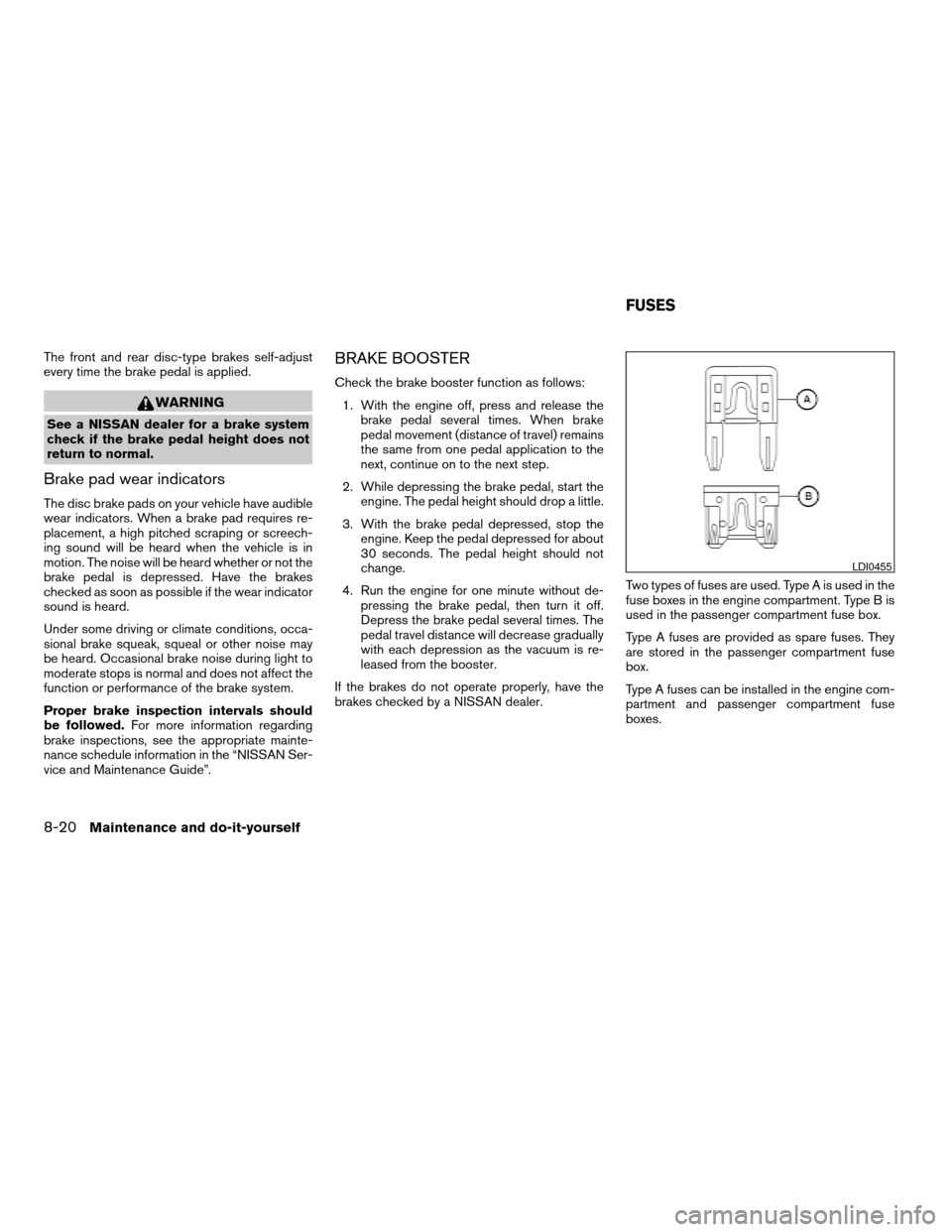
brakes checked by a NISSAN dealer.Two types of fuses are used. Type A is used in the
fuse boxes in the engine compartment. Type B is
used in the passenger compartment fuse box.
Type A fuses are provided as spare fuses. They
are stored in the passenger compartment fuse
box.
Type A fuses can be installed in the engine com-
partment and passenger compartment fuse
boxes.
LDI0455
FUSES
8-20Maintenance and do-it-yourself
ZREVIEW COPYÐ2005 Titan(tzw)
Owners ManualÐUSA_English(nna)
08/26/04Ðtbrooks
X
Page 281 of 352
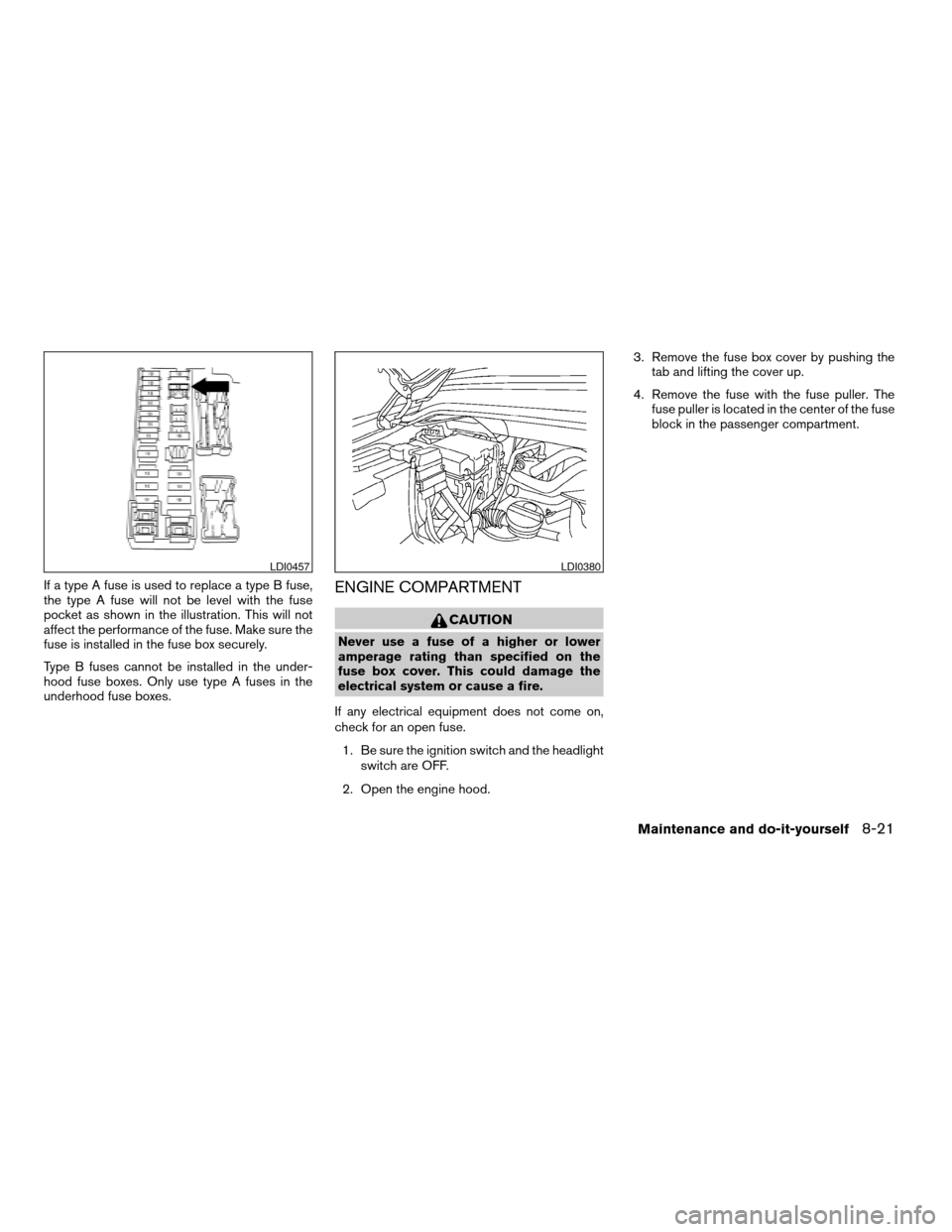
If a type A fuse is used to replace a type B fuse,
the type A fuse will not be level with the fuse
pocket as shown in the illustration. This will not
affect the performance of the fuse. Make sure the
fuse is installed in the fuse box securely.
Type B fuses cannot be installed in the under-
hood fuse boxes. Only use type A fuses in the
underhood fuse boxes.ENGINE COMPARTMENT
CAUTION
Never use a fuse of a higher or lower
amperage rating than specified on the
fuse box cover. This could damage the
electrical system or cause a fire.
If any electrical equipment does not come on,
check for an open fuse.
1. Be sure the ignition switch and the headlight
switch are OFF.
2. Open the engine hood.3. Remove the fuse box cover by pushing the
tab and lifting the cover up.
4. Remove the fuse with the fuse puller. The
fuse puller is located in the center of the fuse
block in the passenger compartment.
LDI0457LDI0380
Maintenance and do-it-yourself8-21
ZREVIEW COPYÐ2005 Titan(tzw)
Owners ManualÐUSA_English(nna)
08/26/04Ðtbrooks
X
Page 304 of 352
Octane rating tips
Using unleaded gasoline with an octane
rating lower than recommended can cause
persistent, heavy “spark knock.” (“Spark
knock” is a metallic rapping noise.) If se-
vere, this can lead to engine damage. If you
detect a persistent heavy spark knock even
when using gasoline of the stated octane
rating, or if you hear steady spark knock
while holding a steady speed on level
roads, have a NISSAN dealer correct the
condition. Failure to correct the condition
is misuse of the vehicle, for which NISSAN
is not responsible.
Incorrect ignition timing may result in spark
knock, after-run and/or overheating, which may
cause excessive fuel consumption or engine
damage. If any of the above symptoms are en-
countered, have your vehicle checked at a
NISSAN dealer.
However, now and then you may notice
light spark knock for a short time while
accelerating or driving up hills. This is not a
cause for concern, because you get the
greatest fuel benefit when there is light
spark knock for a short time under heavy
engine load.
FLEXIBLE FUEL VEHICLE (FFV) FUEL
RECOMMENDATION (if so equipped)
Your vehicle is designed to use (E-85) Fuel Etha-
nol, “Regular” unleaded regular gasoline or any
percentage of the two fuels combined.
U.S. government regulations require Fuel
Ethanol dispensing pumps to have a small,
square, orange and black label with the
common abbreviation or the appropriate
percentage for that region.
CAUTION
Use of other fuels such as Fuel Methanol
may cause powertrain damage or a loss of
vehicle performance.
General information
This information is for Flexible Fuel vehicles (FFV)
only. FFV vehicles can be identified by the fuel filler
door label that states Ethanol (E-85) or Unleaded
Gasoline Only. This section only covers those sub-
jects that are unique to Flexible Fuel vehicles.
CAUTION
Only vehicles with the E-85 filler door label
can operate on E-85. Fuel system or other
damage can occur if E-85 is used in vehicles
that are not designed to run on E-85.
Ethanol Fuel (E-85)
E-85 is a mixture of approximately 85% fuel etha-
nol and 15% unleaded gasoline.
WARNING
cEthanol vapors are extremely flam-
mable and could cause serious per-
sonal injury.
cNever have any smoking materials lit in
or near the vehicle when removing the
fuel filler cap or filling the tank.
cDo not use E-85 as a cleaning agent and
never use it near an open flame.
Fuel requirements
Your vehicle will operate on both unleaded regu-
lar gasoline with an octane rating of at least 87
AKI (Anti-Knock Index) number (Research oc-
tane number 91) , or E-85 fuel, or any mixture of
these two.
For the best starting and vehicle driveability re-
sults, do not continually switch between E-85
and unleaded regular gasoline. If you must switch
fuels, NISSAN recommends the following:
cdo not switch when the fuel gauge indicates
less than 1/4 full
cadd more than 5 gallons of fuel
9-4Technical and consumer information
ZREVIEW COPYÐ2005 Titan(tzw)
Owners ManualÐUSA_English(nna)
08/26/04Ðtbrooks
X
Page 331 of 352

4. Peel off the tape and connect the jumper
harness to the connector
s2.
5. Release the parking brake.
6. Install the aftermarket electric trailer brake
controller according to the manufacturer’s
instructions.
Pre-towing tips
cBe certain your vehicle maintains a level
position when a loaded and/or unloaded
trailer is hitched. Do not drive the vehicle if it
has an abnormal nose-up or nose-down
condition; check for improper tongue load,
overload, worn suspension or other possible
causes of either condition.cAlways secure items in the trailer to prevent
load shift while driving.
cLoad the trailer so approximately 60% of the
trailer load is in the front half and 40% is in
the back half.
cCheck your hitch, trailer tire pressure, ve-
hicle tire pressure, trailer light operation, and
trailer wheel lug nuts every time you attach a
trailer to the vehicle.
cBe certain your rearview mirrors conform to
all federal, state or local regulations. If not,
install any mirrors required for towing before
driving the vehicle.
Trailer towing tips
In order to gain skill and an understanding of the
vehicle’s behavior, you should practice turning,
stopping and backing up in an area which is free
from traffic. Steering stability and braking perfor-
mance will be somewhat different than under
normal driving conditions.
cAlways secure items in the trailer to prevent
load shift while driving.
cAvoid abrupt starts, acceleration or stops.
cAvoid sharp turns or lane changes.
cAlways drive your vehicle at a moderate
speed.cWhen backing up, hold the bottom of the
steering wheel with one hand. Move your
hand in the direction in which you want the
trailer to go. Make small corrections and
back up slowly. If possible, have someone
guide you when you are backing up.
cAlways block the wheels on both vehicle and
trailer when parking. Parking on a slope is
not recommended; however, if you must do
so, first block the wheels and apply the park-
ing brake, and then move the transmission
shift selector lever into the P (Park) position.
If you move the shift selector lever to the P
(Park) position before blocking the wheels
and applying the parking brake, transmission
damage could occur.
cWhen going down a hill, shift into a lower
gear and use the engine braking effect.
When going up a long grade, downshift the
transmission to a lower gear and reduce
speed to reduce chances of engine over-
loading and/or overheating. However, for
long steep grades, do not stay in 1st gear
when driving above 35 MPH (56 km/h) or
2nd gear when driving above 58 MPH (93
km/h) .
LTI0116
Technical and consumer information9-31
ZREVIEW COPYÐ2005 Titan(tzw)
Owners ManualÐUSA_English(nna)
08/26/04Ðtbrooks
X
Page 332 of 352

cIf the engine coolant rises to an extremely
high temperature when the air conditioner
system is on, turn off the air conditioner.
Coolant heat can be additionally vented by
opening the windows, switching the fan
control to high and setting the temperature
control to the HOT position.
cTrailer towing requires more fuel than normal
circumstances.
cAvoid towing a trailer for your vehicle’s first
500 miles (805 km) .
cFor the first 500 miles (805 km) that you do
tow, do not drive over 50 MPH (80 km/h) .
cHave your vehicle serviced more often than
at intervals specified in the recommended
Maintenance Schedule in the “NISSAN Ser-
vice and Maintenance Guide”.
cWhen making a turn, your trailer wheels will
be closer to the inside of the turn than your
vehicle wheels. To compensate for this,
make a larger than normal turning radius
during the turn.
cCrosswinds and rough roads will adversely
affect vehicle/trailer handling, possibly caus-
ing vehicle sway. When being passed by
larger vehicles, be prepared for possible
changes in crosswinds that could affect ve-
hicle handling. If swaying does occur, firmlygrip the steering wheel, steer straight ahead,
and immediately (but gradually) reduce ve-
hicle speed. This combination will help sta-
bilize the vehicle. Never increase speed.
cBe careful when passing other vehicles.
Passing while towing a trailer requires con-
siderably more distance than normal pass-
ing. Remember, the length of the trailer must
also pass the other vehicle before you can
safely change lanes.
cTo maintain engine braking efficiency and
electrical charging performance, do not use
overdrive.
cAvoid holding the brake pedal down too long
or too frequently. This could cause the
brakes to overheat, resulting in reduced
braking efficiency.
cIncrease your following distance to allow for
greater stopping distances while towing a
trailer. Anticipate stops and brake gradually
cDo not use cruise control while towing a
trailer.
cSome states or provinces have specific
speed limits for vehicles that are towing trail-
ers. Obey the local speed limits.
cCheck your hitch, trailer wiring harness con-
nections, and trailer wheel lug nuts after 50
miles (80 km) of travel and at every break.cWhen stopped in traffic for long periods of
time in hot weather, put the vehicle in the P
(Park) position.
When towing a trailer, final drive gear oil
should be replaced and transmission
oil/fluid should be changed more fre-
quently. For additional information, see the
“Maintenance and do-it-yourself” section
earlier in this manual.
Tow mode
Tow mode should be used when pulling a heavy
trailer or hauling a heavy load. Press the tow
button to activate the tow mode. The tow indica-
tor in the instrument panel illuminates when the
tow mode is selected. Press the Tow button
again to turn the tow mode OFF. The Tow mode is
automatically cancelled when the key is turned
OFF.
The Tow mode does the following:
cReduces transmissions shifts when pulling a
trailer or hauling a load.
cProvides similar shift feel to driver when the
vehicle is towing.
9-32Technical and consumer information
ZREVIEW COPYÐ2005 Titan(tzw)
Owners ManualÐUSA_English(nna)
08/26/04Ðtbrooks
X
Page 335 of 352

Your NISSAN vehicle is covered by the following
emission warranties:
For USA
1. Emission Defects Warranty
2. Emissions Performance Warranty
Details of these warranties may be found with
other vehicle warranties in your Warranty Infor-
mation Booklet which comes with your NISSAN
vehicle. If you did not receive a Warranty Informa-
tion Booklet, or it is lost, you may obtain a re-
placement by writing to:
cNissan North America, Inc.
Consumer Affairs Department
P.O. Box 191
Gardena, CA 90248-0191
For Canada
Emission Control System Warranty
Details of these warranties may be found with
other vehicle warranties in your Warranty Infor-
mation Booklet which comes with your NISSAN
vehicle. If you did not receive a Warranty Informa-
tion Booklet, or it is lost, you may obtain a re-
placement by writing to:
cNissan Canada Inc.
5290 Orbitor Drive
Mississauga, Ontario, L4W 4Z5If you believe that your vehicle has a de-
fect which could cause a crash or could
cause injury or death, you should immedi-
ately inform the National Highway Traffic
Safety Administration (NHTSA) in addi-
tion to notifying NISSAN.
If NHTSA receives similar complaints, it
may open an investigation, and if it finds
that a safety defect exists in a group of
vehicles, it may order a recall and remedy
campaign. However, NHTSA cannot be-
come involved in individual problems be-
tween you, your dealer, or NISSAN.
To contact NHTSA, you may call the Auto
Safety Hotline toll-free at 1-888-327-
4236. You may also write to: NHTSA,
U.S. Department of Transportation,
Washington, D.C. 20590. You can also
obtain other information about motor ve-
hicle safety from the Hotline.
You may notify NISSAN by contacting our
Consumer Affairs Department, toll-free, at
1-800-NISSAN-1.Due to legal requirements in some states and
Canadian Provinces, your vehicle may be re-
quired to be in what is called the “ready condi-
tion” for an Inspection/Maintenance (I/M) test of
the emission control system.
The vehicle is set to the “ready condition” when it
is driven through certain driving patterns. Usually,
the ready condition can be obtained by ordinary
usage of the vehicle.
If a powertrain system component is repaired or
the battery is disconnected, the vehicle may be
reset to a “not ready” condition. Before taking the
I/M test, check the vehicle’s
inspection/maintenance test readiness condi-
tion. Turn the ignition switch ON without starting
the engine. If the Malfunction Indicator Lamp
(MIL) comes on steady for 20 seconds and then
blinks for 10 seconds , the I/M test condition is
9not ready9. If the MIL does not blink after 20
seconds, the I/M test condition is9ready.9If the
MIL indicates the vehicle is in a9not ready9con-
dition, drive the vehicle through the following
pattern to set the vehicle to the ready condition. If
you cannot or do not want to perform the driving
pattern, a NISSAN dealer can conduct it for you.
EMISSION CONTROL SYSTEM
WARRANTYREPORTING SAFETY DEFECTS (US
only)READINESS FOR INSPECTION/
MAINTENANCE (I/M) TEST
Technical and consumer information9-35
ZREVIEW COPYÐ2005 Titan(tzw)
Owners ManualÐUSA_English(nna)
08/26/04Ðtbrooks
X
Page 339 of 352

10 Index
4WD warning light...............2-15
A
Active brake limited slip (ABLS) system
(if so equipped).................5-29
Active head restraint...............1-7
Adjusting pedal position............3-12
Air bag (See supplemental restraint
system).....................1-43
Air bag system
Front (See supplemental front impact
air bag system)...............1-50
Air bag warning labels.............1-58
Air bag warning light...........1-58, 2-16
Air cleaner housing filter............8-16
Air conditioner
Air conditioner operation..........4-16
Air conditioner service...........4-20
Air conditioner specification label.....9-12
Air conditioner system refrigerant and
lubrication recommendations........9-7
Heater and air conditioner controls. . . .4-13
Servicing air conditioner..........4-20
Air flow charts..................4-17
Alarm system
(See vehicle security system).........2-20
Anchor point locations.............1-32
Antenna.....................4-39
Anti-lock brake system (ABS).........5-28
Anti-lock brake warning light..........2-13Audible reminders................2-20
Audio system..................4-20
AM-FM-SAT radio with compact disc
(CD) changer................4-30
Compact Disc (CD) changer.......4-34
Compact disc (CD) player.........4-25
FM-AM radio with compact disc (CD)
player....................4-23
Radio....................4-20
Rear audio controls.............4-38
Steering wheel audio control switch. . . .4-37
Autolight switch.................2-25
Automatic
Automatic drive positioner.........3-21
Automatic power window switch.....2-46
Automatic transmission position
indicator light................2-17
Driving with automatic transmission. . . .5-10
Transmission selector lever lock release .5-15
Automatic anti-glare inside mirror.......3-15
Automatic transmission fluid temperature
gauge.......................2-8
AUX jack.....................4-36
B
Battery......................8-13
Charge warning light............2-14
Battery replacement
(See remote keyless entry system)......8-24
Before starting the engine............5-9Belts (See drive belts).............8-14
Brake
Anti-lock brake system (ABS).......5-28
Brake booster................8-20
Brake fluid..................8-11
Brake light (See stop light).........8-26
Brake pedal.................8-19
Brake system................5-27
Brake warning light.............2-13
Brake wear indicators........2-20, 8-20
Parking brake check............8-19
Parking brake operation..........5-17
Self-adjusting brakes............8-19
Break-in schedule................5-19
Brightness control
Instrument panel..............2-27
Brightness/Contrast button..........4-12
Control panel buttons...........4-12
Bulb check/instrument panel..........2-12
Bulb replacement................8-26
C
Capacities and recommended
fuel/lubricants...................9-2
Car phone or CB radio.............4-49
Cargo light switch...............2-29
Cargo (See vehicle loading information) . . .9-13
CD care and cleaning.............4-36
CD changer (See audio system)........4-34
CD player (See audio system).........4-25
ZREVIEW COPYÐ2005 Titan(tzw)
Owners ManualÐUSA_English(nna)
08/26/04Ðtbrooks
X