automatic NISSAN TITAN 2007 1.G Navigation Manual
[x] Cancel search | Manufacturer: NISSAN, Model Year: 2007, Model line: TITAN, Model: NISSAN TITAN 2007 1.GPages: 272, PDF Size: 4.16 MB
Page 25 of 272
NAI0409
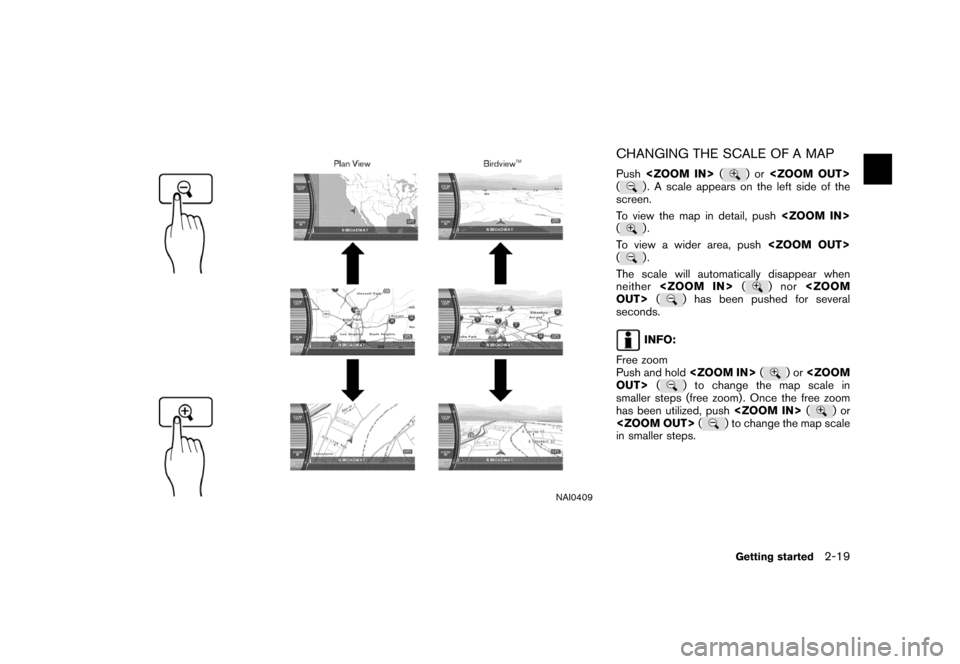
CHANGING THE SCALE OF A MAP
Push
() . A scale appears on the left side of the
screen.
To view the map in detail, push
(
).
To view a wider area, push
(
).
The scale will automatically disappear when
neither
)nor
seconds.
INFO:
Free zoom
Push and hold
)or
smaller steps (free zoom) . Once the free zoom
has been utilized, push
)or
in smaller steps.
Getting started2-19
Page 38 of 272
NAV2738
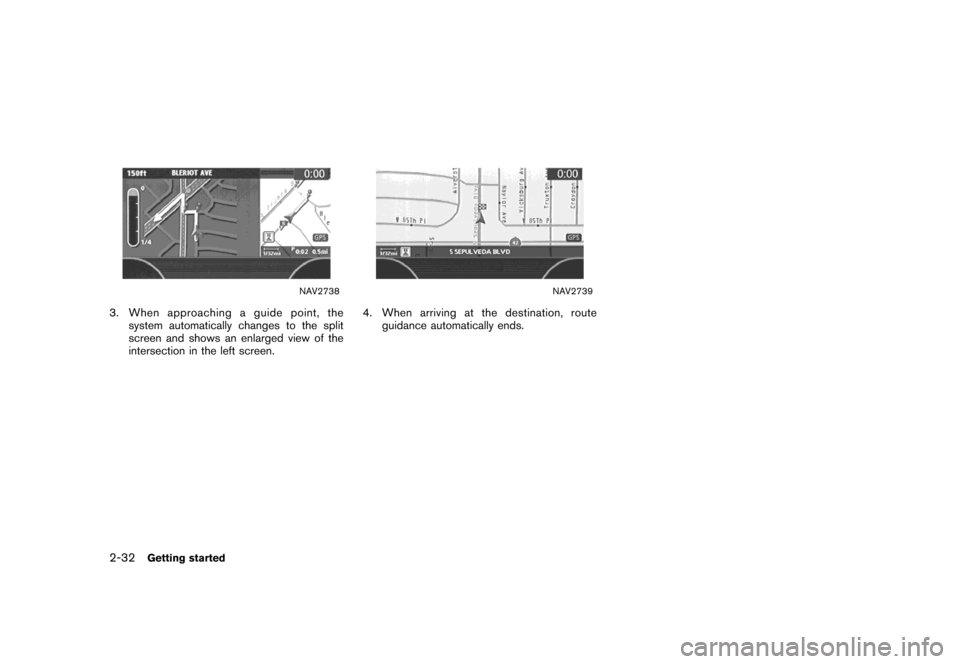
3. When approaching a guide point, the
system automatically changes to the split
screen and shows an enlarged view of the
intersection in the left screen.
NAV2739
4. When arriving at the destination, route
guidance automatically ends.
2-32Getting started
Page 58 of 272
NAI0409
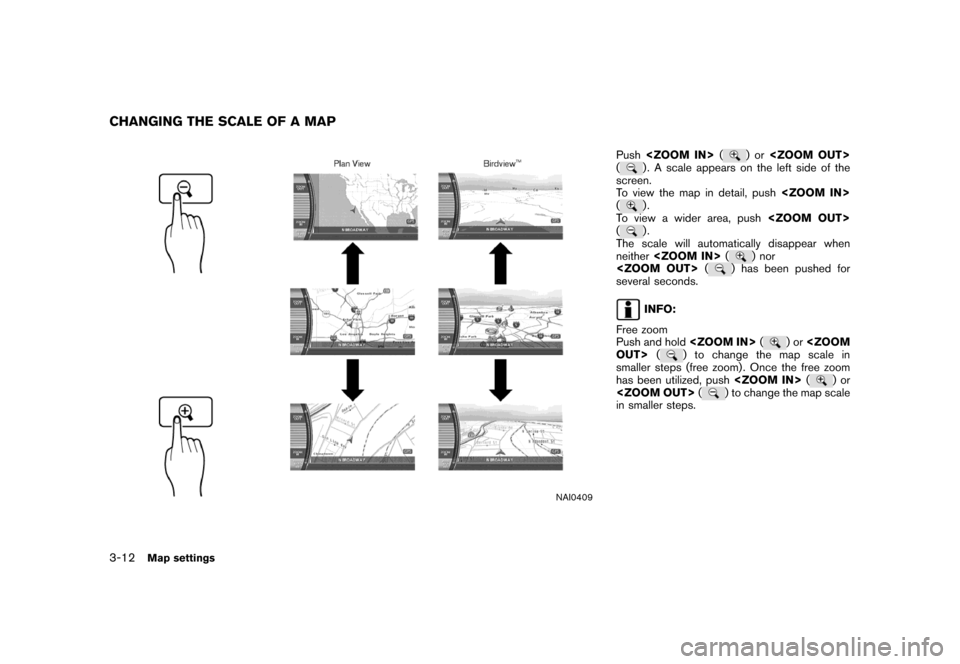
Push
() . A scale appears on the left side of the
screen.
To view the map in detail, push
(
).
To view a wider area, push
(
).
The scale will automatically disappear when
neither
) nor
several seconds.
INFO:
Free zoom
Push and hold
)or
smaller steps (free zoom) . Once the free zoom
has been utilized, push
)or
in smaller steps.
CHANGING THE SCALE OF A MAP
3-12Map settings
Page 94 of 272

The following setting methods are available
when setting the destination to your home or
any location stored in the Address Book.
.Setting your home
This allows you to set your home as the
destination and have the system calculate a
route. It is useful especially when you are
searching for a route to return to your home.
“STORING A LOCATION” (page 6-2)
.Setting from Address Book
This allows you to set the destination to a
location stored in the Address Book and
have the system calculate a route. To utilize
this function more effectively, destinations
that you often travel to should be stored in
advance.
“STORING A LOCATION” (page 6-2)
.Setting a Previous Destination
This allows you to set the destination to a
location that you have previously set as the
destination and have the system calculate a
route. Up to 100 previous destinations will
be automatically stored.
If the number of previous destinations
exceeds 100, the oldest one will be
replaced by the new one..Setting the Previous Starting Point
This allows you to set the destination to the
starting point of the previous route guidance
and have the system calculate a route.
.Setting from Stored Routes
You can select a preferred route from the
stored routes.
SETTING A STORED LOCATION AS
THE DESTINATION
4-22Setting a destination
Page 95 of 272
![NISSAN TITAN 2007 1.G Navigation Manual NAV2774
SETTING YOUR HOME
1. Highlight [Address Book] and push
<ENTER>.
NAV2775
2. Highlight [Home Location] and push
<ENTER>.
INFO:
If you have not stored your home yet, the
system will automatically](/img/5/721/w960_721-94.png "NISSAN TITAN 2007 1.G Navigation Manual NAV2774
SETTING YOUR HOME
1. Highlight [Address Book] and push
<ENTER>.
NAV2775
2. Highlight [Home Location] and push
<ENTER>.
INFO:
If you have not stored your home yet, the
system will automatically")
NAV2774
SETTING YOUR HOME
1. Highlight [Address Book] and push
NAV2775
2. Highlight [Home Location] and push
INFO:
If you have not stored your home yet, the
system will automatically display a screen for
storing it.
“STORING A LOCATION” (page 6-2)
NAV2776
3. A confirmation message is displayed, and
the system sets your home as the destina-
tion.
Setting a destination4-23
Page 134 of 272
GUIDANCE SCREENS AND PREVIEW
MODE
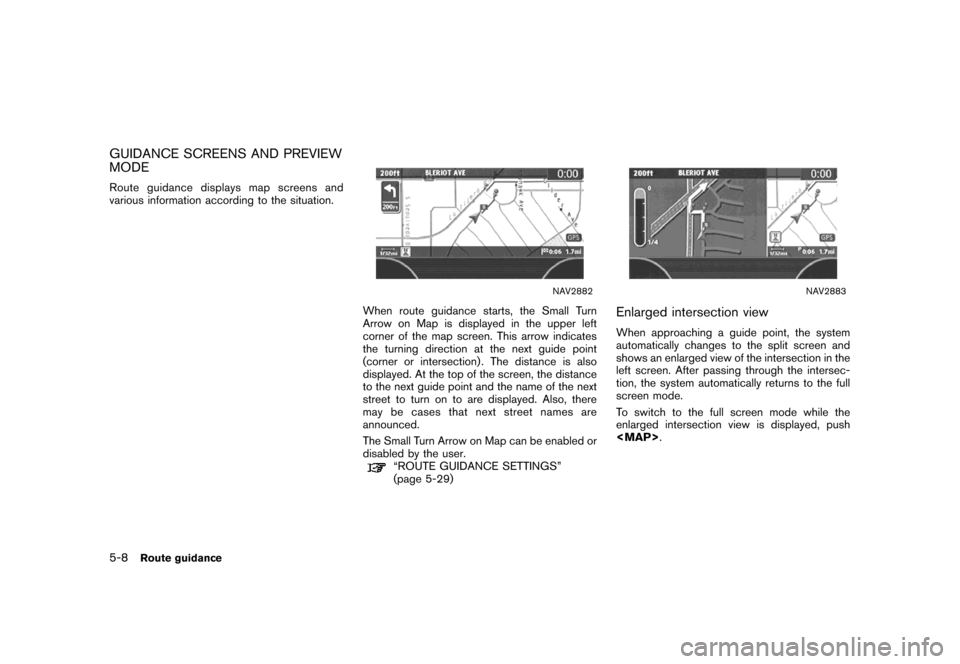
Route guidance displays map screens and
various information according to the situation.
NAV2882
When route guidance starts, the Small Turn
Arrow on Map is displayed in the upper left
corner of the map screen. This arrow indicates
the turning direction at the next guide point
(corner or intersection) . The distance is also
displayed. At the top of the screen, the distance
to the next guide point and the name of the next
street to turn on to are displayed. Also, there
may be cases that next street names are
announced.
The Small Turn Arrow on Map can be enabled or
disabled by the user.
“ROUTE GUIDANCE SETTINGS”
(page 5-29)
NAV2883
Enlarged intersection view
When approaching a guide point, the system
automatically changes to the split screen and
shows an enlarged view of the intersection in the
left screen. After passing through the intersec-
tion, the system automatically returns to the full
screen mode.
To switch to the full screen mode while the
enlarged intersection view is displayed, push
Page 135 of 272
NAV2884
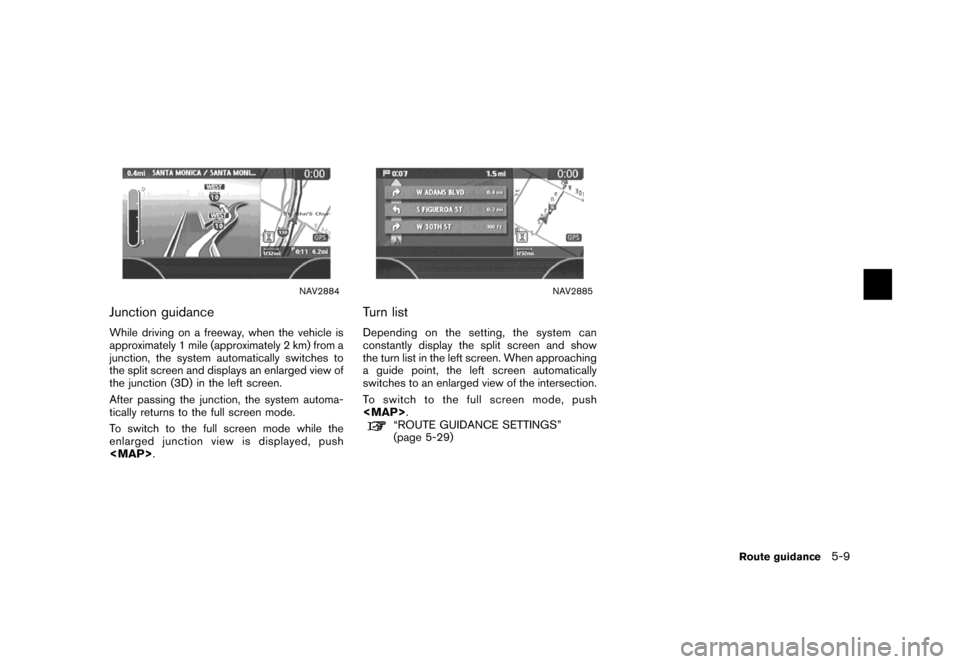
Junction guidance
While driving on a freeway, when the vehicle is
approximately 1 mile (approximately 2 km) from a
junction, the system automatically switches to
the split screen and displays an enlarged view of
the junction (3D) in the left screen.
After passing the junction, the system automa-
tically returns to the full screen mode.
To switch to the full screen mode while the
enlarged junction view is displayed, push
Page 139 of 272
![NISSAN TITAN 2007 1.G Navigation Manual DETAILED ROUTE PRIORITIES
Detailed conditions can be set for the route
calculation.
Basic operation
1. Push<ROUTE>.
2. Highlight [Route Priority] and push
<ENTER>.
3. Highlight [Detailed Route Priorit](/img/5/721/w960_721-138.png "NISSAN TITAN 2007 1.G Navigation Manual DETAILED ROUTE PRIORITIES
Detailed conditions can be set for the route
calculation.
Basic operation
1. Push<ROUTE>.
2. Highlight [Route Priority] and push
<ENTER>.
3. Highlight [Detailed Route Priorit")
DETAILED ROUTE PRIORITIES
Detailed conditions can be set for the route
calculation.
Basic operation
1. Push
2. Highlight [Route Priority] and push
3. Highlight [Detailed Route Priorities] and
push
4. Highlight the preferred condition and push
condition illuminates.
5. When the current location map screen or
route setting screen is displayed, the system
recalculates a route with the set conditions.
NAV2888
Available setting items
.Minimize Toll Roads:
Minimizes the use of toll roads.
.Use Time Restricted Roads:
Uses any roads subject to time restrictions.
.Use Avoid Area Settings:
Enables the avoid area setting..Use Ferries:
Includes the use of ferries.
.Auto Reroute:
If the vehicle deviates from the suggested
route, the system automatically recalculates
a route that leads the vehicle to the
suggested route.
Route guidance5-13
Page 141 of 272
![NISSAN TITAN 2007 1.G Navigation Manual You can calculate a detour for a section of the
route, edit the route or store the route.
BASIC OPERATION
1. Push<ROUTE>.
2. Highlight [Change/Edit Route] and push
<ENTER>.
3. Highlight the preferred](/img/5/721/w960_721-140.png "NISSAN TITAN 2007 1.G Navigation Manual You can calculate a detour for a section of the
route, edit the route or store the route.
BASIC OPERATION
1. Push<ROUTE>.
2. Highlight [Change/Edit Route] and push
<ENTER>.
3. Highlight the preferred")
You can calculate a detour for a section of the
route, edit the route or store the route.
BASIC OPERATION
1. Push
2. Highlight [Change/Edit Route] and push
3. Highlight the preferred setting item and
push
4. Push
Page 147 of 272
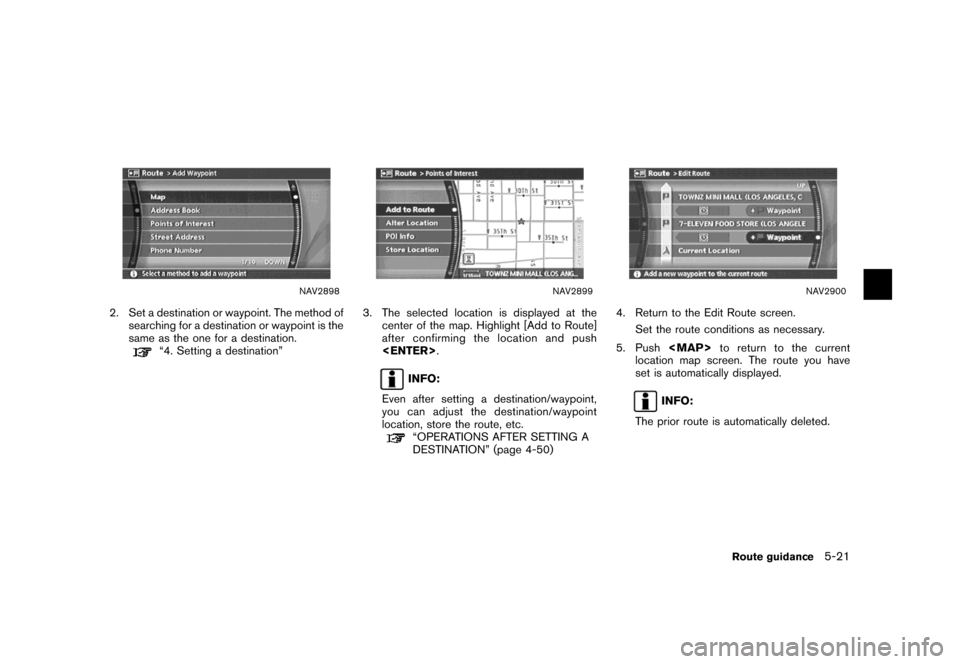
NAV2898
2. Set a destination or waypoint. The method of
searching for a destination or waypoint is the
same as the one for a destination.
“4. Setting a destination”
NAV2899
3. The selected location is displayed at the
center of the map. Highlight [Add to Route]
after confirming the location and push
INFO:
Even after setting a destination/waypoint,
you can adjust the destination/waypoint
location, store the route, etc.
“OPERATIONS AFTER SETTING A
DESTINATION” (page 4-50)
NAV2900
4. Return to the Edit Route screen.
Set the route conditions as necessary.
5. Push