start stop button NISSAN TITAN 2008 Owners Manual
[x] Cancel search | Manufacturer: NISSAN, Model Year: 2008, Model line: TITAN, Model: NISSAN TITAN 2008Pages: 408, PDF Size: 6.08 MB
Page 108 of 408
moved. If the indicator light fails to
glow for 30 seconds, unlock the door
once and lock it again.
cEven when the driver and/or passen-
gers are in the vehicle, the system will
arm with all doors closed and locked
with the ignition key in the OFF posi-
tion.
cThe lockable beside storage compart-
ment (if so equipped) is not protected
by the vehicle security system.
Vehicle security system activation
The vehicle security system will give the following
alarm:
cThe headlights blink and the horn sounds
intermittently.
cThe alarm automatically turns off after ap-
proximately 50 seconds. However, the alarm
reactivates if the vehicle is tampered with
again. The alarm can be shut off by unlocking
the driver’s door with the key, or by pressing
the
button on the keyfob.
The alarm is activated by:
copening a door without using the key or
keyfob (even if the door is unlocked by using
the inside lock knob or the power door lock
switch) .
How to stop an activated alarm
The alarm stops only by unlocking the driver’s
door with the key, or by pressing thebut-
ton on the keyfob.
NISSAN VEHICLE IMMOBILIZER
SYSTEM
The NISSAN Vehicle Immobilizer System will not
allow the engine to start without the use of a
registered key.
If the engine fails to start using a registered key
(for example, when interference is caused by
another registered key, an automated toll road
device or automatic payment device on the key
ring) , restart the engine using the following pro-
cedures:
1. Leave the ignition switch in the ON position
for approximately 5 seconds.
2. Turn the ignition switch to the OFF or LOCK
position, and wait approximately 10 sec-
onds.
3. Repeat steps 1 and 2.
4. Restart the engine while holding the device
(which may have caused the interference)
separate from the registered key.If the no start condition re-occurs, NISSAN rec-
ommends placing the registered key on a sepa-
rate key ring to avoid interference from other
devices.
Statement related to Section 15 of FCC
Rules for NISSAN Vehicle Immobilizer Sys-
tem (CONT ASSY — IMMOBILIZER, ANT
ASSY — IMMOBILIZER)
This device complies with part 15 of the
FCC Rules and RSS-210 of Industry
Canada. Operation is subject to the follow-
ing two conditions;
(1) This device may not cause harmful in-
terference, and (2) this device must accept
any interference received, including inter-
ference that may cause undesired opera-
tion of the device.
CHANGES OR MODIFICATIONS NOT EX-
PRESSLY APPROVED BY THE PARTY RE-
SPONSIBLE FOR COMPLIANCE COULD
VOID THE USER’S AUTHORITY TO OPER-
ATE THE EQUIPMENT.
2-28Instruments and controls
ZREVIEW COPYÐ2008 Titan(tzw)
Owners ManualÐUSA_English(nna)
10/11/07Ðdebbie
X
ProCarManuals.com
Page 126 of 408
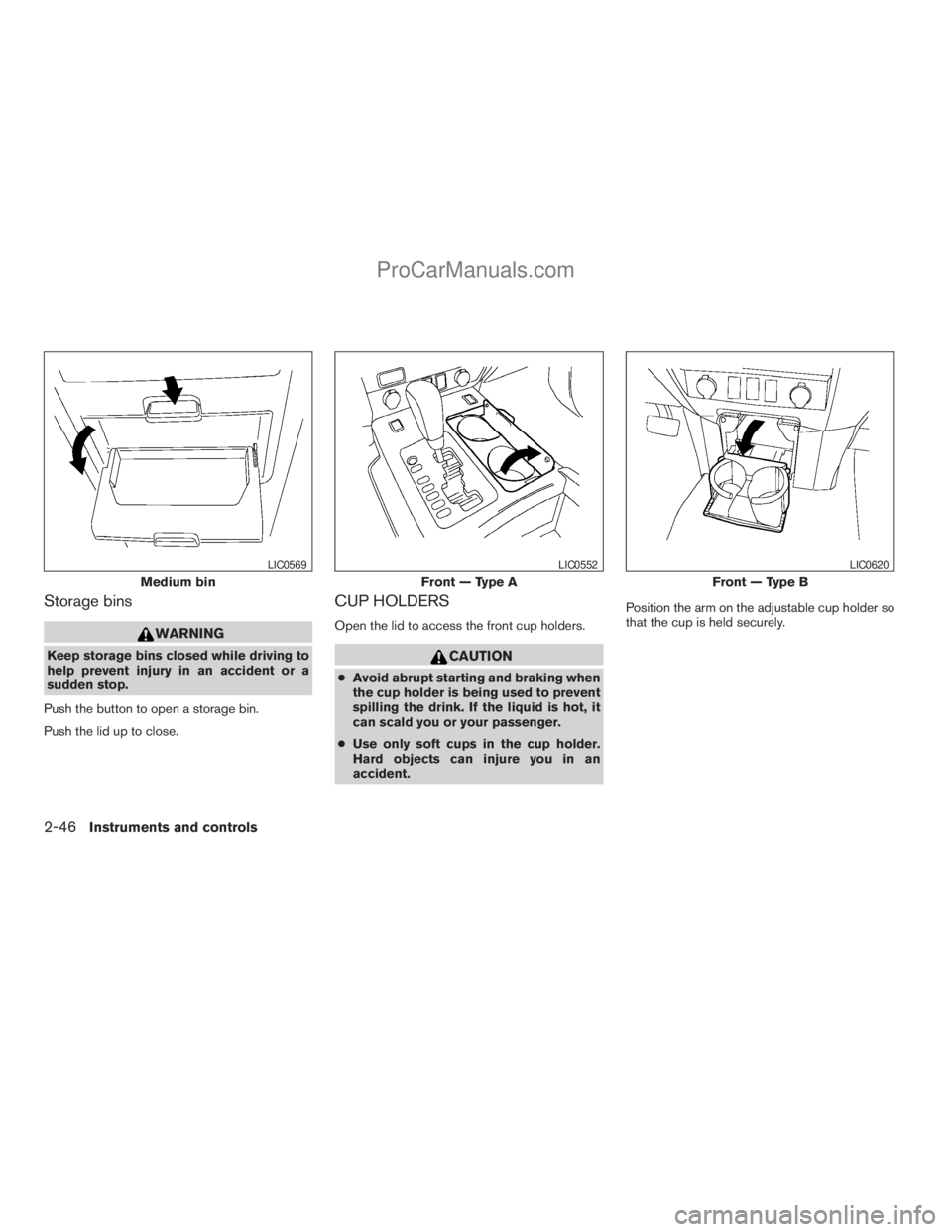
Storage bins
WARNING
Keep storage bins closed while driving to
help prevent injury in an accident or a
sudden stop.
Push the button to open a storage bin.
Push the lid up to close.
CUP HOLDERS
Open the lid to access the front cup holders.
CAUTION
cAvoid abrupt starting and braking when
the cup holder is being used to prevent
spilling the drink. If the liquid is hot, it
can scald you or your passenger.
cUse only soft cups in the cup holder.
Hard objects can injure you in an
accident.Position the arm on the adjustable cup holder so
that the cup is held securely.
Medium bin
LIC0569
Front — Type A
LIC0552
Front — Type B
LIC0620
2-46Instruments and controls
ZREVIEW COPYÐ2008 Titan(tzw)
Owners ManualÐUSA_English(nna)
10/11/07Ðdebbie
X
ProCarManuals.com
Page 210 of 408
SEEK buttons:
SEEK tuning
Press the SEEK
orbutton to seek
through the frequencies. Seek tuning begins
from low to high frequencies, or high to low
frequencies, depending on which button is
pressed, and stops at the next broadcasting sta-
tion. Once the highest broadcasting station is
reached, the radio continues in the seek mode at
the lowest broadcasting station.
Station memory operations:
18 stations can be set for the FM and AM radio to
the A, B and C preset button in any combination
of AM or FM stations.
1. Press the PRESET A·B·C button to change
between storage banks. The radio displays
the icon A, B or C to indicate which set of
presets are active.
2. Tune to the desired station using manual
TUNE or SEEK tuning. Press and hold any of
the desired station memory buttons (1 – 6)
until a beep sound is heard. (The radio mutes
when the select button is pressed.)
3. The channel indicator will then come on and
the sound will resume. Programming is now
complete.4. Other buttons can be set in the same man-
ner.
If the battery cable is disconnected, or if the fuse
opens, the radio memory will be canceled. In that
case, reset the desired stations.
Compact disc (CD) player operation
Turn the ignition key to the ACC or ON position,
and carefully insert the compact disc into the slot
with the label side up. The compact disc is auto-
matically pulled into the slot and starts to play.
If the radio is already operating, it automatically
turns off and the compact disc begins to play.
CD button:
When the CD button is pressed with a compact
disc loaded and the radio playing, the radio turns
off and the last used compact disc starts to play.
TUNE (rewind and fast
forward) buttons:
When the TUNE
orbutton is
pressed while the compact disc is playing, the
compact disc plays at an increased speed while
rewinding or fast forwarding. When the button is
released, the compact disc returns to normal play
speed.
SEEK buttons:
When
is pressed while the compact disc
is playing, the next track following the present
one starts to play from the beginning.
Press
several times to skip several tracks.
Each time the button is pressed, the CD ad-
vances 1 additional track. The track number ap-
pears in the display window. (When the last track
on the compact disc is skipped, the first track is
played.)
When
is pressed, the track being played
returns to the beginning. Pressseveral
times to skip back several tracks. Each time the
button is pressed, the CD moves back one track.
SEEK (Scan CDs) button:
Press and hold the SEEK
button for more
than 1.5 seconds to scan through the first 10
seconds of a track on the compact disc. The
SCAN icon is flashed during scan mode.
The scan mode is canceled once it scans through
all the tracks on the disc, or if the SEEK
orbutton is pressed during the scan
mode.
4-46Display screen, heater, air conditioner, audio and phone systems
ZREVIEW COPYÐ2008 Titan(tzw)
Owners ManualÐUSA_English(nna)
10/12/07Ðdebbie
X
ProCarManuals.com
Page 265 of 408
brake. When parking on a hill, apply the parking
brake first, then shift the selector lever into the P
(Park) position.
R (Reverse):
CAUTION
To prevent transmission damage, use the
P (Park) or R (Reverse) position only when
the vehicle is completely stopped.
Use the R (Reverse) position to back up. Make
sure the vehicle is completely stopped before
selecting the R (Reverse) position.The brake
pedal must be depressed to move the se-
lector lever from P (Park) , N (Neutral) or
any drive position to R (Reverse) .
N (Neutral):
Neither forward nor reverse gear is engaged. The
engine can be started in this position. You may
shift to N (Neutral) and restart a stalled engine
while the vehicle is moving.
D (Drive):
Use this position for all normal forward driving.
Manual shift mode
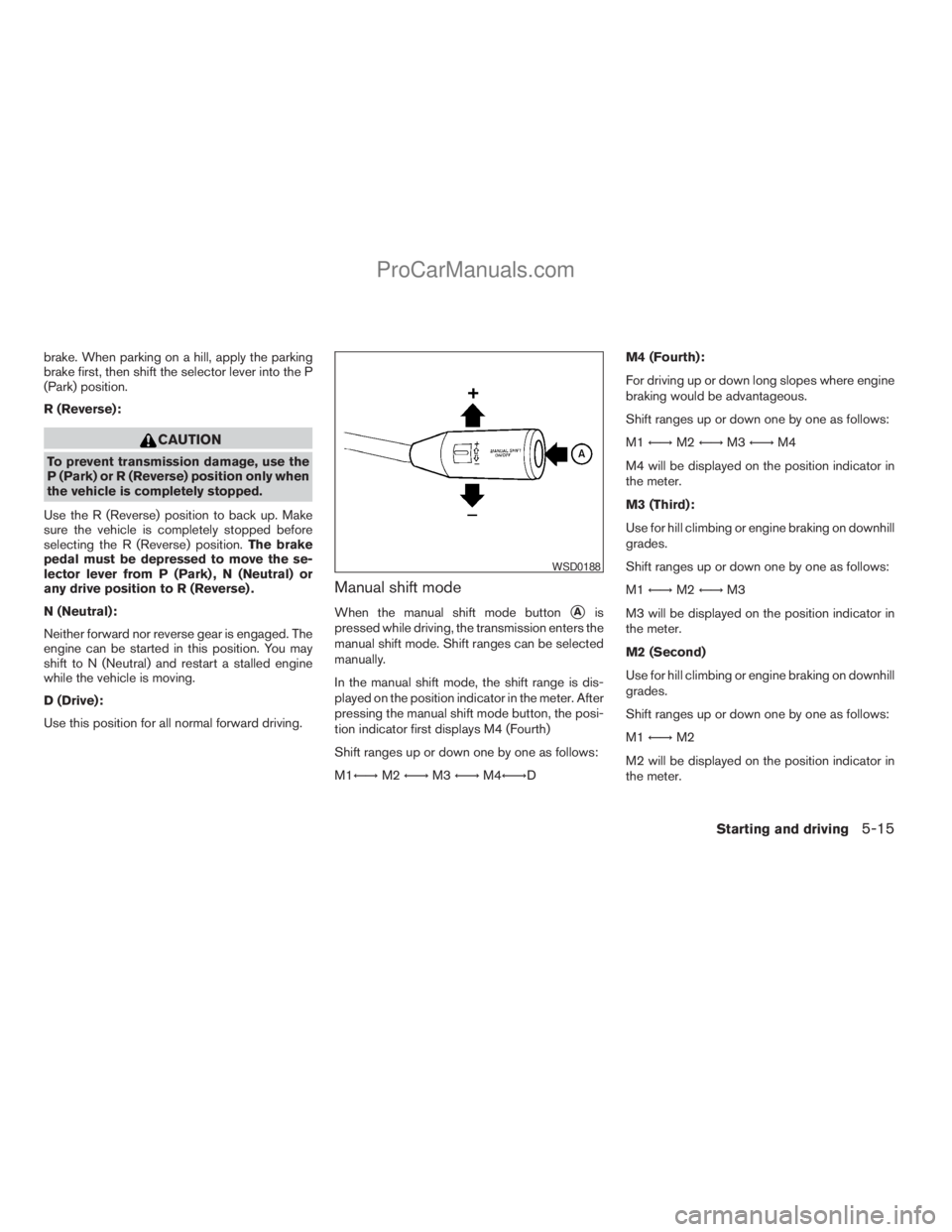
When the manual shift mode buttonsAis
pressed while driving, the transmission enters the
manual shift mode. Shift ranges can be selected
manually.
In the manual shift mode, the shift range is dis-
played on the position indicator in the meter. After
pressing the manual shift mode button, the posi-
tion indicator first displays M4 (Fourth)
Shift ranges up or down one by one as follows:
M1Ã!M2Ã!M3Ã!M4Ã!DM4 (Fourth):
For driving up or down long slopes where engine
braking would be advantageous.
Shift ranges up or down one by one as follows:
M1Ã!M2Ã!M3Ã!M4
M4 will be displayed on the position indicator in
the meter.
M3 (Third):
Use for hill climbing or engine braking on downhill
grades.
Shift ranges up or down one by one as follows:
M1Ã!M2Ã!M3
M3 will be displayed on the position indicator in
the meter.
M2 (Second)
Use for hill climbing or engine braking on downhill
grades.
Shift ranges up or down one by one as follows:
M1Ã!M2
M2 will be displayed on the position indicator in
the meter.
WSD0188
Starting and driving5-15
ZREVIEW COPYÐ2008 Titan(tzw)
Owners ManualÐUSA_English(nna)
10/12/07Ðdebbie
X
ProCarManuals.com
Page 266 of 408
M1 (First):
Use this position when climbing steep hills slowly
or driving slowly through deep snow, sand or
mud, or for maximum engine braking on steep
downhill grades.
M1 will be displayed on the position indicator on
the meter.
cRemember not to drive at high speeds for
extended periods of time in lower than M4
range. This reduces fuel economy.
When shifting up:
Move the selector lever to the + (up) side. (Shifts
to higher range.)
When shifting down:
Move the selector lever to the2(down) side.
(Shifts to lower range.)
cThe transmission will automatically down-
shift the gears. (For example, if you select the
3rd range, the transmission will shift down
between the 3rd and 1st gears.)
cMoving the selector lever rapidly to the same
side twice will shift the ranges in succession.
When canceling the manual shift mode:
Press the manual shift mode button
sAto return
the transmission to the normal driving mode.cIn the manual shift mode, the transmis-
sion may not shift to the selected gear
immediately because of vehicle speed.
The transmission will up or down shift
when vehicle speed matches the pro-
grammed transmission shift points.
This helps maintain driving perfor-
mance and reduces the chance of ve-
hicle damage or loss of control.
cIn the manual shift mode, the transmis-
sion will not up shift to a higher gear
than is manually selected. When the
vehicle speed decreases, the transmis-
sion automatically shifts down and
shifts to 1st gear before the vehicle
comes to a stop.
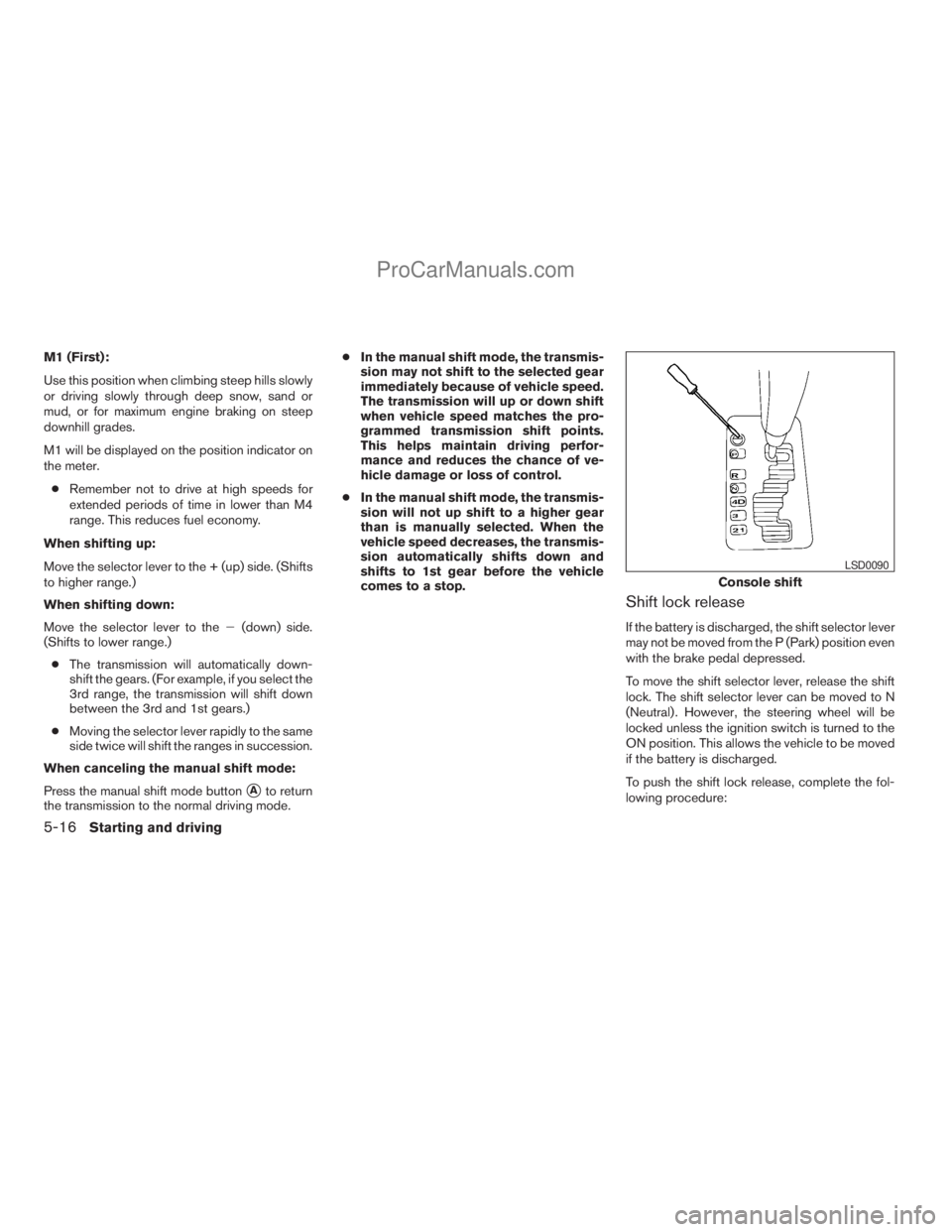
Shift lock release
If the battery is discharged, the shift selector lever
may not be moved from the P (Park) position even
with the brake pedal depressed.
To move the shift selector lever, release the shift
lock. The shift selector lever can be moved to N
(Neutral) . However, the steering wheel will be
locked unless the ignition switch is turned to the
ON position. This allows the vehicle to be moved
if the battery is discharged.
To push the shift lock release, complete the fol-
lowing procedure:
Console shift
LSD0090
5-16Starting and driving
ZREVIEW COPYÐ2008 Titan(tzw)
Owners ManualÐUSA_English(nna)
10/12/07Ðdebbie
X
ProCarManuals.com
Page 395 of 408
10 Index
4WD warning light...............2-15
A
Active brake limited slip (ABLS) system
(if so equipped).................5-30
Active Head Restraint..............1-7
Adjusting pedal position............3-12
Air bag (See supplemental restraint
system).....................1-46
Air bag system
Front (See supplemental front impact air
bag system).................1-54
Air bag warning labels.............1-61
Air bag warning light...........1-61, 2-17
Air cleaner housing filter............8-17
Air conditioner
Air conditioner operation . . .4-16, 4-23, 4-31
Air conditioner service...........4-37
Air conditioner specification label.....9-12
Air conditioner system refrigerant and
oil recommendations.............9-7
Heater and air conditioner controls. . . .4-13,
4-21, 4-28, 4-35
Servicing air conditioner..........4-37
Air flow charts...........4-17, 4-24, 4-31
Alarm system
(See vehicle security system).........2-27
Anchor point locations.............1-27
Antenna.....................4-60
Anti-lock brake warning light......2-13, 2-14Anti-lock Braking System (ABS)........5-29
Audible reminders................2-20
Audio system..................4-37
Compact Disc (CD) changer.......4-55
Compact disc (CD) player.........4-46
FM/AM radio with compact disc (CD)
player....................4-44
FM/AM/SAT radio with compact disc (CD)
changer...................4-52
Radio....................4-37
Rear audio controls.............4-60
Audio System
Settings...................4-52
Audio system
Steering wheel audio control switch. . . .4-58
Autolight switch.................2-32
Automatic
Automatic drive positioner.........3-21
Automatic power window switch.....2-51
Automatic transmission position indicator
light.....................2-26
Driving with automatic transmission. . . .5-12
Transmission selector lever lock
release....................5-16
Automatic transmission fluid temperature
gauge.......................2-8
AUX jack.....................4-57
B
Back button....................4-3Battery......................8-13
Charge warning light............2-15
Before starting the engine...........5-10
Belt (See drive belt)..............8-15
Block heater
Engine....................5-34
BluetoothThands-free phone system.....4-71
Booster seats..................1-41
Brake
Anti-lock Braking System (ABS)......5-29
Brake fluid..................8-12
Brake light (See stop light).........8-27
Brake system................5-28
Brake warning light.............2-14
Brake wear indicators........2-20, 8-20
Parking brake operation..........5-18
Self-adjusting brakes............8-20
Brakes......................8-20
Break-in schedule................5-20
Brightness control
Instrument panel..............2-34
Brightness/contrast button...........4-12
Bulb check/instrument panel..........2-13
Bulb replacement................8-27
C
Capacities and recommended
fuel/lubricants...................9-2
Car phone or CB radio.............4-71
Cargo light switch...............2-35
ZREVIEW COPYÐ2008 Titan(tzw)
Owners ManualÐUSA_English(nna)
10/12/07Ðdebbie
X
ProCarManuals.com
Page 400 of 408
Security system (NISSAN vehicle immobilizer
system) , engine start.........2-28, 3-2, 5-9
Self-adjusting brakes..............8-20
Service manual order form...........9-45
Servicing air conditioner............4-37
Setting button..................4-7
Shift lock release................5-16
Shifting
Automatic transmission.......5-12, 5-14
Shoulder belt height adjustment........1-20
Side air bag system (See supplemental side air
bag, curtain and rollover air bag systems). . .1-58
Sonar
Rear system.................5-32
Spark plug replacement............8-16
Speedometer...................2-5
SRS warning label...............1-61
Starting
Before starting the engine.........5-10
Jump starting.................6-8
Precautions when starting and driving . . .5-2
Push starting................6-10
Starting the engine.............5-10
Startup screen..................4-3
Steering
Power steering fluid.............8-11
Power steering system...........5-28
Tilting steering wheel............3-12
Steering wheel audio control switch......4-58
Stop light....................8-27
Storage.....................2-41
Lockable bedside storage
compartment................2-49
Overhead storage compartment......2-45
Storage bin...................2-46
Storage tray...................2-41Sun visors....................3-13
Sunglasses case................2-44
Sunroof.....................2-53
Supplemental air bag warning labels.....1-61
Supplemental air bag warning light . . .1-61, 2-17
Supplemental front impact air bag system . .1-54
Supplemental restraint system
Information and warning labels.......1-61
Precautions on supplemental restraint
system....................1-46
Supplemental restraint system
(Supplemental air bag system).........1-46
Switch
Autolight switch...............2-32
Automatic power window switch.....2-51
Electronic locking rear differential (E-Lock)
system switch................2-37
Fog light switch...............2-34
Hazard warning flasher switch.......2-35
Headlight and turn signal switch......2-31
Headlight control switch..........2-31
Ignition switch................5-8
Power door lock switch...........3-4
Rear sonar system off switch.......2-38
Rear window and outside mirror defroster
switch....................2-30
Turn signal switch..............2-34
Vehicle dynamic control (VDC) off
switch....................2-37
Windshield wiper and washer switch . . .2-29
T
Tachometer....................2-6
Tailgate latch..................3-18Temperature gauge
Engine coolant temperature gauge.....2-6
Engine oil pressure low/engine coolant
temperature high warning light.......2-15
Theft (NISSAN vehicle immobilizer system) ,
engine start..............2-28, 3-2, 5-9
Three-way catalyst................5-2
Tie down hooks.................3-20
Tilting steering wheel..............3-12
Tire
Flat tire....................6-2
Spare tire...................6-3
Tire and Loading Information label.....9-12
Tire chains..................8-38
Tire placard.................9-12
Tire pressure................8-31
Tire rotation.................8-38
Tires of 4-wheel drive............8-40
Types of tires................8-37
Uniform tire quality grading.........9-41
Wheels and tires..............8-31
Wheel/tire size................9-9
Tire pressure
Low tire pressure warning light......2-16
Tire pressure display...............4-6
Tire Pressure Monitoring System (TPMS) . . .5-3
Tire rotation maintenance reminder.......4-6
Top tether strap child restraint.........1-27
Tow mode switch................2-39
Towing
2-wheel drive models............6-12
4-wheel drive models............6-13
Flat towing..................9-40
Tow truck towing..............6-11
Towing load/specification.........9-29
Trailer towing................9-25
10-6
ZREVIEW COPYÐ2008 Titan(tzw)
Owners ManualÐUSA_English(nna)
10/12/07Ðdebbie
X
ProCarManuals.com