NISSAN TITAN 2011 User Guide
TITAN 2011
NISSAN
NISSAN
https://www.carmanualsonline.info/img/5/56790/w960_56790-0.png
NISSAN TITAN 2011 User Guide
Page 207 of 407
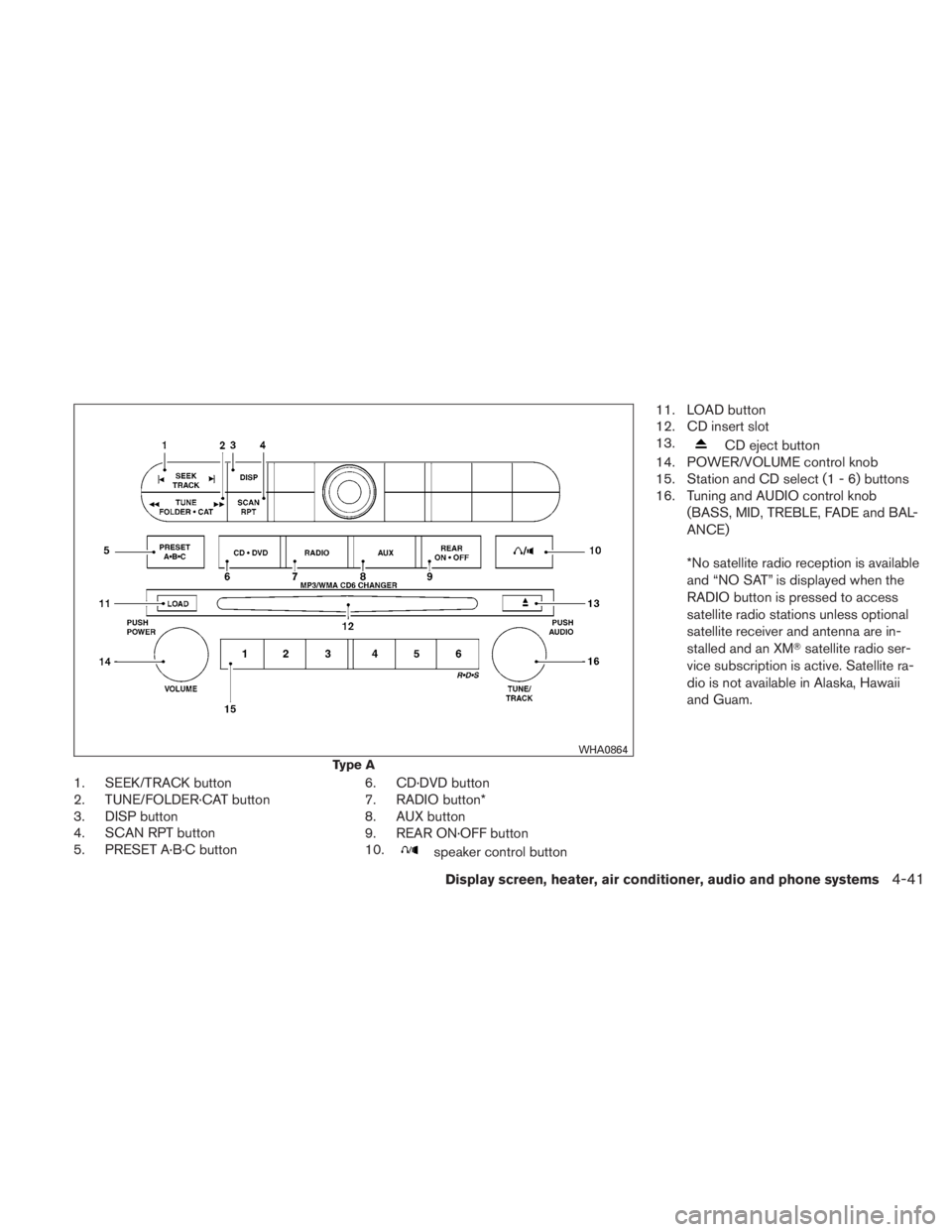
1. SEEK/TRACK button
2. TUNE/FOLDER·CAT button
3. DISP button
4. SCAN RPT button
5. PRESET A·B·C button6. CD·DVD button
7. RADIO button*
8. AUX button
9. REAR ON·OFF button
10.
Page 208 of 407
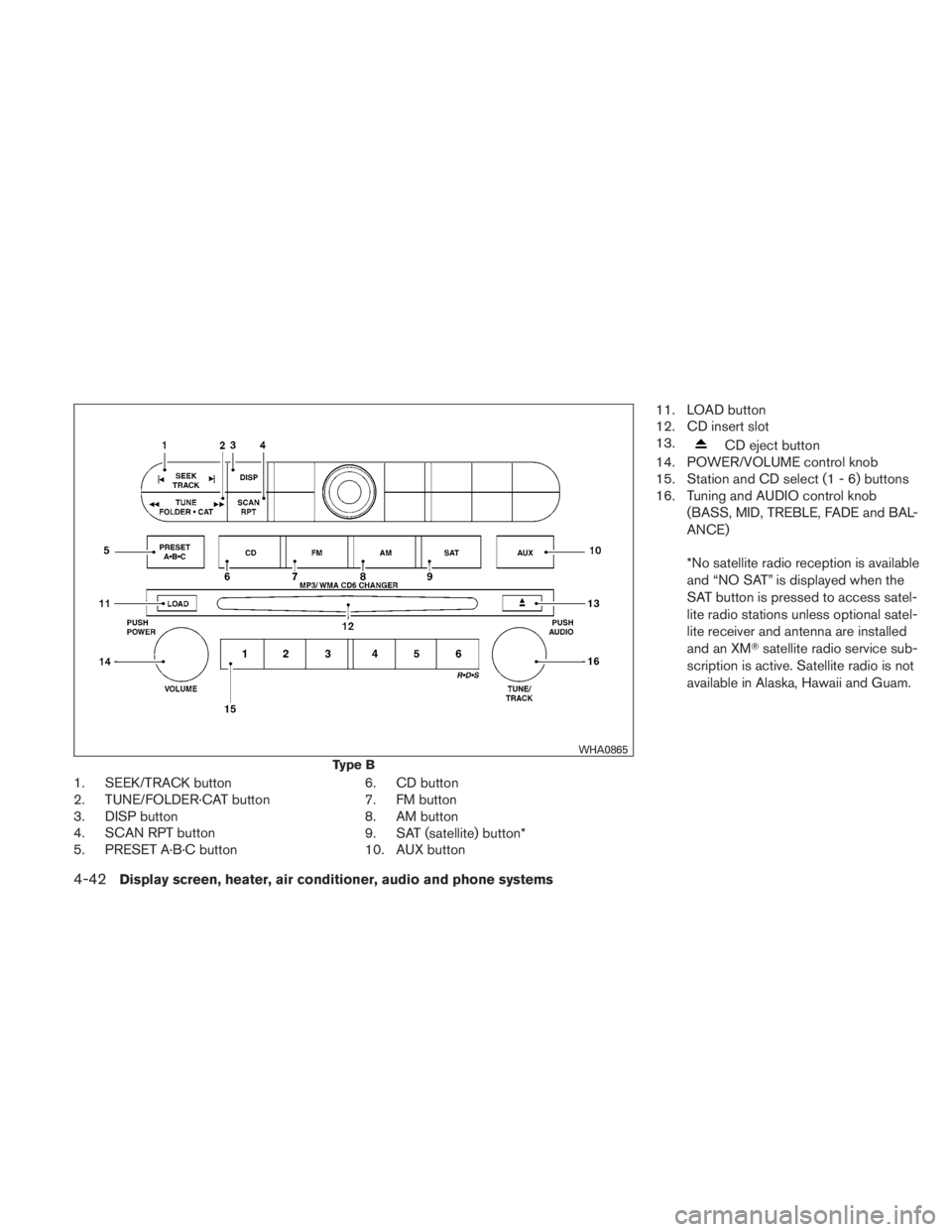
1. SEEK/TRACK button
2. TUNE/FOLDER·CAT button
3. DISP button
4. SCAN RPT button
5. PRESET A·B·C button6. CD button
7. FM button
8. AM button
9. SAT (satellite) button*
10. AUX button11. LOAD button
12. CD insert slot
13.
Page 209 of 407
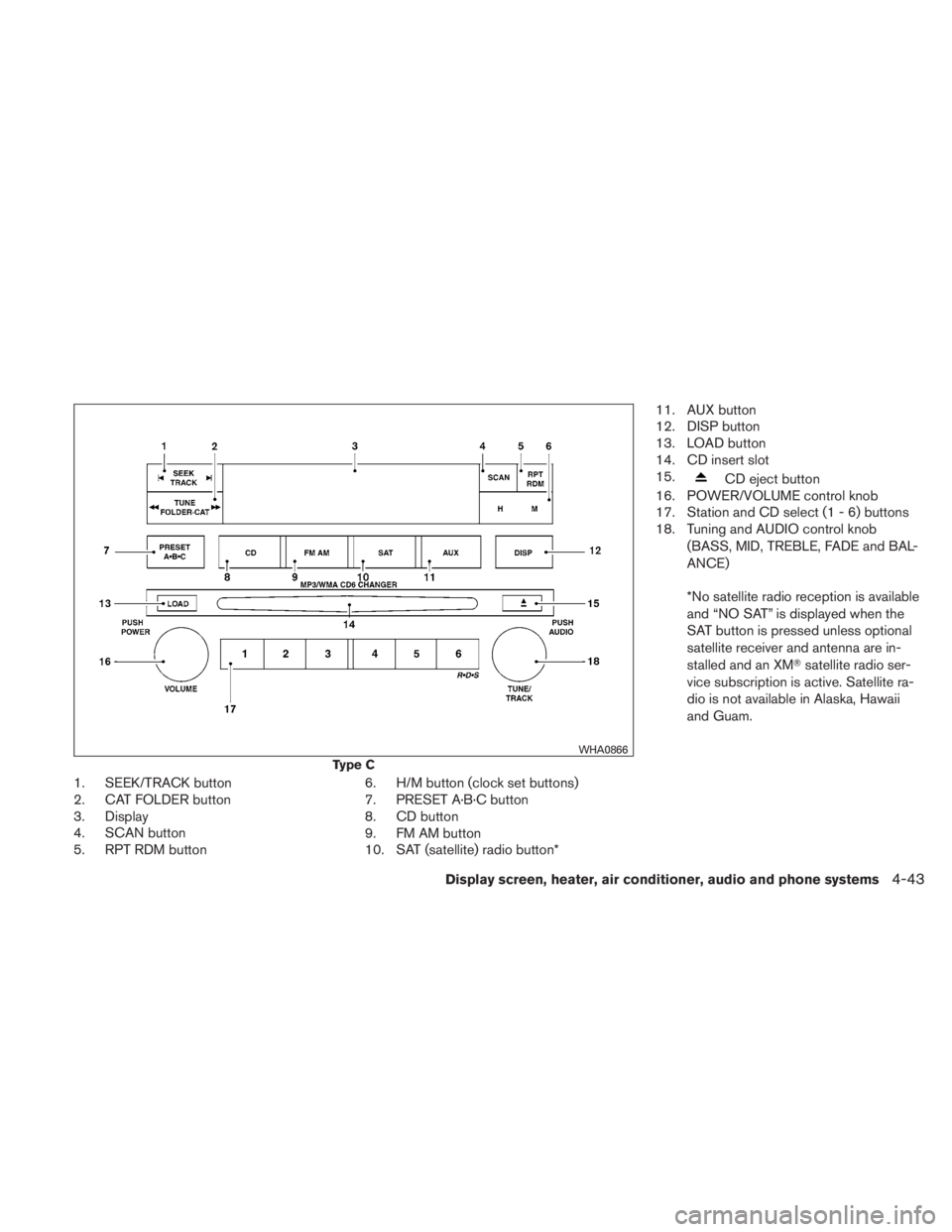
1. SEEK/TRACK button
2. CAT FOLDER button
3. Display
4. SCAN button
5. RPT RDM button6. H/M button (clock set buttons)
7. PRESET A·B·C button
8. CD button
9. FM AM button
10. SAT (satellite) radio button*11. AUX button
12. DISP button
13. LOAD button
14. CD insert slot
15.
Page 210 of 407
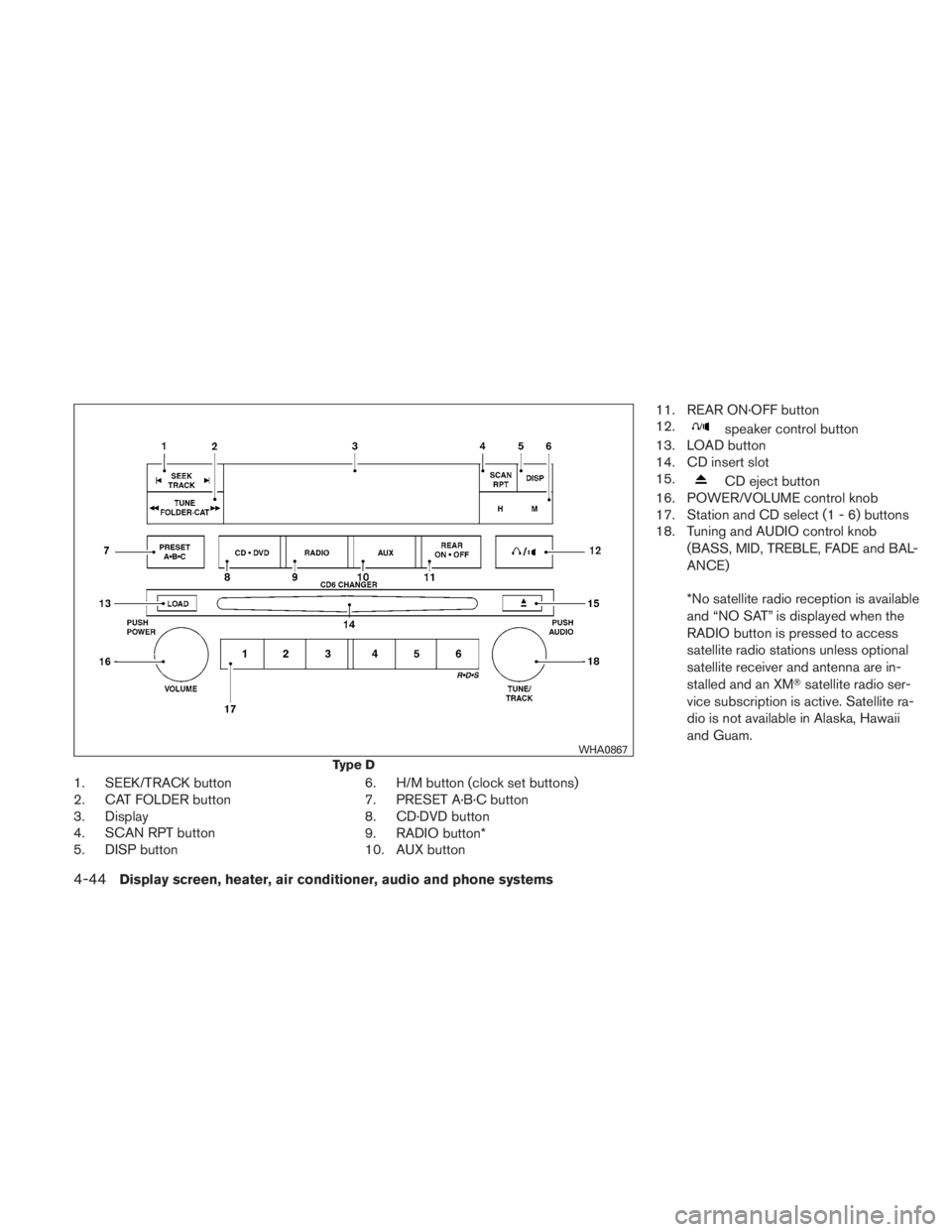
1. SEEK/TRACK button
2. CAT FOLDER button
3. Display
4. SCAN RPT button
5. DISP button6. H/M button (clock set buttons)
7. PRESET A·B·C button
8. CD·DVD button
9. RADIO button*
10. AUX button11. REAR ON·OFF button
12.
Page 211 of 407
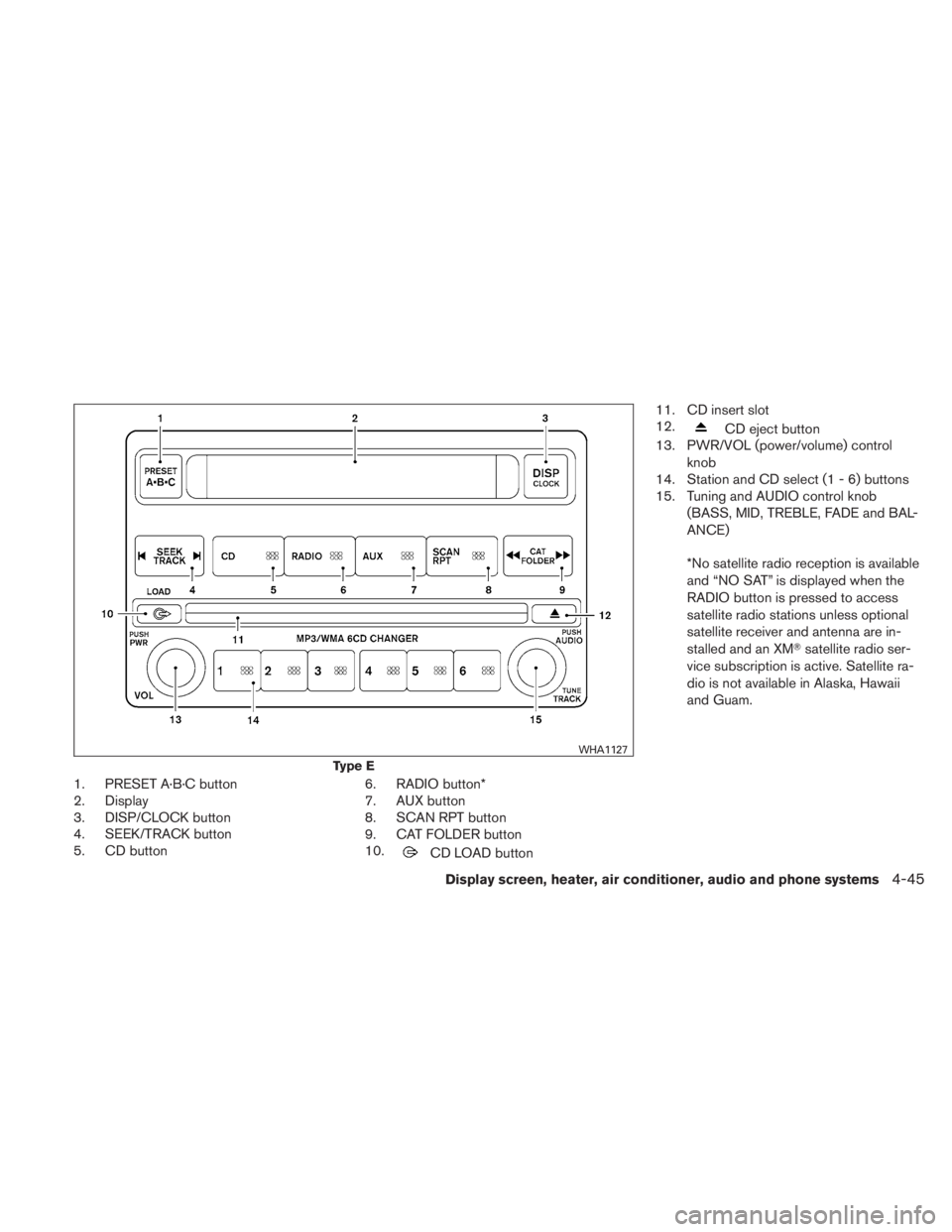
1. PRESET A·B·C button
2. Display
3. DISP/CLOCK button
4. SEEK/TRACK button
5. CD button6. RADIO button*
7. AUX button
8. SCAN RPT button
9. CAT FOLDER button
10.
Page 220 of 407
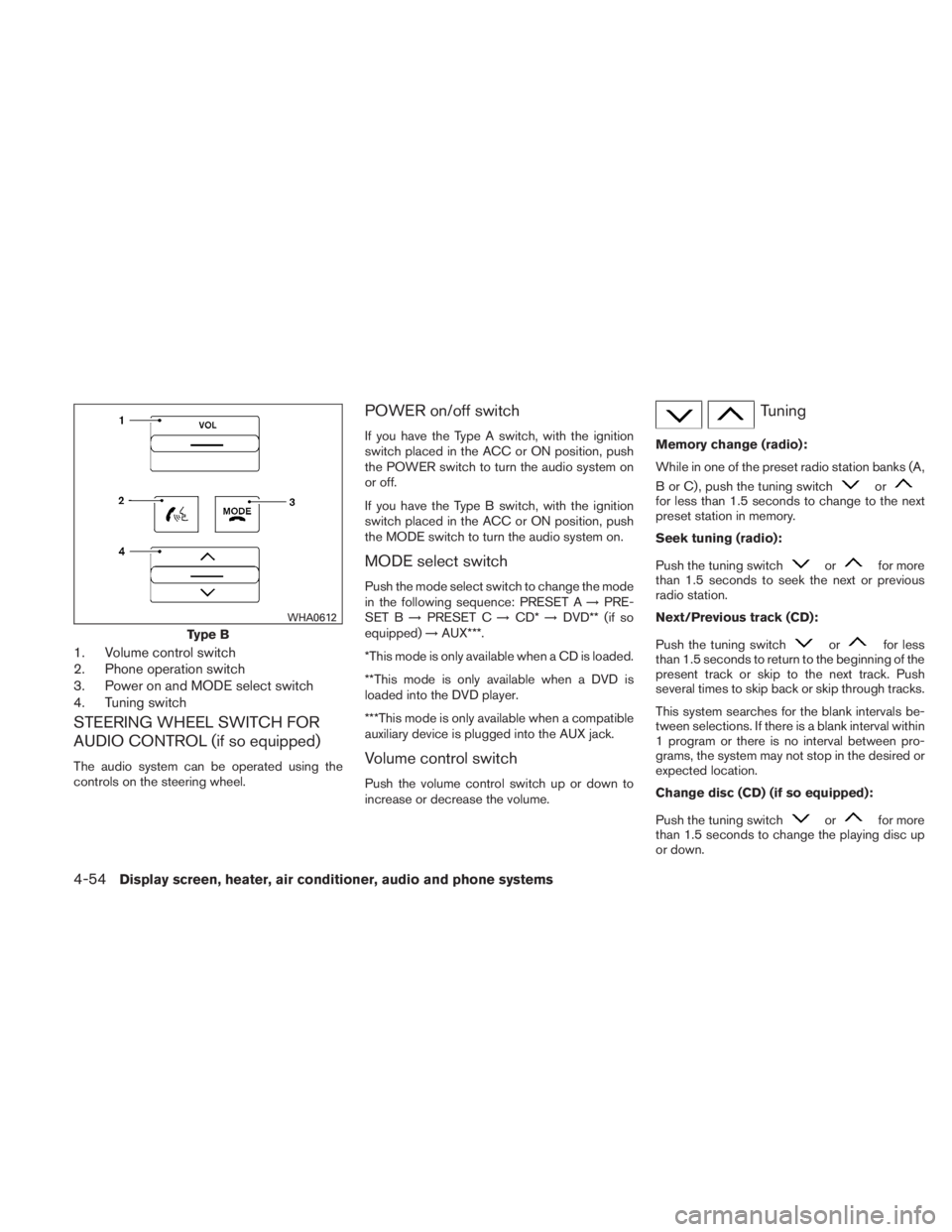
1. Volume control switch
2. Phone operation switch
3. Power on and MODE select switch
4. Tuning switch
STEERING WHEEL SWITCH FOR
AUDIO CONTROL (if so equipped)
The audio system can be operated using the
controls on the steering wheel.
POWER on/off switch
If you have the Type A switch, with the ignition
switch placed in the ACC or ON position, push
the POWER switch to turn the audio system on
or off.
If you have the Type B switch, with the ignition
switch placed in the ACC or ON position, push
the MODE switch to turn the audio system on.
MODE select switch
Push the mode select switch to change the mode
in the following sequence: PRESET A→PRE-
SET B →PRESET C →CD* →DVD** (if so
equipped) →AUX***.
*This mode is only available when a CD is loaded.
**This mode is only available when a DVD is
loaded into the DVD player.
***This mode is only available when a compatible
auxiliary device is plugged into the AUX jack.
Volume control switch
Push the volume control switch up or down to
increase or decrease the volume.
Page 230 of 407
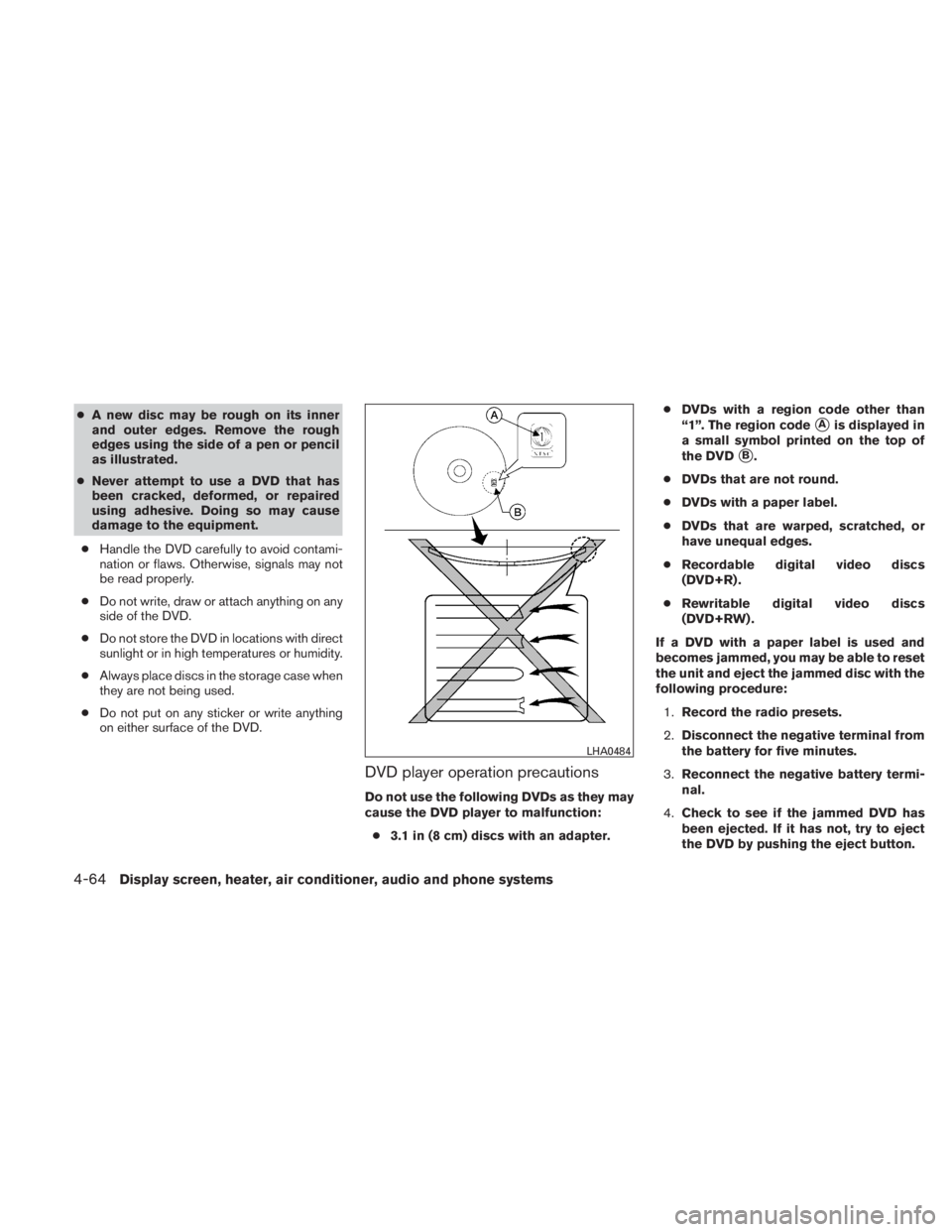
●A new disc may be rough on its inner
and outer edges. Remove the rough
edges using the side of a pen or pencil
as illustrated.
● Never attempt to use a DVD that has
been cracked, deformed, or repaired
using adhesive. Doing so may cause
damage to the equipment.
● Handle the DVD carefully to avoid contami-
nation or flaws. Otherwise, signals may not
be read properly.
● Do not write, draw or attach anything on any
side of the DVD.
● Do not store the DVD in locations with direct
sunlight or in high temperatures or humidity.
● Always place discs in the storage case when
they are not being used.
● Do not put on any sticker or write anything
on either surface of the DVD.
DVD player operation precautions
Do not use the following DVDs as they may
cause the DVD player to malfunction:
● 3.1 in (8 cm) discs with an adapter. ●
DVDs with a region code other than
“1”. The region code
�Ais displayed in
a small symbol printed on the top of
the DVD
�B.
● DVDs that are not round.
● DVDs with a paper label.
● DVDs that are warped, scratched, or
have unequal edges.
● Recordable digital video discs
(DVD+R) .
● Rewritable digital video discs
(DVD+RW) .
If a DVD with a paper label is used and
becomes jammed, you may be able to reset
the unit and eject the jammed disc with the
following procedure: 1. Record the radio presets.
2. Disconnect the negative terminal from
the battery for five minutes.
3. Reconnect the negative battery termi-
nal.
4. Check to see if the jammed DVD has
been ejected. If it has not, try to eject
the DVD by pushing the eject button.
Page 231 of 407
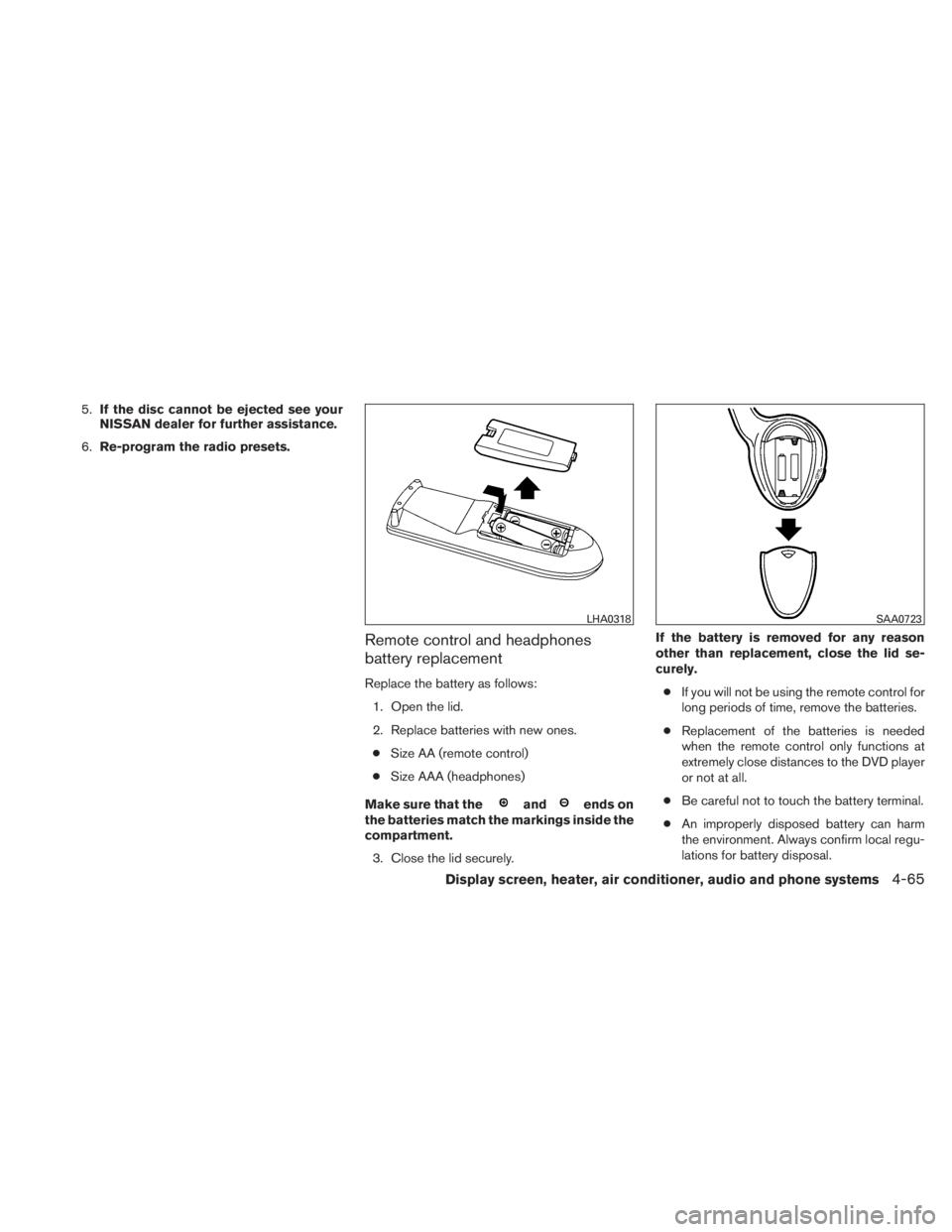
5.If the disc cannot be ejected see your
NISSAN dealer for further assistance.
6. Re-program the radio presets.
Remote control and headphones
battery replacement
Replace the battery as follows:
1. Open the lid.
2. Replace batteries with new ones.● Size AA (remote control)
● Size AAA (headphones)
Make sure that the
Page 241 of 407
NOTE:
If a call is ended or the cellular phone
network connection is lost while the Mute
feature is on, the Mute feature will be reset
to “off” for the next call so the other party
can hear your voice.
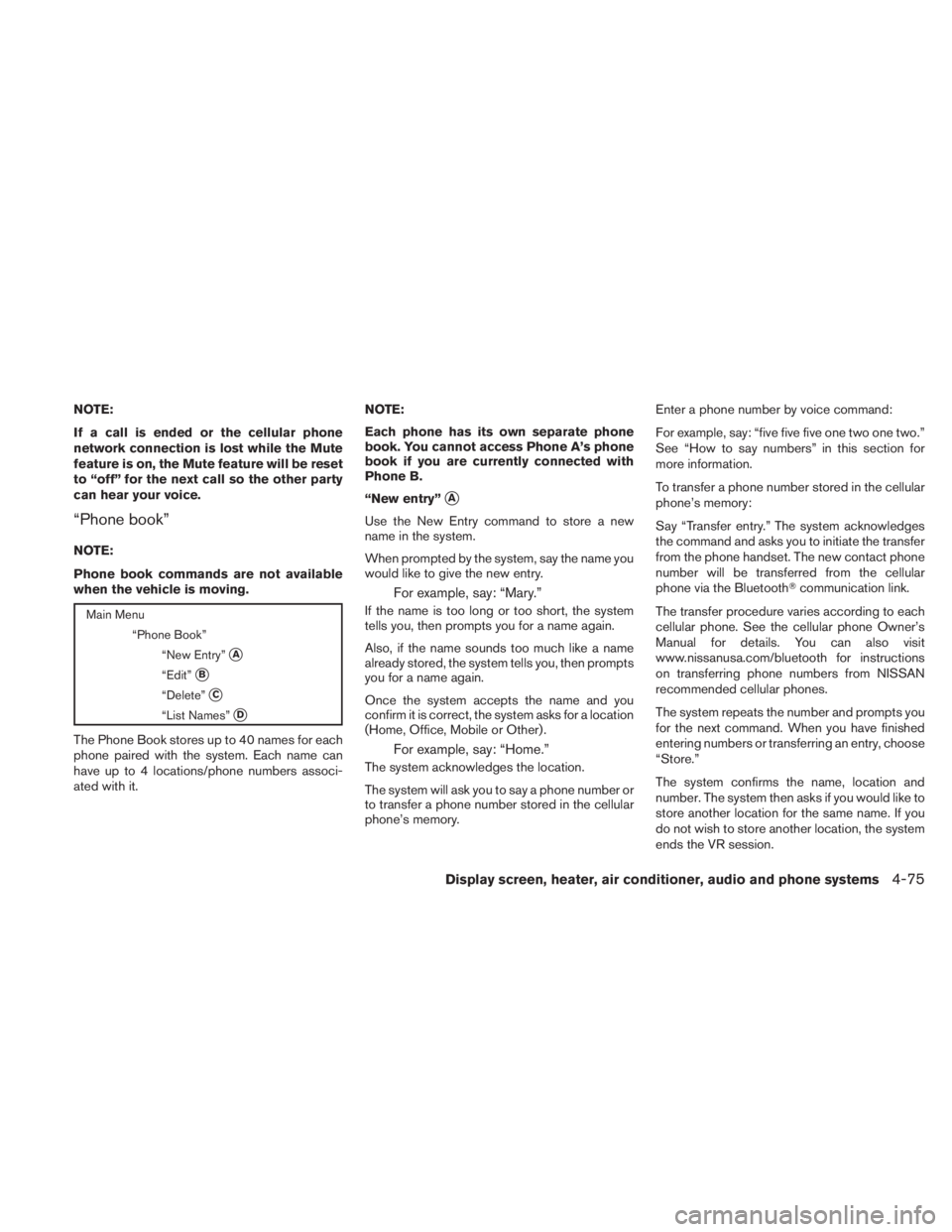
“Phone book”
NOTE:
Phone book commands are not available
when the vehicle is moving.
Page 253 of 407
WARNING
●If the low tire pressure warning light
illuminates while driving, avoid sudden
steering maneuvers or abrupt braking,
reduce vehicle speed, pull off the road
to a safe location and stop the vehicle
as soon as possible. Driving with under-
inflated tires may permanently damage
the tires and increase the likelihood of
tire failure. Serious vehicle damage
could occur and may lead to an acci-
dent and could result in serious per-
sonal injury. Check the tire pressure for
all four tires. Adjust the tire pressure to
the recommended COLD tire pressure
shown on the Tire and Loading Informa-
tion label to turn the low tire pressure
warning light OFF. If you have a flat tire,
replace it with a spare tire as soon as
possible. (See “Flat tire” in the “In case
of emergency” section for changing a
flat tire.) ●
When a spare tire is mounted or a wheel
is replaced, tire pressure will not be
indicated, the TPMS will not function
and the low tire pressure warning light
will flash for approximately 1 minute.
The light will remain on after 1 minute.
Contact your NISSAN dealer as soon as
possible for tire replacement and/or
system resetting.
● Replacing tires with those not originally
specified by NISSAN could affect the
proper operation of the TPMS.
● Do not inject any tire liquid or aerosol
tire sealant into the tires, as this may
cause a malfunction of the tire pressure
sensors.