display NISSAN TITAN 2016 2.G Owners Manual
[x] Cancel search | Manufacturer: NISSAN, Model Year: 2016, Model line: TITAN, Model: NISSAN TITAN 2016 2.GPages: 636, PDF Size: 7.17 MB
Page 288 of 636
Interface
The interface for iPod® operation shown on the
vehicle’s audio system display screen is similar to
the iPod® interface. Use the
touch-screen,
BACK button or the scroll-
ing knob to navigate the menus on the screen.
When the iPod® is playing, touch the “Menu” key
to bring up the iPod® interface.
Depending on the iPod® model, the following
items may be available on the menu list screen.
For additional information, refer to the iPod®
Owner’s Manual regarding each menu item.
● Playlists ●
Artists
● Albums
● Genres
● Songs
● Composers
● Audiobooks
● Podcasts
● Update Music Library (if so equipped)
Shuffle and repeat play mode
While the iPod® is playing, the play pattern can
be altered so that songs are repeated or played
randomly.
Shuffle
Touch the “Shuffle” key to apply a random play
pattern to the iPod®. When the Shuffle mode is
active, the text is illuminated. Touching the
“Shuffle” key once more will display the “Shuffle
songs” key. To cancel Shuffle mode, touch the
“Shuffle” key again until the text is no longer
illuminated. Repeat
Touch the “Repeat” key to apply a repeat play
pattern to the iPod®. When the repeat mode is
active, the text is illuminated. Touching the “Re-
peat” key once more will display the “Repeat
song” key. To cancel Repeat mode, touch the
“Repeat” key again until the text is no longer
illuminated.
Seek buttons
Press the
orseek button to skip
backward or forward one track.
Press and hold the
orseek button
for 1.5 seconds while a track is playing to reverse
or fast forward the track being played. The track
plays at an increased speed while reversing or
fast forwarding. When the button is released, the
track returns to normal play speed.LHA2907
Monitor, climate, audio, phone and voice recognition systems4-77
Page 289 of 636
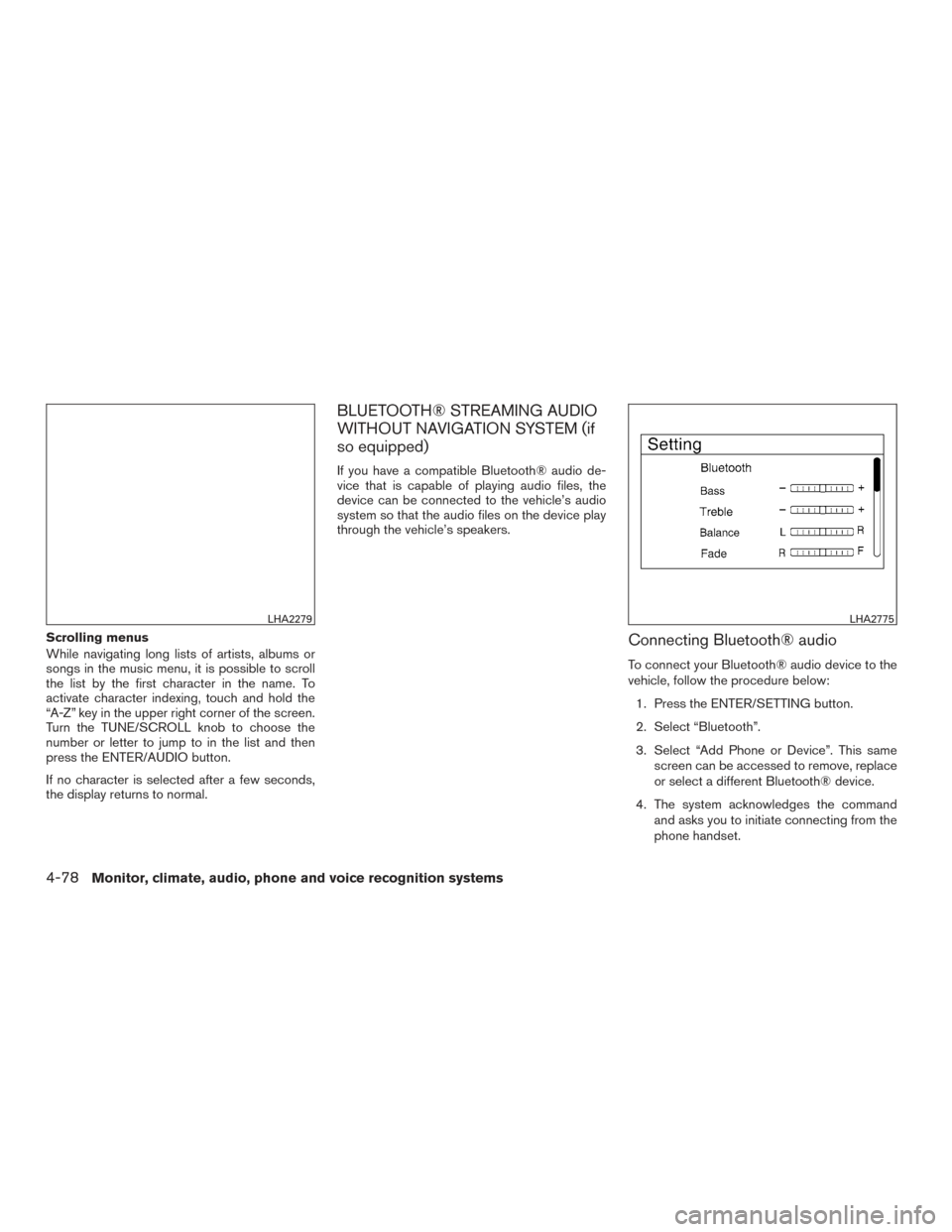
Scrolling menus
While navigating long lists of artists, albums or
songs in the music menu, it is possible to scroll
the list by the first character in the name. To
activate character indexing, touch and hold the
“A-Z” key in the upper right corner of the screen.
Turn the TUNE/SCROLL knob to choose the
number or letter to jump to in the list and then
press the ENTER/AUDIO button.
If no character is selected after a few seconds,
the display returns to normal.
BLUETOOTH® STREAMING AUDIO
WITHOUT NAVIGATION SYSTEM (if
so equipped)
If you have a compatible Bluetooth® audio de-
vice that is capable of playing audio files, the
device can be connected to the vehicle’s audio
system so that the audio files on the device play
through the vehicle’s speakers.
Connecting Bluetooth® audio
To connect your Bluetooth® audio device to the
vehicle, follow the procedure below:1. Press the ENTER/SETTING button.
2. Select “Bluetooth”.
3. Select “Add Phone or Device”. This same screen can be accessed to remove, replace
or select a different Bluetooth® device.
4. The system acknowledges the command and asks you to initiate connecting from the
phone handset.
LHA2279LHA2775
4-78Monitor, climate, audio, phone and voice recognition systems
Page 290 of 636
5. The system will display a PIN on the screenand request confirmation that it matches the
one on the handset.
6. Using the menu control switch on the steer- ing wheel, select “Yes” and then press
the
button. If the PIN does not match,
the wrong device may have been selected
on the handset.
NOTE:
The connecting procedure of the cellular
phone varies according to each cellular
phone model. For additional information, re-
fer to the cellular phone Owner’s Manual. You
can also visit www.nissanusa.com/bluetooth
or www.nissan.ca/bluetooth for instructions
on connecting NISSAN recommended cellu-
lar phones.
Audio main operation
To switch to the Bluetooth® audio mode, press
the MEDIA button repeatedly until the
Bluetooth® audio mode is displayed on the
screen.
The controls for the Bluetooth® audio are dis-
played on the screen. Use the Preset 3 button for
play and the Preset 4 button for pause.
BLUETOOTH® STREAMING AUDIO
WITH NAVIGATION SYSTEM (if so
equipped)
If you have a compatible Bluetooth® audio de-
vice that is capable of playing audio files, the
device can be connected to the vehicle’s audio
system so that the audio files on the device play
through the vehicle’s speakers.
Connecting Bluetooth® audio
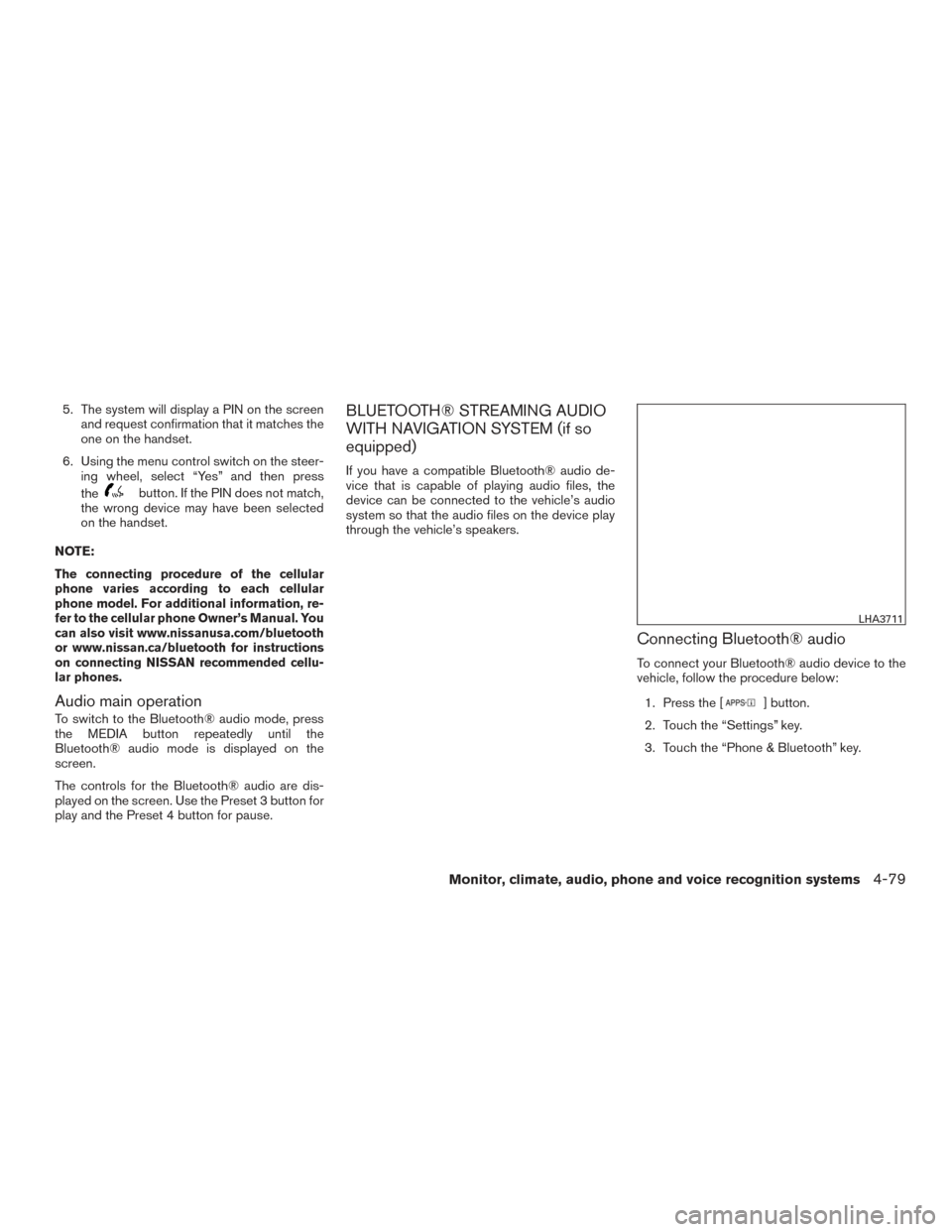
To connect your Bluetooth® audio device to the
vehicle, follow the procedure below: 1. Press the [
] button.
2. Touch the “Settings” key.
3. Touch the “Phone & Bluetooth” key.
LHA3711
Monitor, climate, audio, phone and voice recognition systems4-79
Page 291 of 636
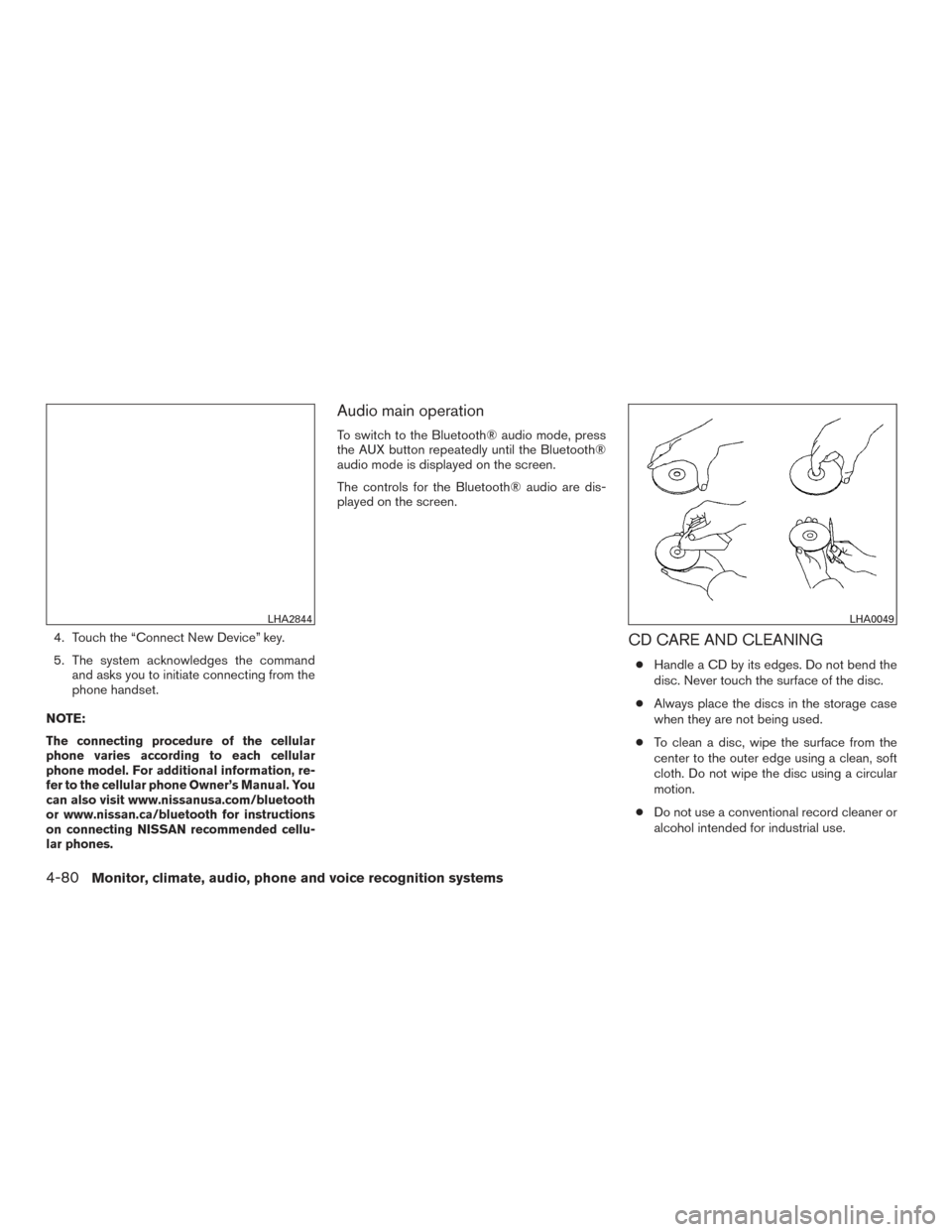
4. Touch the “Connect New Device” key.
5. The system acknowledges the commandand asks you to initiate connecting from the
phone handset.
NOTE:
The connecting procedure of the cellular
phone varies according to each cellular
phone model. For additional information, re-
fer to the cellular phone Owner’s Manual. You
can also visit www.nissanusa.com/bluetooth
or www.nissan.ca/bluetooth for instructions
on connecting NISSAN recommended cellu-
lar phones.
Audio main operation
To switch to the Bluetooth® audio mode, press
the AUX button repeatedly until the Bluetooth®
audio mode is displayed on the screen.
The controls for the Bluetooth® audio are dis-
played on the screen.
CD CARE AND CLEANING
● Handle a CD by its edges. Do not bend the
disc. Never touch the surface of the disc.
● Always place the discs in the storage case
when they are not being used.
● To clean a disc, wipe the surface from the
center to the outer edge using a clean, soft
cloth. Do not wipe the disc using a circular
motion.
● Do not use a conventional record cleaner or
alcohol intended for industrial use.
LHA2844LHA0049
4-80Monitor, climate, audio, phone and voice recognition systems
Page 292 of 636
●A new disc may be rough on the inner and
outer edges. Remove the rough edges by
rubbing the inner and outer edges with the
side of a pen or pencil as illustrated.
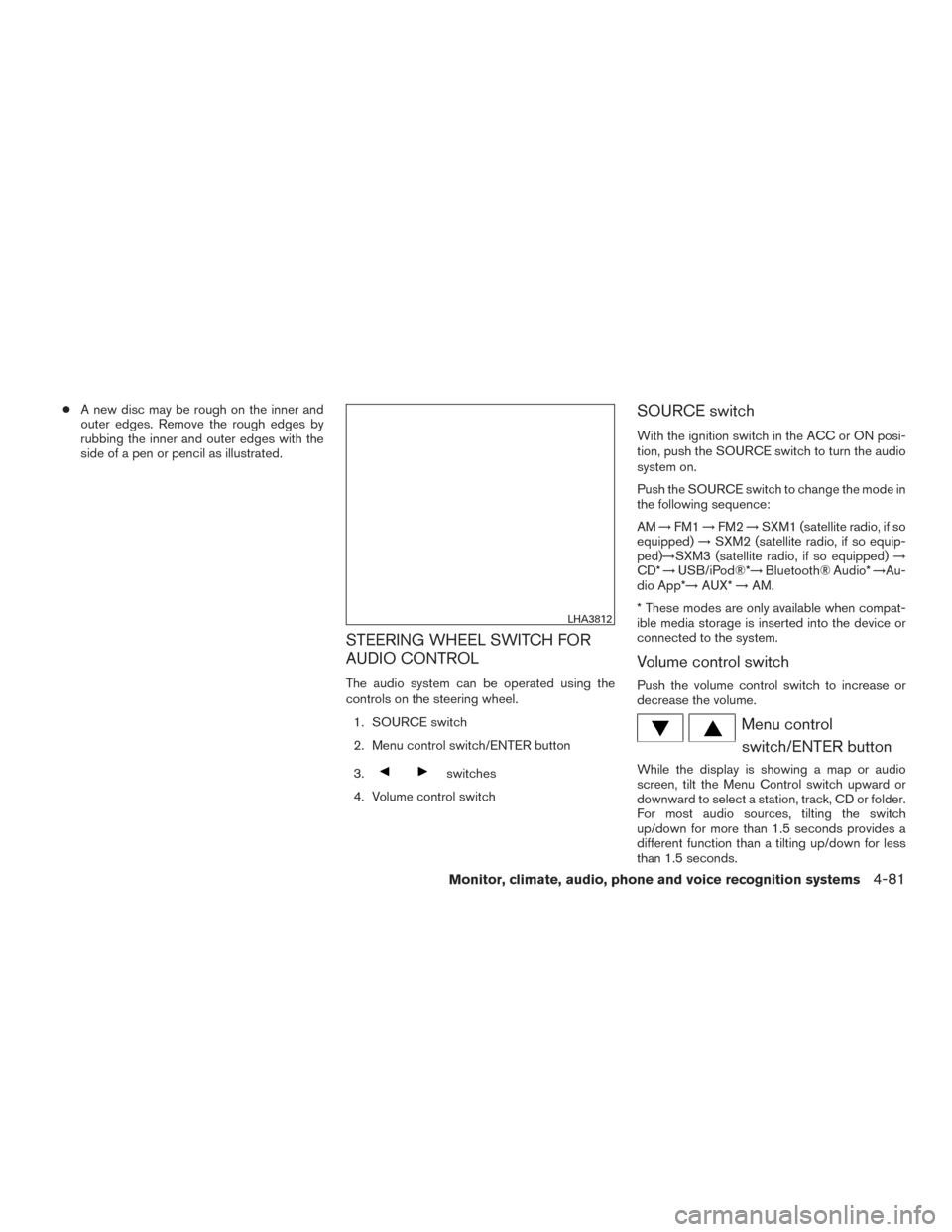
STEERING WHEEL SWITCH FOR
AUDIO CONTROL
The audio system can be operated using the
controls on the steering wheel.
1. SOURCE switch
2. Menu control switch/ENTER button
3.
switches
4. Volume control switch
SOURCE switch
With the ignition switch in the ACC or ON posi-
tion, push the SOURCE switch to turn the audio
system on.
Push the SOURCE switch to change the mode in
the following sequence:
AM →FM1 →FM2 →SXM1 (satellite radio, if so
equipped) →SXM2 (satellite radio, if so equip-
ped)→SXM3 (satellite radio, if so equipped) →
CD* →USB/iPod®*→ Bluetooth® Audio* →Au-
dio App*→ AUX*→AM.
* These modes are only available when compat-
ible media storage is inserted into the device or
connected to the system.
Volume control switch
Push the volume control switch to increase or
decrease the volume.
Menu control switch/ENTER button
While the display is showing a map or audio
screen, tilt the Menu Control switch upward or
downward to select a station, track, CD or folder.
For most audio sources, tilting the switch
up/down for more than 1.5 seconds provides a
different function than a tilting up/down for less
than 1.5 seconds.
LHA3812
Monitor, climate, audio, phone and voice recognition systems4-81
Page 294 of 636
This vehicle is equipped with Smartphone Inte-
gration technology. This allows many compatible
Smartphone applications to be displayed and
easily controlled through the vehicle’s touch-
screen.
NOTE:
A compatible smartphone and registration
is required to use mobile applications or to
access connected features of certain ve-
hicle applications.
REGISTERING WITH
NISSANCONNECTSMMOBILE APPS
To use the Smartphone Integration feature, it is
necessary for the user to register. In order to
register, visit the NissanConnect
SMwebsite,
www.nissanusa.com/connect/ or www.cana-
da.nissanconnect.com (For Canada) and sign up
or create an account through the prompts on the
NissanConnect Mobile App. Once registered,
download the NissanConnect App from your
compatible phone’s application download
source and then log into the application. If you
already have an account created through the
App, please log in.
CONNECT PHONE
To use this feature, a compatible smartphone
must be connected via Bluetooth® or USB to the
vehicle. For additional information on connecting
your phone, refer to Bluetooth® Hands-Free
Phone System without Navigation System” or
“Bluetooth® Hands-Free Phone System with
Navigation System” in this section.
NOTE:
For vehicles with navigation, Apple iP-
hones® REQUIRE the phone to be plugged
in via USB for NissanConnect Mobile Apps
to function.
For vehicles without Navigation, Apple iP-
hones® must be paired via Bluetooth® for
NissanConnect Mobile Apps to function.
NOTE:
For Android phones, NissanConnect Mo-
bile Apps REQUIRES the phone to be
paired via Bluetooth®.
APPLICATION DOWNLOAD
Once connected, the NissanConnect App will
search your phone to determine which compat-
ible applications are currently installed. The user
will then choose which apps they want to bring
into their vehicle from the list of apps within the
“Manage My Apps” section of the NissanCon-
nect App on their smartphone. The vehicle will
then download the in-vehicle interface for each of
these compatible applications. Once down-
loaded, the user can access their selected smart-
phone applications through the vehicle interface.
For additional information on application avail-
ability visit www.nissanusa.com/connect/ or ww-
w.canada.nissanconnect.com
NISSANCONNECTSMMOBILE APPS
(if so equipped)
Monitor, climate, audio, phone and voice recognition systems4-83
Page 296 of 636
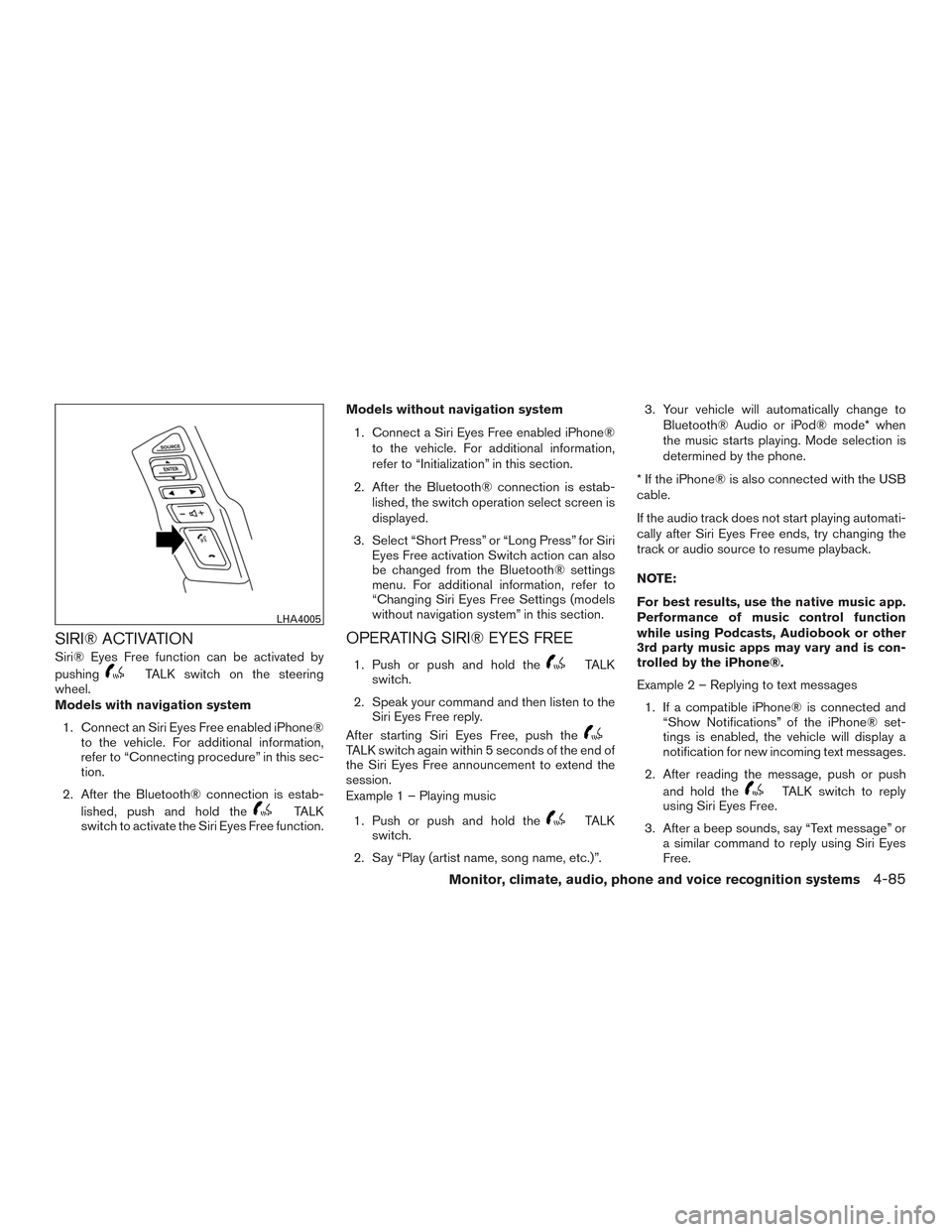
SIRI® ACTIVATION
Siri® Eyes Free function can be activated by
pushing
TALK switch on the steering
wheel.
Models with navigation system
1. Connect an Siri Eyes Free enabled iPhone® to the vehicle. For additional information,
refer to “Connecting procedure” in this sec-
tion.
2. After the Bluetooth® connection is estab- lished, push and hold the
TALK
switch to activate the Siri Eyes Free function. Models without navigation system
1. Connect a Siri Eyes Free enabled iPhone® to the vehicle. For additional information,
refer to “Initialization” in this section.
2. After the Bluetooth® connection is estab- lished, the switch operation select screen is
displayed.
3. Select “Short Press” or “Long Press” for Siri Eyes Free activation Switch action can also
be changed from the Bluetooth® settings
menu. For additional information, refer to
“Changing Siri Eyes Free Settings (models
without navigation system” in this section.
OPERATING SIRI® EYES FREE
1. Push or push and hold theTALK
switch.
2. Speak your command and then listen to the Siri Eyes Free reply.
After starting Siri Eyes Free, push the
TALK switch again within 5 seconds of the end of
the Siri Eyes Free announcement to extend the
session.
Example 1 – Playing music
1. Push or push and hold the
TALK
switch.
2. Say “Play (artist name, song name, etc.)”. 3. Your vehicle will automatically change to
Bluetooth® Audio or iPod® mode* when
the music starts playing. Mode selection is
determined by the phone.
* If the iPhone® is also connected with the USB
cable.
If the audio track does not start playing automati-
cally after Siri Eyes Free ends, try changing the
track or audio source to resume playback.
NOTE:
For best results, use the native music app.
Performance of music control function
while using Podcasts, Audiobook or other
3rd party music apps may vary and is con-
trolled by the iPhone®.
Example 2 – Replying to text messages 1. If a compatible iPhone® is connected and “Show Notifications” of the iPhone® set-
tings is enabled, the vehicle will display a
notification for new incoming text messages.
2. After reading the message, push or push and hold the
TALK switch to reply
using Siri Eyes Free.
3. After a beep sounds, say “Text message” or a similar command to reply using Siri Eyes
Free.
LHA4005
Monitor, climate, audio, phone and voice recognition systems4-85
Page 302 of 636
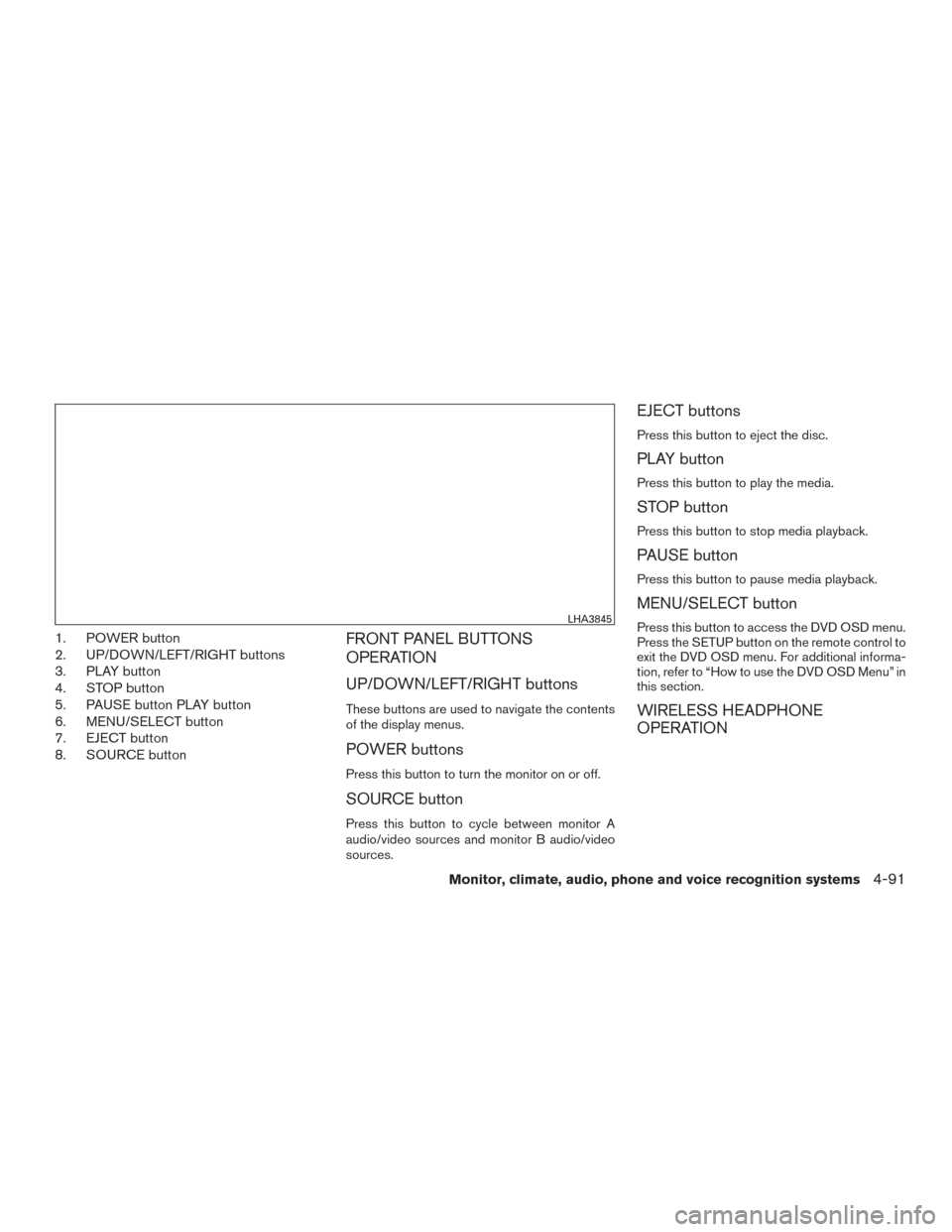
1. POWER button
2. UP/DOWN/LEFT/RIGHT buttons
3. PLAY button
4. STOP button
5. PAUSE button PLAY button
6. MENU/SELECT button
7. EJECT button
8. SOURCE buttonFRONT PANEL BUTTONS
OPERATION
UP/DOWN/LEFT/RIGHT buttons
These buttons are used to navigate the contents
of the display menus.
POWER buttons
Press this button to turn the monitor on or off.
SOURCE button
Press this button to cycle between monitor A
audio/video sources and monitor B audio/video
sources.
EJECT buttons
Press this button to eject the disc.
PLAY button
Press this button to play the media.
STOP button
Press this button to stop media playback.
PAUSE button
Press this button to pause media playback.
MENU/SELECT button
Press this button to access the DVD OSD menu.
Press the SETUP button on the remote control to
exit the DVD OSD menu. For additional informa-
tion, refer to “How to use the DVD OSD Menu” in
this section.
WIRELESS HEADPHONE
OPERATION
LHA3845
Monitor, climate, audio, phone and voice recognition systems4-91
Page 305 of 636
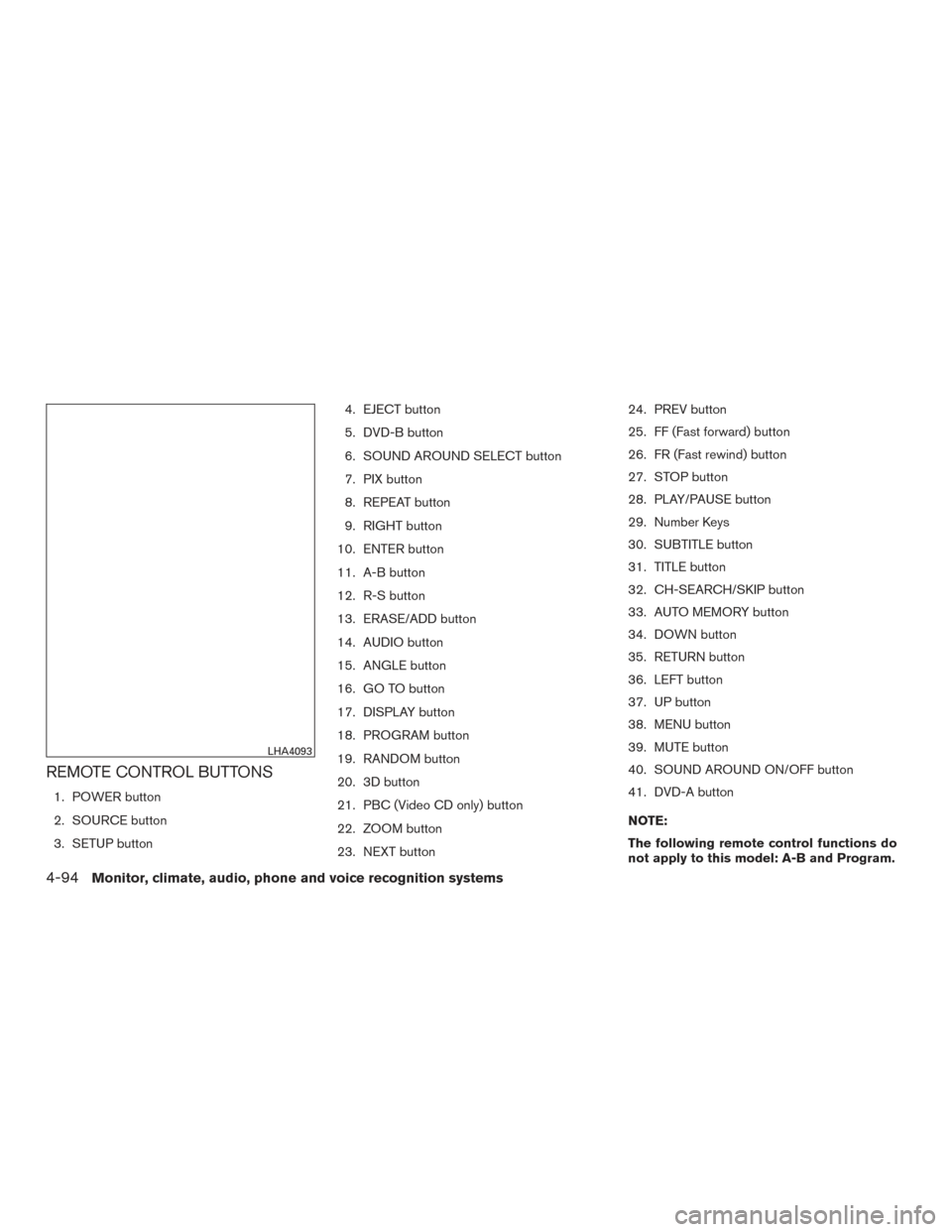
REMOTE CONTROL BUTTONS
1. POWER button
2. SOURCE button
3. SETUP button4. EJECT button
5. DVD-B button
6. SOUND AROUND SELECT button
7. PIX button
8. REPEAT button
9. RIGHT button
10. ENTER button
11. A-B button
12. R-S button
13. ERASE/ADD button
14. AUDIO button
15. ANGLE button
16. GO TO button
17. DISPLAY button
18. PROGRAM button
19. RANDOM button
20. 3D button
21. PBC (Video CD only) button
22. ZOOM button
23. NEXT button 24. PREV button
25. FF (Fast forward) button
26. FR (Fast rewind) button
27. STOP button
28. PLAY/PAUSE button
29. Number Keys
30. SUBTITLE button
31. TITLE button
32. CH-SEARCH/SKIP button
33. AUTO MEMORY button
34. DOWN button
35. RETURN button
36. LEFT button
37. UP button
38. MENU button
39. MUTE button
40. SOUND AROUND ON/OFF button
41. DVD-A button
NOTE:
The following remote control functions do
not apply to this model: A-B and Program.
LHA4093
4-94Monitor, climate, audio, phone and voice recognition systems
Page 306 of 636
POWER button
Press this button to turn the monitor on. Press
this button again to turn the monitor off.
Source button
Press this button to cycle between monitor A
audio/video sources and monitor B audio/video
sources.
Setup button
Press this button to navigate the DVD OSD
menu. For additional information, refer to “How to
use the DVD OSD menu” in this section.
Eject button
Press this button to eject the disc.
DVD–B button
Press this button to transmit the remote control
codes and functions to operate monitor B.
SOUND AROUND SELECT button
Selects a FM transmitter channel.
PIX button
Press this button to access the picture adjust-
ment menu and select between BRIGHTNESS,
CONTRAST, SATURATION, HUE, SHARP-NESS, IR HEADPHONE, LANGUAGE, and RE-
SET. Press the
orbuttons to
adjust the screen.
REPEAT button
Press this button to select between different
repeat modes.
ENTER button
Press this button to make a selection or begin
playback of the media.
RIGHT button
Press this button to navigate right when display-
ing a menu or file list.
A-B button
Press the A-B button once to set point A and
then press again to set point B. Playback will now
repeat between point A and point B.
R-S button
Non-functioning.
ERASE / ADD button
Non-functioning.
AUDIO button
Press this button to select and listen to different
audio streams (this function only applies to DVD
titles that support multiple audio streams) .
ANGLE button
Press this button to select different viewing
angles (this function only applies to DVD titles
that support multiple angles) .
GO TO button
Non-functioning.
DISPLAY button
Press this button to display various information
including title, chapter/track, elapsed time, time
remaining, or turn off the display.
PROGRAM button
Edit a playback program containing desired titles
in the DVD or tracks in the CD-DA.
RANDOM button
Press this button to play content in a random
order.
Monitor, climate, audio, phone and voice recognition systems4-95