display NISSAN TITAN 2017 2.G Owner's Manual
[x] Cancel search | Manufacturer: NISSAN, Model Year: 2017, Model line: TITAN, Model: NISSAN TITAN 2017 2.GPages: 671, PDF Size: 7.96 MB
Page 137 of 671
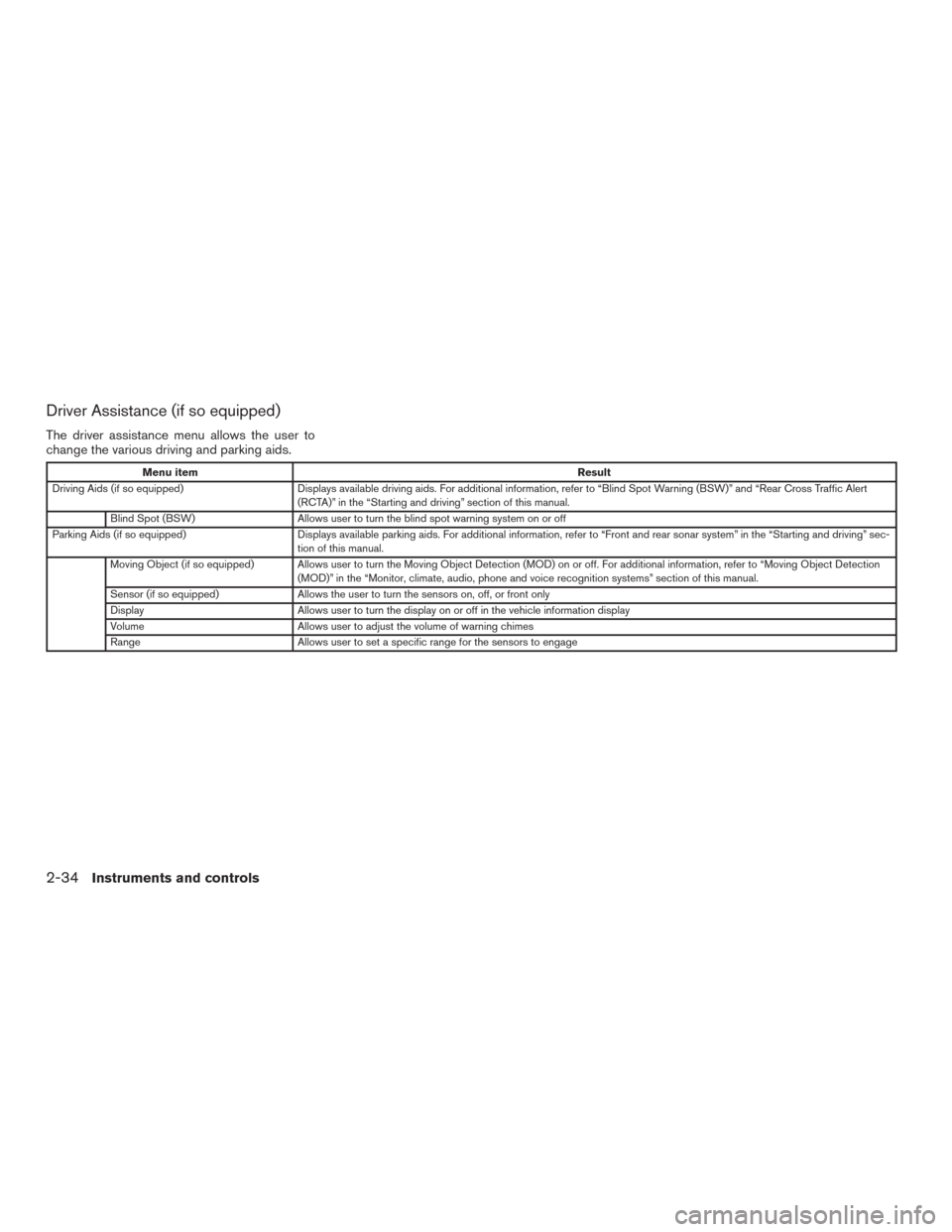
Driver Assistance (if so equipped)
The driver assistance menu allows the user to
change the various driving and parking aids.
Menu itemResult
Driving Aids (if so equipped) Displays available driving aids. For additional information, refer to “Blind Spot Warning (BSW)” and “Rear Cross Traff ic Alert
(RCTA)” in the “Starting and driving” section of this manual.
Blind Spot (BSW) Allows user to turn the blind spot warning system on or off
Parking Aids (if so equipped) Displays available parking aids. For additional information, refer to “Front and rear sonar system” in the “Starting and driving” sec-
tion of this manual.
Moving Object (if so equipped) Allows user to turn the Moving Object Detection (MOD) on or off. For additional information, refer to “Moving Object Detection (MOD)” in the “Monitor, climate, audio, phone and voice recognition systems” section of this manual.
Sensor (if so equipped) Allows the user to turn the sensors on, off, or front only
Display Allows user to turn the display on or off in the vehicle information display
Volume Allows user to adjust the volume of warning chimes
Range Allows user to set a specific range for the sensors to engage
2-34Instruments and controls
Page 138 of 671
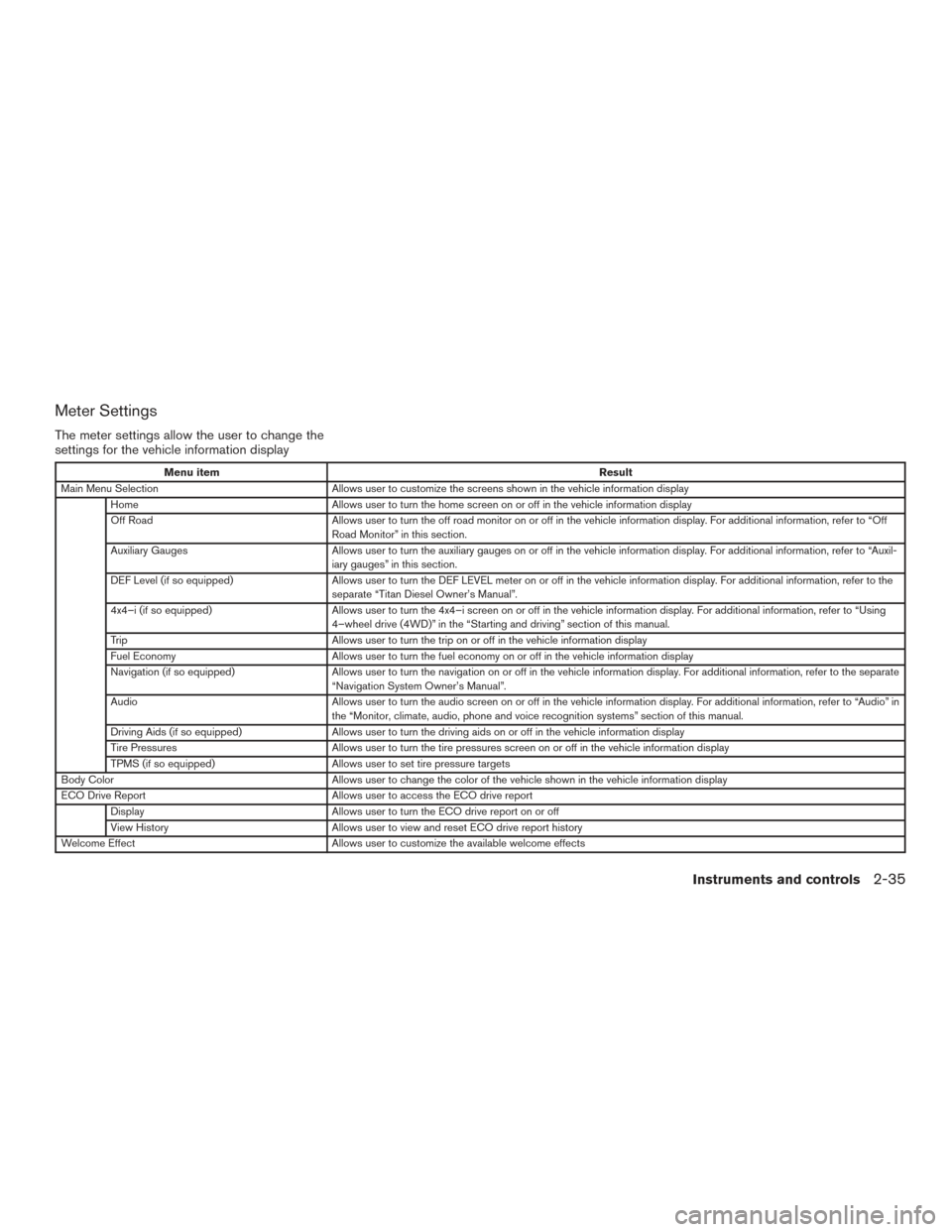
Meter Settings
The meter settings allow the user to change the
settings for the vehicle information display
Menu itemResult
Main Menu Selection Allows user to customize the screens shown in the vehicle information display
Home Allows user to turn the home screen on or off in the vehicle information display
Off Road Allows user to turn the off road monitor on or off in the vehicle information display. For additional information, refer to “Off
Road Monitor” in this section.
Auxiliary Gauges Allows user to turn the auxiliary gauges on or off in the vehicle information display. For additional information, refer to “Auxil-
iary gauges” in this section.
DEF Level (if so equipped) Allows user to turn the DEF LEVEL meter on or off in the vehicle information display. For additional information, refer to the
separate “Titan Diesel Owner’s Manual”.
4x4–i (if so equipped) Allows user to turn the 4x4–i screen on or off in the vehicle information display. For additional information, refer to “Using
4–wheel drive (4WD)” in the “Starting and driving” section of this manual.
Trip Allows user to turn the trip on or off in the vehicle information display
Fuel Economy Allows user to turn the fuel economy on or off in the vehicle information display
Navigation (if so equipped) Allows user to turn the navigation on or off in the vehicle information display. For additional information, refer to the separate
“Navigation System Owner’s Manual”.
Audio Allows user to turn the audio screen on or off in the vehicle information display. For additional information, refer to “Audio” in
the “Monitor, climate, audio, phone and voice recognition systems” section of this manual.
Driving Aids (if so equipped) Allows user to turn the driving aids on or off in the vehicle information display
Tire Pressures Allows user to turn the tire pressures screen on or off in the vehicle information display
TPMS (if so equipped) Allows user to set tire pressure targets
Body Color Allows user to change the color of the vehicle shown in the vehicle information display
ECO Drive Report Allows user to access the ECO drive report
Display Allows user to turn the ECO drive report on or off
View History Allows user to view and reset ECO drive report history
Welcome Effect Allows user to customize the available welcome effects
Instruments and controls2-35
Page 139 of 671
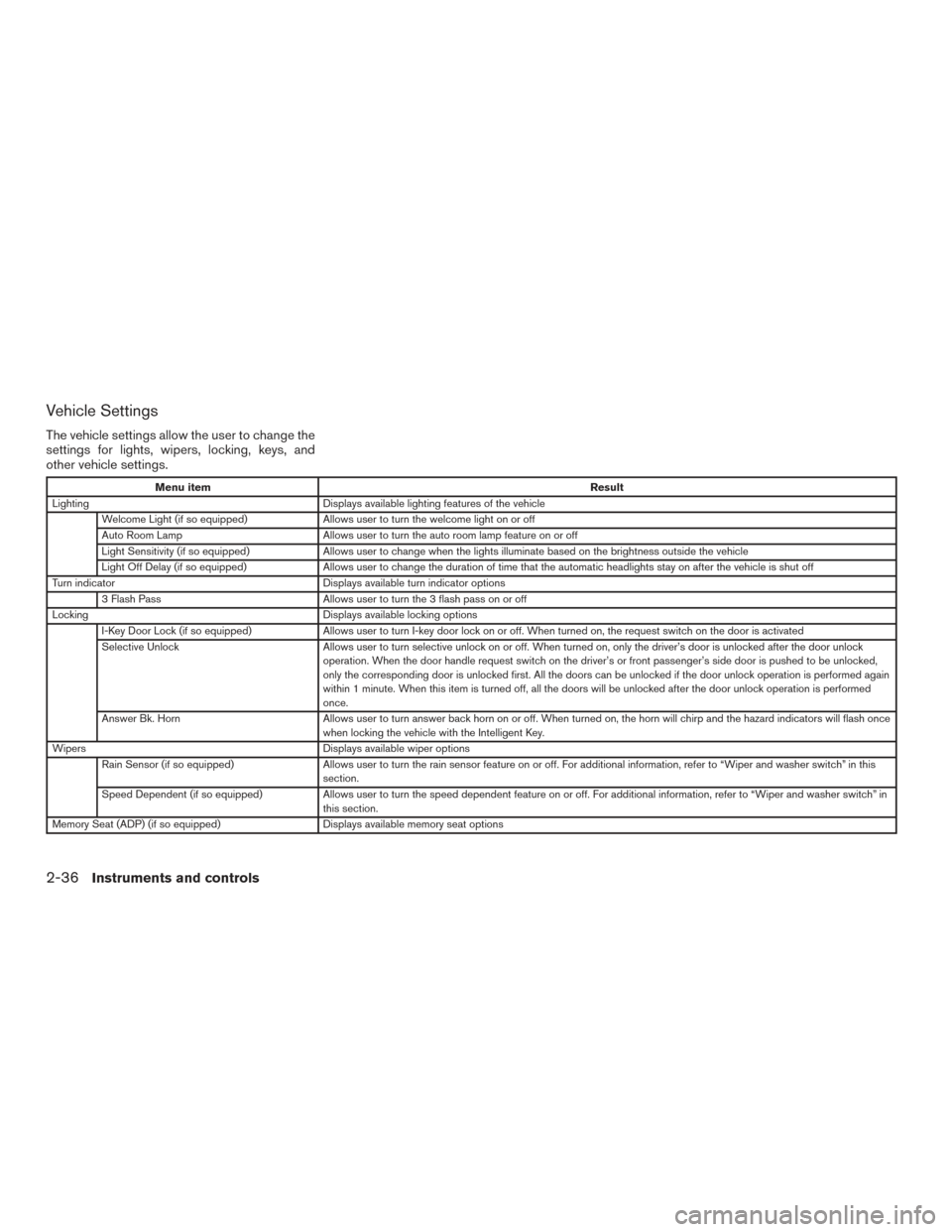
Vehicle Settings
The vehicle settings allow the user to change the
settings for lights, wipers, locking, keys, and
other vehicle settings.
Menu itemResult
Lighting Displays available lighting features of the vehicle
Welcome Light (if so equipped) Allows user to turn the welcome light on or off
Auto Room Lamp Allows user to turn the auto room lamp feature on or off
Light Sensitivity (if so equipped) Allows user to change when the lights illuminate based on the brightness outside the vehicle
Light Off Delay (if so equipped) Allows user to change the duration of time that the automatic headlights stay on after the vehicle is shut off
Turn indicator Displays available turn indicator options
3 Flash Pass Allows user to turn the 3 flash pass on or off
Locking Displays available locking options
I-Key Door Lock (if so equipped) Allows user to turn I-key door lock on or off. When turned on, the request switch on the door is activated
Selective Unlock Allows user to turn selective unlock on or off. When turned on, only the driver’s door is unlocked after the door unlock
operation. When the door handle request switch on the driver’s or front passenger’s side door is pushed to be unlocked,
only the corresponding door is unlocked first. All the doors can be unlocked if the door unlock operation is performed again
within 1 minute. When this item is turned off, all the doors will be unlocked after the door unlock operation is performed
once.
Answer Bk. Horn Allows user to turn answer back horn on or off. When turned on, the horn will chirp and the hazard indicators will flash once
when locking the vehicle with the Intelligent Key.
Wipers Displays available wiper options
Rain Sensor (if so equipped) Allows user to turn the rain sensor feature on or off. For additional information, refer to “Wiper and washer switch” in thi s
section.
Speed Dependent (if so equipped) Allows user to turn the speed dependent feature on or off. For additional information, refer to “Wiper and washer switch” in
this section.
Memory Seat (ADP) (if so equipped) Displays available memory seat options
2-36Instruments and controls
Page 140 of 671
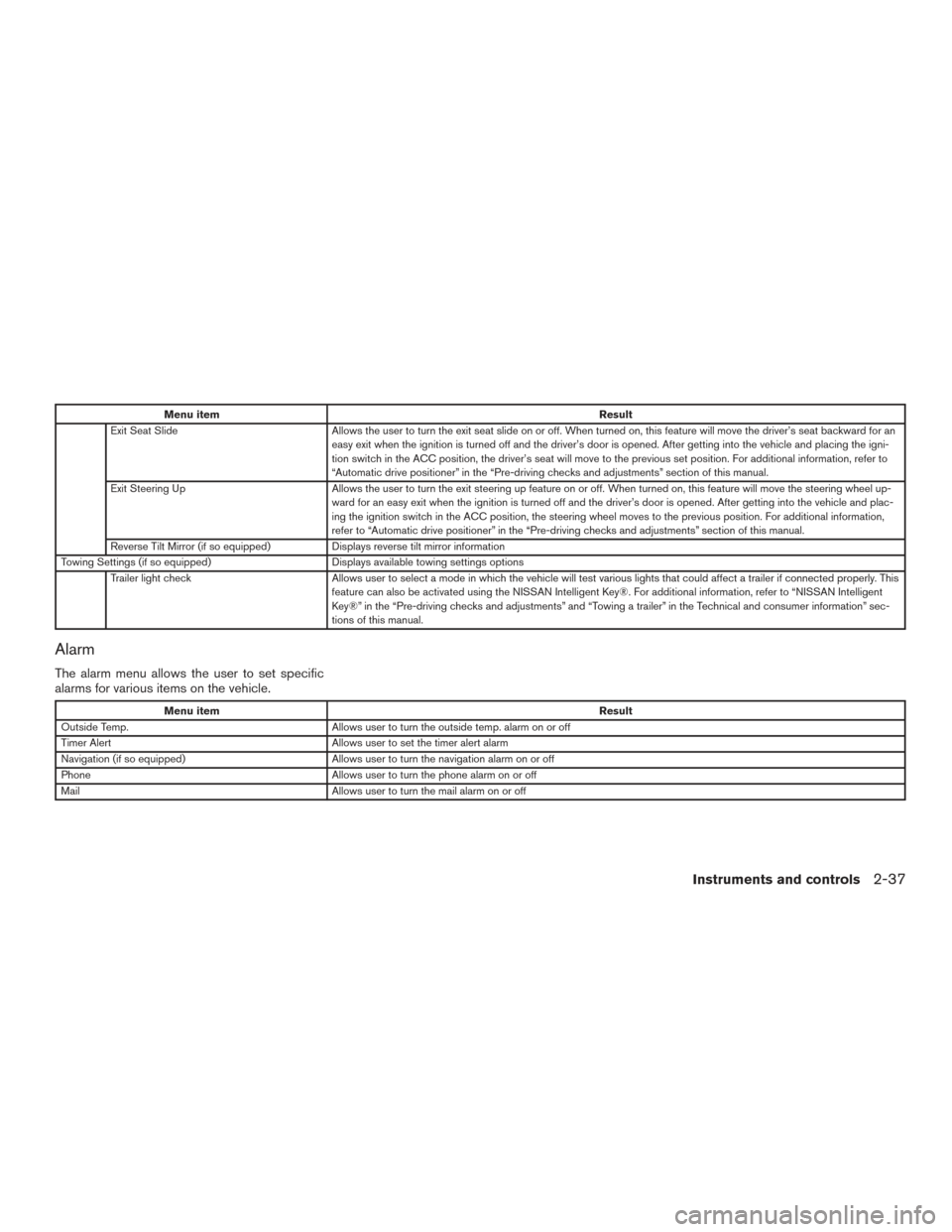
Menu itemResult
Exit Seat Slide Allows the user to turn the exit seat slide on or off. When turned on, this feature will move the driver’s seat backward for an
easy exit when the ignition is turned off and the driver’s door is opened. After getting into the vehicle and placing the igni-
tion switch in the ACC position, the driver’s seat will move to the previous set position. For additional information, refer to
“Automatic drive positioner” in the “Pre-driving checks and adjustments” section of this manual.
Exit Steering Up Allows the user to turn the exit steering up feature on or off. When turned on, this feature will move the steering wheel up-
ward for an easy exit when the ignition is turned off and the driver’s door is opened. After getting into the vehicle and plac-
ing the ignition switch in the ACC position, the steering wheel moves to the previous position. For additional information,
refer to “Automatic drive positioner” in the “Pre-driving checks and adjustments” section of this manual.
Reverse Tilt Mirror (if so equipped) Displays reverse tilt mirror information
Towing Settings (if so equipped) Displays available towing settings options
Trailer light check Allows user to select a mode in which the vehicle will test various lights that could affect a trailer if connected properly. This
feature can also be activated using the NISSAN Intelligent Key®. For additional information, refer to “NISSAN Intelligent
Key®” in the “Pre-driving checks and adjustments” and “Towing a trailer” in the Technical and consumer information” sec-
tions of this manual.
Alarm
The alarm menu allows the user to set specific
alarms for various items on the vehicle.
Menu item Result
Outside Temp. Allows user to turn the outside temp. alarm on or off
Timer Alert Allows user to set the timer alert alarm
Navigation (if so equipped) Allows user to turn the navigation alarm on or off
Phone Allows user to turn the phone alarm on or off
Mail Allows user to turn the mail alarm on or off
Instruments and controls2-37
Page 142 of 671
Unit
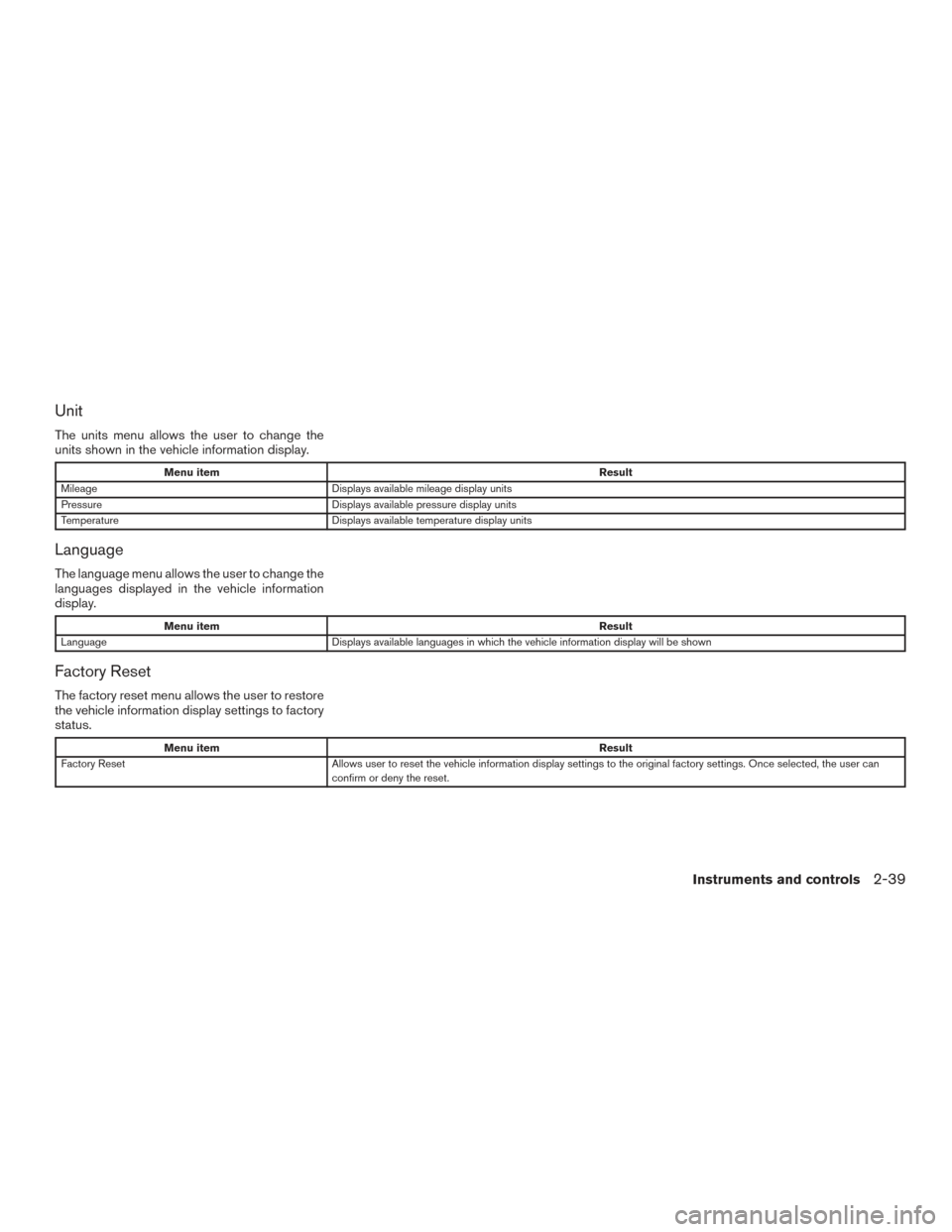
The units menu allows the user to change the
units shown in the vehicle information display.
Menu itemResult
Mileage Displays available mileage display units
Pressure Displays available pressure display units
Temperature Displays available temperature display units
Language
The language menu allows the user to change the
languages displayed in the vehicle information
display.
Menu item Result
Language Displays available languages in which the vehicle information display will be shown
Factory Reset
The factory reset menu allows the user to restore
the vehicle information display settings to factory
status.
Menu item Result
Factory Reset Allows user to reset the vehicle information display settings to the original factory settings. Once selected, the user can
confirm or deny the reset.
Instruments and controls2-39
Page 144 of 671
VEHICLE INFORMATION DISPLAY
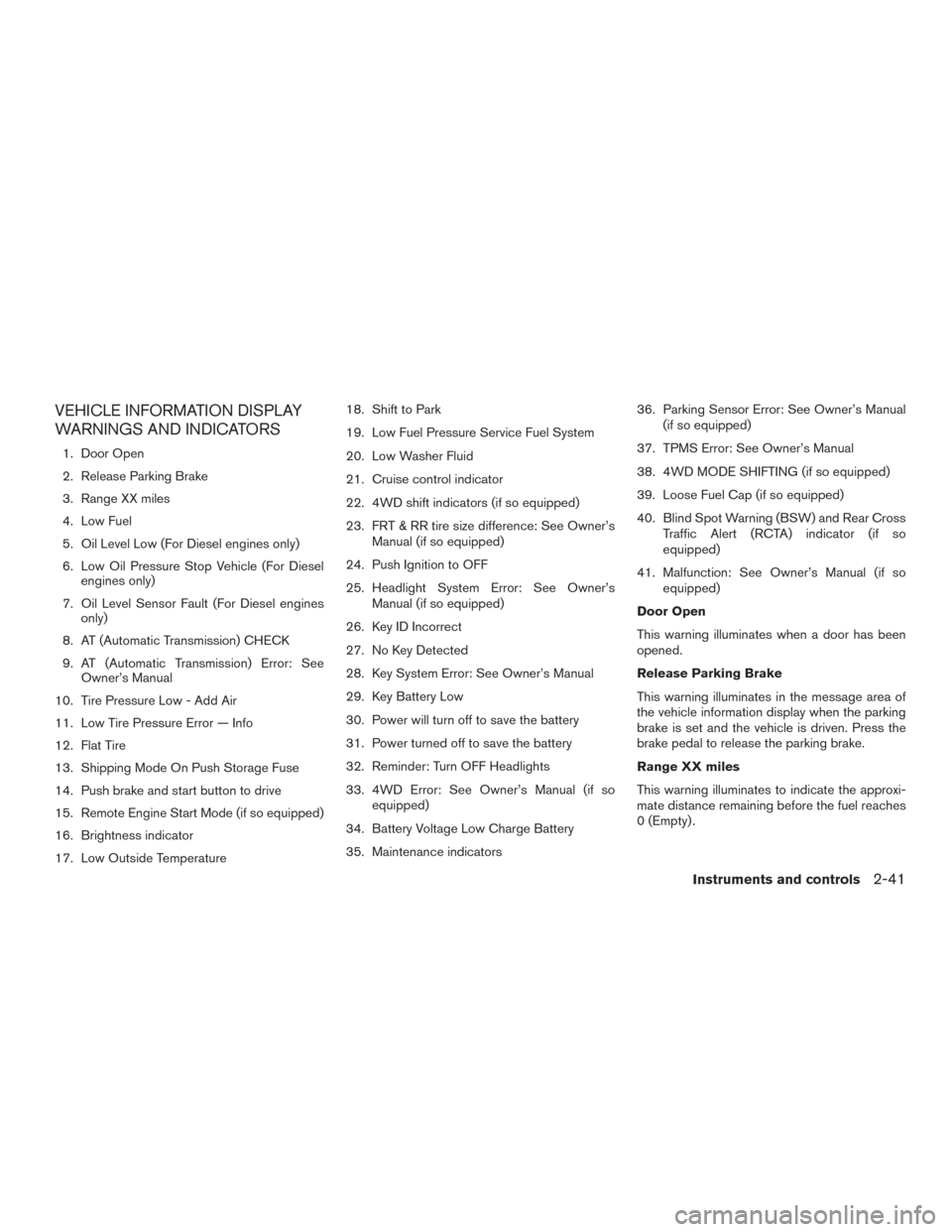
WARNINGS AND INDICATORS
1. Door Open
2. Release Parking Brake
3. Range XX miles
4. Low Fuel
5. Oil Level Low (For Diesel engines only)
6. Low Oil Pressure Stop Vehicle (For Dieselengines only)
7. Oil Level Sensor Fault (For Diesel engines only)
8. AT (Automatic Transmission) CHECK
9. AT (Automatic Transmission) Error: See Owner’s Manual
10. Tire Pressure Low - Add Air
11. Low Tire Pressure Error — Info
12. Flat Tire
13. Shipping Mode On Push Storage Fuse
14. Push brake and start button to drive
15. Remote Engine Start Mode (if so equipped)
16. Brightness indicator
17. Low Outside Temperature 18. Shift to Park
19. Low Fuel Pressure Service Fuel System
20. Low Washer Fluid
21. Cruise control indicator
22. 4WD shift indicators (if so equipped)
23. FRT & RR tire size difference: See Owner’s
Manual (if so equipped)
24. Push Ignition to OFF
25. Headlight System Error: See Owner’s Manual (if so equipped)
26. Key ID Incorrect
27. No Key Detected
28. Key System Error: See Owner’s Manual
29. Key Battery Low
30. Power will turn off to save the battery
31. Power turned off to save the battery
32. Reminder: Turn OFF Headlights
33. 4WD Error: See Owner’s Manual (if so equipped)
34. Battery Voltage Low Charge Battery
35. Maintenance indicators 36. Parking Sensor Error: See Owner’s Manual
(if so equipped)
37. TPMS Error: See Owner’s Manual
38. 4WD MODE SHIFTING (if so equipped)
39. Loose Fuel Cap (if so equipped)
40. Blind Spot Warning (BSW) and Rear Cross Traffic Alert (RCTA) indicator (if so
equipped)
41. Malfunction: See Owner’s Manual (if so equipped)
Door Open
This warning illuminates when a door has been
opened.
Release Parking Brake
This warning illuminates in the message area of
the vehicle information display when the parking
brake is set and the vehicle is driven. Press the
brake pedal to release the parking brake.
Range XX miles
This warning illuminates to indicate the approxi-
mate distance remaining before the fuel reaches
0 (Empty) .
Instruments and controls2-41
Page 145 of 671
Low Fuel
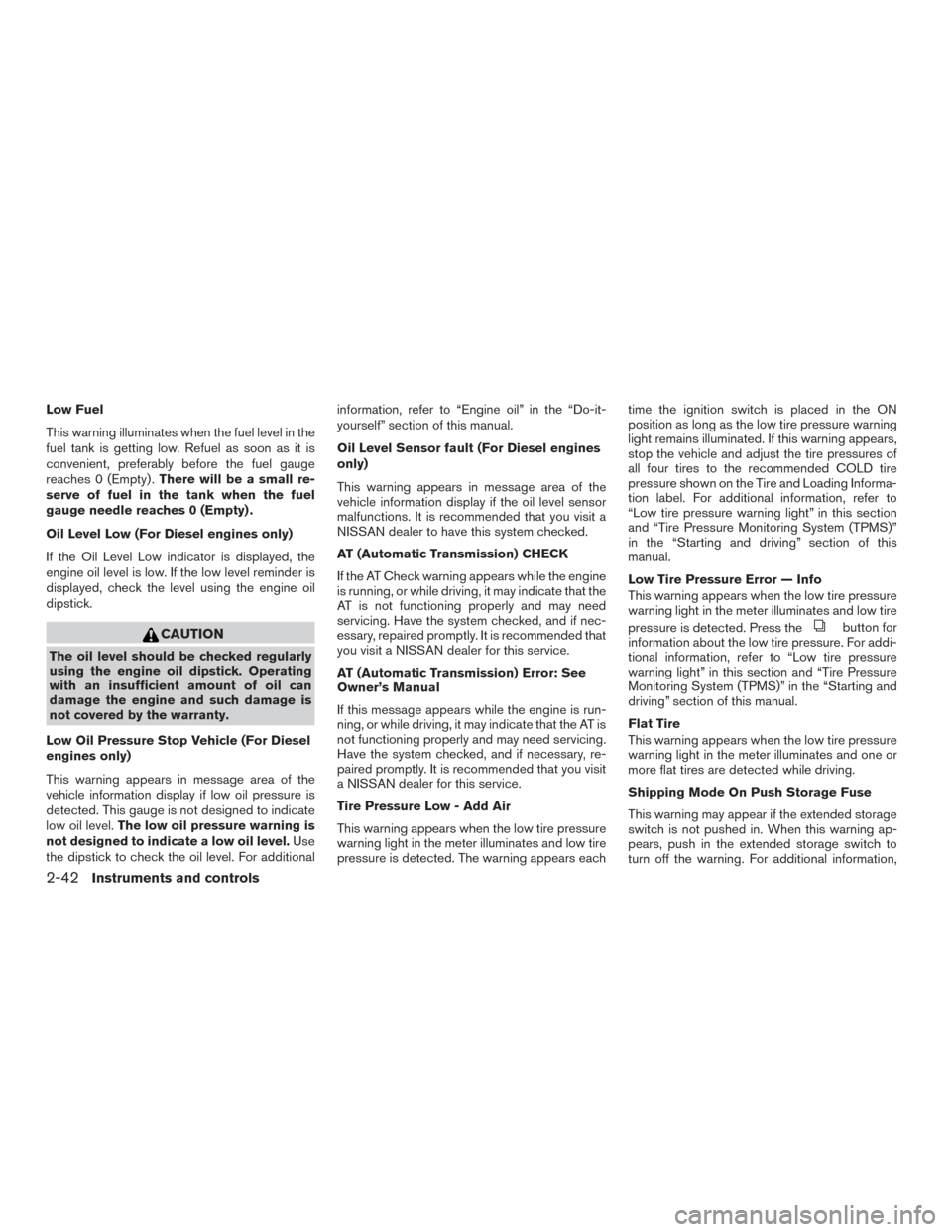
This warning illuminates when the fuel level in the
fuel tank is getting low. Refuel as soon as it is
convenient, preferably before the fuel gauge
reaches 0 (Empty) .There will be a small re-
serve of fuel in the tank when the fuel
gauge needle reaches 0 (Empty) .
Oil Level Low (For Diesel engines only)
If the Oil Level Low indicator is displayed, the
engine oil level is low. If the low level reminder is
displayed, check the level using the engine oil
dipstick.
CAUTION
The oil level should be checked regularly
using the engine oil dipstick. Operating
with an insufficient amount of oil can
damage the engine and such damage is
not covered by the warranty.
Low Oil Pressure Stop Vehicle (For Diesel
engines only)
This warning appears in message area of the
vehicle information display if low oil pressure is
detected. This gauge is not designed to indicate
low oil level. The low oil pressure warning is
not designed to indicate a low oil level. Use
the dipstick to check the oil level. For additional information, refer to “Engine oil” in the “Do-it-
yourself” section of this manual.
Oil Level Sensor fault (For Diesel engines
only)
This warning appears in message area of the
vehicle information display if the oil level sensor
malfunctions. It is recommended that you visit a
NISSAN dealer to have this system checked.
AT (Automatic Transmission) CHECK
If the AT Check warning appears while the engine
is running, or while driving, it may indicate that the
AT is not functioning properly and may need
servicing. Have the system checked, and if nec-
essary, repaired promptly. It is recommended that
you visit a NISSAN dealer for this service.
AT (Automatic Transmission) Error: See
Owner’s Manual
If this message appears while the engine is run-
ning, or while driving, it may indicate that the AT is
not functioning properly and may need servicing.
Have the system checked, and if necessary, re-
paired promptly. It is recommended that you visit
a NISSAN dealer for this service.
Tire Pressure Low - Add Air
This warning appears when the low tire pressure
warning light in the meter illuminates and low tire
pressure is detected. The warning appears eachtime the ignition switch is placed in the ON
position as long as the low tire pressure warning
light remains illuminated. If this warning appears,
stop the vehicle and adjust the tire pressures of
all four tires to the recommended COLD tire
pressure shown on the Tire and Loading Informa-
tion label. For additional information, refer to
“Low tire pressure warning light” in this section
and “Tire Pressure Monitoring System (TPMS)”
in the “Starting and driving” section of this
manual.
Low Tire Pressure Error — Info
This warning appears when the low tire pressure
warning light in the meter illuminates and low tire
pressure is detected. Press the
button for
information about the low tire pressure. For addi-
tional information, refer to “Low tire pressure
warning light” in this section and “Tire Pressure
Monitoring System (TPMS)” in the “Starting and
driving” section of this manual.
Flat Tire
This warning appears when the low tire pressure
warning light in the meter illuminates and one or
more flat tires are detected while driving.
Shipping Mode On Push Storage Fuse
This warning may appear if the extended storage
switch is not pushed in. When this warning ap-
pears, push in the extended storage switch to
turn off the warning. For additional information,
2-42Instruments and controls
Page 146 of 671
refer to “Extended storage switch” in the “Instru-
ments and controls” section of this manual.
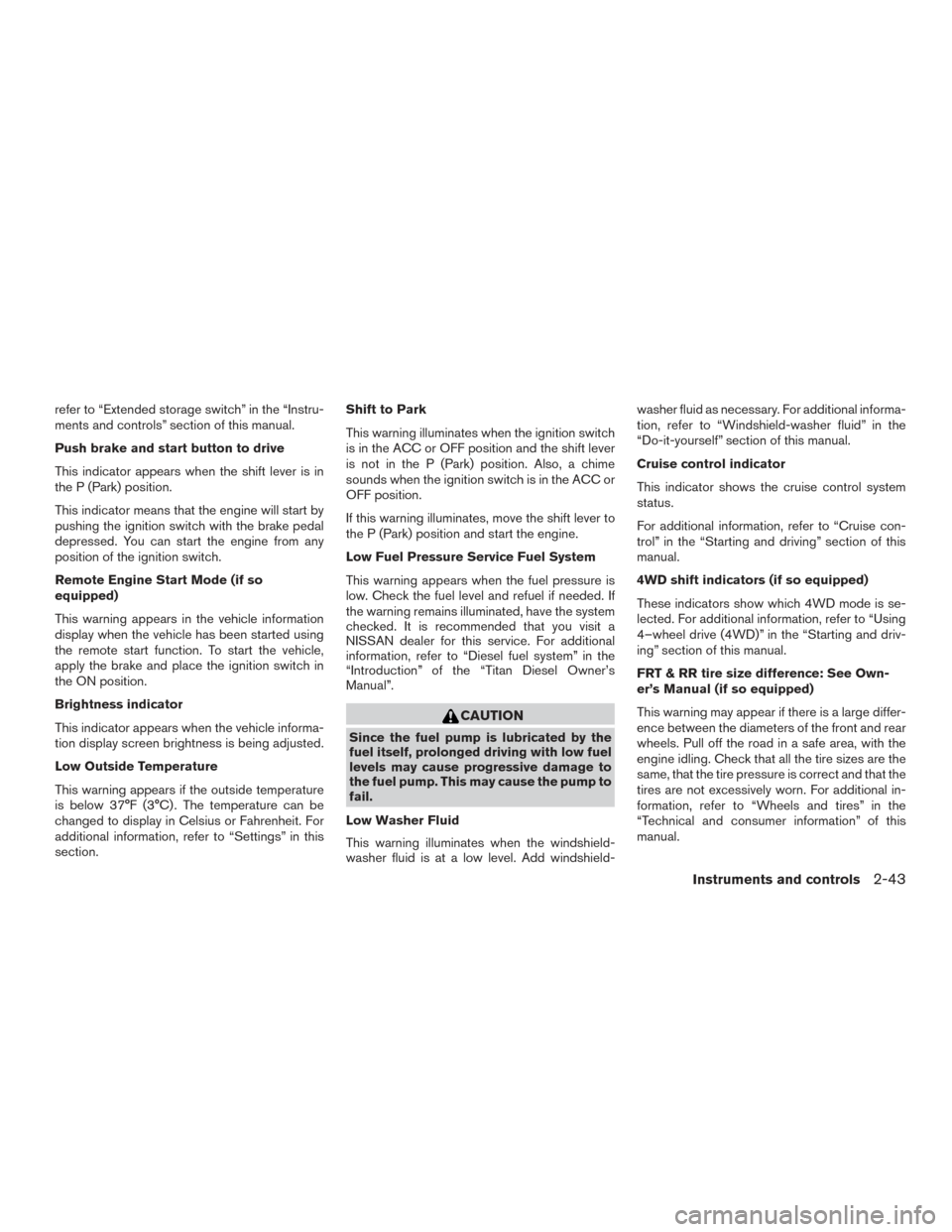
Push brake and start button to drive
This indicator appears when the shift lever is in
the P (Park) position.
This indicator means that the engine will start by
pushing the ignition switch with the brake pedal
depressed. You can start the engine from any
position of the ignition switch.
Remote Engine Start Mode (if so
equipped)
This warning appears in the vehicle information
display when the vehicle has been started using
the remote start function. To start the vehicle,
apply the brake and place the ignition switch in
the ON position.
Brightness indicator
This indicator appears when the vehicle informa-
tion display screen brightness is being adjusted.
Low Outside Temperature
This warning appears if the outside temperature
is below 37°F (3°C) . The temperature can be
changed to display in Celsius or Fahrenheit. For
additional information, refer to “Settings” in this
section.Shift to Park
This warning illuminates when the ignition switch
is in the ACC or OFF position and the shift lever
is not in the P (Park) position. Also, a chime
sounds when the ignition switch is in the ACC or
OFF position.
If this warning illuminates, move the shift lever to
the P (Park) position and start the engine.
Low Fuel Pressure Service Fuel System
This warning appears when the fuel pressure is
low. Check the fuel level and refuel if needed. If
the warning remains illuminated, have the system
checked. It is recommended that you visit a
NISSAN dealer for this service. For additional
information, refer to “Diesel fuel system” in the
“Introduction” of the “Titan Diesel Owner’s
Manual”.
CAUTION
Since the fuel pump is lubricated by the
fuel itself, prolonged driving with low fuel
levels may cause progressive damage to
the fuel pump. This may cause the pump to
fail.
Low Washer Fluid
This warning illuminates when the windshield-
washer fluid is at a low level. Add windshield- washer fluid as necessary. For additional informa-
tion, refer to “Windshield-washer fluid” in the
“Do-it-yourself” section of this manual.
Cruise control indicator
This indicator shows the cruise control system
status.
For additional information, refer to “Cruise con-
trol” in the “Starting and driving” section of this
manual.
4WD shift indicators (if so equipped)
These indicators show which 4WD mode is se-
lected. For additional information, refer to “Using
4–wheel drive (4WD)” in the “Starting and driv-
ing” section of this manual.
FRT & RR tire size difference: See Own-
er’s Manual (if so equipped)
This warning may appear if there is a large differ-
ence between the diameters of the front and rear
wheels. Pull off the road in a safe area, with the
engine idling. Check that all the tire sizes are the
same, that the tire pressure is correct and that the
tires are not excessively worn. For additional in-
formation, refer to “Wheels and tires” in the
“Technical and consumer information” of this
manual.
Instruments and controls2-43
Page 147 of 671
Push Ignition to OFF
After the Push ignition to OFF warning illumi-
nates, the warning will illuminate if the ignition
switch is placed in the ACC position when the
shift lever is moved to the P (Park) position.
To turn off the Push warning, place the ignition
switch in the ON position and then in the LOCK
position.
Headlight System Error: See Owner’s
Manual (if so equipped)
This warning appears when the LED headlights
are not functioning properly.
If this warning appears, have your system
checked. It is recommended that you visit a
NISSAN dealer for this service.
Key ID Incorrect
This warning appears when the ignition switch is
placed from the OFF position and the Intelligent
Key is not recognized by the system. You cannot
start the engine with an unregistered key.
For additional information, refer to “NISSAN In-
telligent Key®” in the “Pre-driving checks and
adjustments” section of this manual.No Key Detected
This warning appears when the Intelligent Key is
left outside the vehicle with the ignition switch in
the ON position. Make sure the Intelligent Key is
inside the vehicle.
For additional information, refer to “NISSAN In-
telligent Key®” in the “Pre-driving checks and
adjustments” section of this manual.
Key System Error: See Owner’s Manual
After the ignition switch is pushed to the ON
position, this light comes on for a period of time
and then turns off.
The Key System Error message warns of a mal-
function with the Intelligent Key system. If the light
comes on while the engine is stopped, it may be
impossible to start the engine.
If the light comes on while the engine is running,
you can drive the vehicle. However in these
cases, have the system checked. It is recom-
mended that you visit a NISSAN dealer for this
service.
Key Battery Low
This indicator illuminates when the Intelligent Key
battery is running out of power.If this indicator illuminates, replace the battery
with a new one. For additional information, refer
to “Battery replacement” in the “Do-it-yourself”
section of this manual.
Power will turn off to save the battery
This message appears in the vehicle information
display after a period of time if the ignition switch
is in the ACC or the ON position and if the vehicle
is in P (Park) . For additional information, refer to
“Push-button ignition switch positions” in the
“Starting and driving” section of this manual.
Power turned off to save the battery
This warning appears after the ignition switch is
automatically turned off to save the battery.
Reminder: Turn OFF Headlights
This warning appears when the headlights are
left in the ON position when exiting the vehicle.
Place the headlight switch in the OFF or AUTO
position. For additional information, refer to
“Headlight” in this section.
4WD Error: See Owner’s Manual (if so
equipped)
This warning appears when the 4-wheel drive
system is not functioning properly while the en-
gine is running.
2-44Instruments and controls
Page 148 of 671
Battery Voltage Low Charge Battery
This warning appears when the battery is low and
needs to be charged.
Maintenance indicators
When engine oil service is due, one or more of
these icons will appear automatically to remind
you. For additional information, refer to “Engine
oil” in the “Do-it-yourself” section of this manual.
These will also appear when the user-set remind-
ers are met. For additional information, refer to
“Vehicle information display” in this section.
Parking Sensor Error: See Owner’s
Manual (if so equipped)
This warning illuminates when there is an error
with the system. For additional information, refer
to “Front and rear sonar system” in the “Starting
and driving” section of this manual.
TPMS Error: See Owner’s Manual
This warning appears when there is an error with
your TPMS. If this warning comes on, have the
system checked. It is recommended that you visit
a NISSAN dealer for this service.4WD MODE SHIFTING (if so equipped)
This message appears when the vehicle is shift-
ing into 4WD. For additional information, refer to
“Using 4–wheel drive (4WD)” in the “Starting
and driving” section of this manual.
Loose Fuel Cap (if so equipped)
This warning appears when the fuel-filler cap is
not tightened correctly after the vehicle has been
refueled. For additional information, refer to
“Fuel-filler cap” in the “Pre-driving checks and
adjustments” section of this manual.
Blind Spot Warning (BSW) and Rear Cross
Traffic Alert (RCTA) indicator (if so
equipped)
This indicator shows when the BSW and RCTA
systems are engaged.
For additional information, refer to “Blind Spot
Warning (BSW)” and “Rear Cross Traffic Alert
(RCTA)” in the “Starting and driving” section of
this manual.
Malfunction: See Owner’s Manual (if so
equipped)
This warning appears when one or more of the
following systems (if so equipped) is not func-
tioning properly:
● Blind Spot Warning (BSW)
● Rear Cross Traffic alert (RCTA)
If one or more of these warning appears, have the
system checked. It is recommended that you visit
a NISSAN dealer for this service.
Instruments and controls2-45