climate control NISSAN TITAN 2017 2.G Manual Online
[x] Cancel search | Manufacturer: NISSAN, Model Year: 2017, Model line: TITAN, Model: NISSAN TITAN 2017 2.GPages: 671, PDF Size: 7.96 MB
Page 354 of 671
●You can cancel a command when the sys-
tem is waiting for a response by saying,
“Cancel” or “Quit.” The system announces
“Cancel” and ends the Voice Recognition
session. You can also press and hold
the
button on the steering wheel for
5 seconds at any time to end the Voice
Recognition session. Whenever the Voice
Recognition session is canceled, a double
beep is played to indicate you have exited
the system.
● If you want to adjust the volume of the voice
feedback, push the volume control switches
(+ or -) on the steering wheel while being
provided with feedback. You can also use
the radio volume control knob.
Voice Prompt Interrupt
In most cases you can interrupt the voice feed-
back to speak the next command by pressing
the
button on the steering wheel. After
interrupting the system, wait for a beep before
speaking your command.
One Shot Call
To use the system faster, you may speak the
second level commands with the main menu
command on the main menu. For example, press
the
button and after the tone say, “Call
Redial”.
CONTROL BUTTONS
The control buttons for the Bluetooth® Hands-
Free Phone System are located on the steering
wheel.
PHONE/SEND
Press the
button to initiate
a Voice Recognition session or
answer an incoming call. You can also use the
button
to interrupt the system feedback
and give a command at once. For
additional information, refer to
“Voice Commands” and “During a
call” in this section.
PHONE/END
While the voice recognition sys-
tem is active, press and hold
the
button for 5 seconds to
quit the voice recognition system
at any time.
Tuning switch
While using the voice recognition
system, tilt the tuning switch up or
down to manually control the
phone system.
LHA3781
Monitor, climate, audio, phone and voice recognition systems4-117
Page 358 of 671
●“Number” – Speak this command to place a
call by inputting numbers.
For 7- and 10-digit phone numbers, speak
the numbers. When finished, say “Dial” to
initiate the call. Say “Correction” at any time
in the process to correct a misspoken or
misinterpreted number.
For phone numbers with more digits or spe-
cial characters, say “Special Number”, then
speak the digits. Up to 24 digits can be
entered. Available special characters are
“star”, “pound”, “plus” and “pause”. When
finished, say “Dial” to initiate the call. Say
“Correction” at any time in the process to
correct a misspoken or misinterpreted num-
ber or character.
● “Redial” – Speak this command to dial the
number of the last outgoing call. The system
will display “Redialing
The name of the phonebook entry will be
displayed if it available, otherwise the num-
ber being redialed will be displayed.
● “Call Back” – Speak this command to dial
the number of the last incoming call. The
system will display “Calling back
book entry will be displayed if it available,
otherwise the number being called back will
be displayed.RECEIVING A CALL
When a call is received by the phone connected
to the vehicle’s Bluetooth® Hands-Free Phone
System, the call information is displayed on either
the vehicle information display or both the vehicle
information display and the control panel display.
Press the
button to accept the call. Press
the
button to reject the call.
DURING A CALL
While a call is active, press thebutton to
access additional options. Speak one of the fol-
lowing commands:
● “Send” – Speak this command followed by
the digits to enter digits during the phone
call.
● “Mute On” or “Mute Off” – Speak the com-
mand to mute or unmute the system.
● “Transfer Call” – Speak this command to
transfer the call to the handset. To transfer
the call back from the handset to the
Bluetooth® Hands-Free Phone System,
press the
button and confirm when
prompted. If supported by the phone, the Bluetooth®
Hands-Free Phone System allows for call waiting
functionality. If a call is received while another call
is already active, a message will be displayed on
the screen. Press the
button to hold the
active call and switch to the second call. Press
the
button to reject the second call.
While the second call is active, pressing
the
button will allow the same commands
that are available during any call as well as two
additional commands:
● “Switch Call” – Speak this command to hold
the second call and switch back to the origi-
nal call.
● “End Other Call” – Speak this command to
stay with the second call and end the original
call.
Press the
button to accept the call. Press
the
button to reject the call.
ENDING A CALL
To end an active call, press thebutton.
Monitor, climate, audio, phone and voice recognition systems4-121
Page 361 of 671
●Delete Phone or Device
Select to delete a phone from the displayed
list. The system will ask to confirm before
deleting the phone.
● Replace Phone
Select to replace a phone from the displayed
list. When a selection is made, the system
will ask to confirm before proceeding. The
recorded phonebook for the phone being
deleted will be saved as long as the new
phone’s phonebook is the same as the old
phone’s phonebook.
● Select Phone or Device
Select to connect to a previously connected
phone from the displayed list.
● Phonebook Download
Select to turn on or off the automatic down-
load of a connected phone’s phonebook.
● Show Incoming Calls
Select “Driver Only” to have incoming call
information displayed only in the vehicle in-
formation display. Select “Both” to have in-
coming call information displayed in both the
vehicle information display and the center
display screen.
● Text Message (if so equipped)
Select to turn on or off the vehicle’s text
messaging feature. ●
New Text Sound (if so equipped)Select to adjust the volume of the sound that
plays when a new text is received by a phone
connected to the Bluetooth® Hands-Free
Phone System. The setting all the way to the left
indicates that the new text sound will be muted.
●Show Incoming Text (if so equipped)
Select “Driver Only” to have incoming text
messages displayed only in the vehicle infor-
mation display. Select “Both” to have incom-
ing text messages displayed in both the ve-
hicle information display and the center
display screen. Select “None” to have no
display of incoming text messages.
● Edit Custom Messages (if so equipped)
Select to set a custom message that will be
available with the standard options when
sending a text message. To set a custom
message, send a text message to your own
phone number while the phone is connected
to the system. Three custom messages can
be set. Custom messages can only be set
while the vehicle is stationary.
● Auto Reply (if so equipped)
Select to turn on or off the Auto Reply func-
tion. When enabled, the vehicle will auto-
matically send a predefined text message to
the sender when a text message is received
while driving. ●
Auto Reply Message (if so equipped)
Select to choose the message that is sent
when the Auto Reply function is enabled.
Choose from “I’m Driving” or one of the three
custom messages stored in the system.
● Vehicle Signature On/Off (if so equipped)
Select to choose whether or not the vehicle
signature is added to outgoing text mes-
sages from the vehicle. This message can-
not be changed or customized.
MANUAL CONTROL
While using the Voice Recognition system, it is
possible to select menu options by using the
steering wheel controls instead of speaking voice
commands. To activate manual control mode,
press the
button on the steering wheel to
access the phone menu and then push either up
or down on the tuning switch
.
The manual control mode does not allow dialing a
phone number by digits. The user may select an
entry from the Phonebook or Recent Calls lists.
To reactivate Voice Recognition, exit the manual
control mode by pressing and holding the
button. At that time, pressing thebutton
will start the Hands Free Phone System.
4-124Monitor, climate, audio, phone and voice recognition systems
Page 365 of 671
REGULATORY INFORMATION
FCC Regulatory information
– CAUTION: To maintain compliance withFCC’s RF exposure guidelines, use only the
supplied antenna. Unauthorized antenna,
modification, or attachments could damage
the transmitter and may violate FCC regula-
tions.
– Operation is subject to the following two con- ditions:
1. This device may not cause interference and
2. this device must accept any interference, including interference that may cause unde-
sired operation of the device.
IC Regulatory information
– Operation is subject to the following two con- ditions: (1) this device may not cause interfer-
ence, and (2) this device must accept any
interference, including interference that may
cause undesired operation of the device.
– This Class B digital apparatus meets all re- quirements of the Canadian Interference-
Causing Equipment Regulations.BLUETOOTH® is a
trademark owned by
Bluetooth SIG, Inc.
and licensed to
Bosch.
VOICE COMMANDS
You can use voice commands to operate various
Bluetooth® Hands-Free Phone System features
using the NISSAN Voice Recognition System.
For additional information, refer to “NISSAN
Voice Recognition System” in this section.
Voice Prompt Interrupt
While using the Voice Recognition system, the
system voice can be interrupted to allow the user
to speak commands. While the system is speak-
ing, press the
button on the steering
wheel. The system voice will stop and a tone will
be heard. After the tone, speak desired command
(displayed on the touch-screen) .
One Shot Call
To use the system faster, you may speak the
second level commands with the main menu
command on the main menu. For example, press
the
button and after the tone say, “Call
Redial”.
CONNECTING PROCEDURE
NOTE:
The connecting procedure must be per-
formed when the vehicle is stationary. If the
vehicle starts moving during the procedure,
the procedure will be canceled.
1. Press the [
] button on the control
panel.
2. Touch the “Settings” key.
3. Touch the “Phone & Bluetooth” key.
4. Touch the “Connect New Device” key.
LHA3712
4-128Monitor, climate, audio, phone and voice recognition systems
Page 366 of 671
5. Initiate the connecting process from thehandset. The system will display the mes-
sage: “Confirm on your Bluetooth device
that the pin XXXXXX is displayed”. If the PIN
is displayed on your Bluetooth® device, se-
lect “Yes/Pair” to complete the pairing pro-
cess.
For additional information, refer to the
Bluetooth® device’s Owner’s Manual.
VEHICLE PHONEBOOK
To access the vehicle phonebook:
1. Press the
button on the control panel.
2. Touch the “Phonebook” key.
3. Choose the desired entry from the displayed list.
4. The number of the entry will be displayed on the screen. Touch the number to initiate di-
aling.
NOTE:
To scroll quickly through the list, touch the
“A-Z” key in the upper right corner of the
screen. Turn the TUNE/SCROLL knob to
choose a letter or number and then press
ENTER. The list will move to the first entry
that begins with that number or letter.
MAKING A CALL
To make a call, follow the procedure below: 1. Press the
button on the control panel.
The “Phone” screen will appear on the dis-
play.
2. Select one of the following options to make a call:
● “Phonebook”: Select the name from an entry
stored in the vehicle phonebook.
● “Call Lists”: Select the name from the in-
coming, outgoing or missed.
● “Redial”: Dial the last outgoing call from the
vehicle.
● “
”: Input the phone number manually
using a keypad displayed on the screen. For
additional information, refer to “How to use
the touch-screen” in this section.
RECEIVING A CALL
When a call is placed to the connected phone,
the display will change to phone mode.
To accept the incoming call, either:
● Press the
button on the steering
wheel, or
● Touch the
icon on the screen. To reject the incoming call, either:
● Press the
button on the steering
wheel, or
● Touch the
icon on the screen.
DURING A CALL
While a call is active, the following options are
available on the screen:
● “Handset”
Select this option to switch control of the
phone call over to the handset.
● “Mute Mic.”
Select this option to mute the microphone.
Select again to unmute the microphone.
● Phone
icon
Select to end the phone call.
ENDING A CALL
To end a phone call, select the red phone
icon on the screen or press thebutton on
the steering wheel.
Monitor, climate, audio, phone and voice recognition systems4-129
Page 372 of 671
The NISSAN Voice Recognition system allows
hands-free operation of the systems equipped on
this vehicle, such as the phone and navigation
systems.
To operate NISSAN Voice Recognition, press
the
button located on the steering wheel.
When prompted, speak the command for the
system you wish to activate. The command given
is picked up by the microphone and performed
when it is properly recognized. NISSAN Voice
Recognition will provide a voice response as well
as a message in the center display to inform you
of the command results.
USING THE SYSTEM
Initialization
When the ignition switch is in the ON position,
NISSAN Voice Recognition is initialized, which
takes a few seconds. When completed, the sys-
tem is ready to accept voice commands. If
the
button is pressed before the initializa-
tion completes, the system will announce: “Voice
Recognition System not ready. Please wait.”
Giving voice commands
1. Press thebutton.
2. The system announces: “Please say a cat- egory like phone or a command like points of
interest followed by a brand name”. A list of
available commands is then spoken by the
system.
3. After the tone sounds and the face icon on the display changes, speak a command.
Available commands are discussed in this
section. 4. Voice and display feedback are provided
when the command is accepted.
● If the command is not recognized, the sys-
tem announces: “Command not recog-
nized”. Repeat the command in a clear voice.
● If you want to cancel the command or go
back to the previous menu of commands,
press the
button. The system will an-
nounce: “Canceling Voice Recognition” or
“Go back” depending on the current menu
level.
● Press the
button to move back
through the menus displayed on the screen.
● If you want to adjust the volume of the voice
feedback, use the volume control switches
on the steering wheel or the volume knob on
the control panel.
● The voice command screen can also be
accessed using the control panel display:
1. Press the [
] button.
2. Touch the “Voice Commands” key.
LHA3783
NISSAN VOICE RECOGNITION
SYSTEM (if so equipped)
Monitor, climate, audio, phone and voice recognition systems4-135
Page 374 of 671
BLUETOOTH® HANDS-FREE
PHONE SYSTEM VOICE
COMMANDS
To access the Bluetooth® Hands-Free Phone
System voice commands:1. Press the
button.
2. Say “Call” and then a name in the vehicle phonebook to call that entry. Otherwise, say
“Phone” to access various phone com-
mands.
If the Bluetooth® has been set to “Off”, the
system announces: “Bluetooth® is off. Would
you like to turn Bluetooth® on?”
If no phone is connected to the system and the
vehicle is stationary, the system announces:
“There is no phone connected. Would you like to
connect a phone now?” Say “Yes” to connect a
phone. All further Bluetooth® Hands-Free Phone
System voice commands are only available if a
phone is connected.
If a phone is connected and Bluetooth® is set to
“On”, the following voice commands are available:
● Call (a name)
Speak the name of the contact in which you
are trying to call. System will confirm correct
contact. Say “Dial” to initiate dialing. ●
Dial Number
Allows for up to 24 digits to be dialed. After
the number is entered, say “Dial” to initiate
dialing. Say “Correction” to correct the num-
ber entered. Say “Go Back” to return to the
main menu.
● List Phonebook
Starting with the first alphabetical entry in
the vehicle phonebook, the system prompts
for an additional command. Say “Dial” to call
the number of the phonebook entry. Say
“Send Text” to send a text message to the
number of the phonebook entry. Say “Next
Entry” to skip to the next alphabetical entry in
the vehicle phonebook, where the same op-
tions will then be available.
● Recent Calls
The system prompts for an additional com-
mand. Say “Missed Calls”, “Incoming Calls”
or “Outgoing Calls” to display a list of such
calls on the screen.
Speak the number of the entry displayed on
the screen to dial that number or say “Next
Page” to view entries on the next page (if
available) .
● Redial
Redials the last called number. ●
Read Text (if so equipped)
Reads an incoming text message. For addi-
tional information, refer to “Bluetooth®
Hands-Free Phone System with Navigation
System” in this section.
● Send Text (if so equipped)
Sends a text message. For additional infor-
mation, refer to “Bluetooth® Hands-Free
Phone System with Navigation System” in
this section.
● Select Phone
The system replies “Please use manual con-
trols to continue”. Use manual controls to
change the active phone from among the
listed phones connected to the vehicle.
For additional information, refer to “Bluetooth®
Hands-Free Phone System with Navigation Sys-
tem” in this section.
NAVIGATION SYSTEM VOICE
COMMANDS
The following voice commands are available for
the Navigation System: ● Street Address (address)
● Points of Interest (name)
● POI by Category
Monitor, climate, audio, phone and voice recognition systems4-137
Page 593 of 671
DOT (Department of Transportation) Quality
Grades: All passenger car tires must conform to
federal safety requirements in addition to these
grades.
Quality grades can be found where applicable on
the tire sidewall between tread shoulder and
maximum section width. For example:
Treadwear 200 Traction AA Temperature A
Treadwear
The treadwear grade is a comparative rating
based on the wear rate of the tire when tested
under controlled conditions on a specified gov-
ernment test course. For example, a tire graded
150 would wear one and one-half (1 1/2) times
as well on the government course as a tire graded
100. The relative performance of tires depends
upon the actual conditions of their use, however,
and may depart significantly from the norm due to
variations in driving habits, service practices and
differences in road characteristics and climate.
Traction AA, A, B and C
The traction grades, from highest to lowest, are
AA, A, B, and C. Those grades represent the
tire’s ability to stop on wet pavement as mea-
sured under controlled conditions on specified
government test surfaces of asphalt and con-
crete. A tire marked C may have poor traction
performance.WARNING
The traction grade assigned to this tire is
based on straight-ahead braking traction
tests, and does not include acceleration,
cornering, hydroplaning, or peak traction
characteristics.
Temperature A, B and C
The temperature grades are A (the highest) , B,
and C, representing the tire’s resistance to the
generation of heat, and its ability to dissipate heat
when tested under controlled conditions on a
specified indoor laboratory test wheel. Sustained
high temperature can cause the material of the
tire to degenerate and reduce tire life, and exces-
sive temperature can lead to sudden tire failure.
The grade C corresponds to a level of perfor-
mance which all passenger car tires must meet
under the Federal Motor Safety Standard No.
109. Grades B and A represent higher levels of
performance on the laboratory test wheel than
the minimum required by law.
WARNING
The temperature grade for this tire is es-
tablished for a tire that is properly inflated
and not overloaded. Excessive speed,
under-inflation, or excessive loading, ei-
ther separately or in combination, can
cause heat build-up and possible tire
failure.
UNIFORM TIRE QUALITY GRADING
10-58Technical and consumer information
Page 599 of 671
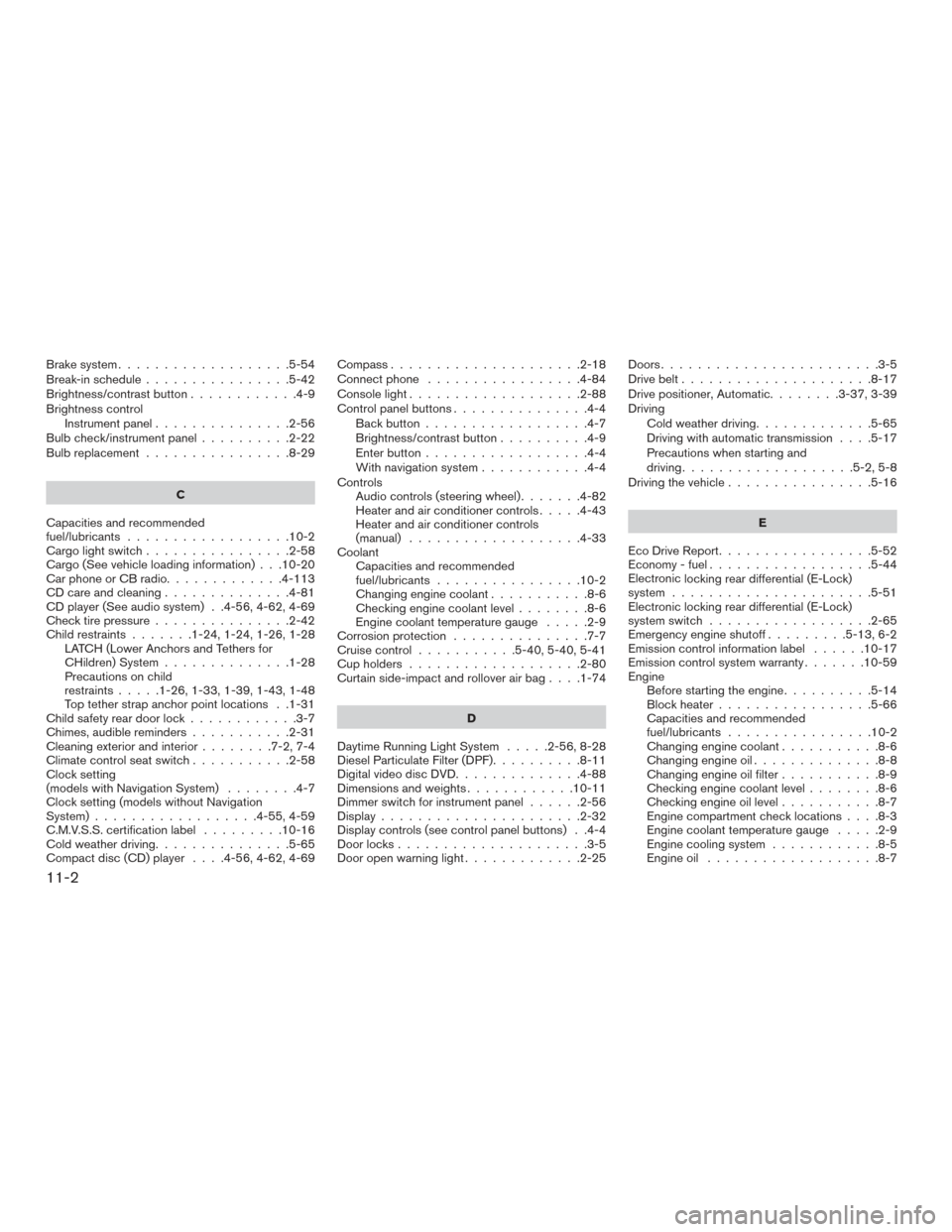
Brake system...................5-54
Break-in schedule ................5-42
Brightness/contrastbutton............4-9
Brightness control Instrument panel ...............2-56
Bulb check/instrument panel ..........2-22
Bulb replacement ................8-29
C
Capacities and recommended
fuel/lubricants ..................10-2
Cargolightswitch................2-58
Cargo (See vehicle loading information) . . .10-20
Car phone or CB radio .............4-113
CD care and cleaning ..............4-81
CD player (See audio system) . .4-56, 4-62, 4-69
Check tire pressure ...............2-42
Child restraints .......1-24,1-24,1-26,1-28
LATCH (Lower Anchors and Tethers for
CHildren) System ..............1-28
Precautions on child
restraints.....1-26,1-33,1-39,1-43,1-48
Top tether strap anchor point locations . .1-31
Child safety rear door lock ............3-7
Chimes, audible reminders ...........2-31
Cleaningexteriorandinterior........7-2,7-4
Climatecontrolseatswitch...........2-58
Clock setting
(models with Navigation System) ........4-7
Clock setting (models without Navigation
System) ..................4-55,4-59
C.M.V.S.S. certification label .........10-16
Cold weather driving ...............5-65
Compact disc (CD) player ....4-56,4-62,4-69Compass
.....................2-18
Connect phone .................4-84
Console light ...................2-88
Control panel buttons ...............4-4
Back button ..................4-7
Brightness/contrast button ..........4-9
Enterbutton..................4-4
With navigation system ............4-4
Controls Audio controls (steering wheel) .......4-82
Heater and air conditioner controls .....4-43
Heater and air conditioner controls
(manual) ...................4-33
Coolant Capacities and recommended
fuel/lubricants ................10-2
Changingenginecoolant...........8-6
Checking engine coolant level ........8-6
Engine coolant temperature gauge .....2-9
Corrosion protection ...............7-7
Cruisecontrol ...........5-40,5-40,5-41
Cupholders...................2-80
Curtainside-impactandrolloverairbag....1-74
D
Daytime Running Light System .....2-56,8-28
Diesel Particulate Filter (DPF) ..........8-11
Digital video disc DVD ..............4-88
Dimensionsandweights............10-11
Dimmer switch for instrument panel ......2-56
Display......................2-32
Display controls (see control panel buttons) . .4-4
Door locks .....................3-5
Door open warning light .............2-25 Doors
........................3-5
Drive belt .....................8-17
Drive positioner, Automatic ........3-37,3-39
Driving Cold weather driving .............5-65
Driving with automatic transmission ....5-17
Precautions when starting and
driving ...................5-2,5-8
Driving the vehicle ................5-16
E
Eco Drive Report .................5-52
Economy-fuel..................5-44
Electronic
locking rear differential (E-Lock)
system ......................5-51
Electronic locking rear differential (E-Lock)
system switch ..................2-65
Emergency engine shutoff .........5-13,6-2
Emission control information label ......10-17
Emission control system warranty .......10-59
Engine Before starting the engine ..........5-14
Blockheater.................5-66
Capacities and recommended
fuel/lubricants ................10-2
Changing engine coolant ...........8-6
Changingengineoil..............8-8
Changing engine oil filter ...........8-9
Checking engine coolant level ........8-6
Checking engine oil level ...........8-7
Engine compartment check locations ....8-3
Engine coolant temperature gauge .....2-9
Engine cooling system ............8-5
Engineoil ...................8-7
11-2