ECO mode NISSAN TITAN 2018 Owner´s Manual
[x] Cancel search | Manufacturer: NISSAN, Model Year: 2018, Model line: TITAN, Model: NISSAN TITAN 2018Pages: 650, PDF Size: 7.54 MB
Page 136 of 650
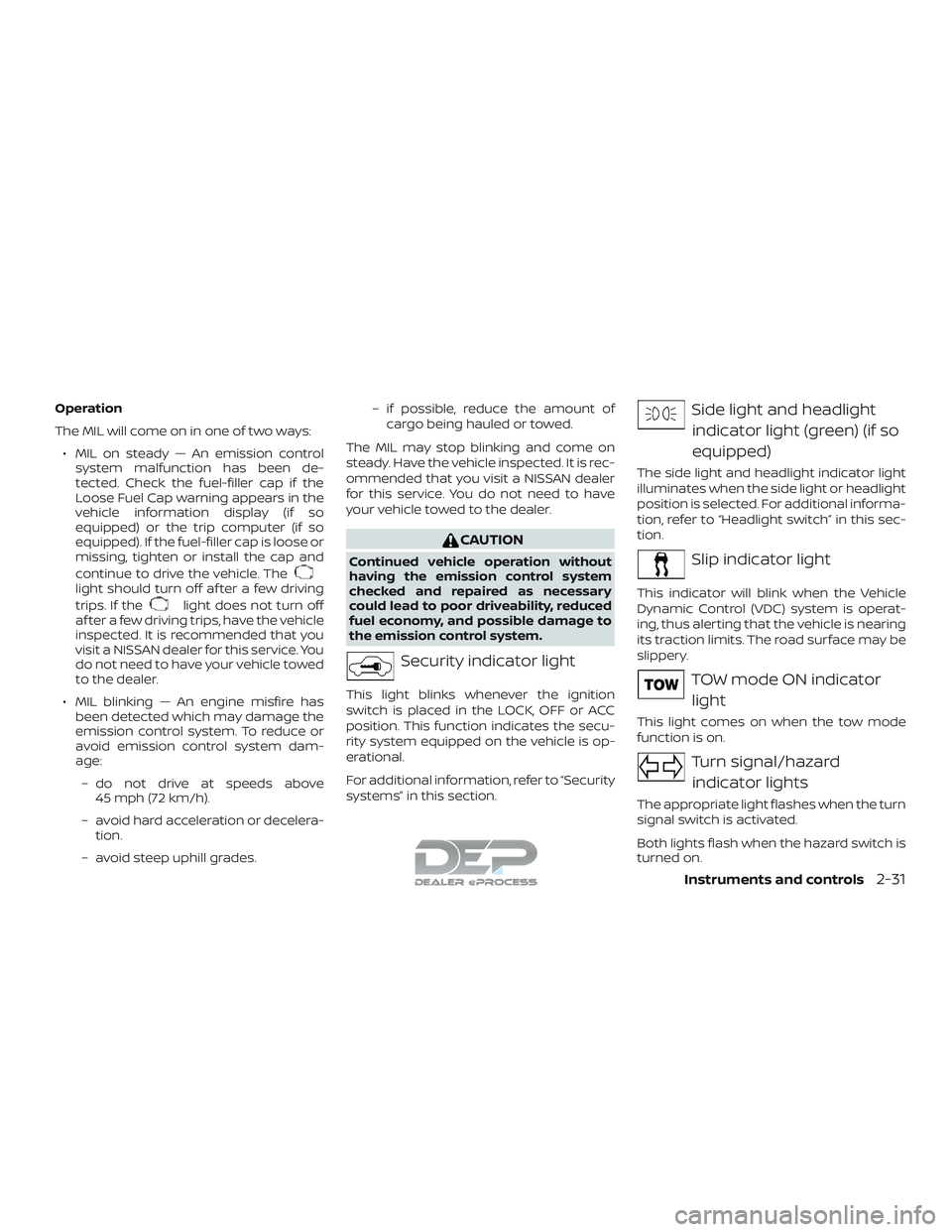
Operation
The MIL will come on in one of two ways:∙ MIL on steady — An emission control system malfunction has been de-
tected. Check the fuel-filler cap if the
Loose Fuel Cap warning appears in the
vehicle information display (if so
equipped) or the trip computer (if so
equipped). If the fuel-filler cap is loose or
missing, tighten or install the cap and
continue to drive the vehicle. The
light should turn off af ter a few driving
trips. If the
light does not turn off
af ter a few driving trips, have the vehicle
inspected. It is recommended that you
visit a NISSAN dealer for this service. You
do not need to have your vehicle towed
to the dealer.
∙ MIL blinking — An engine misfire has been detected which may damage the
emission control system. To reduce or
avoid emission control system dam-
age:
– do not drive at speeds above 45 mph (72 km/h).
– avoid hard acceleration or decelera- tion.
– avoid steep uphill grades. – if possible, reduce the amount of
cargo being hauled or towed.
The MIL may stop blinking and come on
steady. Have the vehicle inspected. It is rec-
ommended that you visit a NISSAN dealer
for this service. You do not need to have
your vehicle towed to the dealer.
CAUTION
Continued vehicle operation without
having the emission control system
checked and repaired as necessary
could lead to poor driveability, reduced
fuel economy, and possible damage to
the emission control system.
Security indicator light
This light blinks whenever the ignition
switch is placed in the LOCK, OFF or ACC
position. This function indicates the secu-
rity system equipped on the vehicle is op-
erational.
For additional information, refer to “Security
systems” in this section.
Side light and headlight indicator light (green) (if so
equipped)
The side light and headlight indicator light
illuminates when the side light or headlight
position is selected. For additional informa-
tion, refer to “Headlight switch” in this sec-
tion.
Slip indicator light
This indicator will blink when the Vehicle
Dynamic Control (VDC) system is operat-
ing, thus alerting that the vehicle is nearing
its traction limits. The road surface may be
slippery.
TOW mode ON indicator light
This light comes on when the tow mode
function is on.
Turn signal/hazardindicator lights
The appropriate light flashes when the turn
signal switch is activated.
Both lights flash when the hazard switch is
turned on.
Instruments and controls2-31
Page 139 of 650
Warning Confirmation will only display if
there are any warnings present. For addi-
tional information, refer to “Vehicle infor-
mation display warnings and indicators” in
this section.
To control which items display in the ve-
hicle information display, refer to “Settings”
in this section.SETTINGS
The setting mode allows you to change the
information displayed in the vehicle infor-
mation display:∙ Driver Assistance (if so equipped)
∙ Meter Settings
∙ Vehicle Settings
∙ Towing Settings (if so equipped)
∙ Alarm (if so equipped) ∙ Maintenance
∙ Unit
∙ Language
∙ Factory Reset
Driver Assistance (if so equipped)
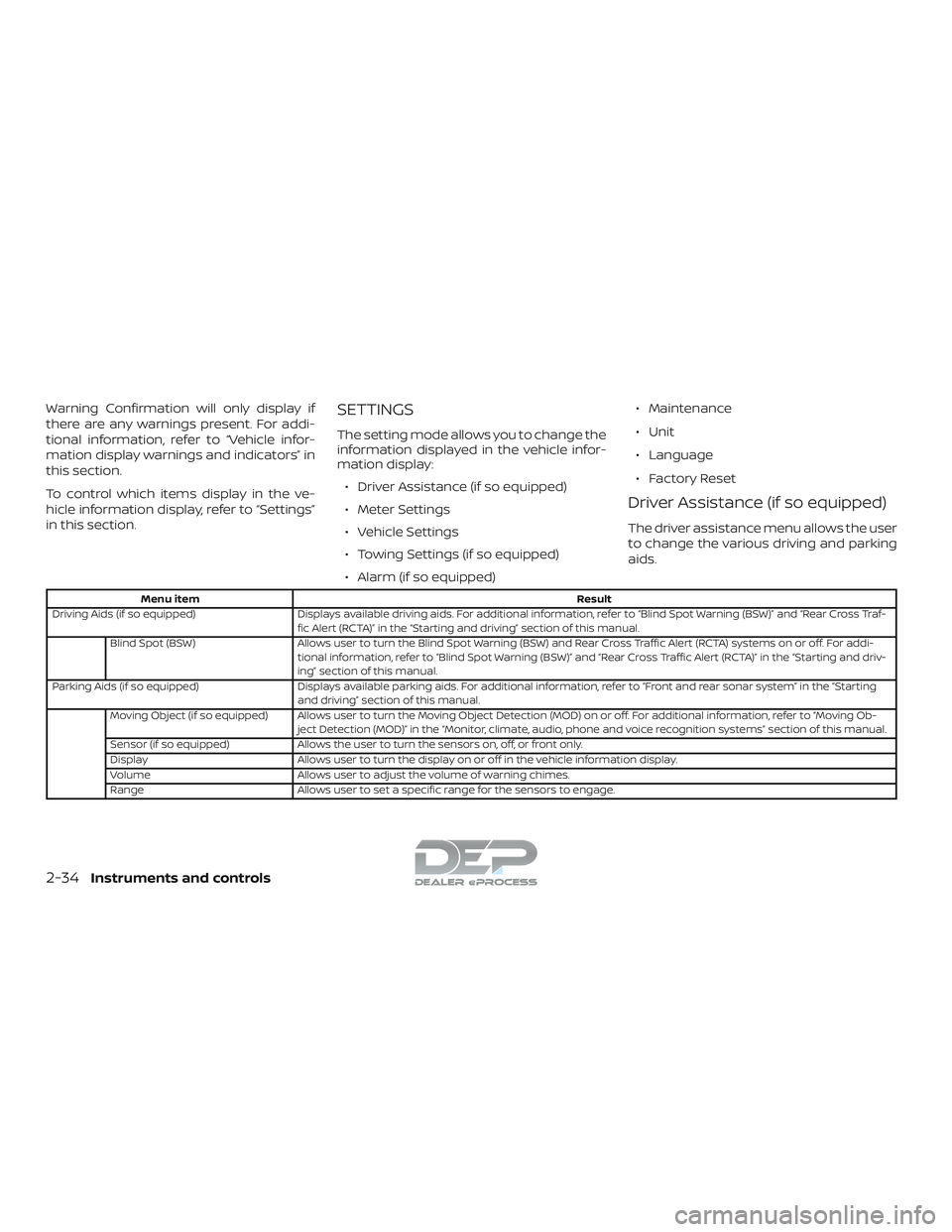
The driver assistance menu allows the user
to change the various driving and parking
aids.
Menu item
Result
Driving Aids (if so equipped) Displays available driving aids. For additional information, refer to “Blind Spot Warning (BSW)” and “Rear Cross Traf-
fic Alert (RCTA)” in the “Starting and driving” section of this manual.
Blind Spot (BSW) Allows user to turn the Blind Spot Warning (BSW) and Rear Cross Traffic Alert (RCTA) systems on or off. For addi-
tional information, refer to “Blind Spot Warning (BSW)” and “Rear Cross Traffic Alert (RCTA)” in the “Starting and driv-
ing” section of this manual.
Parking Aids (if so equipped) Displays available parking aids. For additional information, refer to “Front and rear sonar system” in the “Starting
and driving” section of this manual.
Moving Object (if so equipped) Allows user to turn the Moving Object Detection (MOD) on or off. For additional information, refer to “Moving Ob- ject Detection (MOD)” in the “Monitor, climate, audio, phone and voice recognition systems” section of this manual.
Sensor (if so equipped) Allows the user to turn the sensors on, off, or front only.
Display Allows user to turn the display on or off in the vehicle information display.
Volume Allows user to adjust the volume of warning chimes.
Range Allows user to set a specific range for the sensors to engage.
2-34Instruments and controls
Page 148 of 650
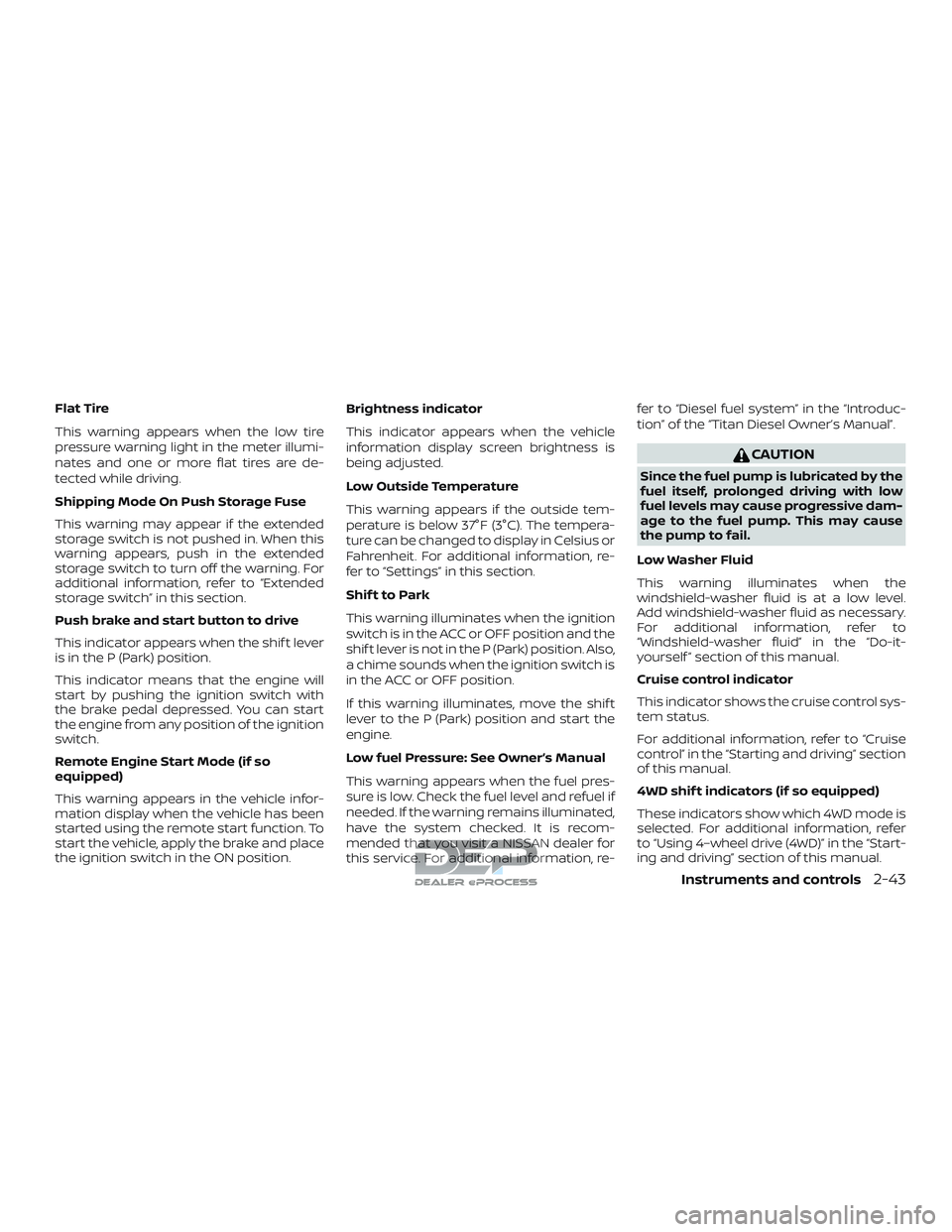
Flat Tire
This warning appears when the low tire
pressure warning light in the meter illumi-
nates and one or more flat tires are de-
tected while driving.
Shipping Mode On Push Storage Fuse
This warning may appear if the extended
storage switch is not pushed in. When this
warning appears, push in the extended
storage switch to turn off the warning. For
additional information, refer to “Extended
storage switch” in this section.
Push brake and start button to drive
This indicator appears when the shif t lever
is in the P (Park) position.
This indicator means that the engine will
start by pushing the ignition switch with
the brake pedal depressed. You can start
the engine from any position of the ignition
switch.
Remote Engine Start Mode (if so
equipped)
This warning appears in the vehicle infor-
mation display when the vehicle has been
started using the remote start function. To
start the vehicle, apply the brake and place
the ignition switch in the ON position.Brightness indicator
This indicator appears when the vehicle
information display screen brightness is
being adjusted.
Low Outside Temperature
This warning appears if the outside tem-
perature is below 37°F (3°C). The tempera-
ture can be changed to display in Celsius or
Fahrenheit. For additional information, re-
fer to “Settings” in this section.
Shif t to Park
This warning illuminates when the ignition
switch is in the ACC or OFF position and the
shif t lever is not in the P (Park) position. Also,
a chime sounds when the ignition switch is
in the ACC or OFF position.
If this warning illuminates, move the shif t
lever to the P (Park) position and start the
engine.
Low fuel Pressure: See Owner’s Manual
This warning appears when the fuel pres-
sure is low. Check the fuel level and refuel if
needed. If the warning remains illuminated,
have the system checked. It is recom-
mended that you visit a NISSAN dealer for
this service. For additional information, re-fer to “Diesel fuel system” in the “Introduc-
tion” of the “Titan Diesel Owner’s Manual”.
CAUTION
Since the fuel pump is lubricated by the
fuel itself, prolonged driving with low
fuel levels may cause progressive dam-
age to the fuel pump. This may cause
the pump to fail.
Low Washer Fluid
This warning illuminates when the
windshield-washer fluid is at a low level.
Add windshield-washer fluid as necessary.
For additional information, refer to
“Windshield-washer fluid” in the “Do-it-
yourself ” section of this manual.
Cruise control indicator
This indicator shows the cruise control sys-
tem status.
For additional information, refer to “Cruise
control” in the “Starting and driving” section
of this manual.
4WD shif t indicators (if so equipped)
These indicators show which 4WD mode is
selected. For additional information, refer
to “Using 4–wheel drive (4WD)” in the “Start-
ing and driving” section of this manual.
Instruments and controls2-43
Page 150 of 650
Power turned off to save the battery
This warning appears af ter the ignition
switch is automatically turned off to save
the battery.
Reminder: Turn OFF Headlights
This warning appears when the headlights
are lef t in the ON position when exiting the
vehicle. Place the headlight switch in the
OFF or AUTO position. For additional infor-
mation, refer to “Headlight switch” in this
section.
4WD Error: See Owner’s Manual (if so
equipped)
This warning appears when the 4-wheel
drive system is not functioning properly
while the engine is running.
Battery Voltage Low Charge Battery
This warning appears when the battery is
low and needs to be charged.
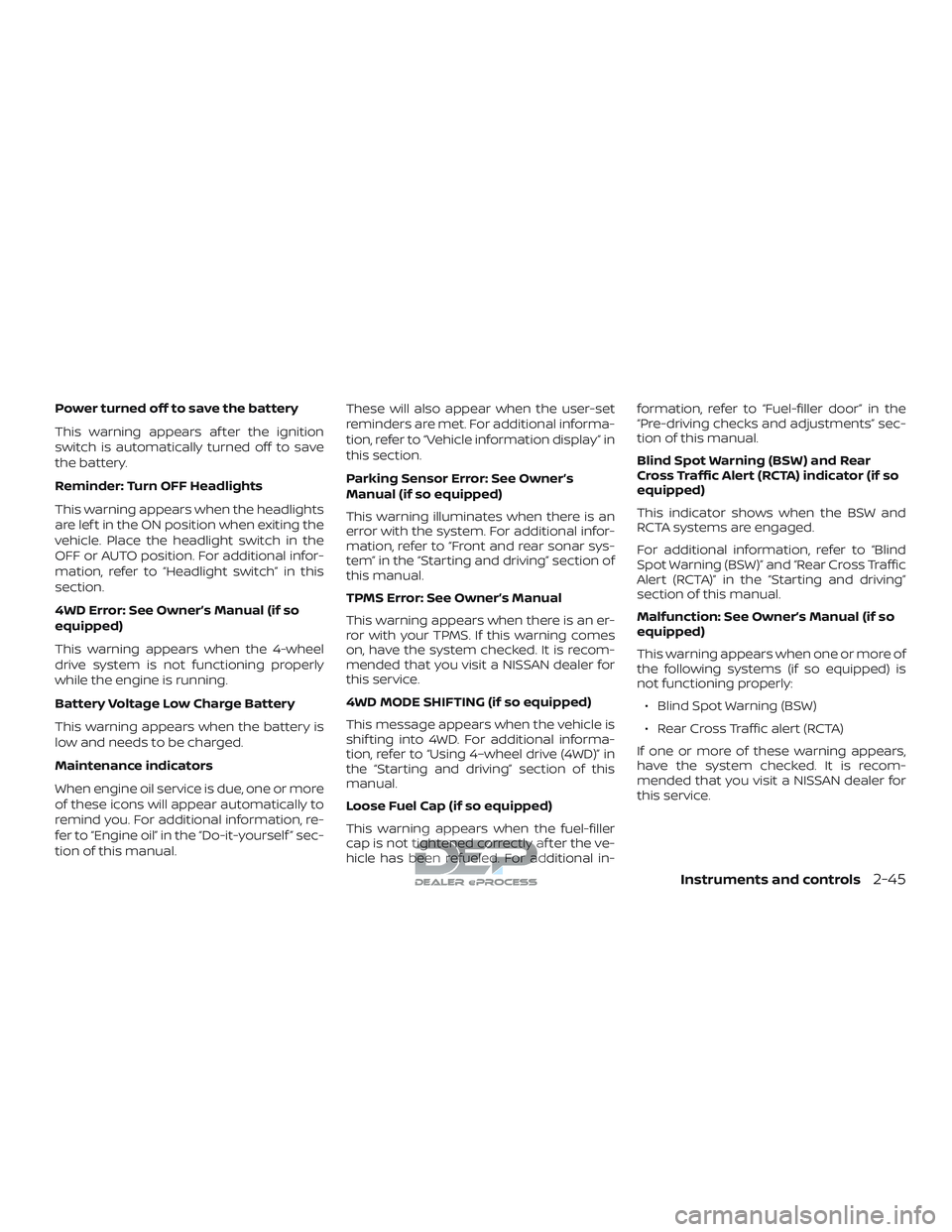
Maintenance indicators
When engine oil service is due, one or more
of these icons will appear automatically to
remind you. For additional information, re-
fer to “Engine oil” in the “Do-it-yourself ” sec-
tion of this manual.These will also appear when the user-set
reminders are met. For additional informa-
tion, refer to “Vehicle information display” in
this section.
Parking Sensor Error: See Owner’s
Manual (if so equipped)
This warning illuminates when there is an
error with the system. For additional infor-
mation, refer to “Front and rear sonar sys-
tem” in the “Starting and driving” section of
this manual.
TPMS Error: See Owner’s Manual
This warning appears when there is an er-
ror with your TPMS. If this warning comes
on, have the system checked. It is recom-
mended that you visit a NISSAN dealer for
this service.
4WD MODE SHIFTING (if so equipped)
This message appears when the vehicle is
shif ting into 4WD. For additional informa-
tion, refer to “Using 4–wheel drive (4WD)” in
the “Starting and driving” section of this
manual.
Loose Fuel Cap (if so equipped)
This warning appears when the fuel-filler
cap is not tightened correctly af ter the ve-
hicle has been refueled. For additional in-formation, refer to “Fuel-filler door” in the
“Pre-driving checks and adjustments” sec-
tion of this manual.
Blind Spot Warning (BSW) and Rear
Cross Traffic Alert (RCTA) indicator (if so
equipped)
This indicator shows when the BSW and
RCTA systems are engaged.
For additional information, refer to “Blind
Spot Warning (BSW)” and “Rear Cross Traffic
Alert (RCTA)” in the “Starting and driving”
section of this manual.
Malfunction: See Owner’s Manual (if so
equipped)
This warning appears when one or more of
the following systems (if so equipped) is
not functioning properly:
∙ Blind Spot Warning (BSW)
∙ Rear Cross Traffic alert (RCTA)
If one or more of these warning appears,
have the system checked. It is recom-
mended that you visit a NISSAN dealer for
this service.
Instruments and controls2-45
Page 173 of 650
∙ Use the E-lock system only in anemergency when it is not possible to
free a stuck vehicle even using 4LO.
Never use the E-Lock system on a slip-
pery road surface such as snow or ice
surface. Using the E-Lock system
when driving in these road conditions
may cause unexpected movement of
the vehicle during engine braking, ac-
celerating or turning, which may re-
sult in an accident and serious per-
sonal injury.
∙ Observe the above warnings. Other- wise, loss of normal steering control
may result. This may result in an acci-
dent and serious personal injury.
CAUTION
∙ Af ter using the E-Lock system, or dur-ing normal driving, turn the switch
OFF to prevent possible damage to
drivetrain components from ex-
tended use.
∙ When the E-Lock system is in opera- tion, turning the vehicle becomes dif-
ficult. This can be dangerous, espe-
cially at high speeds. Doing so could
damage drivetrain components. ∙ Do not operate the E-Lock system
when the vehicle is turning or when
one side wheel is rotating. Otherwise,
the drivetrain components could be
damaged.
∙ The E-Lock system operates only when the engine is running.
∙ In 4H mode, the E-Lock system does not operate when the E-Lock system
switch is turned to the ON position.
(The E-Lock system indicator light will
flash.)
∙ Avoid quick starts while the E-Lock system is in operation. Otherwise the
drivetrain components could be
damaged.
∙ Observe the above cautions. Other- wise, loss of normal steering may
result. To use the outlets for devices that require
120v power, place the ignition in the ON
position and push the power inverter
switch.
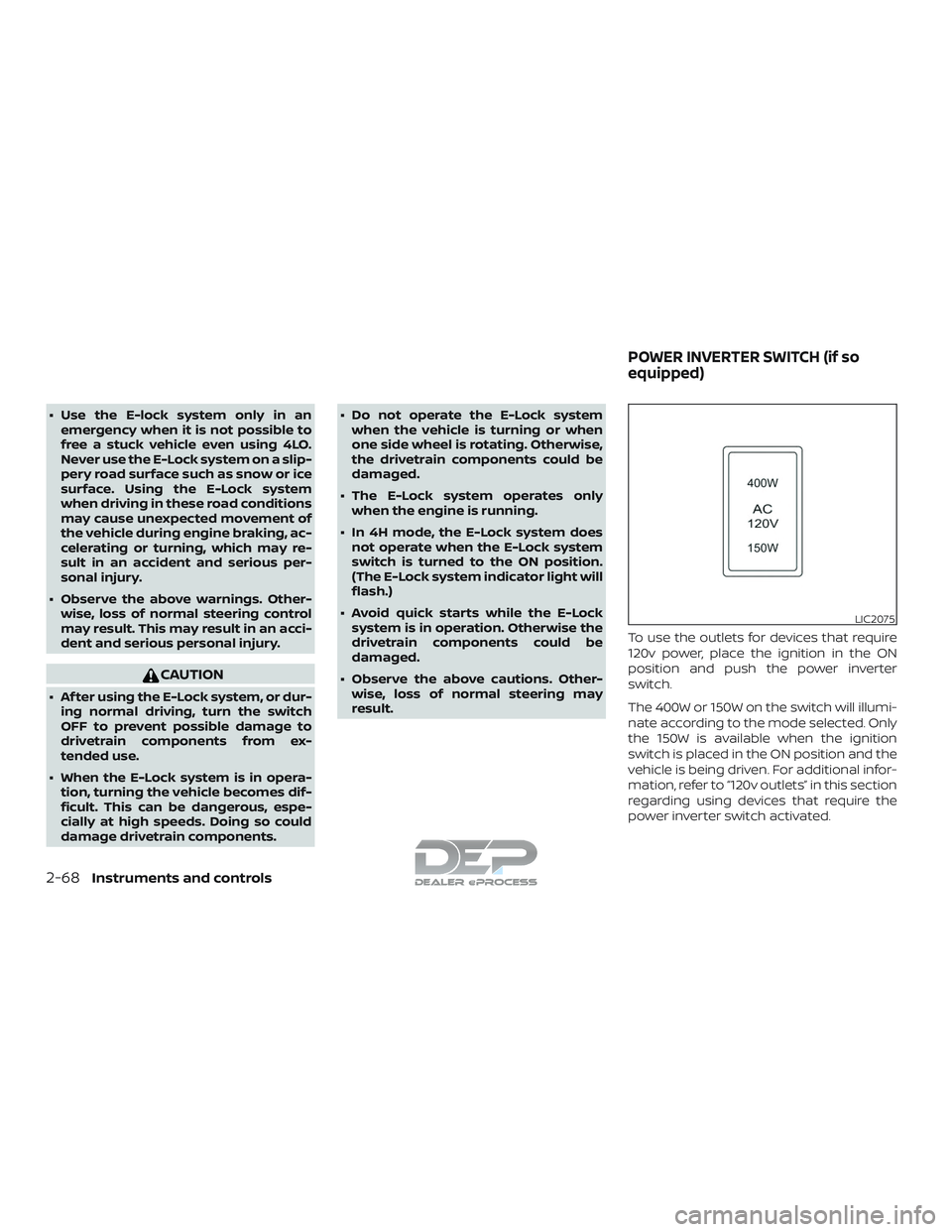
The 400W or 150W on the switch will illumi-
nate according to the mode selected. Only
the 150W is available when the ignition
switch is placed in the ON position and the
vehicle is being driven. For additional infor-
mation, refer to “120v outlets” in this section
regarding using devices that require the
power inverter switch activated.
LIC2075
POWER INVERTER SWITCH (if so
equipped)
2-68Instruments and controls
Page 175 of 650
Tow mode should be used when pulling a
heavy trailer or hauling a heavy load. Driv-
ing the vehicle in the tow mode with no
trailer/load or light trailer/light load will not
cause any damage. However, fuel
economy may be reduced, and the
transmission/engine driving characteris-
tics may feel unusual.
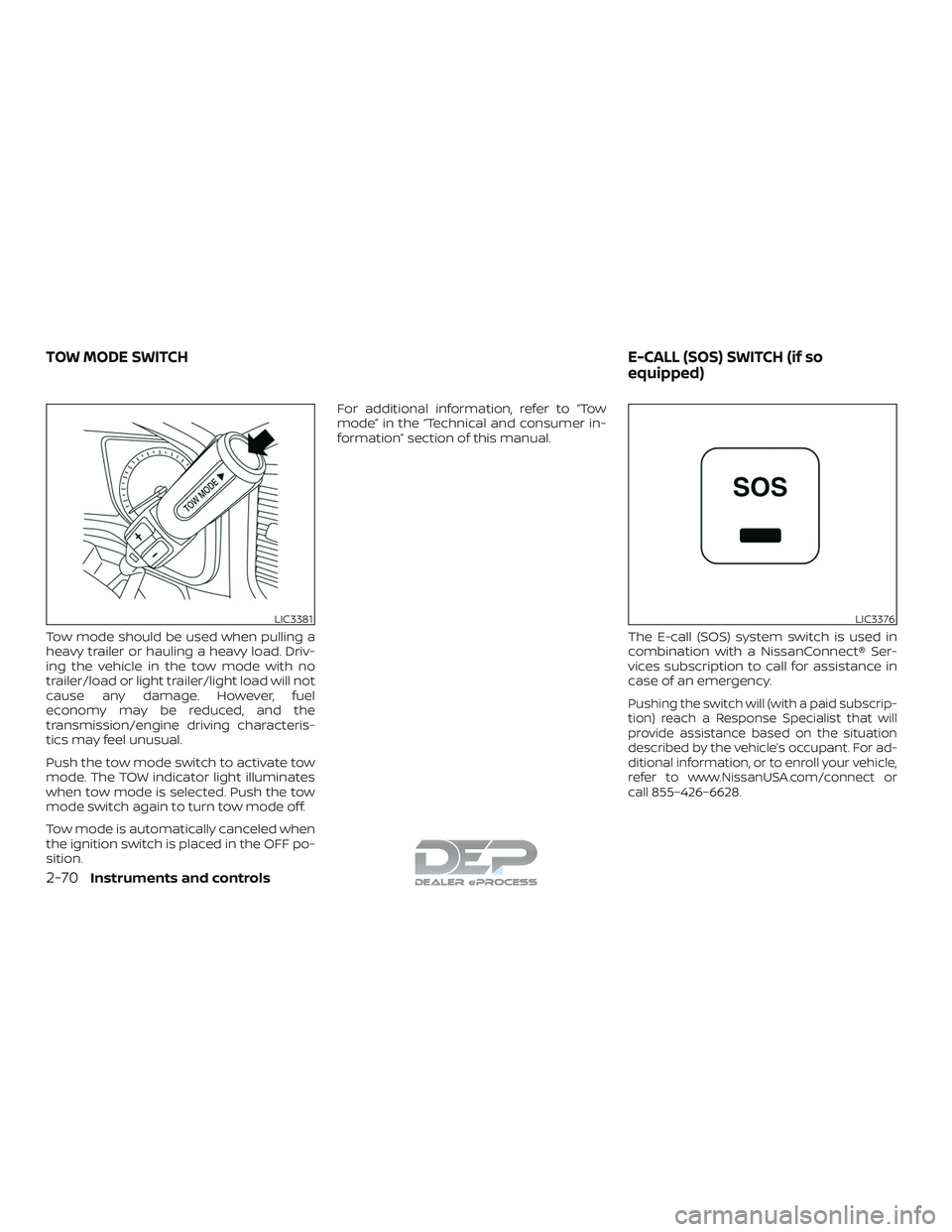
Push the tow mode switch to activate tow
mode. The TOW indicator light illuminates
when tow mode is selected. Push the tow
mode switch again to turn tow mode off.
Tow mode is automatically canceled when
the ignition switch is placed in the OFF po-
sition.For additional information, refer to “Tow
mode” in the “Technical and consumer in-
formation” section of this manual.
The E-call (SOS) system switch is used in
combination with a NissanConnect® Ser-
vices subscription to call for assistance in
case of an emergency.
Pushing the switch will (with a paid subscrip-
tion) reach a Response Specialist that will
provide assistance based on the situation
described by the vehicle’s occupant. For ad-
ditional information, or to enroll your vehicle,
refer to www.NissanUSA.com/connect or
call 855–426–6628.
LIC3381LIC3376
TOW MODE SWITCH E-CALL (SOS) SWITCH (if so
equipped)
2-70Instruments and controls
Page 201 of 650
rapidly af ter several seconds upon
successful training. DO NOT release un-
til the HomeLink® indicator light flashes
slowly and then rapidly. When the indi-
cator light flashes rapidly, both buttons
may be released. The rapid flashing in-
dicates successful training.
Proceed with “Programming
HomeLink®” step 3 to complete.
If the device was unplugged during the
programming procedure, remember
to plug it back in when programming is
completed.
OPERATING THE HOMELINK®
UNIVERSAL TRANSCEIVER
The HomeLink® Universal Transceiver, af ter
it is programmed, can be used to activate
the programmed device. To operate, sim-
ply press and release the appropriate pro-
grammed HomeLink® Universal Trans-
ceiver button. The amber indicator light will
illuminate while the signal is being trans-
mitted.
For convenience, the hand-held transmit-
ter of the device may also be used at any
time.
PROGRAMMING TROUBLE-
DIAGNOSIS
If the HomeLink® does not quickly learn the
hand-held transmitter information:∙ Replace the hand-held transmitter bat- teries with new batteries.
∙ Position the hand-held transmitter with its battery area facing away from the
HomeLink® surface.
∙ Press and hold both the HomeLink® and hand-held transmitter buttons
without interruption.
∙ Position the hand-held transmitter 1 - 3 inches (26 - 76 mm) away from the
HomeLink® surface. Hold the transmit-
ter in that position for up to 15 seconds.
If HomeLink® is not programmed within
that time, try holding the transmitter in
another position – keeping the indicator
light in view at all times.
If you have any questions or are having
difficulty programming your HomeLink®
buttons, refer to the HomeLink® web site at:
www.homelink.com or call 1-800-355-3515.
CLEARING THE PROGRAMMED
INFORMATION
The following procedure clears the pro-
grammed information from both buttons.
Individual buttons cannot be cleared. How-
ever, individual buttons can be repro-
grammed. For additional information, refer
to “Reprogramming a single HomeLink®
button” in this section.
To clear all programming: 1. Press and hold the two outer HomeLink® buttons until the indicator
light begins to flash in approximately
10 seconds. Do not hold for longer than
20 seconds.
2. Release both buttons.
HomeLink® is now in the programming
mode and can be programmed at any
time beginning with “Programming
HomeLink®” - Step 1.
2-96Instruments and controls
Page 222 of 650
NOTE:
If the ignition switch is in the OFF posi-
tion, the park lights will turn off af ter the
events above occur. If ignition switch is
in the ON position, lights will stay on for
45 seconds af ter trailer light check. If the
trailer lights do not work properly, check
the connections and bulbs. If the vehicle
lights do not turn on, check the bulbs. If
the trailer light check routine fails to
start, ensure the following vehicle condi-
tions:∙ The vehicle is NOT moving, 0 mph (0 km/h)
∙ Brake switch is NOT depressed
∙ Lef t or right flasher is OFF
∙ Trailer light check configuration is NOT disabled and available in the meter
towing settings
∙ The hazard switch is NOT turned ON
∙ The shif t position is fully in P (Park) posi- tion
∙ Vehicle is within Remote Keyless Entry range
Answer back horn feature
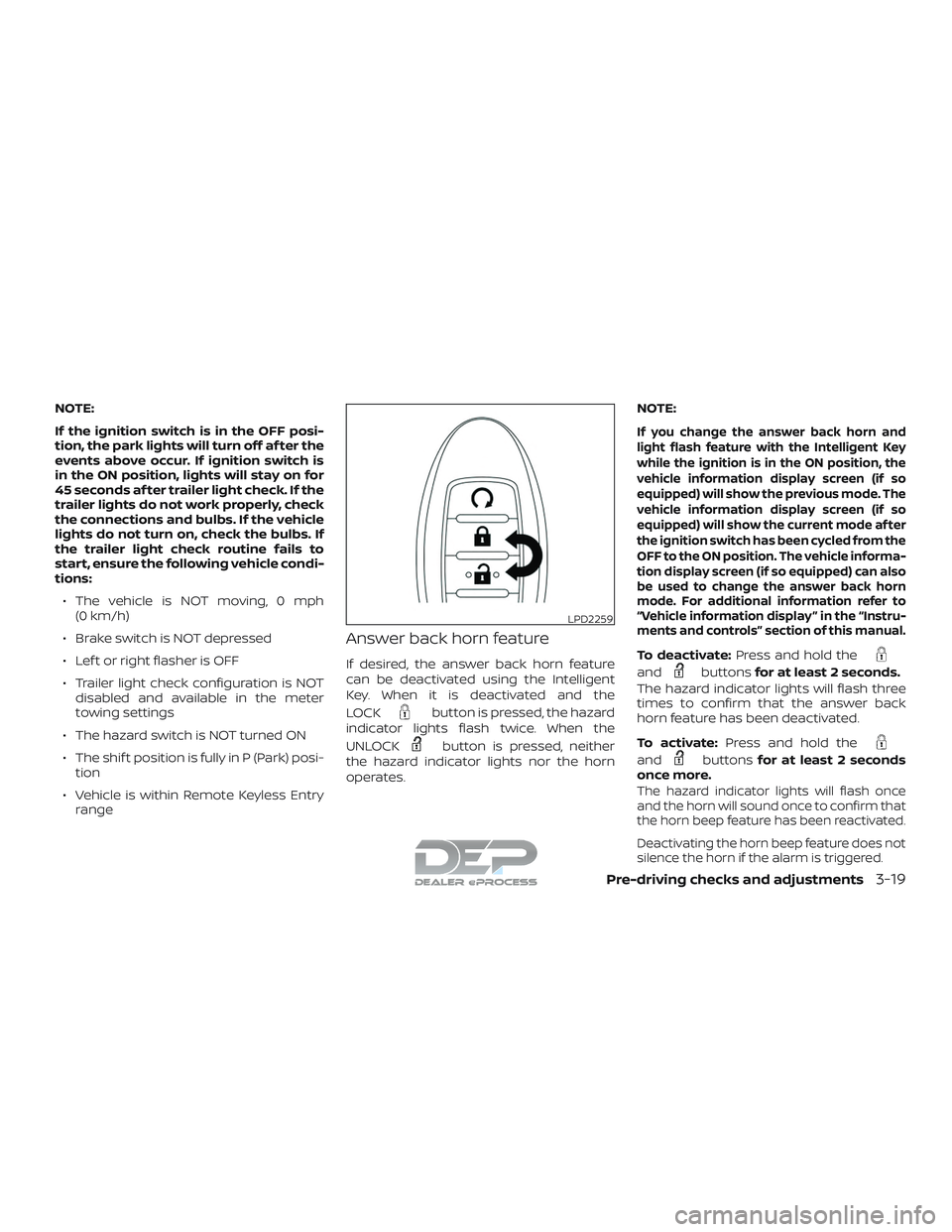
If desired, the answer back horn feature
can be deactivated using the Intelligent
Key. When it is deactivated and the
LOCK
button is pressed, the hazard
indicator lights flash twice. When the
UNLOCK
button is pressed, neither
the hazard indicator lights nor the horn
operates. NOTE:
If you change the answer back horn and
light flash feature with the Intelligent Key
while the ignition is in the ON position, the
vehicle information display screen (if so
equipped) will show the previous mode. The
vehicle information display screen (if so
equipped) will show the current mode af ter
the ignition switch has been cycled from the
OFF to the ON position. The vehicle informa-
tion display screen (if so equipped) can also
be used to change the answer back horn
mode. For additional information refer to
“Vehicle information display ” in the “Instru-
ments and controls” section of this manual.
To deactivate:
Press and hold the
andbuttonsfor at least 2 seconds.
The hazard indicator lights will flash three
times to confirm that the answer back
horn feature has been deactivated.
To activate: Press and hold the
andbuttonsfor at least 2 seconds
once more.
The hazard indicator lights will flash once
and the horn will sound once to confirm that
the horn beep feature has been reactivated.
Deactivating the horn beep feature does not
silence the horn if the alarm is triggered.
LPD2259
Pre-driving checks and adjustments3-19
Page 225 of 650
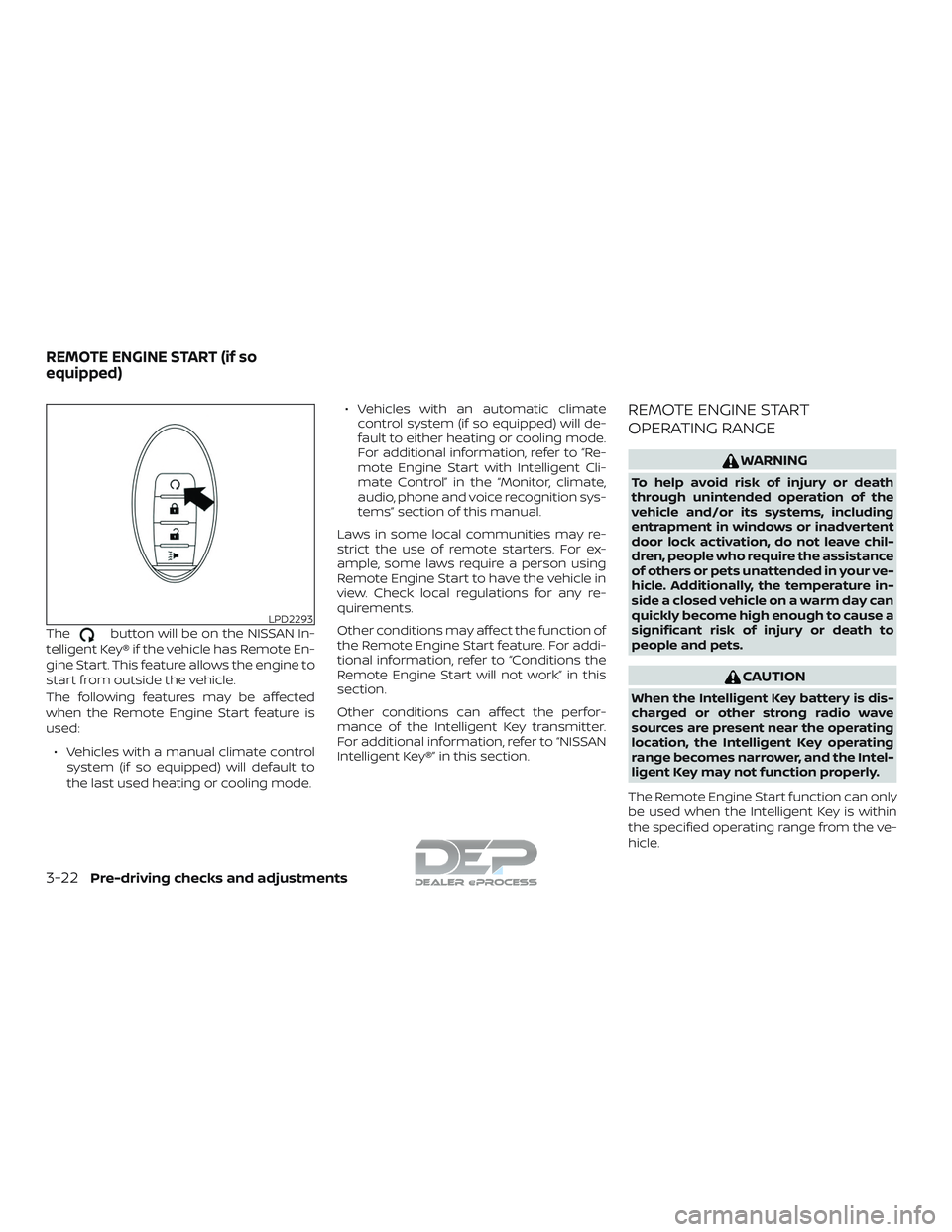
Thebutton will be on the NISSAN In-
telligent Key® if the vehicle has Remote En-
gine Start. This feature allows the engine to
start from outside the vehicle.
The following features may be affected
when the Remote Engine Start feature is
used:
∙ Vehicles with a manual climate control system (if so equipped) will default to
the last used heating or cooling mode. ∙ Vehicles with an automatic climate
control system (if so equipped) will de-
fault to either heating or cooling mode.
For additional information, refer to “Re-
mote Engine Start with Intelligent Cli-
mate Control” in the “Monitor, climate,
audio, phone and voice recognition sys-
tems” section of this manual.
Laws in some local communities may re-
strict the use of remote starters. For ex-
ample, some laws require a person using
Remote Engine Start to have the vehicle in
view. Check local regulations for any re-
quirements.
Other conditions may affect the function of
the Remote Engine Start feature. For addi-
tional information, refer to “Conditions the
Remote Engine Start will not work” in this
section.
Other conditions can affect the perfor-
mance of the Intelligent Key transmitter.
For additional information, refer to “NISSAN
Intelligent Key®” in this section.
REMOTE ENGINE START
OPERATING RANGE
WARNING
To help avoid risk of injury or death
through unintended operation of the
vehicle and/or its systems, including
entrapment in windows or inadvertent
door lock activation, do not leave chil-
dren, people who require the assistance
of others or pets unattended in your ve-
hicle. Additionally, the temperature in-
side a closed vehicle on a warm day can
quickly become high enough to cause a
significant risk of injury or death to
people and pets.
CAUTION
When the Intelligent Key battery is dis-
charged or other strong radio wave
sources are present near the operating
location, the Intelligent Key operating
range becomes narrower, and the Intel-
ligent Key may not function properly.
The Remote Engine Start function can only
be used when the Intelligent Key is within
the specified operating range from the ve-
hicle.
LPD2293
REMOTE ENGINE START (if so
equipped)
3-22Pre-driving checks and adjustments
Page 256 of 650
Touch-screen maintenance
If you clean the display screen, use a dry,
sof t cloth. If additional cleaning is neces-
sary, use a small amount of neutral deter-
gent with a sof t cloth. Never spray the
screen with water or detergent. Dampen
the cloth first and then wipe the screen.
HOW TO USE THEBACK
BUTTON
Press theBACK button to return to
the previous screen.
HOW TO USE THE [] BUTTON
For additional information about the
“SiriusXM Travel Link”, and “Traffic” features,
refer to the separate NissanConnect®
Owner’s Manual.
For additional information about the “My
Apps” key, refer to “NissanConnect® Mobile
Apps” in this section.
For additional information about the “Voice
Commands” key, refer to “NISSAN Voice
Recognition System” in this section. To select and/or adjust several functions,
features and modes that are available for
your vehicle:
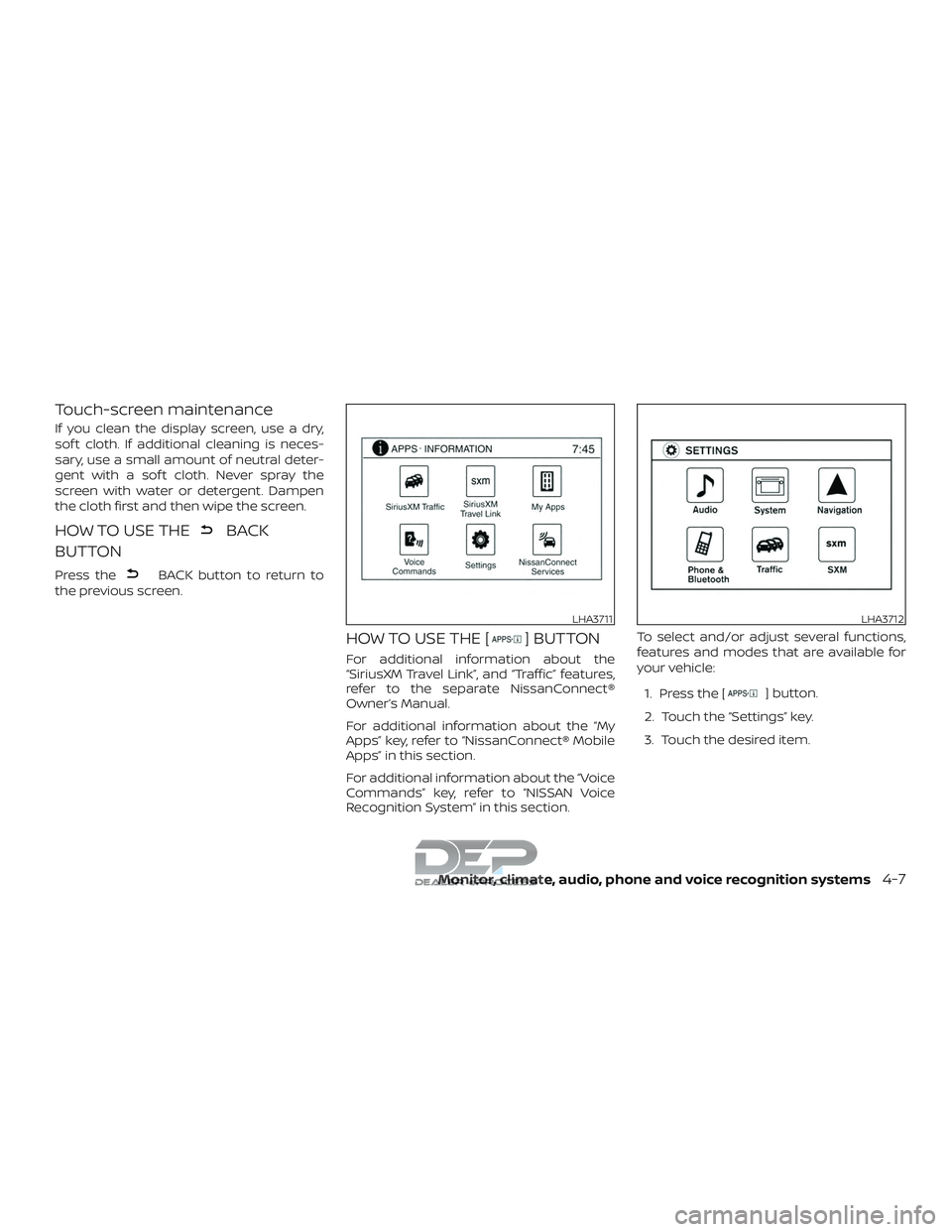
1. Press the [
] button.
2. Touch the “Settings” key.
3. Touch the desired item.
LHA3711LHA3712
Monitor, climate, audio, phone and voice recognition systems4-7