key NISSAN TITAN 2018 Owner´s Manual
[x] Cancel search | Manufacturer: NISSAN, Model Year: 2018, Model line: TITAN, Model: NISSAN TITAN 2018Pages: 650, PDF Size: 7.54 MB
Page 350 of 650
ERASE / ADD button
Non-functioning.
AUDIO button
Press this button to select and listen to
different audio streams (this function only
applies to DVD titles that support multiple
audio streams).
ANGLE button
Press this button to select different viewing
angles (this function only applies to DVD
titles that support multiple angles).
GO TO button
Non-functioning.
DISPLAY button
Press this button to display various infor-
mation including title, chapter/track,
elapsed time, time remaining, or turn off
the display.
PROGRAM button
Edit a playback program containing de-
sired titles in the DVD or tracks in the CD-
DA.
RANDOM button
Press this button to play content in a ran-
dom order.
3D button
Press this button to select between several
audio effects. DVD mode: Concert, Living
Room, Hall, Bathroom, Cave, Arena, Church,
and Off.
PBC (Video CD only) button
Press this button to run the playback con-
trol on or off.
ZOOM button
Press this button to zoom in or out when
displaying images or playing DVDs. The
zoom range for images is from 50% to
200%. The zoom range for DVDs is from 1/4
size to 4x the original size.
NEXT button
Press this button to select the next chapter,
track, or file.
PREV button
Press this button to select the previous
chapter, track, or file.
FF (Fast forward) button
Press this button to search media for-
wards.
FR (Fast rewind) button
Press this button to search media back-
wards.
STOP button
Press this button once to stop playback
(press play to resume playback). Press this
button twice to perform a full stop (press
play to start playback from the beginning).
PLAY/PAUSE button
Press this button to begin media playback.
Press this button again to pause media
playback.
Number Keys
0—9
SUBTITLE button
Press this button to select and display sub-
titles (this function only applies to DVD titles
that support subtitles).
Monitor, climate, audio, phone and voice recognition systems4-101
Page 360 of 650
PLAYING A CD
Insert a disc into the unit with label facing
the rear of vehicle and select monitor A
mode (if using monitor A) or monitor B
mode (if using monitor B) using the front
controls or the remote control.
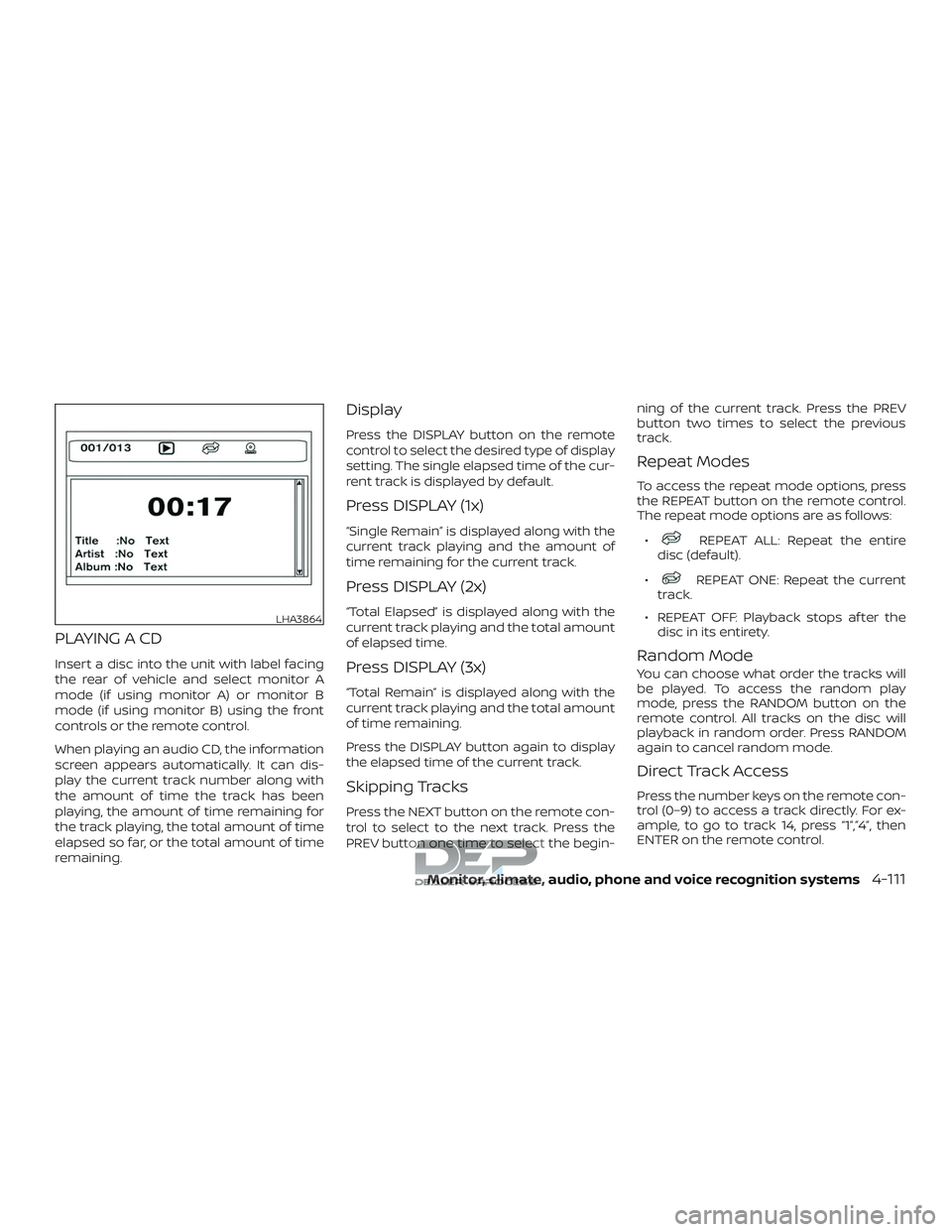
When playing an audio CD, the information
screen appears automatically. It can dis-
play the current track number along with
the amount of time the track has been
playing, the amount of time remaining for
the track playing, the total amount of time
elapsed so far, or the total amount of time
remaining.
Display
Press the DISPLAY button on the remote
control to select the desired type of display
setting. The single elapsed time of the cur-
rent track is displayed by default.
Press DISPLAY (1x)
“Single Remain” is displayed along with the
current track playing and the amount of
time remaining for the current track.
Press DISPLAY (2x)
“Total Elapsed” is displayed along with the
current track playing and the total amount
of elapsed time.
Press DISPLAY (3x)
“Total Remain” is displayed along with the
current track playing and the total amount
of time remaining.
Press the DISPLAY button again to display
the elapsed time of the current track.
Skipping Tracks
Press the NEXT button on the remote con-
trol to select to the next track. Press the
PREV button one time to select the begin-ning of the current track. Press the PREV
button two times to select the previous
track.
Repeat Modes
To access the repeat mode options, press
the REPEAT button on the remote control.
The repeat mode options are as follows:
∙
REPEAT ALL: Repeat the entire
disc (default).
∙
REPEAT ONE: Repeat the current
track.
∙ REPEAT OFF: Playback stops af ter the disc in its entirety.
Random Mode
You can choose what order the tracks will
be played. To access the random play
mode, press the RANDOM button on the
remote control. All tracks on the disc will
playback in random order. Press RANDOM
again to cancel random mode.
Direct Track Access
Press the number keys on the remote con-
trol (0–9) to access a track directly. For ex-
ample, to go to track 14, press “1”,”4”, then
ENTER on the remote control.
LHA3864
Monitor, climate, audio, phone and voice recognition systems4-111
Page 362 of 650
∙REPEAT FOLDER: Repeat the cur-
rent folder
∙
REPEAT ONE: Repeat the current
file.
∙ REPEAT OFF: Playback stops af ter the disc or USB device is played in its en-
tirety.
Random Mode
You can choose what order the files will be
played. To access the random play mode,
press the RANDOM button on the remote
control. The files in the current folder will
playback in random order. Press RANDOM
again to cancel random mode.
Direct File Access
Press the number keys on the remote con-
trol (0–9) to access a file directly. For ex-
ample, to go to track 14, press “1”,”4”, then
ENTER on the remote control.
PLAYING IMAGE FILES
Insert a disc or USB device into the unit and
select monitor A mode (if using monitor A)
or monitor B (if using monitor B) using the
front panel controls or the remote control.
Using a USB Device
Insert a USB device into the USB connec-
tion port. When inserting a USB device, the
top side of the devices should face up-
wards.
When a disc or USB device with JPG files is
inserted, the slideshow will begin auto-
matically. When a disc or USB device with mixed audio/video/image files is inserted,
the file list screen may appear first.
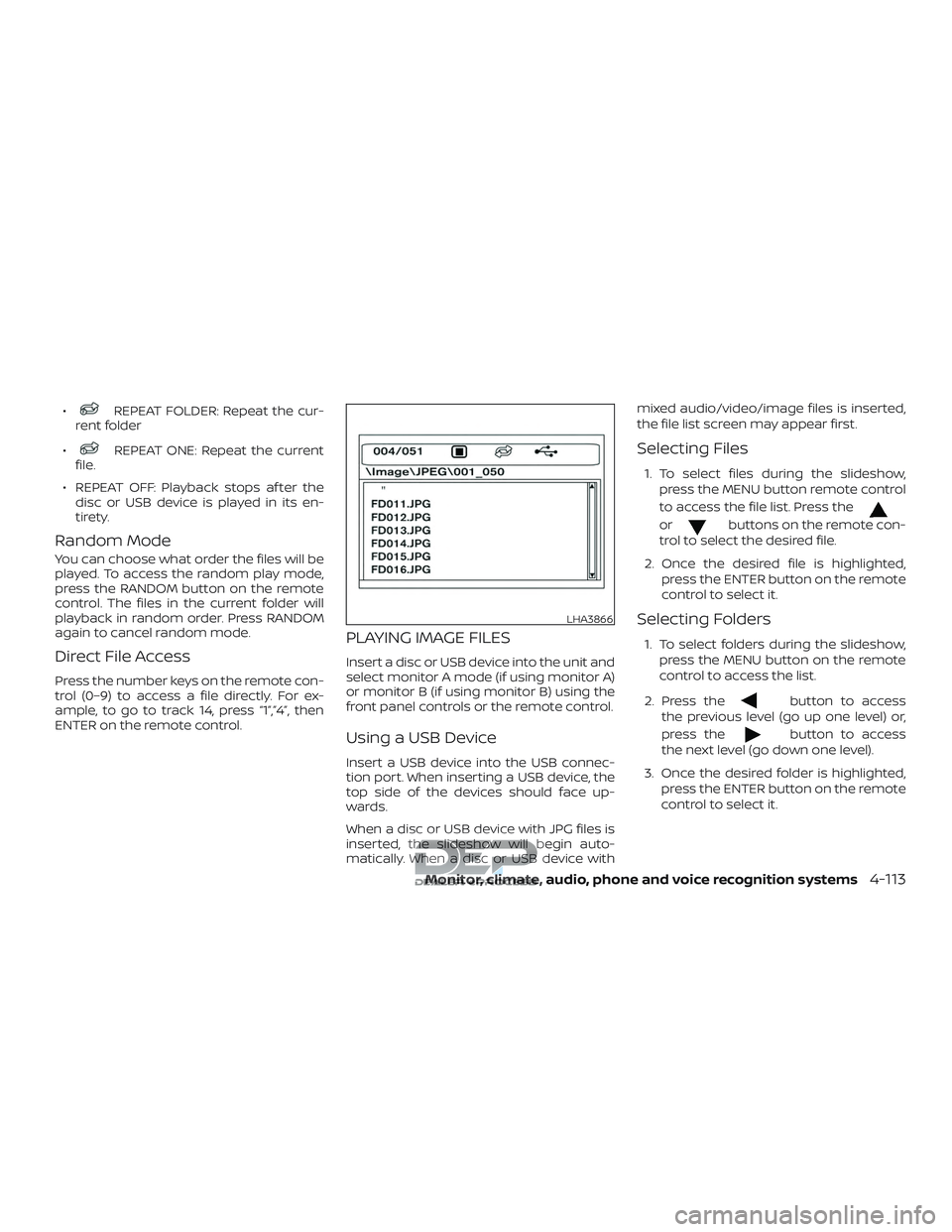
Selecting Files
1. To select files during the slideshow,
press the MENU button remote control
to access the file list. Press the
orbuttons on the remote con-
trol to select the desired file.
2. Once the desired file is highlighted, press the ENTER button on the remote
control to select it.
Selecting Folders
1. To select folders during the slideshow,press the MENU button on the remote
control to access the list.
2. Press the
button to access
the previous level (go up one level) or,
press the
button to access
the next level (go down one level).
3. Once the desired folder is highlighted, press the ENTER button on the remote
control to select it.
LHA3866
Monitor, climate, audio, phone and voice recognition systems4-113
Page 363 of 650
Repeat Modes
To access the repeat mode options, press
the REPEAT button on the remote control.
The repeat mode options are as follows:∙
REPEAT ALL: Repeat the entire
disc or USB device (default).
∙
REPEAT FOLDER: Repeat the cur-
rent folder
∙
REPEAT ONE: Repeat the current
file.
∙ REPEAT OFF: Playback stops af ter the disc or USB device is played in its en-
tirety.
Thumbnail Views
1. Press the STOP button on the remote control during the slideshow to display
images in thumbnail mode. Press
the
orand
the
orbuttons on the
remote control to select the desired
language.
2. Once the desired image is highlighted, press the ENTER button on the remote
control to select it.
Rotating Images
During the slideshow, press thebutton on the remote control to rotate the
image 90° clockwise. Press the
button to rotate the image 90° counter-
clockwise.
Inverting Images
During the slideshow, press thebutton on the remote control to invert the
image (Up-Down).
Mirroring Images
During the slideshow, press
the
button on the remote control
to mirror the image (Lef t-Right).
Direct File Access
Press the number keys on the remote con-
trol (0–9) to access a file directly. For ex-
ample, to go to track 14, press “1”,”4”, then
ENTER on the remote control.
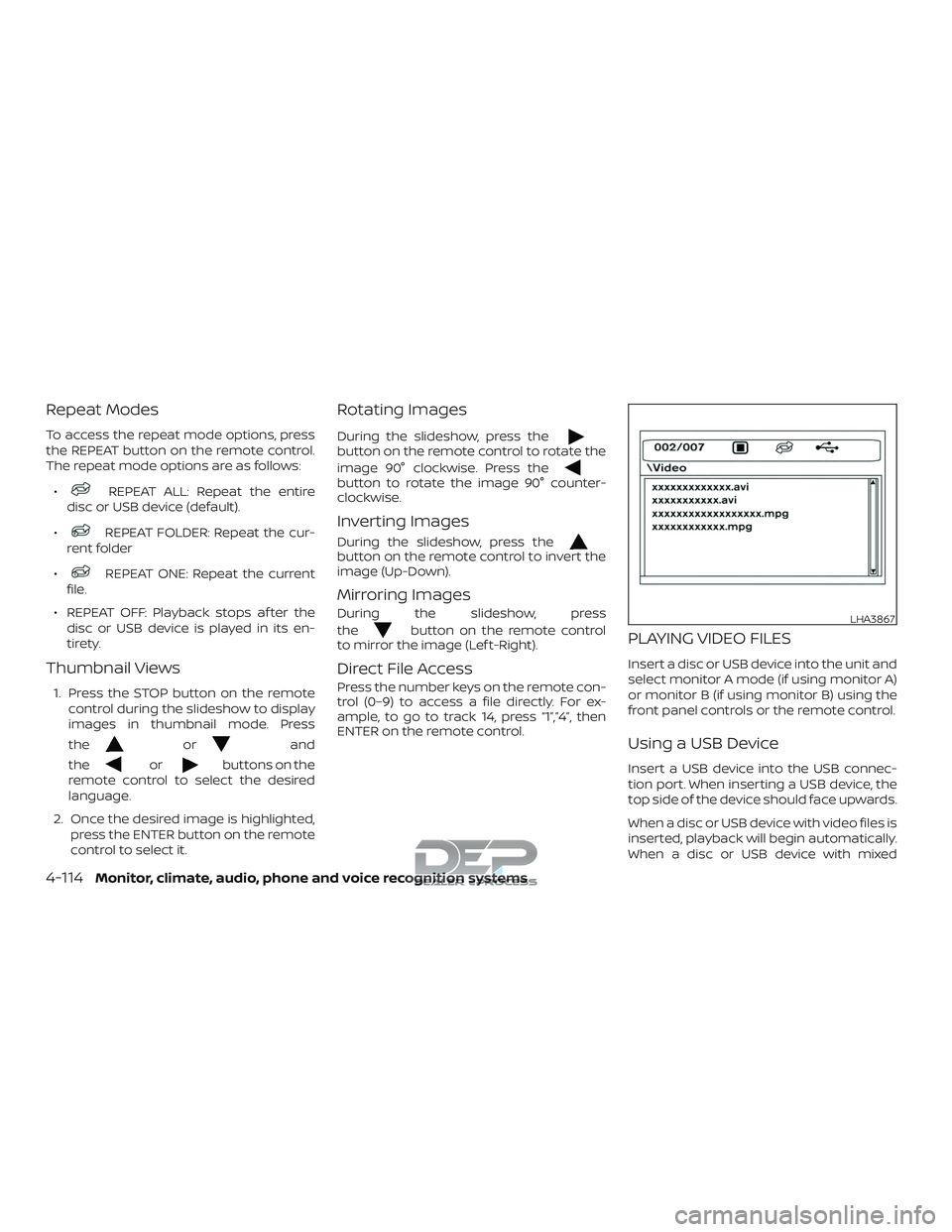
PLAYING VIDEO FILES
Insert a disc or USB device into the unit and
select monitor A mode (if using monitor A)
or monitor B (if using monitor B) using the
front panel controls or the remote control.
Using a USB Device
Insert a USB device into the USB connec-
tion port. When inserting a USB device, the
top side of the device should face upwards.
When a disc or USB device with video files is
inserted, playback will begin automatically.
When a disc or USB device with mixed
LHA3867
4-114Monitor, climate, audio, phone and voice recognition systems
Page 364 of 650
audio/video/image files is inserted, the file
list screen may appear first.
Selecting Files
1. To select files during the video play-back, press the MENU button on the
remote control to access the file list.
Press the
orbuttons
on the remote control to select the de-
sired file.
2. Once the desired file is highlighted, press the ENTER button on the remote
control to select it.
Selecting Folders
1. To select folders during video playback,press the MENU button on the remote
control to access the list.
2. Press the
button to access
the previous level (go up one level) or,
press the
button to access
the next level (go down one level).
3. Once the desired folder is highlighted, press the ENTER button on the remote
control to select it.
Skipping Files
Press the NEXT button on the remote con-
trol to select to the next file. Press the PREV
button one time to select the beginning of
the current file. Press the PREV button two
times to select the previous file.
Repeat Modes
To access the repeat mode options, press
the REPEAT button on the remote control.
The repeat mode options are as follows:
∙
REPEAT ALL: Repeat the entire
disc or USB device (default).
∙
REPEAT FOLDER: Repeat the cur-
rent folder
∙
REPEAT ONE: Repeat the current
file.
∙ REPEAT OFF: Playback stops af ter the disc or USB device is played in its en-
tirety.
Direct File Access
Press the number keys on the remote con-
trol (0–9) to access a file directly. For ex-
ample, to go to track 14, press “1”,”4”, then
ENTER on the remote control.
CHARGING A USB DEVICE
Plug the USB cable (not supplied) into the
USB connection port and then connect the
other end to the USB device.
NOTE:
Depending on the device, it may or may
not charge when connected to the USB
port. Not all devices are able to charge
when connected to the USB port.
CONNECTING AN EXTERNAL
AUXILIARY A/V SOURCE — INPUT
An external A/V source such as a media
player, video game, or other audio/video
device may be connected to the RCA type
jacks on the front of the monitor. Connect
the external audio/video source to the RCA
type input jacks on the front of the monitor
using RCA type connectors (sold sepa-
rately).
Yellow: Video input
Red: Audio-right channel input
White: Audio-lef t channel input
The system will automatically select the
auxiliary input mode when the RCA type
connectors are inserted into the input
Monitor, climate, audio, phone and voice recognition systems4-115
Page 385 of 650
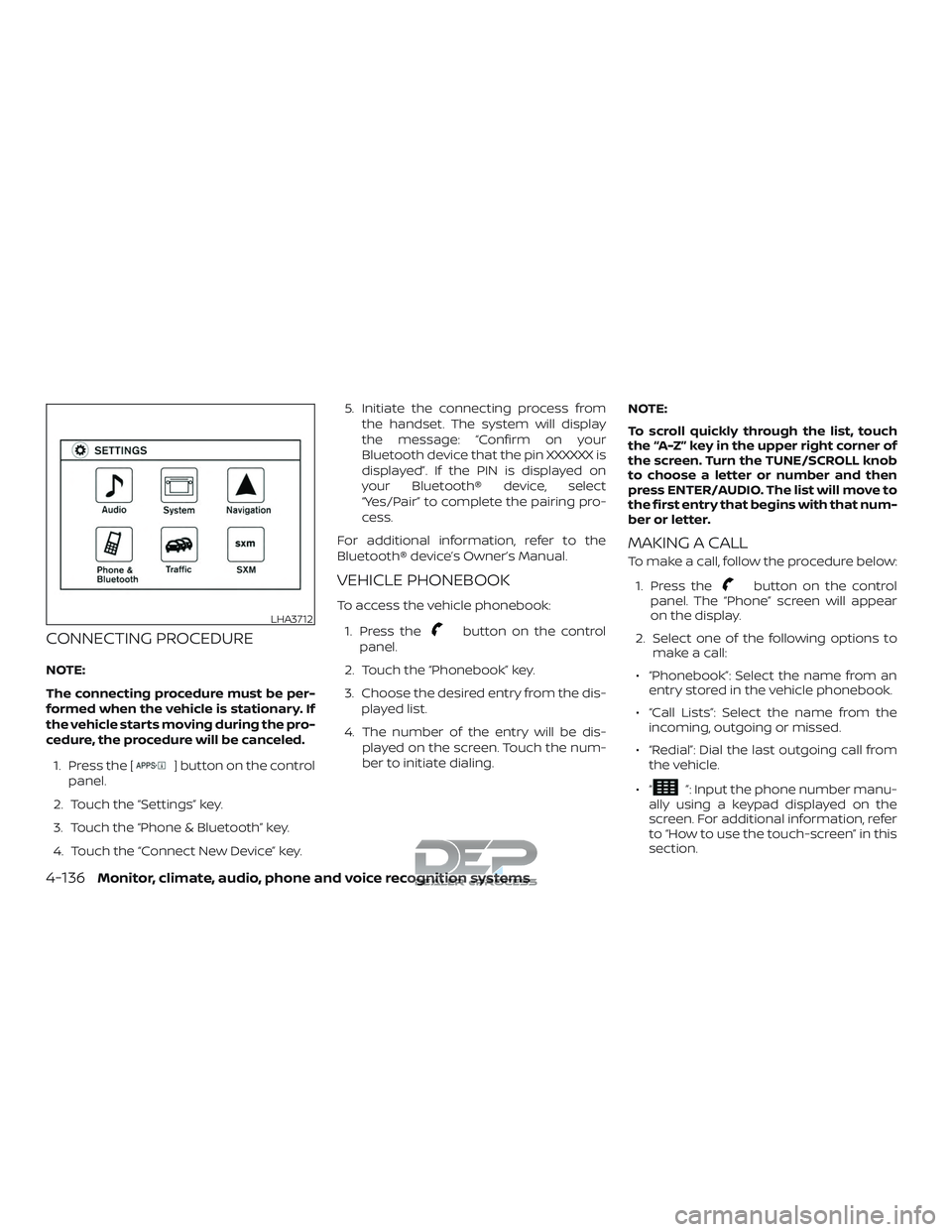
CONNECTING PROCEDURE
NOTE:
The connecting procedure must be per-
formed when the vehicle is stationary. If
the vehicle starts moving during the pro-
cedure, the procedure will be canceled.1. Press the [
] button on the control
panel.
2. Touch the “Settings” key.
3. Touch the “Phone & Bluetooth” key.
4. Touch the “Connect New Device” key. 5. Initiate the connecting process from
the handset. The system will display
the message: “Confirm on your
Bluetooth device that the pin XXXXXX is
displayed”. If the PIN is displayed on
your Bluetooth® device, select
“Yes/Pair” to complete the pairing pro-
cess.
For additional information, refer to the
Bluetooth® device’s Owner’s Manual.
VEHICLE PHONEBOOK
To access the vehicle phonebook:
1. Press the
button on the control
panel.
2. Touch the “Phonebook” key.
3. Choose the desired entry from the dis- played list.
4. The number of the entry will be dis- played on the screen. Touch the num-
ber to initiate dialing. NOTE:
To scroll quickly through the list, touch
the “A-Z” key in the upper right corner of
the screen. Turn the TUNE/SCROLL knob
to choose a letter or number and then
press ENTER/AUDIO. The list will move to
the first entry that begins with that num-
ber or letter.
MAKING A CALL
To make a call, follow the procedure below:
1. Press the
button on the control
panel. The “Phone” screen will appear
on the display.
2. Select one of the following options to make a call:
∙ “Phonebook”: Select the name from an entry stored in the vehicle phonebook.
∙ “Call Lists”: Select the name from the incoming, outgoing or missed.
∙ “Redial”: Dial the last outgoing call from the vehicle.
∙“
”: Input the phone number manu-
ally using a keypad displayed on the
screen. For additional information, refer
to “How to use the touch-screen” in this
section.
LHA3712
4-136Monitor, climate, audio, phone and voice recognition systems
Page 388 of 650
∙ Next TextSpeak this command to move to the
next text message (if available).
NOTE:
Text messages are only displayed if the
vehicle speed is less than 5 mph
(8 km/h).
NOTE:
iPhones® can only send text messages
via Siri® Eyes Free.
Making custom messages with Siri® Eyes
Free
If a connected phone is equipped with Siri®,
it can also be used to create custom mes-
sages. For additional information, refer to
“Siri® Eyes Free” in this section.
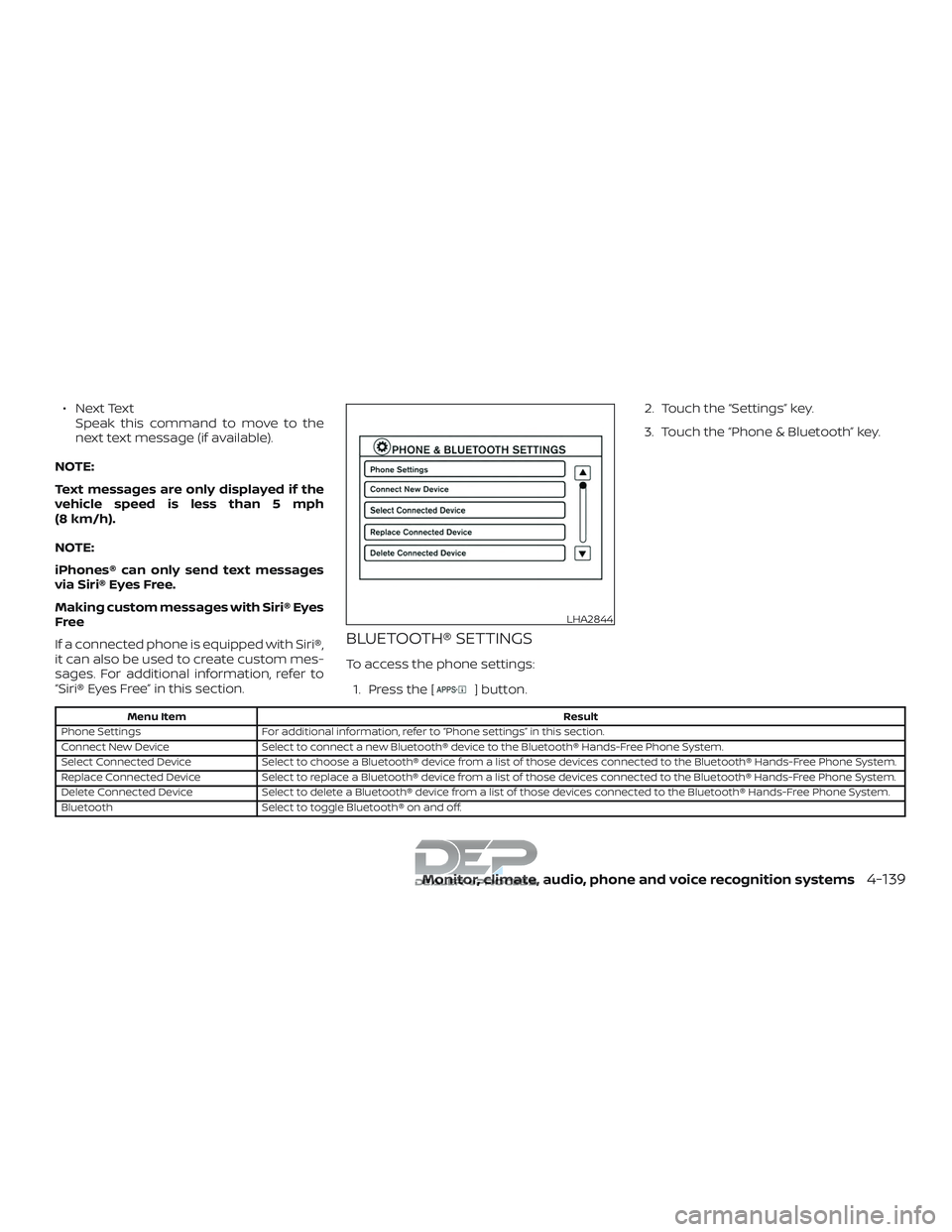
BLUETOOTH® SETTINGS
To access the phone settings: 1. Press the [
] button. 2. Touch the “Settings” key.
3. Touch the “Phone & Bluetooth” key.
Menu Item
Result
Phone Settings For additional information, refer to “Phone settings” in this section.
Connect New Device Select to connect a new Bluetooth® device to the Bluetooth® Hands-Free Phone System.
Select Connected Device Select to choose a Bluetooth® device from a list of those devices connected to the Bluetooth® Hands-Free Phone System.
Replace Connected Device Select to replace a Bluetooth® device from a list of those devices connected to the Bluetooth® Hands-Free Phone System.
Delete Connected Device Select to delete a Bluetooth® device from a list of those devices connected to the Bluetooth® Hands-Free Phone System.
Bluetooth Select to toggle Bluetooth® on and off.
LHA2844
Monitor, climate, audio, phone and voice recognition systems4-139
Page 389 of 650
![NISSAN TITAN 2018 Owner´s Manual PHONE SETTINGS
To access the phone settings:1. Press the [
] button.
2. Touch the “Settings” key.
3. Touch the “Phone & Bluetooth” key.
4. Touch the “Phone Settings” key and ad- just the f](/img/5/40372/w960_40372-388.png "NISSAN TITAN 2018 Owner´s Manual PHONE SETTINGS
To access the phone settings:1. Press the [
] button.
2. Touch the “Settings” key.
3. Touch the “Phone & Bluetooth” key.
4. Touch the “Phone Settings” key and ad- just the f")
PHONE SETTINGS
To access the phone settings:1. Press the [
] button.
2. Touch the “Settings” key.
3. Touch the “Phone & Bluetooth” key.
4. Touch the “Phone Settings” key and ad- just the following settings as desired:
∙ Start Siri® by: Touch “Short Press” or “Long Press” to
set how Siri® is operated on the steering
wheel.
∙ Sort Phonebook By: Touch “First Name” or “Last Name” to
choose how phonebook entries are al-
phabetically displayed on the screen.
∙ Use Phonebook From: Touch “Handset” to use the phone’s
phonebook. Touch “SIM” to use the
phonebook on the SIM card. Select
“Both” to use both sources.
∙ Download Phonebook Now: Touch to download the phonebook to
the vehicle from the chosen source. ∙ Record Name for Phonebook Entry:
Touch to record a name for a phone-
book entry for use with the NISSAN
Voice Recognition System.
∙ Phone Notifications for: Touch “Driver” to have phone notifica-
tions shown in the vehicle information
display (if so equipped). Select “Both” to
have phone notifications shown in both
the vehicle information display (if so
equipped) and the center display
screen.
∙ Text Messaging: Touch to toggle the text message func-
tionality on or off.
∙ Show Incoming Text for: Touch “Driver” to have incoming text no-
tifications shown in the vehicle informa-
tion display (if so equipped). Touch
“Both” to have text notifications shown
in both the vehicle information display
(if so equipped) and the center display
screen. Touch “Off ” to turn off all text
notifications.
∙ Auto Reply: Touch to toggle the auto reply function-
ality on or off. ∙ Auto Reply Message:
Touch to indicate preferred message to
be sent when “Auto Reply” function is
activated.
∙ Use Vehicle’s Signature: Touch to toggle on or off the addition of
the vehicle signature to outgoing mes-
sages.
∙ Custom Text Messages: Touch this option to select a custom
message to edit. There are 4 customer
message slots available.
4-140Monitor, climate, audio, phone and voice recognition systems
Page 391 of 650
The NISSAN Voice Recognition system al-
lows hands-free operation of the systems
equipped on this vehicle, such as the
phone and navigation systems.
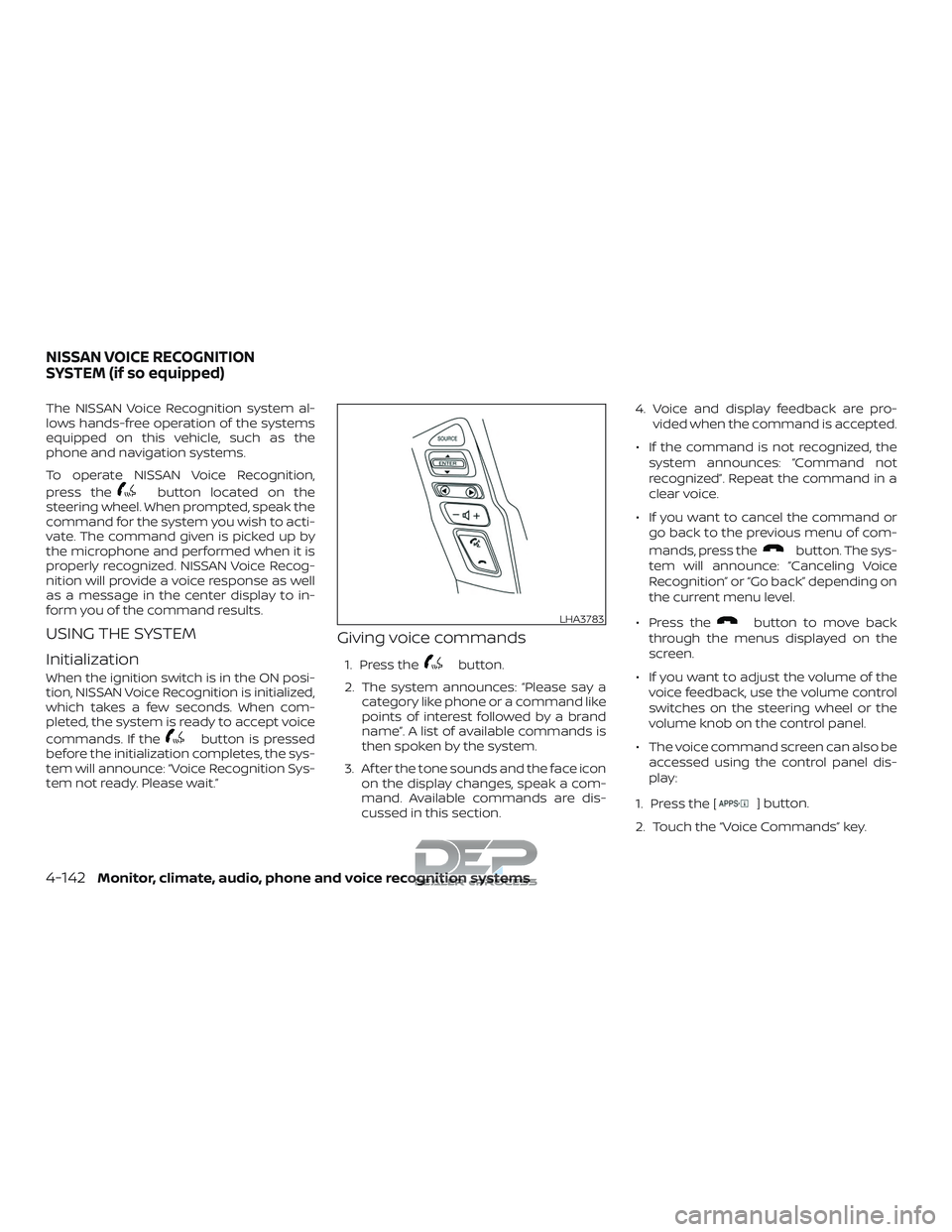
To operate NISSAN Voice Recognition,
press the
button located on the
steering wheel. When prompted, speak the
command for the system you wish to acti-
vate. The command given is picked up by
the microphone and performed when it is
properly recognized. NISSAN Voice Recog-
nition will provide a voice response as well
as a message in the center display to in-
form you of the command results.
USING THE SYSTEM
Initialization
When the ignition switch is in the ON posi-
tion, NISSAN Voice Recognition is initialized,
which takes a few seconds. When com-
pleted, the system is ready to accept voice
commands. If the
button is pressed
before the initialization completes, the sys-
tem will announce: “Voice Recognition Sys-
tem not ready. Please wait.”
Giving voice commands
1. Press thebutton.
2. The system announces: “Please say a category like phone or a command like
points of interest followed by a brand
name”. A list of available commands is
then spoken by the system.
3. Af ter the tone sounds and the face icon on the display changes, speak a com-
mand. Available commands are dis-
cussed in this section. 4. Voice and display feedback are pro-
vided when the command is accepted.
∙ If the command is not recognized, the system announces: “Command not
recognized”. Repeat the command in a
clear voice.
∙ If you want to cancel the command or go back to the previous menu of com-
mands, press the
button. The sys-
tem will announce: “Canceling Voice
Recognition” or “Go back” depending on
the current menu level.
∙ Press the
button to move back
through the menus displayed on the
screen.
∙ If you want to adjust the volume of the voice feedback, use the volume control
switches on the steering wheel or the
volume knob on the control panel.
∙ The voice command screen can also be accessed using the control panel dis-
play:
1. Press the [
] button.
2. Touch the “Voice Commands” key.
LHA3783
NISSAN VOICE RECOGNITION
SYSTEM (if so equipped)
4-142Monitor, climate, audio, phone and voice recognition systems
Page 397 of 650
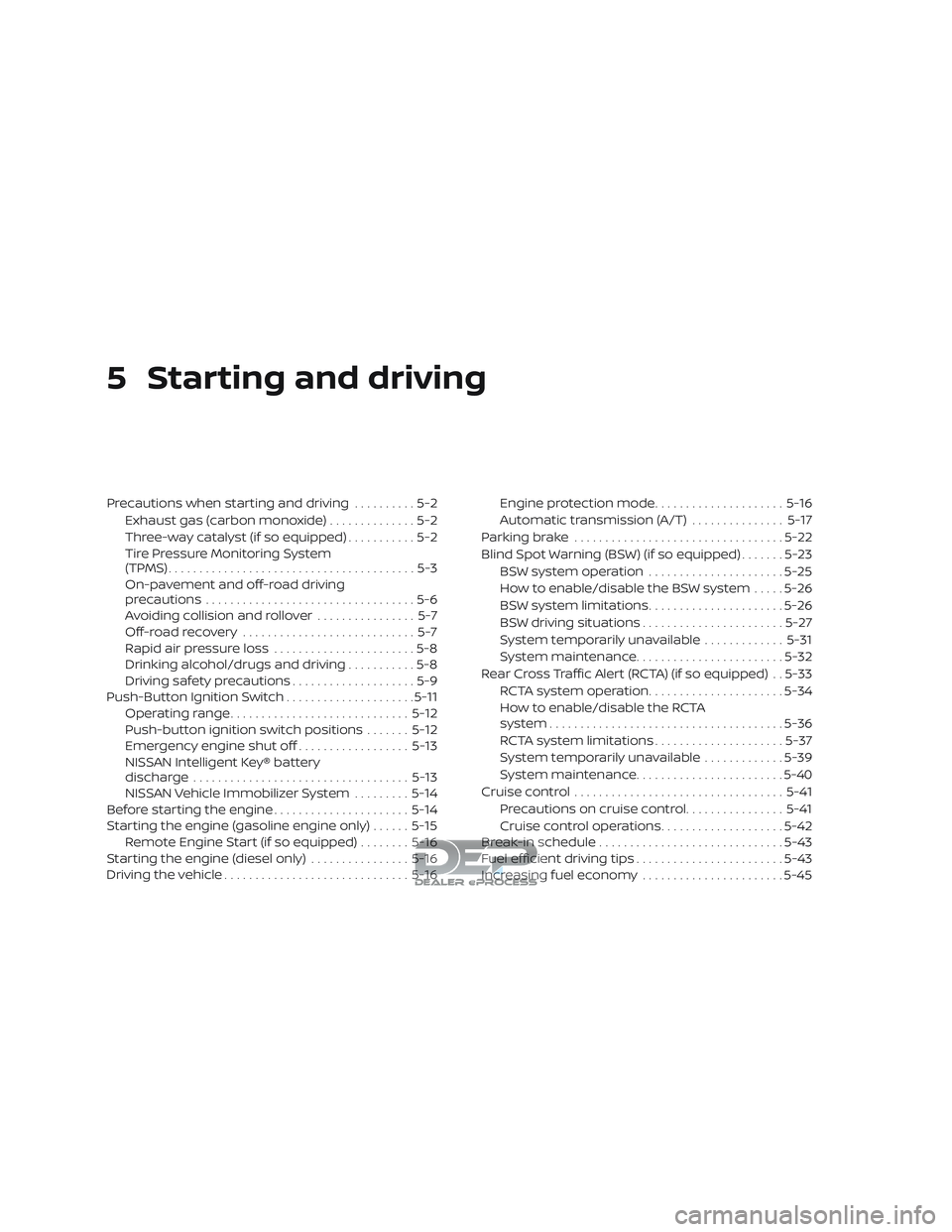
5 Starting and driving
Precautions when starting and driving..........5-2
Exhaust gas (carbon monoxide) ..............5-2
Three-way catalyst (if so equipped) ...........5-2
Tire Pressure Monitoring System
(TPMS)........................................5-3
On-pavement and off-road driving
precautions ..................................5-6
Avoiding collision and rollover ................5-7
Off-roadrecovery ............................5-7
Rapid air pressure loss .......................5-8
Drinking alcohol/drugs and driving ...........5-8
Driving safety precautions ....................5-9
Push-Button Ignition Switch .....................5-11
Operating range ............................. 5-12
Push-button ignition switch positions .......5-12
Emergency engine shut off ..................5-13
NISSAN Intelligent Key® battery
discharge ................................... 5-13
NISSAN Vehicle Immobilizer System .........5-14
Before starting the engine ......................5-14
Starting the engine (gasoline engine only) ......5-15
Remote Engine Start (if so equipped) ........5-16
Starting the engine (diesel only) ................5-16
Driving the vehicle .............................. 5-16Engine protection mode
.....................5-16
Automatic transmission (A/T) ...............5-17
Parking brake .................................. 5-22
Blind Spot Warning (BSW) (if so equipped) .......5-23
BSW system operation ......................5-25
How to enable/disable the BSW system .....5-26
BSW system limitations ......................5-26
BSW driving situations .......................5-27
System temporarily unavailable .............5-31
System maintenance ........................ 5-32
Rear Cross Traffic Alert (RCTA) (if so equipped) . . 5-33 RCTA system operation ......................5-34
How to enable/disable the RCTA
system ...................................... 5-36
RCTA system limitations .....................5-37
System temporarily unavailable .............5-39
System maintenance ........................ 5-40
Cruise control .................................. 5-41
Pr ec
autions on cruise control ................5-41
Cruise control operations ....................5-42
Break-in schedule .............................. 5-43
Fuel efficient driving tips ........................5-43
Increasing fuel economy .......................5-45