differential NISSAN TITAN 2018 Owner´s Manual
[x] Cancel search | Manufacturer: NISSAN, Model Year: 2018, Model line: TITAN, Model: NISSAN TITAN 2018Pages: 650, PDF Size: 7.54 MB
Page 16 of 650
15. Heated steering wheel switch(if so equipped) (P. 2-64)
Warning Systems switch
(if so equipped) (P. 2-64)
16. Power outlet (P. 2-71)
17. Auxiliary jack (P. 4-48) USB port (P. 4-48)
18. Hazard warning flasher switch
(P. 6-2)
19. Trailer Brake Controller Unit (TBCU)
(if so equipped) (P. 2-71)
20. Climate control seat switch
(if so equipped) (P. 2-60)
Heated front seat switches
(if so equipped) (P. 2-61)
21. Vehicle Dynamic Control (VDC) OFF
switch (P. 2-65)
Front and rear sonar system OFF
switch (if so equipped) (P. 5-64)
22. 4WD shif t switch (if so equipped)
(P. 5-45)
23. Push-button ignition switch
(P. 5-11)
24. Tilt and telescopic steering wheel
control (P. 3-29) 25. Headlight aiming control
(if so equipped) (P. 2-54)
Power inverter switch
(if so equipped) (P. 2-68)
Cargo lamp switch (P. 2-60)
Electronic locking rear differential
(E-Lock) system switch
(if so equipped) (P. 2-67)
Hill descent control system switch
(if so equipped) (P. 2-66)
26. Headlight switch (P. 2-54) Fog light switch (if so equipped)
(P. 2-59)
Instrument brightness control
switches (P. 2-54)
Trip reset switch (P. 2-6)
Refer to the page number indicated in
parenthesis for operating details.
Illustrated table of contents0-7
Page 21 of 650
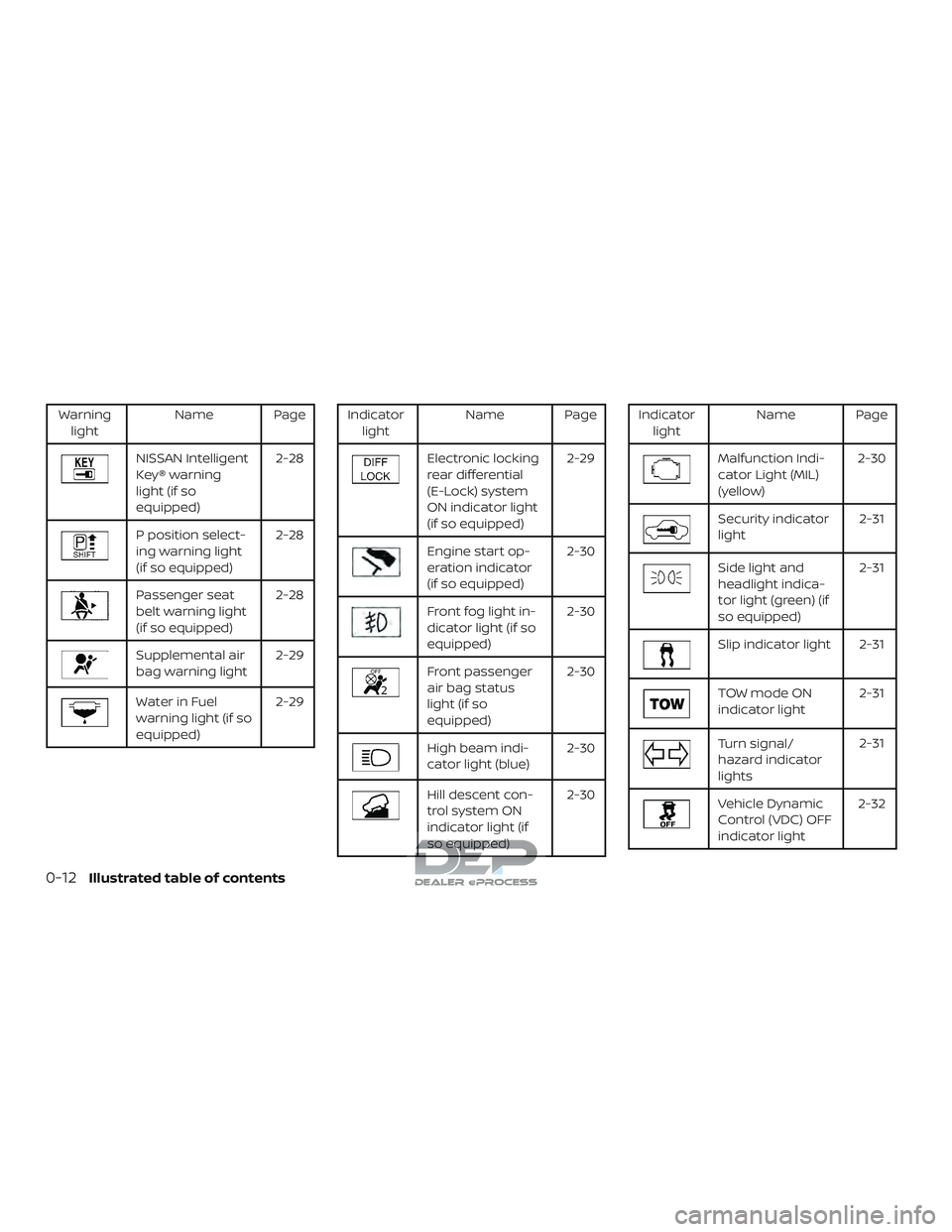
Warninglight Name Page
NISSAN Intelligent
Key® warning
light (if so
equipped) 2-28
P position select-
ing warning light
(if so equipped)
2-28
Passenger seat
belt warning light
(if so equipped)2-28
Supplemental air
bag warning light
2-29
Water in Fuel
warning light (if so
equipped)2-29
Indicator
light Name Page
Electronic locking
rear differential
(E-Lock) system
ON indicator light
(if so equipped) 2-29
Engine start op-
eration indicator
(if so equipped)
2-30
Front fog light in-
dicator light (if so
equipped)2-30
Front passenger
air bag status
light (if so
equipped)2-30
High beam indi-
cator light (blue)
2-30
Hill descent con-
trol system ON
indicator light (if
so equipped)2-30
Indicator
light Name Page
Malfunction Indi-
cator Light (MIL)
(yellow) 2-30
Security indicator
light
2-31
Side light and
headlight indica-
tor light (green) (if
so equipped)2-31
Slip indicator light 2-31
TOW mode ON
indicator light
2-31
Turn signal/
hazard indicator
lights2-31
Vehicle Dynamic
Control (VDC) OFF
indicator light2-32
0-12Illustrated table of contents
Page 107 of 650
Cargo lamp switch............................. 2-60
Climate controlled seat switches
(if so equipped) ................................. 2-60
Heated seat switches (if so equipped) ..........2-61
Heated rear seat switches (if so equipped) ......2-62
Heated steering wheel switch (if so equipped) . . 2-64
Warning systems switch (if so equipped) .......2-64
Vehicle Dynamic Control (VDC) OFF switch ......2-65
Hill descent control switch (if so equipped) ......2-66
Electronic locking rear differential (E-Lock)
system switch (if so equipped) ..................2-67
Power inverter switch (if so equipped) ..........2-68
Front and rear sonar system OFF switch
(if so equipped) ................................. 2-69
Tow mode switch .............................. 2-70
E-call (SOS) switch (if so equipped) ..............2-70
Trailer Brake Controller Unit (TBCU)
(if so equipped) ................................. 2-71
Power outlets .................................. 2-71
12v Outlets .................................. 2-71
120v outlets (if so equipped) .................2-73
Extended storage switch .......................2-74
Storage ........................................ 2-75
Front-door pockets .......................... 2-75Rear-door pockets (if so equipped)
..........2-76
Console side pockets (if so equipped) ........2-76
Seatback pockets (if so equipped) ...........2-76
Under-seat storage (if so equipped) .........2-77
Console box storage trays
(if so equipped) .............................. 2-78
Glovebox.................................... 2-78
Console box (if so equipped) .................2-79
Center armrest storage (if so equipped) .....2-80
Under front seat storage bin
(if so equipped) .............................. 2-81
Overhead sunglasses storage
(if so equipped) .............................. 2-81
Cup holders ................................. 2-82
Grocery hooks (if so equipped) ...............2-85
Bed liner storage bins (if so equipped) .......2-85
Cargo hooks (if so equipped) ................2-86
C -Channel
cargo hooks (if so equipped) .....2-86
Windows ....................................... 2-87
Power windows ............................. 2-87
Rear power window switch
(if so equipped) .............................. 2-89
Rear sliding window (if so equipped) .........2-90
Interior lights ................................... 2-91
Page 110 of 650
15. Heated steering wheel switch(if so equipped) (P. 2-64)
Warning Systems switch
(if so equipped) (P. 2-64)
16. Power outlet (P. 2-71)
17. Auxiliary jack (P. 4-48) USB port (P. 4-48)
18. Hazard warning flasher switch
(P. 6-2)
19. Trailer Brake Controller Unit (TBCU)
(if so equipped) (P. 2-71)
20. Climate control seat switch
(if so equipped) (P. 2-60)
Heated front seat switches
(if so equipped) (P. 2-61)
21. Vehicle Dynamic Control (VDC) OFF
switch (P. 2-65)
Front and rear sonar system OFF
switch (if so equipped) (P. 5-64)
22. 4WD shif t switch (if so equipped)
(P. 5-45)
23. Push-button ignition switch
(P. 5-11)
24. Tilt and telescopic steering wheel
control (P. 3-29) 25. Headlight aiming control
(if so equipped) (P. 2-54)
Power inverter switch
(if so equipped) (P. 2-68)
Cargo lamp switch (P. 2-60)
Electronic locking rear differential
(E-Lock) system switch (if so
equipped) (P. 2-67)
Hill descent control system switch
(if so equipped) (P. 2-66)
26. Headlight switch (P. 2-54) Fog light switch (if so equipped)
(P. 2-59)
Instrument brightness control
switches (P. 2-54)
Trip reset switch (P. 2-6)
Refer to the page number indicated in
parenthesis for operating details.
Instruments and controls2-5
Page 127 of 650
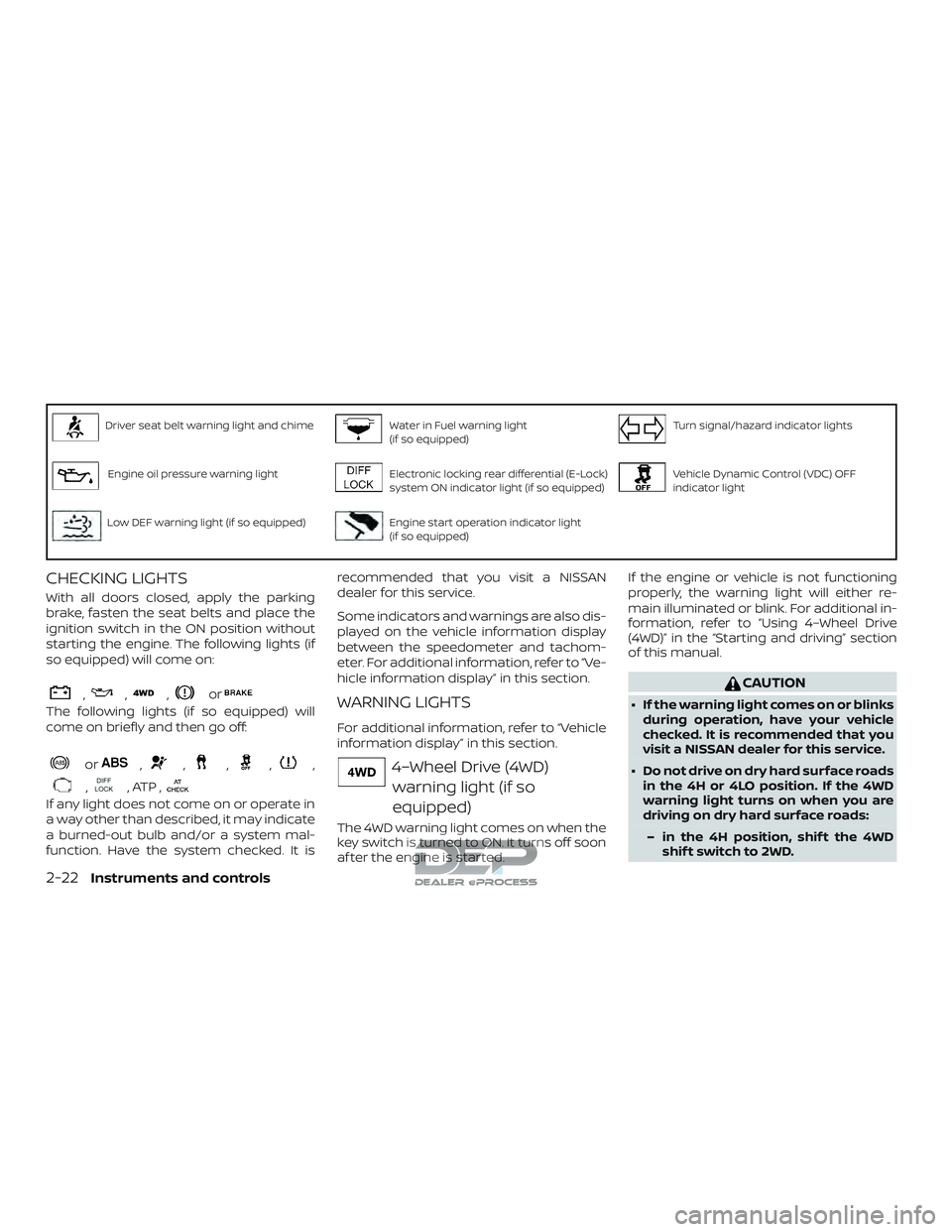
Driver seat belt warning light and chimeWater in Fuel warning light
(if so equipped)Turn signal/hazard indicator lights
Engine oil pressure warning lightElectronic locking rear differential (E-Lock)
system ON indicator light (if so equipped)Vehicle Dynamic Control (VDC) OFF
indicator light
Low DEF warning light (if so equipped)Engine start operation indicator light
(if so equipped)
CHECKING LIGHTS
With all doors closed, apply the parking
brake, fasten the seat belts and place the
ignition switch in the ON position without
starting the engine. The following lights (if
so equipped) will come on:
,,,or
The following lights (if so equipped) will
come on briefly and then go off:
or,,,,,
,, ATP ,
If any light does not come on or operate in
a way other than described, it may indicate
a burned-out bulb and/or a system mal-
function. Have the system checked. It isrecommended that you visit a NISSAN
dealer for this service.
Some indicators and warnings are also dis-
played on the vehicle information display
between the speedometer and tachom-
eter. For additional information, refer to “Ve-
hicle information display” in this section.
WARNING LIGHTS
For additional information, refer to “Vehicle
information display” in this section.
4–Wheel Drive (4WD)
warning light (if so
equipped)
The 4WD warning light comes on when the
key switch is turned to ON. It turns off soon
af ter the engine is started. If the engine or vehicle is not functioning
properly, the warning light will either re-
main illuminated or blink. For additional in-
formation, refer to “Using 4–Wheel Drive
(4WD)” in the “Starting and driving” section
of this manual.
CAUTION
∙ If the warning light comes on or blinks
during operation, have your vehicle
checked. It is recommended that you
visit a NISSAN dealer for this service.
∙ Do not drive on dry hard surface roads in the 4H or 4LO position. If the 4WD
warning light turns on when you are
driving on dry hard surface roads:
– in the 4H position, shif t the 4WD shif t switch to 2WD.
2-22Instruments and controls
Page 134 of 650
The light will remain on for a period of time
when the vehicle is shif ted out of P (Park)
and the passenger seat belt is unfastened.
If the passenger seat belt is fastened, the
light will turn off.
For additional information, refer to “Seat
belts” in the “Safety-Seats, seat belts and
supplemental restraint system” section of
this manual for precautions on seat belt
usage.
Supplemental air bagwarning light
When the ignition switch is placed in the ON
or START position, the supplemental air
bag warning light illuminates for about
7 seconds and then turns off. This means
the system is operational.
If any of the following conditions occur, the
front air bag, side air bag, curtain air bag,
and pretensioner seat belt systems need
servicing:
∙ The supplemental air bag warning light remains on af ter approximately 7 sec-
onds.
∙ The supplemental air bag warning light flashes intermittently. ∙ The supplemental air bag warning light
does not come on at all.
It is recommended that you visit a NISSAN
dealer for these services.
Unless checked and repaired, the supple-
mental restraint system (air bag system)
and/or the pretensioner(s) may not func-
tion properly. For additional information, re-
fer to “Supplemental Restraint System
(SRS)” in the “Safety—Seats, seat belts and
supplemental restraint system” section of
this manual.WARNING
If the supplemental air bag warning
light is on, it could mean that the front
air bag, side air bag, curtain air bag
and/or pretensioner systems will not
operate in an accident. To help avoid
injury to yourself or others, have your
vehicle checked as soon as possible. It is
recommended that you visit a NISSAN
dealer for this service.
Water in Fuel warning light (if so equipped)
For additional information, refer to the “Ti-
tan Diesel Owner’s Manual”.
INDICATOR LIGHTS
For additional information, refer to “Vehicle
information display” in this section.
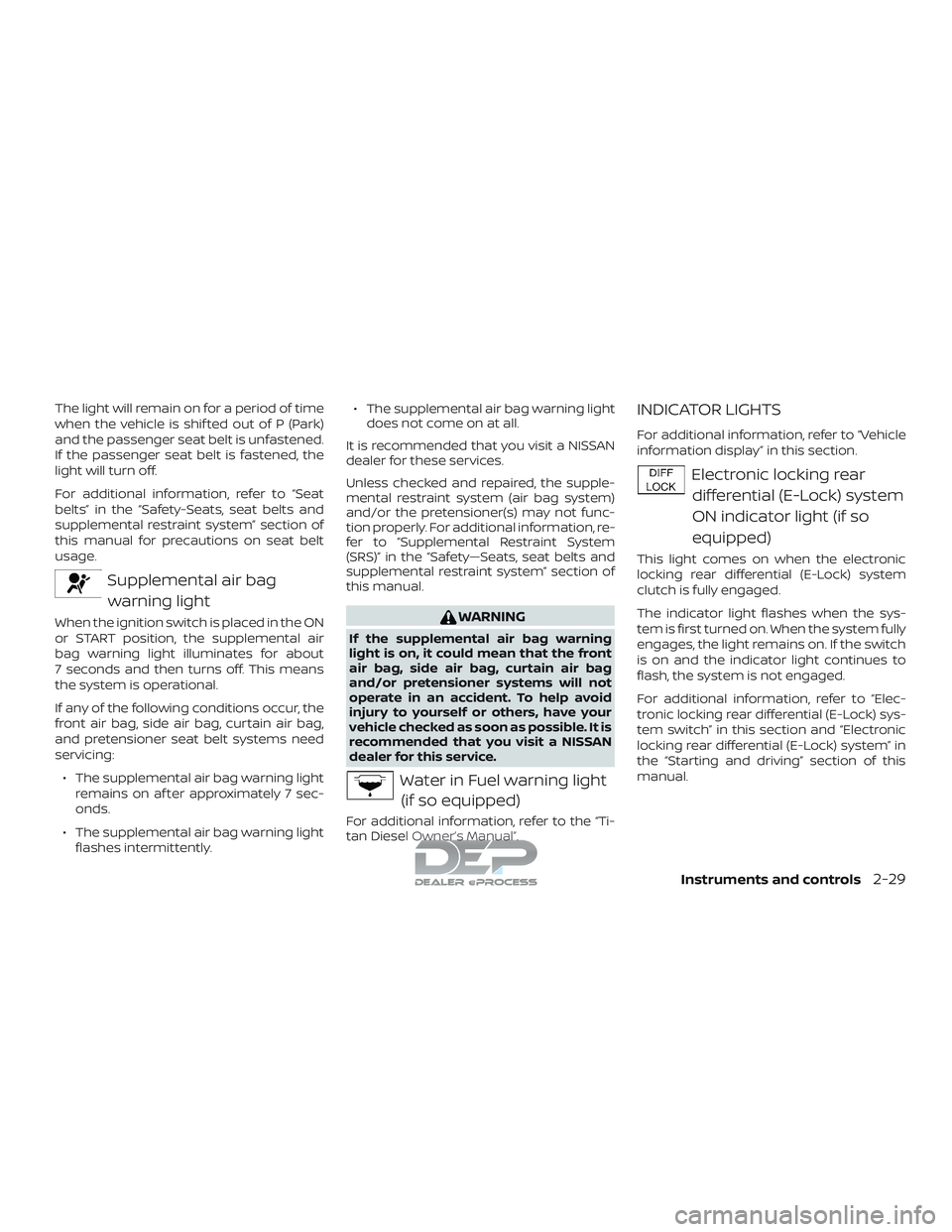
Electronic locking rear
differential (E-Lock) system
ON indicator light (if so
equipped)
This light comes on when the electronic
locking rear differential (E-Lock) system
clutch is fully engaged.
The indicator light flashes when the sys-
tem is first turned on. When the system fully
engages, the light remains on. If the switch
is on and the indicator light continues to
flash, the system is not engaged.
For additional information, refer to “Elec-
tronic locking rear differential (E-Lock) sys-
tem switch” in this section and “Electronic
locking rear differential (E-Lock) system” in
the “Starting and driving” section of this
manual.
Instruments and controls2-29
Page 172 of 650
To turn off the hill descent control system,
push the switch to the OFF position.
For additional information, refer to “Hill de-
scent control system ON indicator light” in
this section and “Hill descent control sys-
tem” in the “Starting and driving” section of
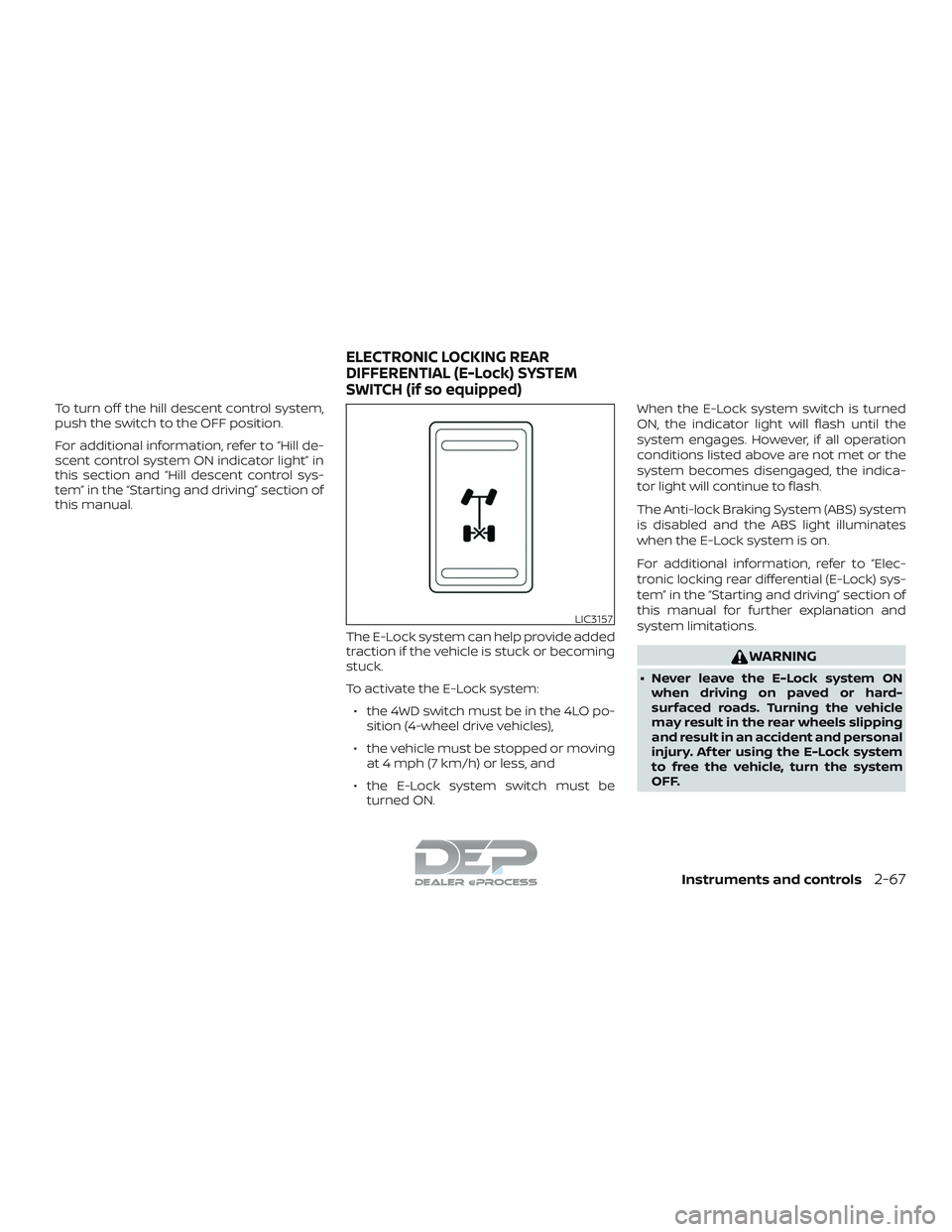
this manual.The E-Lock system can help provide added
traction if the vehicle is stuck or becoming
stuck.
To activate the E-Lock system:∙ the 4WD switch must be in the 4LO po- sition (4-wheel drive vehicles),
∙ the vehicle must be stopped or moving at 4 mph (7 km/h) or less, and
∙ the E-Lock system switch must be turned ON. When the E-Lock system switch is turned
ON, the indicator light will flash until the
system engages. However, if all operation
conditions listed above are not met or the
system becomes disengaged, the indica-
tor light will continue to flash.
The Anti-lock Braking System (ABS) system
is disabled and the ABS light illuminates
when the E-Lock system is on.
For additional information, refer to “Elec-
tronic locking rear differential (E-Lock) sys-
tem” in the “Starting and driving” section of
this manual for further explanation and
system limitations.
WARNING
∙ Never leave the E-Lock system ON
when driving on paved or hard-
surfaced roads. Turning the vehicle
may result in the rear wheels slipping
and result in an accident and personal
injury. Af ter using the E-Lock system
to free the vehicle, turn the system
OFF.
LIC3157
ELECTRONIC LOCKING REAR
DIFFERENTIAL (E-Lock) SYSTEM
SWITCH (if so equipped)
Instruments and controls2-67
Page 398 of 650
Using 4–wheel drive (4WD) (if so equipped)......5-45
Transfer case shif ting procedures ...........5-46
Electronic locking rear differential (E-Lock)
system (if so equipped) ......................... 5-52
Eco Drive Report (if so equipped) ...............5-54
Parking/parking on hills ........................5-55
Power steering ................................. 5-56
Brake system ................................... 5-56
Brake precautions ........................... 5-56
Anti-lock Braking System (ABS) ..............5-57
Brake assist ................................. 5-58
Active brake limited slip (ABLS) system ..........5-59
Vehicle Dynamic Control (VDC) system .........5-60
Brake force distribution ......................5-61
Hill Descent Control System (if so equipped) ....5-62
Hill start assist system .......................... 5-63Front and rear sonar system (if so equipped) . . . 5-64
System operation ........................... 5-65
How to enable/disable the Sonar
system ...................................... 5-67
Sonar limitations ............................ 5-68
System maintenance ........................ 5-69
Cold weather driving ........................... 5-69
Freeing a frozen door lock ...................5-69
Antifreeze ................................... 5-69
Battery...................................... 5-69
Draining of coolant water ....................5-70
Tire equipment .............................. 5-70
Special winter equipment ...................5-70
Driving on snow or ice .......................5-70
Engine block heater (if so equipped) .........5-71
Page 446 of 650
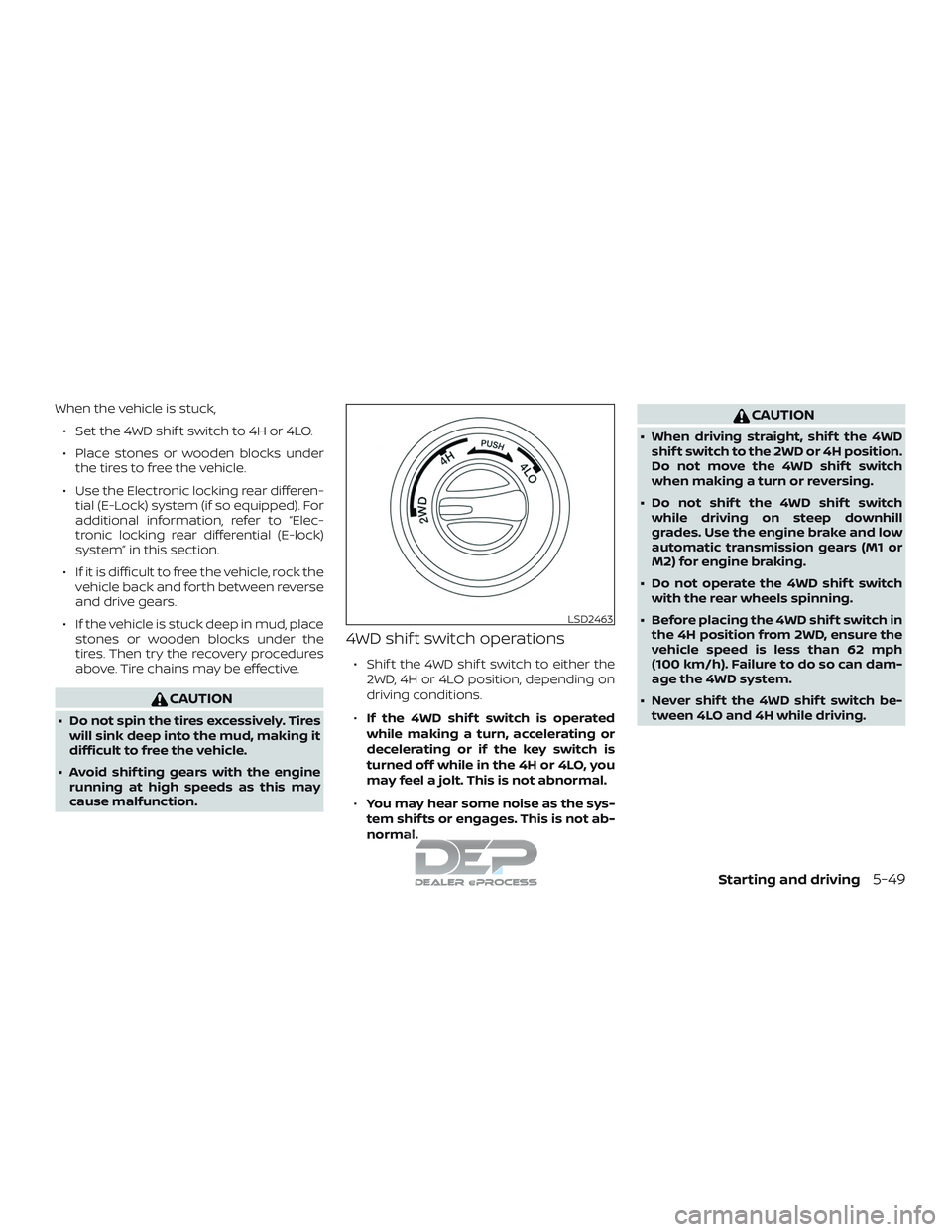
When the vehicle is stuck,∙ Set the 4WD shif t switch to 4H or 4LO.
∙ Place stones or wooden blocks under the tires to free the vehicle.
∙ Use the Electronic locking rear differen- tial (E-Lock) system (if so equipped). For
additional information, refer to “Elec-
tronic locking rear differential (E-lock)
system” in this section.
∙ If it is difficult to free the vehicle, rock the vehicle back and forth between reverse
and drive gears.
∙ If the vehicle is stuck deep in mud, place stones or wooden blocks under the
tires. Then try the recovery procedures
above. Tire chains may be effective.
CAUTION
∙ Do not spin the tires excessively. Tireswill sink deep into the mud, making it
difficult to free the vehicle.
∙ Avoid shif ting gears with the engine running at high speeds as this may
cause malfunction.
4WD shif t switch operations
∙ Shif t the 4WD shif t switch to either the
2WD, 4H or 4LO position, depending on
driving conditions.
∙ If the 4WD shif t switch is operated
while making a turn, accelerating or
decelerating or if the key switch is
turned off while in the 4H or 4LO, you
may feel a jolt. This is not abnormal.
∙ You may hear some noise as the sys-
tem shif ts or engages. This is not ab-
normal.
CAUTION
∙ When driving straight, shif t the 4WD
shif t switch to the 2WD or 4H position.
Do not move the 4WD shif t switch
when making a turn or reversing.
∙ Do not shif t the 4WD shif t switch while driving on steep downhill
grades. Use the engine brake and low
automatic transmission gears (M1 or
M2) for engine braking.
∙ Do not operate the 4WD shif t switch with the rear wheels spinning.
∙ Before placing the 4WD shif t switch in the 4H position from 2WD, ensure the
vehicle speed is less than 62 mph
(100 km/h). Failure to do so can dam-
age the 4WD system.
∙ Never shif t the 4WD shif t switch be- tween 4LO and 4H while driving.
LSD2463
Starting and driving5-49
Page 449 of 650
∙ When the warning light or warningmessage comes on, the 2WD mode
may be engaged even if the 4WD shif t
switch is in 4H. Be especially careful
when driving. If corresponding parts
are malfunctioning, the 4WD mode
will not be engaged even if the 4WD
shif t switch is shif ted.
∙ Do not drive the vehicle in the 4H or 4LO position on dry hard surface
roads. Driving on dry, hard surfaces in
4H or 4LO may cause unnecessary
noise, tire wear and increased fuel
consumption.
If the 4WD warning light or warning
message turns on when you are driv-
ing on dry hard surface roads:
– In the 4H position, shif t the 4WD shif t switch to 2WD.
– In the 4LO position, stop the ve- hicle, move the automatic trans-
mission shif t lever to the N (Neu-
tral) position with the brake pedal
depressed, and shif t the 4WD shif t
switch to 2WD. ∙ If the warning light or warning mes-
sage is still on af ter the above opera-
tion, have your vehicle checked as
soon as possible. It is recommended
that you visit a NISSAN dealer for this
service.
∙ The transfer case may be damaged if you continue driving with the warning
light or warning message on. The E-Lock system can provide additional
traction and should only be used when a
vehicle has become or is becoming stuck.
This system operates by electronically
“locking” the two rear drive wheels to-
gether, allowing them to turn at the same
speed. The system is used when it is not
possible to free a stuck vehicle even when
using the 4LO position (4-wheel drive ve-
hicles).
When added traction is required, activate
the E-Lock system by pushing the switch
on. For additional information, refer to
“Electronic locking rear differential (E-Lock)
system switch” in the “Instruments and
controls” section of this manual. Once the
system fully engages, the indicator light in
the instrument panel will remain on. When
the system is activated, both rear wheels
will engage, providing added traction.
The rear wheels may momentarily slip or
move to engage the system, and the sys-
tem will only engage up to approximately
4 mph (7 km/h). Once the vehicle is free, the
system should be turned off and driving
resumed.
The Anti-lock Braking System (ABS) is dis-
abled and the ABS light illuminates when
the E-Lock system is on.
ELECTRONIC LOCKING REAR
DIFFERENTIAL (E-Lock) SYSTEM (if
so equipped)
5-52Starting and driving