start stop button NISSAN TITAN 2018 Owner´s Manual
[x] Cancel search | Manufacturer: NISSAN, Model Year: 2018, Model line: TITAN, Model: NISSAN TITAN 2018Pages: 650, PDF Size: 7.54 MB
Page 146 of 650
VEHICLE INFORMATION DISPLAY
WARNINGS AND INDICATORS
1. Door Open
2. Release Parking Brake
3. Range XX miles
4. Low Fuel
5. Oil Level Low (For Diesel engines only)
6. Low Oil Pressure Stop Vehicle (For Die-sel engines only)
7. Oil Level Sensor Fault (For Diesel en- gines only)
8. AT (Automatic Transmission) CHECK
9. AT (Automatic Transmission) Error: See Owner’s Manual
10. Tire Pressure Low - Add Air
11. Low Tire Pressure Error — Info
12. Flat Tire
13. Shipping Mode On Push Storage Fuse
14. Push brake and start button to drive
15. Remote Engine Start Mode (if so equipped)
16. Brightness indicator 17. Low Outside Temperature
18. Shif t to Park
19. Low fuel Pressure: See Owner’s Manual
20. Low Washer Fluid
21. Cruise control indicator
22. 4WD shif t indicators (if so equipped)
23. FRT & RR tire size difference: See Own-
er’s Manual (if so equipped)
24. Push Ignition to OFF
25. Headlight System Error: See Owner’s Manual (if so equipped)
26. Key ID Incorrect
27. No Key Detected
28. Key System Error: See Owner’s Manual
29. Key Battery Low
30. Power will turn off to save the battery
31. Power turned off to save the battery
32. Reminder: Turn OFF Headlights
33. 4WD Error: See Owner’s Manual (if so equipped)
34. Battery Voltage Low Charge Battery
35. Maintenance indicators 36. Parking Sensor Error: See Owner’s
Manual (if so equipped)
37. TPMS Error: See Owner’s Manual
38. 4WD MODE SHIFTING (if so equipped)
39. Loose Fuel Cap (if so equipped)
40. Blind Spot Warning (BSW) and Rear Cross Traffic Alert (RCTA) indicator (if so
equipped)
41. Malfunction: See Owner’s Manual (if so equipped)
42. Side Radar Obstruction (if so equipped)
Door Open
This warning illuminates when a door has
been opened.
Release Parking Brake
This warning illuminates in the message
area of the vehicle information display
when the parking brake is set and the ve-
hicle is driven. Press the brake pedal to re-
lease the parking brake.
Range XX miles
This warning illuminates to indicate the ap-
proximate distance remaining before the
fuel reaches 0 (Empty).
Instruments and controls2-41
Page 147 of 650
Low Fuel
This warning illuminates when the fuel level
in the fuel tank is getting low. Refuel as
soon as it is convenient, preferably before
the fuel gauge reaches 0 (Empty).There
will be a small reserve of fuel in the tank
when the fuel gauge needle reaches 0
(Empty).
Oil Level Low (For Diesel engines only)
If the Oil Level Low indicator is displayed,
the engine oil level is low. If the low level
reminder is displayed, check the level using
the engine oil dipstick.
CAUTION
The oil level should be checked regu-
larly using the engine oil dipstick. Oper-
ating with an insufficient amount of oil
can damage the engine and such dam-
age is not covered by the warranty.
Low Oil Pressure Stop Vehicle (For Diesel
engines only)
This warning appears in the message area
of the vehicle information display if low oil
pressure is detected. This gauge is not de-
signed to indicate low oil level. The low oil
pressure warning is not designed to indi-
cate a low oil level. Use the dipstick to check the oil level. For additional informa-
tion, refer to “Engine oil” in the “Do-it-
yourself ” section of this manual.
Oil Level Sensor Fault (For Diesel en-
gines only)
This warning appears in the message area
of the vehicle information display if the oil
level sensor malfunctions. It is recom-
mended that you visit a NISSAN dealer to
have this system checked.
AT (Automatic Transmission) CHECK
If the AT Check warning appears while the
engine is running, or while driving, it may
indicate that the AT is not functioning prop-
erly and may need servicing. Have the sys-
tem checked, and if necessary, repaired
promptly. It is recommended that you visit
a NISSAN dealer for this service.
AT (Automatic Transmission) Error: See
Owner’s Manual
If this message appears while the engine is
running, or while driving, it may indicate
that the AT is not functioning properly and
may need servicing. Have the system
checked, and if necessary, repaired
promptly. It is recommended that you visit
a NISSAN dealer for this service. Tire Pressure Low - Add Air
This warning appears when the low tire
pressure warning light in the meter illumi-
nates and low tire pressure is detected. The
warning appears each time the ignition
switch is placed in the ON position as long
as the low tire pressure warning light re-
mains illuminated. If this warning appears,
stop the vehicle and adjust the tire pres-
sures of all four tires to the recommended
COLD tire pressure shown on the Tire and
Loading Information label. For additional
information, refer to “Low tire pressure
warning light” in this section and “Tire Pres-
sure Monitoring System (TPMS)” in the
“Starting and driving” section of this
manual.
Low Tire Pressure Error — Info
This warning appears when the low tire
pressure warning light in the meter illumi-
nates and low tire pressure is detected.
Press the
button for information
about the low tire pressure. For additional
information, refer to “Low tire pressure
warning light” in this section and “Tire Pres-
sure Monitoring System (TPMS)” in the
“Starting and driving” section of this
manual.
2-42Instruments and controls
Page 149 of 650
FRT & RR tire size difference: See Own-
er’s Manual (if so equipped)
This warning may appear if there is a large
difference between the diameters of the
front and rear wheels. Pull off the road in a
safe area, with the engine idling. Check that
all the tire sizes are the same, that the tire
pressure is correct and that the tires are
not excessively worn. For additional infor-
mation, refer to “Wheels and tires” in the
“Technical and consumer information” of
this manual.
Push Ignition to OFF
Af ter the Push ignition to OFF warning illu-
minates, the warning will illuminate if the
ignition switch is placed in the ACC position
when the shif t lever is moved to the P (Park)
position.
To turn off the Push warning, place the ig-
nition switch in the ON position and then in
the LOCK position.
Headlight System Error: See Owner’s
Manual (if so equipped)
This warning appears when the LED head-
lights are not functioning properly.If this warning appears, have your system
checked. It is recommended that you visit a
NISSAN dealer for this service.
Key ID Incorrect
This warning appears when the ignition
switch is placed from the OFF position and
the Intelligent Key is not recognized by the
system. You cannot start the engine with
an unregistered key.
For additional information, refer to “NISSAN
Intelligent Key®” in the “Pre-driving checks
and adjustments” section of this manual.
No Key Detected
This warning appears when the Intelligent
Key is lef t outside the vehicle with the igni-
tion switch in the ON position. Make sure
the Intelligent Key is inside the vehicle.
For additional information, refer to “NISSAN
Intelligent Key®” in the “Pre-driving checks
and adjustments” section of this manual.
Key System Error: See Owner’s Manual
Af ter the ignition switch is pushed to the
ON position, this light comes on for a period
of time and then turns off.
The Key System Error message warns of a
malfunction with the Intelligent Key sys-
tem. If the light comes on while the engine
is stopped, it may be impossible to start
the engine.
If the light comes on while the engine is
running, you can drive the vehicle. However,
in these cases, have the system checked. It
is recommended that you visit a NISSAN
dealer for this service.
Key Battery Low
This indicator illuminates when the Intelli-
gent Key battery is running out of power.
If this indicator illuminates, replace the bat-
tery with a new one. For additional infor-
mation, refer to “Battery replacement” in
the “Do-it-yourself ” section of this manual.
Power will turn off to save the battery
This message appears in the vehicle infor-
mation display af ter a period of time if the
ignition switch is in the ACC or the ON po-
sition and if the vehicle is in P (Park). For
additional information, refer to “Push-
button ignition switch positions” in the
“Starting and driving” section of this
manual.
2-44Instruments and controls
Page 154 of 650
∙Even when the driver and/or passen-
gers are in the vehicle, the system will
activate with all the doors, hood and
locked with the ignition switch placed
in the LOCK position. When placing
the ignition switch in the ACC or ON
position, the system will be released.
∙ The lockable bedside storage com-
partment (if so equipped) is not pro-
tected by the vehicle security system.
Vehicle security system activation
The vehicle security system will give the
following alarm:
∙ The headlights blink and the horn sounds intermittently.
∙ The alarm automatically turns off af ter a period of time. However, the alarm
reactivates if the vehicle is tampered
with again. The alarm can be shut off by
unlocking the driver’s door with the key
or by pressing the
button on the
key fob. The alarm is activated by:
∙ Opening a door without using the key or key fob (even if the door is unlocked by
using the inside lock knob or the power
door lock switch).
How to stop an activated alarm
The alarm stops only by unlocking the driv-
er’s door with the key or by pressing
the
button on the key fob.
NISSAN VEHICLE IMMOBILIZER
SYSTEM
The NISSAN Vehicle Immobilizer System
will not allow the engine to start without
the use of a registered key.
If the engine fails to start using a registered
key (for example, when interference is
caused by another registered key, an auto-
mated toll road device or automatic pay-
ment device on the key ring), restart the
engine using the following procedures:
1. Leave the ignition switch placed in the ON position for approximately 5 sec-
onds.
2. Place the ignition switch in the OFF or LOCK position and wait approximately
10 seconds. 3. Repeat steps 1 and 2.
4. Restart the engine while holding the
device (which may have caused the in-
terference) separate from the regis-
tered key.
If the no start condition re-occurs, NISSAN
recommends placing the registered key on
a separate key ring to avoid interference
from other devices.
FCC Notice:
For USA:
This device complies with part 15 of the
FCC Rules. Operation is subject to the fol-
lowing two conditions: (1) This device
may not cause harmful interference, and
(2) this device must accept any interfer-
ence received, including interference
that may cause undesired operation.
NOTE:
Changes or modifications not expressly
approved by the party responsible for
compliance could void the user’s author-
ity to operate the equipment.
Instruments and controls2-49
Page 227 of 650
∙ The ignition switch is pushed withoutan Intelligent Key in the vehicle.
∙ The ignition switch is pushed with an Intelligent Key in the vehicle but the
brake pedal is not depressed.
CONDITIONS THE REMOTE ENGINE
START WILL NOT WORK
The Remote Engine Start will not operate if
any of the following conditions are present:
∙ “Remote Engine Start” is turned off in the “Locking” section of the Vehicle Set-
tings menu.
∙ The ignition switch is placed in the ON position.
∙ The hood is not securely closed.
∙ The hazard warning lights are on.
∙ The engine is still running. The engine must be completely stopped. Wait at
least 6 seconds if the engine goes from
running to off. This is not applicable
when extending engine run time.
∙ The
button is not pressed and
held for at least 2 seconds. ∙ The
button is not pressed and
held within 5 seconds of pressing the
lock button.
∙ The brake is pressed.
∙ The doors are not closed and locked.
∙ The I-Key Indicator Light remains solid in the vehicle information display (if so
equipped).
∙ The alarm sounds due to illegal entry into the vehicle.
∙ Two Remote Engine Starts, or a single Remote Engine Start with an extension,
have already been used.
∙ The vehicle is not in P (Park).
∙ There is a detected registered key al- ready inside of the vehicle.
∙ The remote start function has been switched to the OFF position in Vehicle
Settings of the vehicle information dis-
play (if so equipped). For additional in-
formation, refer to “Vehicle information
display” in the “Instruments and con-
trols” section of this manual. The Remote Engine Start may display a
warning or indicator in the vehicle informa-
tion display (if so equipped). For additional
information, refer to “Vehicle information
display” in the “Instruments and controls”
section of this manual.
3-24Pre-driving checks and adjustments
Page 350 of 650
ERASE / ADD button
Non-functioning.
AUDIO button
Press this button to select and listen to
different audio streams (this function only
applies to DVD titles that support multiple
audio streams).
ANGLE button
Press this button to select different viewing
angles (this function only applies to DVD
titles that support multiple angles).
GO TO button
Non-functioning.
DISPLAY button
Press this button to display various infor-
mation including title, chapter/track,
elapsed time, time remaining, or turn off
the display.
PROGRAM button
Edit a playback program containing de-
sired titles in the DVD or tracks in the CD-
DA.
RANDOM button
Press this button to play content in a ran-
dom order.
3D button
Press this button to select between several
audio effects. DVD mode: Concert, Living
Room, Hall, Bathroom, Cave, Arena, Church,
and Off.
PBC (Video CD only) button
Press this button to run the playback con-
trol on or off.
ZOOM button
Press this button to zoom in or out when
displaying images or playing DVDs. The
zoom range for images is from 50% to
200%. The zoom range for DVDs is from 1/4
size to 4x the original size.
NEXT button
Press this button to select the next chapter,
track, or file.
PREV button
Press this button to select the previous
chapter, track, or file.
FF (Fast forward) button
Press this button to search media for-
wards.
FR (Fast rewind) button
Press this button to search media back-
wards.
STOP button
Press this button once to stop playback
(press play to resume playback). Press this
button twice to perform a full stop (press
play to start playback from the beginning).
PLAY/PAUSE button
Press this button to begin media playback.
Press this button again to pause media
playback.
Number Keys
0—9
SUBTITLE button
Press this button to select and display sub-
titles (this function only applies to DVD titles
that support subtitles).
Monitor, climate, audio, phone and voice recognition systems4-101
Page 408 of 650
WARNING
Do not operate the push-button igni-
tion switch while driving the vehicle ex-
cept in an emergency. (The engine will
stop when the ignition switch is pushed
three consecutive times in quick suc-
cession or the ignition switch is pushed
and held for more than 2 seconds.) If the
engine stops while the vehicle is being
driven, this could lead to a crash and
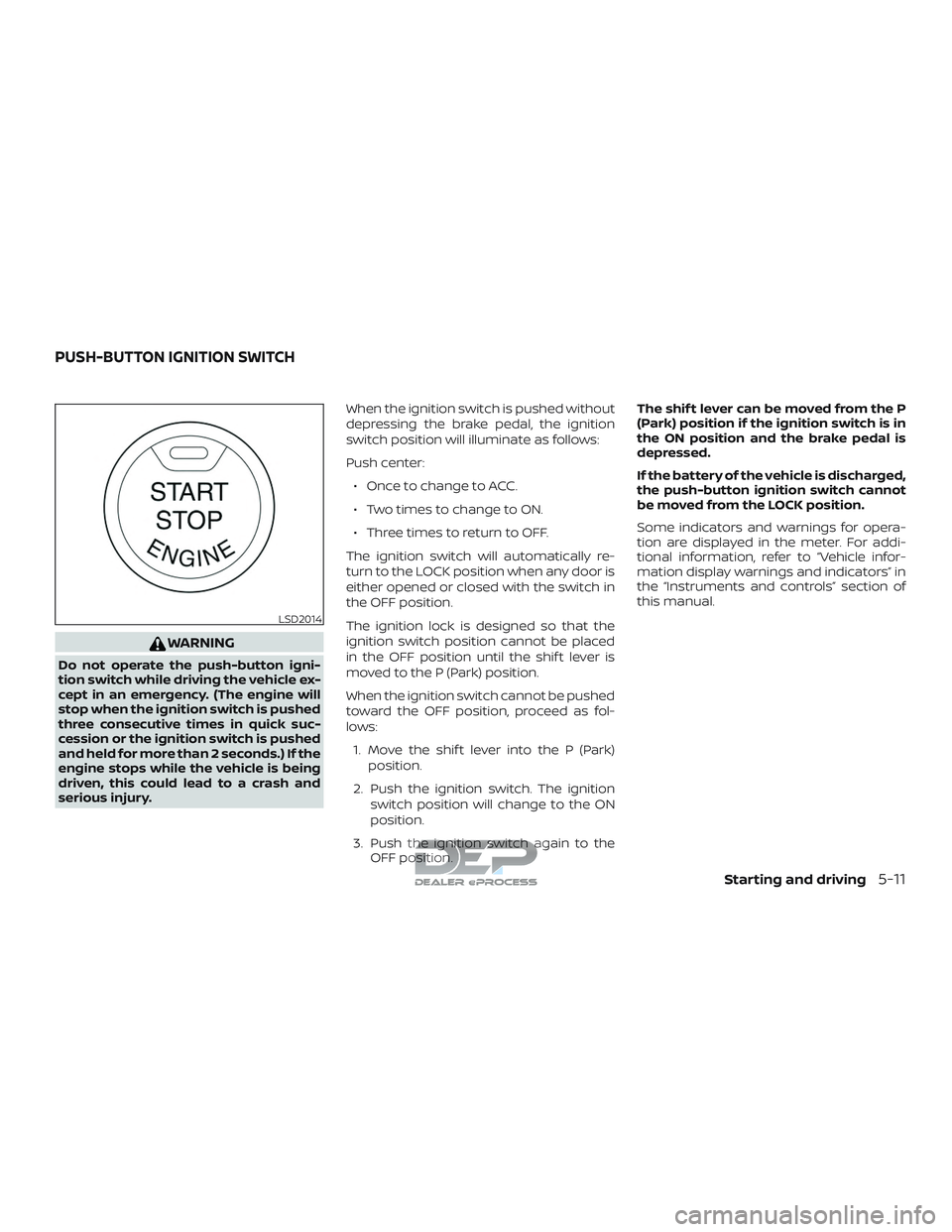
serious injury.When the ignition switch is pushed without
depressing the brake pedal, the ignition
switch position will illuminate as follows:
Push center:
∙ Once to change to ACC.
∙ Two times to change to ON.
∙ Three times to return to OFF.
The ignition switch will automatically re-
turn to the LOCK position when any door is
either opened or closed with the switch in
the OFF position.
The ignition lock is designed so that the
ignition switch position cannot be placed
in the OFF position until the shif t lever is
moved to the P (Park) position.
When the ignition switch cannot be pushed
toward the OFF position, proceed as fol-
lows: 1. Move the shif t lever into the P (Park) position.
2. Push the ignition switch. The ignition switch position will change to the ON
position.
3. Push the ignition switch again to the OFF position. The shif t lever can be moved from the P
(Park) position if the ignition switch is in
the ON position and the brake pedal is
depressed.
If the battery of the vehicle is discharged,
the push-button ignition switch cannot
be moved from the LOCK position.
Some indicators and warnings for opera-
tion are displayed in the meter. For addi-
tional information, refer to “Vehicle infor-
mation display warnings and indicators” in
the “Instruments and controls” section of
this manual.
LSD2014
PUSH-BUTTON IGNITION SWITCH
Starting and driving5-11
Page 416 of 650
WARNING
Apply the parking brake if the shif t lever
is in any position while the engine is not
running. Failure to do so could cause
the vehicle to move unexpectedly or roll
away and result in serious personal in-
jury or property damage.
If the ignition switch is placed in the OFF or
ACC position for any reason while the ve-
hicle is in N (Neutral), or any D (Drive) posi-
tion, the ignition switch cannot be placed in
the LOCK position. Move the shif t lever to
the P (Park) position, then the ignition
switch can be placed in the LOCK position.
P (Park)
CAUTION
To prevent transmission damage, use
the P (Park) position only when the ve-
hicle is completely stopped.
Use the P (Park) shif t lever position when
the vehicle is parked or when starting the
engine. Make sure the vehicle is completely
stopped.
The brake pedal should be depressed to
move the shif t lever from N (Neutral) or
any drive position to P (Park). Apply the parking brake. When parking on a
hill, apply the parking brake first, then move
the shif t lever into the P (Park) position.
R (Reverse)
CAUTION
To prevent transmission damage, use
the R (Reverse) position only when the
vehicle is completely stopped.
Use the R (Reverse) position to back up.
Make sure the vehicle is completely
stopped before selecting the R (Reverse)
position. The brake pedal must be de-
pressed to move the shif t lever from P
(Park), N (Neutral) or any drive position to
R (Reverse).
N (Neutral)
Neither forward nor reverse gear is en-
gaged. The engine can be started in this
position. You may shif t to N (Neutral) and
restart a stalled engine while the vehicle is
moving.
D (Drive)
Use this position for all normal forward
driving.
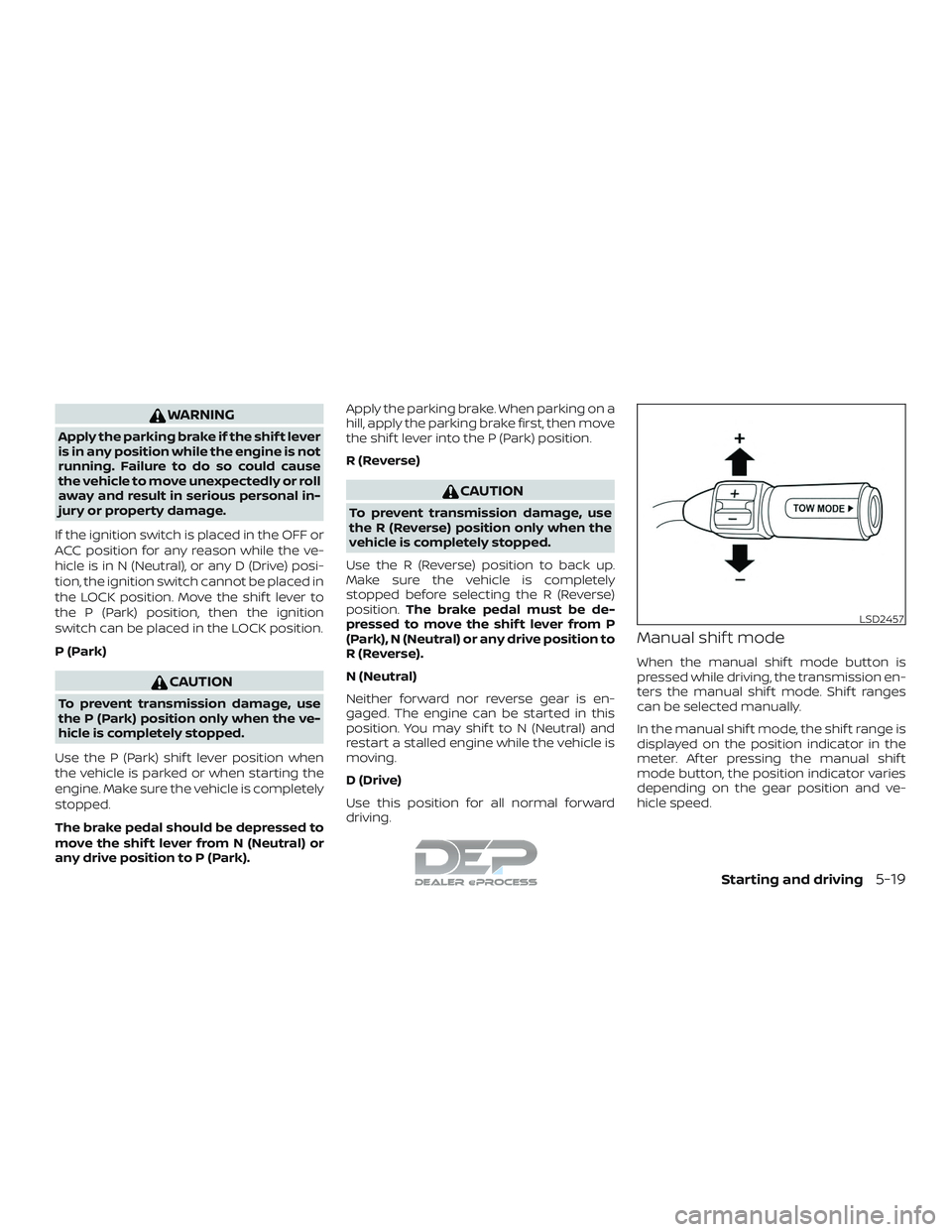
Manual shif t mode
When the manual shif t mode button is
pressed while driving, the transmission en-
ters the manual shif t mode. Shif t ranges
can be selected manually.
In the manual shif t mode, the shif t range is
displayed on the position indicator in the
meter. Af ter pressing the manual shif t
mode button, the position indicator varies
depending on the gear position and ve-
hicle speed.
LSD2457
Starting and driving5-19
Page 418 of 650
When canceling the manual shif t mode
Press and hold the +(UP) button to return
the transmission to the normal driving
mode.∙ In the manual shif t mode, the trans-
mission may not shif t to the selected
gear immediately because of vehicle
speed. The transmission will up or
down shif t when vehicle speed
matches the programmed transmis-
sion shif t points. This helps maintain
driving performance and reduces the
chance of vehicle damage or loss of
control.
∙ In the manual shif t mode, the trans-
mission will not up shif t to a higher
gear than is manually selected. When
the vehicle speed decreases, the
transmission automatically shif ts
down and shif ts to 1st gear before the
vehicle comes to a stop.
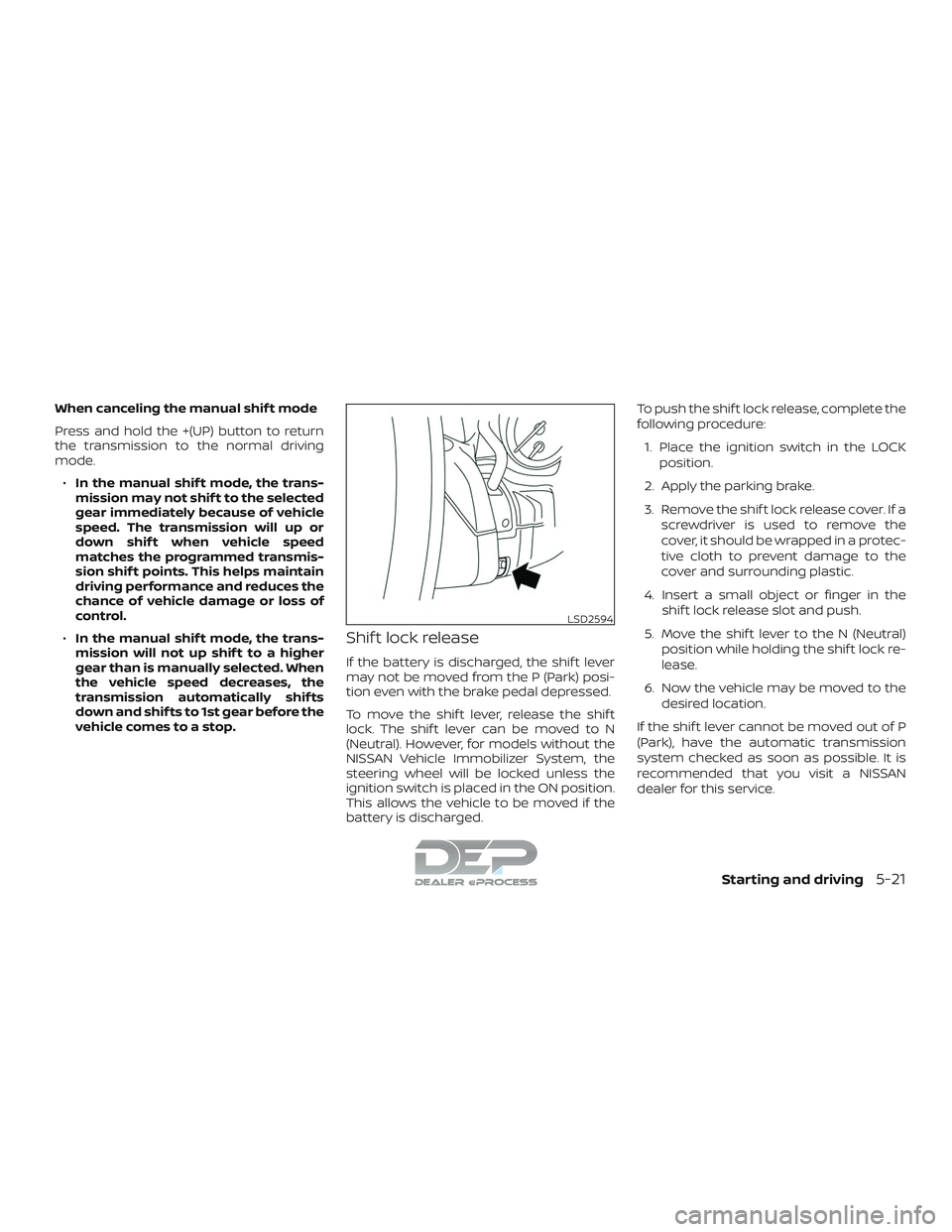
Shif t lock release
If the battery is discharged, the shif t lever
may not be moved from the P (Park) posi-
tion even with the brake pedal depressed.
To move the shif t lever, release the shif t
lock. The shif t lever can be moved to N
(Neutral). However, for models without the
NISSAN Vehicle Immobilizer System, the
steering wheel will be locked unless the
ignition switch is placed in the ON position.
This allows the vehicle to be moved if the
battery is discharged. To push the shif t lock release, complete the
following procedure:
1. Place the ignition switch in the LOCK position.
2. Apply the parking brake.
3. Remove the shif t lock release cover. If a screwdriver is used to remove the
cover, it should be wrapped in a protec-
tive cloth to prevent damage to the
cover and surrounding plastic.
4. Insert a small object or finger in the shif t lock release slot and push.
5. Move the shif t lever to the N (Neutral) position while holding the shif t lock re-
lease.
6. Now the vehicle may be moved to the desired location.
If the shif t lever cannot be moved out of P
(Park), have the automatic transmission
system checked as soon as possible. It is
recommended that you visit a NISSAN
dealer for this service.
LSD2594
Starting and driving5-21
Page 423 of 650
HOW TO ENABLE/DISABLE THE
BSW SYSTEM
When the BSW system is enabled in the
vehicle information display, the system can
be turned off temporarily by pushing the
warning systems switch. For additional in-
formation, refer to “Warning systems
switch” in the “Instruments and controls”
section of this manual.
Perform the following steps to enable or
disable the BSW system:1. Press the
button until “Settings”
displays in the vehicle information dis-
play. Use the
button to select
“Driver Assistance” and press ENTER.
Select “Driving Aids” and press ENTER.
2. Select “Blind Spot (BSW)” and press the ENTER button.
NOTE: ∙ When enabling/disabling the system,
the system will retain current set-
tings even if the engine is restarted. ∙
When the BSW system is turned on,
the BSW/RCTA indicator (white) in the
vehicle information display illumi-
nates.
BSW SYSTEM LIMITATIONS
WARNING
Listed below are the system limitations
for the BSW system. Failure to operate
the vehicle in accordance with these
system limitations could result in seri-
ous injury or death.
∙ The BSW system cannot detect all ve-
hicles under all conditions.
∙ The radar sensors may not be able to detect and activate BSW when certain
objects are present such as:
– Pedestrian, bicycles, animals.
– Vehicles such as motorcycles, low height vehicles, or high ground
clearance vehicles.
– Oncoming vehicles.
– Vehicles remaining in the detec- tion zone when you accelerate
from a stop. – A vehicle merging into an adjacent
lane at a speed approximately the
same as your vehicle.
– A vehicle approaching rapidly from behind.
– A vehicle which your vehicle over- takes rapidly.
– A vehicle that passes through the detection zone quickly.
– When overtaking several vehicles in a row, the vehicles af ter the first
vehicle may not be detected if they
are traveling close together.
∙ The radar sensor’s detection zone is designed based on a standard lane
width. When driving in a wider lane,
the radar sensors may not detect ve-
hicles in an adjacent lane. When driv-
ing in a narrow lane, the radar sensors
may detect vehicles driving two lanes
away.
∙ The radar sensors are designed to ig- nore most stationary objects; how-
ever, objects such as guardrails, walls,
foliage and parked vehicles may oc-
casionally be detected. This is a nor-
mal operation condition.
5-26Starting and driving