tow NISSAN TITAN 2020 Owner´s Manual
[x] Cancel search | Manufacturer: NISSAN, Model Year: 2020, Model line: TITAN, Model: NISSAN TITAN 2020Pages: 657, PDF Size: 5.1 MB
Page 180 of 657
WARNING
To ensure proper operation of the pas-
senger’s NISSAN Advanced Air Bag Sys-
tem, please observe the following
items:
• Do not allow a passenger in the rear
seat to push or pull on the seatback
pocket or head restraint/headrest.
• Do not place heavy loads heavier
than 9.1 lbs. (4 kg) on the seatback,
head restraint/headrest or in the
seatback pocket.
UNDER-SEAT STORAGE (if so
equipped)
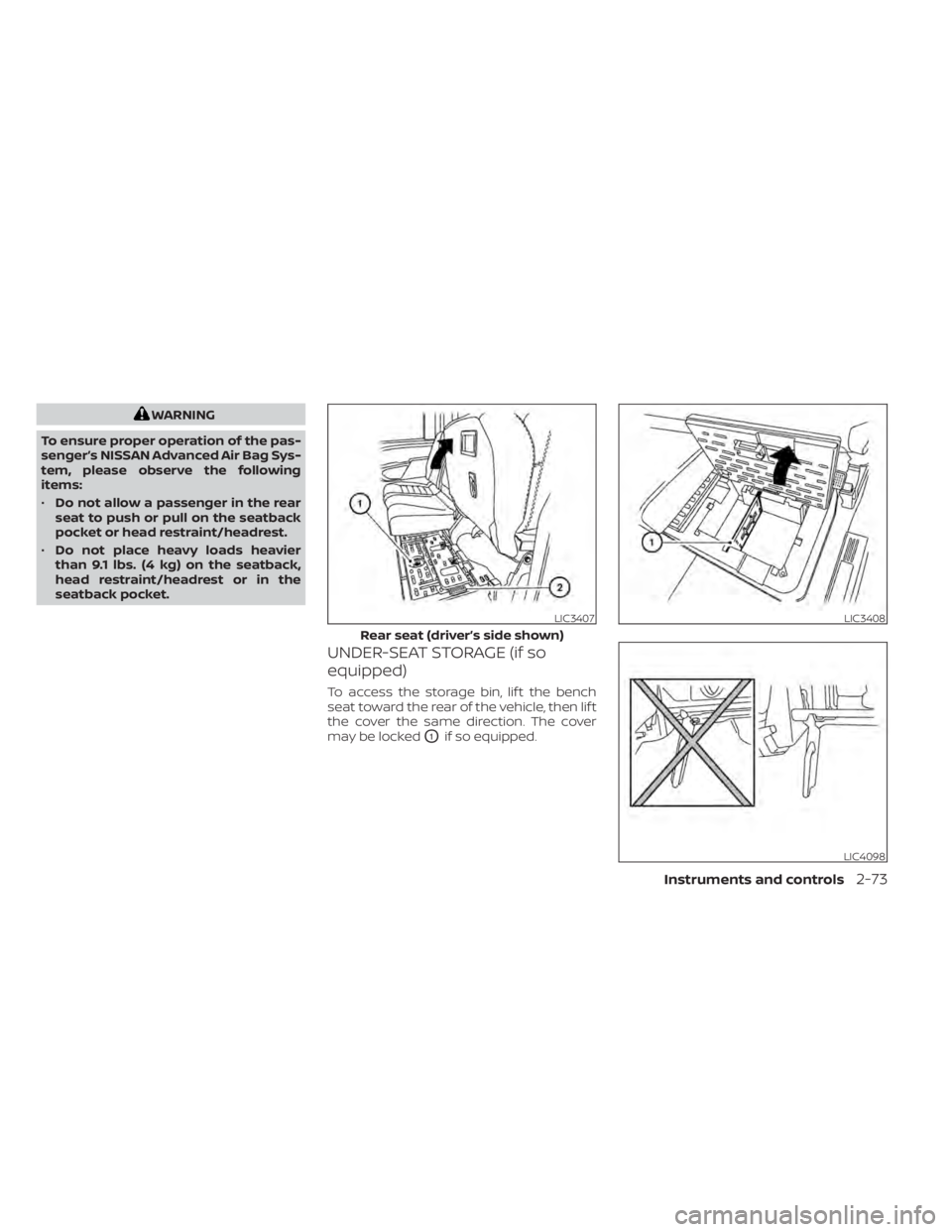
To access the storage bin, lif t the bench
seat toward the rear of the vehicle, then lif t
the cover the same direction. The cover
may be locked
O1if so equipped.
LIC3407
Rear seat (driver’s side shown)
LIC3408
LIC4098
Instruments and controls2-73
Page 181 of 657
CAUTION
To avoid damaging the tray under the
seat, cargo in the trays should not ex-
ceed 20 lbs. (9.08kg).
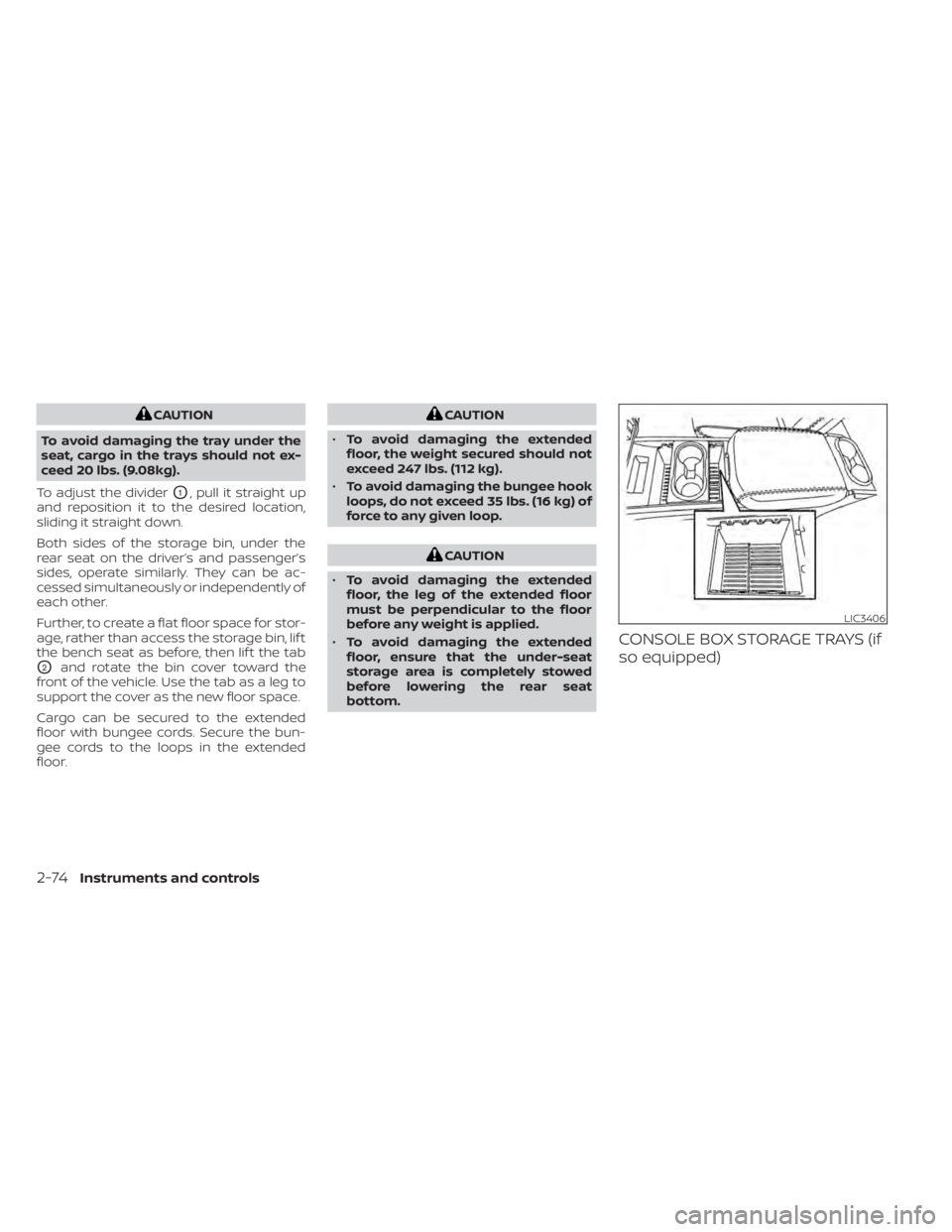
To adjust the divider
O1, pull it straight up
and reposition it to the desired location,
sliding it straight down.
Both sides of the storage bin, under the
rear seat on the driver’s and passenger’s
sides, operate similarly. They can be ac-
cessed simultaneously or independently of
each other.
Further, to create a flat floor space for stor-
age, rather than access the storage bin, lif t
the bench seat as before, then lif t the tab
O2and rotate the bin cover toward the
front of the vehicle. Use the tab as a leg to
support the cover as the new floor space.
Cargo can be secured to the extended
floor with bungee cords. Secure the bun-
gee cords to the loops in the extended
floor.
CAUTION
• To avoid damaging the extended
floor, the weight secured should not
exceed 247 lbs. (112 kg).
• To avoid damaging the bungee hook
loops, do not exceed 35 lbs. (16 kg) of
force to any given loop.
CAUTION
• To avoid damaging the extended
floor, the leg of the extended floor
must be perpendicular to the floor
before any weight is applied.
• To avoid damaging the extended
floor, ensure that the under-seat
storage area is completely stowed
before lowering the rear seat
bottom.
CONSOLE BOX STORAGE TRAYS (if
so equipped)
LIC3406
2-74Instruments and controls
Page 184 of 657
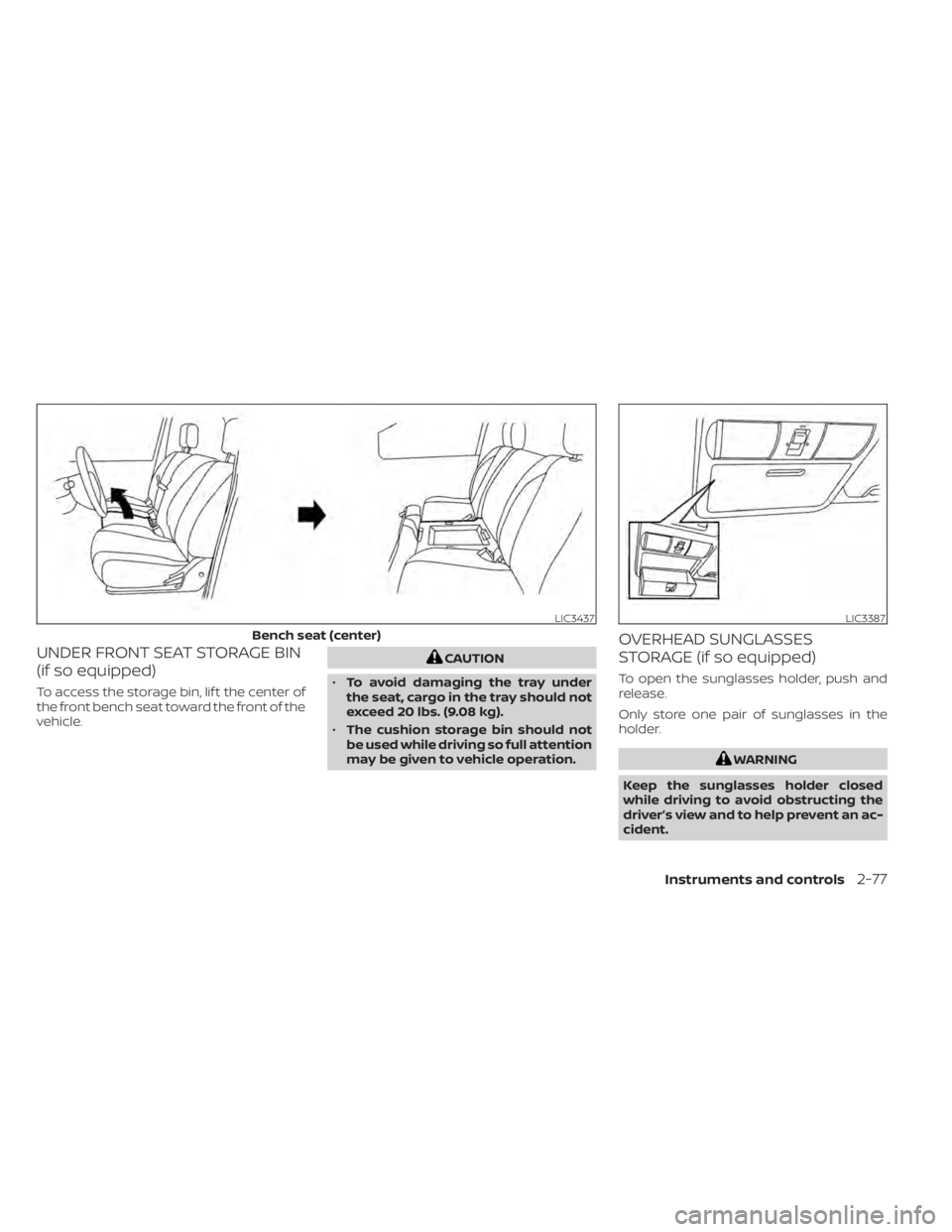
UNDER FRONT SEAT STORAGE BIN
(if so equipped)
To access the storage bin, lif t the center of
the front bench seat toward the front of the
vehicle.
CAUTION
• To avoid damaging the tray under
the seat, cargo in the tray should not
exceed 20 lbs. (9.08 kg).
• The cushion storage bin should not
be used while driving so full attention
may be given to vehicle operation.
OVERHEAD SUNGLASSES
STORAGE (if so equipped)
To open the sunglasses holder, push and
release.
Only store one pair of sunglasses in the
holder.
WARNING
Keep the sunglasses holder closed
while driving to avoid obstructing the
driver’s view and to help prevent an ac-
cident.
LIC3437
Bench seat (center)
LIC3387
Instruments and controls2-77
Page 188 of 657
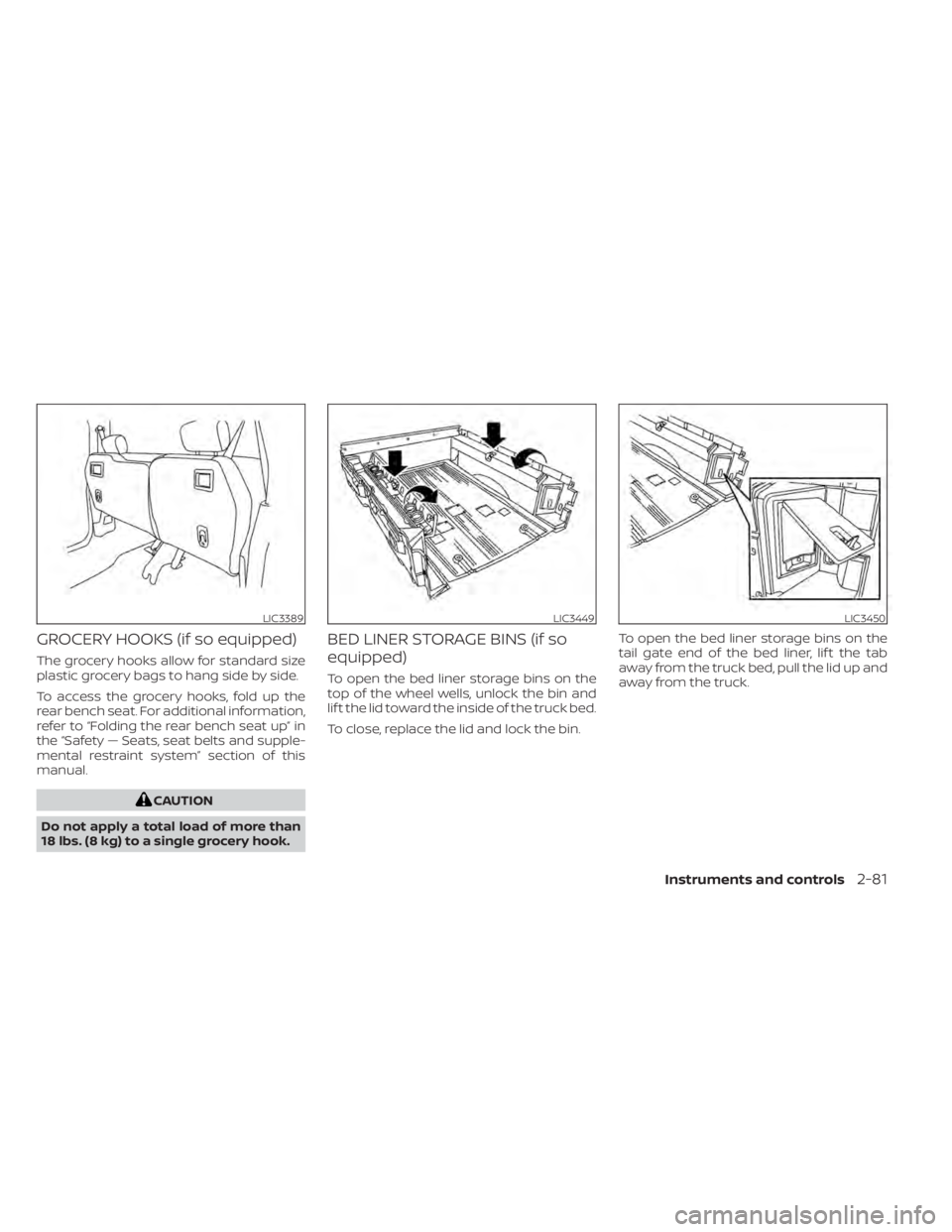
GROCERY HOOKS (if so equipped)
The grocery hooks allow for standard size
plastic grocery bags to hang side by side.
To access the grocery hooks, fold up the
rear bench seat. For additional information,
refer to “Folding the rear bench seat up” in
the “Safety — Seats, seat belts and supple-
mental restraint system” section of this
manual.
CAUTION
Do not apply a total load of more than
18 lbs. (8 kg) to a single grocery hook.
BED LINER STORAGE BINS (if so
equipped)
To open the bed liner storage bins on the
top of the wheel wells, unlock the bin and
lif t the lid toward the inside of the truck bed.
To close, replace the lid and lock the bin. To open the bed liner storage bins on the
tail gate end of the bed liner, lif t the tab
away from the truck bed, pull the lid up and
away from the truck.
LIC3389LIC3449LIC3450
Instruments and controls2-81
Page 195 of 657
Sliding the moonroof
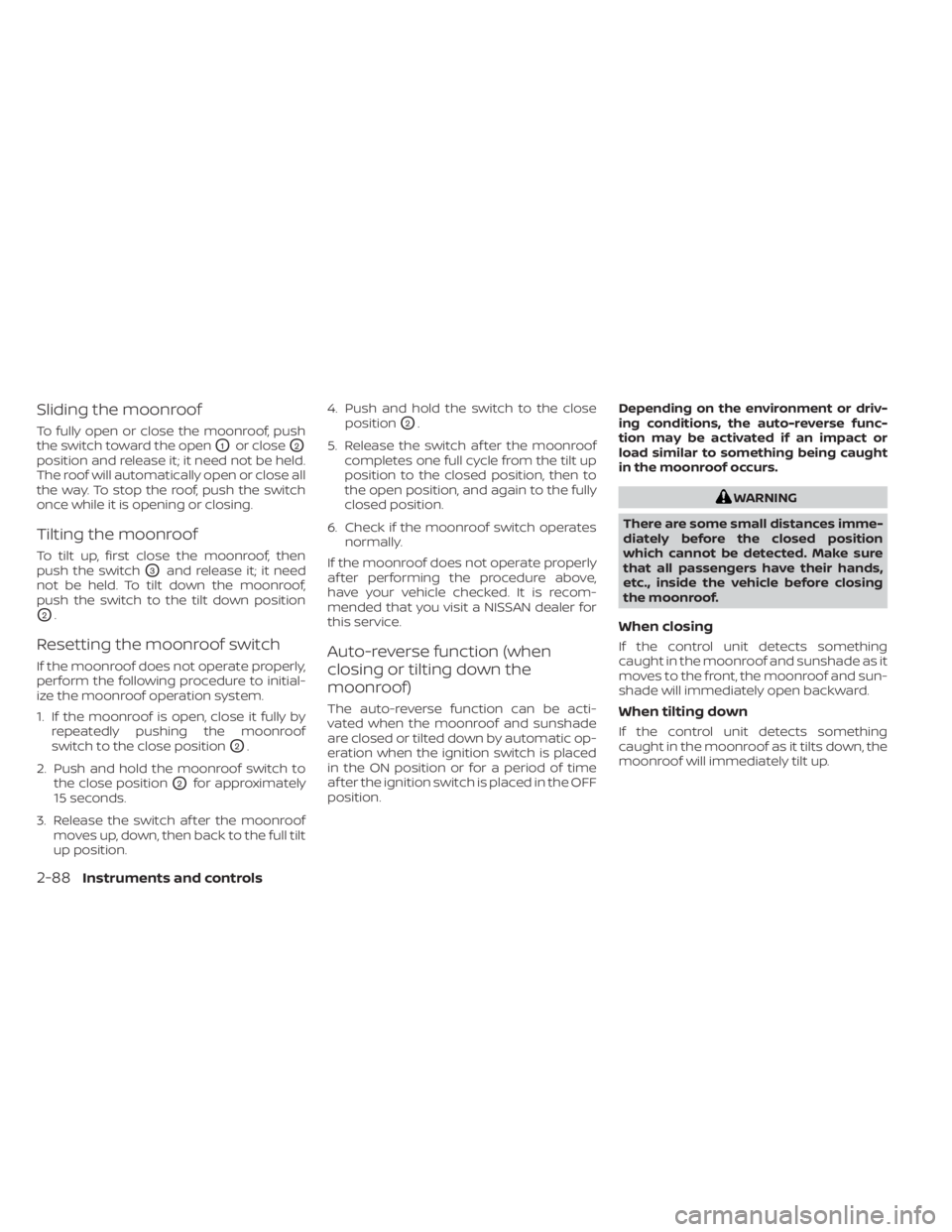
To fully open or close the moonroof, push
the switch toward the open
O1or closeO2
position and release it; it need not be held.
The roof will automatically open or close all
the way. To stop the roof, push the switch
once while it is opening or closing.
Tilting the moonroof
To tilt up, first close the moonroof, then
push the switch
O3and release it; it need
not be held. To tilt down the moonroof,
push the switch to the tilt down position
O2.
Resetting the moonroof switch
If the moonroof does not operate properly,
perform the following procedure to initial-
ize the moonroof operation system.
1. If the moonroof is open, close it fully by repeatedly pushing the moonroof
switch to the close position
O2.
2. Push and hold the moonroof switch to the close position
O2for approximately
15 seconds.
3. Release the switch af ter the moonroof moves up, down, then back to the full tilt
up position. 4. Push and hold the switch to the close
position
O2.
5. Release the switch af ter the moonroof completes one full cycle from the tilt up
position to the closed position, then to
the open position, and again to the fully
closed position.
6. Check if the moonroof switch operates normally.
If the moonroof does not operate properly
af ter performing the procedure above,
have your vehicle checked. It is recom-
mended that you visit a NISSAN dealer for
this service.
Auto-reverse function (when
closing or tilting down the
moonroof)
The auto-reverse function can be acti-
vated when the moonroof and sunshade
are closed or tilted down by automatic op-
eration when the ignition switch is placed
in the ON position or for a period of time
af ter the ignition switch is placed in the OFF
position. Depending on the environment or driv-
ing conditions, the auto-reverse func-
tion may be activated if an impact or
load similar to something being caught
in the moonroof occurs.
WARNING
There are some small distances imme-
diately before the closed position
which cannot be detected. Make sure
that all passengers have their hands,
etc., inside the vehicle before closing
the moonroof.
When closing
If the control unit detects something
caught in the moonroof and sunshade as it
moves to the front, the moonroof and sun-
shade will immediately open backward.
When tilting down
If the control unit detects something
caught in the moonroof as it tilts down, the
moonroof will immediately tilt up.
2-88Instruments and controls
Page 196 of 657
WARNING
• In an accident you could be thrown
from the vehicle through an open
moonroof. Always use seat belts and
child restraints.
• Do not allow anyone to stand up or
extend any portion of their body out
of the moonroof opening while the
vehicle is in motion or while the
moonroof is closing.
CAUTION
• Remove water drops, snow, ice or
sand from the moonroof before
opening.
• Do not place heavy objects on the
moonroof or surrounding area.
Sunshade
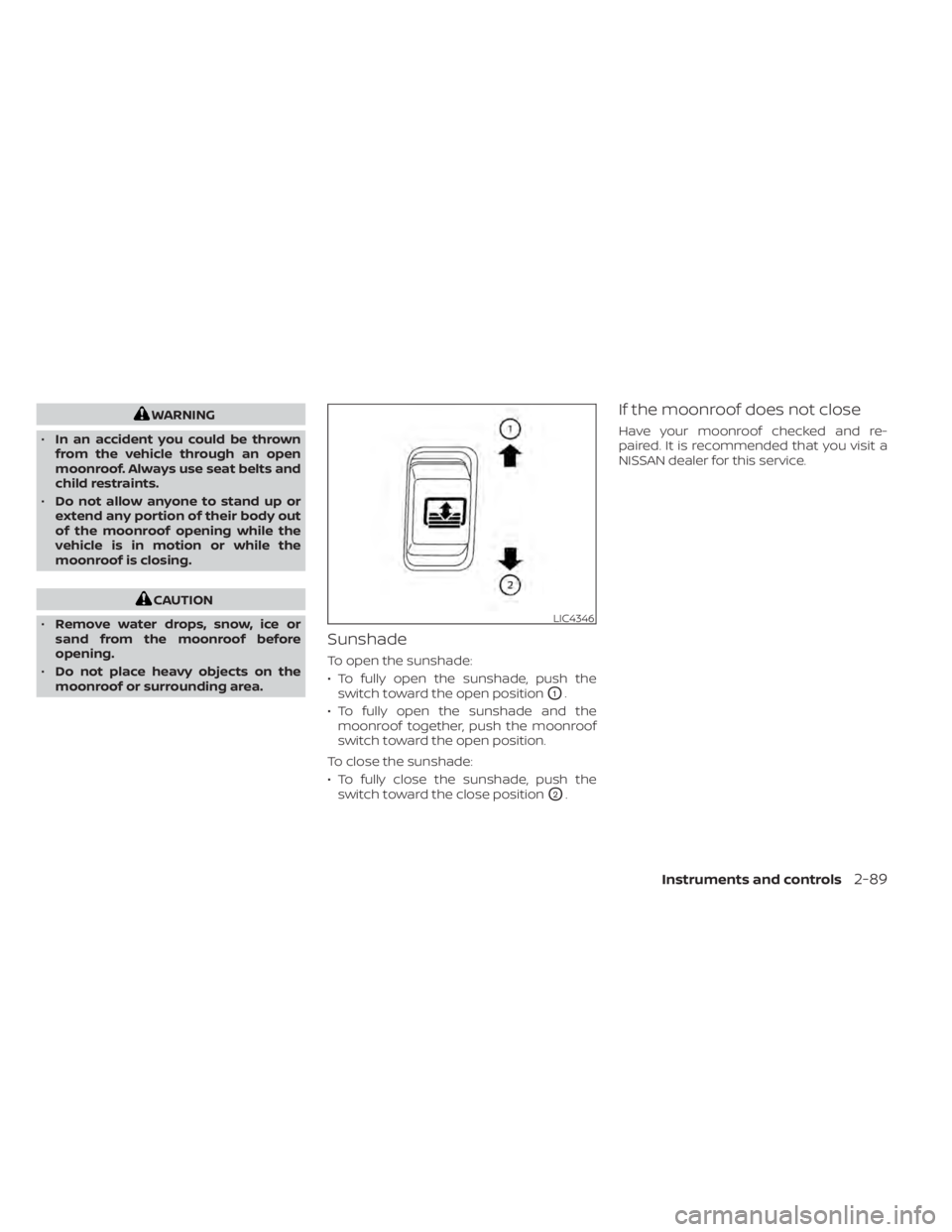
To open the sunshade:
• To fully open the sunshade, push the switch toward the open position
O1.
• To fully open the sunshade and the moonroof together, push the moonroof
switch toward the open position.
To close the sunshade:
• To fully close the sunshade, push the switch toward the close position
O2.
If the moonroof does not close
Have your moonroof checked and re-
paired. It is recommended that you visit a
NISSAN dealer for this service.
LIC4346
Instruments and controls2-89
Page 208 of 657
•To help avoid risk of injury or death
through unintended operation of the
vehicle and or its systems, including
entrapment in windows or inadver-
tent door lock activation, do not
leave children, people who require
the assistance of others or pets unat-
tended in your vehicle. Additionally,
the temperature inside a closed ve-
hicle on a warm day can quickly be-
come high enough to cause a signifi-
cant risk of injury or death to people
and pets.
LOCKING WITH KEY
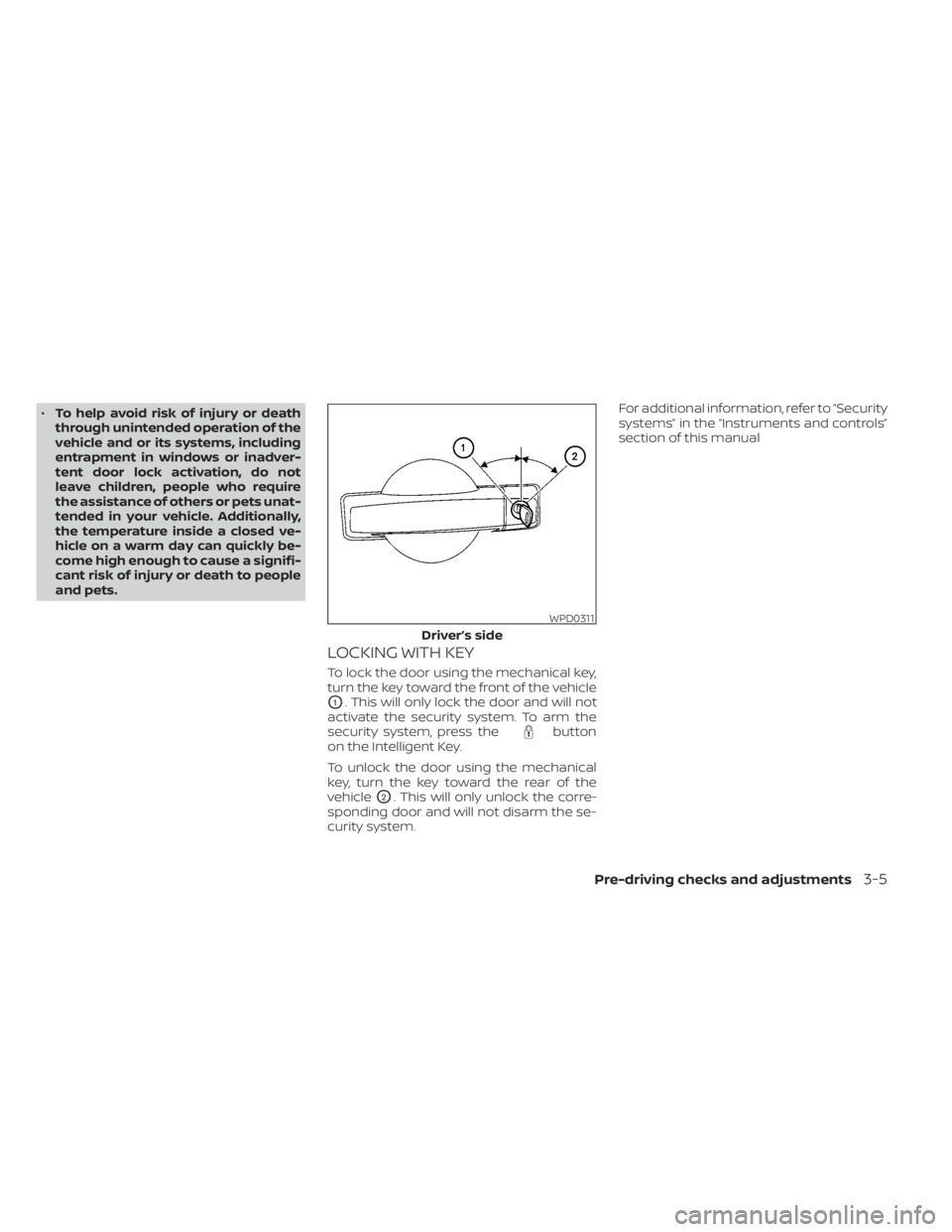
To lock the door using the mechanical key,
turn the key toward the front of the vehicle
O1. This will only lock the door and will not
activate the security system. To arm the
security system, press the
button
on the Intelligent Key.
To unlock the door using the mechanical
key, turn the key toward the rear of the
vehicle
O2. This will only unlock the corre-
sponding door and will not disarm the se-
curity system. For additional information, refer to “Security
systems” in the “Instruments and controls”
section of this manual
WPD0311
Driver’s side
Pre-driving checks and adjustments3-5
Page 210 of 657
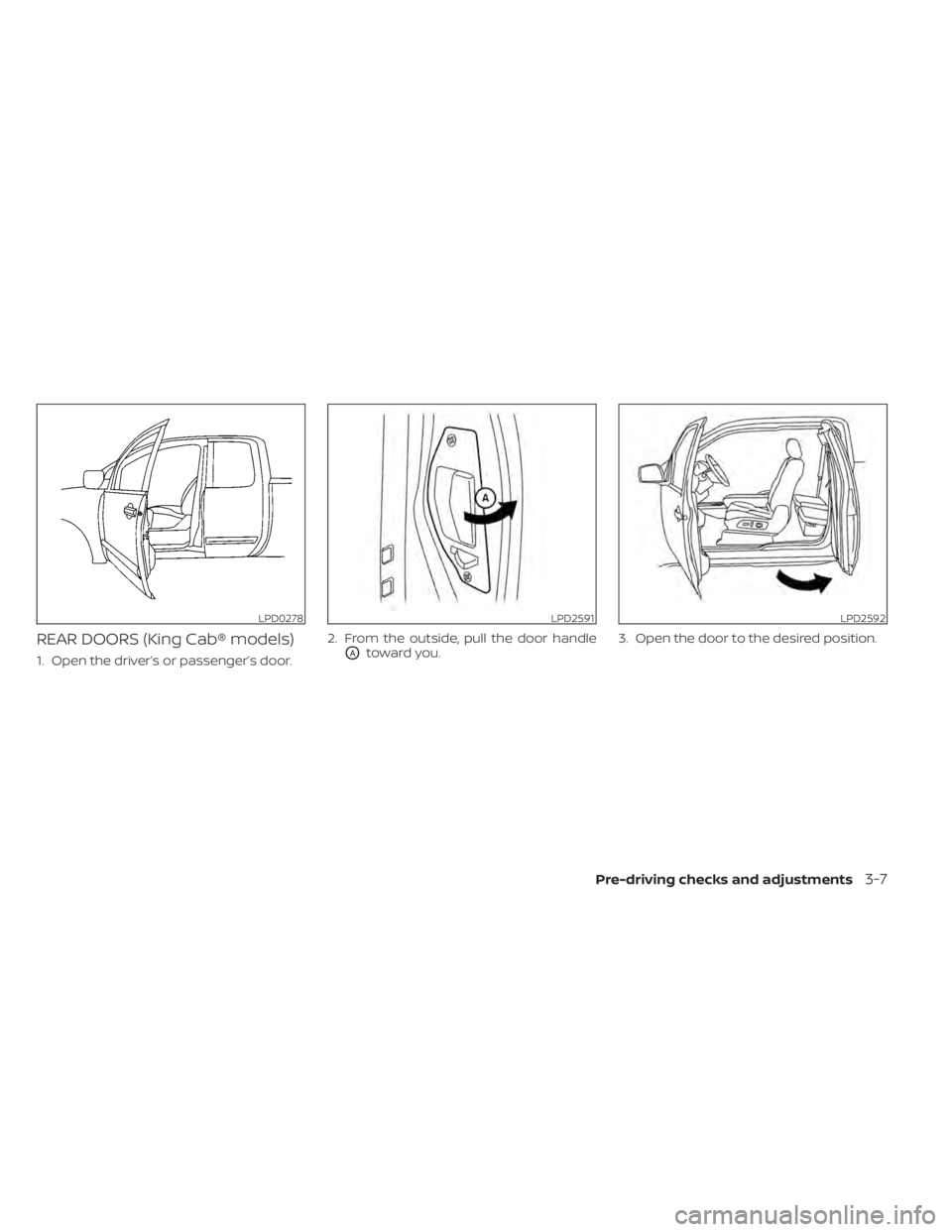
REAR DOORS (King Cab® models)
1. Open the driver’s or passenger’s door.2. From the outside, pull the door handleOAtoward you.
3. Open the door to the desired position.
LPD0278LPD2591LPD2592
Pre-driving checks and adjustments3-7
Page 213 of 657
CAUTION
Be sure to carry the Intelligent Key with
you when operating the vehicle.
The Intelligent Key is capable of receiving
and transmitting radio waves. The Intelli-
gent Key system transmits weak radio
waves from various distances. Environ-
mental conditions may interfere with the
operation of the Intelligent Key system un-
der the following operating conditions:
• When operating near a location where strong radio waves are transmitted, such
as a TV tower, power station and broad-
casting station.
• When in possession of wireless equip- ment, such as a cellular telephone, trans-
ceiver, or a CB radio.
• When the Intelligent Key is in contact with or covered by metallic materials.
• When any type of radio wave remote con- trol is used nearby.
• When the Intelligent Key is placed near an electric appliance such as a personal
computer.
• When the vehicle is parked near a parking meter. In such cases, correct the operating condi-
tions before using the Intelligent Key func-
tion or use the mechanical key.
Although the life of the battery varies de-
pending on the operating conditions, the
battery’s life is approximately two years. If
the battery is discharged, replace it with a
new one.
When the Intelligent Key battery is low, an
indicator light illuminates with the mes-
sage “Warning, Key ID Incorrect” in the ve-
hicle information display. When the Intelli-
gent Key battery is low, the NISSAN
Intelligent Key® warning light (if so
equipped) will blink. For additional informa-
tion, refer to “Vehicle information display
warnings and indicators” in the “Instru-
ments and controls” section of this manual.
Since the Intelligent Key is capable of re-
ceiving radio waves, if the key is lef t near
equipment which transmits strong radio
waves, such as signals from a TV and per-
sonal computer, the battery life may be-
come shorter.
For additional information, refer to “Battery
replacement” in the “Do-it-yourself ” section
of this manual.
As many as four Intelligent Keys can be
registered and used with one vehicle. For
information about the purchase and use of
additional Intelligent Keys, it is recom-
mended that you visit a NISSAN dealer.
3-10Pre-driving checks and adjustments
Page 220 of 657
Using the panic alarm
If you are near your vehicle and feel threat-
ened, you may activate the panic alarm to
call attention by pressing and holding the
button on the Intelligent Key forlon-
ger than 0.5 seconds.
The panic alarm and headlights will stay on
for a period of time.
The panic alarm stops when:
• It has run for a period of time.
• Any button is pressed on the Intelligent Key.
• The request switch (if so equipped) on the driver or passenger door is pushed and
the Intelligent Key is in range of the door
handle.
Trailer light check (if so equipped)
This functionality allows the customer to
confirm trailer light operation, without the
need of a second person to press the brake
pedal or activate each turn signal light. The
trailer light check can be performed by the
Intelligent Key or through the Vehicle Set-
tings in the vehicle information display. For
additional information, refer to “Vehicle in-
formation display” in the “Instruments and
controls” section of this manual. To activate the trailer light check function
with your Intelligent Key, perform the fol-
lowing:
1. Aim the Intelligent Key at the vehicle.
2. Press and release the
LOCK
button.
3. Within 2 seconds, press and hold the
LOCK button again for at least 2
seconds, until the horn beeps once and
the park lights turn on.
The following events will occur:
• The lef t turn signal light on the vehicle and the trailer will flash for 5 seconds.
• The right turn signal light on the vehicle and the trailer will flash for 5 seconds.
• The brake lights on the vehicle and the trailer will turn ON for 5 seconds.
NOTE:
If the ignition switch is in the OFF po-
sition, the park lights will turn off af-
ter the events above occur. If ignition
switch is in the ON position, lights will
stay on for 45 seconds af ter trailer
light check. If the trailer lights do not
work properly, check the connections
and bulbs. If the vehicle lights do not
turn on, check the bulbs. If the trailer
light check routine fails to start, en-
sure the following vehicle conditions:
• The vehicle is NOT moving, 0 mph (0 km/h)
• Brake switch is NOT depressed
• Lef t or right flasher is OFF
• Trailer light check configuration is NOT disabled and available in the meter
towing settings
• The hazard switch is NOT turned ON
• The shif t position is fully in P (Park) po- sition
• Vehicle is within Remote Keyless Entry range
Pre-driving checks and adjustments3-17