4WD NISSAN TITAN 2020 Owner´s Manual
[x] Cancel search | Manufacturer: NISSAN, Model Year: 2020, Model line: TITAN, Model: NISSAN TITAN 2020Pages: 657, PDF Size: 5.1 MB
Page 18 of 657
16. Climate control seat switch(if so equipped) (P. 2-55)
Heated front seat switches
(if so equipped) (P. 2-57)
17. Heated steering wheel switch
(if so equipped) (P. 2-59)
Warning systems switch (P. 2-60)
18. USB ports*
19. Hazard warning flasher switch (P. 6-2)
20. Sonar system switch (P. 2-64) Vehicle Dynamic Control (VDC) OFF
switch (P. 2-60)
21. Trailer Brake Controller Unit (TBCU)
(if so equipped) (P. 2-66)
22. 4WD shif t switch (if so equipped)
(P. 5-111)
23. Push-button ignition switch (P. 5-12)
24. Driver supplemental knee air bag light
(if so equipped) (P. 1-52)
25. Tilt and telescopic steering wheel
control (P. 3-26)
26. Parking brake (P. 5-23) 27. Headlight aiming control
(if so equipped) (P. 2-46)
Power inverter switch (if so equipped)
(P. 2-64)
Cargo lamp switch (P. 2-55)
Electronic locking rear differential
(E-Lock) system switch (if so equipped)
(P. 2-62)
Hill descent control system switch
(if so equipped) (P. 2-61)
28. Headlight switch (P. 2-46) Fog light switch (if so equipped) (P. 2-54)
Instrument brightness control
switches (P. 2-46)
Trip reset switch (P. 2-6)
*Refer to the separate NissanConnect®
Owner’s Manual
Refer to the page number indicated in
parenthesis for operating details.
Illustrated table of contents0-7
Page 108 of 657
2 Instruments and controls
Instrument panel................................2-4
Meters and gauges .............................2-6
Speedometer and odometer .................2-6
Tachometer ..................................2-8
Engine coolant temperature gauge ..........2-8
Fuel gauge ...................................2-9
Distance To Empty (DTE) .....................2-9
Auxiliary gauges (if so equipped) ............2-10
Off-road and 4–Wheel Drive (4WD)
monitor (if so equipped) ......................2-11
Warning lights, indicator lights and audible
reminders ...................................... 2-12
Checking lights .............................. 2-13
Warning lights ............................... 2-13
Indicator lights .............................. 2-18
Audible reminders ........................... 2-21
Vehicle information display .....................2-22
How to use the vehicle information
display ...................................... 2-22
Startup display .............................. 2-23
Settings ..................................... 2-23
Vehicle information display warnings
and indicators ............................... 2-31
Security systems ............................... 2-40
Vehicle security system .....................2-40
NISSAN Vehicle Immobilizer System .........2-41 Wiper and washer switch
.......................2-43
Switch operation ............................ 2-43
Rain-sensing auto wiper system
(if so equipped) .............................. 2-44
Rear window and/or outside mirror defroster
switch (if so equipped) ......................... 2-45
Headlight switch ............................... 2-46
Headlight control switch ....................2-47
Daytime Running Lights (DRL) system
(Type A) (if so equipped) .....................2-52
LED Daytime Running Lights (DRL)
system (Type B) (if so equipped) .............2-53
Instrument brightness control ..............2-53
Turn signal switch ........................... 2-54
Fog light switch (if so equipped) ................2-54
Horn ........................................... 2-55
Cargo lamp switch (if so equipped) .............2-55
Climate controlled seat switches
(if so equipped) ................................. 2-55
He
ated seat switches (if so equipped) ..........2-57
Heated rear seat switches (if so equipped) .....2-58
Heated steering wheel switch (if so equipped) . . 2-59
Warning systems switch .......................2-60
Vehicle Dynamic Control (VDC) OFF switch .....2-60
Hill descent control switch (if so equipped) .....2-61
Page 112 of 657
16. Climate control seat switch(if so equipped) (P. 2-55)
Heated front seat switches
(if so equipped) (P. 2-57)
17. Heated steering wheel switch
(if so equipped) (P. 2-59)
Warning systems switch (P. 2-60)
18. USB ports*
19. Hazard warning flasher switch (P. 6-2)
20. Sonar system switch (P. 2-64) Vehicle Dynamic Control (VDC) OFF
switch (P. 2-60)
21. Trailer Brake Controller Unit (TBCU)
(if so equipped) (P. 2-66)
22. 4WD shif t switch (if so equipped)
(P. 5-111)
23. Push-button ignition switch (P. 5-12)
24. Driver supplemental knee air bag light
(if so equipped) (P. 1-52)
25. Tilt and telescopic steering wheel
control (P. 3-26)
26. Parking brake (P. 5-23) 27. Headlight aiming control
(if so equipped) (P. 2-46)
Power inverter switch (if so equipped)
(P. 2-64)
Cargo lamp switch (P. 2-55)
Electronic locking rear differential
(E-Lock) system switch (if so equipped)
(P. 2-62)
Hill descent control system switch
(if so equipped) (P. 2-61)
28. Headlight switch (P. 2-46) Fog light switch (if so equipped) (P. 2-54)
Instrument brightness control
switches (P. 2-46)
Trip reset switch (P. 2-6)
*Refer to the separate NissanConnect®
Owner’s Manual
Refer to the page number indicated in
parenthesis for operating details.
Instruments and controls2-5
Page 118 of 657
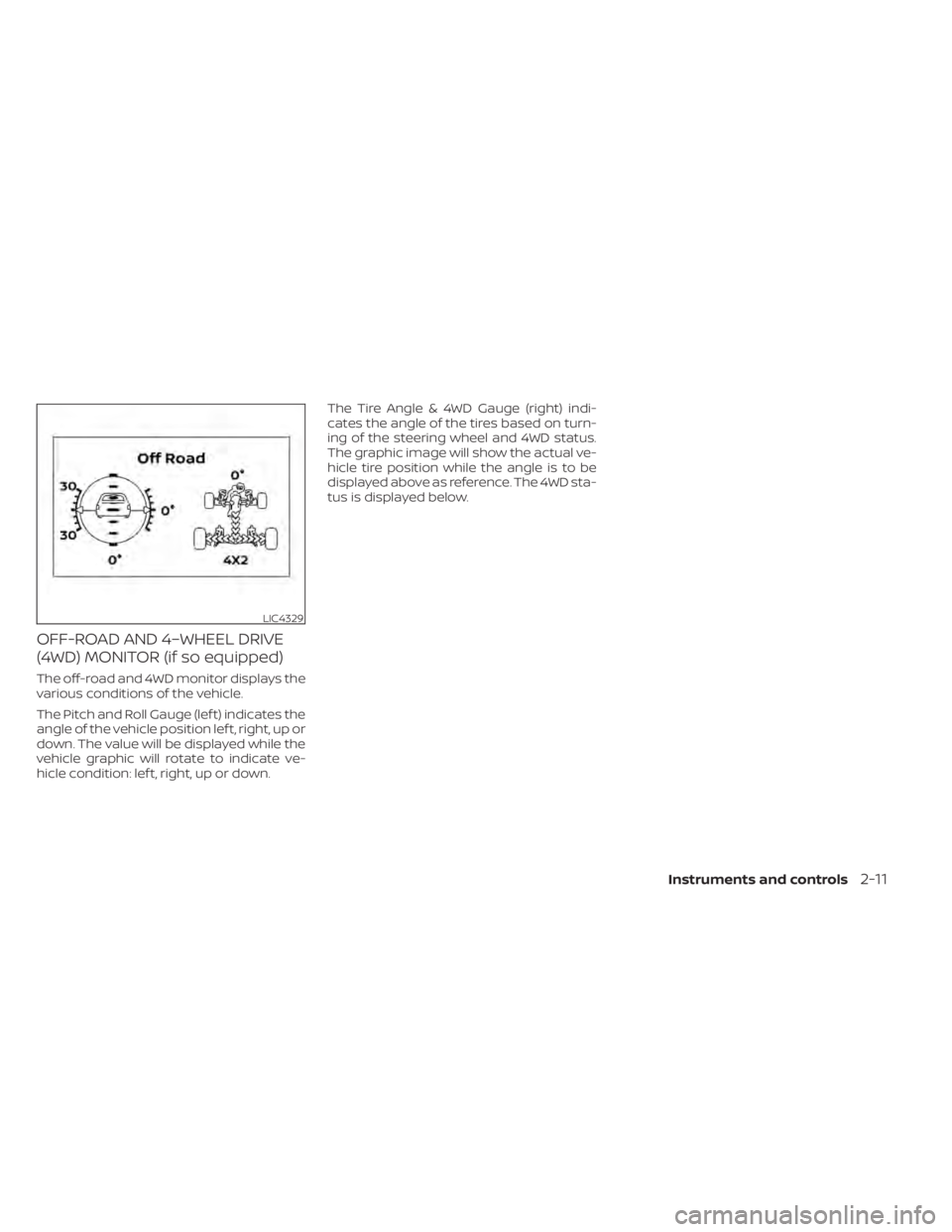
OFF-ROAD AND 4–WHEEL DRIVE
(4WD) MONITOR (if so equipped)
The off-road and 4WD monitor displays the
various conditions of the vehicle.
The Pitch and Roll Gauge (lef t) indicates the
angle of the vehicle position lef t, right, up or
down. The value will be displayed while the
vehicle graphic will rotate to indicate ve-
hicle condition: lef t, right, up or down.The Tire Angle & 4WD Gauge (right) indi-
cates the angle of the tires based on turn-
ing of the steering wheel and 4WD status.
The graphic image will show the actual ve-
hicle tire position while the angle is to be
displayed above as reference. The 4WD sta-
tus is displayed below.
LIC4329
Instruments and controls2-11
Page 121 of 657
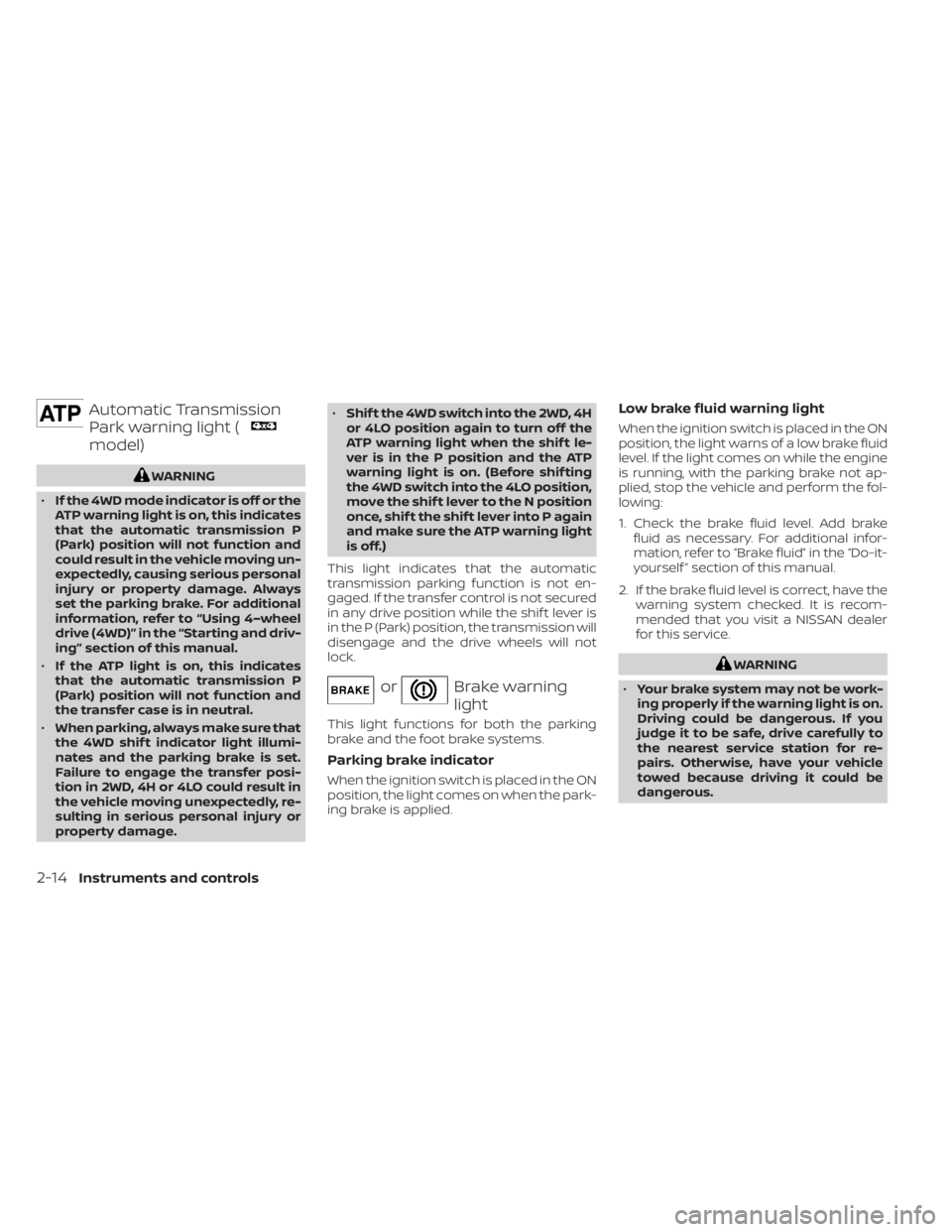
Automatic Transmission
Park warning light (
model)
WARNING
• If the 4WD mode indicator is off or the
ATP warning light is on, this indicates
that the automatic transmission P
(Park) position will not function and
could result in the vehicle moving un-
expectedly, causing serious personal
injury or property damage. Always
set the parking brake. For additional
information, refer to “Using 4–wheel
drive (4WD)” in the “Starting and driv-
ing” section of this manual.
• If the ATP light is on, this indicates
that the automatic transmission P
(Park) position will not function and
the transfer case is in neutral.
• When parking, always make sure that
the 4WD shif t indicator light illumi-
nates and the parking brake is set.
Failure to engage the transfer posi-
tion in 2WD, 4H or 4LO could result in
the vehicle moving unexpectedly, re-
sulting in serious personal injury or
property damage. •
Shif t the 4WD switch into the 2WD, 4H
or 4LO position again to turn off the
ATP warning light when the shif t le-
ver is in the P position and the ATP
warning light is on. (Before shif ting
the 4WD switch into the 4LO position,
move the shif t lever to the N position
once, shif t the shif t lever into P again
and make sure the ATP warning light
is off.)
This light indicates that the automatic
transmission parking function is not en-
gaged. If the transfer control is not secured
in any drive position while the shif t lever is
in the P (Park) position, the transmission will
disengage and the drive wheels will not
lock.
orBrake warning
light
This light functions for both the parking
brake and the foot brake systems.
Parking brake indicator
When the ignition switch is placed in the ON
position, the light comes on when the park-
ing brake is applied.
Low brake fluid warning light
When the ignition switch is placed in the ON
position, the light warns of a low brake fluid
level. If the light comes on while the engine
is running, with the parking brake not ap-
plied, stop the vehicle and perform the fol-
lowing:
1. Check the brake fluid level. Add brake fluid as necessary. For additional infor-
mation, refer to “Brake fluid” in the “Do-it-
yourself ” section of this manual.
2. If the brake fluid level is correct, have the warning system checked. It is recom-
mended that you visit a NISSAN dealer
for this service.
WARNING
• Your brake system may not be work-
ing properly if the warning light is on.
Driving could be dangerous. If you
judge it to be safe, drive carefully to
the nearest service station for re-
pairs. Otherwise, have your vehicle
towed because driving it could be
dangerous.
2-14Instruments and controls
Page 124 of 657
•If the light illuminates while driving,
avoid sudden steering maneuvers or
abrupt braking, reduce vehicle
speed, pull off the road to a safe loca-
tion and stop the vehicle as soon as
possible. Driving with under-inflated
tires may permanently damage the
tires and increase the likelihood of
tire failure. Serious vehicle damage
could occur and may lead to an acci-
dent and could result in serious per-
sonal injury or death. Check the tire
pressure for all four tires. Adjust the
tire pressure to the recommended
COLD tire pressure show on the Tire
and Loading Information label lo-
cated in the driver’s door opening to
turn the low tire pressure warning
light off. If the light still illuminates
while driving af ter adjusting the tire
pressure, a tire may be flat or the
TPMS may be malfunctioning. If you
have a flat tire, replace it with a spare
tire as soon as possible. If no tire is
flat and all tires are properly inflated,
have the vehicle checked. It is recom-
mended that you visit a NISSAN
dealer for this service. •
When replacing a wheel without the
TPMS such as the spare tire, the TPMS
will not function and the low tire
pressure warning light will flash for
approximately 1 minute. The light will
remain on af ter 1 minute. Have your
tires replaced and/or TPMS system
reset as soon as possible. It is recom-
mended that you visit a NISSAN
dealer for these services.
• Replacing tires with those not origi-
nally specified by NISSAN could af-
fect the proper operation of the
TPMS.
CAUTION
• The TPMS is not a substitute for the
regular tire pressure check. Be sure
to check the tire pressure regularly.
• If the vehicle is being driven at
speeds of less than 16 mph (25 km/h),
the TPMS may not operate correctly.
• Be sure to install the specified size of
tires to the four wheels correctly.
Master warning light
This light comes on when various vehicle
information display warnings appear.
• No key warning
• Low fuel warning
• Low windshield-washer fluid warning
• Parking brake release warning
• Loose fuel cap warning
• Low tire pressure warning
• 4WD error (if so equipped)
• Front & rear tire size differences (if so equipped)
• Transmission system warning
Rear Automatic Braking
(RAB) system warning light
This light comes on when the ignition
switch is placed in the ON position. It turns
off af ter the engine is started.
This light illuminates when the RAB system
is turned off in the vehicle information dis-
play.
Instruments and controls2-17
Page 132 of 657
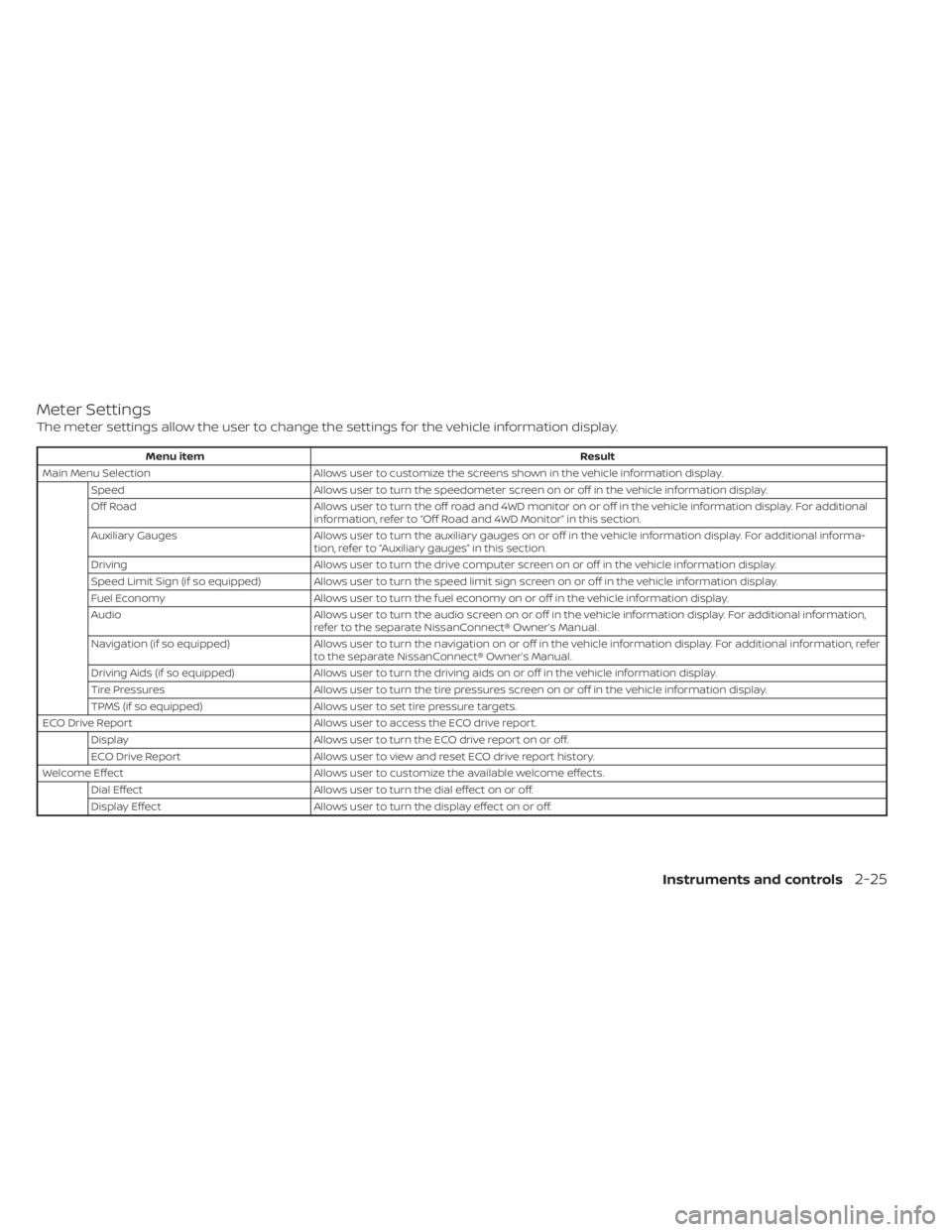
Meter Settings
The meter settings allow the user to change the settings for the vehicle information display.
Menu itemResult
Main Menu Selection Allows user to customize the screens shown in the vehicle information display.
Speed Allows user to turn the speedometer screen on or off in the vehicle information display.
Off Road Allows user to turn the off road and 4WD monitor on or off in the vehicle information display. For additional
information, refer to “Off Road and 4WD Monitor” in this section.
Auxiliary Gauges Allows user to turn the auxiliary gauges on or off in the vehicle information display. For additional informa-
tion, refer to “Auxiliary gauges” in this section.
Driving Allows user to turn the drive computer screen on or off in the vehicle information display.
Speed Limit Sign (if so equipped) Allows user to turn the speed limit sign screen on or off in the vehicle information display.
Fuel Economy Allows user to turn the fuel economy on or off in the vehicle information display.
Audio Allows user to turn the audio screen on or off in the vehicle information display. For additional information,
refer to the separate NissanConnect® Owner’s Manual.
Navigation (if so equipped) Allows user to turn the navigation on or off in the vehicle information display. For additional information, refer
to the separate NissanConnect® Owner’s Manual.
Driving Aids (if so equipped) Allows user to turn the driving aids on or off in the vehicle information display.
Tire Pressures Allows user to turn the tire pressures screen on or off in the vehicle information display.
TPMS (if so equipped) Allows user to set tire pressure targets.
ECO Drive Report Allows user to access the ECO drive report.
Display Allows user to turn the ECO drive report on or off.
ECO Drive Report Allows user to view and reset ECO drive report history.
Welcome Effect Allows user to customize the available welcome effects.
Dial Effect Allows user to turn the dial effect on or off.
Display Effect Allows user to turn the display effect on or off.
Instruments and controls2-25
Page 140 of 657
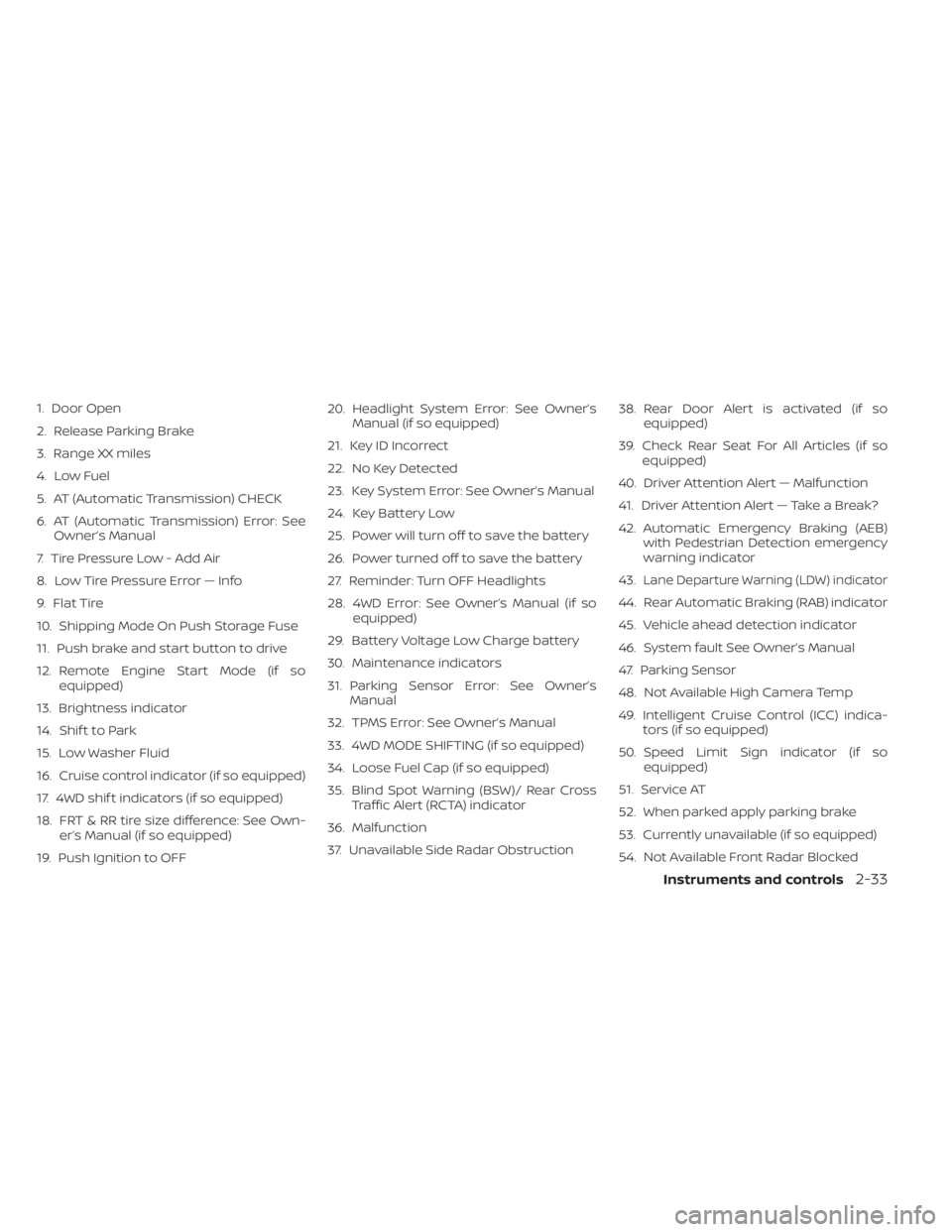
1. Door Open
2. Release Parking Brake
3. Range XX miles
4. Low Fuel
5. AT (Automatic Transmission) CHECK
6. AT (Automatic Transmission) Error: SeeOwner’s Manual
7. Tire Pressure Low - Add Air
8. Low Tire Pressure Error — Info
9. Flat Tire
10. Shipping Mode On Push Storage Fuse
11. Push brake and start button to drive
12. Remote Engine Start Mode (if so equipped)
13. Brightness indicator
14. Shif t to Park
15. Low Washer Fluid
16. Cruise control indicator (if so equipped)
17. 4WD shif t indicators (if so equipped)
18. FRT & RR tire size difference: See Own- er’s Manual (if so equipped)
19. Push Ignition to OFF 20. Headlight System Error: See Owner’s
Manual (if so equipped)
21. Key ID Incorrect
22. No Key Detected
23. Key System Error: See Owner’s Manual
24. Key Battery Low
25. Power will turn off to save the battery
26. Power turned off to save the battery
27. Reminder: Turn OFF Headlights
28. 4WD Error: See Owner’s Manual (if so equipped)
29. Battery Voltage Low Charge battery
30. Maintenance indicators
31. Parking Sensor Error: See Owner’s Manual
32. TPMS Error: See Owner’s Manual
33. 4WD MODE SHIFTING (if so equipped)
34. Loose Fuel Cap (if so equipped)
35. Blind Spot Warning (BSW)/ Rear Cross Traffic Alert (RCTA) indicator
36. Malfunction
37. Unavailable Side Radar Obstruction 38. Rear Door Alert is activated (if so
equipped)
39. Check Rear Seat For All Articles (if so equipped)
40. Driver Attention Alert — Malfunction
41. Driver Attention Alert — Take a Break?
42. Automatic Emergency Braking (AEB) with Pedestrian Detection emergency
warning indicator
43.
Lane Departure Warning (LDW) indicator
44. Rear Automatic Braking (RAB) indicator
45. Vehicle ahead detection indicator
46. System fault See Owner’s Manual
47. Parking Sensor
48. Not Available High Camera Temp
49. Intelligent Cruise Control (ICC) indica- tors (if so equipped)
50. Speed Limit Sign indicator (if so equipped)
51. Service AT
52. When parked apply parking brake
53. Currently unavailable (if so equipped)
54. Not Available Front Radar Blocked
Instruments and controls2-33
Page 142 of 657
Push brake and start button to drive
This indicator appears when the shif t lever
is in the P (Park) position.
This indicator means that the engine will
start by pushing the ignition switch with
the brake pedal depressed. You can start
the engine from any position of the ignition
switch.
Remote Engine Start Mode (if so
equipped)
This warning appears in the vehicle infor-
mation display when the vehicle has been
started using the remote start function. To
start the vehicle, apply the brake and place
the ignition switch in the ON position.
Brightness indicator
This indicator appears when the vehicle
information display screen brightness is
being adjusted.
Shif t to Park
This warning illuminates when the ignition
switch is in the ACC or OFF position and the
shif t lever is not in the P (Park) position. Also,
a chime sounds when the ignition switch is
in the ACC or OFF position.If this warning illuminates, move the shif t
lever to the P (Park) position and start the
engine.
Low Washer Fluid
This warning illuminates when the
windshield-washer fluid is at a low level.
Add windshield-washer fluid as necessary.
For additional information, refer to
“Windshield-washer fluid” in the “Do-it-
yourself ” section of this manual.
Cruise control indicator (if so
equipped)
This indicator shows the cruise control sys-
tem status.
For additional information, refer to “Cruise
control” in the “Starting and driving” section
of this manual.
4WD shif t indicators (if so equipped)
These indicators show which 4WD mode is
selected. For additional information, refer
to “Using 4–wheel drive (4WD)” in the “Start-
ing and driving” section of this manual.
FRT & RR tire size difference: See
Owner’s Manual (if so equipped)
This warning may appear if there is a large
difference between the diameters of the
front and rear wheels. Pull off the road in asafe area, with the engine idling. Check that
all the tire sizes are the same, that the tire
pressure is correct and that the tires are
not excessively worn. For additional infor-
mation, refer to “Wheels and tires” in the
“Technical and consumer information” of
this manual.
Push Ignition to OFF
Af ter the Push ignition to OFF warning illu-
minates, the warning will illuminate if the
ignition switch is placed in the ACC position
when the shif t lever is moved to the P (Park)
position.
To turn off the Push warning, place the ig-
nition switch in the ON position and then in
the LOCK position.
Headlight System Error: See Owner’s
Manual (if so equipped)
This warning appears when the LED head-
lights are not functioning properly.
If this warning appears, have your system
checked. It is recommended that you visit a
NISSAN dealer for this service.
Instruments and controls2-35
Page 143 of 657
Key ID Incorrect
This warning appears when the ignition
switch is placed from the OFF position and
the Intelligent Key is not recognized by the
system. You cannot start the engine with
an unregistered key.
For additional information, refer to “NISSAN
Intelligent Key®” in the “Pre-driving checks
and adjustments” section of this manual.
No Key Detected
This warning appears when the Intelligent
Key is lef t outside the vehicle with the igni-
tion switch in the ON position. Make sure
the Intelligent Key is inside the vehicle.
For additional information, refer to “NISSAN
Intelligent Key®” in the “Pre-driving checks
and adjustments” section of this manual.
Key System Error: See Owner’s
Manual
Af ter the ignition switch is pushed to the
ON position, this light comes on for a period
of time and then turns off.
The Key System Error message warns of a
malfunction with the Intelligent Key sys-
tem. If the light comes on while the engine
is stopped, it may be impossible to start
the engine.If the light comes on while the engine is
running, you can drive the vehicle. However,
in these cases, have the system checked. It
is recommended that you visit a NISSAN
dealer for this service.
Key Battery Low
This indicator illuminates when the Intelli-
gent Key battery is running out of power.
If this indicator illuminates, replace the bat-
tery with a new one. For additional infor-
mation, refer to “Battery replacement” in
the “Do-it-yourself ” section of this manual.
Power will turn off to save the battery
This message appears in the vehicle infor-
mation display af ter a period of time if the
ignition switch is in the ACC or the ON po-
sition and if the vehicle is in P (Park). For
additional information, refer to “Push-
button ignition switch positions” in the
“Starting and driving” section of this
manual.
Power turned off to save the battery
This warning appears af ter the ignition
switch is automatically turned off to save
the battery.
Reminder: Turn OFF Headlights
This warning appears when the headlights
are lef t in the ON position when exiting the
vehicle. Place the headlight switch in the
OFF or AUTO position. For additional infor-
mation, refer to “Headlight switch” in this
section.
4WD Error: See Owner’s Manual (if so
equipped)
This warning appears when the 4-wheel
drive system is not functioning properly
while the engine is running.
Battery Voltage Low Charge battery
This warning appears when the battery is
low and needs to be charged.
Maintenance indicators
When engine oil service is due, one or more
of these icons will appear automatically to
remind you. For additional information, re-
fer to “Engine oil” in the “Do-it-yourself ” sec-
tion of this manual.
These will also appear when the user-set
reminders are met. For additional informa-
tion, refer to “Vehicle information display” in
this section.
2-36Instruments and controls