remote control NISSAN TITAN 2021 Owner´s Manual
[x] Cancel search | Manufacturer: NISSAN, Model Year: 2021, Model line: TITAN, Model: NISSAN TITAN 2021Pages: 638, PDF Size: 4.31 MB
Page 311 of 638
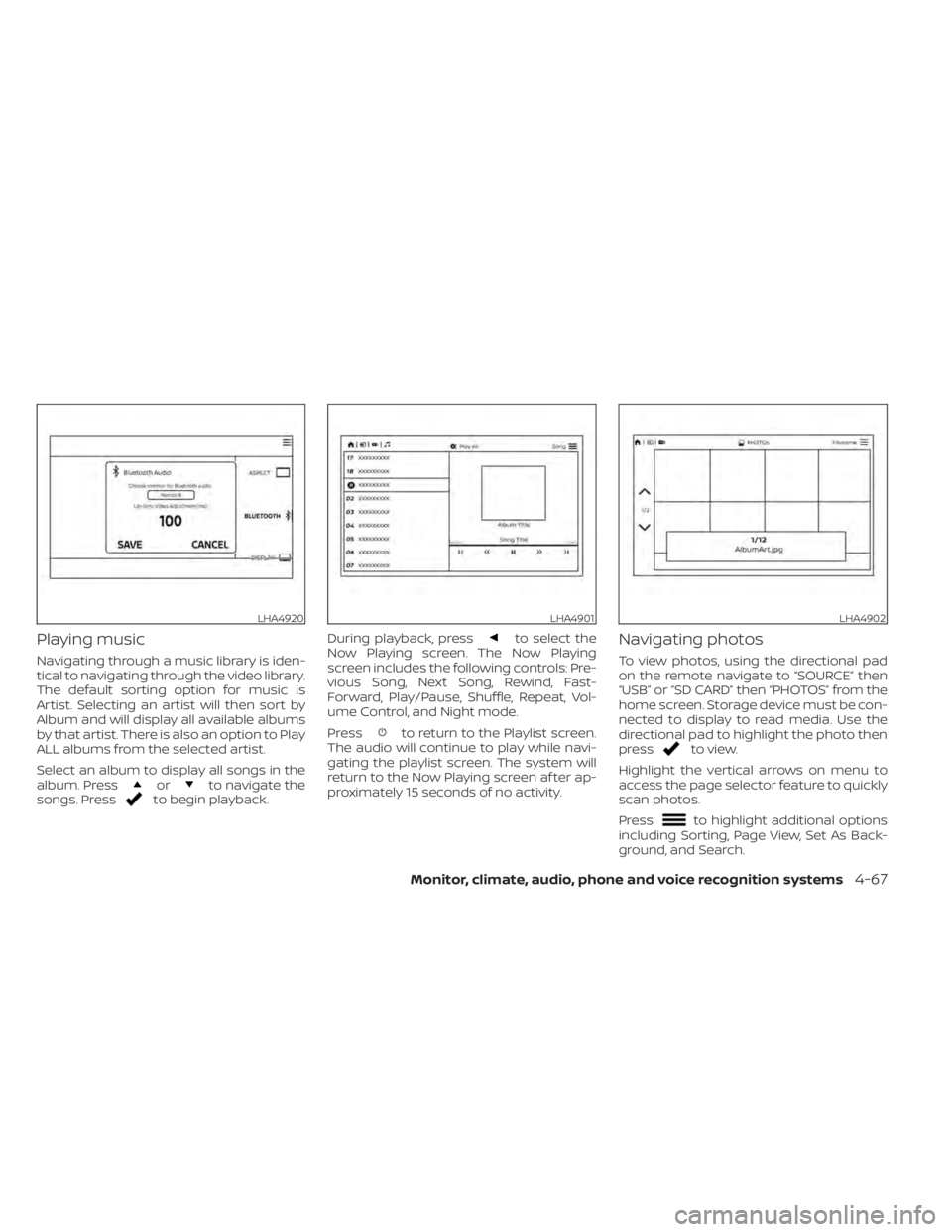
Playing music
Navigating through a music library is iden-
tical to navigating through the video library.
The default sorting option for music is
Artist. Selecting an artist will then sort by
Album and will display all available albums
by that artist. There is also an option to Play
ALL albums from the selected artist.
Select an album to display all songs in the
album. Press
orto navigate the
songs. Pressto begin playback. During playback, press
to select the
Now Playing screen. The Now Playing
screen includes the following controls: Pre-
vious Song, Next Song, Rewind, Fast-
Forward, Play/Pause, Shuffle, Repeat, Vol-
ume Control, and Night mode.
Press
to return to the Playlist screen.
The audio will continue to play while navi-
gating the playlist screen. The system will
return to the Now Playing screen af ter ap-
proximately 15 seconds of no activity.
Navigating photos
To view photos, using the directional pad
on the remote navigate to “SOURCE” then
“USB” or “SD CARD” then “PHOTOS” from the
home screen. Storage device must be con-
nected to display to read media. Use the
directional pad to highlight the photo then
press
to view.
Highlight the vertical arrows on menu to
access the page selector feature to quickly
scan photos.
Press
to highlight additional options
including Sorting, Page View, Set As Back-
ground, and Search.
LHA4920LHA4901LHA4902
Monitor, climate, audio, phone and voice recognition systems4-67
Page 312 of 638
Sorting lets you arrange the photos by file-
name or date.
Page View allows the user to view photos in
Fullscreen, Grid, Overview, or Slideshow.
Set As Background sets the selected photo
as the home screen background.
Search prompts the user to input a file-
name or date to find a photo.
SLINGPLAYER®About Slingplayer®
A Slingbox® (sold separately) connects to
your home network and sits between your
cable or set-top box and your TV. When
accessed remotely, your Slingbox® slings
your content to the RSI system. To use
Slingplayer®, an external internet connec-
tion is required. For additional information,
see “Using Wi-Fi” (P. 4-74) to enable Client
Mode in the Wi-Fi Settings and allow the
system to connect to a Wi-Fi hotspot.
Using Slingplayer®
Using the directional pad on the remote,
select “SOURCE” from the Home Screen
and navigate to “SLINGPLAYER” in the
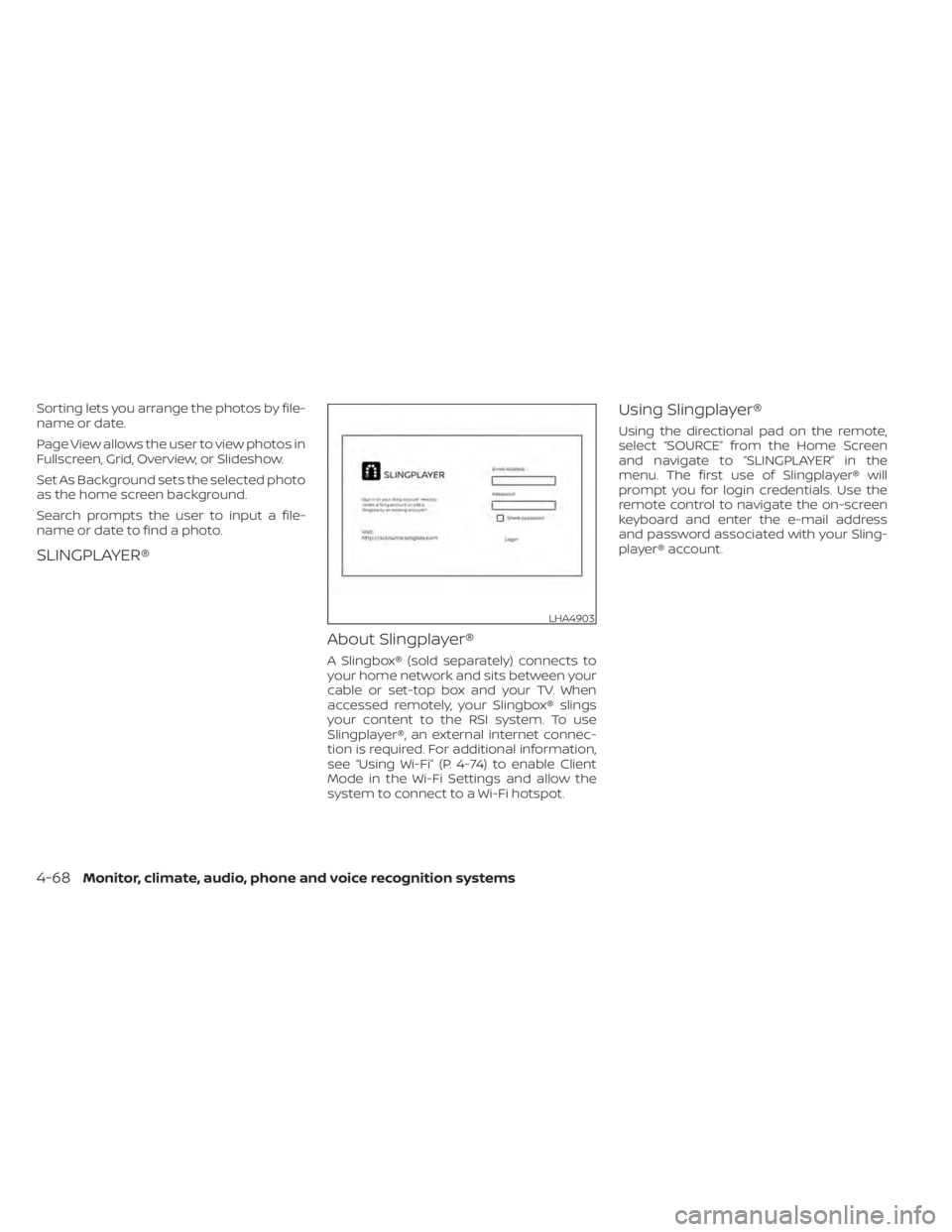
menu. The first use of Slingplayer® will
prompt you for login credentials. Use the
remote control to navigate the on-screen
keyboard and enter the e-mail address
and password associated with your Sling-
player® account.
LHA4903
4-68Monitor, climate, audio, phone and voice recognition systems
Page 325 of 638
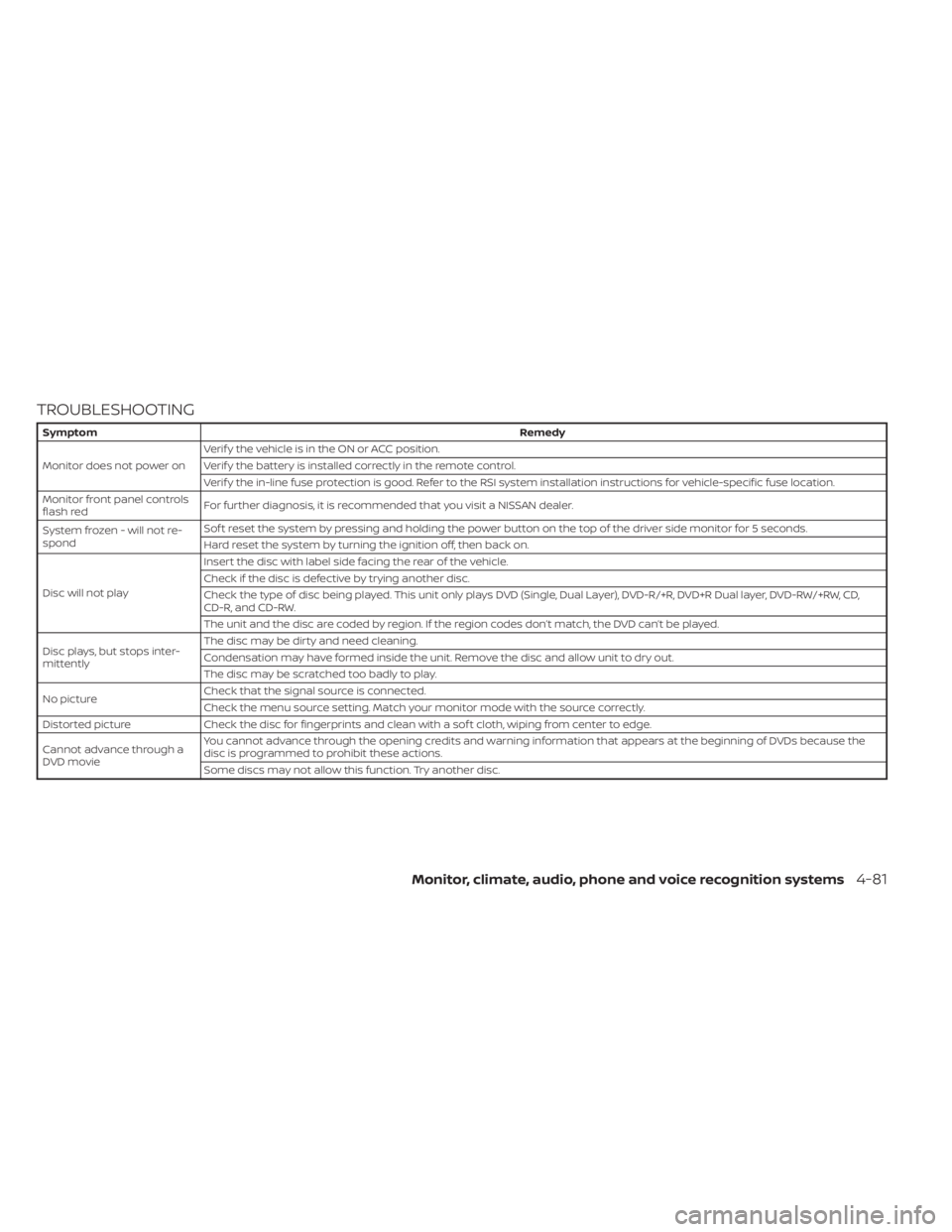
TROUBLESHOOTING
SymptomRemedy
Monitor does not power on Verif y the vehicle is in the ON or ACC position.
Verif y the battery is installed correctly in the remote control.
Verif y the in-line fuse protection is good. Refer to the RSI system installation instructions for vehicle-specific fuse location.
Monitor front panel controls
flash red For further diagnosis, it is recommended that you visit a NISSAN dealer.
System frozen - will not re-
spond Sof t reset the system by pressing and holding the power button on the top of the driver side monitor for 5 seconds.
Hard reset the system by turning the ignition off, then back on.
Disc will not play Insert the disc with label side facing the rear of the vehicle.
Check if the disc is defective by trying another disc.
Check the type of disc being played. This unit only plays DVD (Single, Dual Layer), DVD-R/+R, DVD+R Dual layer, DVD-RW/+RW, CD,
CD-R, and CD-RW.
The unit and the disc are coded by region. If the region codes don’t match, the DVD can’t be played.
Disc plays, but stops inter-
mittently The disc may be dirty and need cleaning.
Condensation may have formed inside the unit. Remove the disc and allow unit to dry out.
The disc may be scratched too badly to play.
No picture Check that the signal source is connected.
Check the menu source setting. Match your monitor mode with the source correctly.
Distorted picture Check the disc for fingerprints and clean with a sof t cloth, wiping from center to edge.
Cannot advance through a
DVD movie You cannot advance through the opening credits and warning information that appears at the beginning of DVDs because the
disc is programmed to prohibit these actions.
Some discs may not allow this function. Try another disc.
Monitor, climate, audio, phone and voice recognition systems4-81
Page 630 of 638
Intelligent Forward Collision Warning
(I-FCW)......................5-89Intelligent Key system
Key operating range............3-11Key operation................3-12Mechanical key................3-3Remote keyless entry operation. . . .3-15Troubleshooting guide..........3-20Warning signals..............3-20Interior light................. .2-88ISOFIX child restraints............1-30
J
Jump starting..............6-10,8-18
K
Key.........................3-2Key fob battery replacement........8-27Keyless entry
With Intelligent Key system
(See Intelligent Key system)
.......3-15KeysNISSAN Intelligent Key®........3-2,3-9NISSAN Vehicle Immobilizer System
keys..................... .3-4
L
Labels
Air conditioner specification label. . .10-20
C.M.V.S.S. certification label.......10-18Emission control information label. .10-19Engine serial number..........10-18Tire and Loading Information label. .10-19Vehicle identification number (VIN). .10-17Vehicle identification number (VIN)
plate.................... .10-17Warning labels (for SRS)..........1-82Lane Departure Warning (LDW).......5-27LATCH (Lower Anchors and Tethers for
CHildren) System...............1-30License plate
Installing the license plate........10-21LightAir bag warning light........1-82, 2-16Brake light (See stop light)........8-32Bulb check/instrument panel......2-13Bulb replacement.............8-32Charge warning light...........2-14Console light................2-88Exterior and Interior lights........8-32Fog light switch...............2-51Fog lights..................8-29Headlight and turn signal switch. . . .2-43Headlight control switch.........2-43Headlights..................8-29Interior light................ .2-88Light bulbs.................8-29Low tire pressure warning light.....2-18Low windshield-washer fluid warning
light..................... .2-32Passenger air bag and status light. . .1-63Personal lights...............2-89Security indicator light..........2-16
Warning/indicator lights and audible
reminders..................2-13Lights......................8-29Map lights..................2-89Lock
Child safety rear door lock.........3-9Door locks................. .3-4Power door locks..............3-6Loose fuel cap warning...........2-32Low fuel warning light.....2-16,2-20,2-32Low tire pressure warning light.......2-18Low windshield-washer fluid warning
light...................... .2-32Luggage (See vehicle loading
information)..................10-22Luggage hook.................2-80
M
Maintenance
General maintenance...........9-2Inside the vehicle..............9-3Maintenance precautions.........8-2Outside the vehicle.............9-2Seat belt maintenance..........1-24Under the hood and vehicle.......9-4Maintenance requirements..........9-2Maintenance schedules............9-7Malfunction indicator light......2-15,2-20Manual front seat adjustment........1-4Map lights.................. .2-89Map pocket...................2-69Memory seat..............3-40, 3-42
11-4
Page 632 of 638
Registering a vehicle in another
country.....................10-17Remote Engine Start..........3-22,5-17Reporting safety defects (US only). . . .10-58
S
Safety
Child safety rear door lock.........3-9Child seat
belts........1-28, 1-34, 1-40, 1-45, 1-49Reporting safety defects (US only). .10-58Seat
Memory seat............3-40, 3-42Seat adjustmentFront manual seat adjustment......1-4Front power seat adjustment.......1-6Seat beltChild safety.................1-25Infants and small children........1-26Injured person................1-19Larger children...............1-26Precautions on seat belt usage.....1-16Pregnant women..............1-19Rear center seat belt...........1-23Seat belt extenders............1-24Seat belt maintenance..........1-24Seat belts................1-16,7-7Shoulder belt height adjustment. . . .1-24Three-point type with retractor.....1-19Seat belt extenders..............1-24Seat belt warning light............2-16Seatback pockets...............2-70
SeatsAdjustment..................1-2Front seats..................1-2Heated seats................2-54Manual front seat adjustment......1-4Rear seat.................. .1-4Security indicator light............2-16Security system (NISSAN Vehicle Immobilizer
System), engine start.........2-38, 5-16Security systems
Vehicle security system..........2-37Self-adjusting brakes.............8-23Service manual order form........10-60Servicing air conditioner...........4-42Shif tingAutomatic transmission.........5-20Shoulder belt height adjustment......1-24Side air bag system (See supplemental side
air bag, curtain and rollover air bag
systems)
.....................1-78Snow plow................. .10-56Spark plug replacement...........8-20Spark plugs...................8-20Specifications.................10-9Speedometer..................2-7Speedometer and odometer........2-6SRS warning label...............1-82Stability control................5-118Standard maintenance............9-8Starting
Before starting the engine........5-16Jump starting............6-10,8-18Precautions when starting and
driving................. .5-4, 5-10
Push starting................6-12Starting the engine............5-16Starting the engine..............5-16Steering
Power steering fluid............8-13Power steering system.........5-115Steering wheel.................3-28Stop light................... .8-32Storage.................... .2-69Storage tray..................2-73Sun visors....................3-30Sunglasses case................2-75Sunglasses holder..............2-75Sunroof..................2-85, 7-5Supplemental air bag warning labels. . .1-82Supplemental air bag warning
light................... .1-82, 2-16Supplemental front impact air bag
system..................1-60, 1-75Supplemental restraint system
Information and warning labels.....1-82Precautions on supplemental restraint
system................ .1-53, 1-68Supplemental restraint system
(Supplemental air bag system).......1-53Switch
Autolight switch..............2-44Automatic power window switch. . .2-83Electronic locking rear differential (E-Lock)
system switch...............2-59Fog light switch...............2-51Hazard warning flasher switch......6-2Headlight aiming control.........2-49Headlight and turn signal switch. . . .2-43
11-6