lights NISSAN TITAN 2021 Owner´s Manual
[x] Cancel search | Manufacturer: NISSAN, Model Year: 2021, Model line: TITAN, Model: NISSAN TITAN 2021Pages: 638, PDF Size: 4.31 MB
Page 157 of 638
Move the lever up or down until the turn
signal begins to flash, but the lever does
not latch, and release the lever. The turn
signal will automatically flash three times.
Choose the appropriate method to signal
a lane change based on road and traffic
conditions.
NOTE:
The 3 flash pass turn indicator may be
disabled. For additional information, see
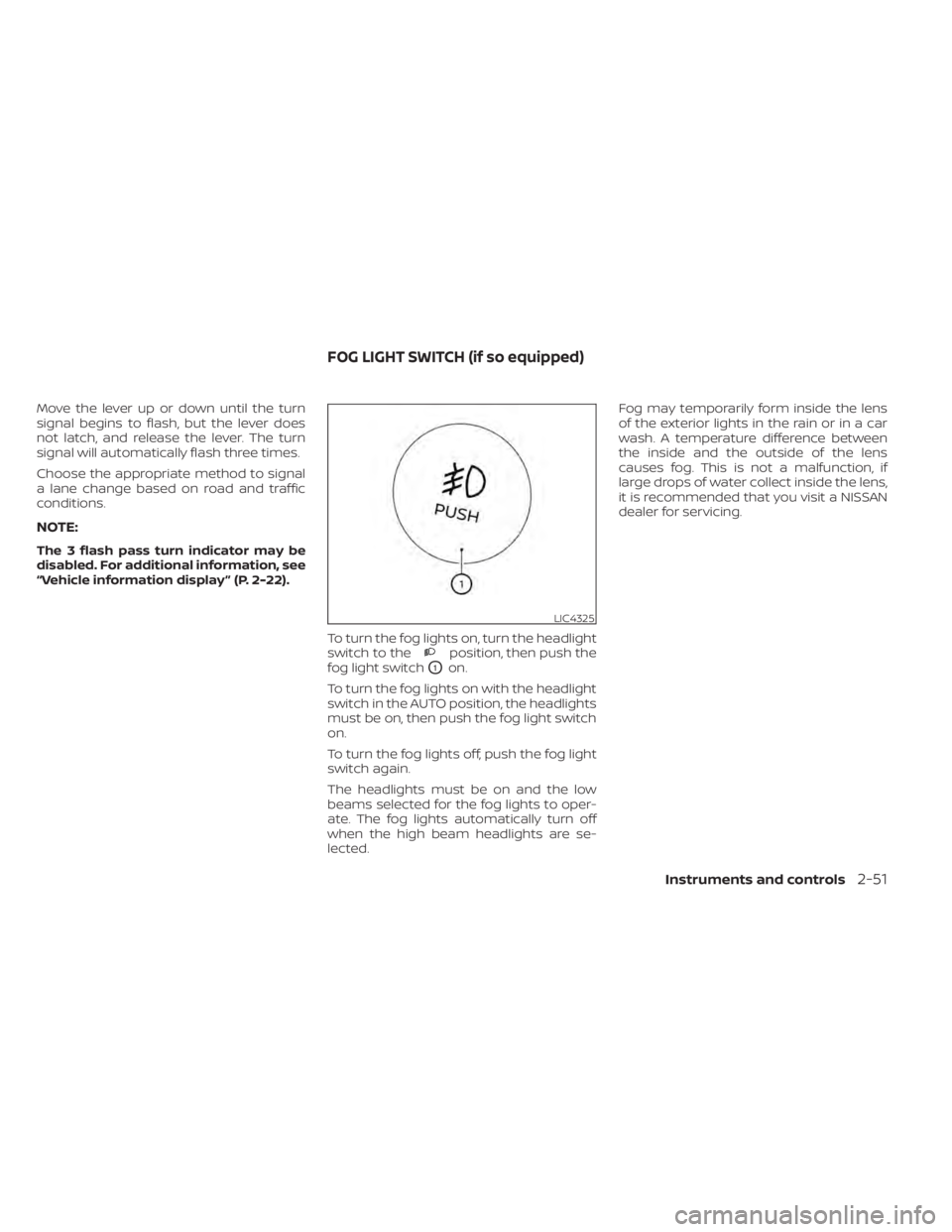
“Vehicle information display ” (P. 2-22).To turn the fog lights on, turn the headlight
switch to the
position, then push the
fog light switch
O1on.
To turn the fog lights on with the headlight
switch in the AUTO position, the headlights
must be on, then push the fog light switch
on.
To turn the fog lights off, push the fog light
switch again.
The headlights must be on and the low
beams selected for the fog lights to oper-
ate. The fog lights automatically turn off
when the high beam headlights are se-
lected. Fog may temporarily form inside the lens
of the exterior lights in the rain or in a car
wash. A temperature difference between
the inside and the outside of the lens
causes fog. This is not a malfunction, if
large drops of water collect inside the lens,
it is recommended that you visit a NISSAN
dealer for servicing.
LIC4325
FOG LIGHT SWITCH (if so equipped)
Instruments and controls2-51
Page 158 of 638
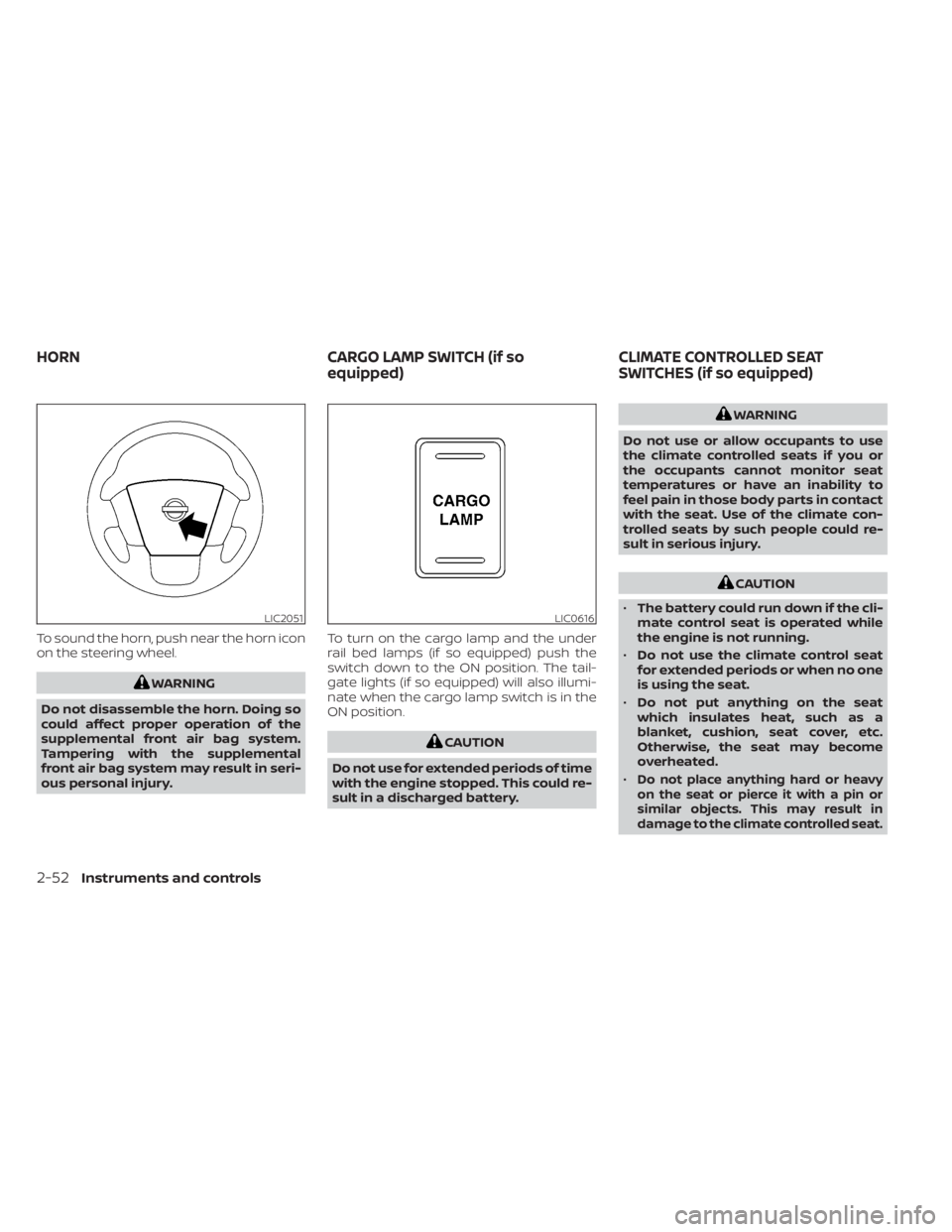
To sound the horn, push near the horn icon
on the steering wheel.
WARNING
Do not disassemble the horn. Doing so
could affect proper operation of the
supplemental front air bag system.
Tampering with the supplemental
front air bag system may result in seri-
ous personal injury. To turn on the cargo lamp and the under
rail bed lamps (if so equipped) push the
switch down to the ON position. The tail-
gate lights (if so equipped) will also illumi-
nate when the cargo lamp switch is in the
ON position.
CAUTION
Do not use for extended periods of time
with the engine stopped. This could re-
sult in a discharged battery.
WARNING
Do not use or allow occupants to use
the climate controlled seats if you or
the occupants cannot monitor seat
temperatures or have an inability to
feel pain in those body parts in contact
with the seat. Use of the climate con-
trolled seats by such people could re-
sult in serious injury.
CAUTION
• The battery could run down if the cli-
mate control seat is operated while
the engine is not running.
• Do not use the climate control seat
for extended periods or when no one
is using the seat.
• Do not put anything on the seat
which insulates heat, such as a
blanket, cushion, seat cover, etc.
Otherwise, the seat may become
overheated.
•
Do not place anything hard or heavy
on the seat or pierce it with a pin or
similar objects. This may result in
damage to the climate controlled seat.
LIC2051LIC0616
HORN CARGO LAMP SWITCH (if so
equipped)CLIMATE CONTROLLED SEAT
SWITCHES (if so equipped)
2-52Instruments and controls
Page 163 of 638
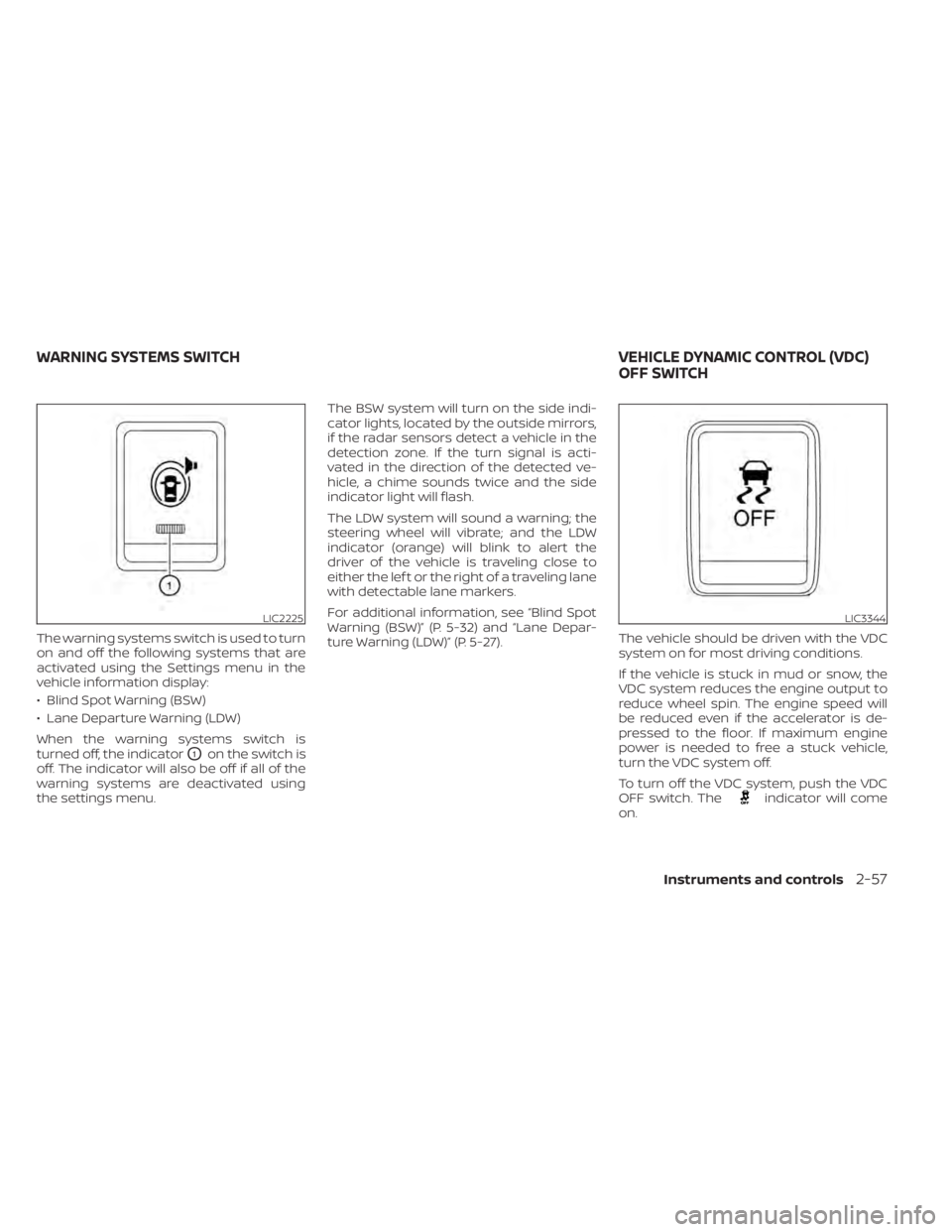
The warning systems switch is used to turn
on and off the following systems that are
activated using the Settings menu in the
vehicle information display:
• Blind Spot Warning (BSW)
• Lane Departure Warning (LDW)
When the warning systems switch is
turned off, the indicator
O1on the switch is
off. The indicator will also be off if all of the
warning systems are deactivated using
the settings menu. The BSW system will turn on the side indi-
cator lights, located by the outside mirrors,
if the radar sensors detect a vehicle in the
detection zone. If the turn signal is acti-
vated in the direction of the detected ve-
hicle, a chime sounds twice and the side
indicator light will flash.
The LDW system will sound a warning; the
steering wheel will vibrate; and the LDW
indicator (orange) will blink to alert the
driver of the vehicle is traveling close to
either the lef t or the right of a traveling lane
with detectable lane markers.
For additional information, see “Blind Spot
Warning (BSW)” (P. 5-32) and “Lane Depar-
ture Warning (LDW)” (P. 5-27).
The vehicle should be driven with the VDC
system on for most driving conditions.
If the vehicle is stuck in mud or snow, the
VDC system reduces the engine output to
reduce wheel spin. The engine speed will
be reduced even if the accelerator is de-
pressed to the floor. If maximum engine
power is needed to free a stuck vehicle,
turn the VDC system off.
To turn off the VDC system, push the VDC
OFF switch. The
indicator will come
on.
LIC2225LIC3344
WARNING SYSTEMS SWITCH VEHICLE DYNAMIC CONTROL (VDC)
OFF SWITCH
Instruments and controls2-57
Page 165 of 638
To activate the hill descent control system:
• activate the 4H or 4LO switch,
• the transmission shif t lever must be inforward or reverse gear,
• the hill descent control system switch must be ON.
The vehicle speed must be kept below
15 mph (25 km/h).
The hill descent control indicator light will
come on when the system is activated.
Also, the stop/tail lights illuminate while the
hill descent control system applies the
brakes to control vehicle speed.
You may hear a noise from under the hood
or feel a vibration from the actuator when it
is operating. This is normal and indicates
the hill descent control system is working
properly.
If the accelerator or brake pedal is de-
pressed while the hill descent control sys-
tem is on, the system will stop operating
temporarily. As soon as the accelerator or
brake pedal is released, the hill descent
control system begins to function again if
the hill descent control operating condi-
tions are fulfilled. The hill descent control indicator light
blinks if the switch is on and all conditions
for system activation are not met or if the
system becomes disengaged for any rea-
son.
To turn off the hill descent control system,
push the switch to the OFF position.
For additional information, see “Hill descent
control system ON indicator light” (P. 2-18)
and “Hill descent control system” (P. 5-121).
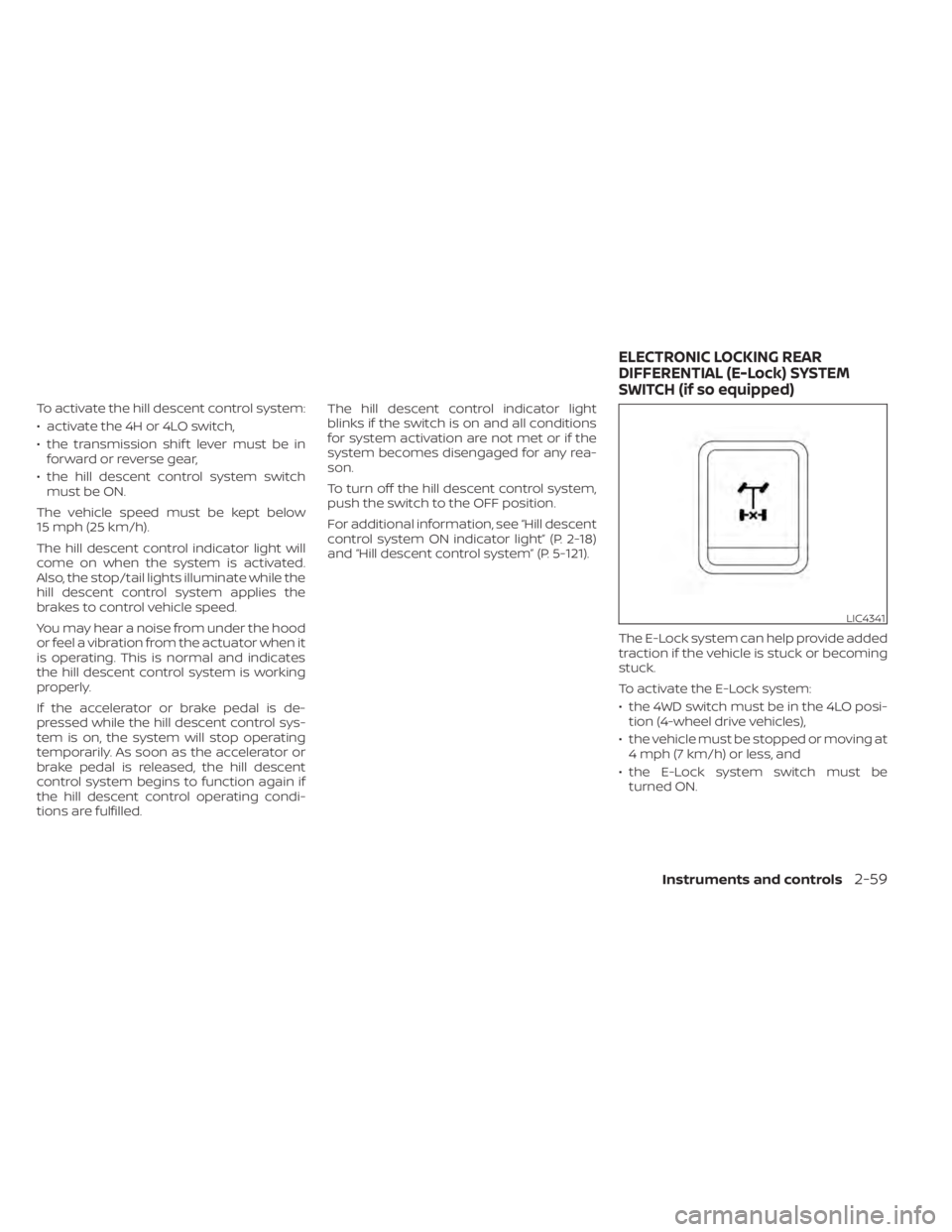
The E-Lock system can help provide added
traction if the vehicle is stuck or becoming
stuck.
To activate the E-Lock system:
• the 4WD switch must be in the 4LO posi-tion (4-wheel drive vehicles),
• the vehicle must be stopped or moving at 4 mph (7 km/h) or less, and
• the E-Lock system switch must be turned ON.
LIC4341
ELECTRONIC LOCKING REAR
DIFFERENTIAL (E-Lock) SYSTEM
SWITCH (if so equipped)
Instruments and controls2-59
Page 171 of 638
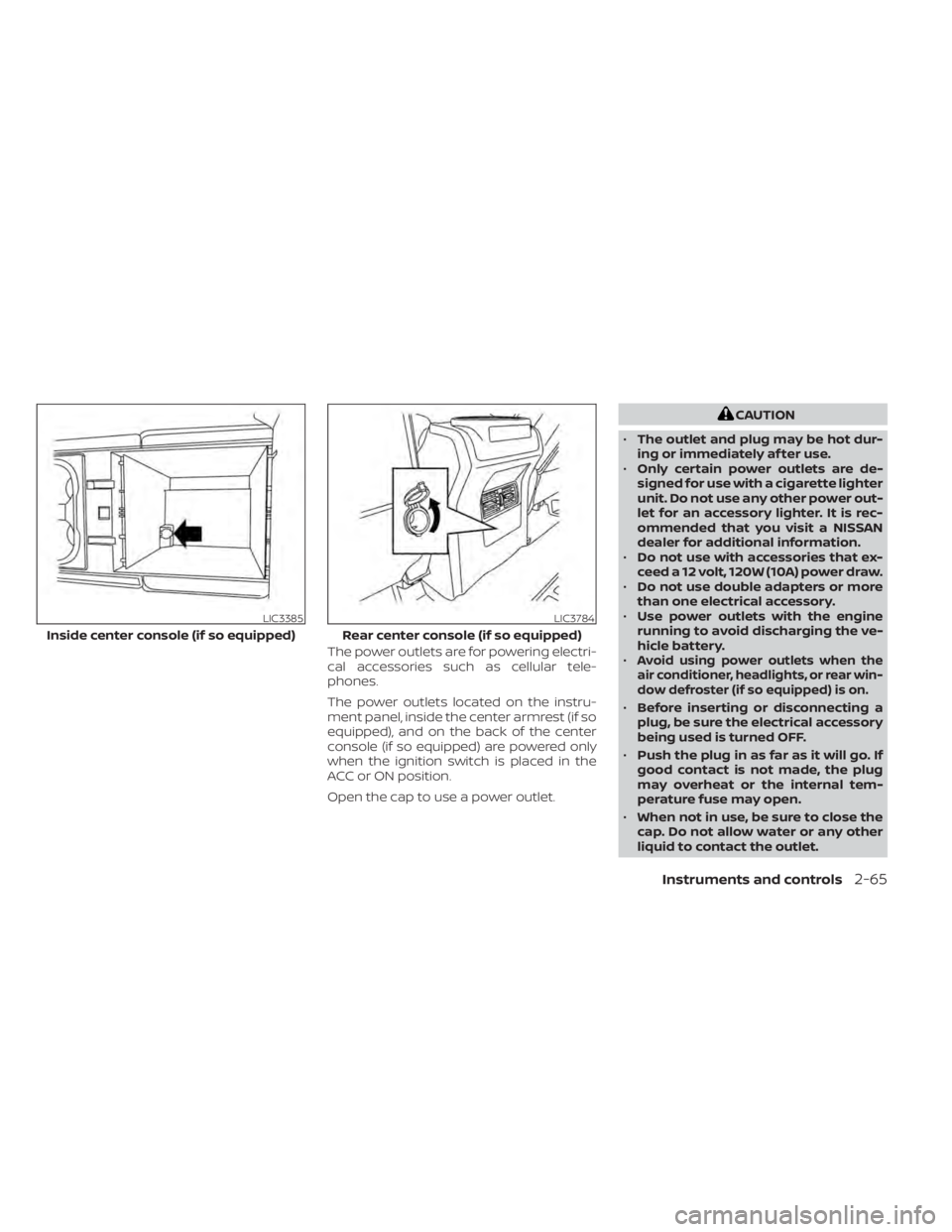
The power outlets are for powering electri-
cal accessories such as cellular tele-
phones.
The power outlets located on the instru-
ment panel, inside the center armrest (if so
equipped), and on the back of the center
console (if so equipped) are powered only
when the ignition switch is placed in the
ACC or ON position.
Open the cap to use a power outlet.
CAUTION
• The outlet and plug may be hot dur-
ing or immediately af ter use.
• Only certain power outlets are de-
signed for use with a cigarette lighter
unit. Do not use any other power out-
let for an accessory lighter. It is rec-
ommended that you visit a NISSAN
dealer for additional information.
• Do not use with accessories that ex-
ceed a 12 volt, 120W (10A) power draw.
• Do not use double adapters or more
than one electrical accessory.
• Use power outlets with the engine
running to avoid discharging the ve-
hicle battery.
•
Avoid using power outlets when the
air conditioner, headlights, or rear win-
dow defroster (if so equipped) is on.
• Before inserting or disconnecting a
plug, be sure the electrical accessory
being used is turned OFF.
• Push the plug in as far as it will go. If
good contact is not made, the plug
may overheat or the internal tem-
perature fuse may open.
• When not in use, be sure to close the
cap. Do not allow water or any other
liquid to contact the outlet.
LIC3385
Inside center console (if so equipped)
LIC3784
Rear center console (if so equipped)
Instruments and controls2-65
Page 173 of 638
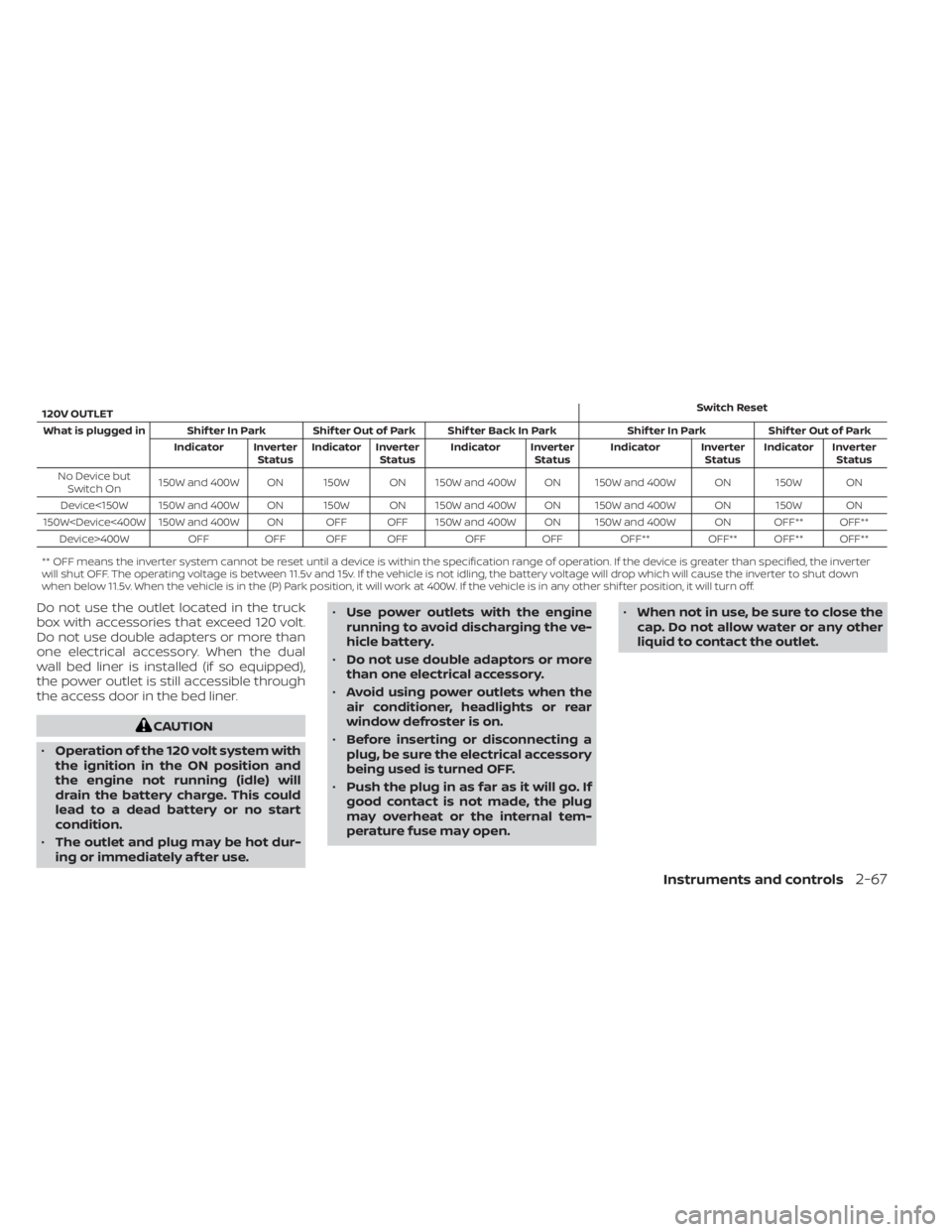
120V OUTLETSwitch Reset
What is plugged in Shif ter In Park Shif ter Out of Park Shif ter Back In Park Shif ter In Park Shif ter Out of Park Indicator InverterStatusIndicator Inverter
Status Indicator Inverter
StatusIndicator Inverter
StatusIndicator Inverter
Status
No Device but Switch On 150W and 400W ON 150W ON 150W and 400W ON 150W and 400W ON 150W ON
Device<150W 150W and 400W ON 150W ON 150W and 400W ON 150W and 400W ON 150W ON
150W
** OFF means the inverter system cannot be reset until a device is within the specification range of operation. If the device is greater than specified, the inverter
will shut OFF. The operating voltage is between 11.5v and 15v. If the vehicle is not idling, the battery voltage will drop which will cause the inverter to shut down
when below 11.5v. When the vehicle is in the (P) Park position, it will work at 400W. If the vehicle is in any other shif ter position, it will turn off.
Do not use the outlet located in the truck
box with accessories that exceed 120 volt.
Do not use double adapters or more than
one electrical accessory. When the dual
wall bed liner is installed (if so equipped),
the power outlet is still accessible through
the access door in the bed liner.
CAUTION
• Operation of the 120 volt system with
the ignition in the ON position and
the engine not running (idle) will
drain the battery charge. This could
lead to a dead battery or no start
condition.
• The outlet and plug may be hot dur-
ing or immediately af ter use. •
Use power outlets with the engine
running to avoid discharging the ve-
hicle battery.
• Do not use double adaptors or more
than one electrical accessory.
• Avoid using power outlets when the
air conditioner, headlights or rear
window defroster is on.
• Before inserting or disconnecting a
plug, be sure the electrical accessory
being used is turned OFF.
• Push the plug in as far as it will go. If
good contact is not made, the plug
may overheat or the internal tem-
perature fuse may open. •
When not in use, be sure to close the
cap. Do not allow water or any other
liquid to contact the outlet.
Instruments and controls2-67
Page 194 of 638
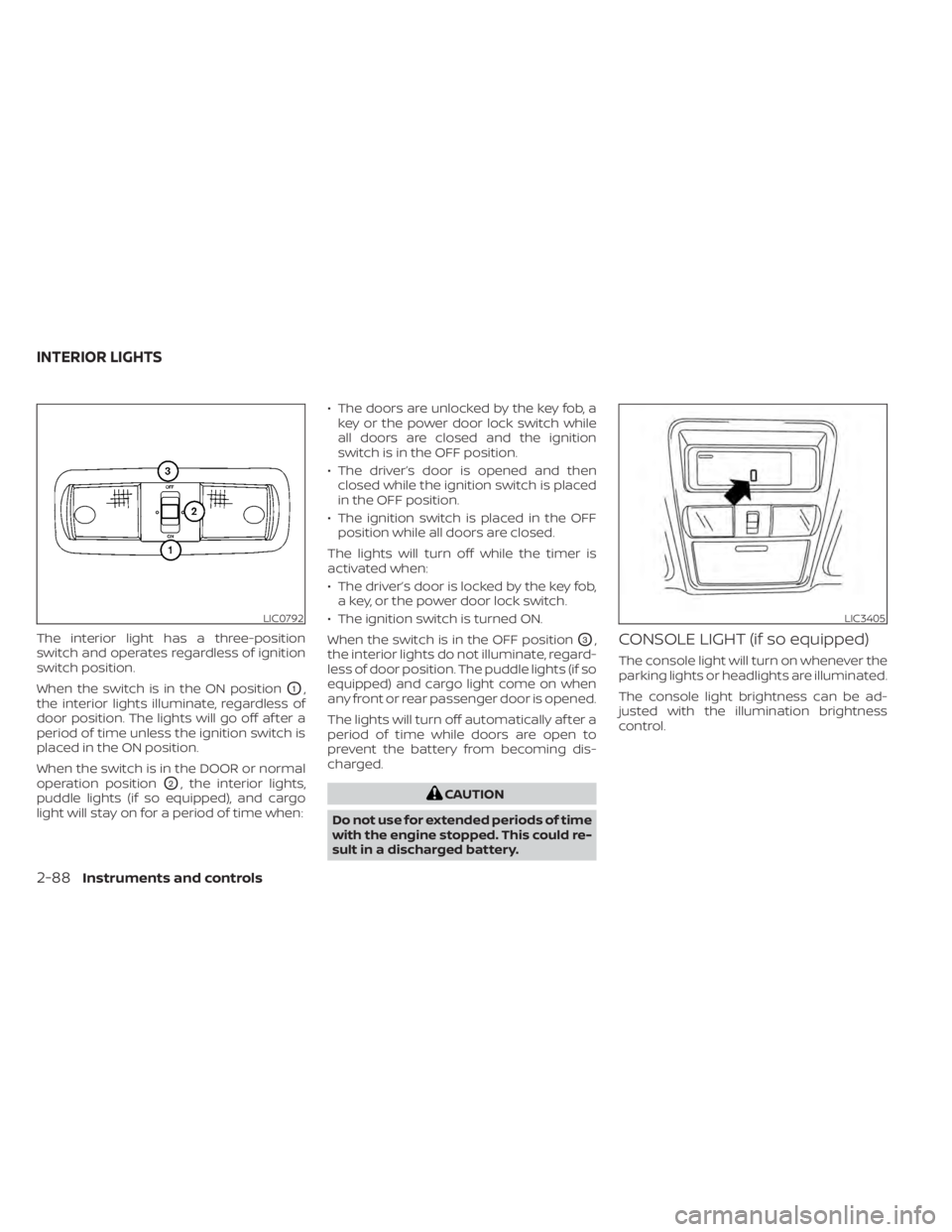
The interior light has a three-position
switch and operates regardless of ignition
switch position.
When the switch is in the ON position
O1,
the interior lights illuminate, regardless of
door position. The lights will go off af ter a
period of time unless the ignition switch is
placed in the ON position.
When the switch is in the DOOR or normal
operation position
O2, the interior lights,
puddle lights (if so equipped), and cargo
light will stay on for a period of time when: • The doors are unlocked by the key fob, a
key or the power door lock switch while
all doors are closed and the ignition
switch is in the OFF position.
• The driver’s door is opened and then closed while the ignition switch is placed
in the OFF position.
• The ignition switch is placed in the OFF position while all doors are closed.
The lights will turn off while the timer is
activated when:
• The driver’s door is locked by the key fob, a key, or the power door lock switch.
• The ignition switch is turned ON.
When the switch is in the OFF position
O3,
the interior lights do not illuminate, regard-
less of door position. The puddle lights (if so
equipped) and cargo light come on when
any front or rear passenger door is opened.
The lights will turn off automatically af ter a
period of time while doors are open to
prevent the battery from becoming dis-
charged.
CAUTION
Do not use for extended periods of time
with the engine stopped. This could re-
sult in a discharged battery.
CONSOLE LIGHT (if so equipped)
The console light will turn on whenever the
parking lights or headlights are illuminated.
The console light brightness can be ad-
justed with the illumination brightness
control.
LIC0792LIC3405
INTERIOR LIGHTS
2-88Instruments and controls
Page 195 of 638
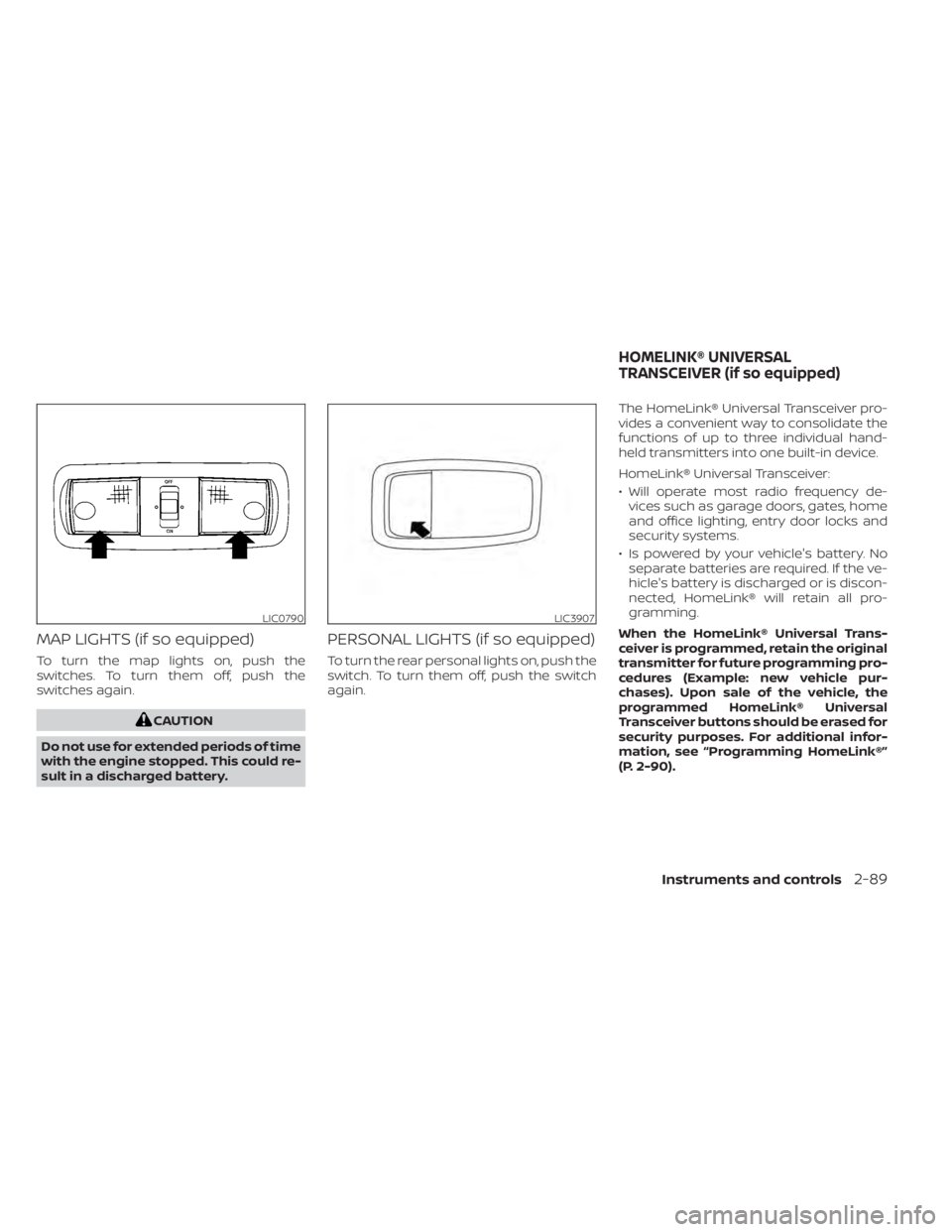
MAP LIGHTS (if so equipped)
To turn the map lights on, push the
switches. To turn them off, push the
switches again.
CAUTION
Do not use for extended periods of time
with the engine stopped. This could re-
sult in a discharged battery.
PERSONAL LIGHTS (if so equipped)
To turn the rear personal lights on, push the
switch. To turn them off, push the switch
again. The HomeLink® Universal Transceiver pro-
vides a convenient way to consolidate the
functions of up to three individual hand-
held transmitters into one built-in device.
HomeLink® Universal Transceiver:
• Will operate most radio frequency de-
vices such as garage doors, gates, home
and office lighting, entry door locks and
security systems.
• Is powered by your vehicle's battery. No separate batteries are required. If the ve-
hicle's battery is discharged or is discon-
nected, HomeLink® will retain all pro-
gramming.
When the HomeLink® Universal Trans-
ceiver is programmed, retain the original
transmitter for future programming pro-
cedures (Example: new vehicle pur-
chases). Upon sale of the vehicle, the
programmed HomeLink® Universal
Transceiver buttons should be erased for
security purposes. For additional infor-
mation, see “Programming HomeLink®”
(P. 2-90).
LIC0790LIC3907
HOMELINK® UNIVERSAL
TRANSCEIVER (if so equipped)
Instruments and controls2-89
Page 213 of 638
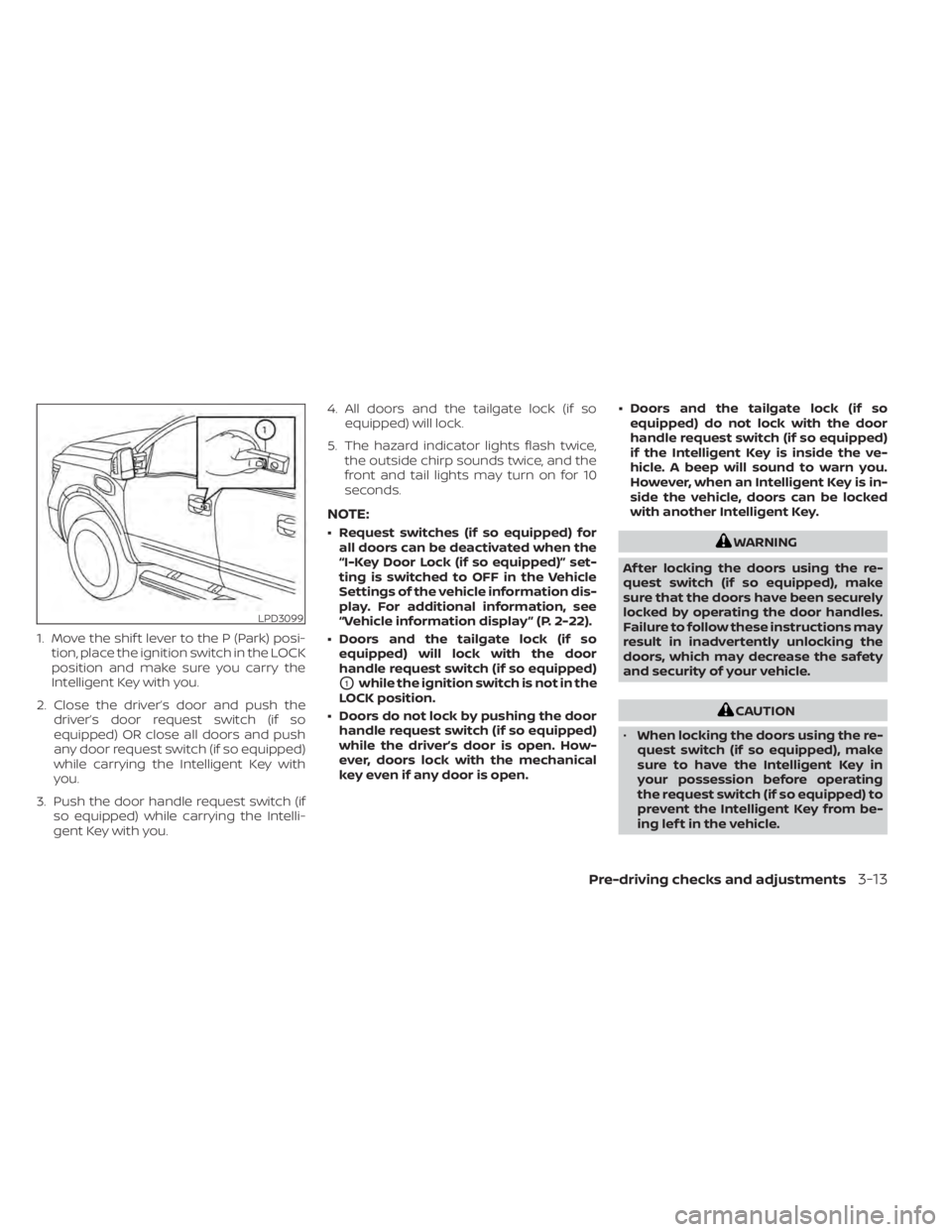
1. Move the shif t lever to the P (Park) posi-tion, place the ignition switch in the LOCK
position and make sure you carry the
Intelligent Key with you.
2. Close the driver’s door and push the driver’s door request switch (if so
equipped) OR close all doors and push
any door request switch (if so equipped)
while carrying the Intelligent Key with
you.
3. Push the door handle request switch (if so equipped) while carrying the Intelli-
gent Key with you. 4. All doors and the tailgate lock (if so
equipped) will lock.
5. The hazard indicator lights flash twice, the outside chirp sounds twice, and the
front and tail lights may turn on for 10
seconds.
NOTE:
• Request switches (if so equipped) forall doors can be deactivated when the
“I-Key Door Lock (if so equipped)” set-
ting is switched to OFF in the Vehicle
Settings of the vehicle information dis-
play. For additional information, see
“Vehicle information display ” (P. 2-22).
• Doors and the tailgate lock (if so equipped) will lock with the door
handle request switch (if so equipped)
O1while the ignition switch is not in the
LOCK position.
• Doors do not lock by pushing the door handle request switch (if so equipped)
while the driver’s door is open. How-
ever, doors lock with the mechanical
key even if any door is open. • Doors and the tailgate lock (if so
equipped) do not lock with the door
handle request switch (if so equipped)
if the Intelligent Key is inside the ve-
hicle. A beep will sound to warn you.
However, when an Intelligent Key is in-
side the vehicle, doors can be locked
with another Intelligent Key.
WARNING
Af ter locking the doors using the re-
quest switch (if so equipped), make
sure that the doors have been securely
locked by operating the door handles.
Failure to follow these instructions may
result in inadvertently unlocking the
doors, which may decrease the safety
and security of your vehicle.
CAUTION
• When locking the doors using the re-
quest switch (if so equipped), make
sure to have the Intelligent Key in
your possession before operating
the request switch (if so equipped) to
prevent the Intelligent Key from be-
ing lef t in the vehicle.
LPD3099
Pre-driving checks and adjustments3-13
Page 214 of 638
•The request switch (if so equipped) is
operational only when the Intelligent
Key has been detected by the Intelli-
gent Key system.
Lockout protection
To prevent the Intelligent Key from being
accidentally locked in the vehicle, lockout
protection is equipped with the Intelligent
Key system.
When any door is open, the doors are
locked, and then the Intelligent Key is put
inside the vehicle and all the doors are
closed; a chime will sound and the lock will
automatically unlock.
NOTE:
The doors may not lock when the Intelli-
gent Key is in the same hand that is op-
erating the request switch (if so
equipped) to lock the door. Put the Intel-
ligent Key in a purse, pocket or your
other hand.
CAUTION
The lockout protection may not func-
tion under the following conditions:
• When the Intelligent Key is placed on
top of the instrument panel.
• When the Intelligent Key is placed in-
side the glove box or a storage bin.
• When the Intelligent Key is placed in-
side the door pockets.
• When the Intelligent Key is placed in-
side or near metallic materials.
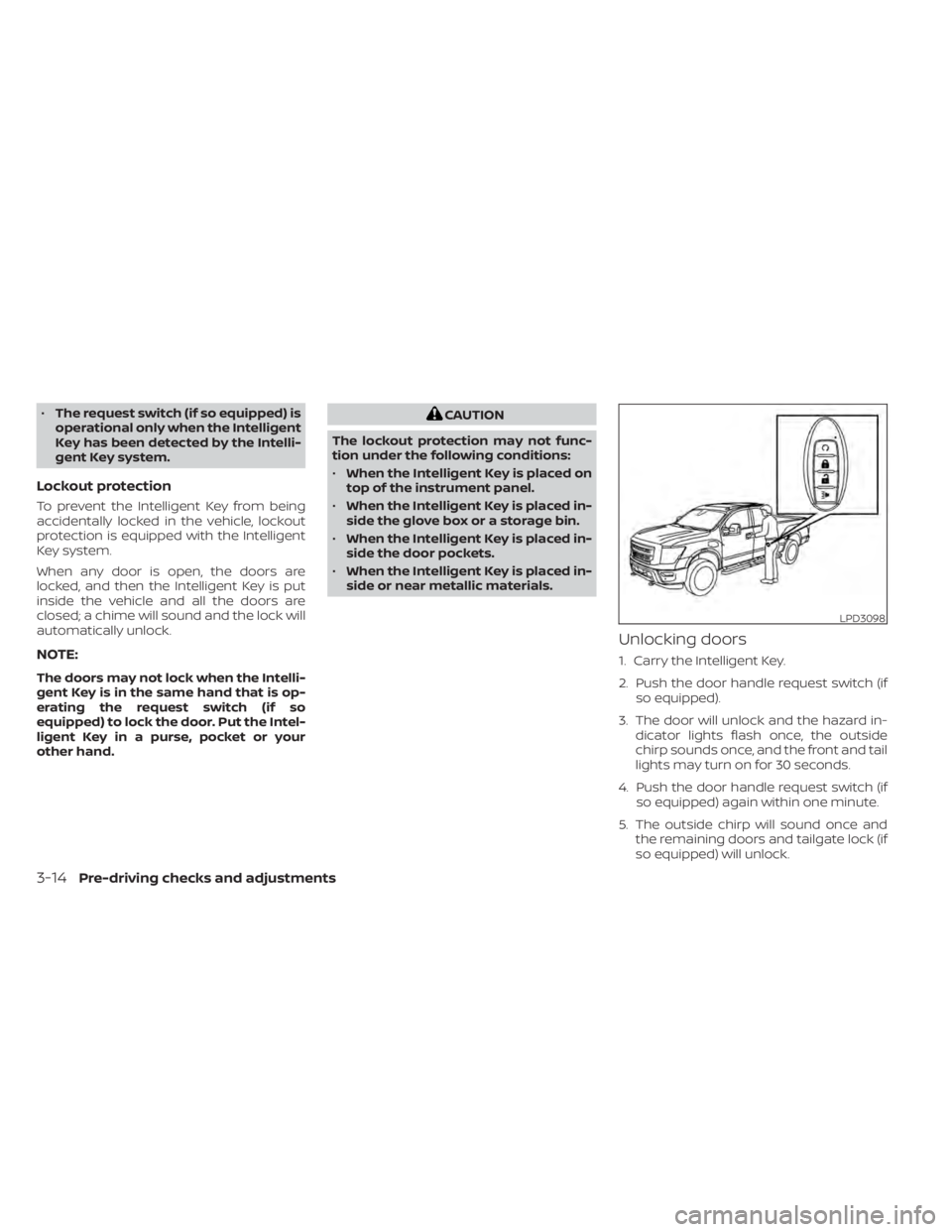
Unlocking doors
1. Carry the Intelligent Key.
2. Push the door handle request switch (if so equipped).
3. The door will unlock and the hazard in- dicator lights flash once, the outside
chirp sounds once, and the front and tail
lights may turn on for 30 seconds.
4. Push the door handle request switch (if so equipped) again within one minute.
5. The outside chirp will sound once and the remaining doors and tailgate lock (if
so equipped) will unlock.
LPD3098
3-14Pre-driving checks and adjustments