trailer NISSAN TITAN 2021 Owner´s Manual
[x] Cancel search | Manufacturer: NISSAN, Model Year: 2021, Model line: TITAN, Model: NISSAN TITAN 2021Pages: 638, PDF Size: 4.31 MB
Page 17 of 638
20. Parking Aids system switch (P. 2-61)Vehicle Dynamic Control (VDC) OFF
switch (P. 2-57)
21. Trailer Brake Controller Unit (TBCU)
(if so equipped) (P. 2-63)
22. 4WD shif t switch (if so equipped)
(P. 5-111)
23. Push-button ignition switch (P. 5-12)
24. Driver supplemental knee air bag light
(if so equipped) (P. 1-53)
25. Tilt and telescopic steering wheel
control (P. 3-28)
26. Parking brake (P. 5-23)
27. Hood release (P. 3-25)
28. Headlight aiming control
(if so equipped) (P. 2-43)
Power inverter switch (if so equipped)
(P. 2-61)
Cargo lamp switch (P. 2-52)
Electronic locking rear differential
(E-Lock) system switch (if so equipped)
(P. 2-59)
Hill descent control system switch
(if so equipped) (P. 2-58)
29. Headlight switch (P. 2-43) Fog light switch (if so equipped) (P. 2-51)
Instrument brightness control
switches (P. 2-43)
Trip reset switch (P. 2-6)
*Refer to the separate NissanConnect®
Owner’s Manual Refer to the page number indicated in
parenthesis for operating details.
Illustrated table of contents0-7
Page 108 of 638
Hill descent control switch (if so equipped).....2-58
Electronic locking rear differential (E-Lock)
system switch (if so equipped) .................2-59
Power inverter switch (if so equipped) ..........2-61
Parking Aids system switch ....................2-61
Tow mode switch .............................. 2-62
E-call (SOS) button (if so equipped) .............2-63
Trailer Brake Controller Unit (TBCU)
(if so equipped) ................................. 2-63
Rear Door Alert ................................. 2-63
Power outlets .................................. 2-64
12v Outlets .................................. 2-64
120v outlets (if so equipped) .................2-66
Extended storage switch .......................2-68
Storage ........................................ 2-69
Front-door pockets ......................... 2-69
Rear-door pockets .......................... 2-69
Console side pockets (if so equipped) .......2-69
Seatback pockets ........................... 2-70
Under-seat storage (if so equipped) .........2-70
Console box storage trays
(if so equipped) .............................. 2-72
Cell phone storage tray (if so equipped) .....2-72
Glovebox ................................... 2-72Console box (if so equipped)
................2-73
Center armrest storage (if so equipped) .....2-74
Under front seat storage bin
(if so equipped) .............................. 2-75
Overhead sunglasses storage
(if so equipped) .............................. 2-75
Cup holders ................................. 2-76
Grocery hooks (if so equipped) ..............2-79
Bed liner storage bins (if so equipped) .......2-79
Cargo hooks (if so equipped) ................2-80
C-Channel cargo hooks (if so equipped) .....2-80
Windows ....................................... 2-81
Power windows ............................. 2-81
Rear power window switch
(if so equipped) .............................. 2-84
Rear sliding window (if so equipped) .........2-85
Moonroof (if so equipped) ......................2-85
P
ower moonroof ............................ 2-85
Interior lights ................................... 2-88
Console light (if so equipped) ................2-88
Map lights (if so equipped) ...................2-89
Personal Lights (if so equipped) .............2-89
HomeLink® Universal Transceiver
(if so equipped) ................................. 2-89
Page 111 of 638
20. Parking Aids system switch (P. 2-61)Vehicle Dynamic Control (VDC) OFF
switch (P. 2-57)
21. Trailer Brake Controller Unit (TBCU)
(if so equipped) (P. 2-63)
22. 4WD shif t switch (if so equipped)
(P. 5-111)
23. Push-button ignition switch (P. 5-12)
24. Driver supplemental knee air bag light
(if so equipped) (P. 1-53)
25. Tilt and telescopic steering wheel
control (P. 3-28)
26. Parking brake (P. 5-23)
27. Hood release (P. 3-25)
28. Headlight aiming control
(if so equipped) (P. 2-43)
Power inverter switch (if so equipped)
(P. 2-61)
Cargo lamp switch (P. 2-52)
Electronic locking rear differential
(E-Lock) system switch (if so equipped)
(P. 2-59)
Hill descent control system switch
(if so equipped) (P. 2-58)
29. Headlight switch (P. 2-43) Fog light switch (if so equipped) (P. 2-51)
Instrument brightness control
switches (P. 2-43)
Trip reset switch (P. 2-6)
*Refer to the separate NissanConnect®
Owner’s Manual Refer to the page number indicated in
parenthesis for operating details.
Instruments and controls2-5
Page 134 of 638
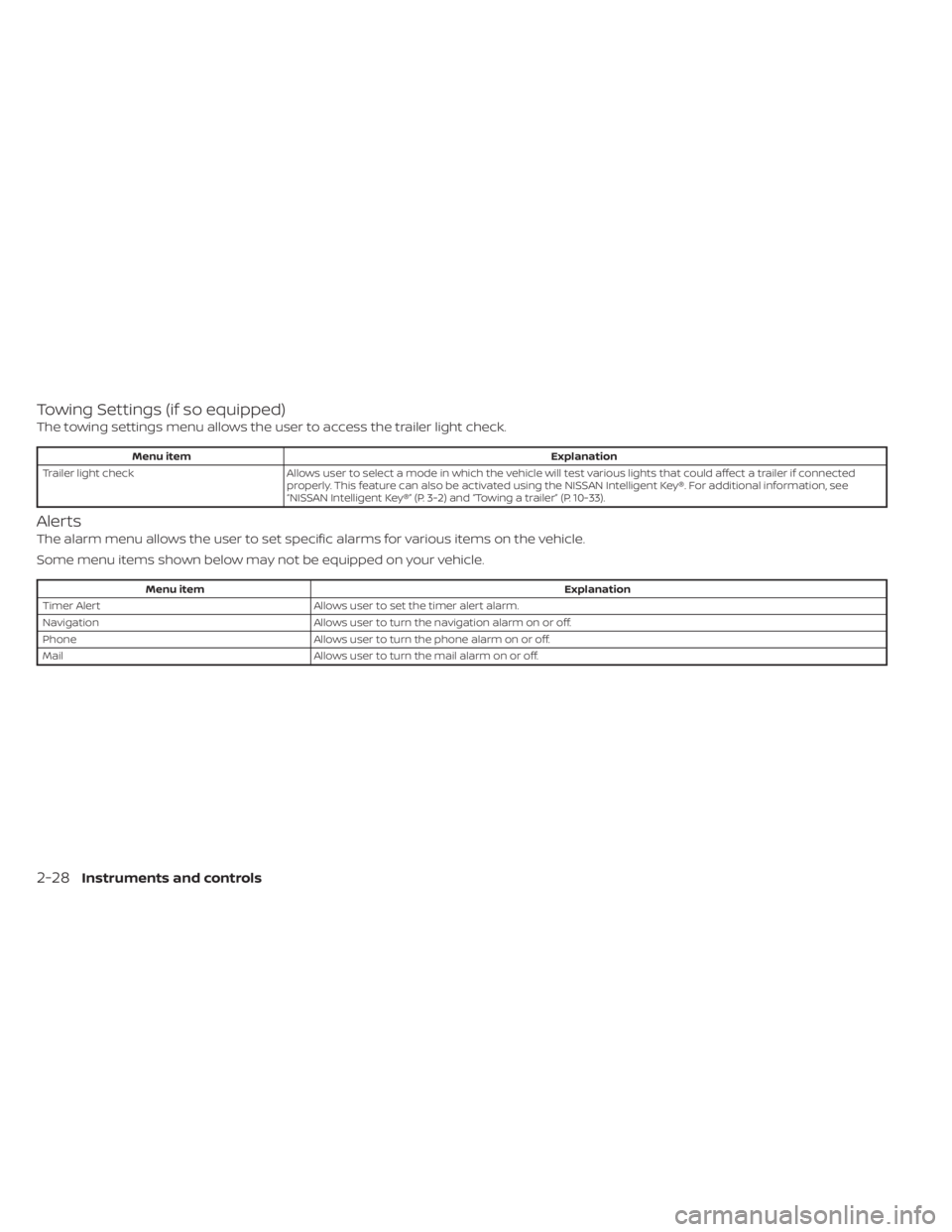
Towing Settings (if so equipped)
The towing settings menu allows the user to access the trailer light check.
Menu itemExplanation
Trailer light check Allows user to select a mode in which the vehicle will test various lights that could affect a trailer if connected
properly. This feature can also be activated using the NISSAN Intelligent Key®. For additional information, see
“NISSAN Intelligent Key®” (P. 3-2) and “Towing a trailer” (P. 10-33).
Alerts
The alarm menu allows the user to set specific alarms for various items on the vehicle.
Some menu items shown below may not be equipped on your vehicle.
Menu item Explanation
Timer Alert Allows user to set the timer alert alarm.
Navigation Allows user to turn the navigation alarm on or off.
Phone Allows user to turn the phone alarm on or off.
Mail Allows user to turn the mail alarm on or off.
2-28Instruments and controls
Page 141 of 638
AT (Automatic
Transmission) CHECK
If the service warning appears while the
engine is running, or while driving, it may
indicate that the AT is not functioning prop-
erly and may need servicing. Have the sys-
tem checked, and if necessary, repaired
promptly. It is recommended that you visit
a NISSAN dealer for this service.
AT (Automatic Transmission) Error:
See Owner’s Manual
If this message appears while the engine is
running, or while driving, it may indicate
that the AT is not functioning properly and
may need servicing. Have the system
checked, and if necessary, repaired
promptly. It is recommended that you visit
a NISSAN dealer for this service.
Service AT
This transmission has a high fluid tem-
perature protection mode. If the fluid tem-
perature becomes too high (for example,
climbing steep grades in high tempera-
tures with heavy loads, such as when tow-
ing a trailer), engine power and, under
some conditions, vehicle speed will be
decreased automatically to reduce the
chance of transmission damage. Vehiclespeed can be controlled with the accelera-
tor pedal, but the engine and vehicle speed
may be reduced.
WARNING
When the high fluid temperature pro-
tection mode operation occurs, vehicle
speed may be gradually reduced. The
reduced speed may be lower than
other traffic, which could increase the
chance of a collision. Be especially
careful when driving. If necessary, pull
to the side of the road at a safe place
and allow the transmission to return to
normal operation; or have it repaired if
necessary.
Automatic Emergency
Braking (AEB) with
Pedestrian Detection
emergency warning
indicator
This indicator appears along, with an au-
dible warning, when the system detects
the possibility of a forward collision.
For additional information, see “Automatic
Emergency Braking (AEB) with Pedestrian
Detection” (P. 5-80).
Blind Spot Warning (BSW)/
Rear Cross Traffic Alert
(RCTA) indicator
This indicator appears when the BSW and
RCTA systems are engaged.
For additional information, see “Blind Spot
Warning (BSW)” (P. 5-32) and “Rear Cross
Traffic Alert (RCTA)” (P. 5-41).
Cruise control indicator
This indicator shows the cruise control sys-
tem status.
For additional information, see “Cruise con-
trol” (P. 5-49).
Currently unavailable
This message may appear when the Intel-
ligent Cruise Control (ICC) system is en-
gaged. Under the following conditions, the
ICC system is automatically cancelled:
• When the VDC operates.
• When a wheel slips.
• When the VDC system is turned off.
The above system cannot be used in some
situations (VDC operates, wheel slips, and
VDC system is off ).
Instruments and controls2-35
Page 155 of 638
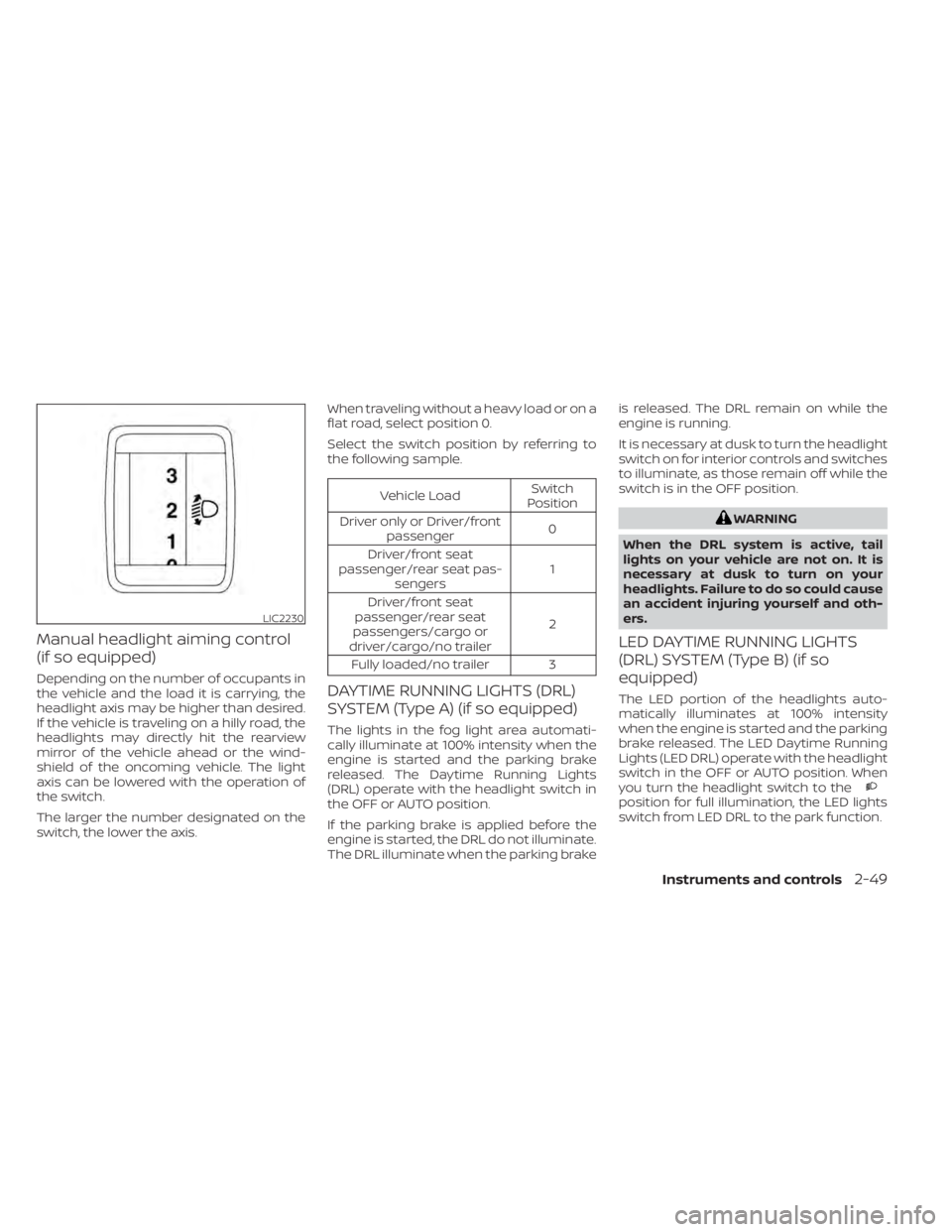
Manual headlight aiming control
(if so equipped)
Depending on the number of occupants in
the vehicle and the load it is carrying, the
headlight axis may be higher than desired.
If the vehicle is traveling on a hilly road, the
headlights may directly hit the rearview
mirror of the vehicle ahead or the wind-
shield of the oncoming vehicle. The light
axis can be lowered with the operation of
the switch.
The larger the number designated on the
switch, the lower the axis.When traveling without a heavy load or on a
flat road, select position 0.
Select the switch position by referring to
the following sample.
Vehicle Load
Switch
Position
Driver only or Driver/front passenger 0
Driver/front seat
passenger/rear seat pas- sengers 1
Driver/front seat
passenger/rear seat
passengers/cargo or
driver/cargo/no trailer 2
Fully loaded/no trailer 3
DAYTIME RUNNING LIGHTS (DRL)
SYSTEM (Type A) (if so equipped)
The lights in the fog light area automati-
cally illuminate at 100% intensity when the
engine is started and the parking brake
released. The Daytime Running Lights
(DRL) operate with the headlight switch in
the OFF or AUTO position.
If the parking brake is applied before the
engine is started, the DRL do not illuminate.
The DRL illuminate when the parking brake is released. The DRL remain on while the
engine is running.
It is necessary at dusk to turn the headlight
switch on for interior controls and switches
to illuminate, as those remain off while the
switch is in the OFF position.
WARNING
When the DRL system is active, tail
lights on your vehicle are not on. It is
necessary at dusk to turn on your
headlights. Failure to do so could cause
an accident injuring yourself and oth-
ers.
LED DAYTIME RUNNING LIGHTS
(DRL) SYSTEM (Type B) (if so
equipped)
The LED portion of the headlights auto-
matically illuminates at 100% intensity
when the engine is started and the parking
brake released. The LED Daytime Running
Lights (LED DRL) operate with the headlight
switch in the OFF or AUTO position. When
you turn the headlight switch to the
position for full illumination, the LED lights
switch from LED DRL to the park function.
LIC2230
Instruments and controls2-49
Page 168 of 638
If the indicator light flashes when the Front
and rear sonar system, MOD, RAB, or RCTA
systems are not turned off, it may indicate
a malfunction in one or more of these sys-
tems (if so equipped).
The Front and rear sonar system, MOD,
RAB, or RCTA systems will be turned on
automatically under the following condi-
tions:
• When the ignition switch is switched fromthe OFF position to the ON position.
• When the shif t lever is shif ted into the R (Reverse) position.
The automatic turning on function can be
turned on and off for these systems in the
vehicle information display. For additional
information, see “Settings” (P. 2-23).
For additional information, see “Front and
rear sonar system” (P. 5-122), ”Rear Auto-
matic Braking (RAB)” (P. 5-75), “Rear Cross
Traffic Alert (RCTA)” (P. 5-41), or “Moving Ob-
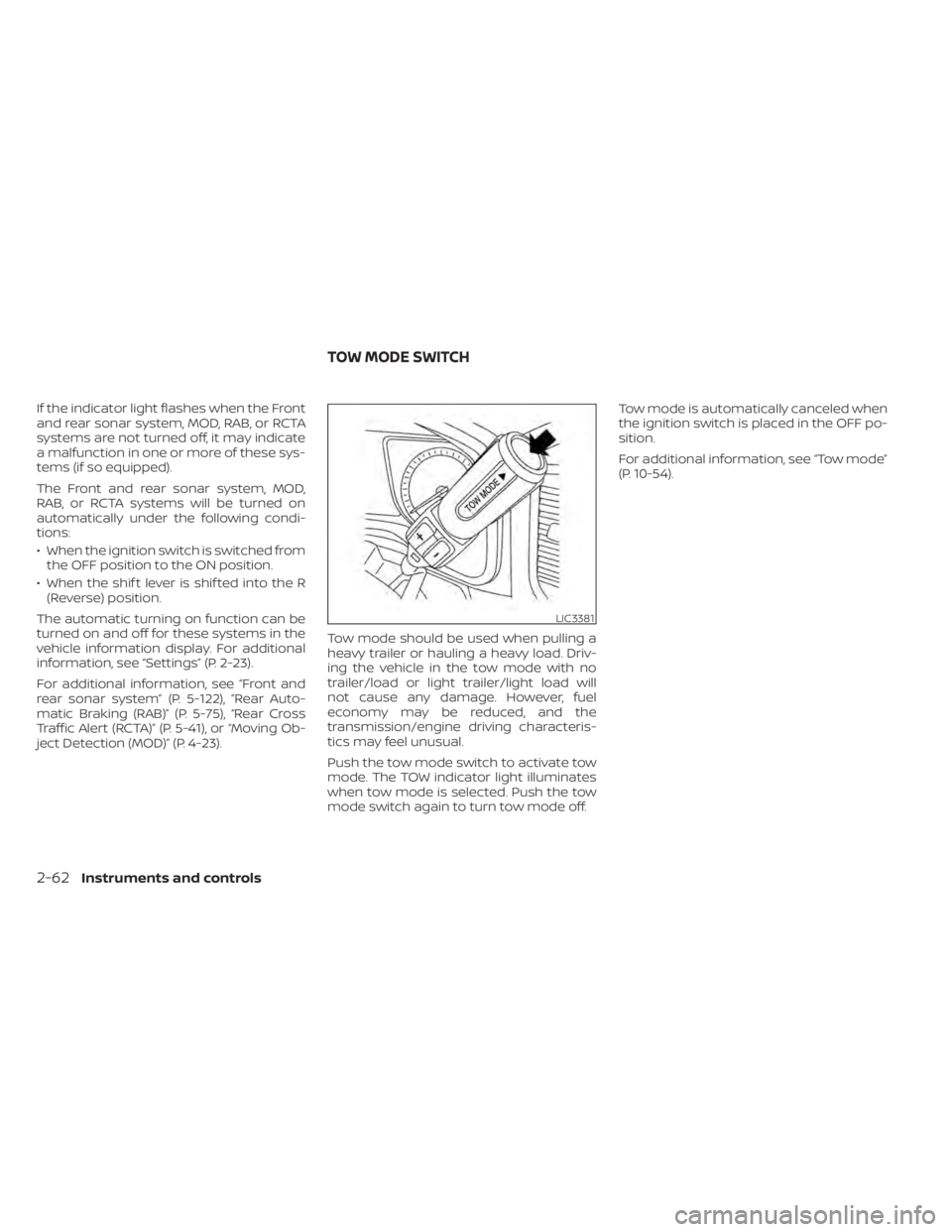
ject Detection (MOD)” (P. 4-23). Tow mode should be used when pulling a
heavy trailer or hauling a heavy load. Driv-
ing the vehicle in the tow mode with no
trailer/load or light trailer/light load will
not cause any damage. However, fuel
economy may be reduced, and the
transmission/engine driving characteris-
tics may feel unusual.
Push the tow mode switch to activate tow
mode. The TOW indicator light illuminates
when tow mode is selected. Push the tow
mode switch again to turn tow mode off.Tow mode is automatically canceled when
the ignition switch is placed in the OFF po-
sition.
For additional information, see “Tow mode”
(P. 10-54).
LIC3381
TOW MODE SWITCH
2-62Instruments and controls
Page 169 of 638
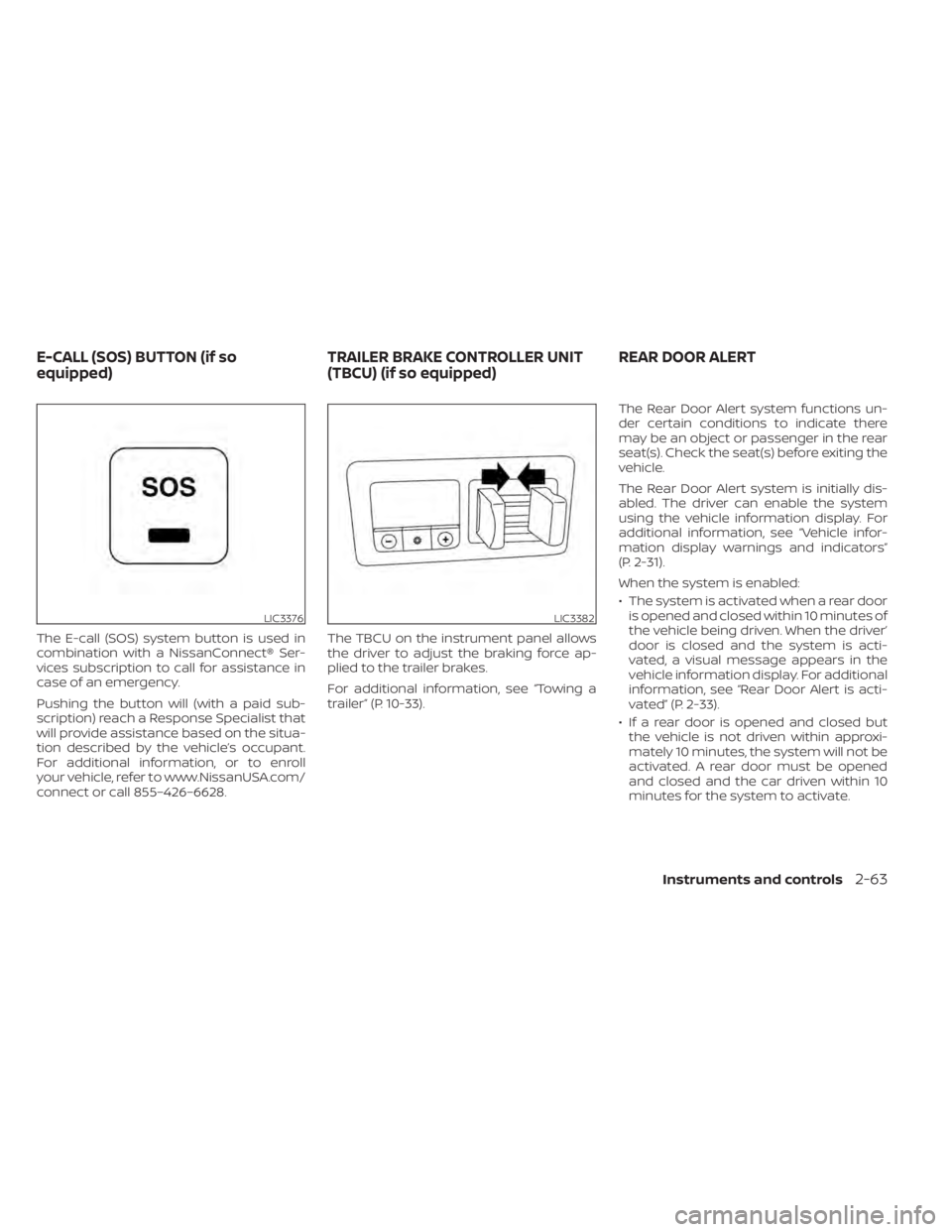
The E-call (SOS) system button is used in
combination with a NissanConnect® Ser-
vices subscription to call for assistance in
case of an emergency.
Pushing the button will (with a paid sub-
scription) reach a Response Specialist that
will provide assistance based on the situa-
tion described by the vehicle’s occupant.
For additional information, or to enroll
your vehicle, refer to www.NissanUSA.com/
connect or call 855–426–6628.The TBCU on the instrument panel allows
the driver to adjust the braking force ap-
plied to the trailer brakes.
For additional information, see “Towing a
trailer” (P. 10-33).The Rear Door Alert system functions un-
der certain conditions to indicate there
may be an object or passenger in the rear
seat(s). Check the seat(s) before exiting the
vehicle.
The Rear Door Alert system is initially dis-
abled. The driver can enable the system
using the vehicle information display. For
additional information, see “Vehicle infor-
mation display warnings and indicators”
(P. 2-31).
When the system is enabled:
• The system is activated when a rear door
is opened and closed within 10 minutes of
the vehicle being driven. When the driver’
door is closed and the system is acti-
vated, a visual message appears in the
vehicle information display. For additional
information, see “Rear Door Alert is acti-
vated” (P. 2-33).
• If a rear door is opened and closed but the vehicle is not driven within approxi-
mately 10 minutes, the system will not be
activated. A rear door must be opened
and closed and the car driven within 10
minutes for the system to activate.
LIC3376LIC3382
E-CALL (SOS) BUTTON (if so
equipped) TRAILER BRAKE CONTROLLER UNIT
(TBCU) (if so equipped)REAR DOOR ALERT
Instruments and controls2-63
Page 217 of 638
Unlocking doors
1. Press thebutton on the Intelligent
Key to unlock the driver’s door.
2. The hazard warning lights flash once.
3. Press the
button again within
1 minute to unlock all doors and tailgate
(if so equipped).
All doors and tailgate will be locked auto-
matically unless one of the following op-
erations is performed within 1 minute af ter
pressing the
button:
• Opening any doors.
• Pushing the ignition switch.
Using the interior lights
The interior lights illuminate for a period of
time when a door is unlocked and the
room light switch is in the DOOR position.
The lights can be turned off without waiting
by performing one of the following opera-
tions:
• Placing the ignition switch in the ON po- sition.
• Locking the doors with the Intelligent Key.
• Switching the room light switch to the “OFF” position. For additional information, see “Interior
lights” (P. 2-88).
Opening windows
The Intelligent Key allows you to simultane-
ously open windows equipped with auto-
matic operation.
To open the windows, press the
but-
ton on the Intelligent Key for longer than
3 seconds af ter all doors are unlocked
The door windows will open while pressing
the
button on the Intelligent Key.
The door windows cannot be closed by
using the Intelligent Key.
Using the panic alarm
If you are near your vehicle and feel threat-
ened, you may activate the panic alarm to
call attention by pressing and holding the
button on the Intelligent Key for lon-
ger than 0.5 seconds.
The panic alarm and headlights will stay on
for a period of time. The panic alarm stops when:
• It has run for a period of time.
• Any button is pressed on the Intelligent
Key.
• The request switch (if so equipped) on the driver or passenger door is pushed and
the Intelligent Key is in range of the door
handle.
Trailer light check (if so equipped)
This functionality allows the customer to
confirm trailer light operation, without the
need of a second person to press the brake
pedal or activate each turn signal light. The
trailer light check can be performed by the
Intelligent Key or through the Vehicle Set-
tings in the vehicle information display. For
additional information, see “Vehicle infor-
mation display” (P. 2-22).
Pre-driving checks and adjustments3-17
Page 218 of 638
To activate the trailer light check function
with your Intelligent Key, perform the fol-
lowing:
1. Aim the Intelligent Key at the vehicle.
2. Press and release the
LOCK
button.
3. Within 2 seconds, press and hold the
LOCK button again for at least 2
seconds, until the horn beeps once and
the park lights turn on.
The following events will occur:
• The lef t turn signal light on the vehicle and the trailer will flash for 5 seconds.
• The right turn signal light on the vehicle and the trailer will flash for 5 seconds.
• The brake lights on the vehicle and the trailer will turn ON for 5 seconds.
NOTE:
If the ignition switch is in the OFF po-
sition, the park lights will turn off af-
ter the events above occur. If ignition
switch is in the ON position, lights will
stay on for 45 seconds af ter trailer
light check. If the trailer lights do not
work properly, check the connections
and bulbs. If the vehicle lights do not
turn on, check the bulbs. If the trailer
light check routine fails to start, en-
sure the following vehicle conditions:
• The vehicle is NOT moving, 0 mph (0 km/h)
• Brake switch is NOT depressed
• Lef t or right flasher is OFF
• Trailer light check configuration is NOT disabled and available in the meter
towing settings
• The hazard switch is NOT turned ON
• The shif t position is fully in P (Park) po- sition
• Vehicle is within Remote Keyless Entry range
Answer back horn feature
If desired, the horn beep feature can be
deactivated using the Intelligent Key.
To deactivate: Press and hold the
andbuttonsfor at least 2 seconds.
The hazard warning lights will flash three
times to confirm that the horn beep fea-
ture has been deactivated.
To activate: Press and hold the
andbuttonsfor at least 2 seconds once
more.
The hazard warning lights will flash once
and the horn will sound once to confirm
that the horn beep feature has been reac-
tivated.
Deactivating the horn beep feature does
not silence the horn if the alarm is trig-
gered.
3-18Pre-driving checks and adjustments