remote start NISSAN TITAN 2022 User Guide
[x] Cancel search | Manufacturer: NISSAN, Model Year: 2022, Model line: TITAN, Model: NISSAN TITAN 2022Pages: 635, PDF Size: 7.78 MB
Page 286 of 635
• HDMI 1.4 Input with MHL 2.0 Support
• Exclusive Slingplayer® Application
• 3.5mm Stereo Headphone Output
• Front Panel Capacitive Touch Controls
• Infrared Wireless Headphones
• Full-Function Slimline Remote Control
• Monitor Screen Sharing
GETTING STARTED
Turning the monitor on or off
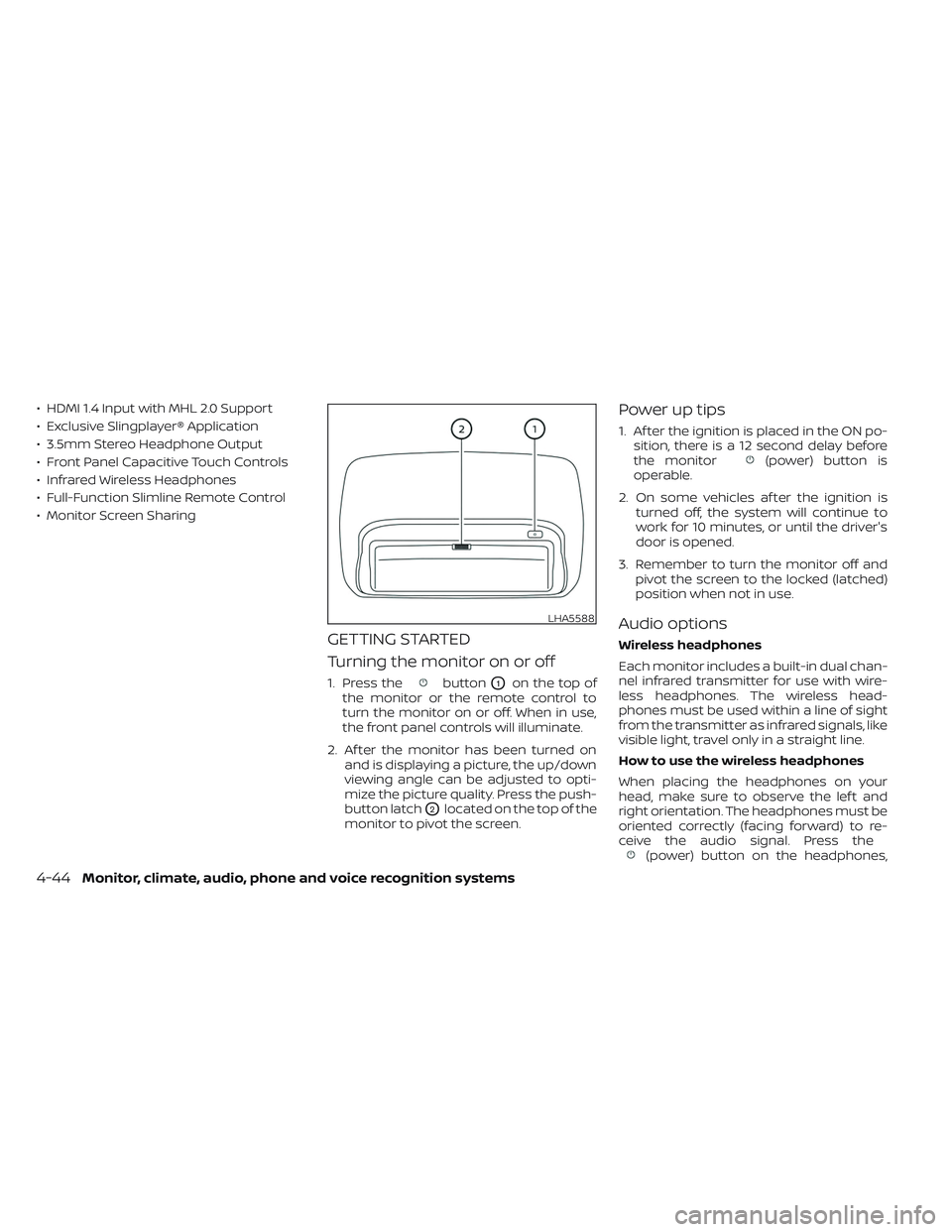
1. Press thebuttonO1on the top of
the monitor or the remote control to
turn the monitor on or off. When in use,
the front panel controls will illuminate.
2. Af ter the monitor has been turned on and is displaying a picture, the up/down
viewing angle can be adjusted to opti-
mize the picture quality. Press the push-
button latch
O2located on the top of the
monitor to pivot the screen.
Power up tips
1. Af ter the ignition is placed in the ON po- sition, there is a 12 second delay before
the monitor
(power) button is
operable.
2. On some vehicles af ter the ignition is turned off, the system will continue to
work for 10 minutes, or until the driver's
door is opened.
3. Remember to turn the monitor off and pivot the screen to the locked (latched)
position when not in use.
Audio options
Wireless headphones
Each monitor includes a built-in dual chan-
nel infrared transmitter for use with wire-
less headphones. The wireless head-
phones must be used within a line of sight
from the transmitter as infrared signals, like
visible light, travel only in a straight line.
How to use the wireless headphones
When placing the headphones on your
head, make sure to observe the lef t and
right orientation. The headphones must be
oriented correctly (facing forward) to re-
ceive the audio signal. Press the
(power) button on the headphones,
LHA5588
4-44Monitor, climate, audio, phone and voice recognition systems
Page 302 of 635
10.Next
Select to go to the next chapter.
11. Repeat
Select once to repeat the entire video.
Select again to repeat the currently
playing chapter one time.
Playing videos
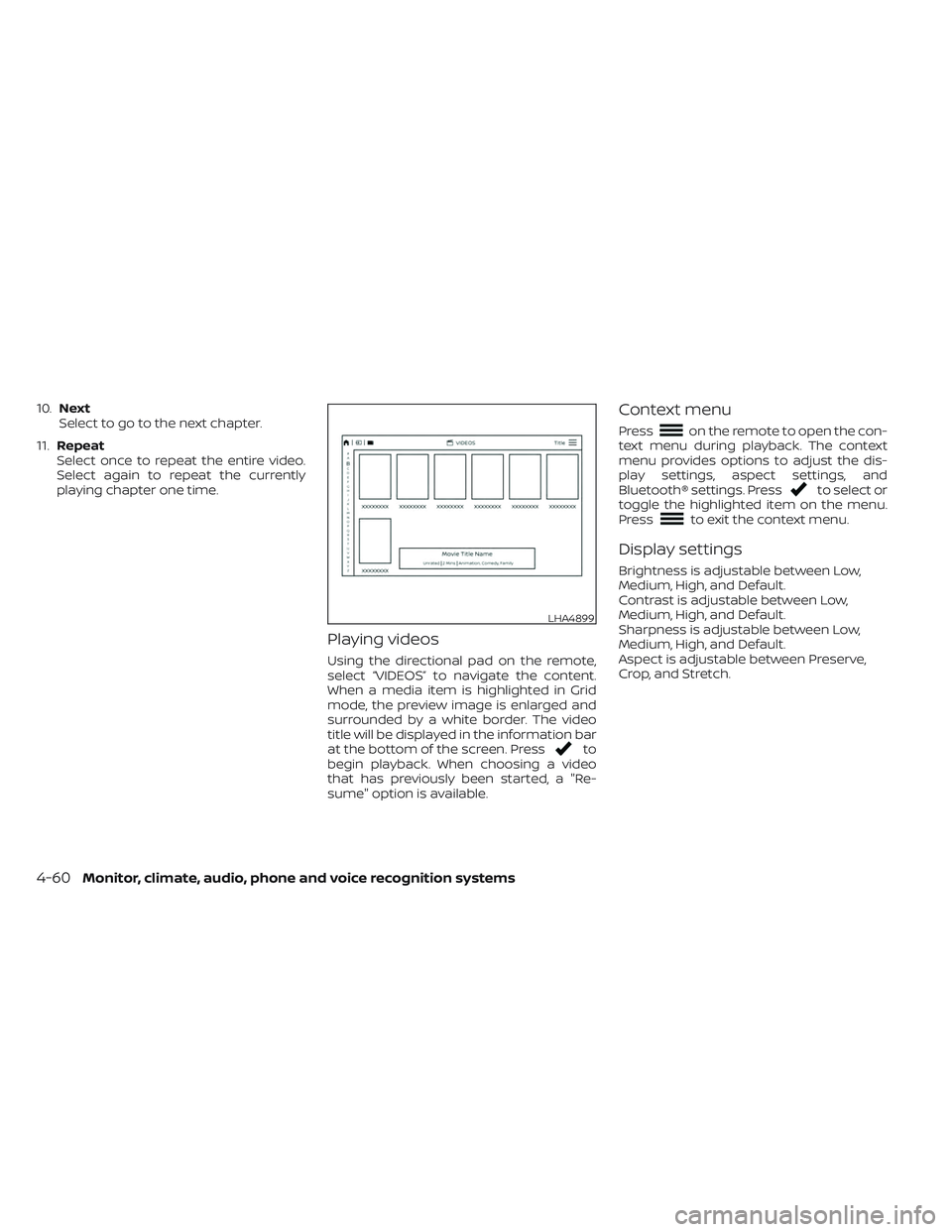
Using the directional pad on the remote,
select “VIDEOS” to navigate the content.
When a media item is highlighted in Grid
mode, the preview image is enlarged and
surrounded by a white border. The video
title will be displayed in the information bar
at the bottom of the screen. Press
to
begin playback. When choosing a video
that has previously been started, a "Re-
sume" option is available.
Context menu
Presson the remote to open the con-
text menu during playback. The context
menu provides options to adjust the dis-
play settings, aspect settings, and
Bluetooth® settings. Press
to select or
toggle the highlighted item on the menu.
Press
to exit the context menu.
Display settings
Brightness is adjustable between Low,
Medium, High, and Default.
Contrast is adjustable between Low,
Medium, High, and Default.
Sharpness is adjustable between Low,
Medium, High, and Default.
Aspect is adjustable between Preserve,
Crop, and Stretch.
LHA4899
4-60Monitor, climate, audio, phone and voice recognition systems
Page 327 of 635
5 Starting and driving
Precautions when starting and driving..........5-4
Exhaust gas (carbon monoxide) ..............5-4
Three-way catalyst (if so equipped) ...........5-4
Tire Pressure Monitoring System
(TPMS) .......................................5-5
On-pavement and off-road driving
precautions ..................................5-8
Avoiding collision and rollover ................5-9
Off-roadrecovery ............................5-9
Rapid air pressure loss .......................5-9
Drinking alcohol/drugs and driving ..........5-10
Driving safety precautions ....................5-11
Push-button ignition switch ....................5-13
Operating range ............................ 5-14
Push-button ignition switch positions .......5-14
Emergency engine shut off ..................5-15
NISSAN Intelligent Key® battery
discharge ................................... 5-15
NISSAN Vehicle Immobilizer System .........5-16
Before starting the engine .....................5-16
Starting the engine ............................. 5-17
Remote Engine Start (if so equipped) ........5-18
Driving the vehicle .............................. 5-18
Engine protection mode ....................5-18
Automatic transmission (A/T) ...............5-19
Parking brake .................................. 5-23Traffic Sign Recognition (TSR) (if so equipped) . . . 5-24
System operation ........................... 5-25
Turning the Traffic Sign Recognition
(TSR) system on and off .....................5-26
System temporarily unavailable .............5-26
System malfunction ......................... 5-26
System maintenance .......................5-26
Lane Departure Warning (LDW) .................5-27
LDW system operation ......................5-28
How to enable/disable the LDW system .....5-29
LDW system limitations .....................5-30
System temporarily disabled ................5-31
System malfunction ......................... 5-31
System maintenance ....................... 5-31
Blind Spot Warning (BSW) .......................5-32
BSW system operation ......................5-34
How to enable/disable the BSW system .....5-34
BS
W system limitations .....................5-35
BSW driving situations .......................5-36
System temporarily disabled ................5-40
System maintenance ....................... 5-41
RearCrossTrafficAlert(RCTA) .................. 5-42
RCTA system operation .....................5-42
How to enable/disable the RCTA
system ...................................... 5-44
RCTA system limitations .....................5-45
Page 344 of 635
REMOTE ENGINE START (if so
equipped)
Vehicles started with the Remote Engine
Start require the ignition switch to be
placed in the ON position before the shif t
lever can be moved from the P (Park) posi-
tion. To place the ignition switch in the ON
position, follow these steps:
1. Make sure that the Intelligent Key is onyou.
2. Apply the brake.
3. Push the ignition switch once to the ON position.
For additional information, see “NISSAN In-
telligent Key®” (P. 3-2).
ENGINE PROTECTION MODE
The engine has an engine protection mode
to reduce the chance of damage if the
coolant temperature becomes too high
(for example, when climbing steep grades
in high temperatures with heavy loads,
such as when towing a trailer). When the
engine temperature reaches a certain
level:
• The engine coolant temperature gauge will move toward the H position.
• Engine power may be reduced.
• The air conditioning cooling function may be automatically turned off for a short
time (the blower will continue to operate).
Engine power and, under some conditions,
vehicle speed will decrease. Vehicle speed
can be controlled with the accelerator
pedal, but the vehicle may not accelerate at
the desired speed. The transmission will
downshif t or upshif t as it reaches pre-
scribed shif t points. You can also shif t
manually.
As driving conditions change and engine
coolant temperature is reduced, vehicle
speed can be increased using the accel-
erator pedal, and the air conditioning cool-
ing function will automatically be turned
back on. The Malfunction Indicator Light (MIL) may
also come on if the engine coolant tem-
perature is not reduced or the air condi-
tioning cooling function does not turn back
on. If
only it remains on, you do not need to
have your vehicle towed, but have it in-
spected soon. It is recommended that you
visit a NISSAN dealer for this service. For
additional information, see “Malfunction In-
dicator Light (MIL)” (P. 2-20).
WARNING
Overheating can result in reduced en-
gine power and vehicle speed. The re-
duced speed may be lower than other
traffic, which could increase the chance
of a collision. Be especially careful
when driving. If the vehicle cannot
maintain a safe driving speed, pull to
the side of the road in a safe area. Allow
the engine to cool and return to normal
operation. For additional information,
see “If your vehicle overheats” (P. 6-12).
DRIVING THE VEHICLE
5-18Starting and driving
Page 625 of 635
Power steering fluid............8-13Windshield-washer fluid.........8-15Fog light switch................2-52Forward Driving AidsSystem Temporarily
Unavailable
.......2-37, 5-67, 5-87, 5-99Front air bag system (See supplemental
restraint system)............1-60, 1-76Front and rear sonar system.......5-124Front power seat adjustment........1-6Front seats....................1-2Front-door pocket..............2-70FuelCapacities and recommended
fuel/lubricants
...............10-2Fuel economy...............5-107Fuel gauge................. .2-9Fuel octane rating.............10-6Fuel recommendation..........10-4Loose fuel cap warning..........2-33Fuel Cell Vehicle (FCV) System
Tire pressure................8-33Fuel efficient driving tips..........5-106Fuel gauge................... .2-9Fuel-filler door.................3-23Fuses......................8-24Fusible links..................8-25
G
Garage door opener, HomeLink® Universal
Transceiver........2-90, 2-91, 2-93, 2-94
Gauge
Automatic transmission fluid
temperature gauge
............2-10Engine coolant temperature gauge. . .2-8Engine oil pressure gauge........2-10Fuel gauge................. .2-9Odometer...................2-7Speedometer.................2-7Tachometer.................2-8Trip odometer................2-7Voltmeter..................2-10General maintenance.............9-2Glove box....................2-73Grocery hooks.................2-80
H
Hazard warning flasher switch........6-2Head restraints.................1-11Headlight aiming control..........2-50Headlight and turn signal switch.....2-45Headlight control switch..........2-45Headlights...................8-29Headlights, aiming control.........2-50Heated rear seats...............2-55Heated seats................. .2-54Heated steering wheel switch.......2-57Heater
Heater and air conditioner (automatic)
(if so equipped)
...............4-37Heater and air conditioner controls. .4-38Heater operation..........4-30, 4-39Heater and air conditioner (automatic). .4-37
Hill descent control switch.........2-59Hill descent control system........5-122Hill start assist system...........5-123HomeLink® Universal
Transceiver........2-90, 2-91, 2-93, 2-94Hood.......................3-23HookLuggage hook...............2-81Horn...................... .2-52
I
Ignition switch
Push-button ignition switch.......5-13Immobilizer system..........2-40, 5-16In-cabin microfilter..............8-21Increasing fuel economy..........5-107Inside automatic anti-glare mirror. . . .3-29Instrument brightness control.......2-51Instrument panel.............0-6, 2-4Instrument panel dimmer switch.....2-51Intelligent Around View Monitor.......4-11Intelligent Cruise Control...........5-51Intelligent Driver Alertness (I-DA).....5-102Intelligent Forward Collision Warning
(I-FCW)..................... .5-90Intelligent Key system
Key operating range............3-10Key operation................3-11Mechanical key................3-3Remote keyless entry operation. . . .3-15Troubleshooting guide..........3-19Warning signals...............3-19
11-3
Page 627 of 635
N
NISSAN Intelligent Key®..........3-2,3-9NISSAN Vehicle Immobilizer
System..................2-40, 5-16NissanConnect® Owner's Manual......4-2
O
Octane rating (See fuel octane rating). .10-6Odometer....................2-7Oil
Capacities and recommended
fuel/lubricants
...............10-2Changing engine oil.............8-7Changing engine oil filter.........8-7Checking engine oil level..........8-7Engine oil...................8-7Engine oil and oil filter
recommendation.............10-7Engine oil viscosity.............10-7Outside mirrors................3-30Overhead sunglasses holder........2-76OverheatIf your vehicle overheats.........6-12Owner's manual order form........10-59Owner's manual/service manual
order information..............10-59
P
ParkingParking brake operation.........5-23Parking/parking on hills.........5-115Parking brake.................5-23Personal lights................ .2-90Power
Front seat adjustment...........1-6Power door locks..............3-6Power outlet.............2-65, 2-66Powerrearwindows...........2-83Power steering fluid............8-13Power steering system.........5-116Power windows..............2-82Rear power windows...........2-83Power inverter switch............2-61Power outlet..............2-65, 2-66Power steering................5-116Power steering fluid..............8-13PrecautionsMaintenance precautions.........8-2On-pavement and off-road
driving precautions.............5-8Precautions on booster
seats...........1-34, 1-40, 1-44, 1-49Precautions on child
restraints........1-34, 1-40, 1-44, 1-49Precautions on seat belt usage.....1-16Precautions on supplemental
restraint system...........1-53, 1-68Precautions when starting
and driving...............5-4, 5-11Push starting..................6-12
R
RadioCar phone or CB radio..........4-82Rain sensor.................. .2-43Readiness for inspection maintenance (I/M)
test...................... .10-58Rear Automatic Braking (RAB).......5-75Rear center seat belt.............1-23Rear Cross Traffic Alert (RCTA).......5-42Rear Door Alert.............2-34, 2-64Rear power windows.............2-83Rear seat.....................1-4Rear Seat Infotainment (RSI) System. . .4-43Rear sliding window.............2-85Rear sonar system OFF switch.......2-62Rear window and/or outside mirror
defroster switch................2-44Rearview mirror................3-29RearView Monitor................4-3Recommended Fluids............10-2Recorders
Event Data................ .10-59Refrigerant recommendation.......10-8Registering a vehicle in another
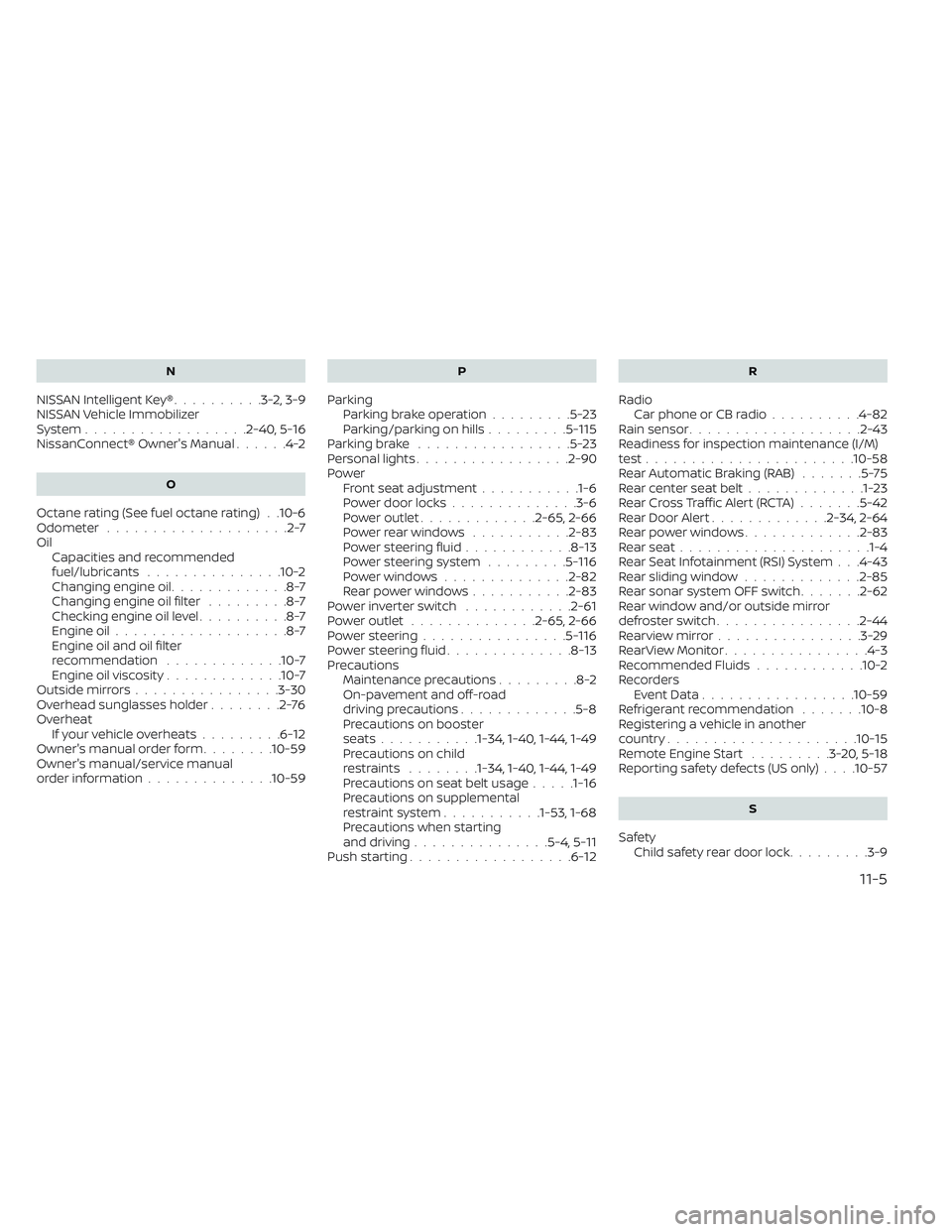
country.................... .10-15Remote Engine Start.........3-20,5-18Reporting safety defects (US only). . . .10-57
S
Safety
Child safety rear door lock.........3-9
11-5