check engine light NISSAN TITAN 2023 Owners Manual
[x] Cancel search | Manufacturer: NISSAN, Model Year: 2023, Model line: TITAN, Model: NISSAN TITAN 2023Pages: 644, PDF Size: 7.8 MB
Page 9 of 644
0 Illustrated table of contents
Air bags, seat belts and child restraints..........0-2
Exterior front ....................................0-3
Exterior rear .....................................0-4
Passenger compartment .......................0-5 Instrument panel
................................0-6
Engine compartment check locations ...........0-8
Warning and indicator lights ....................0-10
Page 18 of 644
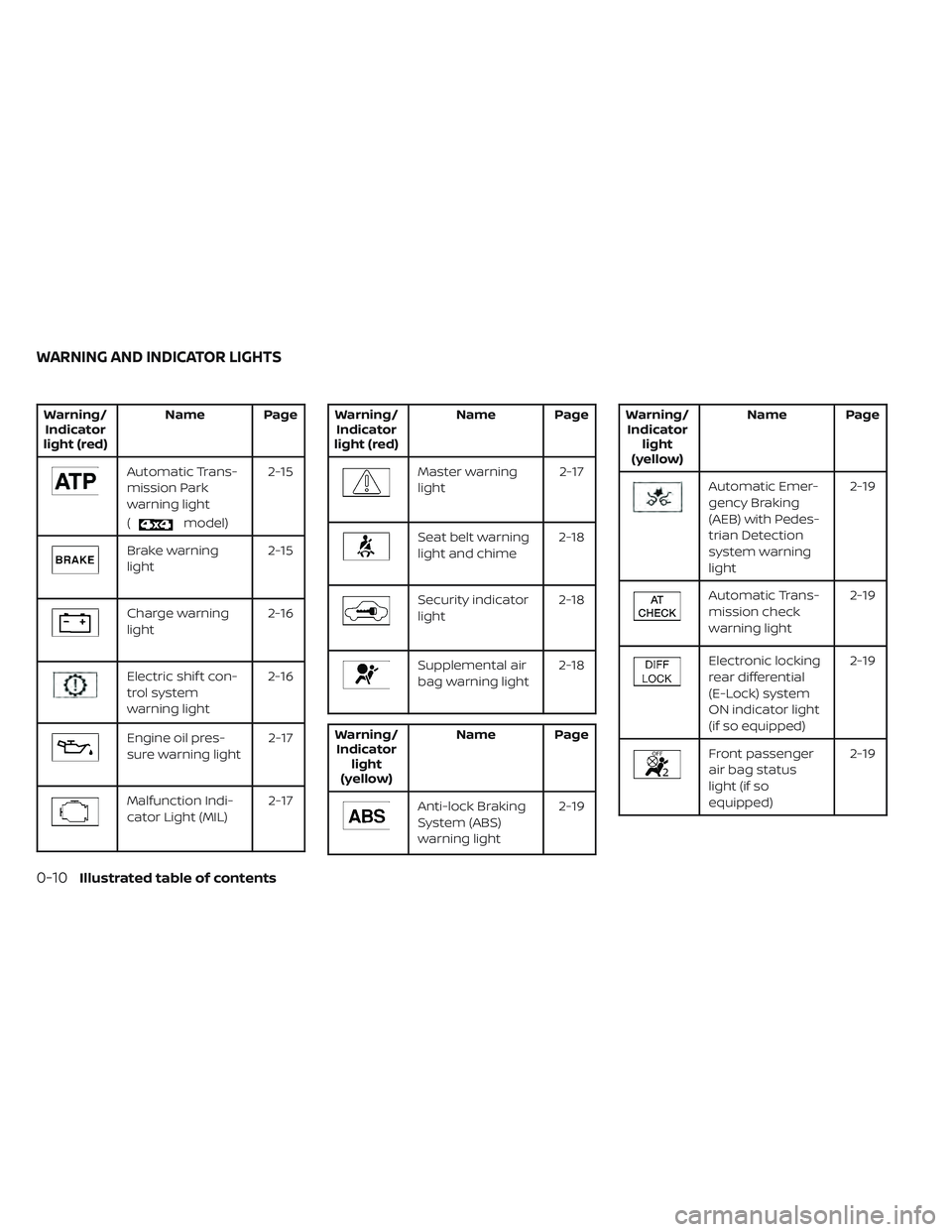
Warning/Indicator
light (red) Name Page
Automatic Trans-
mission Park
warning light
(
model)2-15
Brake warning
light
2-15
Charge warning
light2-16
Electric shif t con-
trol system
warning light2-16
Engine oil pres-
sure warning light
2-17
Malfunction Indi-
cator Light (MIL)2-17
Warning/
Indicator
light (red) Name Page
Master warning
light
2-17
Seat belt warning
light and chime2-18
Security indicator
light2-18
Supplemental air
bag warning light2-18
Warning/
Indicator light
(yellow) Name Page
Anti-lock Braking
System (ABS)
warning light
2-19
Warning/
Indicator light
(yellow) Name Page
Automatic Emer-
gency Braking
(AEB) with Pedes-
trian Detection
system warning
light 2-19
Automatic Trans-
mission check
warning light
2-19
Electronic locking
rear differential
(E-Lock) system
ON indicator light
(if so equipped)2-19
Front passenger
air bag status
light (if so
equipped)
2-19
WARNING AND INDICATOR LIGHTS
0-10Illustrated table of contents
Page 105 of 644
2 Instruments and controls
Instrument panel................................2-4
Meters and gauges .............................2-6
Speedometer and odometer .................2-6
Tachometer ..................................2-8
Engine coolant temperature gauge ..........2-8
Fuel gauge ...................................2-9
Distance To Empty (DTE) .....................2-9
Auxiliary gauges (if so equipped) ............2-10
Off-road and 4–Wheel Drive (4WD)
monitor (if so equipped) ......................2-11
Eco Drive Report (if so equipped) ............2-12
Warning lights, indicator lights and audible
reminders ...................................... 2-13
Checking lights .............................. 2-15
Warning/Indicator lights (red) ...............2-15
Warning/Indicator lights (yellow) ............2-19
Warning/Indicator lights (other) .............2-23
Audible reminders ........................... 2-24
Vehicle information display .....................2-24
How to use the vehicle information
display ...................................... 2-25
Startup display .............................. 2-25
Settings ..................................... 2-25
Vehicle information display warnings
and indicators ............................... 2-33
Security systems ............................... 2-40Vehicle security system
.....................2-40
NISSAN Vehicle Immobilizer System .........2-41
Wiper and washer switch .......................2-42
Switch operation ............................ 2-42
Rain-sensing auto wiper system
(if so equipped) .............................. 2-44
Rear window and/or outside mirror defroster
switch (if so equipped) ......................... 2-45
Headlight switch ............................... 2-45
Headlight control switch ....................2-45
LED Daytime Running Lights (DRL)
system (if so equipped) ......................2-51
Instrument brightness control ..............2-51
Turn signal switch ........................... 2-52
Fog light switch (if so equipped) ................2-52
Horn ........................................... 2-53
Cargo lamp switch ............................. 2-53
Climate
controlled seat switches
(if so equipped) ................................. 2-54
Heated seat switches (if so equipped) ..........2-55
Heated rear seat switches (if so equipped) .....2-56
Heated steering wheel switch (if so equipped) . . 2-57
Warning systems switch .......................2-58
Vehicle Dynamic Control (VDC) OFF switch .....2-59
Hill descent control switch (if so equipped) .....2-59
Page 117 of 644
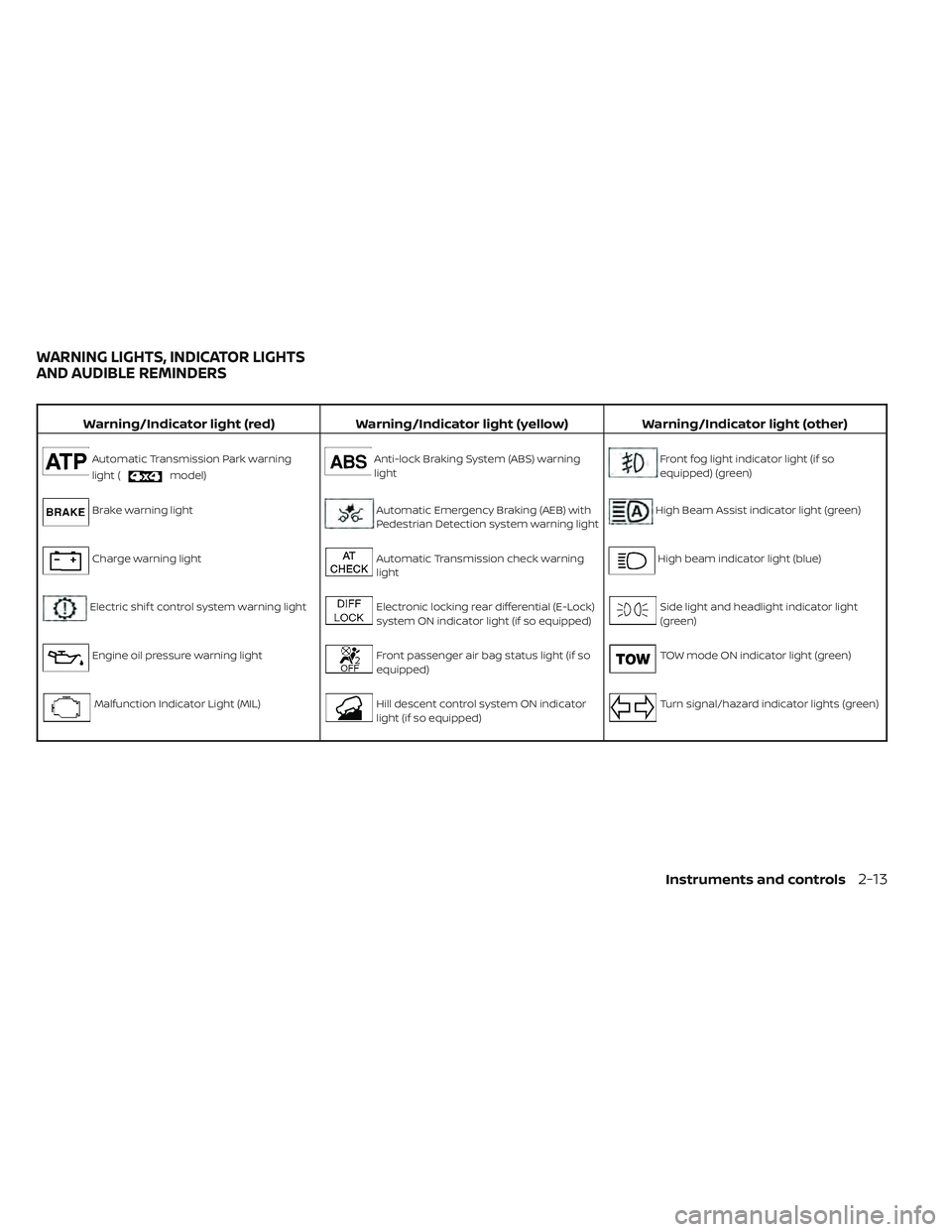
Warning/Indicator light (red)Warning/Indicator light (yellow) Warning/Indicator light (other)
Automatic Transmission Park warning
light (
model)
Anti-lock Braking System (ABS) warning
lightFront fog light indicator light (if so
equipped) (green)
Brake warning lightAutomatic Emergency Braking (AEB) with
Pedestrian Detection system warning lightHigh Beam Assist indicator light (green)
Charge warning lightAutomatic Transmission check warning
lightHigh beam indicator light (blue)
Electric shif t control system warning lightElectronic locking rear differential (E-Lock)
system ON indicator light (if so equipped)Side light and headlight indicator light
(green)
Engine oil pressure warning lightFront passenger air bag status light (if so
equipped)TOW mode ON indicator light (green)
Malfunction Indicator Light (MIL)Hill descent control system ON indicator
light (if so equipped)Turn signal/hazard indicator lights (green)
WARNING LIGHTS, INDICATOR LIGHTS
AND AUDIBLE REMINDERS
Instruments and controls2-13
Page 119 of 644
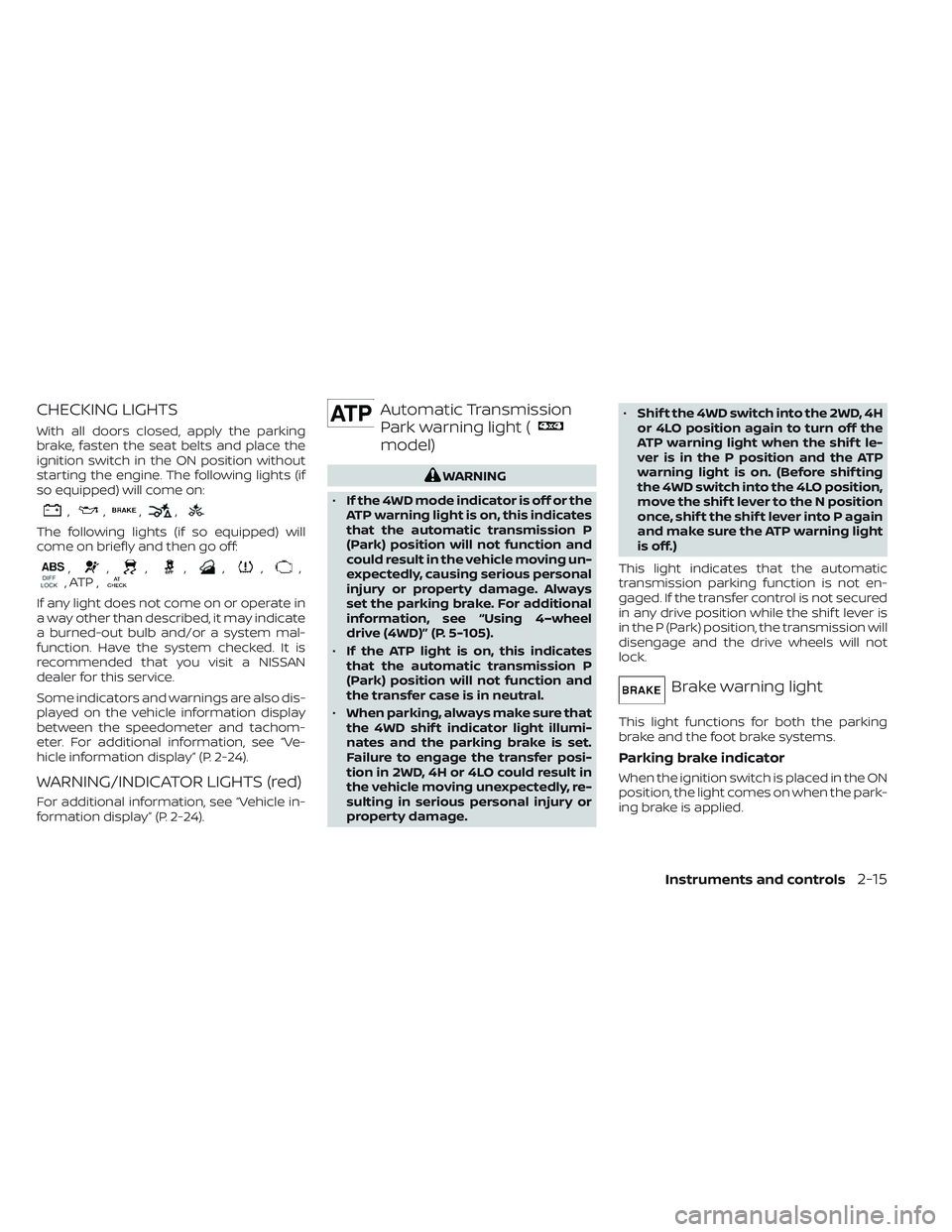
CHECKING LIGHTS
With all doors closed, apply the parking
brake, fasten the seat belts and place the
ignition switch in the ON position without
starting the engine. The following lights (if
so equipped) will come on:
,,,,
The following lights (if so equipped) will
come on briefly and then go off:
,,,,,,,, ATP ,
If any light does not come on or operate in
a way other than described, it may indicate
a burned-out bulb and/or a system mal-
function. Have the system checked. It is
recommended that you visit a NISSAN
dealer for this service.
Some indicators and warnings are also dis-
played on the vehicle information display
between the speedometer and tachom-
eter. For additional information, see “Ve-
hicle information display” (P. 2-24).
WARNING/INDICATOR LIGHTS (red)
For additional information, see “Vehicle in-
formation display” (P. 2-24).
Automatic Transmission
Park warning light (
model)
WARNING
• If the 4WD mode indicator is off or the
ATP warning light is on, this indicates
that the automatic transmission P
(Park) position will not function and
could result in the vehicle moving un-
expectedly, causing serious personal
injury or property damage. Always
set the parking brake. For additional
information, see “Using 4–wheel
drive (4WD)” (P. 5-105).
• If the ATP light is on, this indicates
that the automatic transmission P
(Park) position will not function and
the transfer case is in neutral.
• When parking, always make sure that
the 4WD shif t indicator light illumi-
nates and the parking brake is set.
Failure to engage the transfer posi-
tion in 2WD, 4H or 4LO could result in
the vehicle moving unexpectedly, re-
sulting in serious personal injury or
property damage. •
Shif t the 4WD switch into the 2WD, 4H
or 4LO position again to turn off the
ATP warning light when the shif t le-
ver is in the P position and the ATP
warning light is on. (Before shif ting
the 4WD switch into the 4LO position,
move the shif t lever to the N position
once, shif t the shif t lever into P again
and make sure the ATP warning light
is off.)
This light indicates that the automatic
transmission parking function is not en-
gaged. If the transfer control is not secured
in any drive position while the shif t lever is
in the P (Park) position, the transmission will
disengage and the drive wheels will not
lock.
Brake warning light
This light functions for both the parking
brake and the foot brake systems.
Parking brake indicator
When the ignition switch is placed in the ON
position, the light comes on when the park-
ing brake is applied.
Instruments and controls2-15
Page 120 of 644
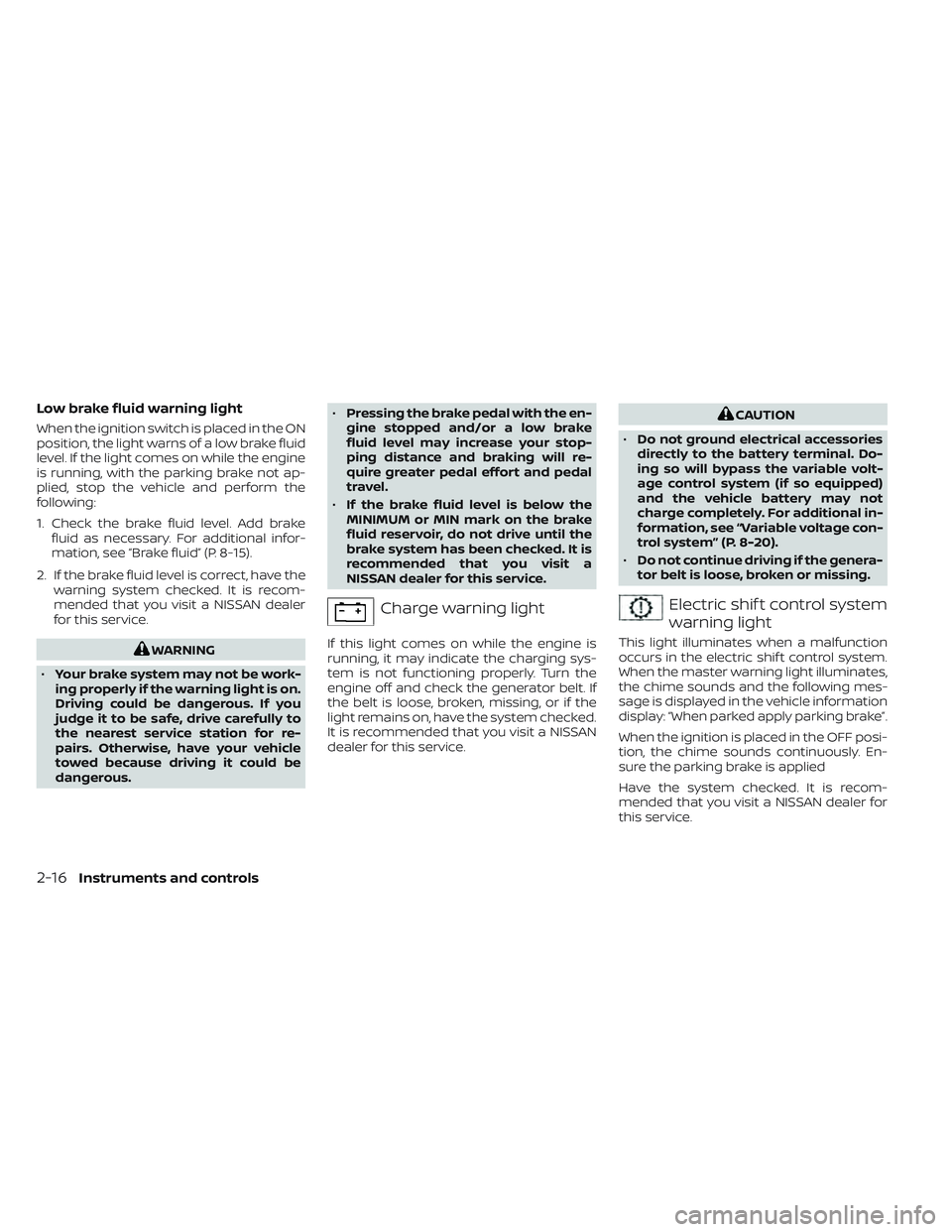
Low brake fluid warning light
When the ignition switch is placed in the ON
position, the light warns of a low brake fluid
level. If the light comes on while the engine
is running, with the parking brake not ap-
plied, stop the vehicle and perform the
following:
1. Check the brake fluid level. Add brakefluid as necessary. For additional infor-
mation, see “Brake fluid” (P. 8-15).
2. If the brake fluid level is correct, have the warning system checked. It is recom-
mended that you visit a NISSAN dealer
for this service.
WARNING
• Your brake system may not be work-
ing properly if the warning light is on.
Driving could be dangerous. If you
judge it to be safe, drive carefully to
the nearest service station for re-
pairs. Otherwise, have your vehicle
towed because driving it could be
dangerous. •
Pressing the brake pedal with the en-
gine stopped and/or a low brake
fluid level may increase your stop-
ping distance and braking will re-
quire greater pedal effort and pedal
travel.
• If the brake fluid level is below the
MINIMUM or MIN mark on the brake
fluid reservoir, do not drive until the
brake system has been checked. It is
recommended that you visit a
NISSAN dealer for this service.
Charge warning light
If this light comes on while the engine is
running, it may indicate the charging sys-
tem is not functioning properly. Turn the
engine off and check the generator belt. If
the belt is loose, broken, missing, or if the
light remains on, have the system checked.
It is recommended that you visit a NISSAN
dealer for this service.
CAUTION
• Do not ground electrical accessories
directly to the battery terminal. Do-
ing so will bypass the variable volt-
age control system (if so equipped)
and the vehicle battery may not
charge completely. For additional in-
formation, see “Variable voltage con-
trol system” (P. 8-20).
• Do not continue driving if the genera-
tor belt is loose, broken or missing.
Electric shif t control system
warning light
This light illuminates when a malfunction
occurs in the electric shif t control system.
When the master warning light illuminates,
the chime sounds and the following mes-
sage is displayed in the vehicle information
display: “When parked apply parking brake”.
When the ignition is placed in the OFF posi-
tion, the chime sounds continuously. En-
sure the parking brake is applied
Have the system checked. It is recom-
mended that you visit a NISSAN dealer for
this service.
2-16Instruments and controls
Page 121 of 644
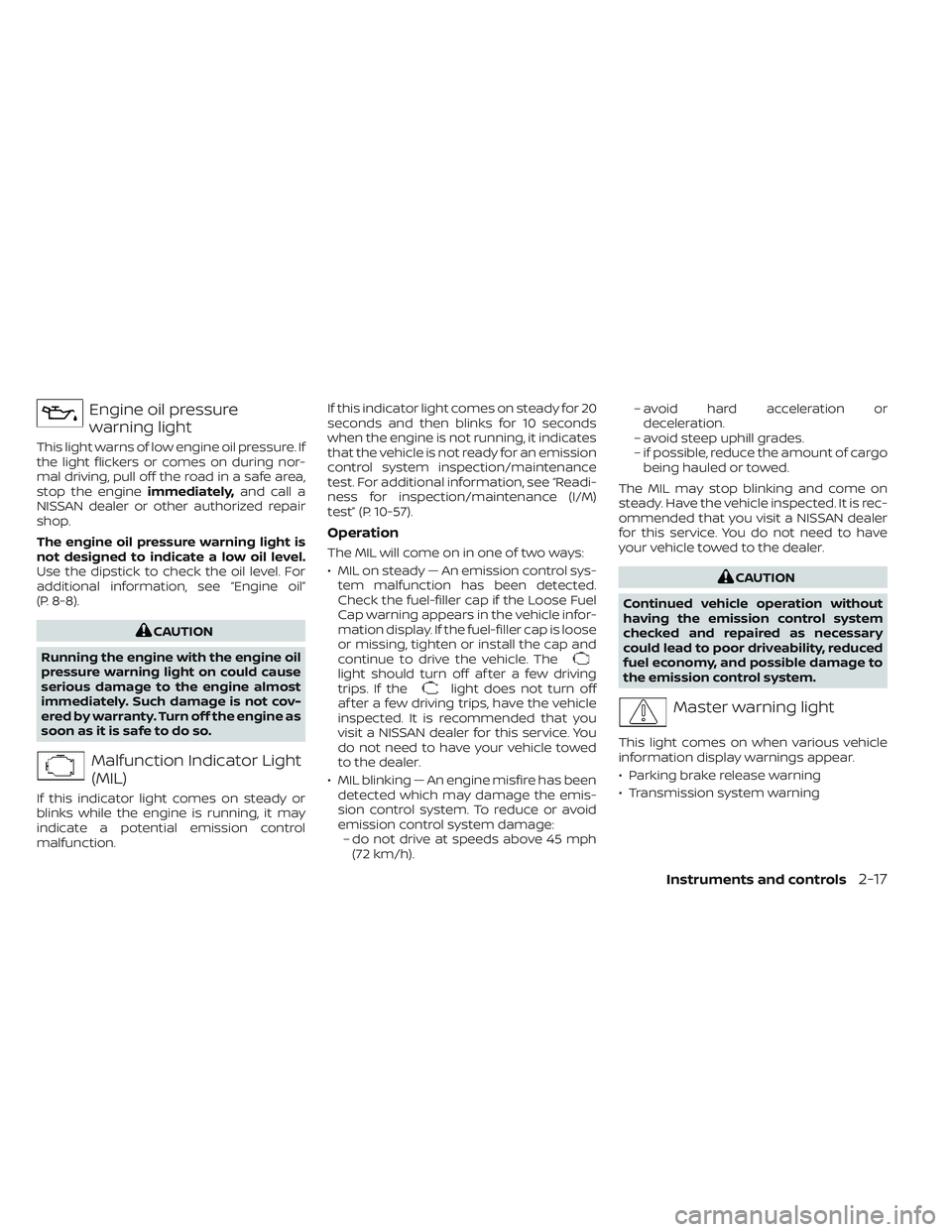
Engine oil pressure
warning light
This light warns of low engine oil pressure. If
the light flickers or comes on during nor-
mal driving, pull off the road in a safe area,
stop the engineimmediately,and call a
NISSAN dealer or other authorized repair
shop.
The engine oil pressure warning light is
not designed to indicate a low oil level.
Use the dipstick to check the oil level. For
additional information, see “Engine oil”
(P. 8-8).
CAUTION
Running the engine with the engine oil
pressure warning light on could cause
serious damage to the engine almost
immediately. Such damage is not cov-
ered by warranty. Turn off the engine as
soon as it is safe to do so.
Malfunction Indicator Light
(MIL)
If this indicator light comes on steady or
blinks while the engine is running, it may
indicate a potential emission control
malfunction. If this indicator light comes on steady for 20
seconds and then blinks for 10 seconds
when the engine is not running, it indicates
that the vehicle is not ready for an emission
control system inspection/maintenance
test. For additional information, see “Readi-
ness for inspection/maintenance (I/M)
test” (P. 10-57).
Operation
The MIL will come on in one of two ways:
• MIL on steady — An emission control sys-
tem malfunction has been detected.
Check the fuel-filler cap if the Loose Fuel
Cap warning appears in the vehicle infor-
mation display. If the fuel-filler cap is loose
or missing, tighten or install the cap and
continue to drive the vehicle. The
light should turn off af ter a few driving
trips. If thelight does not turn off
af ter a few driving trips, have the vehicle
inspected. It is recommended that you
visit a NISSAN dealer for this service. You
do not need to have your vehicle towed
to the dealer.
• MIL blinking — An engine misfire has been detected which may damage the emis-
sion control system. To reduce or avoid
emission control system damage:– do not drive at speeds above 45 mph (72 km/h). – avoid hard acceleration or
deceleration.
– avoid steep uphill grades.
– if possible, reduce the amount of cargo being hauled or towed.
The MIL may stop blinking and come on
steady. Have the vehicle inspected. It is rec-
ommended that you visit a NISSAN dealer
for this service. You do not need to have
your vehicle towed to the dealer.
CAUTION
Continued vehicle operation without
having the emission control system
checked and repaired as necessary
could lead to poor driveability, reduced
fuel economy, and possible damage to
the emission control system.
Master warning light
This light comes on when various vehicle
information display warnings appear.
• Parking brake release warning
• Transmission system warning
Instruments and controls2-17
Page 123 of 644
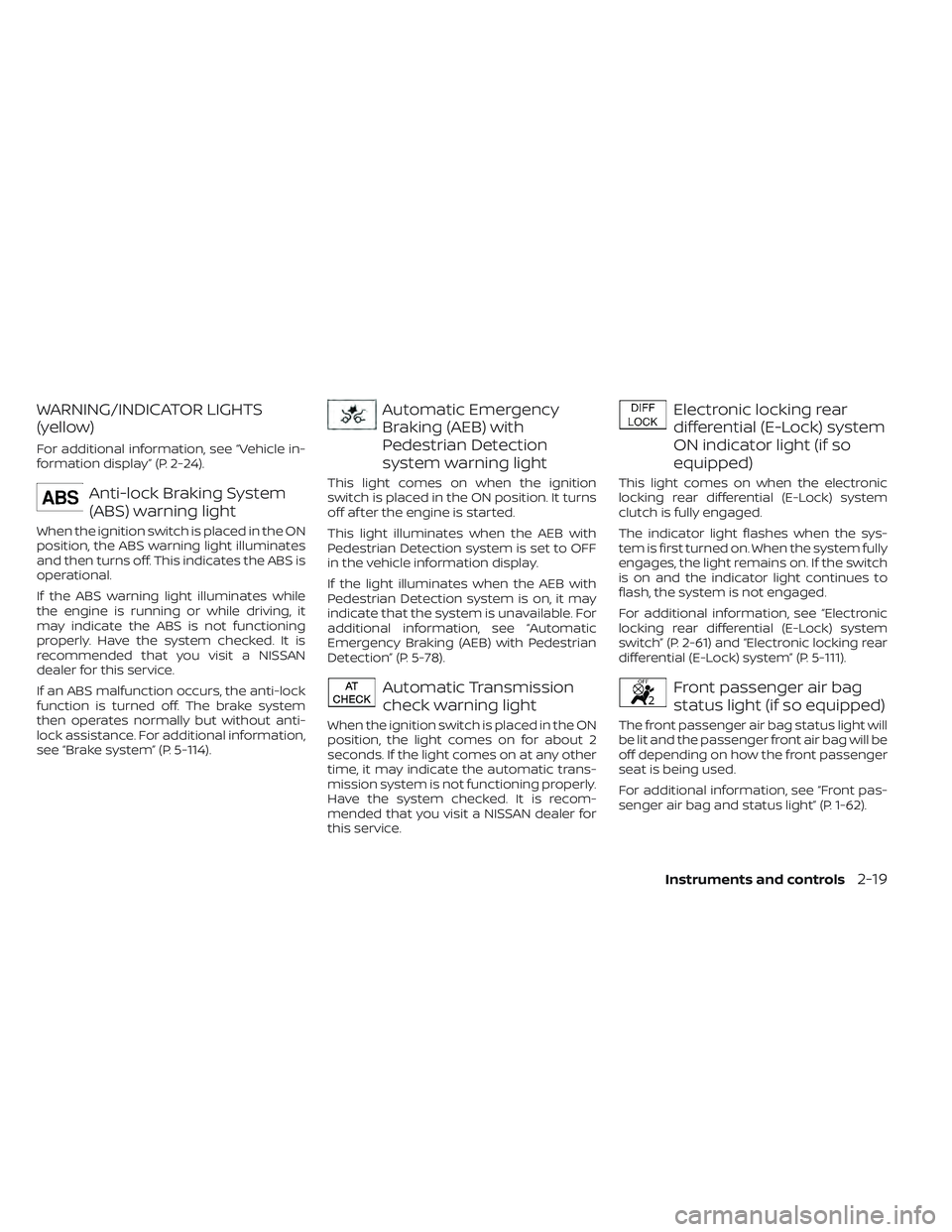
WARNING/INDICATOR LIGHTS
(yellow)
For additional information, see “Vehicle in-
formation display” (P. 2-24).
Anti-lock Braking System
(ABS) warning light
When the ignition switch is placed in the ON
position, the ABS warning light illuminates
and then turns off. This indicates the ABS is
operational.
If the ABS warning light illuminates while
the engine is running or while driving, it
may indicate the ABS is not functioning
properly. Have the system checked. It is
recommended that you visit a NISSAN
dealer for this service.
If an ABS malfunction occurs, the anti-lock
function is turned off. The brake system
then operates normally but without anti-
lock assistance. For additional information,
see “Brake system” (P. 5-114).
Automatic Emergency
Braking (AEB) with
Pedestrian Detection
system warning light
This light comes on when the ignition
switch is placed in the ON position. It turns
off af ter the engine is started.
This light illuminates when the AEB with
Pedestrian Detection system is set to OFF
in the vehicle information display.
If the light illuminates when the AEB with
Pedestrian Detection system is on, it may
indicate that the system is unavailable. For
additional information, see “Automatic
Emergency Braking (AEB) with Pedestrian
Detection” (P. 5-78).
Automatic Transmission
check warning light
When the ignition switch is placed in the ON
position, the light comes on for about 2
seconds. If the light comes on at any other
time, it may indicate the automatic trans-
mission system is not functioning properly.
Have the system checked. It is recom-
mended that you visit a NISSAN dealer for
this service.
Electronic locking rear
differential (E-Lock) system
ON indicator light (if so
equipped)
This light comes on when the electronic
locking rear differential (E-Lock) system
clutch is fully engaged.
The indicator light flashes when the sys-
tem is first turned on. When the system fully
engages, the light remains on. If the switch
is on and the indicator light continues to
flash, the system is not engaged.
For additional information, see “Electronic
locking rear differential (E-Lock) system
switch” (P. 2-61) and “Electronic locking rear
differential (E-Lock) system” (P. 5-111).
Front passenger air bag
status light (if so equipped)
The front passenger air bag status light will
be lit and the passenger front air bag will be
off depending on how the front passenger
seat is being used.
For additional information, see “Front pas-
senger air bag and status light” (P. 1-62).
Instruments and controls2-19
Page 126 of 644
Malfunction Indicator Light
(MIL)
If this indicator light comes on steady or
blinks while the engine is running, it may
indicate a potential emission control
malfunction.
If this indicator light comes on steady for 20
seconds and then blinks for 10 seconds
when the engine is not running, it indicates
that the vehicle is not ready for an emission
control system inspection/maintenance
test. For additional information, see “Readi-
ness for inspection/maintenance (I/M)
test” (P. 10-57).
Operation
The MIL will come on in one of two ways:
•
MIL on steady — An emission control sys-
tem malfunction has been detected.
Check the fuel-filler cap if the Loose Fuel
Cap warning appears in the vehicle infor-
mation display. If the fuel-filler cap is loose
or missing, tighten or install the cap and
continue to drive the vehicle. The
light
should turn off af ter a few driving trips. If
the
light does not turn off af ter a few
driving trips, have the vehicle inspected. It is
recommended that you visit a NISSAN
dealer for this service. You do not need to
have your vehicle towed to the dealer.
• MIL blinking — An engine misfire has been detected which may damage the emis-
sion control system. To reduce or avoid
emission control system damage:– do not drive at speeds above 45 mph (72 km/h).
– avoid hard acceleration or deceleration.
– avoid steep uphill grades.
– if possible, reduce the amount of cargo being hauled or towed.
The MIL may stop blinking and come on
steady. Have the vehicle inspected. It is rec-
ommended that you visit a NISSAN dealer
for this service. You do not need to have
your vehicle towed to the dealer.
CAUTION
Continued vehicle operation without
having the emission control system
checked and repaired as necessary
could lead to poor driveability, reduced
fuel economy, and possible damage to
the emission control system.
Master warning light
This light comes on when various vehicle
information display warnings appear.
• No key warning
• Low fuel warning
• Low windshield-washer fluid warning
• Loose fuel cap warning
• Low tire pressure warning
• 4WD error (if so equipped)
• Front & rear tire size differences (if so equipped)
Rear Automatic Braking
(RAB) system warning light
This light comes on when the ignition
switch is placed in the ON position. It turns
off af ter the engine is started.
This light illuminates when the RAB system
is turned off in the vehicle information
display.
If the light illuminates when the RAB sys-
tem is on, it may indicate that the system is
unavailable. For additional information, see
“Rear Automatic Braking (RAB)” (P. 5-73).
2-22Instruments and controls
Page 127 of 644
Slip indicator light
This indicator light will blink when the Ve-
hicle Dynamic Control (VDC) system is op-
erating, thus alerting the driver to the fact
that the road surface is slippery and the
vehicle is nearing its traction limits.
You may feel or hear the system working;
this is normal.
The light will blink for a few seconds af ter
the VDC system stops limiting wheel spin.
The
indicator light also comes on
when you place the ignition switch in the
ON position. The light will turn off af ter ap-
proximately 2 seconds if the system is op-
erational. If the light does not come on
have the system checked. It is recom-
mended that you visit a NISSAN dealer for
this service.
Vehicle Dynamic Control
(VDC) OFF indicator light
This indicator light comes on when the
VDC OFF switch is pushed to off. This indi-
cates the VDC system is not operating.
Push the VDC OFF switch again or restart
the engine and the system will operate normally. For additional information, see
“Vehicle Dynamic Control (VDC) system”
(P. 5-117).
The VDC OFF indicator light also comes on
when you place the ignition switch in the
ON position. The light will turn off af ter
about 2 seconds if the system is opera-
tional. If the light stays on or comes on
along with the
indicator light while
you are driving, have the VDC system
checked. It is recommended that you visit a
NISSAN dealer for this service.
While the VDC system is operating, you
might feel a slight vibration or hear the sys-
tem working when starting the vehicle or
accelerating, but this is normal.
WARNING/INDICATOR LIGHTS
(other)
For additional information, see “Vehicle in-
formation display” (P. 2-24).
Front fog light indicator
light (green) (if so
equipped)
The front fog light indicator light illumi-
nates when the front fog lights are on. For
additional information, see “Fog light
switch” (P. 2-52).
High Beam Assist indicator
light (green)
This indicator light illuminates when the
headlights come on while the headlight
switch is in the AUTO position with the high
beams selected. This indicates that the
high beam assist is operational.
For additional information, see “Headlight
switch” (P. 2-45).
High beam indicator light
(blue)
This blue light comes on when the head-
light high beams are on and goes out when
the low beams are selected.
The high beam indicator light also comes
on when the passing signal is activated.
Side light and headlight
indicator light (green)
The side light and headlight indicator light
illuminates when the side light or headlight
position is selected. For additional informa-
tion, see “Headlight switch” (P. 2-45).
Instruments and controls2-23