ECO mode NISSAN VERSA 2013 User Guide
[x] Cancel search | Manufacturer: NISSAN, Model Year: 2013, Model line: VERSA, Model: NISSAN VERSA 2013Pages: 331, PDF Size: 2.96 MB
Page 172 of 331
MUTE button:
Press the
button to mute the audio sound.
Press the
button again to resume playing
the audio at its previous volume.
AUDIO button (Bass, Treble, Fade, Bal-
ance, SSV, Beep):
Press the AUDIO button to change the mode as
follows:
Bass →Treble →Fade →Balance →Speed
Sensitive Volume (SSV) →Beep ON/OFF →
Normal mode
To adjust Bass, Treble, Fade and Balance, press
the AUDIO button until the desired mode ap-
pears in the display. Press the TUNE
oror SEEKorbutton to ad-
just the selected mode to the desired level. Fade
adjusts the sound level between the front and
rear speakers and Balance adjusts the sound
between the right and left speakers.
To change the Beep to ON or OFF, press the
TUNE button up or down until the desired mode
is displayed. This will enable or disable the beep
sound heard during menu selection. To change the Speed Sensitive Volume (SSV)
mode to OFF, LOW, MID or HIGH, press the
TUNE button
oruntil the desired
setting is displayed.
Once you have adjusted the sound quality to the
desired level, press the AUDIO button repeatedly
until the radio or CD display reappears. If no
action is taken, the radio or CD display will auto-
matically reappear after approximately 5 sec-
onds.
Clock set
If the clock is not displayed with the ignition
switch in the ACC or ON position, you need to
select the CLK-ON mode. Press the MENU but-
ton repeatedly until CLK-OFF mode is displayed.
Use the TUNE/FF-REW/FOLDER button to en-
able CLK-ON mode.
1. Press and hold the CLOCK button until the clock display starts to flash.
2. Press the SEEK/TRACK button
orto adjust the hours.
3. Press the TUNE/FF-REW/FOLDER button
orto adjust the minutes.
4. Press the CLOCK button again to exit the clock set mode. If no action is taken, the display will return to the
regular clock display after 10 seconds.
DISP (display) button
This button works during FM, CD and iPod®
operation. See the detailed function for this but-
ton in the section for each mode.
iPOD® MENU, ENTER and BACK buttons
These buttons can only be used for iPod® op-
erations. See “iPod® Player Operation without
Navigation System” later in this section for details
about the functions of these buttons.
FM/AM radio operation
FM·AM button:
Press the FM·AM button to change the band as
follows:
AM
→FM1 →FM2 →AM
If another audio source is playing when the
FM·AM button is pressed, the audio source play-
ing will automatically be turned off and the last
radio station played will begin playing.
The FM stereo indicator (ST) illuminates during
FM stereo reception. When the stereo broadcast
signal is weak, the radio automatically changes
from stereo to monaural reception.
Display screen, heater, air conditioner, audio and phone systems4-35
Page 173 of 331
TUNE button (Tuning):
Press the TUNE/FF-REW/FOLDER
button
orfor manual tuning.
SEEK tuning:
Press the SEEK/TRACK button
orto tune from low to high or high to low frequen-
cies and to stop at the next broadcasting station.
SCAN tuning:
Press the SCAN/RPT button to stop at each
broadcasting station for 5 seconds. Pressing the
button again during this 5 second period will stop
SCAN tuning and the radio will remain tuned to
that station. If the SCAN/RPT button is not
pressed within 5 seconds, SCAN tuning moves
to the next station.
1 to 6 Station memory operations:
Twelve stations can be set for the FM band (6 for
FM1, 6 for FM2) and six stations can be set for
the AM band. 1. Choose the radio band AM, FM1 or FM2 using the AM·FM select button.
2. Tune to the desired station using manual, SEEK or SCAN tuning. Press and hold any
of the desired station memory buttons (1 –
6) until a beep sound is heard. 3. The channel indicator will then come on and
the sound will resume. Programming is now
complete.
4. Other buttons can be set in the same man- ner.
If the battery cable is disconnected or if the fuse
opens, the radio memory will be canceled. In that
case, reset the desired stations.
DISP/TEXT button:
When the DISP/TEXT button is pressed while in
FM radio mode, the radio display will change as
follows:
Frequency →PTY →PS →Frequency
Compact disc (CD) player operation
If the radio is already operating, it automatically
turns off and the compact disc begins to play.
CD button:
When the CD button is pressed with the system
off and the compact disc loaded, the system will
turn on and the compact disc will start to play.
When the CD button is pressed with a compact
disc loaded and the radio playing, the radio will
automatically be turned off and the compact disc
will start to play. DISP/TEXT button:
When the DISP/TEXT button is pressed while a
CD is playing, the display will change as follows:
CD:
Track number
→Disc title →Song title →Track
number
CD with MP3 or WMA:
Track number →Folder title →Album title →
Artist →Song title →Track number
TUNE/FF-REW/FOLDER
(Reverse or Fast Forward)
button:
CD:
When the TUNE/FF-REW/FOLDER button
(fast forward) or(reverse) is
pressed while the compact disc is playing, the
compact disc plays at an increased speed while
reversing or fast forwarding. When the button is
released, the compact disc returns to normal play
speed.
4-36Display screen, heater, air conditioner, audio and phone systems
Page 181 of 331
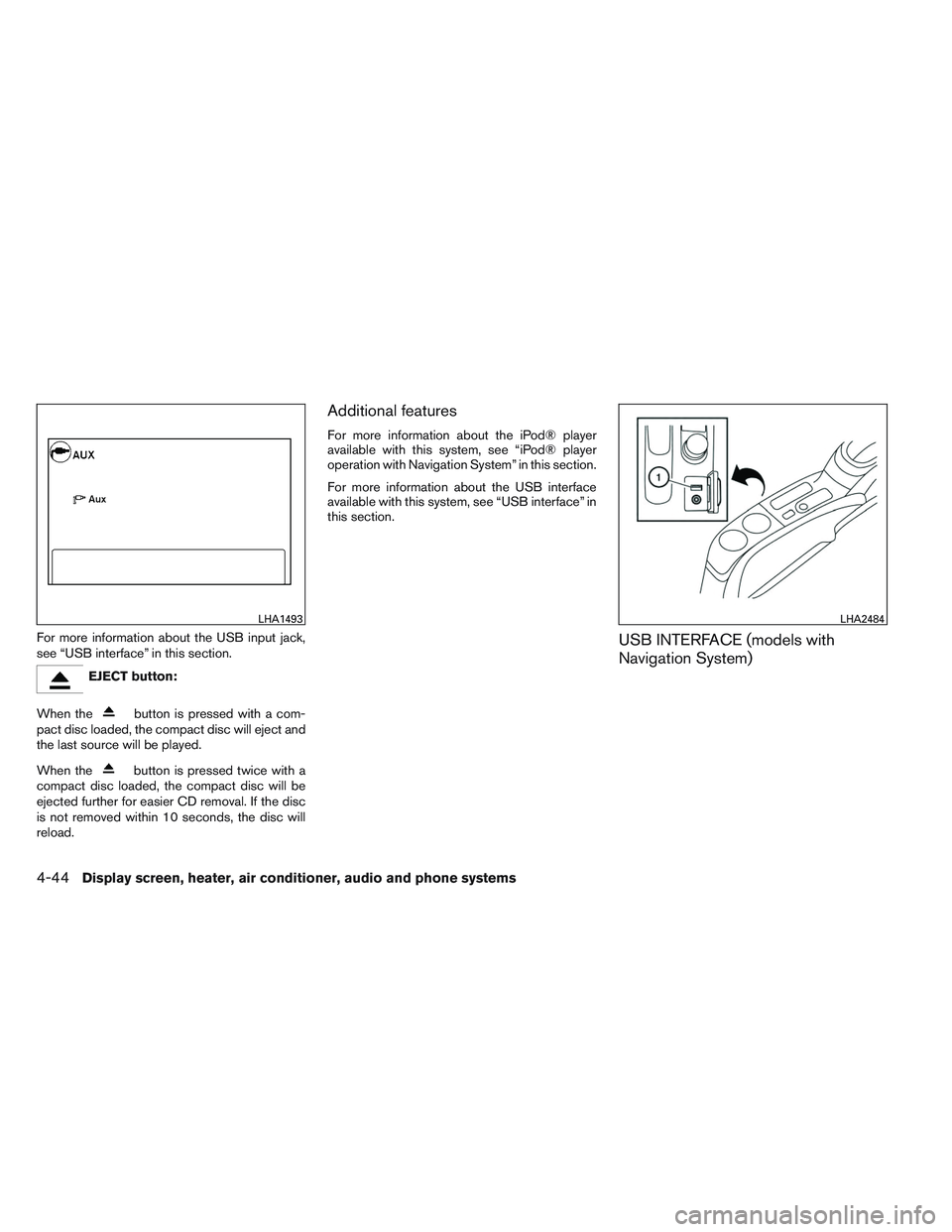
For more information about the USB input jack,
see “USB interface” in this section.
EJECT button:
When the
button is pressed with a com-
pact disc loaded, the compact disc will eject and
the last source will be played.
When the
button is pressed twice with a
compact disc loaded, the compact disc will be
ejected further for easier CD removal. If the disc
is not removed within 10 seconds, the disc will
reload.
Additional features
For more information about the iPod® player
available with this system, see “iPod® player
operation with Navigation System” in this section.
For more information about the USB interface
available with this system, see “USB interface” in
this section.
USB INTERFACE (models with
Navigation System)
LHA1493LHA2484
4-44Display screen, heater, air conditioner, audio and phone systems
Page 183 of 331
Press the SEEK/CATEGORY buttonwhile
an audio file on the USB device is playing to
advance one track. Press the SEEK/CATEGORY
button
several times to skip forward sev-
eral tracks. If the last track in a folder on the USB
device is skipped, the first track of the next folder
is played.
Press and hold the SEEK/CATEGORY
button
orfor 1.5 seconds while an
audio file on the USB device is playing to reverse
or fast forward the track being played. The track
plays at an increased speed while reversing or
fast forwarding. When the button is released, the
audio file returns to normal play speed.
Random and repeat play mode:
While files on a USB device are playing, the play
pattern can be altered so that songs are repeated
or played randomly.
Random:
Touch the “Random” key to apply a random play
pattern to the USB device. When the random
mode is active, the
icon is displayed to the
left of the song title or album name to denote
which random pattern is applied. To cancel Ran-
dom mode, touch the “Random” key until
no
icon is displayed. Repeat:
Touch the “Repeat” key to apply a repeat play
pattern to the USB device. When the repeat
mode is active, the
icon is displayed to the
left of the song title or album name to denote
which repeat pattern is applied. To cancel Repeat
mode, touch the “Repeat” key until no
icon
is displayed.
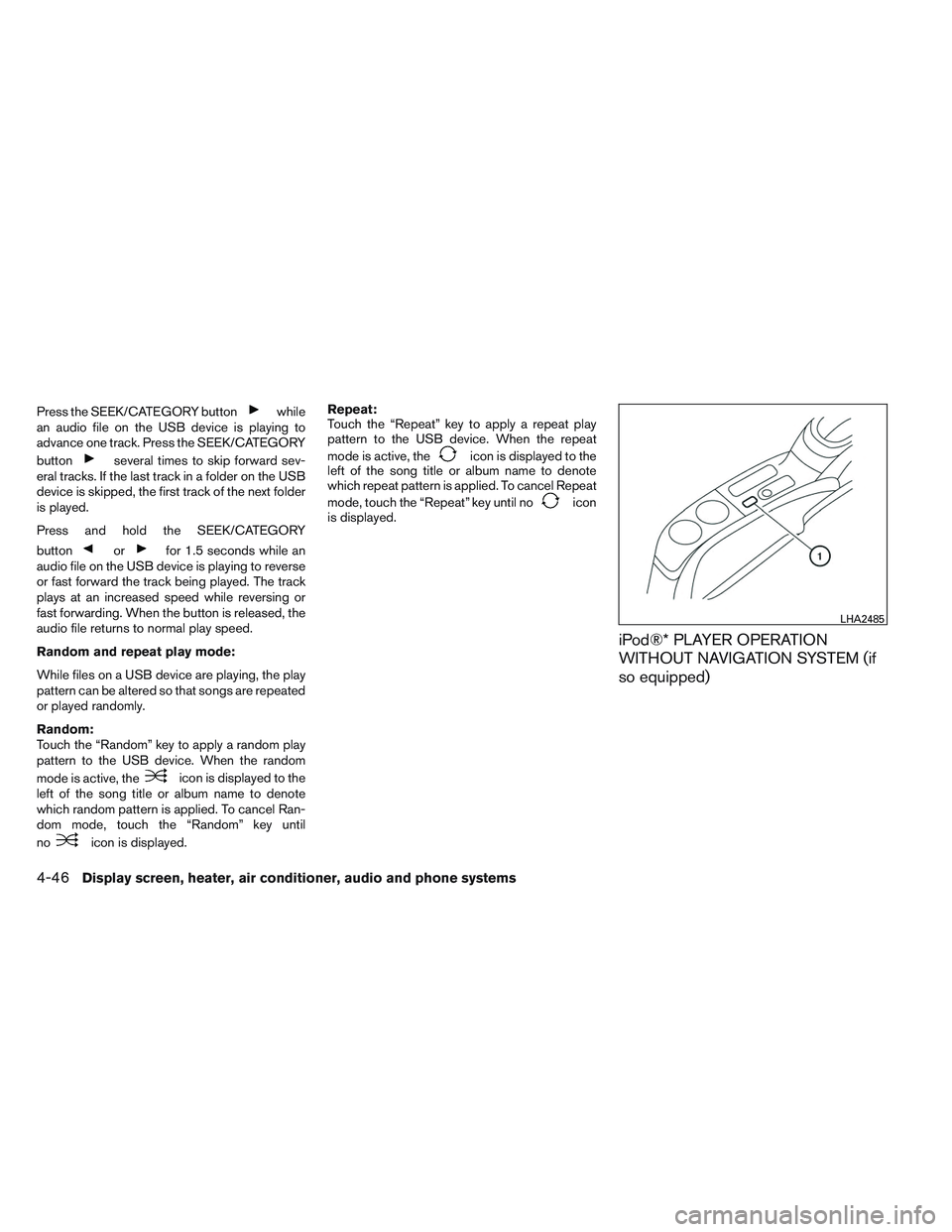
iPod®* PLAYER OPERATION
WITHOUT NAVIGATION SYSTEM (if
so equipped)
LHA2485
4-46Display screen, heater, air conditioner, audio and phone systems
Page 185 of 331
Make sure that your iPod® firmware is updated to
the version indicated above.
Audio main operation
iPod® button:
Place the ignition switch in the ACC or ON
position and press the iPod® button to switch to
the iPod® mode.
If another audio source is playing and the iPod®
is connected, press the iPod® button to switch
to the iPod® mode.
If the system is turned off while the iPod® is
playing, the iPod® will start when the PWR but-
ton is pressed.
Top menu item selecting:
Press the iPod® MENU button while the iPod®
is connected to show the interface for iPod®
operation on the audio display. The items can be
chosen from the menu list screen by pressing the
SEEK button
orwhile the iPod® is
operational. The display pattern can be changed
as follows:
Playlists →Artists →Albums →Songs →Pod-
casts →Genres →Composers →Audiobooks
For more information about each item, see the
iPod® owner’s manual. ENTER and BACK buttons:
Press the ENTER button while the top menu is
displayed to show program details on the audio
display. Use the SEEK buttons
orto
scroll through the choices and press the ENTER
button to make a selection. Press the BACK
button to return to the previous display.
iPod® play information:
Press the DISP TEXT button for less than
1.5 seconds while a program is playing to change
the displayed program information as follows:
Excluding Podcast:
Album Title →Artist Name →Song Title →
Normal Mode
Podcast:
Album Title →Song Title →Normal Mode
For more information about Podcasts, see the
iPod® owner’s manual.
TUNE/FF-REW/FOLDER button:
When the TUNE/FF-REW/FOLDER button is
pressed
orfor more than 1.5 sec-
onds while the iPod® is playing, the iPod® will
play while fast forwarding or reversing. When the
button is released, the iPod® will return to the
normal play speed. When the TUNE/FF-REW/FOLDER button is
pressed
orfor less than 1.5 sec-
onds while the iPod® is playing, the next track or
the beginning of the current track on the iPod®
will be played.
SCAN/RPT button:
Press the SCAN/RPT button while a track is
playing to change the play pattern as follows:
Excluding Podcast and Audiobook:
ALL RPT →TRK RPT →ALL RDM →ALBUM
RDM
Podcast:
ALL RPT ←→TRK RPT
For more information about Podcasts, see the
iPod® owner’s manual.
Audiobook:
NORMAL →FAST →SLOW
4-48Display screen, heater, air conditioner, audio and phone systems
Page 187 of 331
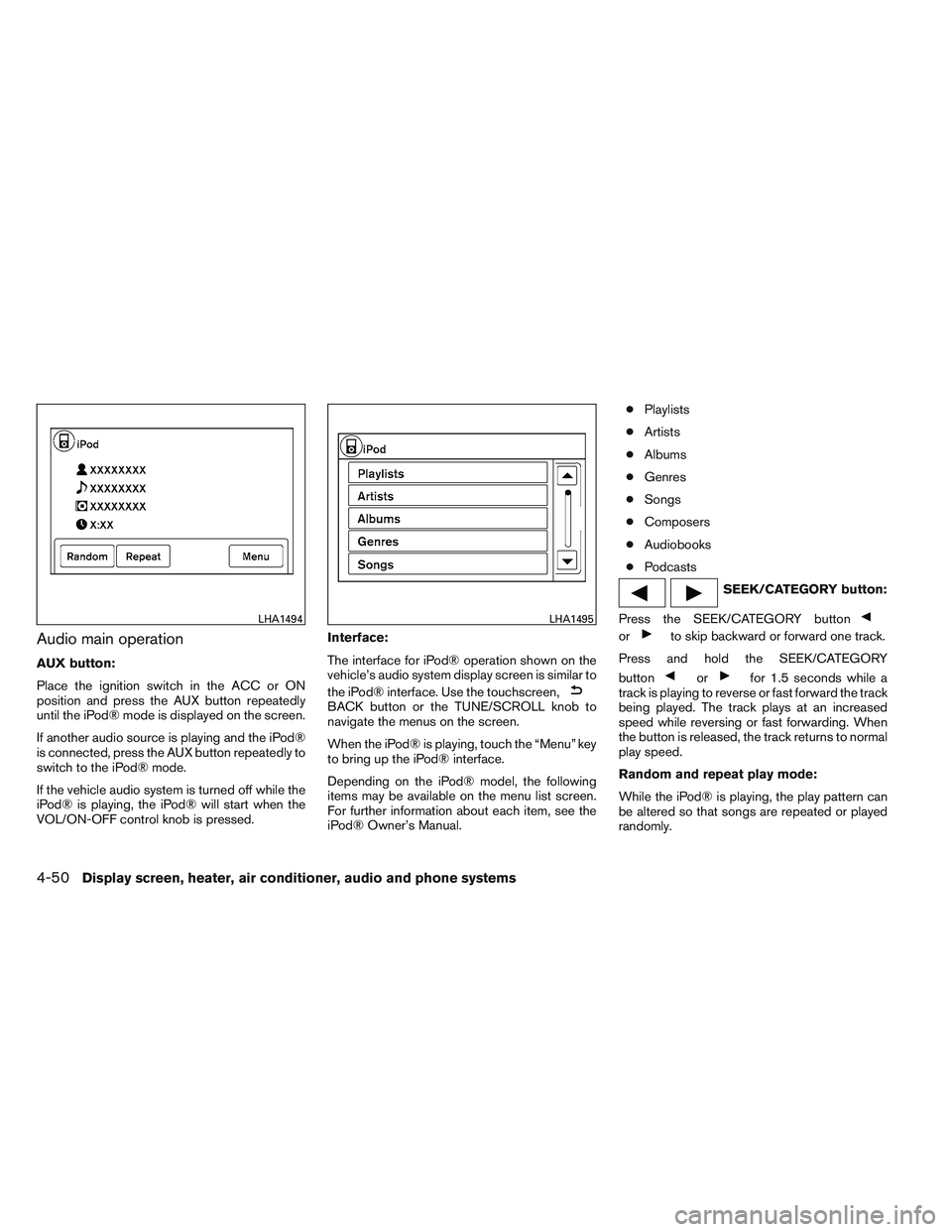
Audio main operation
AUX button:
Place the ignition switch in the ACC or ON
position and press the AUX button repeatedly
until the iPod® mode is displayed on the screen.
If another audio source is playing and the iPod®
is connected, press the AUX button repeatedly to
switch to the iPod® mode.
If the vehicle audio system is turned off while the
iPod® is playing, the iPod® will start when the
VOL/ON-OFF control knob is pressed.Interface:
The interface for iPod® operation shown on the
vehicle’s audio system display screen is similar to
the iPod® interface. Use the touchscreen,
BACK button or the TUNE/SCROLL knob to
navigate the menus on the screen.
When the iPod® is playing, touch the “Menu” key
to bring up the iPod® interface.
Depending on the iPod® model, the following
items may be available on the menu list screen.
For further information about each item, see the
iPod® Owner’s Manual. ●
Playlists
● Artists
● Albums
● Genres
● Songs
● Composers
● Audiobooks
● Podcasts
SEEK/CATEGORY button:
Press the SEEK/CATEGORY button
orto skip backward or forward one track.
Press and hold the SEEK/CATEGORY
button
orfor 1.5 seconds while a
track is playing to reverse or fast forward the track
being played. The track plays at an increased
speed while reversing or fast forwarding. When
the button is released, the track returns to normal
play speed.
Random and repeat play mode:
While the iPod® is playing, the play pattern can
be altered so that songs are repeated or played
randomly.
LHA1494LHA1495
4-50Display screen, heater, air conditioner, audio and phone systems
Page 188 of 331
Random:
Touch the “Random” key to apply a random play
pattern to the iPod®. When the random mode is
active, the
icon is displayed to the left of
the song title or album name to denote which
random pattern is applied. To cancel Random
mode, touch the “Random” key until no
icon is displayed.
Repeat:
Touch the “Repeat” key to apply a repeat play
pattern to the iPod®. When the repeat mode is
active, the
icon is displayed to the left of
the song title or album name to denote which
repeat pattern is applied. To cancel Repeat
mode, touch the “Repeat” key until no
icon
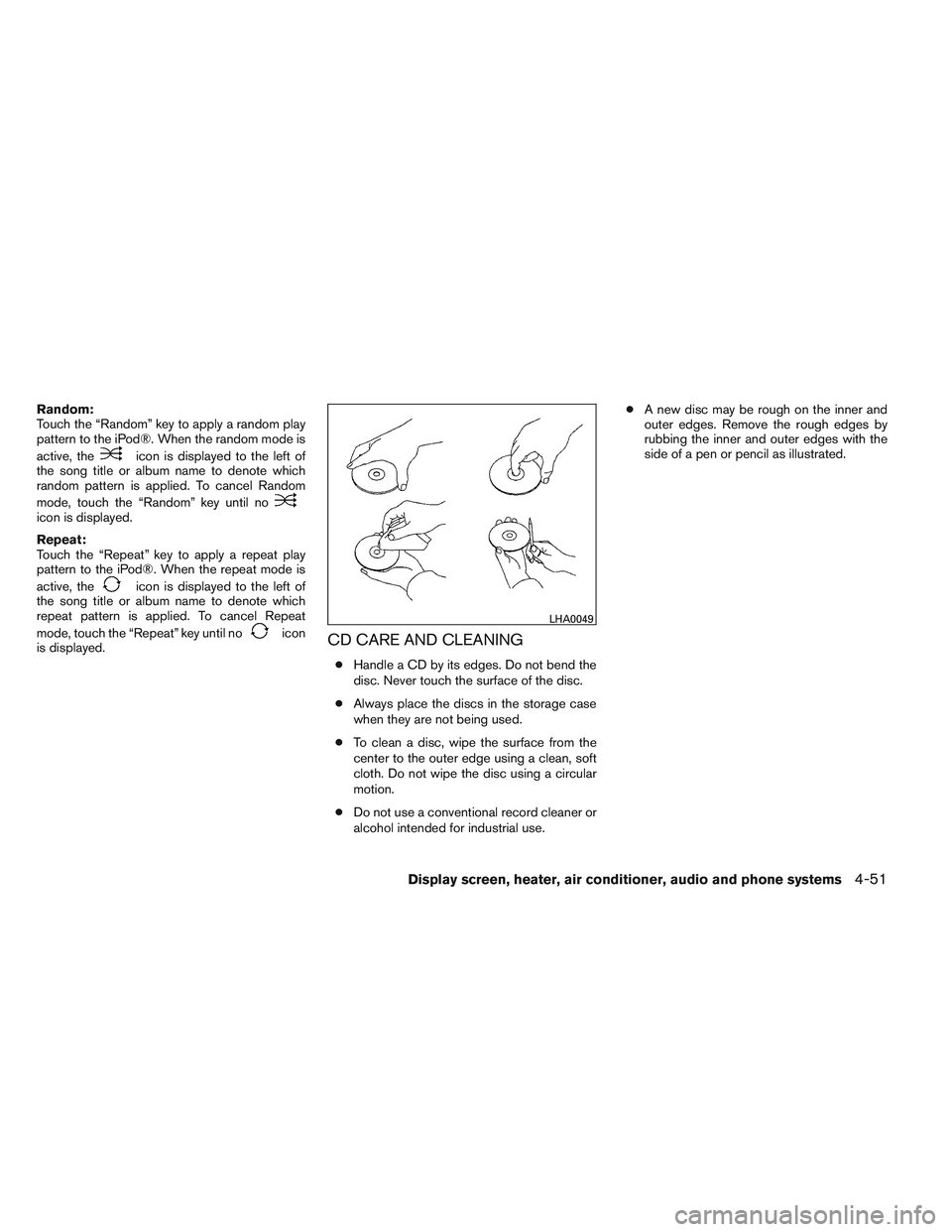
is displayed.CD CARE AND CLEANING
● Handle a CD by its edges. Do not bend the
disc. Never touch the surface of the disc.
● Always place the discs in the storage case
when they are not being used.
● To clean a disc, wipe the surface from the
center to the outer edge using a clean, soft
cloth. Do not wipe the disc using a circular
motion.
● Do not use a conventional record cleaner or
alcohol intended for industrial use. ●
A new disc may be rough on the inner and
outer edges. Remove the rough edges by
rubbing the inner and outer edges with the
side of a pen or pencil as illustrated.
LHA0049
Display screen, heater, air conditioner, audio and phone systems4-51
Page 189 of 331
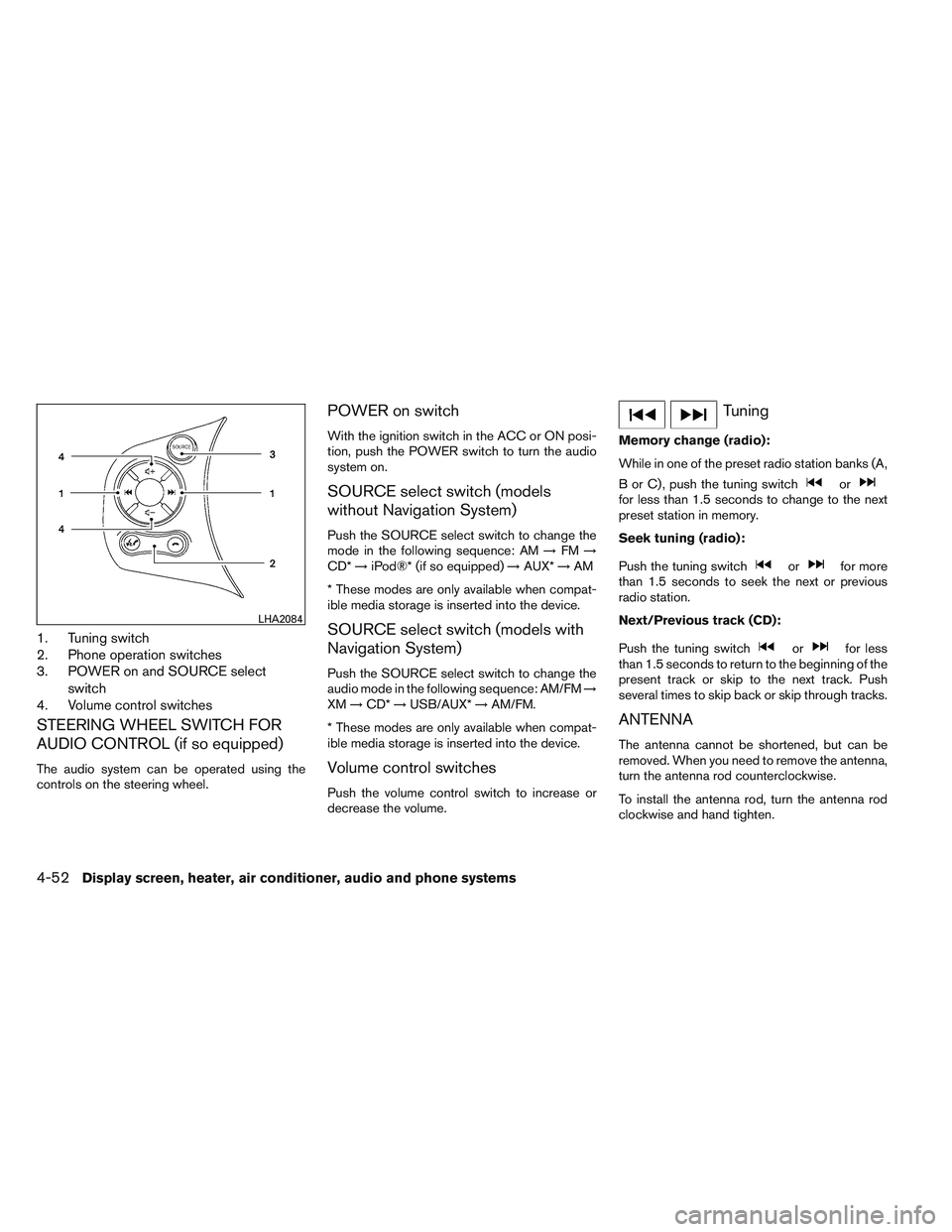
1. Tuning switch
2. Phone operation switches
3. POWER on and SOURCE selectswitch
4. Volume control switches
STEERING WHEEL SWITCH FOR
AUDIO CONTROL (if so equipped)
The audio system can be operated using the
controls on the steering wheel.
POWER on switch
With the ignition switch in the ACC or ON posi-
tion, push the POWER switch to turn the audio
system on.
SOURCE select switch (models
without Navigation System)
Push the SOURCE select switch to change the
mode in the following sequence: AM →FM →
CD* →iPod®* (if so equipped) →AUX* →AM
* These modes are only available when compat-
ible media storage is inserted into the device.
SOURCE select switch (models with
Navigation System)
Push the SOURCE select switch to change the
audio mode in the following sequence: AM/FM →
XM →CD* →USB/AUX* →AM/FM.
* These modes are only available when compat-
ible media storage is inserted into the device.
Volume control switches
Push the volume control switch to increase or
decrease the volume.
Tuning
Memory change (radio):
While in one of the preset radio station banks (A,
B or C) , push the tuning switch
orfor less than 1.5 seconds to change to the next
preset station in memory.
Seek tuning (radio):
Push the tuning switch
orfor more
than 1.5 seconds to seek the next or previous
radio station.
Next/Previous track (CD):
Push the tuning switch
orfor less
than 1.5 seconds to return to the beginning of the
present track or skip to the next track. Push
several times to skip back or skip through tracks.
ANTENNA
The antenna cannot be shortened, but can be
removed. When you need to remove the antenna,
turn the antenna rod counterclockwise.
To install the antenna rod, turn the antenna rod
clockwise and hand tighten.
LHA2084
4-52Display screen, heater, air conditioner, audio and phone systems
Page 190 of 331
CAUTION
●Always properly tighten the antenna
rod during installation or the antenna
rod may break during vehicle operation.
● Be sure that the antenna is removed
before the vehicle enters an automatic
car wash.
● Be sure to fold down the antenna be-
fore the vehicle enters a garage with a
low ceiling. When installing a CB, ham radio or car phone in
your vehicle, be sure to observe the following
precautions; otherwise, the new equipment may
adversely affect the engine control system and
other electronic parts.
WARNING
●
A cellular phone should not be used for
any purpose while driving so full atten-
tion may be given to vehicle operation.
Some jurisdictions prohibit the use of
cellular phones while driving.
● If you must make a call while your ve-
hicle is in motion, the hands free cellu-
lar phone operational mode (if so
equipped) is highly recommended. Ex-
ercise extreme caution at all times so
full attention may be given to vehicle
operation.
● If you are unable to devote full attention
to vehicle operation while talking on
the phone, pull off the road to a safe
location and stop your vehicle.
CAUTION
● Keep the antenna as far away as pos-
sible from the electronic control
modules.
● Keep the antenna wire more than 8 in
(20 cm) away from the electronic con-
trol system harnesses. Do not route the
antenna wire next to any harness.
● Adjust the antenna standing-wave ratio
as recommended by the manufacturer.
● Connect the ground wire from the CB
radio chassis to the body.
● For details, consult a NISSAN dealer.
CAR PHONE OR CB RADIO
Display screen, heater, air conditioner, audio and phone systems4-53
Page 195 of 331
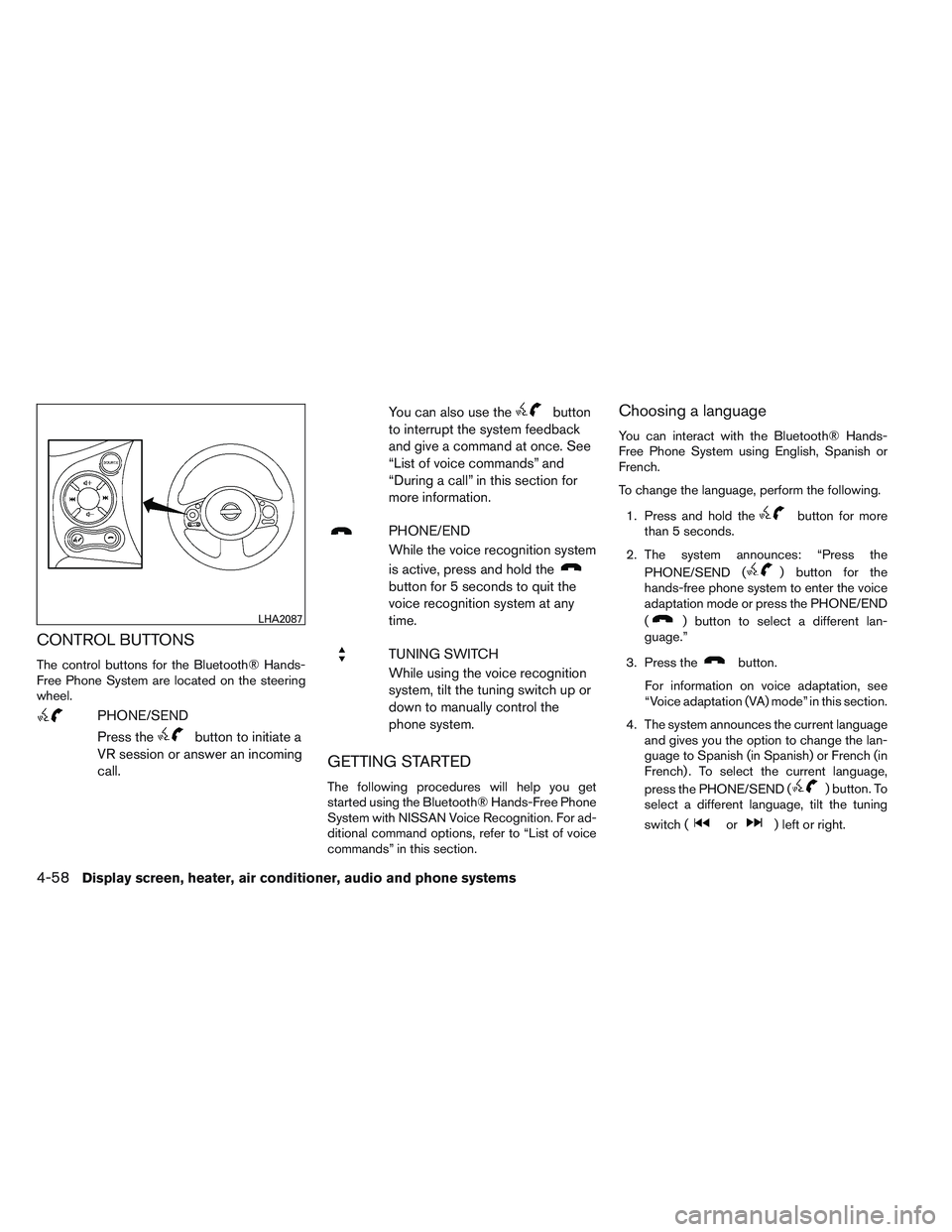
CONTROL BUTTONS
The control buttons for the Bluetooth® Hands-
Free Phone System are located on the steering
wheel.
PHONE/SEND
Press the
button to initiate a
VR session or answer an incoming
call. You can also use the
button
to interrupt the system feedback
and give a command at once. See
“List of voice commands” and
“During a call” in this section for
more information.
PHONE/END
While the voice recognition system
is active, press and hold the
button for 5 seconds to quit the
voice recognition system at any
time.
TUNING SWITCH
While using the voice recognition
system, tilt the tuning switch up or
down to manually control the
phone system.
GETTING STARTED
The following procedures will help you get
started using the Bluetooth® Hands-Free Phone
System with NISSAN Voice Recognition. For ad-
ditional command options, refer to “List of voice
commands” in this section.
Choosing a language
You can interact with the Bluetooth® Hands-
Free Phone System using English, Spanish or
French.
To change the language, perform the following.
1. Press and hold the
button for more
than 5 seconds.
2. The system announces: “Press the PHONE/SEND (
) button for the
hands-free phone system to enter the voice
adaptation mode or press the PHONE/END
(
) button to select a different lan-
guage.”
3. Press the
button.
For information on voice adaptation, see
“Voice adaptation (VA) mode” in this section.
4. The system announces the current language and gives you the option to change the lan-
guage to Spanish (in Spanish) or French (in
French) . To select the current language,
press the PHONE/SEND (
) button. To
select a different language, tilt the tuning
switch (
or) left or right.
LHA2087
4-58Display screen, heater, air conditioner, audio and phone systems