service NISSAN VERSA NOTE 2017 2.G User Guide
[x] Cancel search | Manufacturer: NISSAN, Model Year: 2017, Model line: VERSA NOTE, Model: NISSAN VERSA NOTE 2017 2.GPages: 414, PDF Size: 4.55 MB
Page 71 of 414
●Forcing the front seat or seatback against an
object on the seat or floor behind it.
● An object placed under the front passenger
seat.
● An object placed between the seat cushion
and center console or between the seat
cushion and the door.
If the vehicle is moving, please come to a stop
when it is safe to do so. Check and correct any of
the above conditions. Restart the vehicle and
wait 1 minute.
NOTE:
A system check will be performed during
which the front passenger air bag status
light will remain lit for about 7 seconds
initially.
If the light is still ON after this, the person should
be advised not to ride in the front passenger seat
and the vehicle should be checked as soon as
possible. It is recommended that you visit a
NISSAN dealer for this service. 3. If the light is OFF with a small adult, child or child restraint occupying the front passen-
ger seat. This may be due to the following conditions
that may be interfering with the weight sen-
sors:
● Small adult or child is not sitting upright,
leaning against the seatback, and centered
on the seat cushion with his/her feet com-
fortably extended to the floor.
● The child restraint is not properly installed,
as outlined in the “Child restraints” section of
this manual.
● An object weighing over 2.2 lbs (1 kg) hang-
ing on the seat or placed in the seatback
pocket.
● A child restraint or other object pressing
against the rear of the seatback.
● A rear passenger pushing or pulling on the
back of the front passenger seat.
● Forcing the front seat or seatback against an
object on the seat or floor behind it.
● An object placed under the front passenger
seat.
● An object placed between the seat cushion
and center console. If the vehicle is moving, please come to a stop
when it is safe to do so. Check and correct any of
the above conditions. Restart the vehicle and
wait 1 minute.
NOTE:
A system check will be performed during
which the front passenger air bag status
light will remain lit for about 7 seconds
initially.
If the light is still OFF after this, the small adult,
child or child restraint should be repositioned in
the rear seat and the vehicle should be checked
as soon as possible. It is recommended that you
visit a NISSAN dealer for this service.
Other supplemental front-impact air bag
precautions
WARNING
●
Do not place any objects on the steering
wheel pad or on the instrument panel.
Also, do not place any objects between
any occupant and the steering wheel or
instrument panel. Such objects may be-
come dangerous projectiles and cause
injury if the front air bags inflate.
1-54Safety—Seats, seat belts and supplemental restraint system
Page 74 of 414
WARNING
●Do not place any objects near the seat-
back of the front seats. Also, do not
place any objects (an umbrella, bag,
etc.) between the front door finisher
and the front seat. Such objects may
become dangerous projectiles and
cause injury if a side air bag inflates.
● Right after inflation, several side air bag
and curtain air bag system components
will be hot. Do not touch them; you may
severely burn yourself.
● No unauthorized changes should be
made to any components or wiring of
the side air bag and curtain air bag
systems. This is to prevent damage to or
accidental inflation of the side air bag
and curtain air bag systems.
● Do not make unauthorized changes to
your vehicle’s electrical system, sus-
pension system or side panel. This
could affect proper operation of the cur-
tain air bag systems. ●
Tampering with the side air bag system
may result in serious personal injury.
For example, do not change the front
seats by placing material near the seat-
backs or by installing additional trim
material, such as seat covers, around
the side air bag.
● Work around and on the side air bag
and curtain air bag systems should be
done by a NISSAN dealer. Installation
of electrical equipment should also be
done by a NISSAN dealer. The SRS wir-
ing harnesses* should not be modified
or disconnected. Unauthorized electri-
cal test equipment and probing devices
should not be used on the side air bag
or curtain air bag systems.
* The SRS wiring harness or connectors are
yellow or orange for easy identification.
When selling your vehicle, we request that you
inform the buyer about the side air bag and
curtain air bag systems and guide the buyer to
the appropriate sections in this Owner’s Manual.
Seat belt with pretensioner(s) (front
seats)
WARNING
● The pretensioner(s) cannot be reused
after activation. They must be replaced
together with the retractor and buckle
as a unit.
● If the vehicle becomes involved in a
collision but pretensioner(s) are not ac-
tivated, be sure to have the preten-
sioner system checked and, if neces-
sary, replaced. It is recommended that
you visit a NISSAN dealer for this
service.
● No unauthorized changes should be
made to any components or wiring of
the pretensioner system. This is to pre-
vent damage to or accidental activation
of the pretensioner(s) . Tampering with
the pretensioner system may result in
serious personal injury.
Safety—Seats, seat belts and supplemental restraint system1-57
Page 75 of 414
●It is recommended that you visit a
NISSAN dealer for work around and on
the pretensioner system. It is also rec-
ommended that you visit a NISSAN
dealer for installation of electrical
equipment. Unauthorized electrical test
equipment and probing devices should
not be used on the pretensioner system.
● If you need to dispose of the preten-
sioner(s) or scrap the vehicle, it is rec-
ommended that you visit a NISSAN
dealer for this service. Incorrect dis-
posal procedures could cause personal
injury.
The pretensioner system may activate with the
supplemental air bag system in certain types of
collisions. Working with the seat belt retractor,
the pretensioner(s) help tighten the seat belt
when the vehicle becomes involved in certain
types of collisions, helping to restrain front seat
occupants.
The pretensioner(s) are encased with the seat
belt retractor. These seat belts are used the same
way as conventional seat belts.
When pretensioner(s) activate, smoke is re-
leased and a loud noise may be heard. This
smoke is not harmful and does not indicate a fire.
Care should be taken not to inhale it, as it may cause irritation and choking. Those with a history
of a breathing condition should get fresh air
promptly.
After the pretensioner(s’) activation, load limiters
allow the seat belt to release webbing (if neces-
sary) to reduce forces against the chest.
The supplemental air bag warning light
is
used to indicate malfunctions in the pretension-
er(s) system. For additional information, refer to
“Supplemental air bag warning light” in this sec-
tion. If the operation of the supplemental air bag
warning light indicates there is a malfunction,
have the system checked. It is recommended that
you visit a NISSAN dealer for this service.
When selling your vehicle, we request that you
inform the buyer about the pretensioner system
and guide the buyer to the appropriate sections
in this Owner’s Manual.
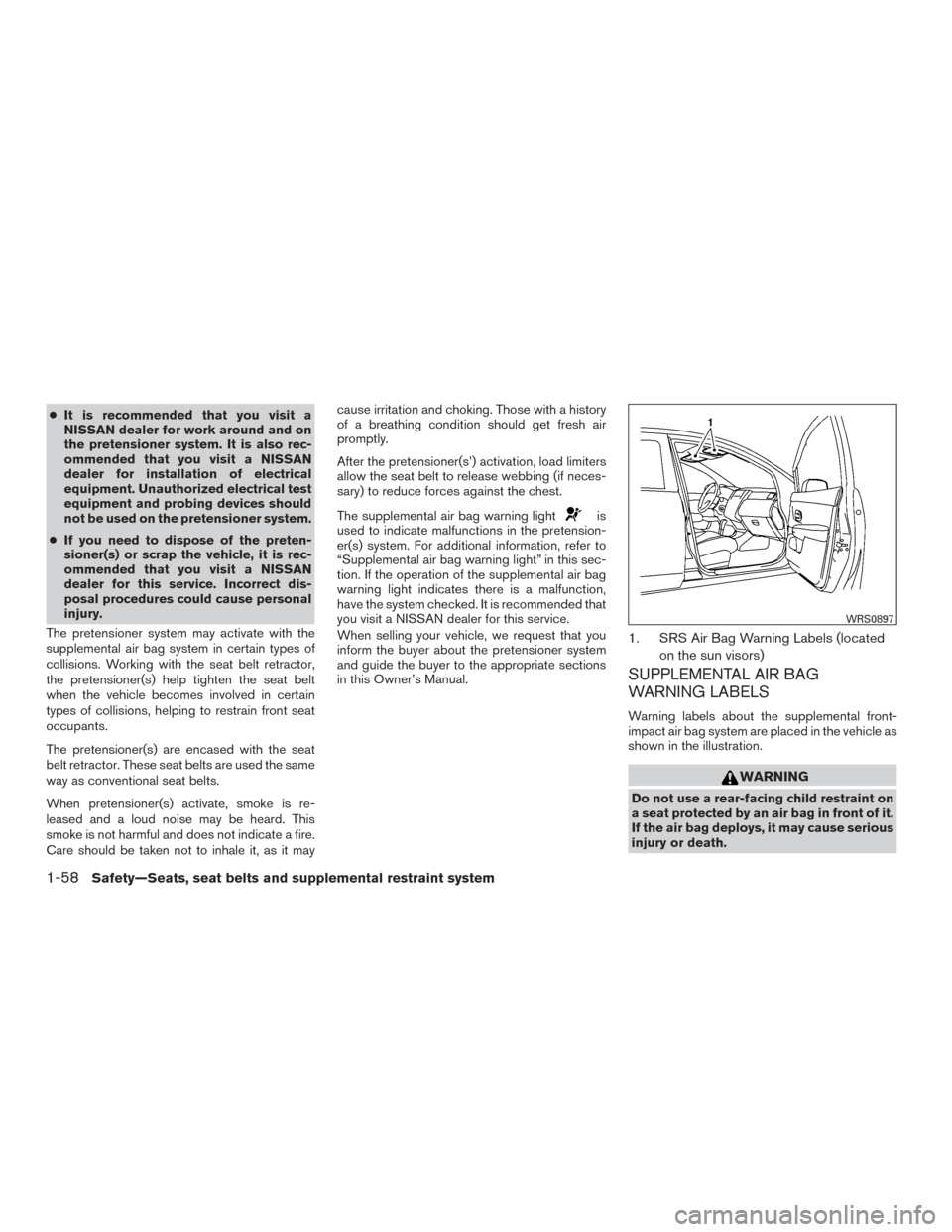
1. SRS Air Bag Warning Labels (located
on the sun visors)
SUPPLEMENTAL AIR BAG
WARNING LABELS
Warning labels about the supplemental front-
impact air bag system are placed in the vehicle as
shown in the illustration.
WARNING
Do not use a rear-facing child restraint on
a seat protected by an air bag in front of it.
If the air bag deploys, it may cause serious
injury or death.
WRS0897
1-58Safety—Seats, seat belts and supplemental restraint system
Page 76 of 414
SUPPLEMENTAL AIR BAG
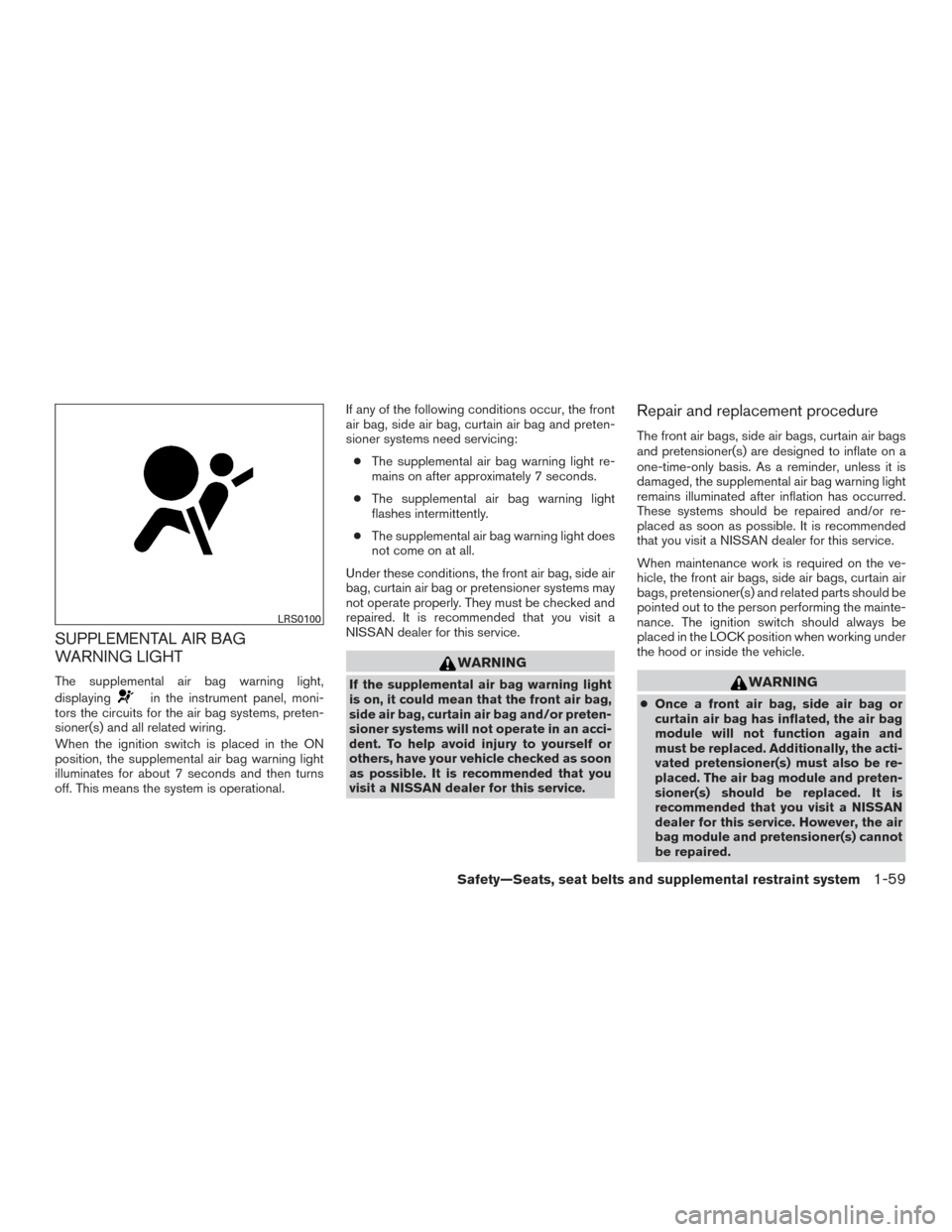
WARNING LIGHT
The supplemental air bag warning light,
displaying
in the instrument panel, moni-
tors the circuits for the air bag systems, preten-
sioner(s) and all related wiring.
When the ignition switch is placed in the ON
position, the supplemental air bag warning light
illuminates for about 7 seconds and then turns
off. This means the system is operational. If any of the following conditions occur, the front
air bag, side air bag, curtain air bag and preten-
sioner systems need servicing:
● The supplemental air bag warning light re-
mains on after approximately 7 seconds.
● The supplemental air bag warning light
flashes intermittently.
● The supplemental air bag warning light does
not come on at all.
Under these conditions, the front air bag, side air
bag, curtain air bag or pretensioner systems may
not operate properly. They must be checked and
repaired. It is recommended that you visit a
NISSAN dealer for this service.
WARNING
If the supplemental air bag warning light
is on, it could mean that the front air bag,
side air bag, curtain air bag and/or preten-
sioner systems will not operate in an acci-
dent. To help avoid injury to yourself or
others, have your vehicle checked as soon
as possible. It is recommended that you
visit a NISSAN dealer for this service.
Repair and replacement procedure
The front air bags, side air bags, curtain air bags
and pretensioner(s) are designed to inflate on a
one-time-only basis. As a reminder, unless it is
damaged, the supplemental air bag warning light
remains illuminated after inflation has occurred.
These systems should be repaired and/or re-
placed as soon as possible. It is recommended
that you visit a NISSAN dealer for this service.
When maintenance work is required on the ve-
hicle, the front air bags, side air bags, curtain air
bags, pretensioner(s) and related parts should be
pointed out to the person performing the mainte-
nance. The ignition switch should always be
placed in the LOCK position when working under
the hood or inside the vehicle.
WARNING
● Once a front air bag, side air bag or
curtain air bag has inflated, the air bag
module will not function again and
must be replaced. Additionally, the acti-
vated pretensioner(s) must also be re-
placed. The air bag module and preten-
sioner(s) should be replaced. It is
recommended that you visit a NISSAN
dealer for this service. However, the air
bag module and pretensioner(s) cannot
be repaired.
LRS0100
Safety—Seats, seat belts and supplemental restraint system1-59
Page 77 of 414
●The front air bag, side air bag, curtain
air bag systems and the pretensioner
system should be inspected if there is
any damage to the front end or side
portion of the vehicle. It is recom-
mended that you visit a NISSAN dealer
for this service.
● If you need to dispose of the supple-
mental air bag or pretensioner systems
or scrap the vehicle, it is recommended
that you visit a NISSAN dealer. Incorrect
disposal procedures could cause per-
sonal injury.
● If there is an impact to your vehicle from
any direction, your Occupant Classifica-
tion Sensor (OCS) should be checked to
verify it is still functioning correctly. It is
recommended that you visit a NISSAN
dealer for this service. The OCS should
be checked even if no air bags deploy as
a result of the impact. Failure to verify
proper OCS function may result in an
improper air bag deployment resulting
in injury or death.
1-60Safety—Seats, seat belts and supplemental restraint system
Page 79 of 414
2 Instruments and controls
Instrument panel...................................2-2
Meters and gauges ................................2-3
Speedometer and odometer .....................2-5
Tachometer ....................................2-8
Engine coolant temperature gauge ...............2-9
Fuel gauge ................................... 2-10
Trip computer ................................. 2-11
Service interval reminder (if so equipped) ........2-12
Warning lights, indicator lights and audible
reminders ........................................ 2-14
Checking lights ............................... 2-15
Warning lights ................................ 2-15
Indicator lights ................................ 2-20
Audible reminders ............................. 2-23
Security systems ................................. 2-23
NISSAN Vehicle Immobilizer System
(if so equipped) ............................... 2-23
Wiper and washer switch ......................... 2-25
Switch operation .............................. 2-25
Rear switch operation (if so equipped) ...........2-26
Rear window and outside mirror (if so equipped)
defroster switch .................................. 2-27
Headlight and turn signal switch ....................2-27
Headlight control switch ........................ 2-27Daytime running light system
(Canada only)
................................. 2-28
Instrument brightness control ...................2-29
Turn signal switch ............................. 2-29
Fog light switch (if so equipped) ................2-30
Horn ............................................ 2-30
Heated seat switches (if so equipped) ..............2-31
Vehicle Dynamic Control (VDC) off switch ...........2-32
Power outlets .................................... 2-33
Storage ......................................... 2-34
Front-door pockets ............................ 2-34
Seatback pocket .............................. 2-34
Storage tray .................................. 2-35
Upper glove box ............................... 2-35
Glove box .................................... 2-35
Cup holders .................................. 2-36
Divide-n-hide®
adjustable floor
(if so equipped) ............................... 2-37
Luggage hooks ................................ 2-38
Cargo cover (if so equipped) ....................2-39
Windows ........................................ 2-40
Power windows (if so equipped) ................2-40
Manual windows (if so equipped) ................2-42
Page 89 of 414
FUEL GAUGE
The gauge indicates theapproximatefuel level
in the tank when the ignition switch is placed in
the ON position.
The gauge may move slightly during braking,
turning, acceleration, or going up or down hills.
The low fuel warning light will turn on when the
amount of fuel in the tank is getting low.
Refill the fuel tank before the gauge regis-
ters 0 (Empty) . The
indicates that the fuel-filler door is
located on the driver’s side of the vehicle.
CAUTION
● If the vehicle runs out of fuel, thecheck engine light may come on. Refuel
as soon as possible. After a few driving
trips, the
light should turn off. If
the light remains on after a few driving
trips, have the vehicle inspected. It is
recommended that you visit a NISSAN
dealer for this service. ●
For additional information, refer to
“Malfunction Indicator Light (MIL)” in
this section.
Type A (if so equipped)
LIC3257
Type B (if so equipped)
LIC2762
2-10Instruments and controls
Page 91 of 414
distance to empty is automatically selected and
the digits blink in order to draw the driver’s atten-
tion. Press the trip computer change/reset button
if you wish to return to the mode that was se-
lected before the warning occurred.
When the fuel level drops even lower, the dis-
tance to empty will display (----) .
Average speed
The average speed mode shows the average
vehicle speed since the last reset. Resetting is
done by pushing the menu button on the steering
wheel for longer than 1 second.
Travel time
The travel time mode (elapsed time) shows the
time since the last reset. The displayed time can
be reset by pushing the menu button on the
steering wheel for longer than 1 second.
Trip computer reset
Type A (if so equipped):Pushing the change
button for more than 3 seconds will reset all
modes except Trip A and distance to empty (dte) .
Type B (if so equipped):Pushing the menu
button
on the steering wheel for more than
3 seconds will reset average fuel economy, aver-
age speed and travel time.
SERVICE INTERVAL REMINDER (if so
equipped)
When the ignition switch is placed in the ON
position, a wrench symbol and the distance to oil
change information will illuminate on the display
for approximately 5 seconds. The wrench symbol
and distance to oil change switch to oil display
status. The oil display status then switches to the
odometer and twin trip odometer information
mode that was displayed before the ignition
switch was placed in the ACC, OFF or LOCK
position.
The oil level display status provides specific in-
formation regarding your approximate engine oil
level.
If the oil level is sufficient, “Oil Good” is displayed
for approximately 10 seconds. If the oil level is
low, “Oil Lo” blinks for approximately 30 seconds
in order to draw your attention to necessary ac-
tion.
Quickly push and release the trip odometer reset
switch on the instrument panel located near the
speedometer during the “Oil Good” or “Oil Lo”
mode to display an approximate oil level indica-
tion.
In case of low engine oil level, refer to “Engine oil”
in the “Do-it-yourself” section for the proper en-
gine oil refilling procedure.
Oil change schedule set up (if so
equipped)
It is possible to adjust the interval distance to oil
change by pushing the trip odometer reset
switch on the instrument panel located near the
speedometer for 3 seconds while the wrench
symbol and distance to oil change are displayed.
The symbol and distance display will start flash-
ing and the display shows the current interval.
Push the switch to increase the interval distance.
Each step increases the interval distance by 500
mi (1,000 km). The interval distance can be set
up to 18,000 mi (30,000 km) after which the
display returns to zero.
If no further action is made, the display returns to
oil display status indication and the new interval is
set.
If the interval distance is set to 0, the display will
skip the distance to oil change information and
wrench symbol display mode and will directly
display the oil display status (“Oil Good” or “Oil
Lo”) . In order to return to the distance to oil
change information and wrench symbol display
mode, push the trip computer change button on
the instrument panel located near the speedom-
eter for approximately 3 seconds after the ignition
switch has been turned to the ON position, and
adjust the distance to oil change schedule as
previously described.
2-12Instruments and controls
Page 94 of 414
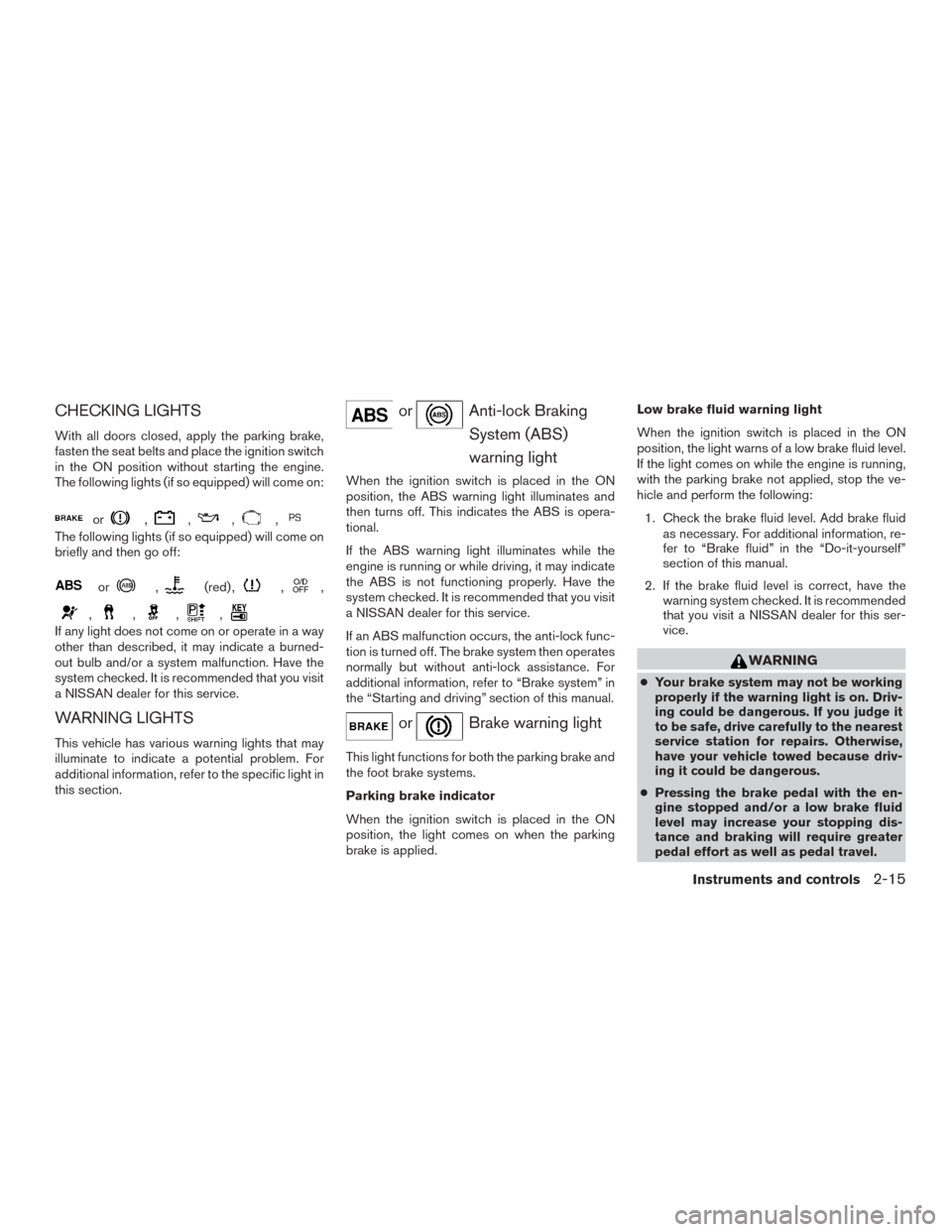
CHECKING LIGHTS
With all doors closed, apply the parking brake,
fasten the seat belts and place the ignition switch
in the ON position without starting the engine.
The following lights (if so equipped) will come on:
or,,,,
The following lights (if so equipped) will come on
briefly and then go off:
or,(red) ,,,
,,,,
If any light does not come on or operate in a way
other than described, it may indicate a burned-
out bulb and/or a system malfunction. Have the
system checked. It is recommended that you visit
a NISSAN dealer for this service.
WARNING LIGHTS
This vehicle has various warning lights that may
illuminate to indicate a potential problem. For
additional information, refer to the specific light in
this section.
orAnti-lock BrakingSystem (ABS)
warning light
When the ignition switch is placed in the ON
position, the ABS warning light illuminates and
then turns off. This indicates the ABS is opera-
tional.
If the ABS warning light illuminates while the
engine is running or while driving, it may indicate
the ABS is not functioning properly. Have the
system checked. It is recommended that you visit
a NISSAN dealer for this service.
If an ABS malfunction occurs, the anti-lock func-
tion is turned off. The brake system then operates
normally but without anti-lock assistance. For
additional information, refer to “Brake system” in
the “Starting and driving” section of this manual.
orBrake warning light
This light functions for both the parking brake and
the foot brake systems.
Parking brake indicator
When the ignition switch is placed in the ON
position, the light comes on when the parking
brake is applied. Low brake fluid warning light
When the ignition switch is placed in the ON
position, the light warns of a low brake fluid level.
If the light comes on while the engine is running,
with the parking brake not applied, stop the ve-
hicle and perform the following:
1. Check the brake fluid level. Add brake fluid as necessary. For additional information, re-
fer to “Brake fluid” in the “Do-it-yourself”
section of this manual.
2. If the brake fluid level is correct, have the warning system checked. It is recommended
that you visit a NISSAN dealer for this ser-
vice.
WARNING
●Your brake system may not be working
properly if the warning light is on. Driv-
ing could be dangerous. If you judge it
to be safe, drive carefully to the nearest
service station for repairs. Otherwise,
have your vehicle towed because driv-
ing it could be dangerous.
● Pressing the brake pedal with the en-
gine stopped and/or a low brake fluid
level may increase your stopping dis-
tance and braking will require greater
pedal effort as well as pedal travel.
Instruments and controls2-15
Page 95 of 414
●If the brake fluid level is below the
MINIMUM or MIN mark on the brake
fluid reservoir, do not drive until the
brake system has been checked. It is
recommended that you visit a NISSAN
dealer for this service.
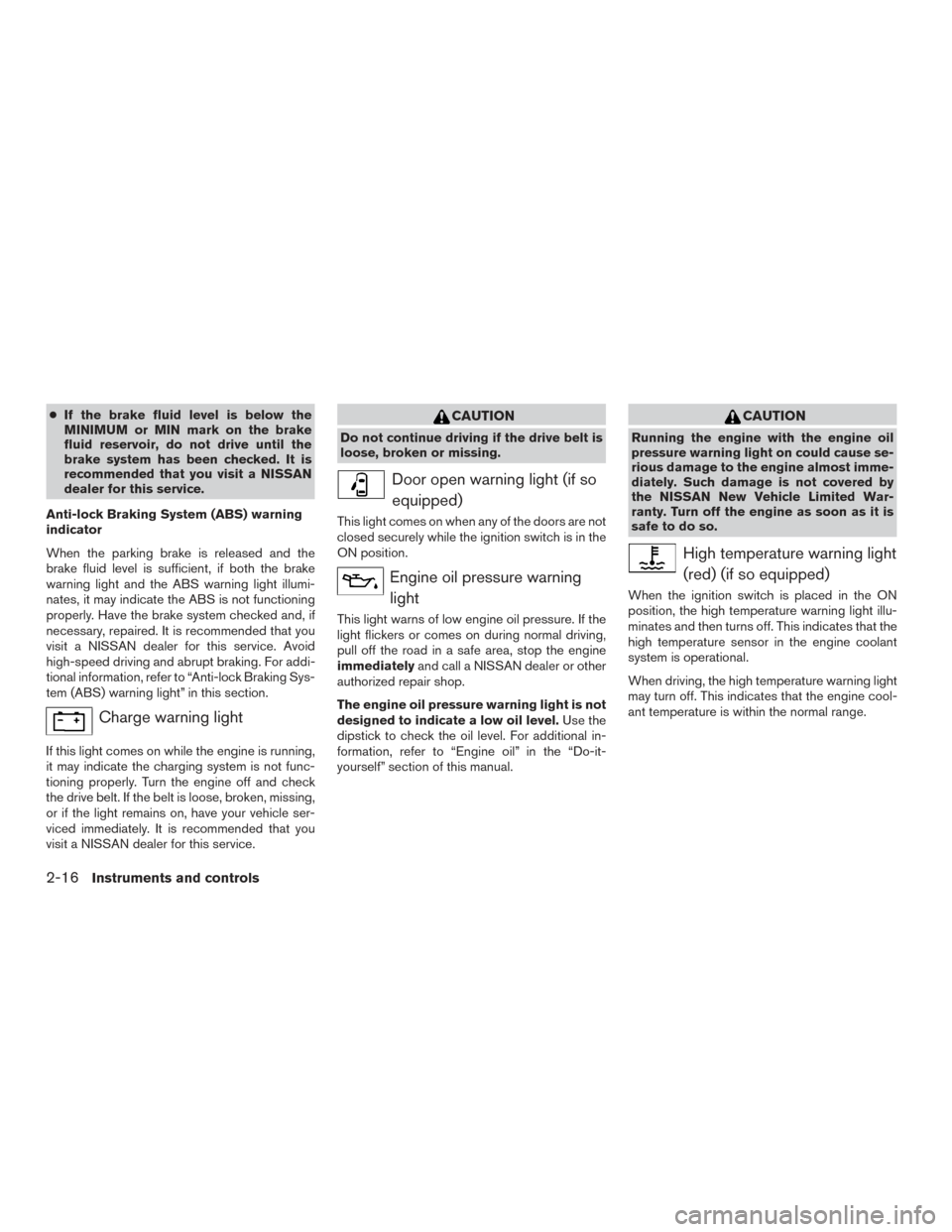
Anti-lock Braking System (ABS) warning
indicator
When the parking brake is released and the
brake fluid level is sufficient, if both the brake
warning light and the ABS warning light illumi-
nates, it may indicate the ABS is not functioning
properly. Have the brake system checked and, if
necessary, repaired. It is recommended that you
visit a NISSAN dealer for this service. Avoid
high-speed driving and abrupt braking. For addi-
tional information, refer to “Anti-lock Braking Sys-
tem (ABS) warning light” in this section.
Charge warning light
If this light comes on while the engine is running,
it may indicate the charging system is not func-
tioning properly. Turn the engine off and check
the drive belt. If the belt is loose, broken, missing,
or if the light remains on, have your vehicle ser-
viced immediately. It is recommended that you
visit a NISSAN dealer for this service.
CAUTION
Do not continue driving if the drive belt is
loose, broken or missing.
Door open warning light (if so equipped)
This light comes on when any of the doors are not
closed securely while the ignition switch is in the
ON position.
Engine oil pressure warninglight
This light warns of low engine oil pressure. If the
light flickers or comes on during normal driving,
pull off the road in a safe area, stop the engine
immediately and call a NISSAN dealer or other
authorized repair shop.
The engine oil pressure warning light is not
designed to indicate a low oil level. Use the
dipstick to check the oil level. For additional in-
formation, refer to “Engine oil” in the “Do-it-
yourself” section of this manual.
CAUTION
Running the engine with the engine oil
pressure warning light on could cause se-
rious damage to the engine almost imme-
diately. Such damage is not covered by
the NISSAN New Vehicle Limited War-
ranty. Turn off the engine as soon as it is
safe to do so.
High temperature warning light
(red) (if so equipped)
When the ignition switch is placed in the ON
position, the high temperature warning light illu-
minates and then turns off. This indicates that the
high temperature sensor in the engine coolant
system is operational.
When driving, the high temperature warning light
may turn off. This indicates that the engine cool-
ant temperature is within the normal range.
2-16Instruments and controls