ECU NISSAN VERSA NOTE 2018 Owner´s Manual
[x] Cancel search | Manufacturer: NISSAN, Model Year: 2018, Model line: VERSA NOTE, Model: NISSAN VERSA NOTE 2018Pages: 878, PDF Size: 9.62 MB
Page 540 of 878
If the power steering warning light illumi-
nates while the engine is running, it may
indicate the power steering is not function-
ing properly and may need servicing. Have
the power steering checked. It is recom-
mended that you visit a NISSAN dealer for
this service.
When the power steering warning light illu-
minates with the engine running, there will
be no power assist for the steering, but you
will still have control of the vehicle. At this
time, greater steering effort is required to
operate the steering wheel, especially in
sharp turns and at low speeds.
For additional information, refer to “Power
steering” in the “Starting and driving” sec-
tion of this manual.
Seat belt warning light andchime
The light and chime remind you to fasten
your seat belts. The light illuminates when-
ever the ignition switch is placed in the ON
or START position and remains illuminated
until the driver’s seat belt is fastened. At the
same time, the chime may sound for about
6 seconds unless the driver’s seat belt is
securely fastened. The seat belt warning light may also illumi-
nate if the front passenger’s seat belt is not
fastened when the front passenger’s seat
is occupied. For 7 seconds af ter the ignition
switch is placed in the ON position, the sys-
tem does not activate the warning light for
the front passenger.
For additional information, refer to “Seat
belts” in the “Safety—Seats, seat belts and
supplemental restraint system” section of
this manual.
Supplemental air bag
warning light
When the ignition switch is placed in the ON
or START position, the supplemental air
bag warning light illuminates for about
7 seconds and then turns off. This means
the system is operational.
If any of the following conditions occur, the
front air bag, side air bag, curtain air bag,
and pretensioner seat belt systems need
servicing:
∙ The supplemental air bag warning light remains on af ter approximately 7 sec-
onds.
∙ The supplemental air bag warning light flashes intermittently. ∙ The supplemental air bag warning light
does not come on at all.
It is recommended that you visit a NISSAN
dealer for these services.
Unless checked and repaired, the supple-
mental restraint system (air bag system)
and/or the pretensioner(s) may not func-
tion properly. For additional information, re-
fer to “Supplemental Restraint System
(SRS)” in the “Safety—Seats, seat belts and
supplemental restraint system” section of
this manual.
WARNING
If the supplemental air bag warning
light is on, it could mean that the front
air bag, side air bag, curtain air bag,
and/or pretensioner systems will not
operate in an accident. To help avoid
injury to yourself or others, have your
vehicle checked as soon as possible. It is
recommended that you visit a NISSAN
dealer for this service.
2-20Instruments and controls
Page 543 of 878
Security indicator light (ifso equipped)
For vehicles without Intelligent Key: This
light blinks whenever the ignition switch is
placed in the LOCK, OFF or ACC position.
For vehicles with Intelligent Key: This light
blinks when the ignition switch is placed in
the LOCK position with the key removed
from the ignition switch.
The blinking security indicator light indi-
cates that the security systems equipped
on the vehicle are operational.
For additional information, refer to “Security
systems” in this section.
Side light and headlightindicator light (green) (if so
equipped)
The side light and headlight indicator light
illuminates when the side light or headlight
position is selected. For additional informa-
tion, refer to “Headlight and turn signal
switch” in this section.
Slip indicator light
This indicator will blink when the Vehicle
Dynamic Control (VDC) system is operat- ing, thus alerting that the vehicle is nearing
its traction limits. The road surface may be
slippery.
Turn signal/hazard
indicator lights
The appropriate light flashes when the turn
signal switch is activated.
NOTE:
In case of a turn signal light bulb mal-
function, the turn signal will flash at a
higher frequency when the turn signal
switch is activated.
Both lights flash when the hazard switch is
turned on.
For additional information, refer to “Lights”
in the “Do-it-yourself ” section of this
manual.
Vehicle Dynamic Control (VDC) OFF indicator light
This indicator light comes on when the
VDC OFF switch is pushed to off. This indi-
cates the VDC system is not operating.
Push the VDC OFF switch again or restart
the engine and the system will operate
normally. For additional information, refer to “Vehicle Dynamic Control (VDC) system”
in the “Starting and driving” section of this
manual.
The VDC light also comes on when you
place the ignition switch in the ON position.
The light will turn off af ter about 2 seconds
if the system is operational. If the light stays
on or comes on along with the
indi-
cator light while you are driving, have the
VDC system checked. It is recommended
that you visit a NISSAN dealer for this ser-
vice.
While the VDC system is operating, you
might feel a slight vibration or hear the sys-
tem working when starting the vehicle or
accelerating, but this is normal.
AUDIBLE REMINDERS
Brake pad wear warning
The disc brake pads have audible wear
warnings. When a disc brake pad requires
replacement, it makes a high pitched
scraping sound when the vehicle is in mo-
tion, whether or not the brake pedal is de-
pressed. Have the brakes checked as soon
as possible if the warning sound is heard.
Instruments and controls2-23
Page 544 of 878
Key reminder chime
A chime sounds if the driver’s door is
opened while the key is lef t in the ignition
switch. Remove the key and take it with you
when leaving the vehicle.
Light reminder chime
With the ignition switch placed in the OFF
position, a chime sounds when the driver’s
door is opened if the headlights or parking
lights are on.
Turn the headlight control switch off before
leaving the vehicle.
NISSAN Intelligent Key® door
buzzer (if so equipped)
The Intelligent Key door buzzer sounds if
any one of the following improper opera-
tions is found.∙ The ignition switch is not returned to the LOCK position when locking the
doors.
∙ The Intelligent Key is lef t inside the ve- hicle when locking the doors.
∙ The Intelligent Key is taken outside the vehicle when operating the vehicle. ∙ Any doors are not closed securely when
locking the doors.
When the buzzer sounds, be sure to check
both the vehicle and the Intelligent Key. For
additional information, refer to “NISSAN In-
telligent Key®” in the “Pre-driving checks
and adjustments” section.
Parking brake reminder chime
A chime sounds if the parking brake is set
and the vehicle is driven. The chime will
stop if the parking brake is released or the
vehicle speed returns to zero.
NISSAN VEHICLE IMMOBILIZER
SYSTEM (if so equipped)
The NISSAN Vehicle Immobilizer System
will not allow the engine to start without
the use of a registered key.
If the engine fails to start using a registered
key (for example, when interference is
caused by another registered key, an auto-
mated toll road device or automatic pay-
ment device on the key ring), restart the
engine using the following procedures:
1. Leave the ignition switch placed in the ON position for approximately 5 sec-
onds.
2. Place the ignition switch in the OFF or LOCK position and wait approximately
10 seconds.
3. Repeat steps 1 and 2.
4. Restart the engine while holding the device (which may have caused the in-
terference) separate from the regis-
tered key.
If the no start condition re-occurs, NISSAN
recommends placing the registered key on
a separate key ring to avoid interference
from other devices.
SECURITY SYSTEMS
2-24Instruments and controls
Page 545 of 878
FCC Notice:
For USA:
This device complies with part 15 of the
FCC Rules. Operation is subject to the fol-
lowing two conditions: (1) This device
may not cause harmful interference, and
(2) this device must accept any interfer-
ence received, including interference
that may cause undesired operation.
NOTE:
Changes or modifications not expressly
approved by the party responsible for
compliance could void the user’s author-
ity to operate the equipment.
For Canada:
This device complies with Industry
Canada licence-exempt RSS standard(s).
Operation is subject to the following two
conditions: (1) this device may not cause
interference, and (2) this device must ac-
cept any interference, including interfer-
ence that may cause undesired opera-
tion of the device.
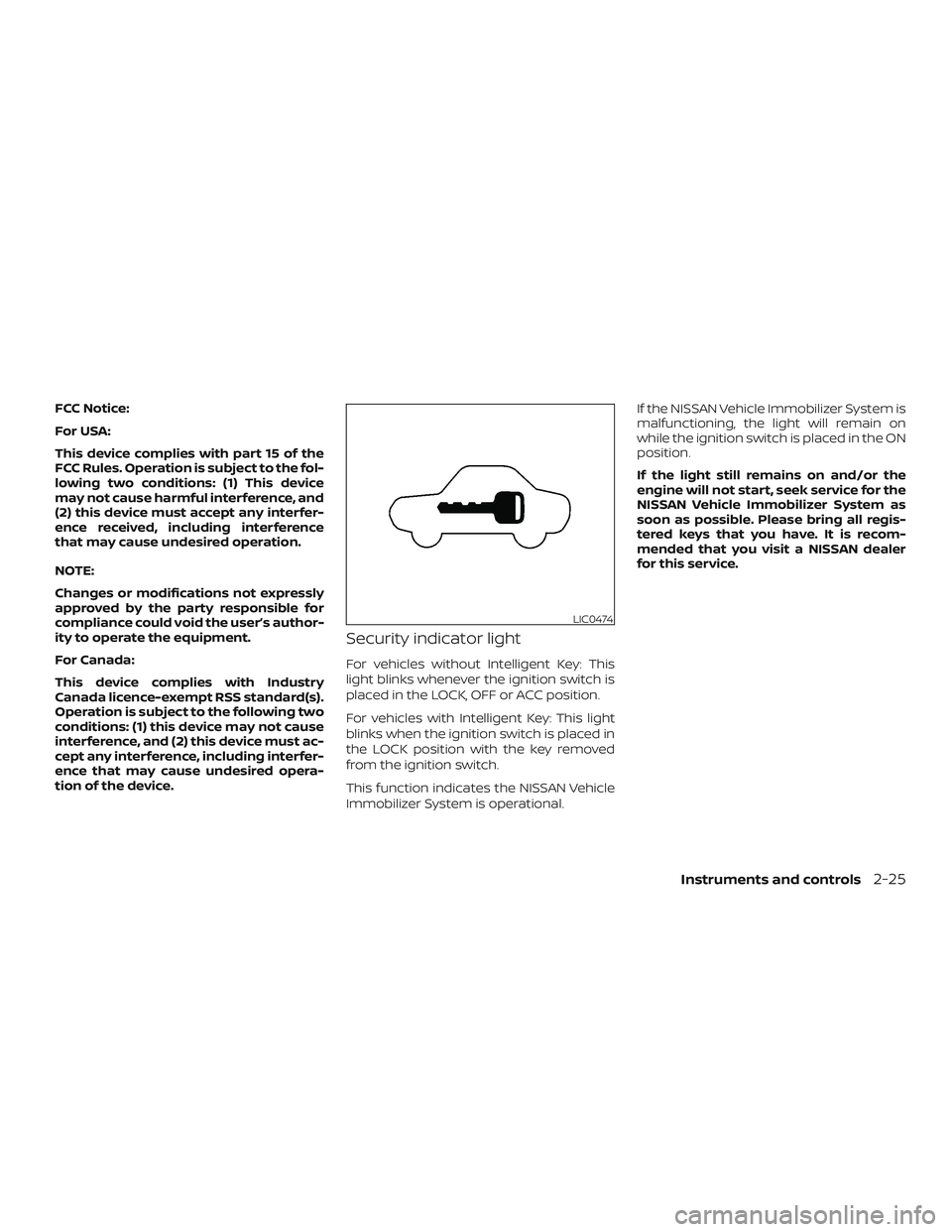
Security indicator light
For vehicles without Intelligent Key: This
light blinks whenever the ignition switch is
placed in the LOCK, OFF or ACC position.
For vehicles with Intelligent Key: This light
blinks when the ignition switch is placed in
the LOCK position with the key removed
from the ignition switch.
This function indicates the NISSAN Vehicle
Immobilizer System is operational.If the NISSAN Vehicle Immobilizer System is
malfunctioning, the light will remain on
while the ignition switch is placed in the ON
position.
If the light still remains on and/or the
engine will not start, seek service for the
NISSAN Vehicle Immobilizer System as
soon as possible. Please bring all regis-
tered keys that you have. It is recom-
mended that you visit a NISSAN dealer
for this service.
LIC0474
Instruments and controls2-25
Page 559 of 878
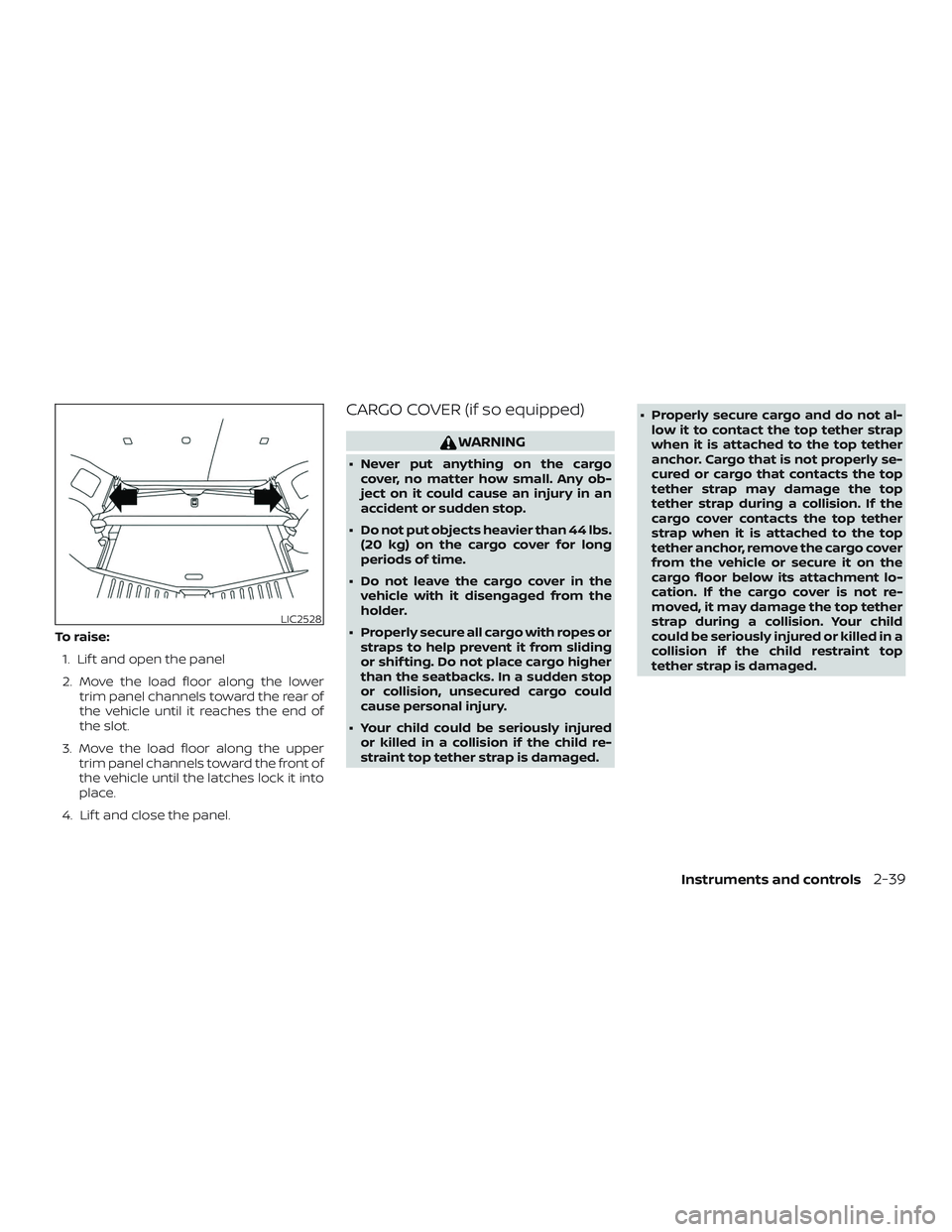
To raise:1. Lif t and open the panel
2. Move the load floor along the lower trim panel channels toward the rear of
the vehicle until it reaches the end of
the slot.
3. Move the load floor along the upper trim panel channels toward the front of
the vehicle until the latches lock it into
place.
4. Lif t and close the panel.
CARGO COVER (if so equipped)
WARNING
∙ Never put anything on the cargo cover, no matter how small. Any ob-
ject on it could cause an injury in an
accident or sudden stop.
∙ Do not put objects heavier than 44 lbs. (20 kg) on the cargo cover for long
periods of time.
∙ Do not leave the cargo cover in the vehicle with it disengaged from the
holder.
∙ Properly secure all cargo with ropes or straps to help prevent it from sliding
or shif ting. Do not place cargo higher
than the seatbacks. In a sudden stop
or collision, unsecured cargo could
cause personal injury.
∙ Your child could be seriously injured or killed in a collision if the child re-
straint top tether strap is damaged. ∙ Properly secure cargo and do not al-
low it to contact the top tether strap
when it is attached to the top tether
anchor. Cargo that is not properly se-
cured or cargo that contacts the top
tether strap may damage the top
tether strap during a collision. If the
cargo cover contacts the top tether
strap when it is attached to the top
tether anchor, remove the cargo cover
from the vehicle or secure it on the
cargo floor below its attachment lo-
cation. If the cargo cover is not re-
moved, it may damage the top tether
strap during a collision. Your child
could be seriously injured or killed in a
collision if the child restraint top
tether strap is damaged.
LIC2528
Instruments and controls2-39
Page 582 of 878
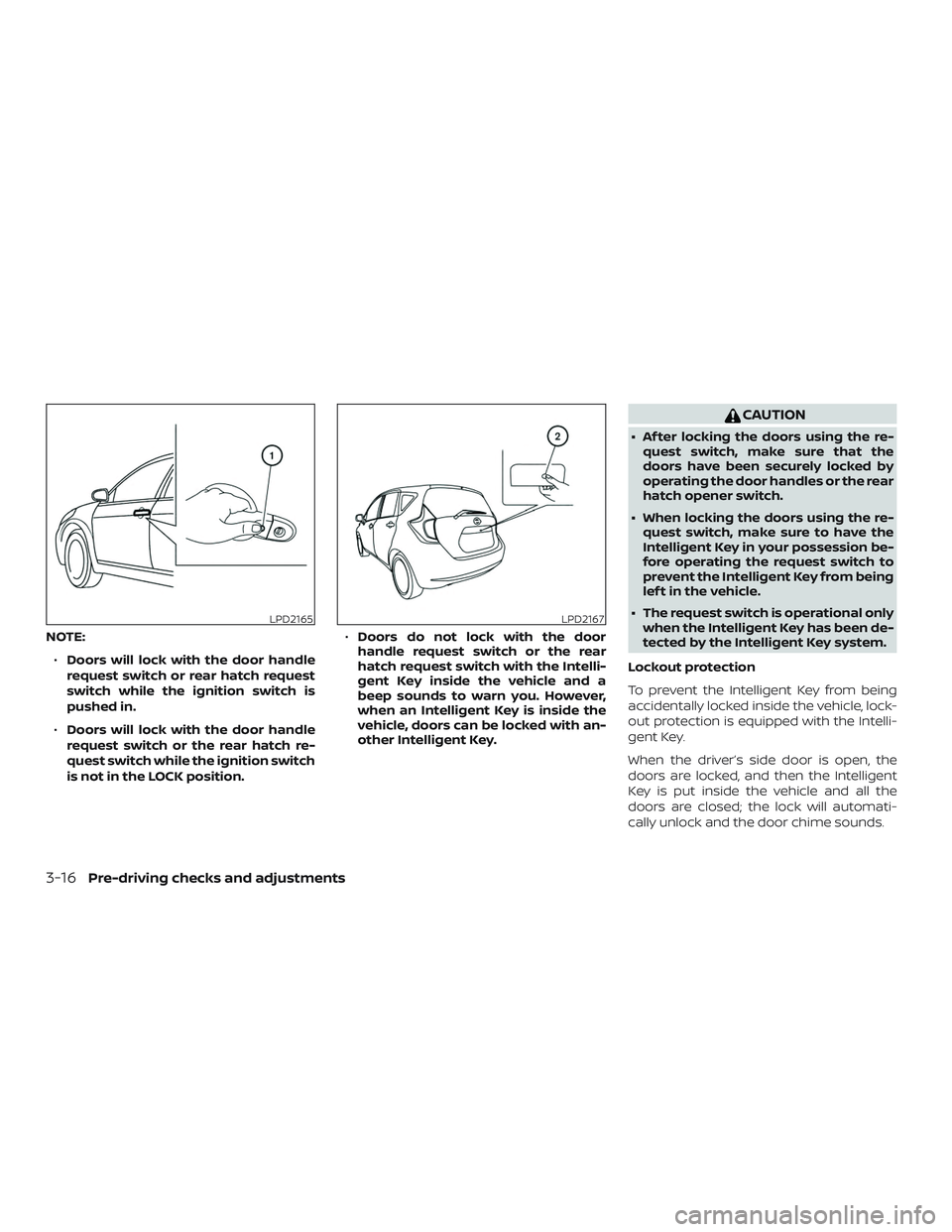
NOTE:∙ Doors will lock with the door handle
request switch or rear hatch request
switch while the ignition switch is
pushed in.
∙ Doors will lock with the door handle
request switch or the rear hatch re-
quest switch while the ignition switch
is not in the LOCK position. ∙
Doors do not lock with the door
handle request switch or the rear
hatch request switch with the Intelli-
gent Key inside the vehicle and a
beep sounds to warn you. However,
when an Intelligent Key is inside the
vehicle, doors can be locked with an-
other Intelligent Key.
CAUTION
∙ Af ter locking the doors using the re- quest switch, make sure that the
doors have been securely locked by
operating the door handles or the rear
hatch opener switch.
∙ When locking the doors using the re- quest switch, make sure to have the
Intelligent Key in your possession be-
fore operating the request switch to
prevent the Intelligent Key from being
lef t in the vehicle.
∙ The request switch is operational only when the Intelligent Key has been de-
tected by the Intelligent Key system.
Lockout protection
To prevent the Intelligent Key from being
accidentally locked inside the vehicle, lock-
out protection is equipped with the Intelli-
gent Key.
When the driver’s side door is open, the
doors are locked, and then the Intelligent
Key is put inside the vehicle and all the
doors are closed; the lock will automati-
cally unlock and the door chime sounds.
LPD2165LPD2167
3-16Pre-driving checks and adjustments
Page 584 of 878
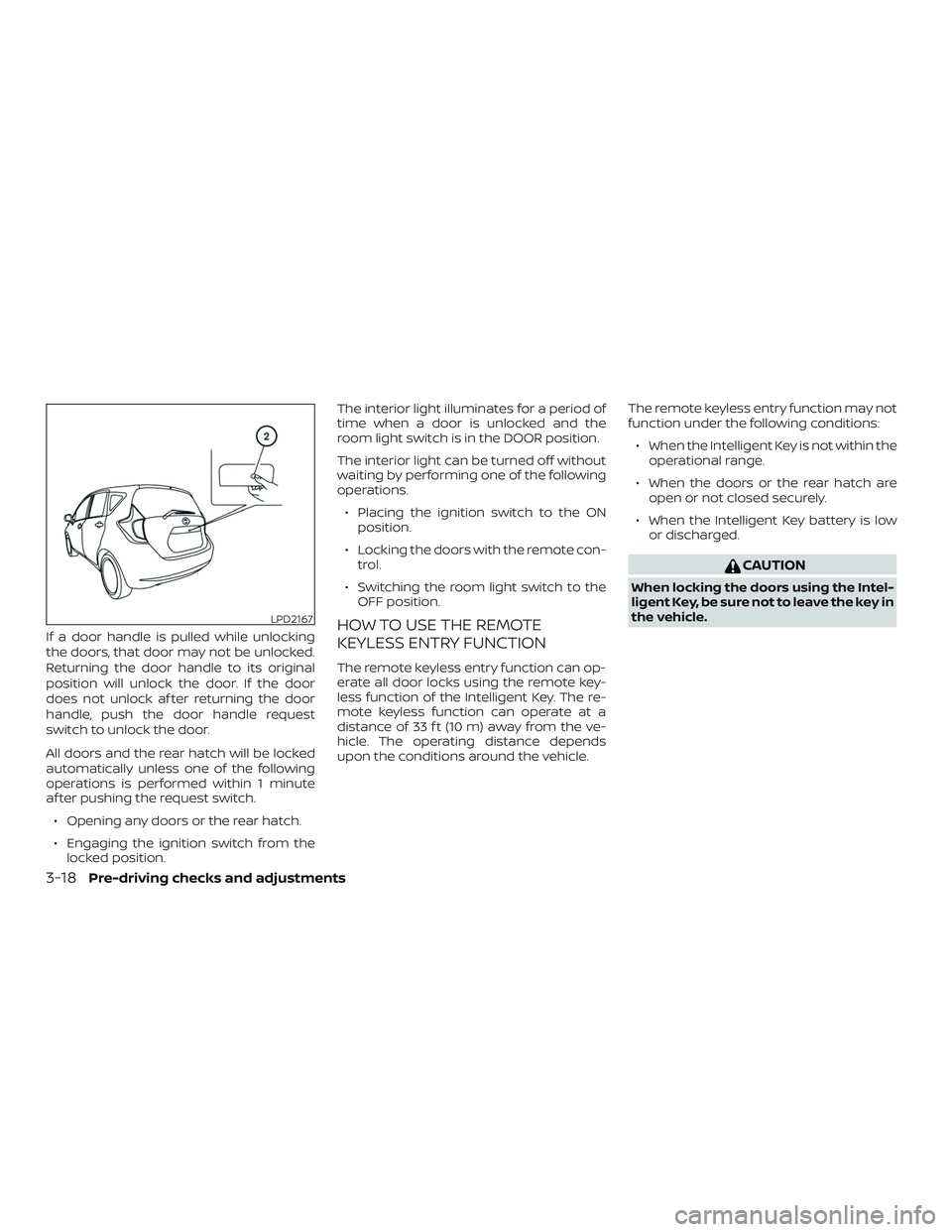
If a door handle is pulled while unlocking
the doors, that door may not be unlocked.
Returning the door handle to its original
position will unlock the door. If the door
does not unlock af ter returning the door
handle, push the door handle request
switch to unlock the door.
All doors and the rear hatch will be locked
automatically unless one of the following
operations is performed within 1 minute
af ter pushing the request switch.∙ Opening any doors or the rear hatch.
∙ Engaging the ignition switch from the locked position. The interior light illuminates for a period of
time when a door is unlocked and the
room light switch is in the DOOR position.
The interior light can be turned off without
waiting by performing one of the following
operations.
∙ Placing the ignition switch to the ON position.
∙ Locking the doors with the remote con- trol.
∙ Switching the room light switch to the OFF position.HOW TO USE THE REMOTE
KEYLESS ENTRY FUNCTION
The remote keyless entry function can op-
erate all door locks using the remote key-
less function of the Intelligent Key. The re-
mote keyless function can operate at a
distance of 33 f t (10 m) away from the ve-
hicle. The operating distance depends
upon the conditions around the vehicle. The remote keyless entry function may not
function under the following conditions:
∙ When the Intelligent Key is not within the operational range.
∙ When the doors or the rear hatch are open or not closed securely.
∙ When the Intelligent Key battery is low or discharged.
CAUTION
When locking the doors using the Intel-
ligent Key, be sure not to leave the key in
the vehicle.
LPD2167
3-18Pre-driving checks and adjustments
Page 585 of 878
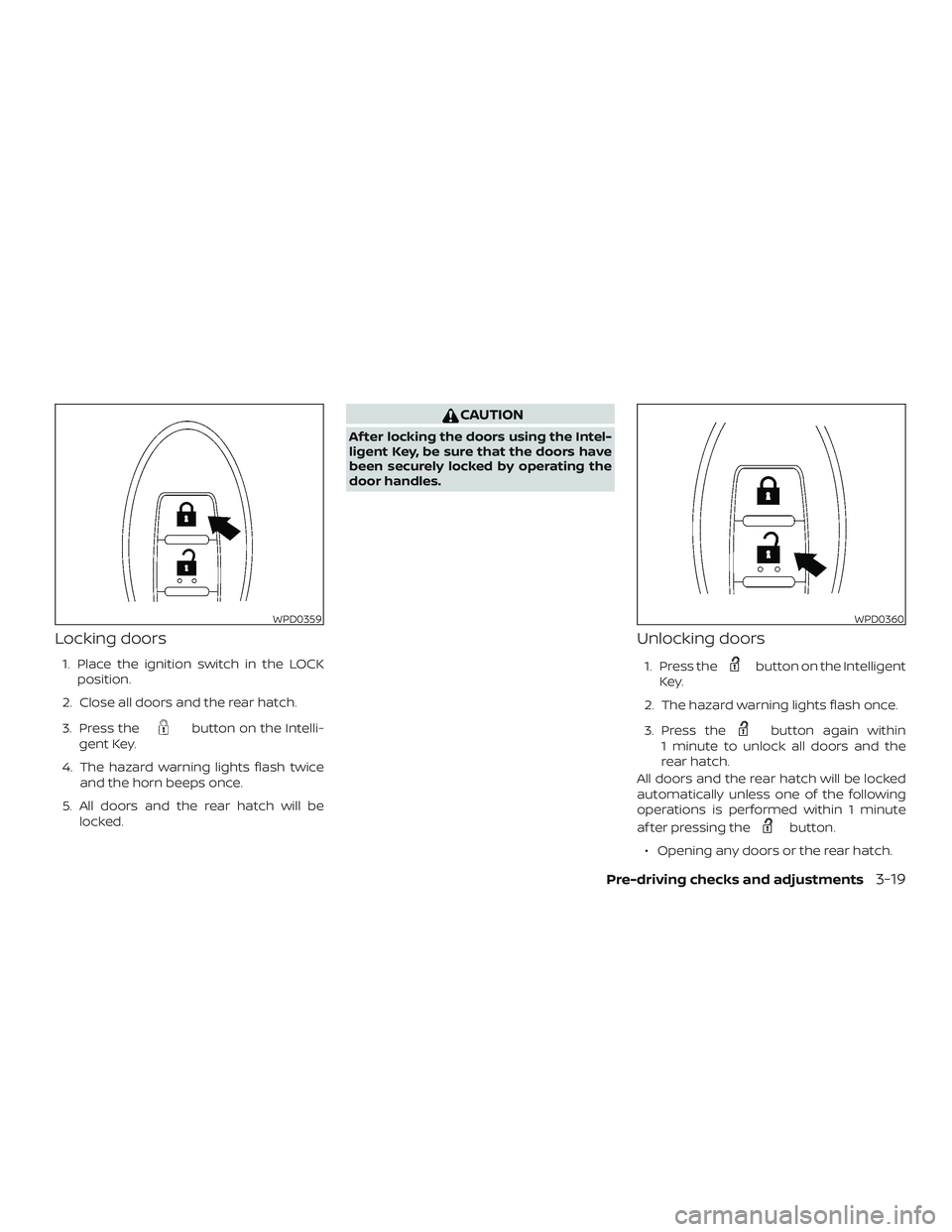
Locking doors
1. Place the ignition switch in the LOCKposition.
2. Close all doors and the rear hatch.
3. Press the
button on the Intelli-
gent Key.
4. The hazard warning lights flash twice and the horn beeps once.
5. All doors and the rear hatch will be locked.
CAUTION
Af ter locking the doors using the Intel-
ligent Key, be sure that the doors have
been securely locked by operating the
door handles.
Unlocking doors
1. Press thebutton on the Intelligent
Key.
2. The hazard warning lights flash once.
3. Press the
button again within
1 minute to unlock all doors and the
rear hatch.
All doors and the rear hatch will be locked
automatically unless one of the following
operations is performed within 1 minute
af ter pressing the
button.
∙ Opening any doors or the rear hatch.
WPD0359WPD0360
Pre-driving checks and adjustments3-19
Page 593 of 878
WARNING
The rear hatch must be closed securely
before driving. An open rear hatch could
allow dangerous exhaust gases to be
drawn inside the vehicle. For additional
information, refer to “Exhaust gas (car-
bon monoxide)” in the “Starting and
driving” section of this manual.
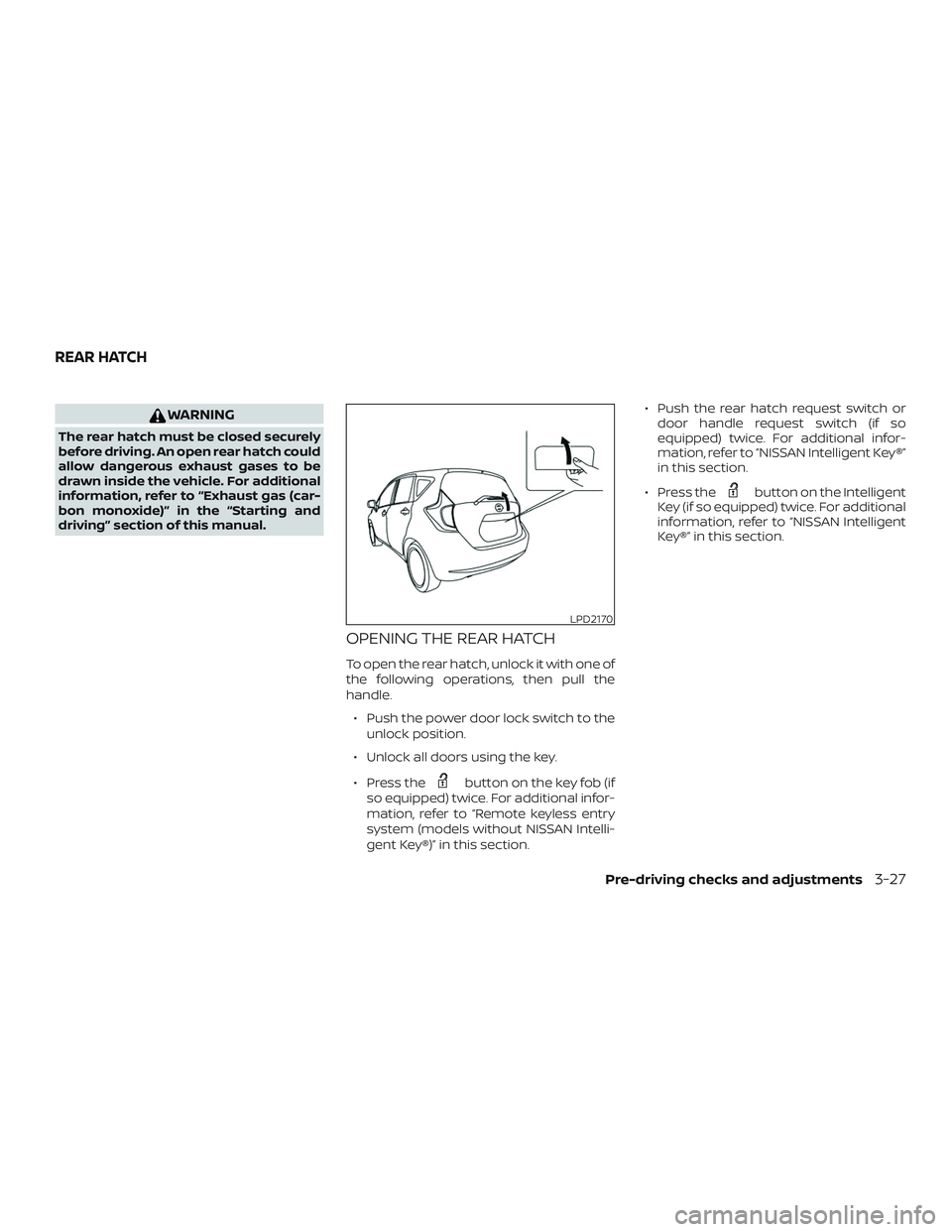
OPENING THE REAR HATCH
To open the rear hatch, unlock it with one of
the following operations, then pull the
handle.∙ Push the power door lock switch to the unlock position.
∙ Unlock all doors using the key.
∙ Press the
button on the key fob (if
so equipped) twice. For additional infor-
mation, refer to “Remote keyless entry
system (models without NISSAN Intelli-
gent Key®)” in this section. ∙ Push the rear hatch request switch or
door handle request switch (if so
equipped) twice. For additional infor-
mation, refer to “NISSAN Intelligent Key®”
in this section.
∙ Press the
button on the Intelligent
Key (if so equipped) twice. For additional
information, refer to “NISSAN Intelligent
Key®” in this section.
LPD2170
REAR HATCH
Pre-driving checks and adjustments3-27
Page 594 of 878
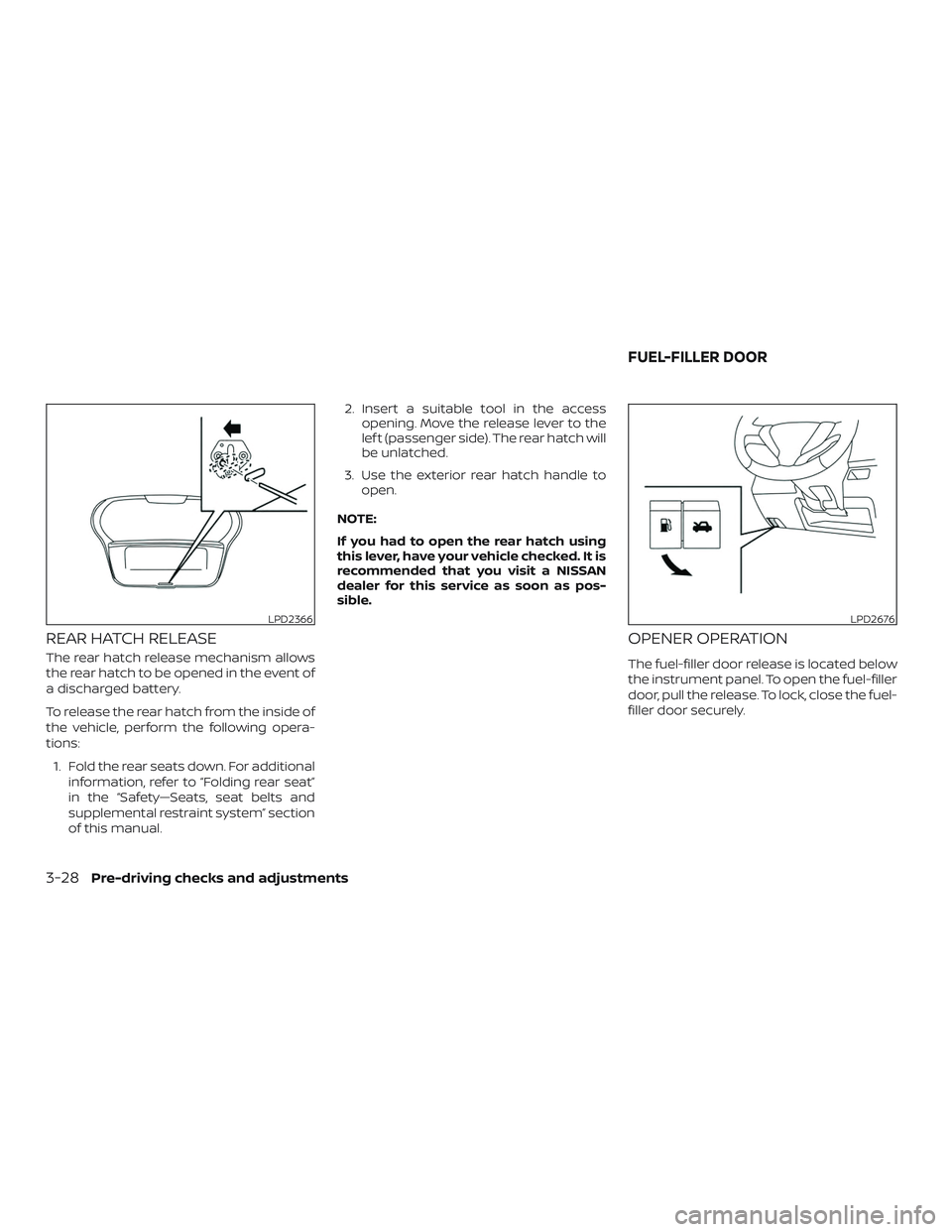
REAR HATCH RELEASE
The rear hatch release mechanism allows
the rear hatch to be opened in the event of
a discharged battery.
To release the rear hatch from the inside of
the vehicle, perform the following opera-
tions:1. Fold the rear seats down. For additional information, refer to “Folding rear seat”
in the “Safety—Seats, seat belts and
supplemental restraint system” section
of this manual. 2. Insert a suitable tool in the access
opening. Move the release lever to the
lef t (passenger side). The rear hatch will
be unlatched.
3. Use the exterior rear hatch handle to open.
NOTE:
If you had to open the rear hatch using
this lever, have your vehicle checked. It is
recommended that you visit a NISSAN
dealer for this service as soon as pos-
sible.
OPENER OPERATION
The fuel-filler door release is located below
the instrument panel. To open the fuel-filler
door, pull the release. To lock, close the fuel-
filler door securely.
LPD2366LPD2676
FUEL-FILLER DOOR
3-28Pre-driving checks and adjustments