oil level NISSAN VERSA NOTE 2018 Owner´s Manual
[x] Cancel search | Manufacturer: NISSAN, Model Year: 2018, Model line: VERSA NOTE, Model: NISSAN VERSA NOTE 2018Pages: 878, PDF Size: 9.62 MB
Page 391 of 878
ensure they operate smoothly and all
latches lock securely in every position.
Check that the head restraints/headrests
move up and down smoothly and the locks
(if so equipped) hold securely in all latched
positions.
Seat belts:Check that all parts of the seat
belt system (for example, buckles, anchors,
adjusters and retractors) operate properly
and smoothly, and are installed securely.
Check the belt webbing for cuts, fraying,
wear or damage.
Steering wheel: Check for changes in the
steering system, such as excessive free
play, hard steering or strange noises.
Warning lights and chimes: Make sure all
warning lights and chimes are operating
properly.
Windshield defroster: Check that the air
comes out of the defroster outlets properly
and in sufficient quantity when operating
the heater or air conditioner.
Windshield wiper and washer*: Check
that the wipers and washer operate prop-
erly and that the wipers do not streak.Under the hood and vehicle
The maintenance items listed here should
be checked periodically (for example, each
time you check the engine oil or refuel).
Battery* (for serviceable batteries):
Check the fluid level in each cell. The fluid
should be at the bottom of the filler open-
ing. Vehicles operated in high tempera-
tures or under severe conditions require
frequent checks of the battery fluid level.
NOTE:
Care should be taken to avoid situations
that can lead to potential battery dis-
charge and potential no-start conditions
such as:
1. Installation or extended use of elec-
tronic accessories that consume bat-
tery power when the engine is not
running (Phone chargers, GPS, DVD
players, etc.).
2. Vehicle is not driven regularly and/or
only driven short distances.
In these cases, the battery may need to
be charged to maintain battery health.
Brake and clutch (if so equipped) fluid
level*: Make sure that the brake and clutch fluid levels are between the MIN and MAX
lines on the reservoir.
Engine coolant level*:
Check the coolant
level when the engine is cold.
Engine drive belts*: Make sure the drive
belts are not frayed, worn, cracked or oily.
Engine oil level*: Check the level af ter
parking the vehicle on a level surface with
the engine off. Wait more than 15 minutes
for the oil to drain back into the oil pan.
Exhaust system: Make sure there are no
loose supports, cracks or holes. If the
sound of the exhaust seems unusual or
there is a smell of exhaust fumes, immedi-
ately have the exhaust system inspected. It
is recommended that you visit a NISSAN
dealer for this service. For additional infor-
mation, refer to “Exhaust gas (carbon mon-
oxide)” in the “Starting and driving” section
of this manual.
Fluid leaks: Check under the vehicle for
fuel, oil, water or other fluid leaks af ter the
vehicle has been parked for a while. Water
dripping from the air conditioner af ter use
is normal. If you should notice any leaks or if
fuel fumes are evident, check for the cause
and have it corrected immediately.
9-4Maintenance and schedules
Page 409 of 878
spark knock even when using gasoline
of the stated octane rating, or if you hear
steady spark knock while holding a
steady speed on level roads, it is recom-
mended that you have a NISSAN dealer
correct the condition. Failure to correct
the condition is misuse of the vehicle, for
which NISSAN is not responsible.
Incorrect ignition timing may result in
spark knock, af ter-run and/or overheating,
which may cause excessive fuel consump-
tion or engine damage. If any of the above
symptoms are encountered, have your ve-
hicle checked. It is recommended that you
visit a NISSAN dealer for servicing.
However, now and then you may notice
light spark knock for a short time while
accelerating or driving up hills. This is not
a cause for concern, because you get the
greatest fuel benefit when there is light
spark knock for a short time under heavy
engine load.
ENGINE OIL AND OIL FILTER
RECOMMENDATIONS
Selecting the correct oil
It is essential to choose the correct grade,
quality and viscosity engine oil to ensure
satisfactory engine life and performance.
For additional information, refer to “Recom-
mended fluids/lubricants and capacities”
in this section. NISSAN recommends the
use of an energy conserving oil in order to
improve fuel economy.Select only engine oils that meet the
American Petroleum Institute (API) certifi-
cation or International Lubricant Standard-
ization and Approval Committee (ILSAC)
certification and SAE viscosity standard.
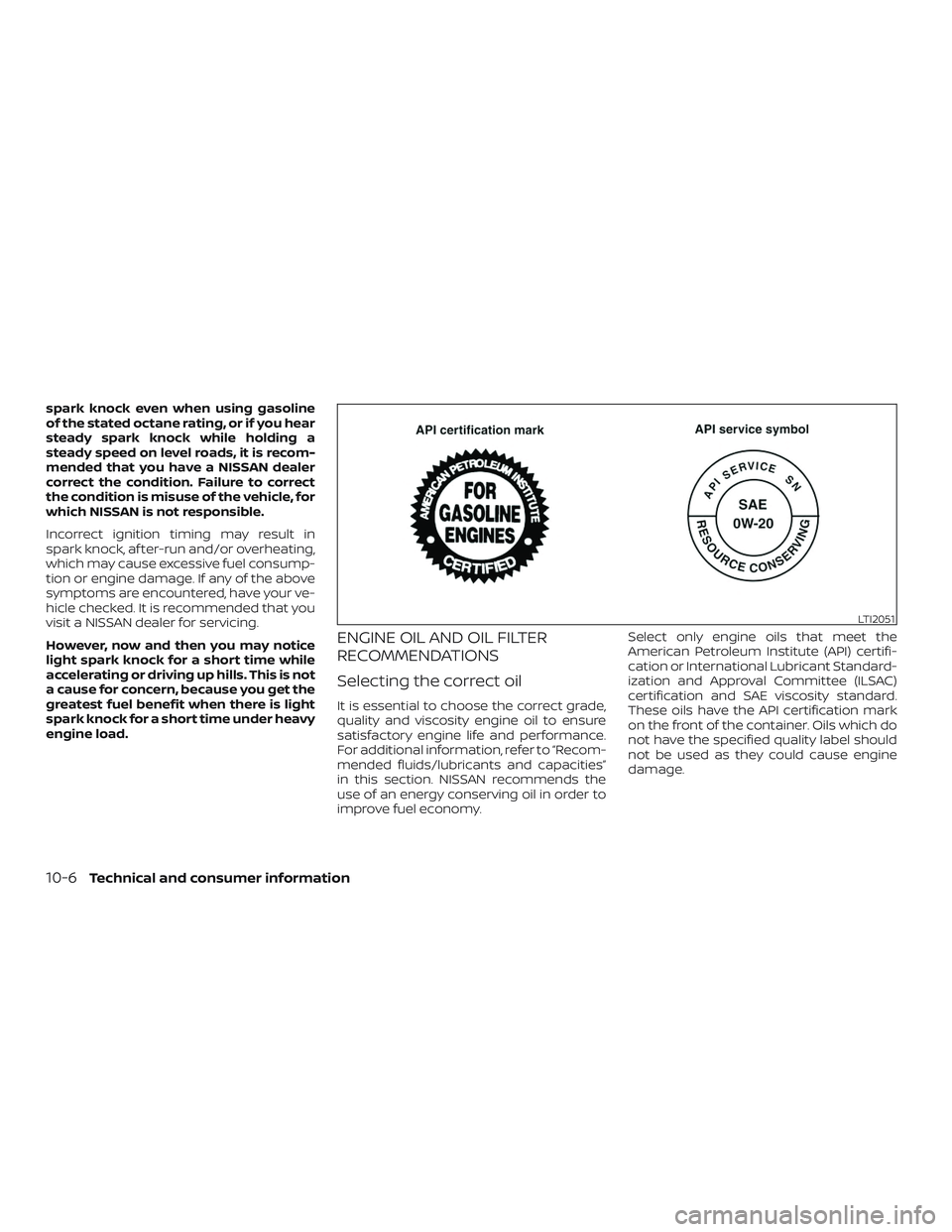
These oils have the API certification mark
on the front of the container. Oils which do
not have the specified quality label should
not be used as they could cause engine
damage.
LTI2051
10-6Technical and consumer information
Page 427 of 878
C
Capacities and recommended fuel/
lubricants....................10-2
Cargocover...................2-39
Cargo (See vehicle loading information). .10-13
Car phone or CB radio ............4-81
CDcareandcleaning.............4-73
CD player (See audio system). .4-47, 4-52, 4-60
Checking bulbs .................2-15
Childrestraints........1-20, 1-21, 1-23, 1-25 LATCH (Lower Anchors and Tethers for
CHildren)System..............1-25
Precautions on child
restraints .........1-23, 1-30, 1-36, 1-41
Top tether strap anchor point
locations.................. .1-27
Child restraint with top tether strap . . . .1-27
Child safety rear door lock ..........3-8
Chimes, audible reminders .........2-23
Cleaningexteriorandinterior......7-2,7-4
Clock setting (models with Navigation
System) ...................4-7,4-9
Clock setting (models without Navigation
System) ...........4-46,4-50,4-51,4-51
Clutch Clutchfluid.................8-10
C.M.V.S.S. certification label .........10-11
Coldweatherdriving.............5-34
Compact disc (CD) player ....4-47,4-52,4-60
Connect phone ................4-76
Continuously Variable
Transmission (CVT) ............5-9,5-15
Continuously Variable Transmission (CVT)
fluid......................8-9 Driving with Continuously Variable
Transmission (CVT)
..........5-9,5-15
Control panel buttons .............4-4
Brightness/contrast button .......4-9
Settingbutton................4-7
Controls Audio controls (steering wheel) .....4-74
Heater and air conditioner controls . .4-28
Coolant Capacities and recommended
fuel/lubricants...............10-2
Changing engine coolant .........8-5
Checking engine coolant level ......8-5
Engine coolant temperature gauge . .2-9
Corrosionprotection..............7-7
Cruisecontrol .................5-22
Cupholders...................2-36
Curtain side-impact and rollover
airbag..................... .1-59
D
Daytime running light system
(Canada only) ..................2-29
Defroster switch Rearwindowdefrosterswitch.....2-27
Dimensions and weights ...........10-9
Dimmer switch for instrument panel . . .2-29
Display controls
(see control panel buttons) ..........4-4
Door locks ..................3-5,3-6
Door open warning light ...........2-16
Drivebelt ....................8-14
Driving Cold weather driving ...........5-34 Driving with Continuously Variable
Transmission (CVT)
..........5-9,5-15
Driving with manual transmission . . .5-20
Precautions when starting and
driving .....................5-2
Driving the vehicle ...............5-15
E
Economy - fuel .................5-26
Emergency engine shutoff ..........5-13
Emission control information label . . . .10-11
Emission control system warranty . . . .10-18
Engine Before starting the engine ........5-14
Capacities and recommended
fuel/lubricants...............10-2
Changing engine coolant .........8-5
Changing engine oil ............8-7
Changing engine oil filter .........8-8
Checking engine coolant level ......8-5
Checking engine oil level .........8-6
Engine compartment check
locations...................8-3
Engine coolant temperature gauge . .2-9
Engine cooling system ..........8-4
Engine oil ...................8-6
Engine oil and oil filter
recommendation .............
10-6
Engine oil pressure warning light . . . .2-16
Engine oil viscosity .............10-7
Engine serial number ...........10-11
Engine specifications ...........10-8
Starting the engine ............5-14
Engine Block Heater .............5-35
11-2
Page 430 of 878
O
Octane rating (See fuel octane rating). . .10-5
Odometer ....................2-6
Oil Capacities and recommended
fuel/lubricants...............10-2
Changing engine oil ............8-7
Changing engine oil filter .........8-8
Checking engine oil level .........8-6
Engine oil ...................8-6
Engine oil and oil filter
recommendation .............10-6
Engine oil viscosity .............10-7
One shot call ...........4-85,4-98,4 -111
Outsidemirrors................3-33
Overheat Ifyourvehicleoverheats.........6-14
Owner's manual order form ........10-21
Owner's manual/service manual order
information ..................10-21
P
Parking Parking brake operation .........5-21
Parking/parkingonhills.........5-27
Parkingbrake..................5-21
Phone, Bluetooth® hands-free
system ..............4-81,4-96,4-108
Power Power door locks ..............3-7
Poweroutlet................2-33
Powerrearwindows ...........2-41
Power steering system .........5-28Powerwindows..............2-40
Rearpowerwindows...........2-41
Poweroutlet..................2-33
Powersteering.................5-28
Precautions Maintenance precautions .........8-2
Precautions on booster
seats............1-23, 1-30, 1-36, 1-41
Precautions on child
restraints .........1-23, 1-30, 1-36, 1-41
Precautions on seat belt usage .....1-10
Precautions on supplemental restraint
system ................... .1-44
Precautions when starting and
driving.....................5-2
Programmable features ............4-7
Push starting ..................6-14
R
Radio Car phone or CB radio ..........4-81
FM-AM radio with compact disc (CD)
player....................4-45
FM/AM/SAT radio with compact disc (CD)
player.................4-49,4-54
Steering wheel audio control
switch....................4-74
Readiness for inspection maintenance (I/M)
test.......................10-20
Rearcenterseatbelt .............1-16
Rearpowerwindows.............2-41
Rearseat.................... .1-4
Rearviewmirror................3-32
RearViewMonitor...............4-10 Rearwindowdefrosterswitch.......2-27
Rear window wiper and washer
switches
.....................2-26
Recommended Fluids ............10-2
Recorders EventData................ .10-20
Refrigerant recommendation ........10-7
Registering a vehicle in another
country .....................10-10
Reporting safety defects (US only) . . . .10-19
S
Safety Child safety rear door lock ........3-8
Childseatbelts......1-23, 1-30, 1-36, 1-41
Reporting safety defects (US only) . .10-19
Seat adjustment Front manual seat adjustment ......1-3
Rear seat adjustment ...........1-4
Seatback pockets ...............2-35
Seat belt Childsafety................ .1-20
Infants and small children ........1-21
I
njuredPerson............... .1-13
Largerchildren.............. .1-21
Precautionsonseatbeltusage.....1-10
Pregnant women ..............1-13
Rearcenterseatbelt ...........1-16
Seat belt extenders ............1-19
Seat belt maintenance ..........1-19
Seatbelts................1-10, 7-6
Shoulder belt height adjustment . . . .1-19
Three-pointtypewithretractor.....1-13
Seat belt extenders ..............1-19
11-5
Page 532 of 878
The distance to empty includes a low
range warning feature: when the fuel level
is low, the distance to empty is automati-
cally selected and the digits blink in order
to draw the driver’s attention. Press the trip
computer change/reset button if you wish
to return to the mode that was selected
before the warning occurred.
When the fuel level drops even lower, the
distance to empty will display (----).
Average speed
The average speed mode shows the aver-
age vehicle speed since the last reset. Re-
setting is done by pushing the menu but-
ton on the steering wheel for longer than
1 second.
Travel time
The travel time mode (elapsed time) shows
the time since the last reset. The displayed
time can be reset by pushing the menu
button on the steering wheel for longer
than 1 second.
Trip computer reset
Type A (if so equipped):Pushing the
change button for more than 3 seconds
will reset all modes except Trip A and Dis-
tance To Empty (DTE).Type B (if so equipped):Pushing the menu
button
on the steering wheel for
more than 3 seconds will reset average fuel
economy, average speed and travel time.
Outside air temperature (ICY-°F or
°C) (if so equipped)
The outside air temperature is displayed in
°F or °C.
The outside air temperature mode in-
cludes a low temperature warning feature:
below 37°F (3°C), the outside air tempera-
ture mode is automatically selected and
ICY will illuminate in order to draw the driv-
er’s attention. Press the trip or change but-
ton to toggle to the next mode, if desired.
The ICY indicator will remain illuminated as
long as the temperature remains below
39°F (4°C).
The ambient temperature sensor is lo-
cated in front of the radiator. The sensor
may be affected by road or engine heat,
wind directions and other driving condi-
tions. The display may differ from the ac-
tual ambient temperature or the tempera-
ture displayed on various signs or
billboards.
SERVICE INTERVAL REMINDER (if
so equipped)
When the ignition switch is placed in the ON
position, a wrench symbol and the dis-
tance to oil change information will illumi-
nate on the display for approximately
5 seconds. The wrench symbol and dis-
tance to oil change switch to oil display
status. The oil display status then switches
to the odometer and twin trip odometer
information mode that was displayed be-
fore the ignition switch was placed in the
ACC, OFF or LOCK position.
The oil level display status provides specific
information regarding your approximate
engine oil level.
If the oil level is sufficient, “Oil Good” is dis-
played for approximately 10 seconds. If the
oil level is low, “Oil Lo” blinks for approxi-
mately 30 seconds in order to draw your
attention to necessary action.
Quickly push and release the trip odometer
reset switch on the instrument panel lo-
cated near the speedometer during the
“Oil Good” or “Oil Lo” mode to display an
approximate oil level indication.
2-12Instruments and controls
Page 533 of 878
In case of low engine oil level, refer to “En-
gine oil” in the “Do-it-yourself ” section for
the proper engine oil refilling procedure.
Oil change schedule set up (if so
equipped)
It is possible to adjust the interval distance
to oil change by pushing the trip odometer
reset switch on the instrument panel lo-
cated near the speedometer for 3 seconds
while the wrench symbol and distance to
oil change are displayed. The symbol and
distance display will start flashing and the
display shows the current interval. Push
the switch to increase the interval distance.
Each step increases the interval distance
by 500 mi (1,000 km). The interval distance
can be set up to 18,000 mi (30,000 km) af ter
which the display returns to zero.
If no further action is made, the display
returns to oil display status indication and
the new interval is set.
If the interval distance is set to 0, the display
will skip the distance to oil change informa-
tion and wrench symbol display mode and
will directly display the oil display status (“Oil
Good” or “Oil Lo”). In order to return to the
distance to oil change information and
wrench symbol display mode, push the trip
computer change button on the instru-ment panel located near the speedometer
for approximately 3 seconds af ter the igni-
tion switch has been turned to the ON po-
sition, and adjust the distance to oil change
schedule as previously described.
For additional information, refer to “Stan-
dard maintenance” in the “Maintenance
and schedules” section of this manual.
CAUTION
∙ The oil level should be checked regu-
larly. Operating with insufficient
amount of oil level can damage the
engine and such damage is not cov-
ered by the warranty.
∙ NISSAN recommends checking the oil level every 3,000 mi (5,000 km).
Instruments and controls2-13
Page 536 of 878
WARNING
∙ Your brake system may not be work-ing properly if the warning light is on.
Driving could be dangerous. If you
judge it to be safe, drive carefully to
the nearest service station for repairs.
Otherwise, have your vehicle towed
because driving it could be
dangerous.
∙ Pressing the brake pedal with the en- gine stopped and/or a low brake fluid
level may increase your stopping dis-
tance and braking will require greater
pedal effort as well as pedal travel.
∙ If the brake fluid level is below the MINIMUM or MIN mark on the brake
fluid reservoir, do not drive until the
brake system has been checked. It is
recommended that you visit a NISSAN
dealer for this service.
Anti-lock Braking System (ABS) warning
indicator
When the parking brake is released and the
brake fluid level is sufficient, if both the
brake warning light and the ABS warning
light illuminates, it may indicate the ABS is
not functioning properly. Have the brake
system checked and, if necessary, repaired. It is recommended that you visit a NISSAN
dealer for this service. Avoid high-speed
driving and abrupt braking. For additional
information, refer to “Anti-lock Braking Sys-
tem (ABS) warning light” in this section.
Charge warning light
If this light comes on while the engine is
running, it may indicate the charging sys-
tem is not functioning properly. Turn the
engine off and check the drive belt. If the
belt is loose, broken, missing, or if the light
remains on, have your vehicle serviced im-
mediately. It is recommended that you visit
a NISSAN dealer for this service.
CAUTION
Do not continue driving if the drive belt
is loose, broken or missing.
Door open warning light
This light comes on when any of the doors
are not closed securely while the ignition
switch is in the ON position.
Engine oil pressure
warning light
This light warns of low engine oil pressure. If
the light flickers or comes on during nor-
mal driving, pull off the road in a safe area,
stop the engine immediatelyand call a
NISSAN dealer or other authorized repair
shop.
The engine oil pressure warning light is
not designed to indicate a low oil level.
Use the dipstick to check the oil level. For
additional information, refer to “Engine oil”
in the “Do-it-yourself ” section of this
manual.
CAUTION
Running the engine with the engine oil
pressure warning light on could cause
serious damage to the engine almost
immediately. Such damage is not cov-
ered by the NISSAN New Vehicle Limited
Warranty. Turn off the engine as soon as
it is safe to do so.
High temperature warning
light (red) (if so equipped)
When the ignition switch is placed in the ON
position, the high temperature warning
light illuminates and then turns off. This in-
2-16Instruments and controls
Page 741 of 878
∙ Make sure the area around the vehicle isclear.
∙ Check fluid levels such as engine oil, coolant, brake and clutch fluid (if so
equipped), and windshield-washer fluid
as frequently as possible, or at least
whenever you refuel.
∙ Check that all windows and lights are clean.
∙ Visually inspect tires for their appear- ance and condition. Also check tires for
proper inflation.
∙ Lock all doors.
∙ Position seat and adjust head restraints/headrests.
∙ Adjust inside and outside mirrors.
∙ Fasten seat belts and ask all passen- gers to do likewise.
∙ Check the operation of warning lights when the ignition switch is placed in the
ON position. For additional information,
refer to “Warning lights, indicator lights
and audible reminders” in the “Instru-
ments and controls” section of this
manual. 1. Apply the parking brake.
2.
Continuously Variable Transmission
model
Move the shif t lever to P (Park) or N
(Neutral). P (Park) is recommended.
The shif t lever cannot be moved out
of P (Park) and into any of the other
gear positions if the ignition switch
is placed in the OFF position or if the
key is removed from the ignition
switch (if so equipped).
The starter is designed not to oper-
ate if the shif t lever is in any of the
driving positions.
Manual transmission model
Depress the clutch pedal to the floor,
move the shif t lever to the N (Neutral)
position, and crank the engine.
The starter is designed not to oper-
ate unless the clutch pedal is fully
depressed.
The Intelligent Key (if so equipped)
must be carried when operating the
push-button ignition switch. 3. For vehicles with a push-button igni-
tion switch, push the ignition switch to
the ON position. Depress the brake
pedal and push the ignition switch to
start the engine. To start the engine
immediately, push and release the igni-
tion switch while depressing the brake
pedal with the ignition switch in any
position. For vehicles without a push-
button ignition switch, crank the en-
gine with your foot off the accelera-
tor pedal by placing the ignition switch
in the START position. Release the igni-
tion switch when the engine starts. If
the engine starts, but fails to run, repeat
the above procedure.
∙ If the engine is very hard to start in extremely cold weather or when re-
starting, depress the accelerator
pedal a little (approximately 1/3 to the
floor) and hold it and then crank the
engine. Release the switch and the
accelerator pedal when the engine
starts.
BEFORE STARTING THE ENGINE STARTING THE ENGINE
Starting and driving5-15
Page 789 of 878
8 Do-it-yourself
Maintenance precautions.......................8-2
Engine compartment check locations ...........8-3
Engine cooling system ..........................8-4
Checking engine coolant level ................8-5
Changing engine coolant .....................8-5
Engine oil ........................................8-6
Checking engine oil level .....................8-6
Changing engine oil ..........................8-7
Changing engine oil filter .....................8-8
Continuously Variable Transmission (CVT)
fluid (if so equipped) .............................8-9
Brake and clutch (if so equipped) fluid ...........8-9
Brake fluid ................................... 8-10
Clutch (if so equipped) fluid ..................8-10
Windshield-washer fluid ........................8-10
Windshield-washer fluid reservoir ............8-10
Battery.......................................... 8-11
Jump starting ............................... 8-12
Variable voltage control system ................8-12
Drive belt ....................................... 8-13
Spark plugs .................................... 8-14
Replacing spark plugs ....................... 8-14Air cleaner
...................................... 8-14
Windshield wiper blades ........................8-15
Cleaning .................................... 8-15
Replacing ................................... 8-15
Brakes.......................................... 8-17
Fuses ........................................... 8-17
Engine compartment .......................8-18
Passenger compartment ....................8-18
Battery replacement ........................... 8-20
Key fob (if so equipped) ......................8-20
NISSAN Intelligent Key® (if so equipped) ......8-22
Lights .......................................... 8-23
Headlights ................................... 8-23
Fog lights (if so equipped) ...................8-24
Exterior and interior lights ...................8-25
Wheels and tires ................................ 8-28
Tire pressure ................................ 8-28
Tir
e labeling ................................. 8-31
Types of tires ................................ 8-34
Tire chains .................................. 8-35
Changing wheels and tires ..................8-36
Page 790 of 878
When performing any inspection or main-
tenance work on your vehicle, always take
care to prevent serious accidental injury to
yourself or damage to the vehicle. The fol-
lowing are general precautions which
should be closely observed.
WARNING
∙ Park the vehicle on a level surface, ap-ply the parking brake securely and
block the wheels to prevent the ve-
hicle from moving. For manual trans-
mission models, move the shif t lever
to N (Neutral). For CVT models, move
the shif t lever to P (Park).
∙ Be sure the ignition switch is in the OFF or LOCK position when perform-
ing any parts replacement or repairs.
∙ If you must work with the engine run- ning, keep your hands, clothing, hair
and tools away from moving fans,
belts and any other moving parts.
∙ It is advisable to secure or remove any loose clothing and remove any jew-
elry, such as rings, watches, etc. be-
fore working on your vehicle.
∙ Always wear eye protection whenever you work on your vehicle. ∙ If you must run the engine in an en-
closed space such as a garage, be sure
there is proper ventilation for exhaust
gases to escape.
∙ Never get under the vehicle while it is supported only by a jack. If it is neces-
sary to work under the vehicle, sup-
port it with safety stands.
∙Keep smoking materials, flame and
sparks away from the fuel tank and
battery.
∙ Because the fuel lines on gasoline en- gine models are under high pressure
even when the engine is off, it is rec-
ommended that you visit a NISSAN
dealer for service of the fuel filter or
fuel lines.
∙
Your vehicle is equipped with an auto-
matic engine cooling fan. It may come on
at any time without warning, even if the
ignition key is in the OFF position and the
engine is not running. To avoid injury, al-
ways disconnect the negative battery
cable before working near the fan.
CAUTION
∙ Do not work under the hood while the engine is hot. Turn the engine off and
wait until it cools down. ∙
Avoid contact with used engine oil and
coolant. Improperly disposed engine
oil, engine coolant and/or other vehicle
fluids can damage the environment. Al-
ways conform to local regulations for
disposal of vehicle fluid.
∙ Never leave the engine or the trans- mission related component harness
connector disconnected while the ig-
nition switch is in the ON position.
∙ Never connect or disconnect the bat- tery or any transistorized component
while the ignition switch is in the ON
position.
This “Do-it-yourself ” section gives instruc-
tions regarding only those items which are
relatively easy for an owner to perform.
A Genuine NISSAN service manual is also
available. For additional information, refer
to “Owner’s Manual/Service Manual order
information” in the “Technical and con-
sumer information” section of this manual.
You should be aware that incomplete or
improper servicing may result in operating
difficulties or excessive emissions, and
could affect warranty coverage. If in doubt
about any servicing, it is recommended
that you have it done by a NISSAN dealer.
MAINTENANCE PRECAUTIONS
8-2Do-it-yourself