lock NISSAN VERSA NOTE 2018 Owner´s Manual
[x] Cancel search | Manufacturer: NISSAN, Model Year: 2018, Model line: VERSA NOTE, Model: NISSAN VERSA NOTE 2018Pages: 878, PDF Size: 9.62 MB
Page 75 of 878
NISSAN dealer can check that the system is
OFF by using a special tool. However, until
you have confirmed with a dealer that your
air bag is working properly, reposition the
occupant or child restraint in a rear seat.
The NISSAN Advanced Air Bag System and
front passenger air bag status light will
take a few seconds to register a change in
the front passenger seat status. This is nor-
mal system operation and does not indi-
cate a malfunction.
If a malfunction occurs in the front passen-
ger air bag system, the supplemental air
bag warning light
, located in the me-
ter and gauges area of the instrument
panel, will blink. Have the system checked. It
is recommended that you visit a NISSAN
dealer for this service.
Normal operation
In order for the occupant classification
sensor system to classif y the front passen-
ger based on weight, please follow the pre-
cautions and steps outlined below:
Precautions
∙ Make sure that there are no objects weighing over 9.1 lbs. (4 kg) hanging on
the seat or placed in the seatback
pocket. ∙ Make sure that a child restraint or other
object is not pressing against the rear
of the seatback.
∙ Make sure that a rear passenger is not pushing or pulling on the back of the
front passenger seat.
∙ Make sure that the front passenger seat or seatback is not forced back
against an object on the seat or floor
behind it.
∙ Make sure that there is no object placed under the front passenger seat.
Steps 1. Adjust the seat as outlined in the “Seats” section of this manual. Sit upright, lean-
ing against the seatback, and centered
on the seat cushion with your feet com-
fortably extended to the floor.
2. Make sure there are no objects on your lap.
3. Fasten the seat belt as outlined in the “Seat belts” section of this manual.
4. Remain in this position for 30 seconds allowing the system to classif y the
front passenger before the vehicle is
put into motion. 5.
Ensure proper classification by checking
the front passenger air bag status light.
NOTE:
This vehicle’s occupant classification sen-
sor system locks the classification during
driving so it is important that you confirm
that the front passenger is properly clas-
sified prior to driving. Also, the occupant
classification sensor system may recalcu-
late the weight of the occupant when the
vehicle comes to a stop (i.e. stop light, stop
sign, etc.), so front passenger seat occu-
pants should continue to remain seated
as outlined above.
Troubleshooting
If you think the front passenger air bag
status light is incorrect:
1. If the light is ON with no front passenger and no objects on the front passenger
seat:
This may be due to the following condi-
tions that may be interfering with the
weight sensors: ∙ An object weighing over 9.1 lbs. (4 kg) hanging on the seat or placed in the
seatback pocket.
1-56Safety—Seats, seat belts and supplemental restraint system
Page 82 of 878
If any of the following conditions occur, the
front air bag, side air bag, curtain air bag
and pretensioner systems need servicing:∙ The supplemental air bag warning light remains on af ter approximately 7 sec-
onds.
∙ The supplemental air bag warning light flashes intermittently.
∙ The supplemental air bag warning light does not come on at all.
Under these conditions, the front air bag,
side air bag, curtain air bag or pretensioner
systems may not operate properly. They
must be checked and repaired. It is recom-
mended that you visit a NISSAN dealer for
this service.
WARNING
If the supplemental air bag warning
light is on, it could mean that the front
air bag, side air bag, curtain air bag
and/or pretensioner systems will not
operate in an accident. To help avoid
injury to yourself or others, have your
vehicle checked as soon as possible. It is
recommended that you visit a NISSAN
dealer for this service.
Repair and replacement
procedure
The front air bags, side air bags, curtain air
bags and pretensioner(s) are designed to
inflate on a one-time-only basis. As a re-
minder, unless it is damaged, the supple-
mental air bag warning light remains illu-
minated af ter inflation has occurred. These
systems should be repaired and/or re-
placed as soon as possible. It is recom-
mended that you visit a NISSAN dealer for
this service.
When maintenance work is required on the
vehicle, the front air bags, side air bags,
curtain air bags, pretensioner(s) and re-
lated parts should be pointed out to the
person performing the maintenance. The
ignition switch should always be placed in
the LOCK position when working under the
hood or inside the vehicle.
WARNING
∙ Once a front air bag, side air bag or curtain air bag has inflated, the air
bag module will not function again
and must be replaced. Additionally,
the activated pretensioner(s) must
also be replaced. The air bag module
and pretensioner(s) should be re-
placed. It is recommended that you
visit a NISSAN dealer for this service.
However, the air bag module and pre-
tensioner(s) cannot be repaired.
∙ The front air bag, side air bag, curtain air bag systems and the pretensioner
system should be inspected if there is
any damage to the front end or side
portion of the vehicle. It is recom-
mended that you visit a NISSAN dealer
for this service.
∙ If you need to dispose of the supple- mental air bag or pretensioner sys-
tems or scrap the vehicle, it is recom-
mended that you visit a NISSAN
dealer. Incorrect disposal procedures
could cause personal injury.
Safety—Seats, seat belts and supplemental restraint system1-63
Page 95 of 878
The distance to empty includes a low
range warning feature: when the fuel level
is low, the distance to empty is automati-
cally selected and the digits blink in order
to draw the driver’s attention. Press the trip
computer change/reset button if you wish
to return to the mode that was selected
before the warning occurred.
When the fuel level drops even lower, the
distance to empty will display (----).
Average speed
The average speed mode shows the aver-
age vehicle speed since the last reset. Re-
setting is done by pushing the menu but-
ton on the steering wheel for longer than
1 second.
Travel time
The travel time mode (elapsed time) shows
the time since the last reset. The displayed
time can be reset by pushing the menu
button on the steering wheel for longer
than 1 second.
Trip computer reset
Type A (if so equipped):Pushing the
change button for more than 3 seconds
will reset all modes except Trip A and Dis-
tance To Empty (DTE).Type B (if so equipped):Pushing the menu
button
on the steering wheel for
more than 3 seconds will reset average fuel
economy, average speed and travel time.
Outside air temperature (ICY-°F or
°C) (if so equipped)
The outside air temperature is displayed in
°F or °C.
The outside air temperature mode in-
cludes a low temperature warning feature:
below 37°F (3°C), the outside air tempera-
ture mode is automatically selected and
ICY will illuminate in order to draw the driv-
er’s attention. Press the trip or change but-
ton to toggle to the next mode, if desired.
The ICY indicator will remain illuminated as
long as the temperature remains below
39°F (4°C).
The ambient temperature sensor is lo-
cated in front of the radiator. The sensor
may be affected by road or engine heat,
wind directions and other driving condi-
tions. The display may differ from the ac-
tual ambient temperature or the tempera-
ture displayed on various signs or
billboards.
SERVICE INTERVAL REMINDER (if
so equipped)
When the ignition switch is placed in the ON
position, a wrench symbol and the dis-
tance to oil change information will illumi-
nate on the display for approximately
5 seconds. The wrench symbol and dis-
tance to oil change switch to oil display
status. The oil display status then switches
to the odometer and twin trip odometer
information mode that was displayed be-
fore the ignition switch was placed in the
ACC, OFF or LOCK position.
The oil level display status provides specific
information regarding your approximate
engine oil level.
If the oil level is sufficient, “Oil Good” is dis-
played for approximately 10 seconds. If the
oil level is low, “Oil Lo” blinks for approxi-
mately 30 seconds in order to draw your
attention to necessary action.
Quickly push and release the trip odometer
reset switch on the instrument panel lo-
cated near the speedometer during the
“Oil Good” or “Oil Lo” mode to display an
approximate oil level indication.
2-12Instruments and controls
Page 97 of 878
orAnti-lock Braking System
(ABS) warning lightP position selecting warning light
(if so equipped)High beam indicator light (blue)
orBrake warning lightPower steering warning lightMalfunction Indicator Light (MIL)
Charge warning lightSeat belt warning light and chimeOverdrive OFF indicator light (if so
equipped)
Door open warning lightSupplemental air bag warning lightSecurity indicator light (if so equipped)
Engine oil pressure warning lightContinuously Variable Transmission (CVT)
position indicator light (if so equipped)Side light and headlight indicator light
(green) (if so equipped)
High temperature warning light (red)
(if so equipped)Cruise main switch indicator light
(if so equipped)Slip indicator light
Low fuel warning lightCruise set switch indicator light
(if so equipped)Turn signal/hazard indicator lights
Low tire pressure warning light
(if so equipped)Engine start operation indicator light
(if so equipped)Vehicle Dynamic Control (VDC) OFF
indicator light
Low windshield-washer fluid warning
light (if so equipped)Front fog light indicator light
(if so equipped)
NISSAN Intelligent Key® warning light
(if so equipped)Front passenger air bag status light
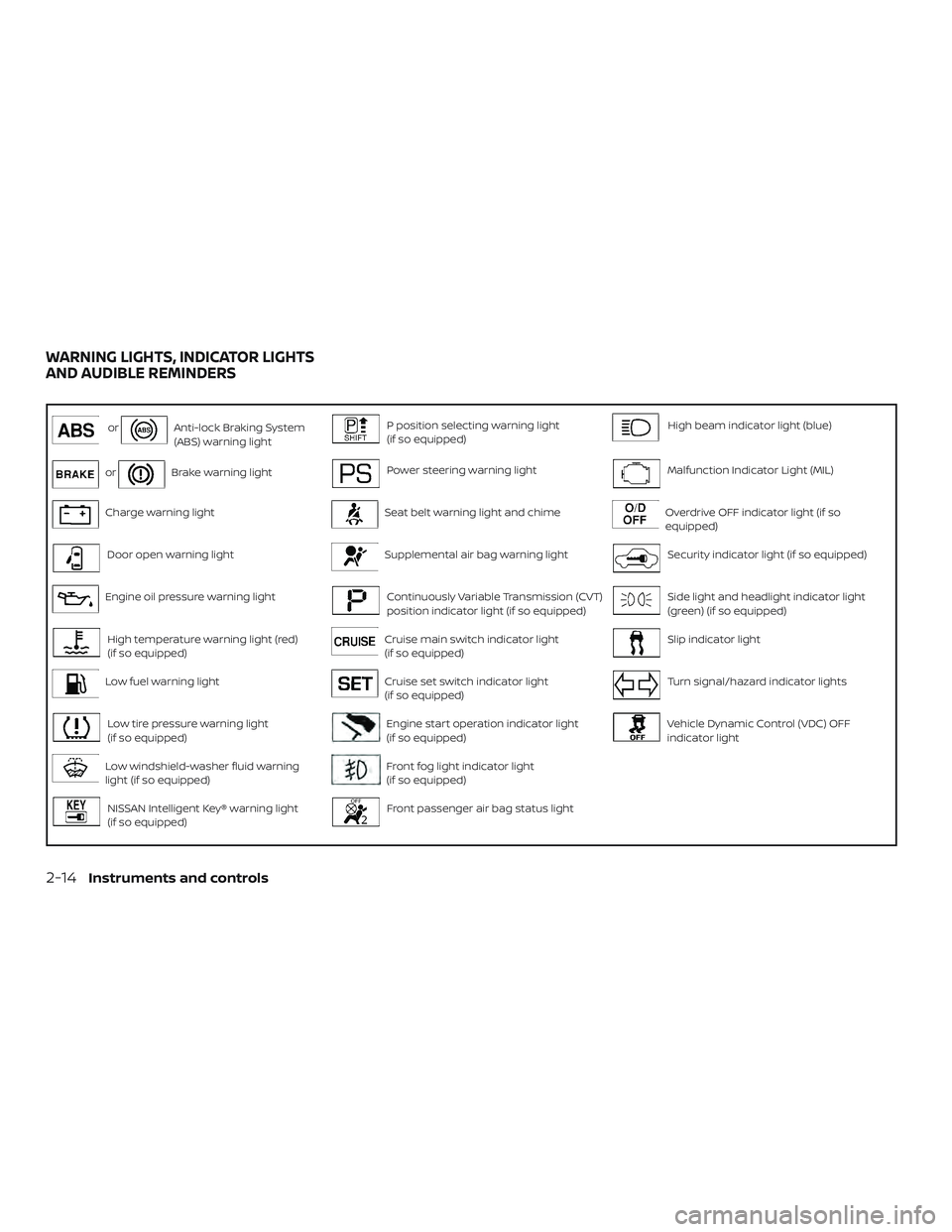
WARNING LIGHTS, INDICATOR LIGHTS
AND AUDIBLE REMINDERS
2-14Instruments and controls
Page 98 of 878
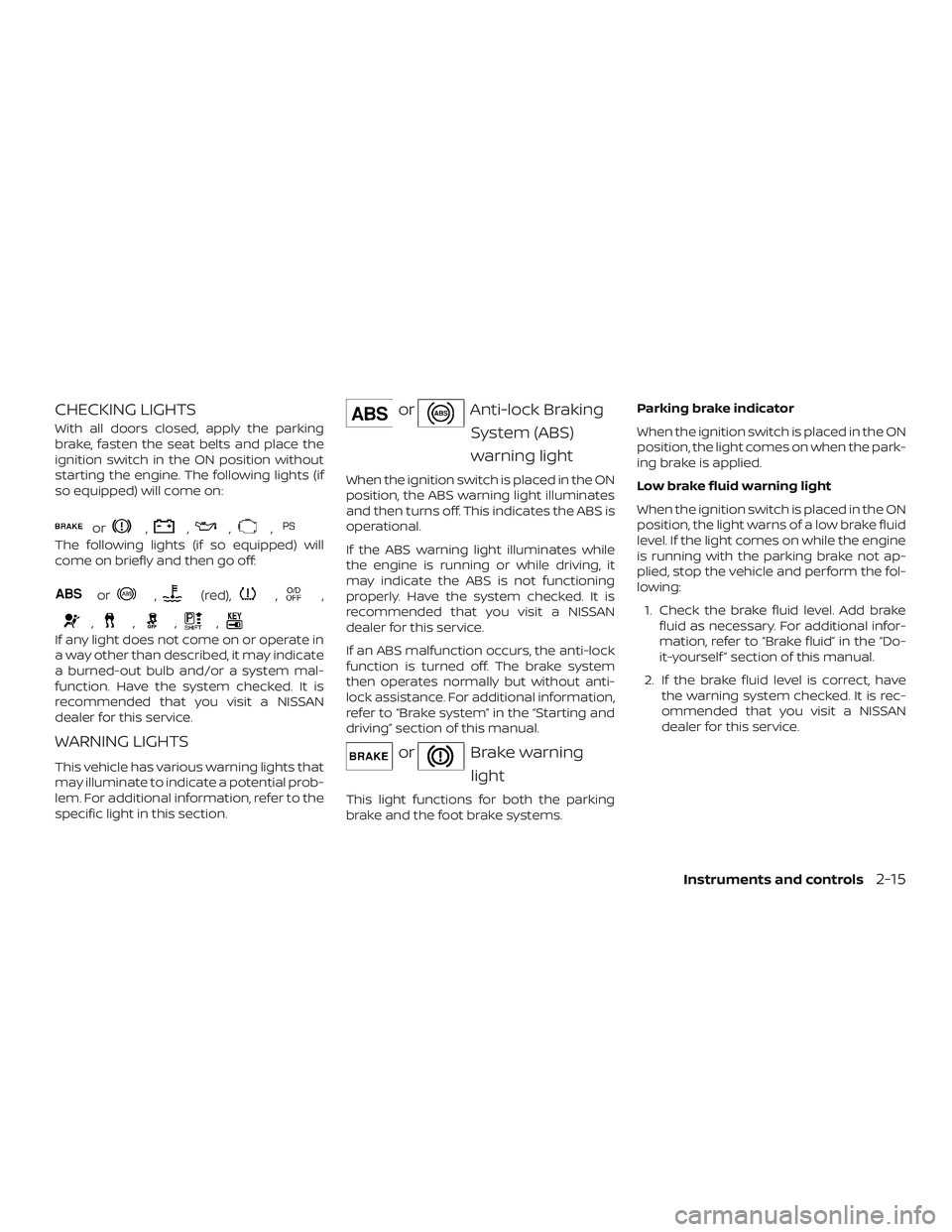
CHECKING LIGHTS
With all doors closed, apply the parking
brake, fasten the seat belts and place the
ignition switch in the ON position without
starting the engine. The following lights (if
so equipped) will come on:
or,,,,
The following lights (if so equipped) will
come on briefly and then go off:
or,(red),,,
,,,,
If any light does not come on or operate in
a way other than described, it may indicate
a burned-out bulb and/or a system mal-
function. Have the system checked. It is
recommended that you visit a NISSAN
dealer for this service.
WARNING LIGHTS
This vehicle has various warning lights that
may illuminate to indicate a potential prob-
lem. For additional information, refer to the
specific light in this section.
orAnti-lock BrakingSystem (ABS)
warning light
When the ignition switch is placed in the ON
position, the ABS warning light illuminates
and then turns off. This indicates the ABS is
operational.
If the ABS warning light illuminates while
the engine is running or while driving, it
may indicate the ABS is not functioning
properly. Have the system checked. It is
recommended that you visit a NISSAN
dealer for this service.
If an ABS malfunction occurs, the anti-lock
function is turned off. The brake system
then operates normally but without anti-
lock assistance. For additional information,
refer to “Brake system” in the “Starting and
driving” section of this manual.
orBrake warninglight
This light functions for both the parking
brake and the foot brake systems. Parking brake indicator
When the ignition switch is placed in the ON
position, the light comes on when the park-
ing brake is applied.
Low brake fluid warning light
When the ignition switch is placed in the ON
position, the light warns of a low brake fluid
level. If the light comes on while the engine
is running with the parking brake not ap-
plied, stop the vehicle and perform the fol-
lowing:
1. Check the brake fluid level. Add brake fluid as necessary. For additional infor-
mation, refer to “Brake fluid” in the “Do-
it-yourself ” section of this manual.
2. If the brake fluid level is correct, have the warning system checked. It is rec-
ommended that you visit a NISSAN
dealer for this service.
Instruments and controls2-15
Page 99 of 878
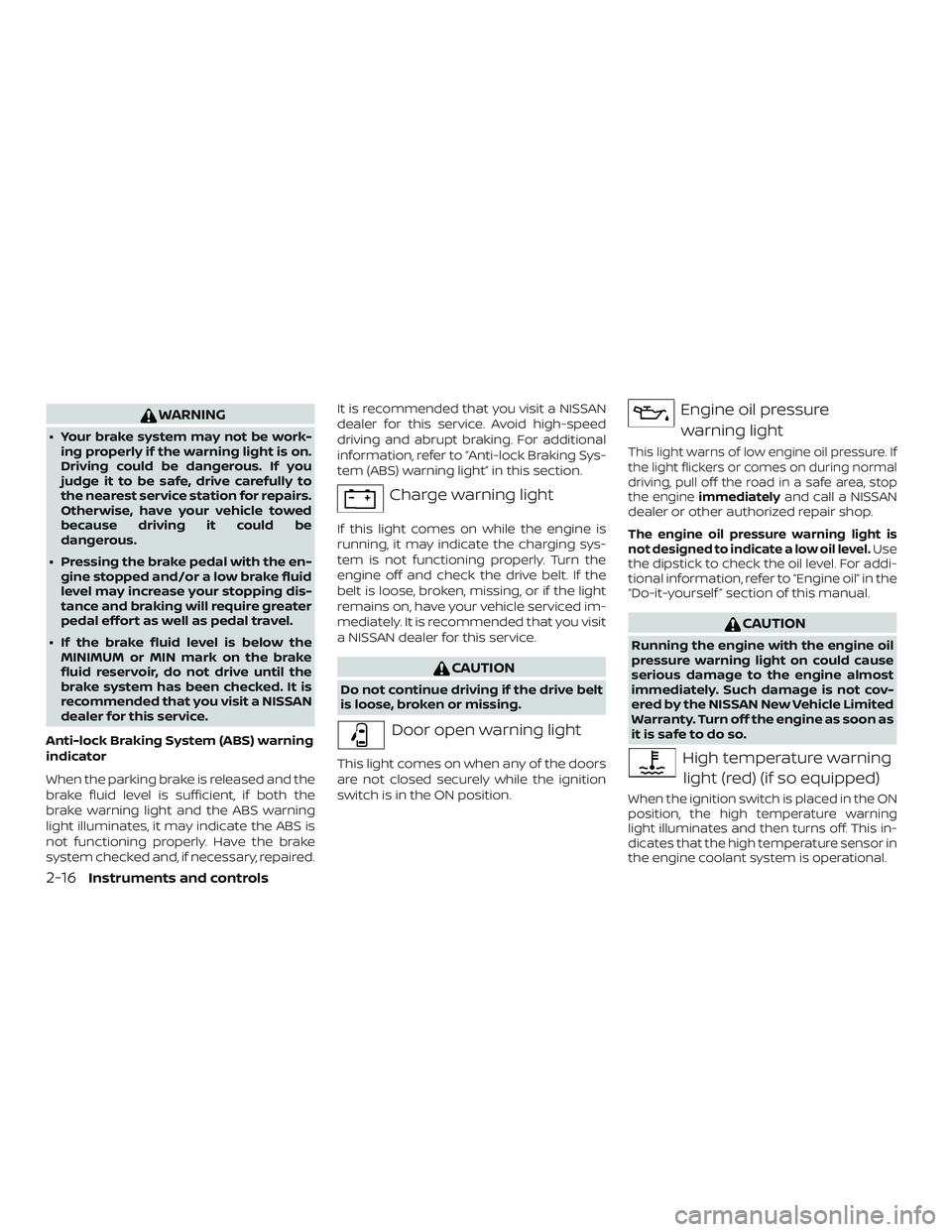
WARNING
∙ Your brake system may not be work-ing properly if the warning light is on.
Driving could be dangerous. If you
judge it to be safe, drive carefully to
the nearest service station for repairs.
Otherwise, have your vehicle towed
because driving it could be
dangerous.
∙ Pressing the brake pedal with the en- gine stopped and/or a low brake fluid
level may increase your stopping dis-
tance and braking will require greater
pedal effort as well as pedal travel.
∙ If the brake fluid level is below the MINIMUM or MIN mark on the brake
fluid reservoir, do not drive until the
brake system has been checked. It is
recommended that you visit a NISSAN
dealer for this service.
Anti-lock Braking System (ABS) warning
indicator
When the parking brake is released and the
brake fluid level is sufficient, if both the
brake warning light and the ABS warning
light illuminates, it may indicate the ABS is
not functioning properly. Have the brake
system checked and, if necessary, repaired. It is recommended that you visit a NISSAN
dealer for this service. Avoid high-speed
driving and abrupt braking. For additional
information, refer to “Anti-lock Braking Sys-
tem (ABS) warning light” in this section.
Charge warning light
If this light comes on while the engine is
running, it may indicate the charging sys-
tem is not functioning properly. Turn the
engine off and check the drive belt. If the
belt is loose, broken, missing, or if the light
remains on, have your vehicle serviced im-
mediately. It is recommended that you visit
a NISSAN dealer for this service.
CAUTION
Do not continue driving if the drive belt
is loose, broken or missing.
Door open warning light
This light comes on when any of the doors
are not closed securely while the ignition
switch is in the ON position.
Engine oil pressure
warning light
This light warns of low engine oil pressure. If
the light flickers or comes on during normal
driving, pull off the road in a safe area, stop
the engine immediately
and call a NISSAN
dealer or other authorized repair shop.
The engine oil pressure warning light is
not designed to indicate a low oil level.Use
the dipstick to check the oil level. For addi-
tional information, refer to “Engine oil” in the
“Do-it-yourself ” section of this manual.
CAUTION
Running the engine with the engine oil
pressure warning light on could cause
serious damage to the engine almost
immediately. Such damage is not cov-
ered by the NISSAN New Vehicle Limited
Warranty. Turn off the engine as soon as
it is safe to do so.
High temperature warning
light (red) (if so equipped)
When the ignition switch is placed in the ON
position, the high temperature warning
light illuminates and then turns off. This in-
dicates that the high temperature sensor in
the engine coolant system is operational.
2-16Instruments and controls
Page 102 of 878
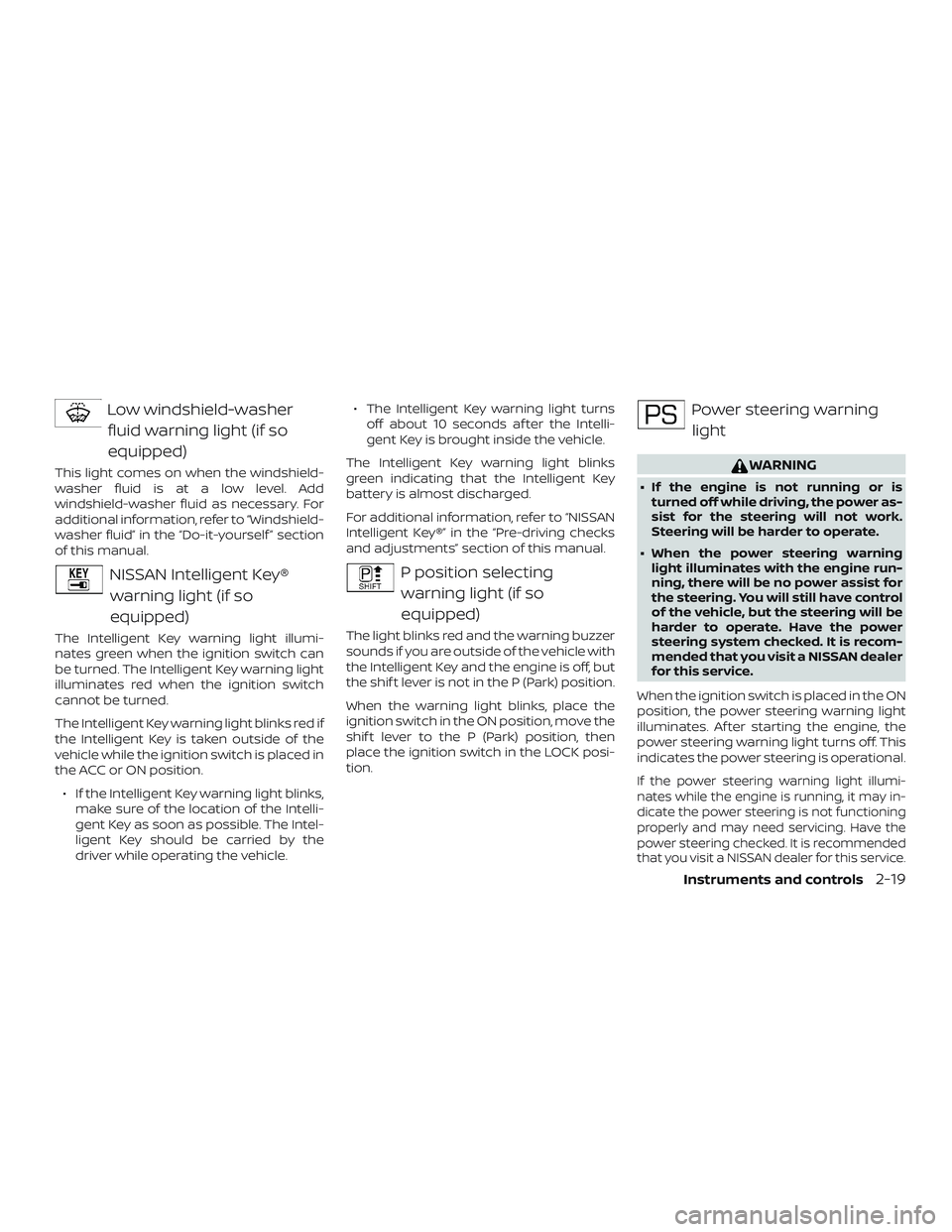
Low windshield-washerfluid warning light (if so
equipped)
This light comes on when the windshield-
washer fluid is at a low level. Add
windshield-washer fluid as necessary. For
additional information, refer to “Windshield-
washer fluid” in the “Do-it-yourself ” section
of this manual.
NISSAN Intelligent Key®warning light (if so
equipped)
The Intelligent Key warning light illumi-
nates green when the ignition switch can
be turned. The Intelligent Key warning light
illuminates red when the ignition switch
cannot be turned.
The Intelligent Key warning light blinks red if
the Intelligent Key is taken outside of the
vehicle while the ignition switch is placed in
the ACC or ON position.
∙ If the Intelligent Key warning light blinks, make sure of the location of the Intelli-
gent Key as soon as possible. The Intel-
ligent Key should be carried by the
driver while operating the vehicle. ∙ The Intelligent Key warning light turns
off about 10 seconds af ter the Intelli-
gent Key is brought inside the vehicle.
The Intelligent Key warning light blinks
green indicating that the Intelligent Key
battery is almost discharged.
For additional information, refer to “NISSAN
Intelligent Key®” in the “Pre-driving checks
and adjustments” section of this manual.
P position selecting warning light (if so
equipped)
The light blinks red and the warning buzzer
sounds if you are outside of the vehicle with
the Intelligent Key and the engine is off, but
the shif t lever is not in the P (Park) position.
When the warning light blinks, place the
ignition switch in the ON position, move the
shif t lever to the P (Park) position, then
place the ignition switch in the LOCK posi-
tion.
Power steering warninglight
WARNING
∙ If the engine is not running or is turned off while driving, the power as-
sist for the steering will not work.
Steering will be harder to operate.
∙ When the power steering warning light illuminates with the engine run-
ning, there will be no power assist for
the steering. You will still have control
of the vehicle, but the steering will be
harder to operate. Have the power
steering system checked. It is recom-
mended that you visit a NISSAN dealer
for this service.
When the ignition switch is placed in the ON
position, the power steering warning light
illuminates. Af ter starting the engine, the
power steering warning light turns off. This
indicates the power steering is operational.
If the power steering warning light illumi-
nates while the engine is running, it may in-
dicate the power steering is not functioning
properly and may need servicing. Have the
power steering checked. It is recommended
that you visit a NISSAN dealer for this service.
Instruments and controls2-19
Page 104 of 878
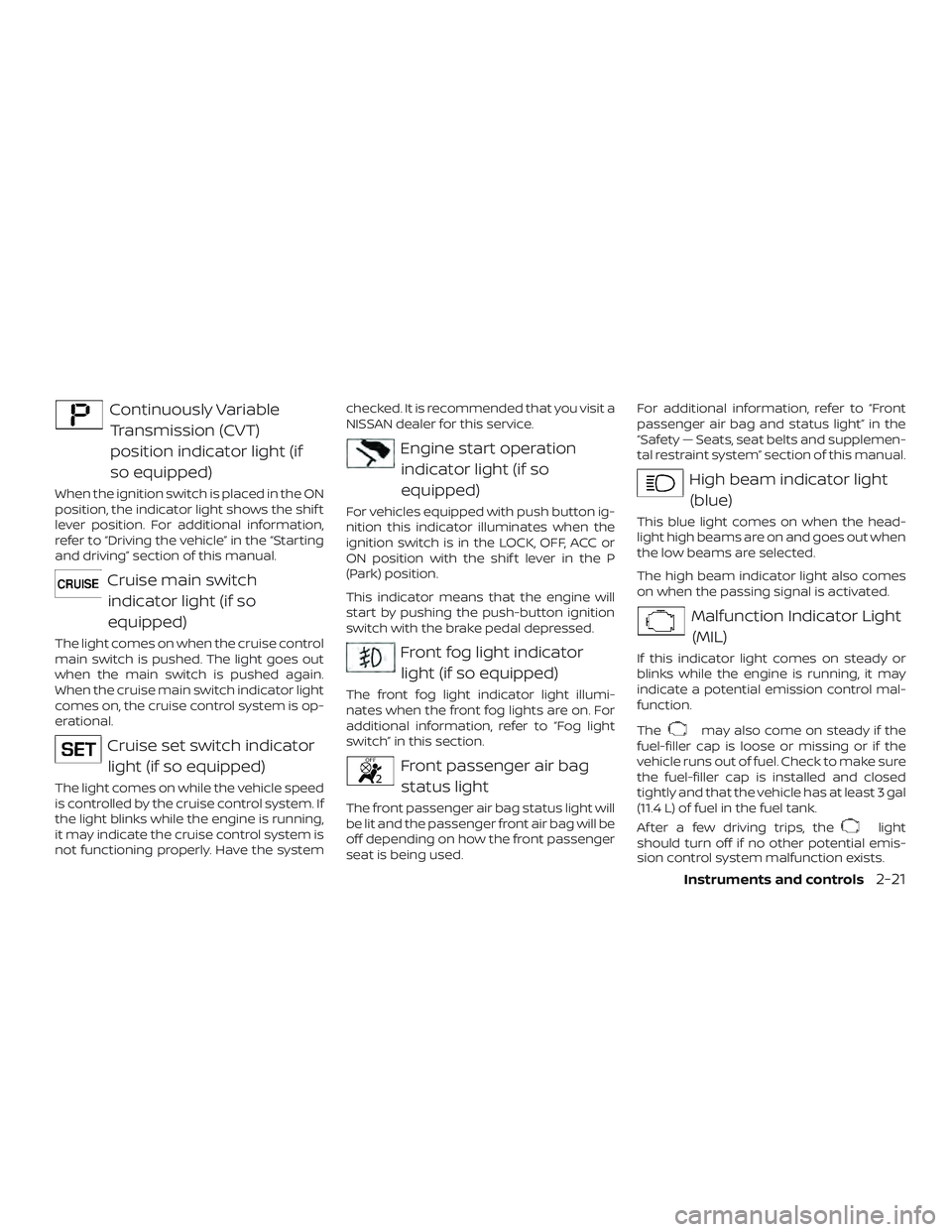
Continuously VariableTransmission (CVT)
position indicator light (if
so equipped)
When the ignition switch is placed in the ON
position, the indicator light shows the shif t
lever position. For additional information,
refer to “Driving the vehicle” in the “Starting
and driving” section of this manual.
Cruise main switchindicator light (if so
equipped)
The light comes on when the cruise control
main switch is pushed. The light goes out
when the main switch is pushed again.
When the cruise main switch indicator light
comes on, the cruise control system is op-
erational.
Cruise set switch indicatorlight (if so equipped)
The light comes on while the vehicle speed
is controlled by the cruise control system. If
the light blinks while the engine is running,
it may indicate the cruise control system is
not functioning properly. Have the system checked. It is recommended that you visit a
NISSAN dealer for this service.
Engine start operation
indicator light (if so
equipped)
For vehicles equipped with push button ig-
nition this indicator illuminates when the
ignition switch is in the LOCK, OFF, ACC or
ON position with the shif t lever in the P
(Park) position.
This indicator means that the engine will
start by pushing the push-button ignition
switch with the brake pedal depressed.
Front fog light indicatorlight (if so equipped)
The front fog light indicator light illumi-
nates when the front fog lights are on. For
additional information, refer to “Fog light
switch” in this section.
Front passenger air bagstatus light
The front passenger air bag status light will
be lit and the passenger front air bag will be
off depending on how the front passenger
seat is being used. For additional information, refer to “Front
passenger air bag and status light” in the
“Safety — Seats, seat belts and supplemen-
tal restraint system” section of this manual.
High beam indicator light
(blue)
This blue light comes on when the head-
light high beams are on and goes out when
the low beams are selected.
The high beam indicator light also comes
on when the passing signal is activated.
Malfunction Indicator Light(MIL)
If this indicator light comes on steady or
blinks while the engine is running, it may
indicate a potential emission control mal-
function.
The
may also come on steady if the
fuel-filler cap is loose or missing or if the
vehicle runs out of fuel. Check to make sure
the fuel-filler cap is installed and closed
tightly and that the vehicle has at least 3 gal
(11.4 L) of fuel in the fuel tank.
Af ter a few driving trips, the
light
should turn off if no other potential emis-
sion control system malfunction exists.
Instruments and controls2-21
Page 105 of 878
If this indicator light comes on steady for
20 seconds and then blinks for 10 seconds
when the engine is not running, it indicates
that the vehicle is not ready for an emission
control system inspection/maintenance
test. For additional information, refer to
“Readiness for Inspection/Maintenance
(I/M) test” in the “Technical and consumer
information” section of this manual.
Operation
The MIL will come on in one of two ways:∙ MIL on steady — An emission control system malfunction has been de-
tected. Check the fuel-filler cap. If the
LOOSE FUEL CAP warning message is
displayed in the odometer, and the fuel-
filler cap is loose or missing, tighten or
install the cap and continue to drive the
vehicle. The
light should turn off
af ter a few driving trips. If the
light
does not turn off af ter a few driving
trips, have the vehicle inspected. It is
recommended that you visit a NISSAN
dealer for this service. You do not need
to have your vehicle towed to the
dealer. ∙ MIL blinking — An engine misfire has
been detected which may damage the
emission control system. To reduce or
avoid emission control system dam-
age:
– do not drive at speeds above 45 mph (72 km/h);
– avoid hard acceleration or decelera- tion;
– avoid steep uphill grades;
– if possible, reduce the amount of cargo being hauled.
The MIL may stop blinking and come on
steady. Have the vehicle inspected. It is rec-
ommended that you visit a NISSAN dealer
for this service. You do not need to have
your vehicle towed to the dealer.CAUTION
Continued vehicle operation without
having the emission control system
checked and repaired as necessary
could lead to poor driveability, reduced
fuel economy, and possible damage to
the emission control system.
Overdrive OFF indicator light (if so equipped)
The overdrive OFF indicator light illumi-
nates when the overdrive OFF mode is se-
lected.
For additional information, refer to “Driving
the vehicle” in the “Starting and driving” sec-
tion of this manual.
Security indicator light (ifso equipped)
For vehicles without Intelligent Key: This
light blinks whenever the ignition switch is
placed in the LOCK, OFF or ACC position.
For vehicles with Intelligent Key: This light
blinks when the ignition switch is placed in
the LOCK position with the key removed
from the ignition switch.
The blinking security indicator light indi-
cates that the security systems equipped
on the vehicle are operational.
For additional information, refer to “Security
systems” in this section.
2-22Instruments and controls
Page 107 of 878
NISSAN Intelligent Key® door
buzzer (if so equipped)
The Intelligent Key door buzzer sounds if
any one of the following improper opera-
tions is found.∙ The ignition switch is not returned to the LOCK position when locking the
doors.
∙ The Intelligent Key is lef t inside the ve- hicle when locking the doors.
∙ The Intelligent Key is taken outside the vehicle when operating the vehicle.
∙ Any doors are not closed securely when locking the doors.
When the buzzer sounds, be sure to check
both the vehicle and the Intelligent Key. For
additional information, refer to “NISSAN In-
telligent Key®” in the “Pre-driving checks
and adjustments” section.
Parking brake reminder chime
A chime sounds if the parking brake is set
and the vehicle is driven. The chime will
stop if the parking brake is released or the
vehicle speed returns to zero.
NISSAN VEHICLE IMMOBILIZER
SYSTEM (if so equipped)
The NISSAN Vehicle Immobilizer System
will not allow the engine to start without
the use of a registered key.
If the engine fails to start using a registered
key (for example, when interference is
caused by another registered key, an auto-
mated toll road device or automatic pay-
ment device on the key ring), restart the
engine using the following procedures:
1. Leave the ignition switch placed in the ON position for approximately 5 sec-
onds.
2. Place the ignition switch in the OFF or LOCK position and wait approximately
10 seconds.
3. Repeat steps 1 and 2.
4. Restart the engine while holding the device (which may have caused the in-
terference) separate from the regis-
tered key.
If the no start condition re-occurs, NISSAN
recommends placing the registered key on
a separate key ring to avoid interference
from other devices. FCC Notice:
For USA:
This device complies with part 15 of the
FCC Rules. Operation is subject to the fol-
lowing two conditions: (1) This device
may not cause harmful interference, and
(2) this device must accept any interfer-
ence received, including interference
that may cause undesired operation.
NOTE:
Changes or modifications not expressly
approved by the party responsible for
compliance could void the user’s author-
ity to operate the equipment.
For Canada:
This device complies with Industry
Canada licence-exempt RSS standard(s).
Operation is subject to the following two
conditions: (1) this device may not cause
interference, and (2) this device must ac-
cept any interference, including interfer-
ence that may cause undesired opera-
tion of the device.
SECURITY SYSTEMS
2-24Instruments and controls