service indicator NISSAN VERSA NOTE 2018 Owner´s Manual
[x] Cancel search | Manufacturer: NISSAN, Model Year: 2018, Model line: VERSA NOTE, Model: NISSAN VERSA NOTE 2018Pages: 878, PDF Size: 9.62 MB
Page 746 of 878
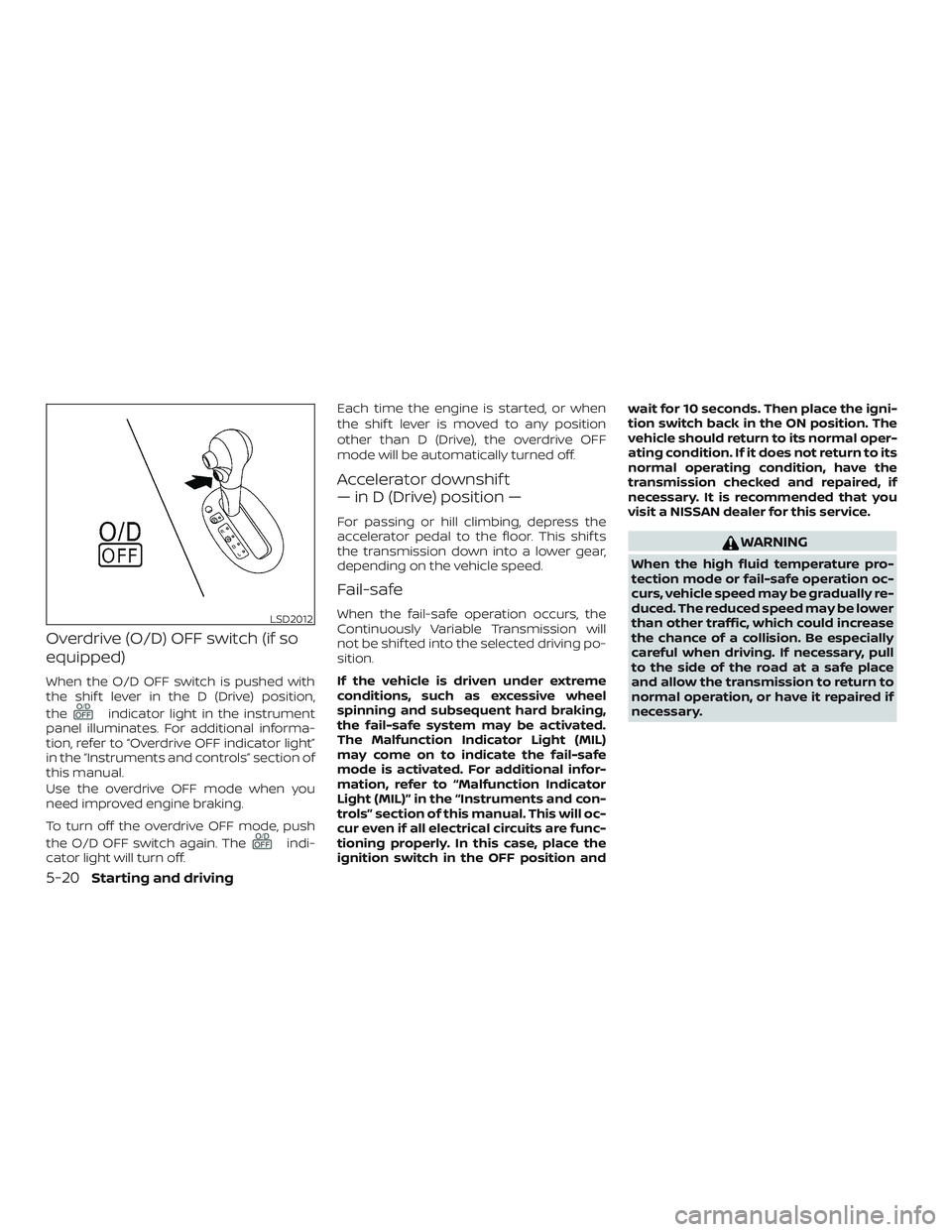
Overdrive (O/D) OFF switch (if so
equipped)
When the O/D OFF switch is pushed with
the shif t lever in the D (Drive) position,
the
indicator light in the instrument
panel illuminates. For additional informa-
tion, refer to “Overdrive OFF indicator light”
in the “Instruments and controls” section of
this manual.
Use the overdrive OFF mode when you
need improved engine braking.
To turn off the overdrive OFF mode, push
the O/D OFF switch again. The
indi-
cator light will turn off. Each time the engine is started, or when
the shif t lever is moved to any position
other than D (Drive), the overdrive OFF
mode will be automatically turned off.
Accelerator downshif t
— in D (Drive) position —
For passing or hill climbing, depress the
accelerator pedal to the floor. This shif ts
the transmission down into a lower gear,
depending on the vehicle speed.
Fail-safe
When the fail-safe operation occurs, the
Continuously Variable Transmission will
not be shif ted into the selected driving po-
sition.
If the vehicle is driven under extreme
conditions, such as excessive wheel
spinning and subsequent hard braking,
the fail-safe system may be activated.
The Malfunction Indicator Light (MIL)
may come on to indicate the fail-safe
mode is activated. For additional infor-
mation, refer to “Malfunction Indicator
Light (MIL)” in the “Instruments and con-
trols” section of this manual. This will oc-
cur even if all electrical circuits are func-
tioning properly. In this case, place the
ignition switch in the OFF position and
wait for 10 seconds. Then place the igni-
tion switch back in the ON position. The
vehicle should return to its normal oper-
ating condition. If it does not return to its
normal operating condition, have the
transmission checked and repaired, if
necessary. It is recommended that you
visit a NISSAN dealer for this service.
WARNING
When the high fluid temperature pro-
tection mode or fail-safe operation oc-
curs, vehicle speed may be gradually re-
duced. The reduced speed may be lower
than other traffic, which could increase
the chance of a collision. Be especially
careful when driving. If necessary, pull
to the side of the road at a safe place
and allow the transmission to return to
normal operation, or have it repaired if
necessary.
LSD2012
5-20Starting and driving
Page 765 of 878
TIRE PRESSURE MONITORING
SYSTEM (TPMS) (if so equipped)
This vehicle is equipped with the Tire Pres-
sure Monitoring System (TPMS). It monitors
tire pressure of all tires except the spare.
When the low tire pressure warning light is
lit, and the CHECK TIRE PRES (pressure)
warning message is displayed in the
odometer, one or more of your tires is sig-
nificantly under-inflated. If the vehicle is be-
ing driven with low tire pressure, the TPMS
will activate and warn you of it by the low
tire pressure warning light. This system will
activate only when the vehicle is driven at
speeds above 16 mph (25 km/h). For addi-
tional information, refer to “Warning lights,
indicator lights and audible reminders” in
the “Instruments and controls” section, and
“Tire Pressure Monitoring System (TPMS)” in
the “Starting and driving” section of this
manual.
WARNING
∙ Radio waves could adversely affectelectric medical equipment. Those
who use a pacemaker should contact
the electric medical equipment
manufacturer for the possible influ-
ences before use. ∙ If the low tire pressure warning light
illuminates while driving, avoid sud-
den steering maneuvers or abrupt
braking, reduce vehicle speed, pull off
the road to a safe location and stop
the vehicle as soon as possible. Driv-
ing with under-inflated tires may per-
manently damage the tires and in-
crease the likelihood of tire failure.
Serious vehicle damage could occur
and may lead to an accident and could
result in serious personal injury.
Check the tire pressure for all four
tires. Adjust the tire pressure to the
recommended COLD tire pressure
shown on the Tire and Loading Infor-
mation label to turn the low tire pres-
sure warning light OFF. If you have a
flat tire, replace it with a spare tire as
soon as possible.
∙ When replacing a wheel without TPMS such as the spare tire, TPMS will not
function and the low tire pressure
warning light will flash for approxi-
mately 1 minute. The light will remain
on af ter 1 minute. Have your tires re-
placed and/or TPMS system reset as
soon as possible. It is recommended
that you visit a NISSAN dealer for
these services. ∙ Do not inject any tire liquid or aerosol
tire sealant into the tires, as this may
cause a malfunction of the tire pres-
sure sensors.
∙ Replacing tires with those not origi- nally specified by NISSAN could affect
the proper operation of the TPMS.
CHANGING A FLAT TIRE
If you have a flat tire, follow the instructions
below:
Stopping the vehicle
1. Safely move the vehicle off the road and
away from traffic.
2. Turn on the hazard warning flashers.
3. Park on a level surface and apply the parking brake. Shif t the manual trans-
mission into R (Reverse) or the Continu-
ously Variable Transmission (CVT) into
P (Park).
4. Turn off the engine.
5. Raise the hood to warn other traffic and to signal professional road assis-
tance personnel that you need assis-
tance.
FLAT TIRE
In case of emergency6-3
Page 805 of 878
If the brakes do not operate properly, have
the brakes checked. It is recommended
that you visit a NISSAN dealer for this ser-
vice.
Self-adjusting brakes
Your vehicle is equipped with self-adjusting
brakes.
The front disc-type brakes self-adjust ev-
ery time the brake pedal is applied. The rear
drum-type brakes self-adjust every time
the parking brake is applied.
WARNING
Have your brake system checked if the
brake pedal height does not return to
normal. It is recommended that you
visit a NISSAN dealer for this service.
Brake pad wear indicators
The disc brake pads on your vehicle have
audible wear indicators. When a brake pad
requires replacement, a high pitched
scraping or screeching sound will be heard
when the vehicle is in motion. The noise will
be heard whether or not the brake pedal is
depressed. Have the brakes checked as
soon as possible if the wear indicator
sound is heard.Under some driving or climate conditions,
occasional brake squeak, squeal or other
noise may be heard. Occasional brake
noise during light to moderate stops is nor-
mal and does not affect the function or
performance of the brake system.
Proper brake inspection intervals should
be followed.
For additional information re-
garding brake inspections, refer to the ap-
propriate maintenance schedule informa-
tion in the "Maintenance and schedules"
section of this manual.
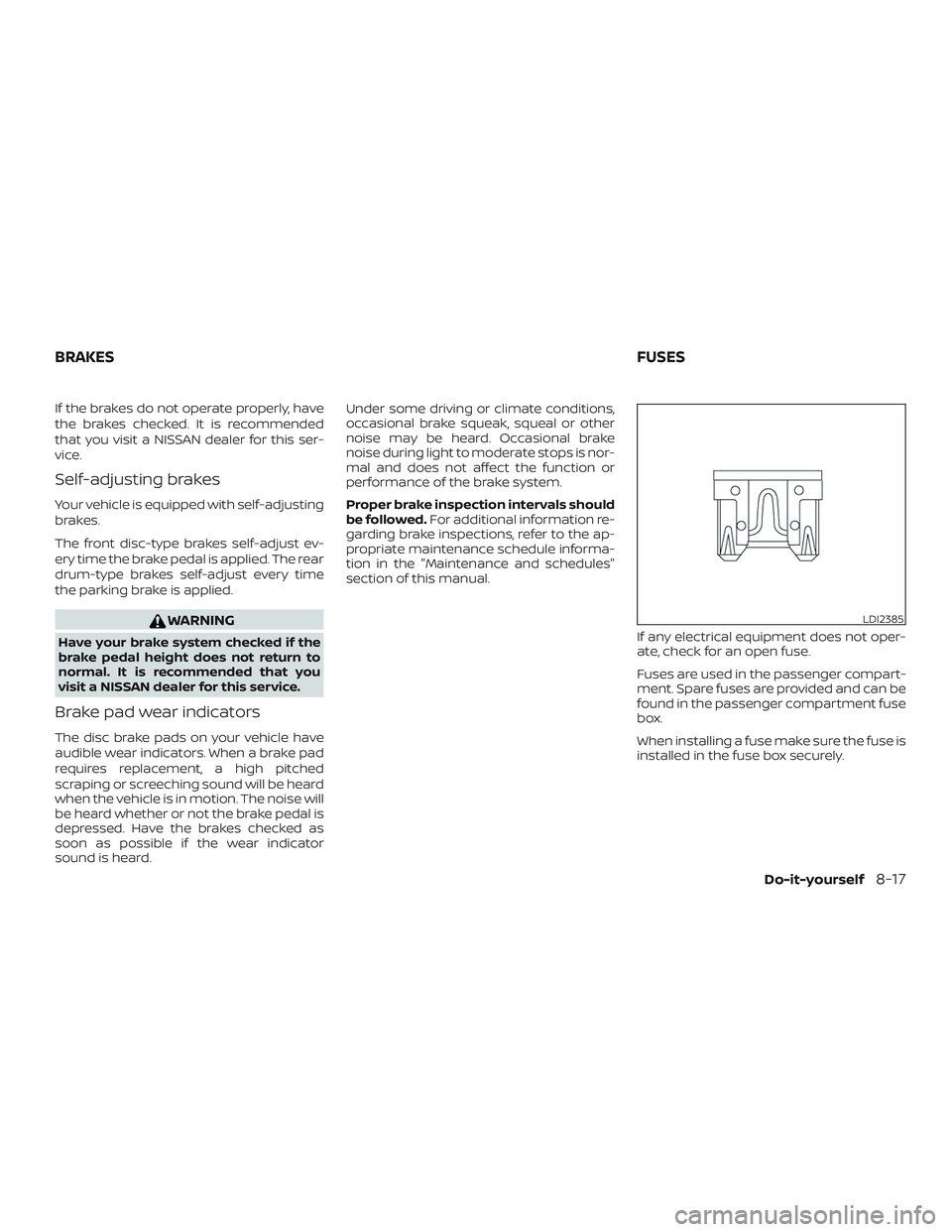
If any electrical equipment does not oper-
ate, check for an open fuse.
Fuses are used in the passenger compart-
ment. Spare fuses are provided and can be
found in the passenger compartment fuse
box.
When installing a fuse make sure the fuse is
installed in the fuse box securely.
LDI2385
BRAKES FUSES
Do-it-yourself8-17
Page 825 of 878
∙ The original tires have built-intread wear indicators. When the
wear indicators are visible, the
tire(s) should be replaced.
∙ Tires degrade with age and use. Have tires, including the spare,
over 6 years old checked by a
qualified technician because
some tire damage may not be
obvious. Replace the tires as
necessary to prevent tire failure
and possible personal injury.
∙ Improper service of the spare tire may result in serious per-
sonal injury. If it is necessary to
repair the spare tire, it is recom-
mended that you visit a NISSAN
dealer for this service.
∙ For additional information re- garding tires, refer to “Impor-
tant Tire Safety Information”
(US) or “Tire Safety Information”
(Canada) in the Warranty Infor-
mation Booklet.Replacing wheels and tires
When replacing a tire, use the same size,
tread design, speed rating and load carry-
ing capacity as originally equipped. For ad-
ditional information, refer to “Wheels and
tires” in the “Technical and consumer infor-
mation” section of this manual.
WARNING
∙ The use of tires other than those rec-
ommended or the mixed use of tires
of different brands, construction
(bias, bias-belted or radial), or tread
patterns can adversely affect the ride,
braking, handling, Vehicle Dynamic
Control (VDC) system, ground clear-
ance, body-to-tire clearance, tire
chain clearance, speedometer cali-
bration, headlight aim and bumper
height. Some of these effects may
lead to accidents and could result in
serious personal injury. ∙ If your vehicle was originally
equipped with four tires that were the
same size and you are only replacing
two of the four tires, install the new
tires on the rear axle. Placing new tires
on the front axle may cause loss of
vehicle control in some driving condi-
tions and cause an accident and per-
sonal injury.
∙ If the wheels are changed for any rea- son, always replace with wheels
which have the same off-set dimen-
sion. Wheels of a different off-set
could cause premature tire wear, de-
grade vehicle handling characteris-
tics, affect the VDC system and/or in-
terference with the brake
discs/drums. Such interference can
lead to decreased braking efficiency
and/or early brake pad wear. For ad-
ditional information on wheel off-set
dimensions, refer to “Wheels and
tires” in the “Technical and consumer
information” section of this manual.
Do-it-yourself8-37
Page 867 of 878
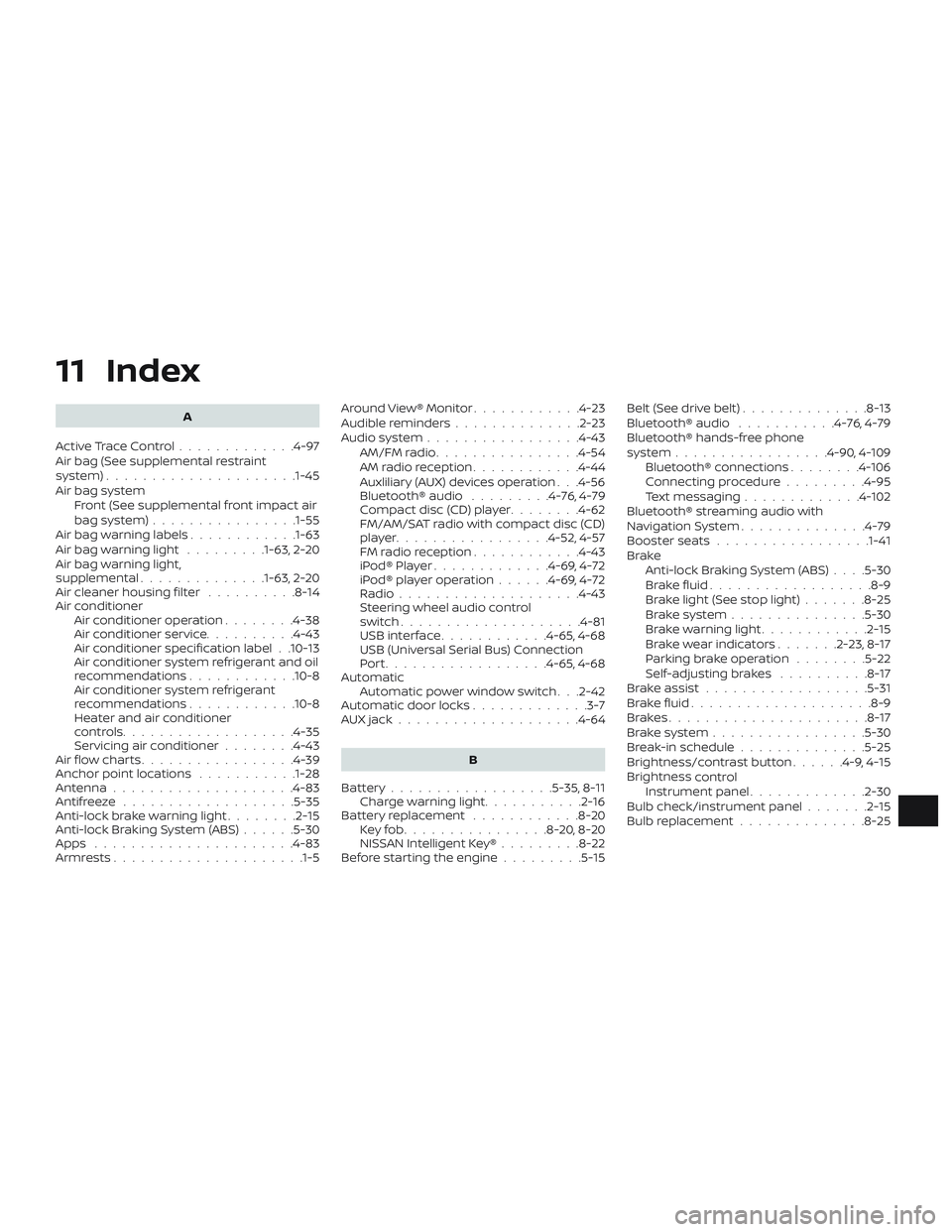
11 Index
A
ActiveTraceControl.............4-97
Air bag (See supplemental restraint
system) .................... .1-45
Air bag system Front (See supplemental front impact air
bagsystem)............... .1-55
Air bag warning labels ............1-63
Airbagwarninglight .........1-63, 2-20
Air bag warning light,
supplemental ..............1-63, 2-20
Air cleaner housing filter ..........8-14
Air conditioner Air conditioner operation ........4-38
Air conditioner service ..........4-43
Air conditioner specification label . .10-13
Air conditioner system refrigerant and oil
recommendations ............10-8
Air conditioner system refrigerant
recommendations ............10-8
Heater and air conditioner
controls...................4-35
Servicing air conditioner ........4-43
Air flow charts .................4-39
Anchor point locations ...........1-28
Antenna ....................4-83
Antifreeze ...................5-35
Anti-lock brake warning light ........2-15
Anti-lock Braking System (ABS) ......5-30
Apps ......................4-83
Armrests.....................1-5 Around View® Monitor
............4-23
Audible reminders ..............2-23
Audiosystem.................4-43 AM/FMradio................4-54
AMradioreception............4-44
Auxliliary (AUX) devices operation . . .4-56
Bluetooth® audio .........4-76,4-79
Compact disc (CD) player ........4-62
FM/AM/SAT radio with compact disc (CD)
player.................4-52,4-57
FMradioreception............4-43
iPod®Player.............4-69,4-72
iPod® player operation ......4-69,4-72
Radio ....................4-43
Steering wheel audio control
switch....................4-81
USBinterface............4-65,4-68
USB (Universal Serial Bus) Connection
Port..................4-65,4-68
Automatic Automatic power window switch . . .2-42
Automatic door locks .............3-7
AUXjack....................4-64
B
Battery..................5-35,8-11 Charge warning light ...........2-16
Battery replacement ............8-20
Keyfob................8-20,8-20
NISSAN Intelligent Key® .........8-22
Before starting the engine .........5-15Belt(Seedrivebelt)..............8-13
Bluetooth® audio
...........4-76,4-79
Bluetooth® hands-free phone
system .................4-90,4-109
Bluetooth® connections ........4-106
Connecting procedure .........4-95
Text messaging .............4-102
Bluetooth® streaming audio with
NavigationSystem..............4-79
Booster seats .................1-41
Brake Anti-lock Braking System (ABS) ....5-30
Brakefluid..................8-9
Brakelight(Seestoplight).......8-25
Brakesystem...............5-30
Brakewarninglight............2-15
Brakewearindicators.......2-23,8-17
Parking brake operation ........5-22
Self-adjustingbrakes ..........8-17
Brakeassist..................5-31
Brakefluid....................8-9
Brakes......................8-17
Brakesystem.................5-30
Break-in schedule ..............5-25
Brightness/contrast button ......4-9,4-15
Brightness
control
Instrument panel .............2-30
Bulb check/instrument panel .......2-15
Bulb replacement ..............8-25
Page 872 of 878
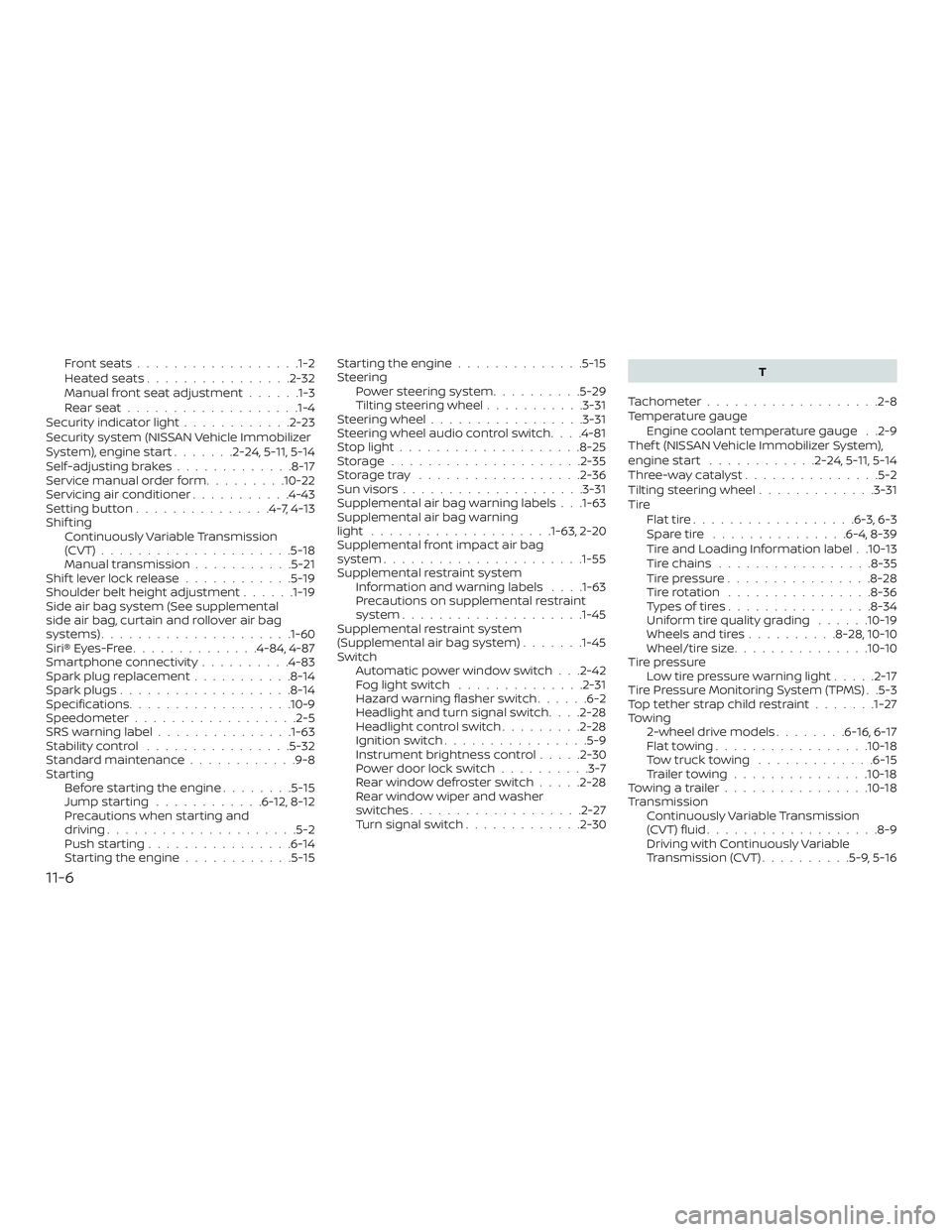
Frontseats..................1-2
Heatedseats................2-32
Manual front seat adjustment......1-3
Rearseat.................. .1-4
Security indicator light ............2-23
Security system (NISSAN Vehicle Immobilizer
System), engine start .......2-24,5-11, 5-14
Self-adjustingbrakes.............8-17
Service manual order form .........10-22
Servicing air conditioner ...........4-43
Settingbutton...............4-7,4-13
Shif ting Continuously Variable Transmission
(CVT) .....................5-18
Manual transmission ...........5-21
Shiftleverlockrelease............5-19
Shoulder belt height adjustment ......1-19
Side air bag system (See supplemental
side air bag, curtain and rollover air bag
systems) .................... .1-60
Siri® Eyes-Free ..............4-84,4-87
Smartphone connectivity ..........4-83
Spark plug replacement ...........8-14
Spark plugs ...................8-14
Specifications ..................10-9
Speedometer ..................2-5
SRS warning label ...............1-63
Stability control ................5-32
Standard maintenance ............9-8
Starting Before starting the engine ........5-15
Jumpstarting ............6-12,8-12
Precautions when starting and
driving .....................5-2
Push starting ................6-14
Starting the engine ............5-15 Starting the engine
..............5-15
Steering Powersteeringsystem..........5-29
Tilting steering wheel ...........3-31
Steering wheel .................3-31
Steering wheel audio control switch ....4-81
Stoplight....................8-25
Storage.....................2-35
Storagetray ..................2-36
Sunvisors....................3-31
Supplemental air bag warning labels . . .1-63
Supplemental air bag warning
light ................... .1-63, 2-20
Supplemental front impact air bag
system ..................... .1-55
Supplemental restraint system Information and warning labels . . . .1-63
Precautions on supplemental restraint
system ................... .1-45
Supplemental restraint system
(Supplemental air bag system) .......1-45
Switch Automatic power window switch . . .2-42
Foglightswitch ..............2-31
Hazard warning flasher switch ......6-2
Headlight and turn signal switch ....2-28
Headlightcontrolswitch.........2-28
Ignition switch ................5-9
Instrument brightness control .....2-30
Power door lock switch ..........3-7
Rearwindowdefrosterswitch.....2-28
Rear window wiper and washer
switches ...................2-27
Turn signal switch .............2-30 T
Tachometer ...................2-8
Temperature gauge Engine coolant temperature gauge . .2-9
Thef t (NISSAN Vehicle Immobilizer System),
engine
start............2-24,5 -11, 5-14
Three-waycatalyst...............5-2
Tilting steering wheel .............3-31
Tire Flattire..................6-3,6-3
Spare tire ...............6-4,8-39
Tire and Loading Information label . .10-13
Tire chains .................8-35
Tire pressure ................8-28
Tirerotation ................8-36
Types of tires ................8-34
Uniform tire quality grading ......10-19
Wheels and tires ..........8-28,10-10
Wheel/tire size ...............10-10
Tire pressure Low tire pressure warning light .....2-17
Tire Pressure Monitoring System (TPMS) . .5-3
Toptetherstrapchildrestraint.......1-27
Towing 2-wheel drive models ........6-16,6-17
Flattowing.................10-18
Towtrucktowing .............6-15
Trailertowing...............10-18
Towingatrailer................10-18
Transmission Continuously Variable Transmission
(CVT) fluid ...................8-9
Driving with Continuously Variable
Transmission (CVT) ..........5-9,5-16
11-6