seats NISSAN VERSA NOTE 2019 Owner´s Manual
[x] Cancel search | Manufacturer: NISSAN, Model Year: 2019, Model line: VERSA NOTE, Model: NISSAN VERSA NOTE 2019Pages: 388, PDF Size: 4.46 MB
Page 117 of 388
CAUTION
∙ The battery could run down if the seatheater is operated while the engine is
not running.
∙ Do not use the seat heater for ex- tended periods or when no one is us-
ing the seat.
∙ Do not put anything on the seat which insulates heat, such as a blanket,
cushion or seat cover, etc. Otherwise,
the seat may become overheated.
∙ Do not place anything hard or heavy on the seat or pierce it with a pin or
similar object. This may result in dam-
age to the heater.
∙ Any liquid spilled on the heated seat should be removed immediately with
a dry cloth.
∙ When cleaning the seat, never use gasoline, benzine, thinner, or any
similar materials.
∙ If any malfunctions are found or the heated seat does not operate, turn
the switch off and have the system
checked. It is recommended that you
visit a NISSAN dealer for this service. The front seats are warmed by built-in
heaters.
1. Start the engine.
2. Select the switch that corresponds to the seat you wish to heat, the switches
are located on the center console.
Push the LO or HI position of the switch,
as desired. The indicator light on the
switch will illuminate.
The heater is controlled by a thermo-
stat, automatically turning the heater
on and off. The indicator light will re-
main on as long as the switch is on.
3. When the seat is warmed or before you leave the vehicle, be sure to turn the
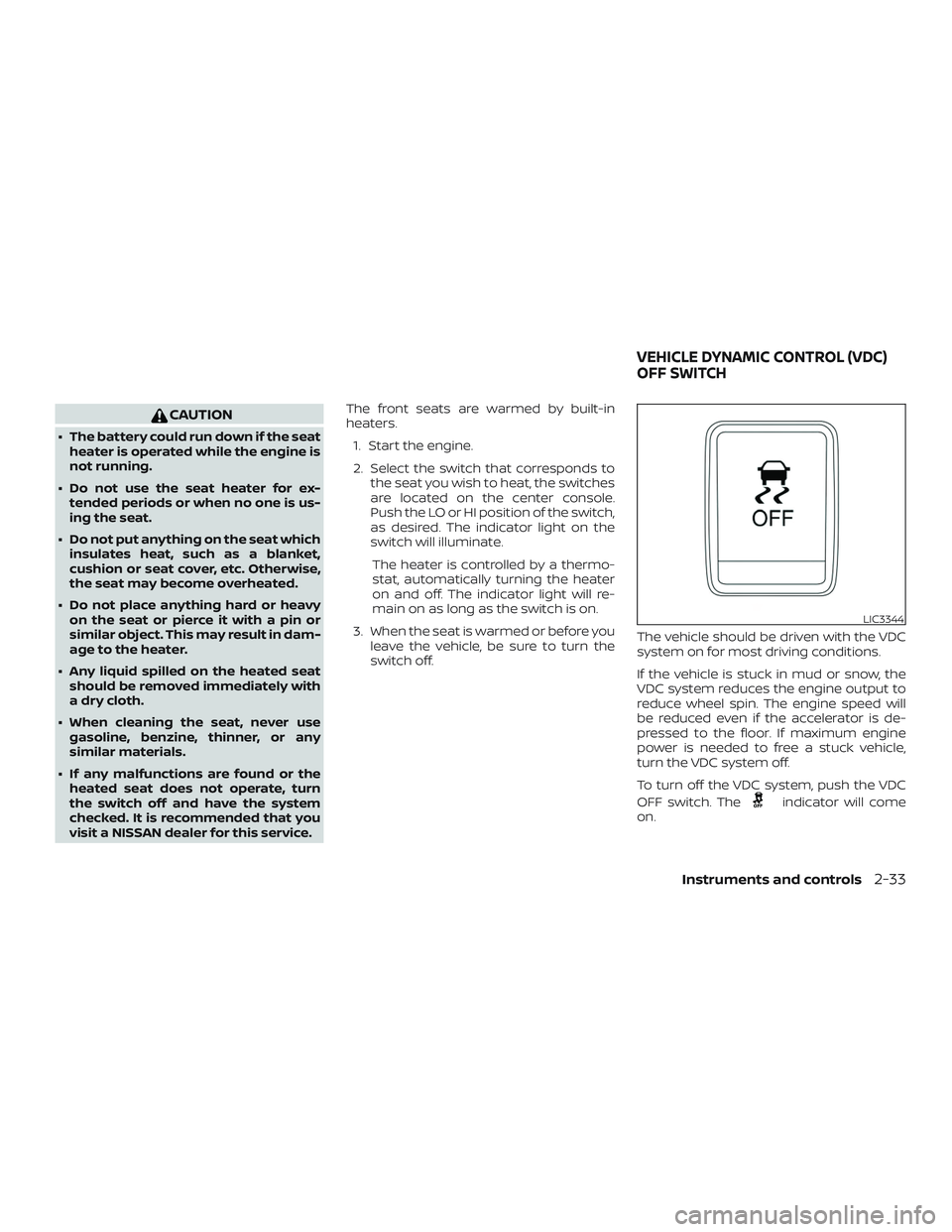
switch off. The vehicle should be driven with the VDC
system on for most driving conditions.
If the vehicle is stuck in mud or snow, the
VDC system reduces the engine output to
reduce wheel spin. The engine speed will
be reduced even if the accelerator is de-
pressed to the floor. If maximum engine
power is needed to free a stuck vehicle,
turn the VDC system off.
To turn off the VDC system, push the VDC
OFF switch. The
indicator will come
on.
LIC3344
VEHICLE DYNAMIC CONTROL (VDC)
OFF SWITCH
Instruments and controls2-33
Page 158 of 388
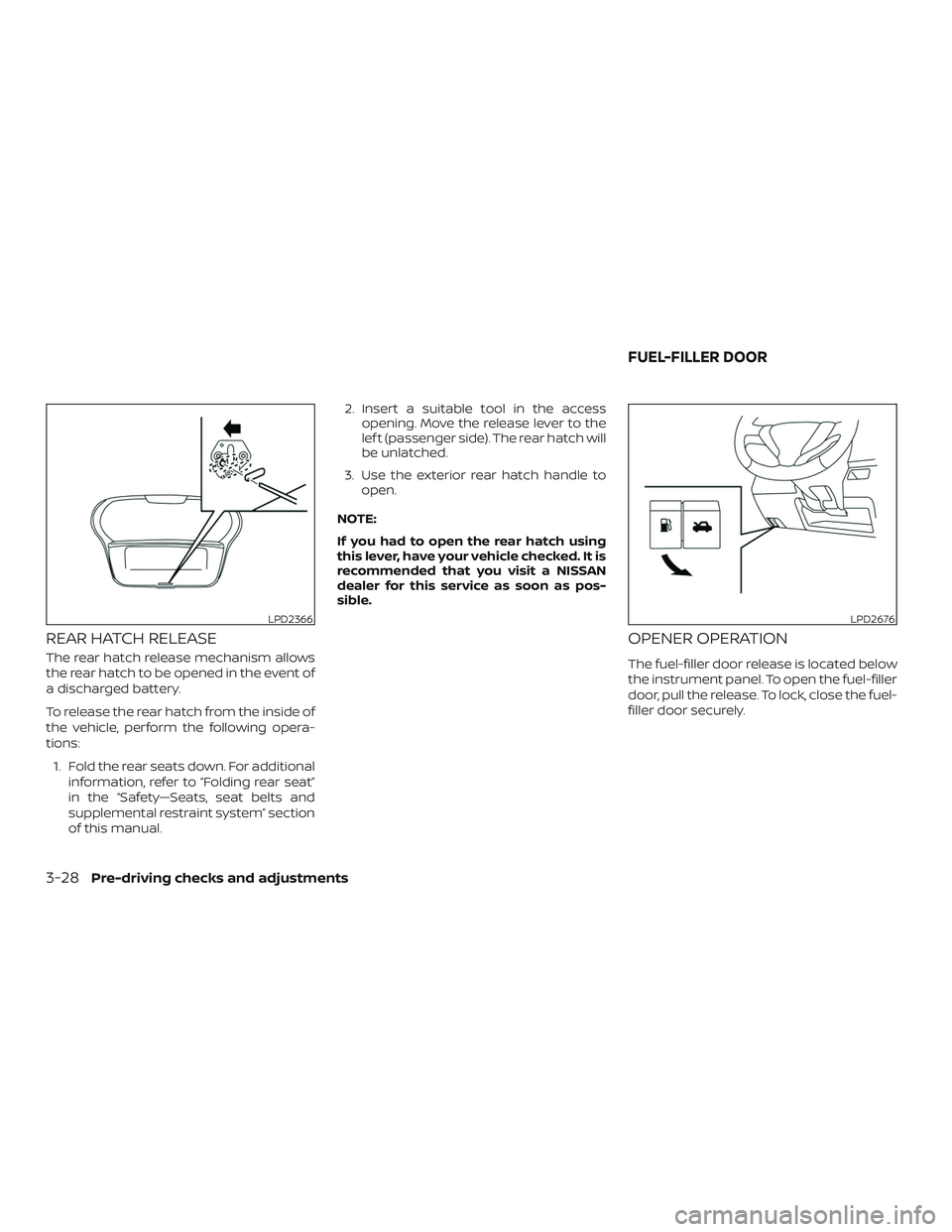
REAR HATCH RELEASE
The rear hatch release mechanism allows
the rear hatch to be opened in the event of
a discharged battery.
To release the rear hatch from the inside of
the vehicle, perform the following opera-
tions:1. Fold the rear seats down. For additional information, refer to “Folding rear seat”
in the “Safety—Seats, seat belts and
supplemental restraint system” section
of this manual. 2. Insert a suitable tool in the access
opening. Move the release lever to the
lef t (passenger side). The rear hatch will
be unlatched.
3. Use the exterior rear hatch handle to open.
NOTE:
If you had to open the rear hatch using
this lever, have your vehicle checked. It is
recommended that you visit a NISSAN
dealer for this service as soon as pos-
sible.
OPENER OPERATION
The fuel-filler door release is located below
the instrument panel. To open the fuel-filler
door, pull the release. To lock, close the fuel-
filler door securely.
LPD2366LPD2676
FUEL-FILLER DOOR
3-28Pre-driving checks and adjustments
Page 188 of 388
Fade and drif t: As your vehicle moves away
from a station transmitter, the signals will
tend to fade and/or drif t.
Static and flutter: During signal interfer-
ence from buildings, large hills or due to
antenna position (usually in conjunction
with increased distance from the station
transmitter), static or flutter can be heard.
This can be reduced by adjusting the treble
control to reduce treble response.
Multipath reception: Because of the reflec-
tive characteristics of FM signals, direct and
reflected signals reach the receiver at the
same time. The signals may cancel each
other, resulting in momentary flutter or loss
of sound.
AM RADIO RECEPTION
AM signals, because of their low frequency,
can bend around objects and skip along
the ground. In addition, the signals can be
bounced off the ionosphere and bent back
to earth. Because of these characteristics,
AM signals are also subject to interference
as they travel from transmitter to receiver.
Fading: Occurs while the vehicle is passing
through freeway underpasses or in areas
with many tall buildings. It can also occurfor several seconds during ionospheric tur-
bulence even in areas where no obstacles
exist.
Static: Caused by thunderstorms, electrical
power lines, electric signs and even traffic
lights.
AUDIO OPERATION PRECAUTIONS
USB (Universal Serial Bus)
connection port
WARNING
Do not connect, disconnect or operate
the USB device while driving. Doing so
can be a distraction. If distracted you
could lose control of your vehicle and
cause an accident or serious injury.
CAUTION
∙ Do not force the USB device into the
USB port. Inserting the USB device
tilted or up-side-down into the port
may damage the port. Make sure that
the USB device is connected correctly
into the USB port. ∙ Do not grab the USB port cover (if so
equipped) when pulling the USB de-
vice out of the port. This could dam-
age the port and the cover.
∙ Do not leave the USB cable in a place where it can be pulled unintentionally.
Pulling the cable may damage the
port.
The vehicle is not equipped with a USB de-
vice. USB devices should be purchased
separately as necessary.
This system cannot be used to format USB
devices. To format a USB device, use a per-
sonal computer.
In some jurisdictions, the USB device for the
front seats plays only sound without im-
ages for regulatory reasons, even when the
vehicle is parked.
This system supports various USB
memory devices, USB hard drives and
iPod® players. Some USB devices may not
be supported by this system. ∙ Partitioned USB devices may not play correctly.
4-24Monitor, climate, audio, phone and voice recognition systems
Page 237 of 388
sure, push the core of the valve stem
on the tire briefly to release pressure.
When the pressure reaches the des-
ignated pressure, the horn beeps
once.
∙ If the hazard indicator does not flash within approximately 15 seconds af-
ter starting to inflate the tire, it indi-
cates that the Easy-Fill Tire Alert is
not operating.
∙ The TPMS will not activate the Easy- Fill Tire Alert under the following con-
ditions:
– If there is interference from an exter- nal device or transmitter.
– The air pressure from the inflation device is not sufficient to inflate the
tire.
– There is a malfunction in the TPMS.
– There is a malfunction in the horn or hazard indicators.
– The identification code of the tire pressure sensor is not registered to
the system.
– The battery of the tire pressure sen- sor is low. ∙ If the Easy-Fill Tire Alert does not op-
erate due to TPMS interference, move
the vehicle about 3 f t (1 m) backward
or forward and try again.
If the Easy-Fill Tire Alert is not working, use a
tire pressure gauge.
AVOIDING COLLISION AND
ROLLOVER
WARNING
Failure to operate this vehicle in a safe
and prudent manner may result in loss
of control or an accident.
Be alert and drive defensively at all times.
Obey all traffic regulations. Avoid excessive
speed, high speed cornering, or sudden
steering maneuvers, because these driving
practices could cause you to lose control of
your vehicle.
As with any vehicle, loss of control could
result in a collision with other vehicles or
objects or cause the vehicle to roll over,
particularly if the loss of control causes
the vehicle to slide sideways.
Be attentive at all times, and avoid driving
when tired. Never drive when under the in-
fluence of alcohol or drugs (including pre- scription or over-the-counter drugs which
may cause drowsiness). Always wear your
seat belt as outlined in the “Safety – Seats,
seat belts and supplemental restraint sys-
tem” section of this manual, and also in-
struct your passengers to do so.
Seat belts help reduce the risk of injury in
collisions and rollovers.
In a rollover crash,
an unbelted or improperly belted person
is significantly more likely to be injured
or killed than a person properly wearing
a seat belt.
OFF-ROAD RECOVERY
While driving, the right side or lef t side
wheels may unintentionally leave the road
surface. If this occurs, maintain control of
the vehicle by following the procedure be-
low. Please note that this procedure is only
a general guide. The vehicle must be driven
as appropriate based on the conditions of
the vehicle, road and traffic.
1. Remain calm and do not overreact.
2. Do not apply the brakes.
3. Maintain a firm grip on the steering wheel with both hands and try to hold a
straight course.
Starting and driving5-7
Page 290 of 388
If you choose to use a tire dressing, take the
following precautions:∙ Use a water-based tire dressing. The coating on the tire dissolves more easily
than with an oil-based tire dressing.
∙ Apply a light coat of tire dressing to help prevent it from entering the tire
tread/grooves (where it would be diffi-
cult to remove).
∙ Wipe off excess tire dressing using a dry towel. Make sure the tire dressing is
completely removed from the tire
tread/grooves.
∙ Allow the tire dressing to dry as recom- mended by the tire dressing manufac-
turer. Occasionally remove loose dust from the
interior trim, plastic parts and seats using a
vacuum cleaner or sof t bristled brush. Wipe
the vinyl and leather (if so equipped) sur-
faces with a clean, sof t cloth dampened in
mild soap solution, then wipe clean with a
dry, sof t cloth.
Regular care and cleaning is required in
order to maintain the appearance of the
leather (if so equipped).
Before using any fabric protector, read the
manufacturer’s recommendations. Some
fabric protectors contain chemicals that
may stain or bleach the seat material.
Use a cloth dampened only with water to
clean the meter and gauge lens.
WARNING
Do not use water or acidic cleaners (hot
steam cleaners) on the seat. This can
damage the seat or occupant classifi-
cation sensor. This can also affect the
operation of the air bag system and re-
sult in serious personal injury.
CAUTION
∙ Never use benzine, thinner or any
similar material.
∙ Small dirt particles can be abrasive and damaging to leather surfaces
and should be removed promptly. Do
not use saddle soap, car waxes, pol-
ishes, oils, cleaning fluids, solvents,
detergents or ammonia-based clean-
ers as they may damage the leather’s
natural finish.
∙ Never use fabric protectors unless recommended by the manufacturer.
∙ Do not use glass or plastic cleaner on meter or gauge lens covers. It may
damage the lens cover.
AIR FRESHENERS
Most air fresheners use a solvent that
could affect the vehicle interior. If you use
an air freshener, take the following precau-
tions:
∙ Hanging-type air fresheners can cause permanent discoloration when they
contact vehicle interior surfaces. Place
the air freshener in a location that al-
lows it to hang free and not contact an
interior surface.
CLEANING INTERIOR
7-4Appearance and care
Page 292 of 388
Floor mat installation
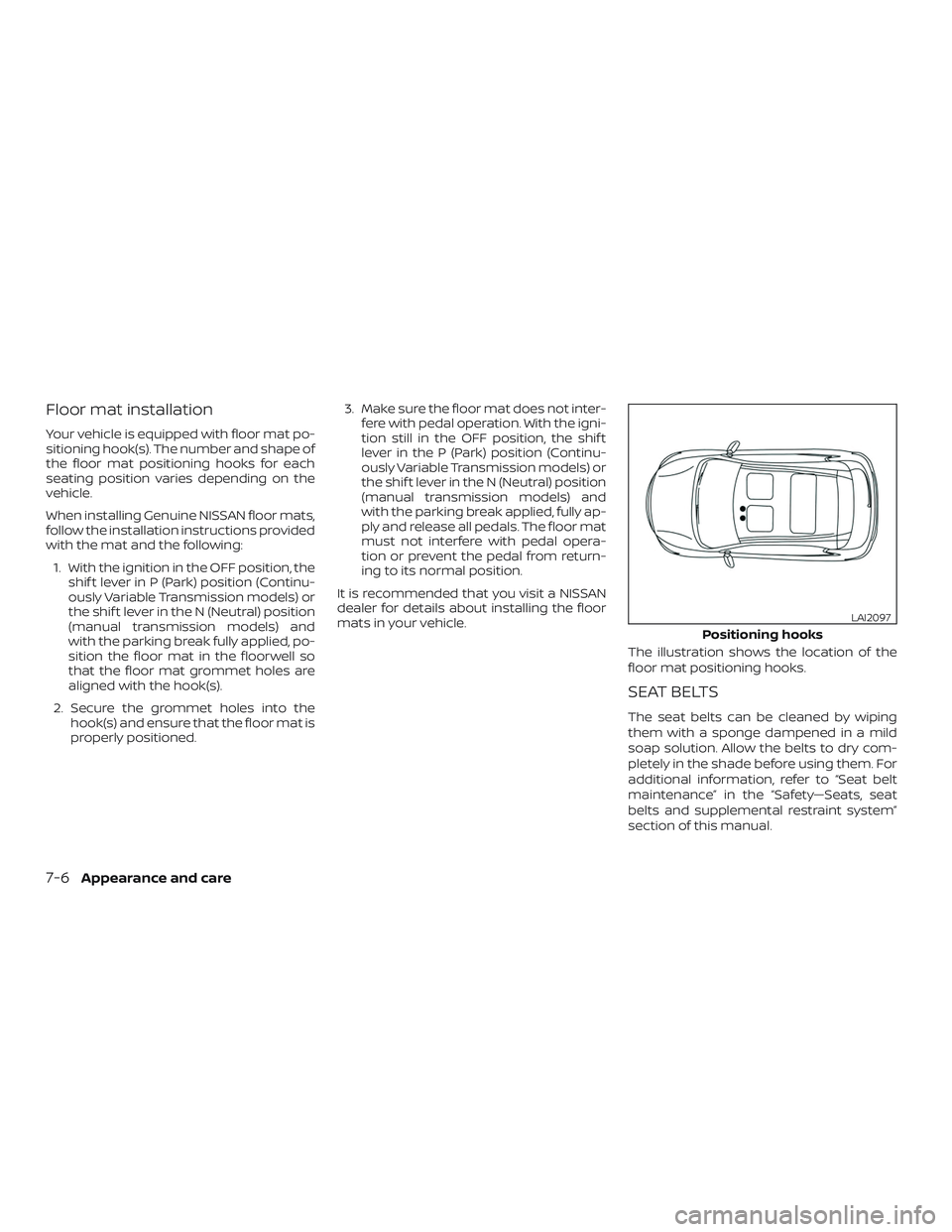
Your vehicle is equipped with floor mat po-
sitioning hook(s). The number and shape of
the floor mat positioning hooks for each
seating position varies depending on the
vehicle.
When installing Genuine NISSAN floor mats,
follow the installation instructions provided
with the mat and the following:1. With the ignition in the OFF position, the shif t lever in P (Park) position (Continu-
ously Variable Transmission models) or
the shif t lever in the N (Neutral) position
(manual transmission models) and
with the parking break fully applied, po-
sition the floor mat in the floorwell so
that the floor mat grommet holes are
aligned with the hook(s).
2. Secure the grommet holes into the hook(s) and ensure that the floor mat is
properly positioned. 3. Make sure the floor mat does not inter-
fere with pedal operation. With the igni-
tion still in the OFF position, the shif t
lever in the P (Park) position (Continu-
ously Variable Transmission models) or
the shif t lever in the N (Neutral) position
(manual transmission models) and
with the parking break applied, fully ap-
ply and release all pedals. The floor mat
must not interfere with pedal opera-
tion or prevent the pedal from return-
ing to its normal position.
It is recommended that you visit a NISSAN
dealer for details about installing the floor
mats in your vehicle.
The illustration shows the location of the
floor mat positioning hooks.
SEAT BELTS
The seat belts can be cleaned by wiping
them with a sponge dampened in a mild
soap solution. Allow the belts to dry com-
pletely in the shade before using them. For
additional information, refer to “Seat belt
maintenance” in the “Safety—Seats, seat
belts and supplemental restraint system”
section of this manual.
Positioning hooks
LAI2097
7-6Appearance and care
Page 340 of 388
Parking brake:Check the parking brake
operation regularly. The vehicle should be
securely held on a fairly steep hill with only
the parking brake applied. If the parking
brake needs adjustment, it is recom-
mended that you visit a NISSAN dealer for
this service.
Seats: Check seat position controls such
as seat adjusters, seatback recliner, etc., to
ensure they operate smoothly and all
latches lock securely in every position.
Check that the head restraints/headrests
move up and down smoothly and the locks
(if so equipped) hold securely in all latched
positions.
Seat belts: Check that all parts of the seat
belt system (for example, buckles, anchors,
adjusters and retractors) operate properly
and smoothly, and are installed securely.
Check the belt webbing for cuts, fraying,
wear or damage.
Steering wheel: Check for changes in the
steering system, such as excessive free
play, hard steering or strange noises.
Warning lights and chimes: Make sure all
warning lights and chimes are operating
properly. Windshield defroster:
Check that the air
comes out of the defroster outlets properly
and in sufficient quantity when operating
the heater or air conditioner.
Windshield wiper and washer*: Check
that the wipers and washer operate prop-
erly and that the wipers do not streak.
Under the hood and vehicle
The maintenance items listed here should
be checked periodically (for example, each
time you check the engine oil or refuel).
Battery*: This vehicle is equipped with a
sealed maintenance free battery. It is rec-
ommended that you visit a NISSAN dealer
for service.
NOTE:
Care should be taken to avoid situations
that can lead to potential battery dis-
charge and potential no-start conditions
such as:
1. Installation or extended use of elec-
tronic accessories that consume bat-
tery power when the engine is not
running (Phone chargers, GPS, DVD
players, etc.). 2.
Vehicle is not driven regularly and/or
only driven short distances.
In these cases, the battery may need to
be charged to maintain battery health.
Brake and clutch (if so equipped) fluid
level*: Make sure that the brake and clutch
fluid levels are between the MIN and MAX
lines on the reservoir.
Engine coolant level*: Check the coolant
level when the engine is cold.
Engine drive belt*: Make sure the drive belt
is not frayed, worn, cracked or oily.
Engine oil level*: Check the level af ter
parking the vehicle on a level surface with
the engine off. Wait more than 15 minutes
for the oil to drain back into the oil pan.
Exhaust system: Make sure there are no
loose supports, cracks or holes. If the
sound of the exhaust seems unusual or
there is a smell of exhaust fumes, immedi-
ately have the exhaust system inspected. It
is recommended that you visit a NISSAN
dealer for this service. For additional infor-
mation, refer to “Exhaust gas (carbon mon-
oxide)” in the “Starting and driving” section
of this manual.
9-4Maintenance and schedules
Page 365 of 388
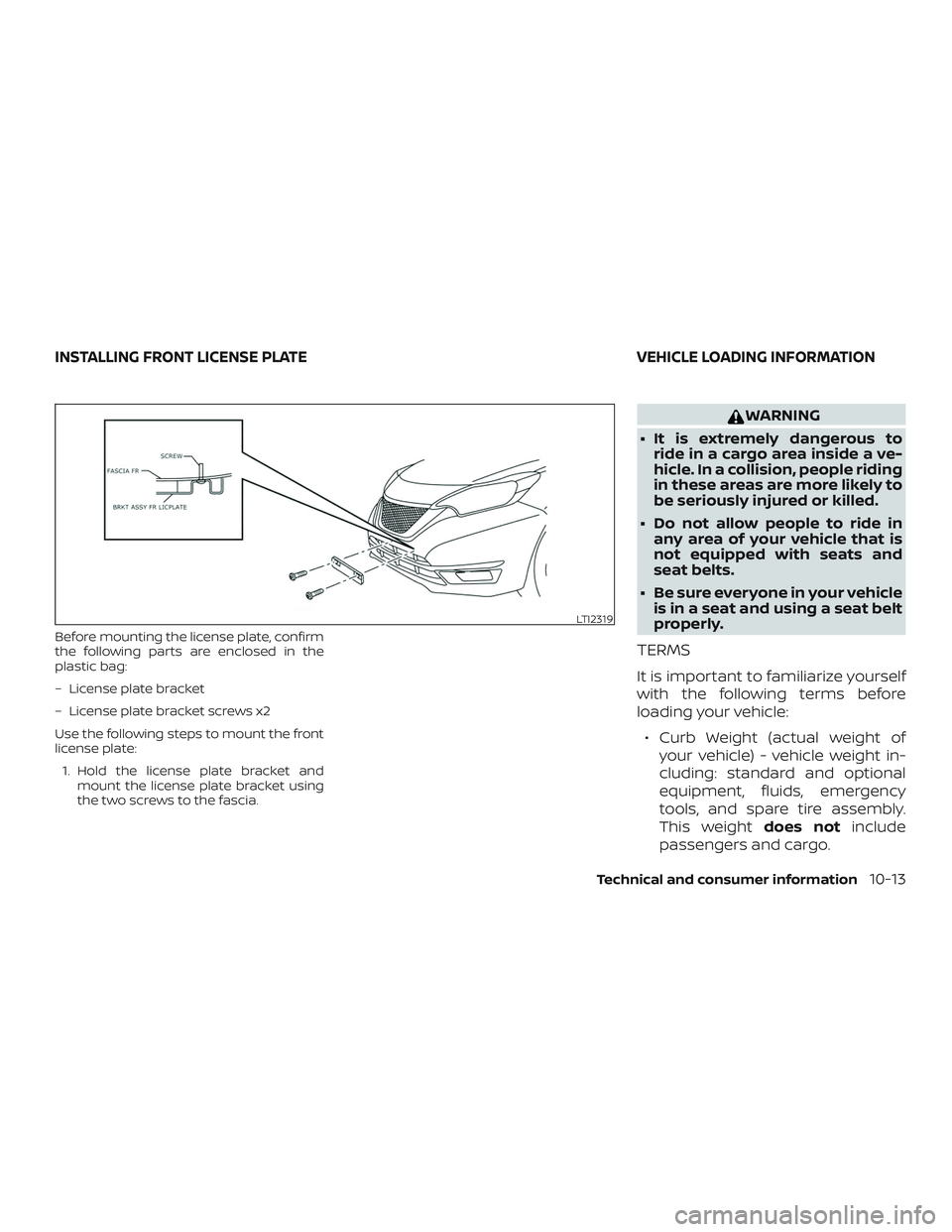
Before mounting the license plate, confirm
the following parts are enclosed in the
plastic bag:
– License plate bracket
– License plate bracket screws x2
Use the following steps to mount the front
license plate:1. Hold the license plate bracket and mount the license plate bracket using
the two screws to the fascia.
WARNING
∙ It is extremely dangerous to ride in a cargo area inside a ve-
hicle. In a collision, people riding
in these areas are more likely to
be seriously injured or killed.
∙ Do not allow people to ride in any area of your vehicle that is
not equipped with seats and
seat belts.
∙ Be sure everyone in your vehicle is in a seat and using a seat belt
properly.
TERMS
It is important to familiarize yourself
with the following terms before
loading your vehicle:
∙ Curb Weight (actual weight of your vehicle) - vehicle weight in-
cluding: standard and optional
equipment, fluids, emergency
tools, and spare tire assembly.
This weight does notinclude
passengers and cargo.
LTI2319
INSTALLING FRONT LICENSE PLATE VEHICLE LOADING INFORMATION
Technical and consumer information10-13
Page 375 of 388
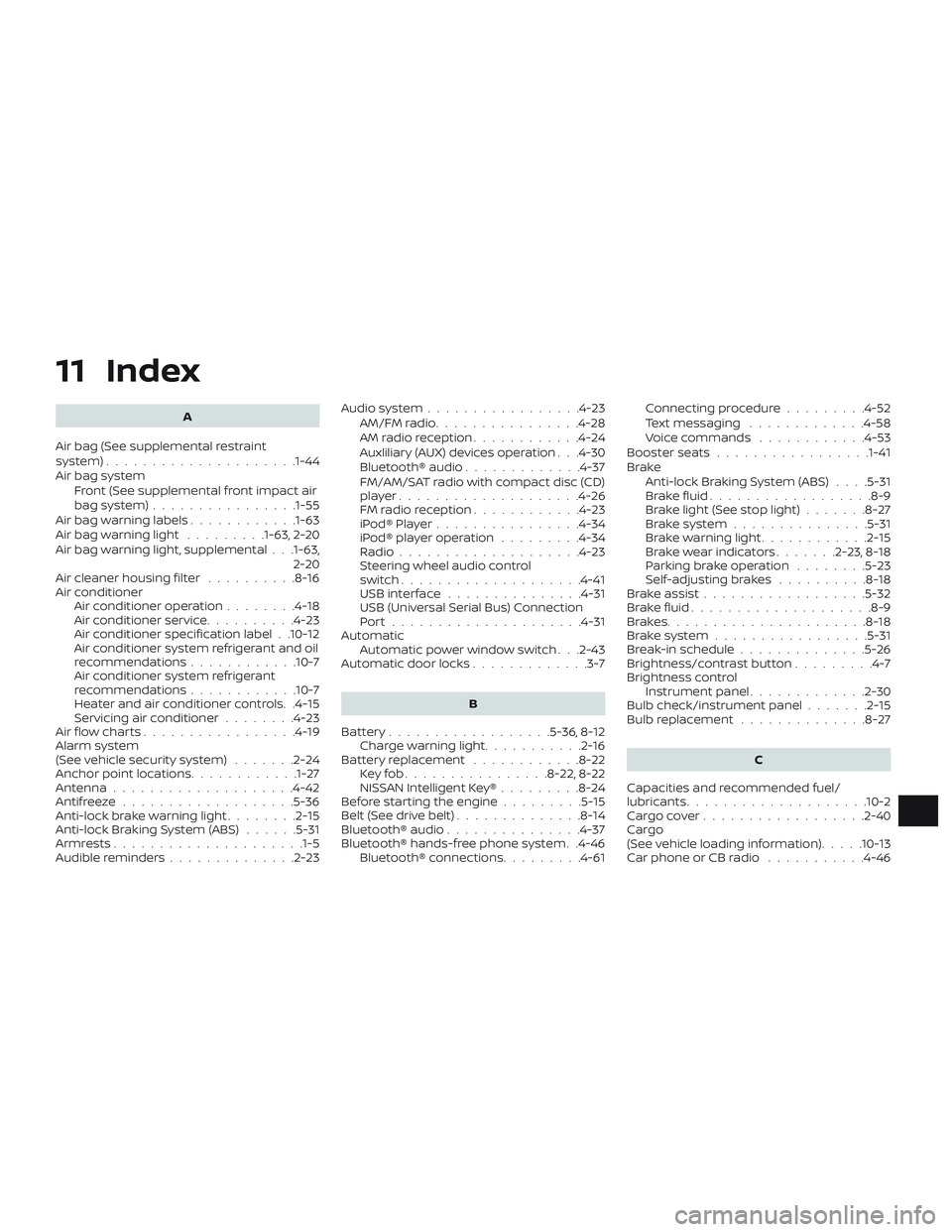
11 Index
A
Air bag (See supplemental restraint
system) .................... .1-44
Air bag system Front (See supplemental front impact air
bagsystem)............... .1-55
Air bag warning labels ............1-63
Airbagwarninglight .........1-63, 2-20
Air bag warning light, supplemental . . .1-63, 2-20
Air cleaner housing filter ..........8-16
Air conditioner Air conditioner operation ........4-18
Air conditioner service ..........4-23
Air conditioner specification label . .10-12
Air conditioner system refrigerant and oil
recommendations ............10-7
Air conditioner system refrigerant
recommendations ............10-7
Heater and air conditioner controls. .4-15
Servicing air conditioner ........4-23
Air flow charts .................4-19
Alarm system
(See vehicle security system) .......2-24
Anchor point locations ............1-27
Antenna ....................4-42
Antifreeze ...................5-36
Anti-lock brake warning light ........2-15
Anti-lock Braking System (ABS) ......5-31
Armrests.....................1-5
Audible reminders ..............2-23 Audiosystem.................4-23
AM/FMradio................4-28
AMradioreception............4-24
Auxliliary (AUX) devices operation . . .4-30
Bluetooth® audio .............4-37
FM/AM/SAT radio with compact disc (CD)
player....................4-26
FMradioreception............4-23
iPod®Player................4-34
iPod® player operation .........4-34
Radio ....................4-23
Steering wheel audio control
switch....................4-41
USBinterface ...............4-31
USB (Universal Serial Bus) Connection
Port.....................4-31
Automatic Automatic power window switch . . .2-43
Automatic door locks .............3-7
B
Battery..................5-36,8-12 Charge warning light ...........2-16
Battery replacement ............8-22
Keyfob................8-22,8-22
NISSAN Intelligent Key® .........8-24
Before starting the engine .........5-15
Belt(Seedrivebelt)..............8-14
Bluetooth® audio ...............4-37
Bluetooth® hands-free phone system . .4-46 Bluetooth® connections .........4-61Connecting procedure
.........4-52
Text messaging .............4-58
Voice commands ............4-53
Booster seats .................1-41
Brake Anti-lock Braking System (ABS) ....5-31
Brakefluid..................8-9
Brakelight(Seestoplight).......8-27
Brakesystem...............5-31
Brakewarninglight............2-15
Brakewearindicators.......2-23,8-18
Parking brake operation ........5-23
Self-adjustingbrakes ..........8-18
Brakeassist..................5-32
Brakefluid....................8-9
Brakes......................8-18
Brakesystem.................5-31
Break-in schedule ..............5-26
Brightness/contrast button .........4-7
Brightness control Instrument panel .............2-30
Bulb check/instrument panel .......2-15
Bulb replacement ..............
8-27
C
Capacities and recommended fuel/
lubricants....................10-2
Cargocover..................2-40
Cargo
(See vehicle loading information) .....10-13
Car phone or CB radio ...........4-46
Page 377 of 388
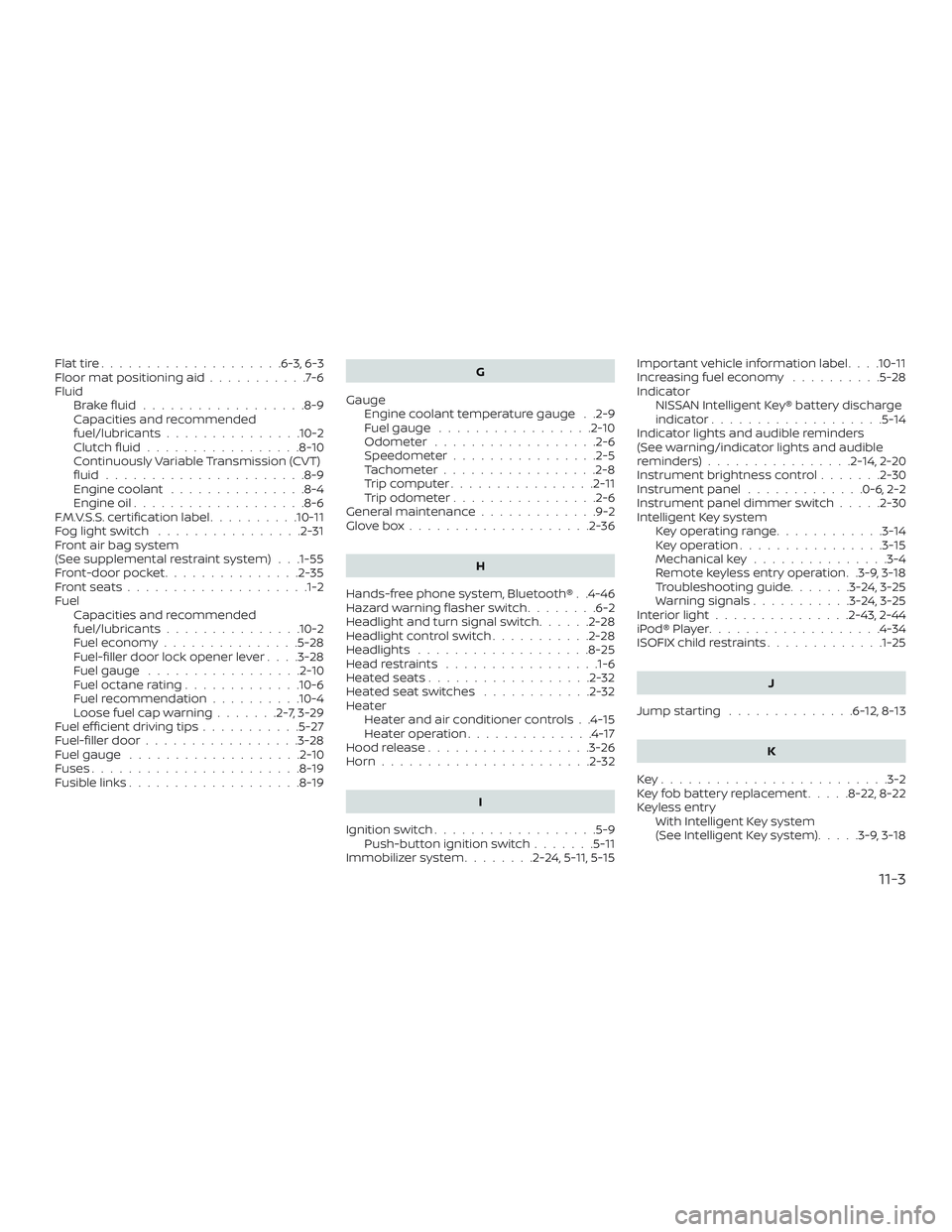
Flattire....................6-3,6-3
Floormatpositioningaid...........7-6
FluidBrakefluid..................8-9
Capacities and recommended
fuel/lubricants...............10-2
Clutchfluid.................8-10
Continuously Variable Transmission (CVT)
fluid......................8-9
Engine coolant ...............8-4
Engine oil ...................8-6
F.M.V.S.S. certification label ..........10-11
Foglightswitch ................2-31
Front air bag system
(See supplemental restraint system) . . .1-55
Front-door pocket ...............2-35
Frontseats................... .1-2
Fuel Capacities and recommended
fuel/lubricants...............10-2
Fuel economy ...............5-28
Fuel-filler door lock opener lever ....3-28
Fuel gauge .................2-10
Fueloctanerating.............10-6
Fuel recommendation ..........10-4
Loose fuel cap warning .......2-7,3-29
Fuelefficientdrivingtips...........5-27
Fuel-filler door .................3-28
Fuel gauge ...................2-10
Fuses .......................8-19
Fusiblelinks...................8-19 G
Gauge Engine coolant temperature gauge . .2-9
Fuel gauge .................2-10
Odometer ..................2-6
Speedometer ................2-5
Tachometer .................2-8
Trip computer ................2-11
Trip odometer ................2-6
General maintenance .............9-2
Glovebox....................2-36
H
Hands-free phone system, Bluetooth® . .4-46
Hazard warning flasher switch ........6-2
Headlight and turn signal switch ......2-28
Headlightcontrolswitch...........2-28
Headlights ...................8-25
Headrestraints .................1-6
Heatedseats..................2-32
Heated seat switches ............2-32
Heater Heater and air conditioner controls . .4-15
Heater operation ..............4-17
Hood release ..................3-26
Horn.......................2-32
I
Ignition switch ..................5-9
Push-button ignition switch .......5-11
Immobilizer system ........2-24,5-11, 5-15Important vehicle information label
. . . .10-11
Increasing fuel economy ..........5-28
Indicator NISSAN Intelligent Key® battery discharge
indicator...................5-14
Indicator lights and audible reminders
(See warning/indicator lights and audible
reminders) ................2-14,2-20
Instrument brightness control .......2-30
Instrument panel .............0-6,2-2
Instrument panel dimmer switch .....2-30
Intelligent Key system Key operating range ............3-14
Key operation ................3-15
Mechanical key ...............3-4
Remote keyless entry operation . .3-9, 3-18
Troubleshooting guide .......3-24,3-25
Warning signals ...........3-24,3-25
Interiorlight...............2-43, 2-44
iPod®Player...................4-34
ISOFIX child restraints .............1-25
J
J
umpstarting ..............6-12,8-13
K
Key........................ .3-2
Key fob battery replacement .....8-22,8-22
Keyless entry With Intelligent Key system
(See Intelligent Key system) .....3-9,3-18
11-3