park NISSAN VERSA NOTE 2020 Owner´s Manual
[x] Cancel search | Manufacturer: NISSAN, Model Year: 2020, Model line: VERSA NOTE, Model: NISSAN VERSA NOTE 2020Pages: 492, PDF Size: 6.12 MB
Page 102 of 492
checked and repaired as soon as possible.
It is recommended that you visit a NISSAN
dealer for this service.
For additional information, refer to “NISSAN
Intelligent Key®” in the “Pre-driving checks
and adjustments” section of this manual.
Power steering warninglight
WARNING
∙ If the engine is not running or is turned off while driving, the power as-
sist for the steering will not work.
Steering will be harder to operate.
∙ When the power steering warning light illuminates with the engine run-
ning, there will be no power assist for
the steering. You will still have control
of the vehicle, but the steering will be
harder to operate. Have the power
steering system checked. It is recom-
mended that you visit a NISSAN dealer
for this service.
When the ignition switch is placed in the ON
position, the power steering warning light
illuminates. Af ter starting the engine, the
power steering warning light turns off. This
indicates the power steering is operational. If the power steering warning light illumi-
nates while the engine is running, it may
indicate the power steering is not function-
ing properly and may need servicing. Have
the power steering checked. It is recom-
mended that you visit a NISSAN dealer for
this service.
When the power steering warning light illu-
minates with the engine running, there will
be no power assist for the steering, but you
will still have control of the vehicle. At this
time, greater steering effort is required to
operate the steering wheel, especially in
sharp turns and at low speeds.
For additional information, refer to “Power
steering” in the “Starting and driving” sec-
tion of this manual.
Rear Automatic Braking
(RAB) warning light
This light comes on when the ignition
switch is placed in the ON position. It turns
off af ter the engine is started.
This light illuminates when the RAB system
is set to off in the vehicle information dis-
play, set to off using the RAB switch, or the
Vehicle Dynamic Control (VDC) system is
turned off. If the light illuminates when the RAB sys-
tem is on, it may indicate that the system is
unavailable. For additional information, re-
fer to “Rear Automatic Braking (RAB)” in the
“Starting and driving” section of this
manual.
Seat belt warning light and
chime
The light and chime remind you to fasten
the driver and front passenger seat belts.
For additional information, refer to “Seat
belts” in the “Safety—Seats, seat belts and
supplemental restraint system” section of
this manual.
Shif t P (Park) warning light(if so equipped)
This light blinks red and the key reminder
chime sounds if the shif t lever is in any
position other than P (Park) and the ignition
switch is in the OFF position. Return the
shif t lever to P (Park) with the ignition
switch in the OFF position and the light will
turn off. Place the ignition switch in the
LOCK position and the chime will turn off.
For additional information, refer to “NISSAN
Intelligent Key®” in the “Pre-driving checks
and adjustments” section of this manual.
2-18Instruments and controls
Page 103 of 492
Supplemental air bagwarning light
When the ignition switch is placed in the ON
or START position, the supplemental air
bag warning light illuminates for about
7 seconds and then turns off. This means
the system is operational.
If any of the following conditions occur, the
front air bag, side air bag, curtain air bag,
and pretensioner seat belt systems need
servicing:
∙ The supplemental air bag warning light remains on af ter approximately 7 sec-
onds.
∙ The supplemental air bag warning light flashes intermittently.
∙ The supplemental air bag warning light does not come on at all.
It is recommended that you visit a NISSAN
dealer for these services.
Unless checked and repaired, the supple-
mental restraint system (air bag system)
and/or the pretensioner(s) may not func-
tion properly. For additional information, re-
fer to “Supplemental Restraint System (SRS)” in the “Safety—Seats, seat belts and
supplemental restraint system” section of
this manual.
WARNING
If the supplemental air bag warning
light is on, it could mean that the front
air bag, side air bag, curtain air bag
and/or pretensioner systems will not
operate in an accident. To help avoid
injury to yourself or others, have your
vehicle checked as soon as possible. It is
recommended that you visit a NISSAN
dealer for this service.
INDICATOR LIGHTS
For additional information, refer to “Vehicle
information display” in this section.
Continuously Variable
Transmission (CVT)
position indicator light (if
so equipped)
When the ignition switch is placed in the ON
position, this indicator light shows the shif t
lever position. For additional information,
refer to “Driving the vehicle” in the “Starting
and driving” section of this manual.
CRUISE indicator light (if soequipped)
The light comes on when the cruise control
switch is pushed. The light goes out when
the switch is pushed again. When the
cruise indicator light comes on, the cruise
control system is operational. For addi-
tional information, refer to “Cruise control”
in the “Starting and driving” section of this
manual.
Engine start operationindicator light (if so
equipped)
For vehicles equipped with push-button ig-
nition this indicator light illuminates when
the ignition switch is in the LOCK, OFF or ON
position with the shif t lever in the P (Park)
position.
This indicator light means that the engine
will start by pushing the push-button igni-
tion switch with the brake pedal de-
pressed.
Instruments and controls2-19
Page 107 of 492
Light reminder chime
With the ignition switch placed in the OFF
position, a chime sounds when the driver’s
door is opened if the headlights or parking
lights are on.
Turn the headlight control switch off or to
AUTO before leaving the vehicle.
NISSAN Intelligent Key® door
buzzer (if so equipped)
The Intelligent Key door buzzer sounds if
any one of the following improper opera-
tions is found.∙ The Intelligent Key is lef t inside the ve- hicle when locking the doors.
∙ The Intelligent Key is taken outside the vehicle when operating the vehicle.
When the buzzer sounds, be sure to check
both the vehicle and the Intelligent Key Sys-
tem. For additional information, refer to
“NISSAN Intelligent Key®” in the “Pre-driving
checks and adjustments” section of this
manual.
Parking brake reminder chime
A chime sounds if the parking brake is set
and the vehicle is driven. The chime will
stop if the parking brake is released or the
vehicle speed returns to zero.
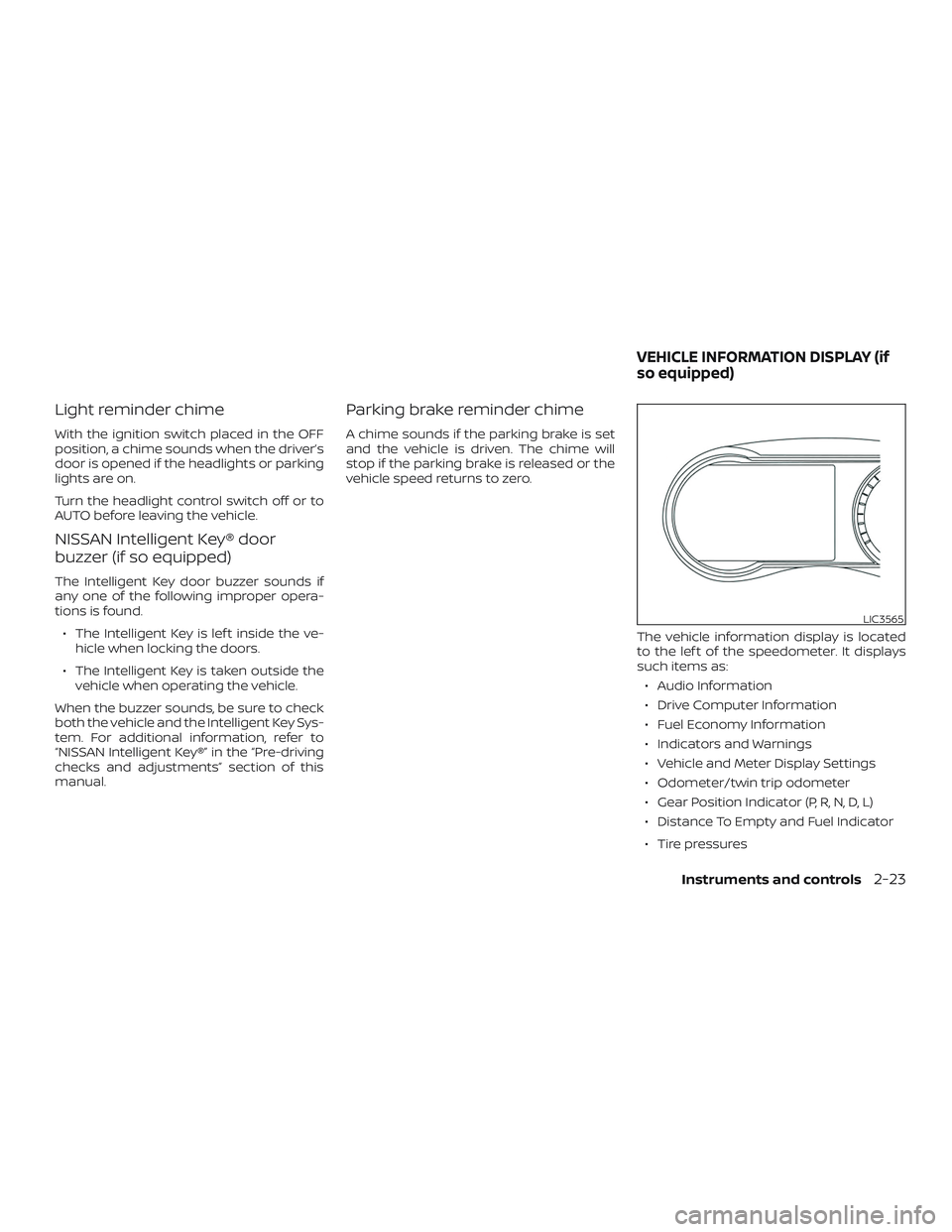
The vehicle information display is located
to the lef t of the speedometer. It displays
such items as:∙ Audio Information
∙ Drive Computer Information
∙ Fuel Economy Information
∙ Indicators and Warnings
∙ Vehicle and Meter Display Settings
∙ Odometer/twin trip odometer
∙ Gear Position Indicator (P, R, N, D, L)
∙ Distance To Empty and Fuel Indicator
∙ Tire pressures
LIC3565
VEHICLE INFORMATION DISPLAY (if
so equipped)
Instruments and controls2-23
Page 109 of 492
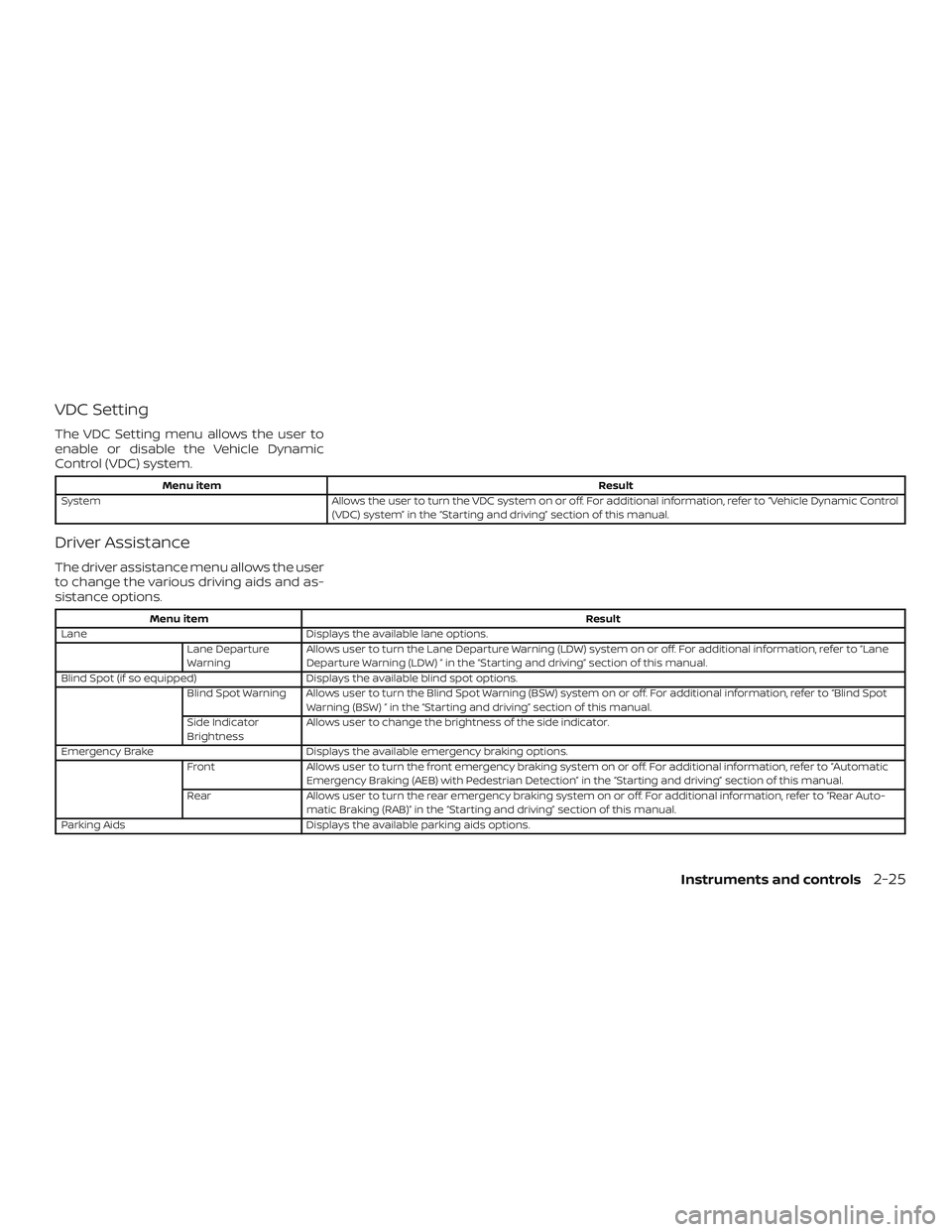
VDC Setting
The VDC Setting menu allows the user to
enable or disable the Vehicle Dynamic
Control (VDC) system.
Menu itemResult
System Allows the user to turn the VDC system on or off. For additional information, refer to “Vehicle Dynamic Control
(VDC) system” in the “Starting and driving” section of this manual.
Driver Assistance
The driver assistance menu allows the user
to change the various driving aids and as-
sistance options.
Menu item Result
Lane Displays the available lane options.
Lane Departure
Warning Allows user to turn the Lane Departure Warning (LDW) system on or off. For additional information, refer to “Lane
Departure Warning (LDW) ” in the “Starting and driving” section of this manual.
Blind Spot (if so equipped) Displays the available blind spot options.
Blind Spot Warning Allows user to turn the Blind Spot Warning (BSW) system on or off. For additional information, refer to “Blind Spot Warning (BSW) ” in the “Starting and driving” section of this manual.
Side Indicator
Brightness Allows user to change the brightness of the side indicator.
Emergency Brake Displays the available emergency braking options.
Front Allows user to turn the front emergency braking system on or off. For additional information, refer to “Automatic
Emergency Braking (AEB) with Pedestrian Detection” in the “Starting and driving” section of this manual.
Rear Allows user to turn the rear emergency braking system on or off. For additional information, refer to “Rear Auto-
matic Braking (RAB)” in the “Starting and driving” section of this manual.
Parking Aids Displays the available parking aids options.
Instruments and controls2-25
Page 113 of 492
Menu itemResult
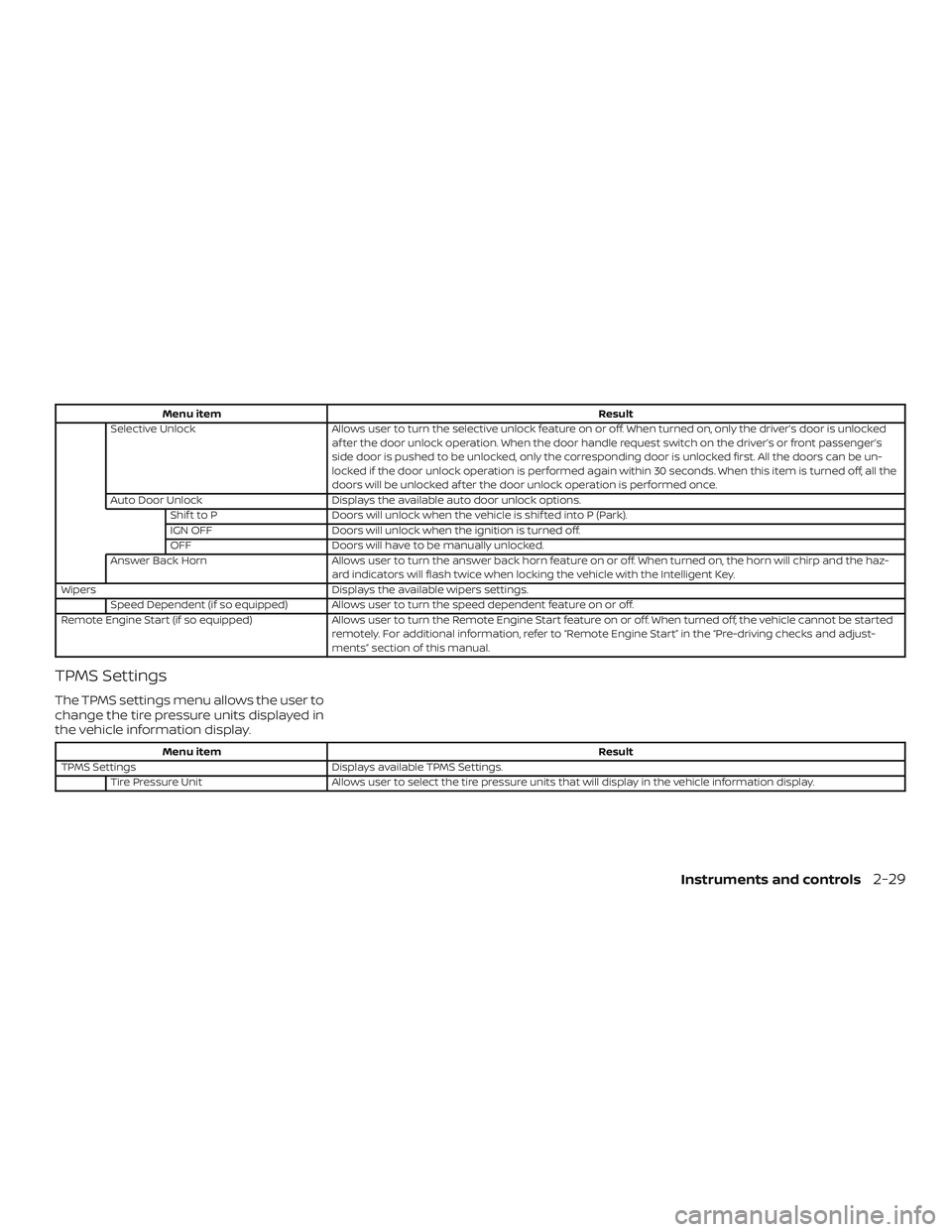
Selective Unlock Allows user to turn the selective unlock feature on or off. When turned on, only the driver’s door is unlocked
af ter the door unlock operation. When the door handle request switch on the driver’s or front passenger’s
side door is pushed to be unlocked, only the corresponding door is unlocked first. All the doors can be un-
locked if the door unlock operation is performed again within 30 seconds. When this item is turned off, all the
doors will be unlocked af ter the door unlock operation is performed once.
Auto Door Unlock Displays the available auto door unlock options.
Shif t to P Doors will unlock when the vehicle is shif ted into P (Park).
IGN OFF Doors will unlock when the ignition is turned off.
OFF Doors will have to be manually unlocked.
Answer Back Horn Allows user to turn the answer back horn feature on or off. When turned on, the horn will chirp and the haz-
ard indicators will flash twice when locking the vehicle with the Intelligent Key.
Wipers Displays the available wipers settings.
Speed Dependent (if so equipped) Allows user to turn the speed dependent feature on or off.
Remote Engine Start (if so equipped) Allows user to turn the Remote Engine Start feature on or off. When turned off, the vehicle cannot be started
remotely. For additional information, refer to “Remote Engine Start” in the “Pre-driving checks and adjust-
ments” section of this manual.
TPMS Settings
The TPMS settings menu allows the user to
change the tire pressure units displayed in
the vehicle information display.
Menu item Result
TPMS Settings Displays available TPMS Settings.
Tire Pressure Unit Allows user to select the tire pressure units that will display in the vehicle information display.
Instruments and controls2-29
Page 117 of 492
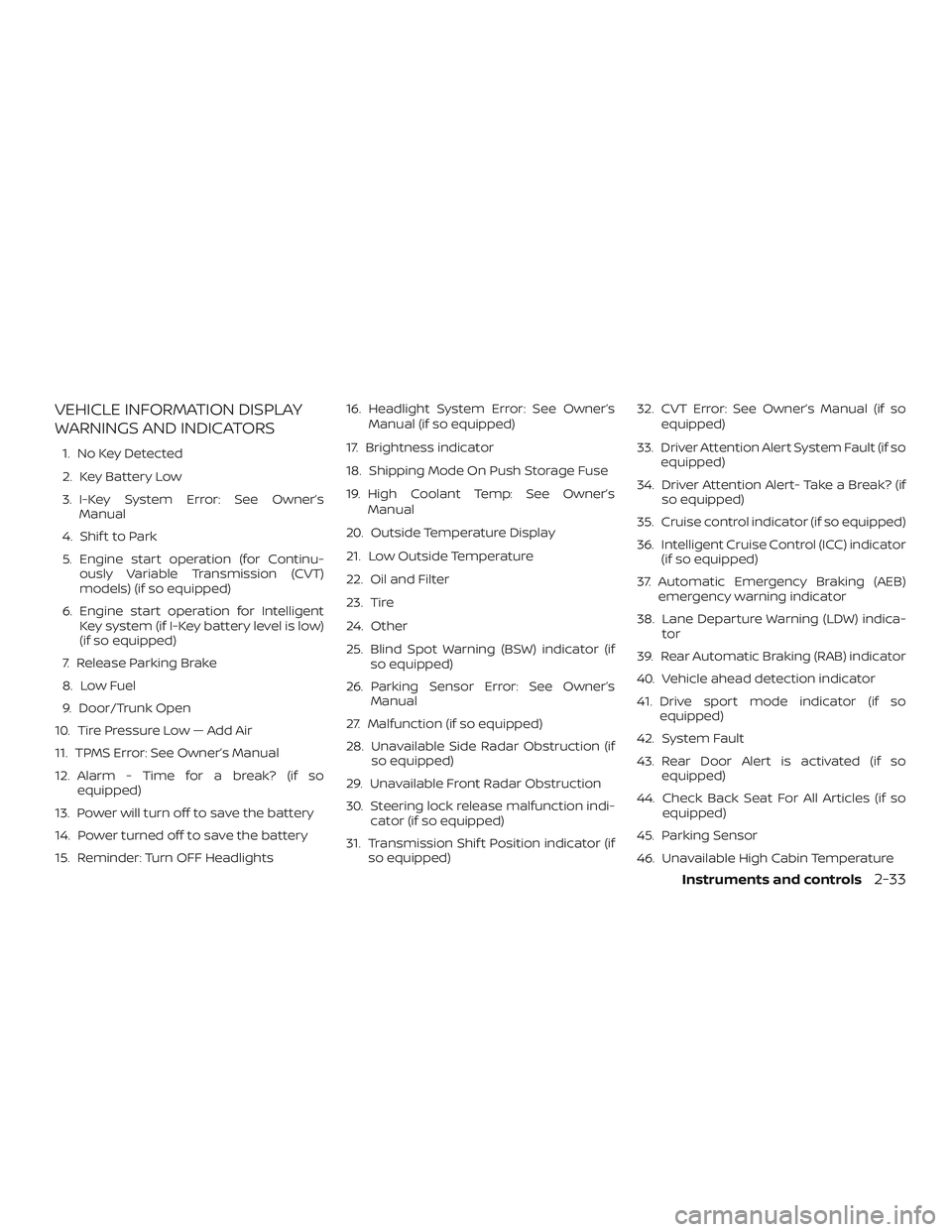
VEHICLE INFORMATION DISPLAY
WARNINGS AND INDICATORS
1. No Key Detected
2. Key Battery Low
3. I-Key System Error: See Owner’sManual
4. Shif t to Park
5. Engine start operation (for Continu- ously Variable Transmission (CVT)
models) (if so equipped)
6. Engine start operation for Intelligent Key system (if I-Key battery level is low)
(if so equipped)
7. Release Parking Brake
8. Low Fuel
9. Door/Trunk Open
10. Tire Pressure Low — Add Air
11. TPMS Error: See Owner’s Manual
12. Alarm - Time for a break? (if so equipped)
13. Power will turn off to save the battery
14. Power turned off to save the battery
15. Reminder: Turn OFF Headlights 16. Headlight System Error: See Owner’s
Manual (if so equipped)
17. Brightness indicator
18. Shipping Mode On Push Storage Fuse
19. High Coolant Temp: See Owner’s Manual
20. Outside Temperature Display
21. Low Outside Temperature
22. Oil and Filter
23. Tire
24. Other
25. Blind Spot Warning (BSW) indicator (if so equipped)
26. Parking Sensor Error: See Owner’s Manual
27. Malfunction (if so equipped)
28. Unavailable Side Radar Obstruction (if so equipped)
29. Unavailable Front Radar Obstruction
30. Steering lock release malfunction indi- cator (if so equipped)
31. Transmission Shif t Position indicator (if so equipped) 32. CVT Error: See Owner’s Manual (if so
equipped)
33. Driver Attention Alert System Fault (if so equipped)
34. Driver Attention Alert- Take a Break? (if so equipped)
35. Cruise control indicator (if so equipped)
36. Intelligent Cruise Control (ICC) indicator (if so equipped)
37. Automatic Emergency Braking (AEB) emergency warning indicator
38. Lane Departure Warning (LDW) indica- tor
39. Rear Automatic Braking (RAB) indicator
40. Vehicle ahead detection indicator
41. Drive sport mode indicator (if so equipped)
42. System Fault
43. Rear Door Alert is activated (if so equipped)
44. Check Back Seat For All Articles (if so equipped)
45. Parking Sensor
46. Unavailable High Cabin Temperature
Instruments and controls2-33
Page 118 of 492
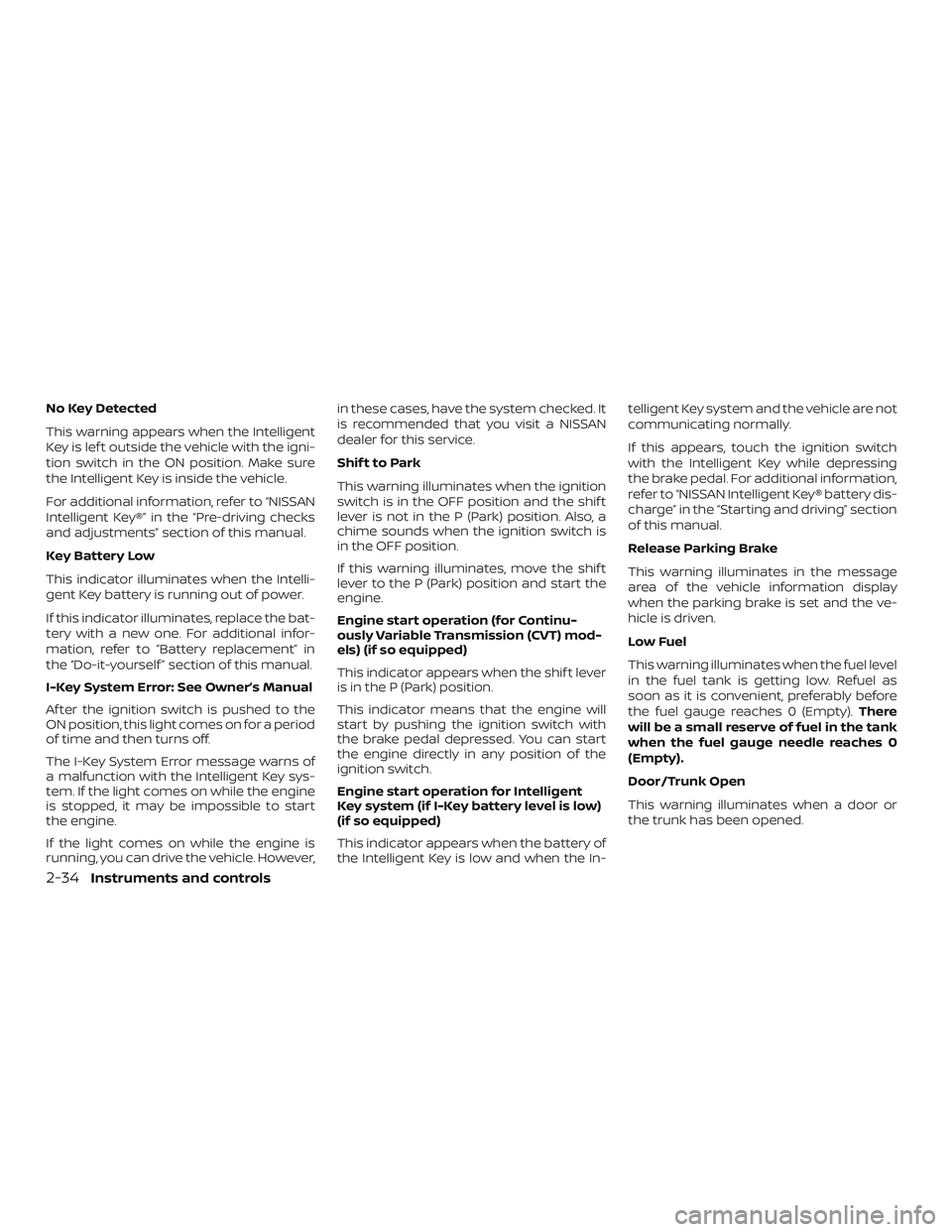
No Key Detected
This warning appears when the Intelligent
Key is lef t outside the vehicle with the igni-
tion switch in the ON position. Make sure
the Intelligent Key is inside the vehicle.
For additional information, refer to “NISSAN
Intelligent Key®” in the “Pre-driving checks
and adjustments” section of this manual.
Key Battery Low
This indicator illuminates when the Intelli-
gent Key battery is running out of power.
If this indicator illuminates, replace the bat-
tery with a new one. For additional infor-
mation, refer to “Battery replacement” in
the “Do-it-yourself ” section of this manual.
I-Key System Error: See Owner’s Manual
Af ter the ignition switch is pushed to the
ON position, this light comes on for a period
of time and then turns off.
The I-Key System Error message warns of
a malfunction with the Intelligent Key sys-
tem. If the light comes on while the engine
is stopped, it may be impossible to start
the engine.
If the light comes on while the engine is
running, you can drive the vehicle. However,in these cases, have the system checked. It
is recommended that you visit a NISSAN
dealer for this service.
Shif t to Park
This warning illuminates when the ignition
switch is in the OFF position and the shif t
lever is not in the P (Park) position. Also, a
chime sounds when the ignition switch is
in the OFF position.
If this warning illuminates, move the shif t
lever to the P (Park) position and start the
engine.
Engine start operation (for Continu-
ously Variable Transmission (CVT) mod-
els) (if so equipped)
This indicator appears when the shif t lever
is in the P (Park) position.
This indicator means that the engine will
start by pushing the ignition switch with
the brake pedal depressed. You can start
the engine directly in any position of the
ignition switch.
Engine start operation for Intelligent
Key system (if I-Key battery level is low)
(if so equipped)
This indicator appears when the battery of
the Intelligent Key is low and when the In-telligent Key system and the vehicle are not
communicating normally.
If this appears, touch the ignition switch
with the Intelligent Key while depressing
the brake pedal. For additional information,
refer to “NISSAN Intelligent Key® battery dis-
charge” in the “Starting and driving” section
of this manual.
Release Parking Brake
This warning illuminates in the message
area of the vehicle information display
when the parking brake is set and the ve-
hicle is driven.
Low Fuel
This warning illuminates when the fuel level
in the fuel tank is getting low. Refuel as
soon as it is convenient, preferably before
the fuel gauge reaches 0 (Empty).
There
will be a small reserve of fuel in the tank
when the fuel gauge needle reaches 0
(Empty).
Door/Trunk Open
This warning illuminates when a door or
the trunk has been opened.
2-34Instruments and controls
Page 119 of 492
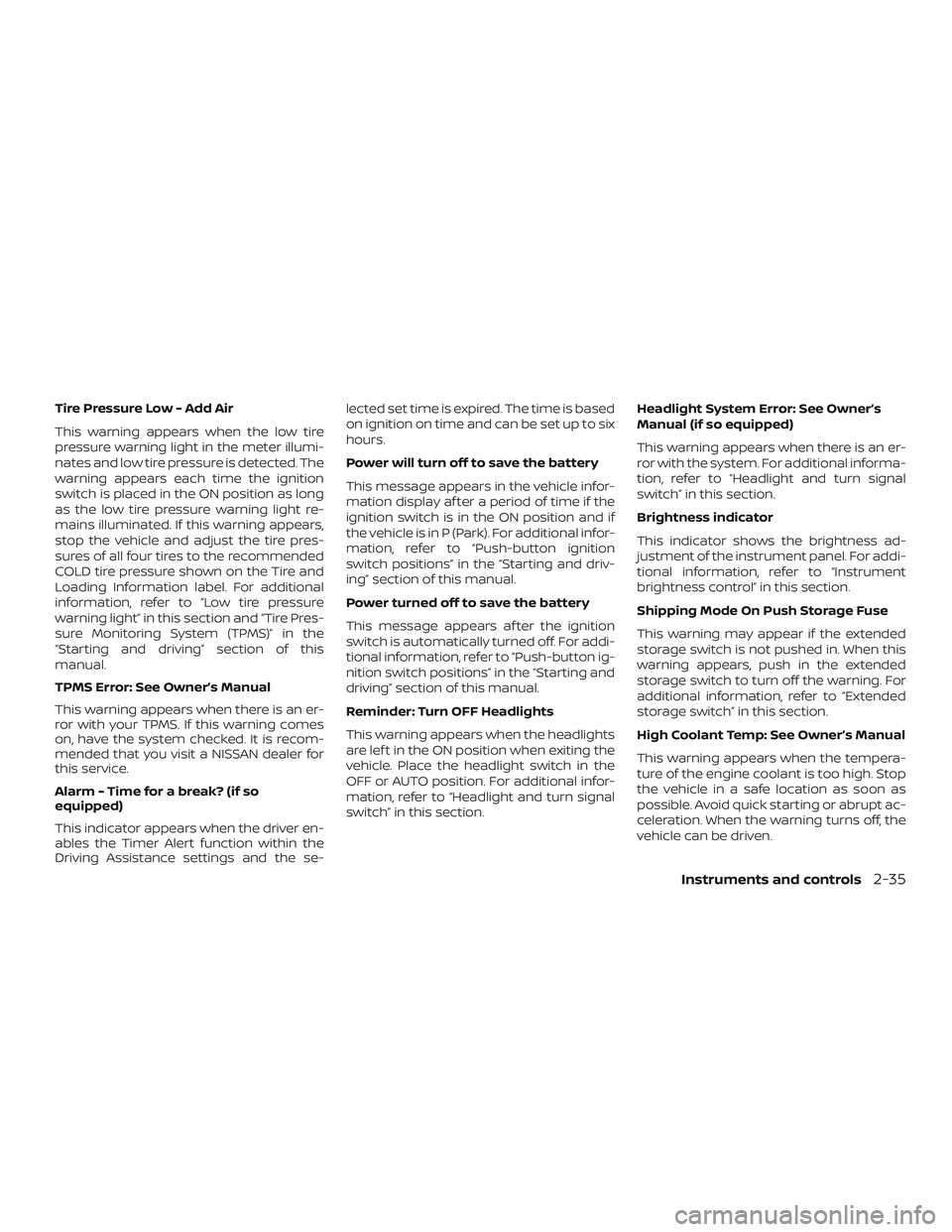
Tire Pressure Low - Add Air
This warning appears when the low tire
pressure warning light in the meter illumi-
nates and low tire pressure is detected. The
warning appears each time the ignition
switch is placed in the ON position as long
as the low tire pressure warning light re-
mains illuminated. If this warning appears,
stop the vehicle and adjust the tire pres-
sures of all four tires to the recommended
COLD tire pressure shown on the Tire and
Loading Information label. For additional
information, refer to “Low tire pressure
warning light” in this section and “Tire Pres-
sure Monitoring System (TPMS)” in the
“Starting and driving” section of this
manual.
TPMS Error: See Owner’s Manual
This warning appears when there is an er-
ror with your TPMS. If this warning comes
on, have the system checked. It is recom-
mended that you visit a NISSAN dealer for
this service.
Alarm - Time for a break? (if so
equipped)
This indicator appears when the driver en-
ables the Timer Alert function within the
Driving Assistance settings and the se-lected set time is expired. The time is based
on ignition on time and can be set up to six
hours.
Power will turn off to save the battery
This message appears in the vehicle infor-
mation display af ter a period of time if the
ignition switch is in the ON position and if
the vehicle is in P (Park). For additional infor-
mation, refer to “Push-button ignition
switch positions” in the “Starting and driv-
ing” section of this manual.
Power turned off to save the battery
This message appears af ter the ignition
switch is automatically turned off. For addi-
tional information, refer to “Push-button ig-
nition switch positions” in the “Starting and
driving” section of this manual.
Reminder: Turn OFF Headlights
This warning appears when the headlights
are lef t in the ON position when exiting the
vehicle. Place the headlight switch in the
OFF or AUTO position. For additional infor-
mation, refer to “Headlight and turn signal
switch” in this section.
Headlight System Error: See Owner’s
Manual (if so equipped)
This warning appears when there is an er-
ror with the system. For additional informa-
tion, refer to “Headlight and turn signal
switch” in this section.
Brightness indicator
This indicator shows the brightness ad-
justment of the instrument panel. For addi-
tional information, refer to “Instrument
brightness control” in this section.
Shipping Mode On Push Storage Fuse
This warning may appear if the extended
storage switch is not pushed in. When this
warning appears, push in the extended
storage switch to turn off the warning. For
additional information, refer to “Extended
storage switch” in this section.
High Coolant Temp: See Owner’s Manual
This warning appears when the tempera-
ture of the engine coolant is too high. Stop
the vehicle in a safe location as soon as
possible. Avoid quick starting or abrupt ac-
celeration. When the warning turns off, the
vehicle can be driven.
Instruments and controls2-35
Page 120 of 492
If the warning appears again soon af ter it
turns off, have the vehicle checked. It is rec-
ommended that you visit a NISSAN dealer
for this service.
Outside Temperature Display
The outside temperature display appears
in the center region of the vehicle informa-
tion display.
Low Outside Temperature
This warning appears if the outside tem-
perature is below 37°F (3°C). The tempera-
ture can be changed to display in Celsius or
Fahrenheit. For additional information, re-
fer to “Settings” in this section.
Oil and Filter
This indicator appears when the customer
set distance comes for changing the en-
gine oil and filter. You can set or reset the
distance for checking or replacing these
items. For scheduled maintenance items
and intervals, refer to the “Maintenance and
schedules” section of this manual.
Tire
This indicator appears when the customer
set distance is reached for replacing tires.
You can set or reset the distance for replac-
ing tires.WARNING
The tire replacement indicator is not a
substitute for regular tire checks, in-
cluding tire pressure checks. For addi-
tional information, refer to “Changing
wheels and tires” in the “Do-it-yourself ”
section of this manual. Many factors in-
cluding tire inflation, alignment, driving
habits and road conditions affect tire
wear and when tires should be re-
placed. Setting the tire replacement in-
dicator for a certain driving distance
does not mean your tires will last that
long. Use the tire replacement indicator
as a guide only and always perform
regular tire checks. Failure to perform
regular tire checks, including tire pres-
sure checks could result in tire failure.
Serious vehicle damage could occur
and may lead to a collision, which could
result in serious personal injury or
death.
Other
This indicator appears when the customer
set distance is reached for checking or re-
placing maintenance items other than the
engine oil, oil filter and tires. Other mainte-
nance items can include such things as air filter or tire rotation. The distance for
checking or replacing the items can be set
or reset.
Blind Spot Warning (BSW) indicator (if
so equipped)
This indicator shows when the BSW system
is engaged.
For additional information, refer to “Blind
Spot Warning (BSW)” in the “Starting and
driving” section of this manual.
Parking Sensor Error: See Owner’s
Manual
This warning illuminates when there is an
error with the system. For additional infor-
mation, refer to “Rear Sonar System (RSS)”
in the “Starting and driving” section of this
manual.
Malfunction (if so equipped)
This warning appears when one or more of
the following systems (if so equipped) is
not functioning properly:
∙ Automatic Emergency Braking (AEB)
∙ Automatic Emergency Braking (AEB) with Pedestrian Detection
∙ Blind Spot Warning (BSW)
2-36Instruments and controls
Page 123 of 492
Check Back Seat For All Articles (if so
equipped)
When the system is enabled, this message
appears when the vehicle comes to a com-
plete stop, the vehicle is transitioned from
the D (Drive) position to P (Park) position,
and the driver exits the vehicle. This mes-
sage alerts the driver, af ter a period of time,
to check for items in the rear seat af ter the
audible alert has been provided.
NOTE:
This system is disabled until a driver en-
ables it using the vehicle information
display. For additional information, refer
to “How to use the vehicle information
display ” in this section.
For additional information, refer to “Rear
Door Alert” in this section.
Parking Sensor
This indicator illuminates when the sensor
is activated. For additional information, re-
fer to “Rear Sonar System (RSS)” in the
“Starting and driving” section of this
manual.Unavailable: High Cabin Temperature
This message appears when the camera
detects an interior temperature of more
than approximately 104°F (40°C). For addi-
tional information, refer to “Lane Departure
Warning (LDW)” in the “Starting and driving”
section of this manual.
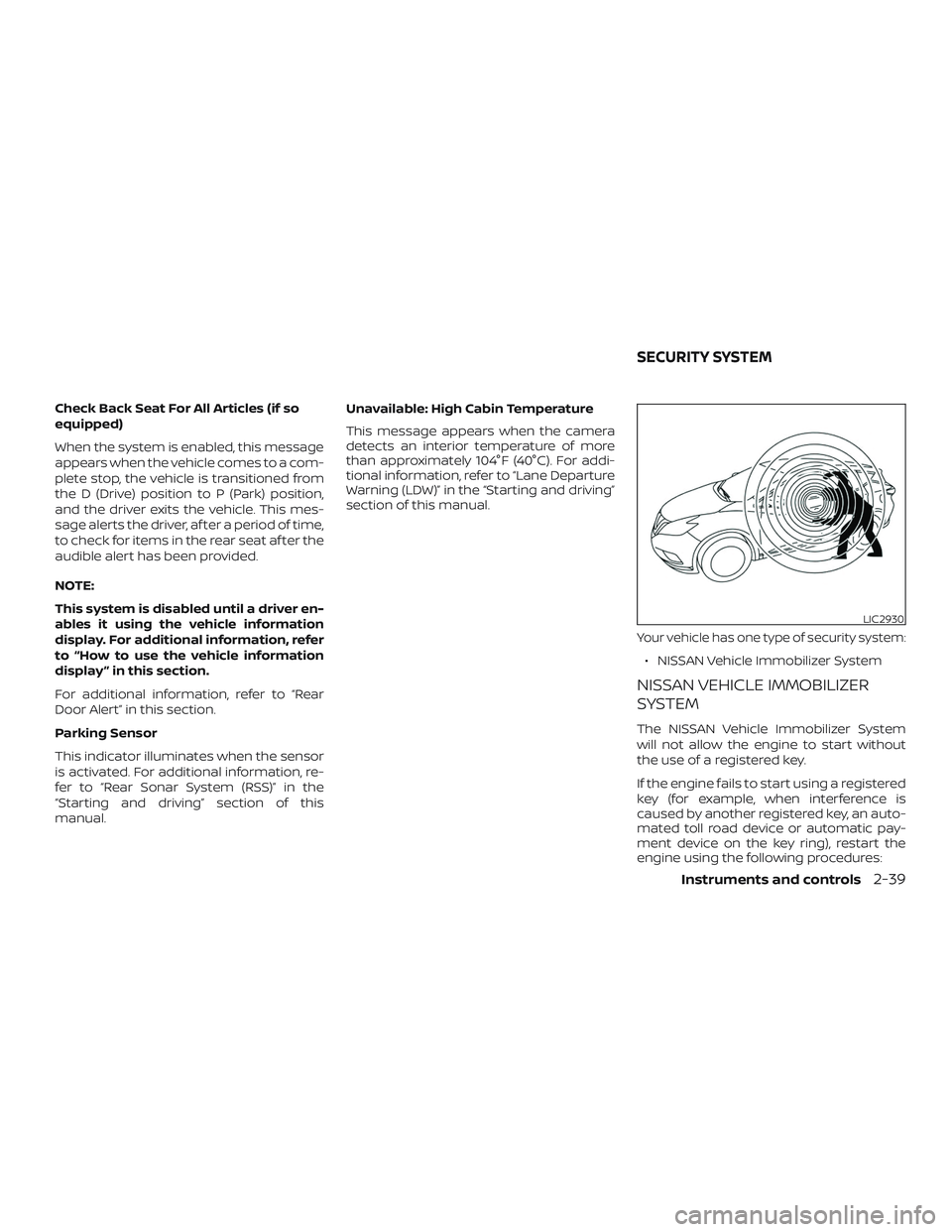
Your vehicle has one type of security system:
∙ NISSAN Vehicle Immobilizer System
NISSAN VEHICLE IMMOBILIZER
SYSTEM
The NISSAN Vehicle Immobilizer System
will not allow the engine to start without
the use of a registered key.
If the engine fails to start using a registered
key (for example, when interference is
caused by another registered key, an auto-
mated toll road device or automatic pay-
ment device on the key ring), restart the
engine using the following procedures:
LIC2930
SECURITY SYSTEM
Instruments and controls2-39