light Oldsmobile Achieva 1997 s Owner's Guide
[x] Cancel search | Manufacturer: OLDSMOBILE, Model Year: 1997, Model line: Achieva, Model: Oldsmobile Achieva 1997Pages: 372, PDF Size: 18.52 MB
Page 133 of 372
BI-LEV: Use on cool, but sunny days. This setting
brings in the outside air, but directs
it in two ways. The
cool air is directed to the upper portion of your body
through the instrument panel outlets, but slightly
warmer air is directed through the heater ducts and
defroster vents. At times this temperature difference
may be more apparent than others.
The air conditioner compressor
is enabled in all three air
conditioning positions.
VENT Use when outside temperatures are mild, and
little heating or cooling is needed. Airflow comes
through the instrument panel outlets. Set the center
control knob to the temperature desired.
HEAT This setting brings heated air through the heater
ducts, and some through the windshield defroster vents.
If you have the optional engine coolant heater (engine
block heater) and use it during cold weather,
0°F
(- 18 O C) or lower, your heating system will more quickly
provide heat because the engine coolant is already
warmed. See “Engine Coolant Heater” in the Index.
DEFOG: This setting divides airflow equally between
the heater ducts and the windshield defroster vents.
DEF: This setting directs air through the
windshield defroster vents located on top
of the
instrument panel.
Air Conditioning
The air conditioner and heater work best if you keep
your windows closed while using them. Your vehicle
also has the flow-through ventilation system described
later in this section.
Your system has three air conditioner settings in
addition to the standard climate control system. Before
using your air conditioner on very hot days, open the
windows long enough
to let hot inside air escape. This
reduces the amount
of work your air conditioner’s
compressor will have to do, which should help
fuel economy.
Page 135 of 372
Rear Window Defogger
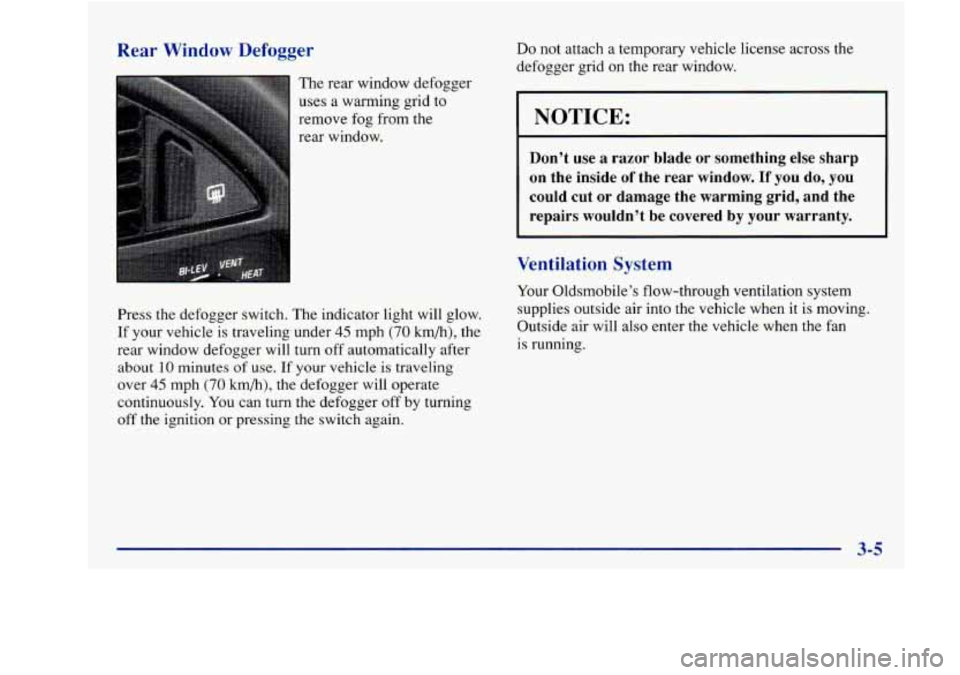
The rear window defogger
uses a warming grid to
remove fog from the
rear window.
Press the defogger switch. The indicator light will glow.
If your vehicle is traveling under
45 mph (70 km/h), the
rear window defogger will turn off automatically after
about
10 minutes of use. If your vehicle is traveling
over
45 mph (70 km/h), the defogger will operate
continuously. You can turn the defogger
off by turning
off the ignition
or pressing the switch again.
Do not attach a temporary vehicle license across the
defogger grid
on the rear window.
NOTICE:
Don’t use a razor blade or something else sharp
on the inside
of the rear window. If you do, you
could cut or damage the warming grid, and the
repairs wouldn’t be covered by your warranty.
Ventilation System
Your Oldsmobile’s flow-through ventilation system
supplies outside air into the vehicle when it is moving.
Outside air will also enter the vehicle when the fan
is running.
Page 137 of 372
AM-PM Stereo
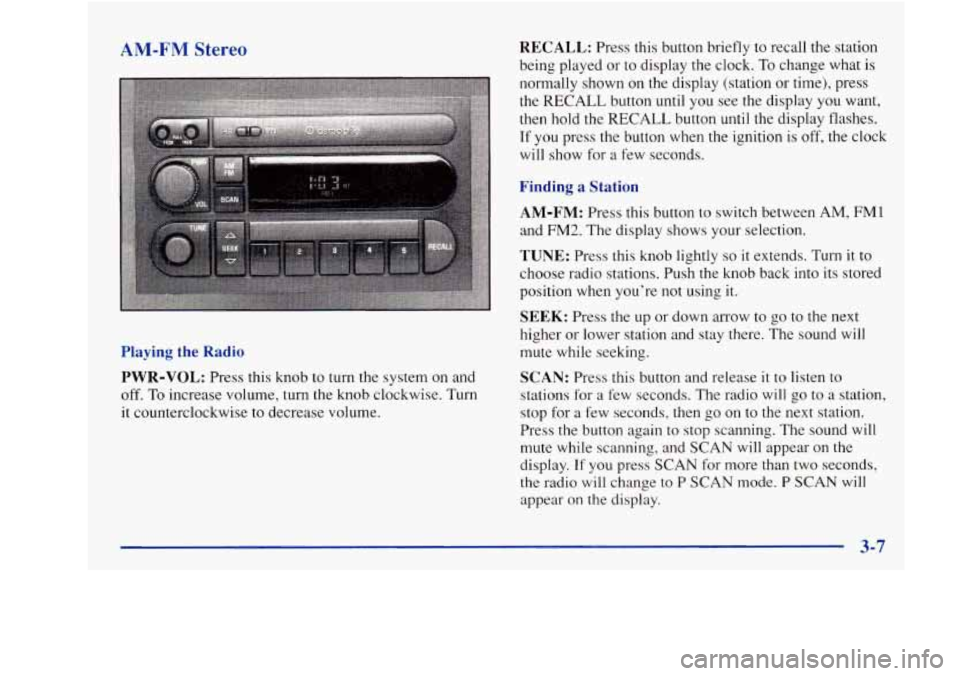
Playing the Radio PWR-VOL:
Press this knob to turn the system on and
off. To increase volume, turn the knob clockwise. Turn
it counterclockwise to decrease volume.
RECALL: Press this button briefly to recall the station
being played or to display the clock.
To change what is
normally shown on the display (station or time), press
the RECALL button until you see the display you want,
then hold the RECALL button until the display flashes.
If you press the button when the ignition is off, the clock
will show for a few seconds.
Finding a Station
AM-FM:
Press this button to switch between AM, FMl
and FM2. The display shows your selection.
TUNE: Press this knob lightly so it extends. Turn it to
choose radio stations. Push the knob back into its stored
position when you’re not using it.
SEEK: Press the up or down arrow to go to the next
higher or lower station and stay there. The sound will
mute while seeking.
SCAN: Press this button and release it to listen to
stations for a few seconds. The radio will go to a station,
stop for a few seconds, then
go on to the next station.
Press the button again to stop scanning. The sound will
mute while scanning, and SCAN will appear on the
display.
If you press SCAN for more than two seconds,
the radio will change to
P SCAN mode. P SCAN will
appear
on the display.
Page 138 of 372
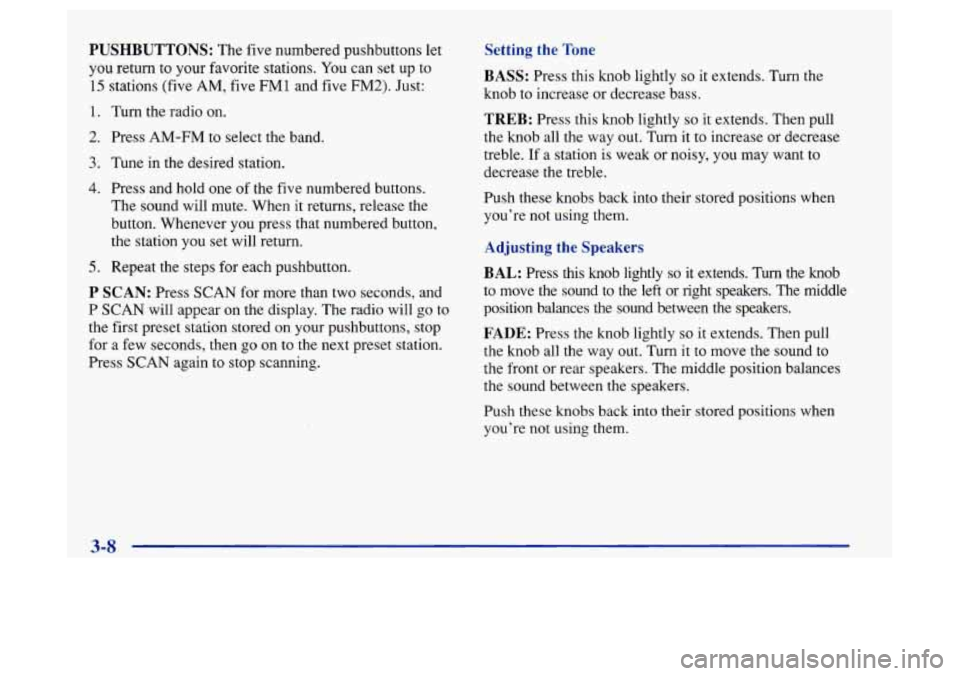
PUSHBUTTONS: The five numbered pushbuttons let
you return to your favorite stations. You can set up to
15 stations (five AM, five FM1 and five FM2). Just:
1. Turn the radio on.
2. Press AM-FM to select the band.
3. Tune in the desired station.
4. Press and hold one of the five numbered buttons.
The sound will mute. When it returns, release the
button. Whenever you press that numbered button,
the station you set will return.
5. Repeat the steps for each pushbutton.
P SCAN: Press SCAN for more than two seconds, and
P
SCAN will appear on the display. The radio will go to
the first preset station stored on your pushbuttons, stop
for a few seconds, then go on to the next preset station.
Press
SCAN again to stop scanning.
Setting the Tone
BASS:
Press this knob lightly so it extends. Turn the
knob to increase or decrease bass.
TREB: Press this knob lightly so it extends. Then pull
the knob all the way out. Turn it
to increase or decrease
treble.
If a station is weak or noisy, you may want to
decrease the treble.
Push these knobs back into their stored positions when
you’re not using them.
Adjusting the Speakers
BAL:
Press this knob lightly so it extends. Turn the knob
to move the sound to
the left or right speakers. The middle
position balances the sound between the speakers.
FADE: Press the knob lightly so it extends. Then pull
the knob all the way out. Turn it to move the sound to
the front or rear speakers. The middle position balances
the sound between the speakers.
Push these knobs back into their stored positions when
you’re not using them.
Page 139 of 372
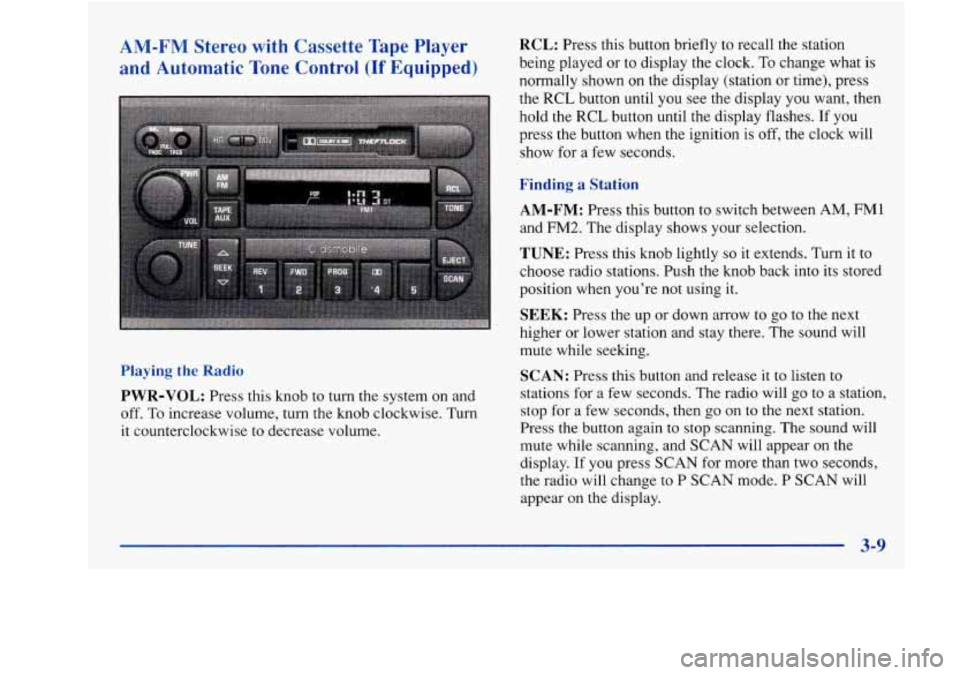
AM-FM Stereo with Cassette Tape Player
and Automatic Tone Control (If Equipped)
RCL: Press this button briefly to recall the station
being played or to display the clock.
To change what is
normally shown on the display (station or time), press
the
RCL button until you see the display you want, then
hold the RCL button until the display flashes.
If you
press the button when the ignition is off, the clock will
show for a few seconds.
Finding a Station
Playing the Radio
PWR-VOL: Press this knob to turn the system on and
off. To increase volume, turn the knob clockwise. Turn
it counterclockwise to decrease volume.
AM-FM: Press this button to switch between AM, FMl
and FM2. The display shows your selection.
TUNE: Press this knob lightly so it extends. Turn it to
choose radio stations. Push the knob back into its stored
position when you’re not using it.
SEEK: Press the up or down arrow to go to the next
higher or lower station and stay there. The sound will
mute while seeking.
SCAN: Press this button and release it to listen to
stations
for a few seconds. The radio will go to a station,
stop
for a few seconds, then go on to the next station.
Press the button again to stop scanning. The sound will
mute while scanning, and SCAN will appear on the
display. If you press SCAN for more than two seconds,
the radio will change
to P SCAN mode. P SCAN will
appear on the display.
3-9
Page 140 of 372
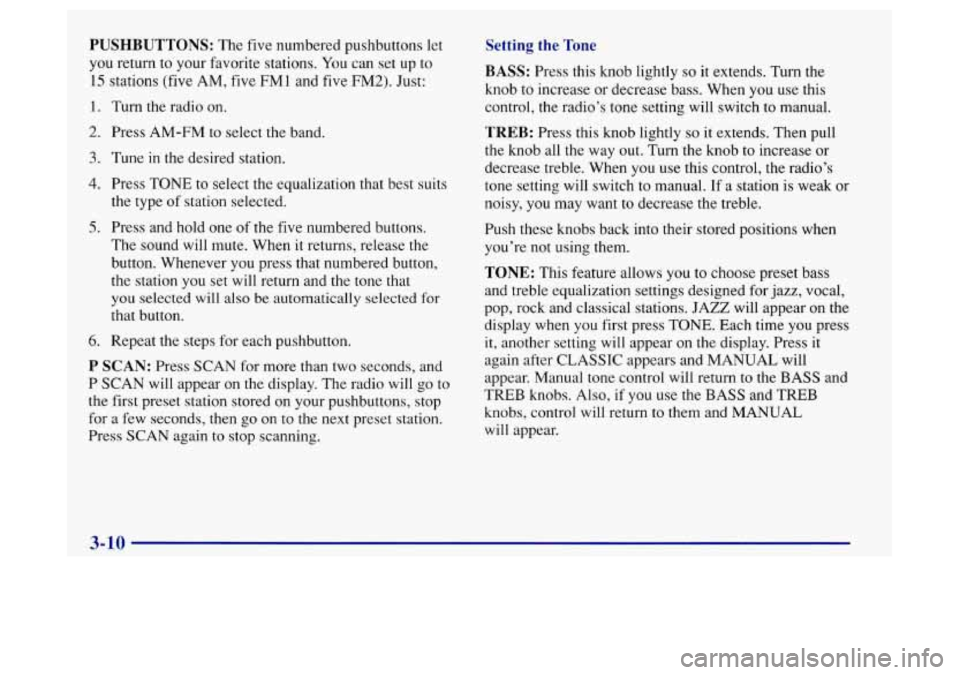
PUSHBUTTONS: The five numbered pushbuttons let
you return to your favorite stations. You can set up to
15 stations (five AM, five FMl and five FM2). Just:
1. Turn the radio on.
2. Press AM-FM to select the band.
3. Tune in the desired station.
4. Press TONE to select the equalization that best suits
the type of station selected.
5. Press and hold one of the five numbered buttons.
The sound will mute. When it returns, release the
button. Whenever you press that numbered button,
the station you set will return and the tone that
you selected will also be automatically selected for
that button.
6. Repeat the steps for each pushbutton.
P SCAN: Press SCAN for more than two seconds, and
P SCAN will appear on the display. The radio will go to
the first preset station stored on your pushbuttons, stop
for
a few seconds, then go on to the next preset station.
Press SCAN again
to stop scanning.
Setting the Tone
BASS: Press this knob lightly so it extends. Turn the
knob
to increase or decrease bass. When you use this
control, the radio’s tone setting will switch to manual.
TREB: Press this knob lightly so it extends. Then pull
the knob all the way out. Turn the knob to increase or
decrease treble. When you use this control, the radio’s
tone setting will switch to manual. If a station is weak or
noisy, you may want to decrease the treble.
Push these knobs back into their stored positions when
you’re not using them.
TONE: This feature allows you to choose preset bass
and treble equalization settings designed for jazz, vocal,
pop, rock and classical stations. JAZZ will appear on the
display when you first press TONE. Each time you press
it, another setting will appear on the display. Press it
again after CLASSIC appears and MANUAL will
appear. Manual tone control will return to the BASS and
TREB knobs. Also, if you use the BASS and TREB
knobs, control will return to them and MANUAL
will appear.
Page 141 of 372
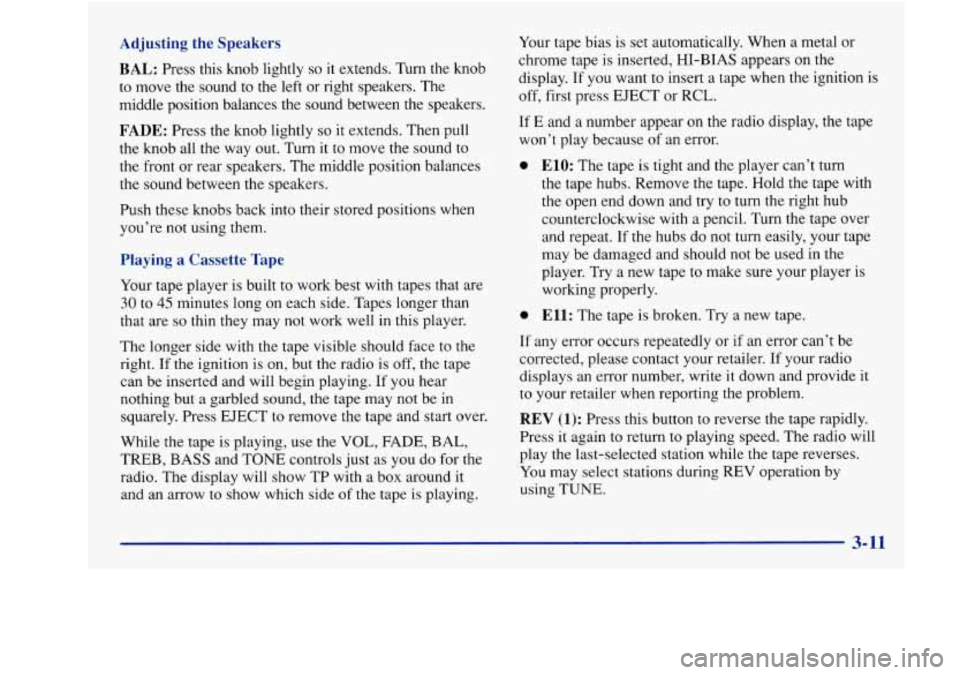
Adjusting the Speakers
BAL:
Press this knob lightly so it extends. Turn the knob
to move the sound
to the left or right speakers. The
middle position balances the sound between the speakers.
FADE: Press the knob lightly so it extends. Then pull
the knob all the way out. Turn it to move the sound to
the front or rear speakers. The middle position balances
the sound between
the speakers.
Push these knobs back into their stored positions when
you’re not using them.
Playing a Cassette Tape
Your tape player is built to work best with tapes that are
30 to 45 minutes long on each side. Tapes longer than
that are
so thin they may not work well in this player.
The longer side with the tape visible should face to the
right. If the ignition is
on, but the radio is off, the tape
can be inserted and will begin playing. If you hear
nothing but a garbled sound, the tape may not be in
squarely. Press EJECT
to remove the tape and start over.
While the tape is playing, use the
VOL, FADE, BAL,
TREB, BASS and TONE controls just as you do for the
radio. The display will show TP with a box around it
and an arrow to show which side of the tape
is playing. Your
tape bias is set automatically. When a metal or
chrome tape is inserted, HI-BIAS appears on the
display. If you want to insert a tape when the ignition is
off, first press EJECT or RCL.
If E and a number appear on the radio display, the tape
won’t play because of an error.
0 ElO: The tape is tight and the player can’t turn
the tape hubs. Remove the tape. Hold the tape with
the open end down and try to
turn the right hub
counterclockwise with a pencil. Turn the tape over
and repeat. If the hubs do not turn easily, your tape
may be damaged and should not be used in the
player. Try a new tape to make sure your player is
working properly.
0 Ell: The tape is broken. Try a new tape.
If any error occurs repeatedly
or if an error can’t be
corrected, please contact your retailer. If your radio
displays an error number, write it down and provide it
to your retailer when reporting the problem.
REV (1): Press this button to reverse the tape rapidly.
Press it again to return to playing speed. The radio will
play the last-selected station while the tape reverses.
You may select stations during REV operation by
using
TUNE.
3- 11
Page 143 of 372
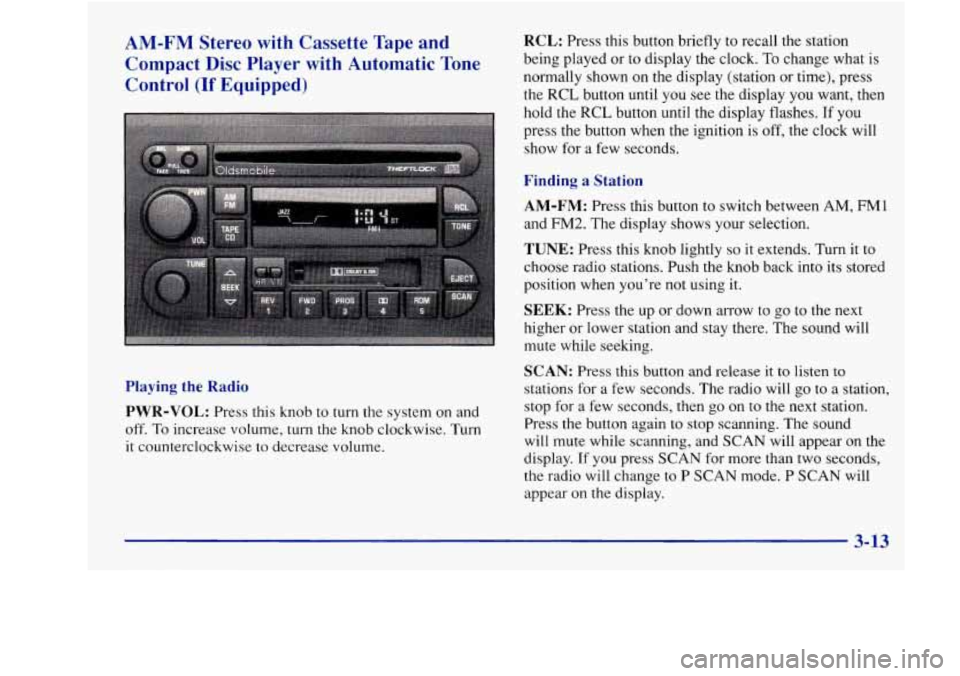
AM-FM Stereo with Cassette Tape and Compact Disc Player with Automatic Tone
Control
(If Equipped)
RCL: Press this button briefly to recall the station
being played or to display the clock.
To change what is
normally shown on the display (station or time), press
the
RCL button until you see the display you want, then
hold the RCL button until the display flashes. If you
press the button when the ignition is
off, the clock will
show for a few seconds.
Finding a Station
AM-FM:
Press this button to switch between AM, FM1
and FM2. The display shows your selection.
TUNE: Press this knob lightly so it extends. Turn it to
choose radio stations. Push the knob back into its stored
position when you’re not using it.
SEEK: Press the up or down arrow to go to the next
higher or lower station and stay there. The sound will
mute while seeking.
Playing the Radio
PWR-VOL:
Press this knob to turn the system on and
off. To increase volume,
turn the knob clockwise. Turn
it counterclockwise to decrease volume.
SCAN: Press this button and release it to listen to
stations for a few seconds. The radio will go to a station,
stop for a few seconds, then go on
to the next station.
Press
the button again to stop scanning. The sound
will mute while scanning, and SCAN will appear on the
display. If you press SCAN for more than two seconds,
the radio will change to
P SCAN mode. P SCAN will
appear on the display.
3-13
Page 144 of 372
PUSHBUTTONS: The five numbered pushbuttons let
you return
to your favorite stations. You can set up to
15 stations (five AM, five FM1 and five FM2). Just:
1.
2.
3.
4.
5.
6.
Turn the radio on.
Press AM-FM to select the band.
Tune in the desired station.
Press TONE to select the equalization that best suits
the type of station selected.
Press and hold one of the five numbered buttons.
The sound will mute. When it returns, release the
button. Whenever you press that numbered button,
the station you set will return and the tone that
you selected will also be automatically selected for
that button.
Repeat the steps for each pushbutton.
P SCAN: Press SCAN for more than two seconds, and
P SCAN will appear
on the display. The radio will go to
the first preset station stored on your pushbuttons, stop
for a few seconds, then go on
to the next preset station.
Press SCAN again
to stop scanning.
Setting the Tone
BASS:
Press this knob lightly so it extends. Turn the
knob
to increase or decrease bass. When you use this
control, the radio’s tone setting will switch to manual.
TREB: Press this knob lightly so it extends. Then pull
the knob all the way out.
Turn the knob to increase or
decrease treble. When you use this control, the radio’s
tone setting will switch to manual. If a station is weak or
noisy, you may want to decrease the treble.
Push these knobs back into their stored positions when
you’re not using them.
TONE: This feature allows you to choose preset bass
and treble equalization settings designed for jazz, vocal,
pop, rock and classical stations. JAZZ will appear on the
display when you first press TONE. Each time you press
it, another setting will appear on the display. Press
it
again after CLASSIC appears and MANUAL will
appear. Tone control will return to the BASS and TREB
knobs. Also,
if you use the BASS and TREB knobs,
control will return to them and MANUAL will appear.
Adjusting the Speakers
BAL: Press this knob lightly so it extends. Turn the knob
to move the sound to
the left or right speakers. The middle
position balances the sound between the speakers.
3-14
Page 145 of 372
FADE: Press the knob lightly so it extends. Then pull
the knob all the way out. Turn it to move the sound to
the front or rear speakers. The middle position balances
the sound between the speakers.
Push these knobs back into their stored positions when
you’re not using them.
Playing a Cassette Tape
Your tape player is built to work best with tapes that are
30 to 45 minutes long on each side. Tapes longer than
that are
so thin they may not work well in this player.
The longer side with the tape visible should face to the
right. If the ignition is on, but the radio is off, the tape
can be inserted and will begin playing.
If you hear
nothing but a garbled sound, the tape may not be in
squarely. Press EJECT to remove the tape and start over.
While
the tape is playing, use the VOL, FADE, BAL,
TREB,
BASS and TONE controls just as you do for the
radio. The display will show TP with a box around it
and an arrow to show which side of the tape is playing.
Your tape bias is set automatically. When a metal or
chrome tape is inserted, HI-BIAS appears
on the
display. If you want to insert a tape when the ignition is
off, first press EJECT or RCL. If
E and
a number appear on the radio display and the
tape won’t play because
of an error, it could be that:
E10: The tape is tight and the player can’t turn the
tape hubs. Remove the tape. Hold the tape with the
open end down and try to turn the right hub
counterclockwise with a pencil. Turn the tape over
and repeat. If the hubs do not
turn easily, your tape
may be damaged and should not be used in the
player. Try a new tape
to make sure your player is
working properly.
0 El1:The tape is broken. Try a new tape.
If any error occurs repeatedly or
if an error can’t be
corrected, please contact your retailer.
If your radio
displays an error number, write
it down and provide it to
your retailer when reporting the problem.
REV (1): Press this button to reverse the tape rapidly.
Press
it again to return to playing speed. The radio will
play the last-selected station while the tape reverses.
You may select stations during REV operation by
using
TUNE.
FWD (2): Press this button to advance quickly to
another part of the tape. Press the button again to return
to playing speed. The radio will play the last-selected
station while the tape advances.
You may select stations
during FWD operation by using TUNE.