change time Oldsmobile Alero 2003 s User Guide
[x] Cancel search | Manufacturer: OLDSMOBILE, Model Year: 2003, Model line: Alero, Model: Oldsmobile Alero 2003Pages: 354, PDF Size: 16.74 MB
Page 168 of 354
Playing a Compact Disc
With the ignition on, insert a disc partway into the slot,
label side up. The player will pull it in and the disc
should begin playing. If you want to insert a CD when
the ignition is
off, first press the eject button or the
RCL knob.
When the disc is inserted, the CD symbol will be
displayed.
If you select an EQ setting for your CD, it will
be activated each time you play a CD.
As each new track starts to play, the track number will
appear on the display.
If an error appears on the display, see “Compact Disc
Messages” later in this section.
1 REV (Reverse): Press and hold this pushbutton to
reverse quickly within a track.
You will hear sound at a
reduced volume. Release it to play the passage. The
display will show elapsed time.
2 FWD (Forward): Press and hold this pushbutton to
advance quickly within a track. You will hear sound at a
reduced voiume. Helease
it to play the passage. The
display
will show elapsed time.
4 RDM (Random): Press this pushbutton to hear the
tracks in random, rather than sequential, order.
RDM and the track number will appear on the display.
Press this pushbution again io turn off ranciom mode. AUTO
EQ (Automatic
Equalizer): Press this button to
select the desired equalization setting while playing a
compact disc. The equalization will be automatically set
whenever you play a compact disc. See “AUTO
EQ”
listed previously for more information.
< SEEK > : Press the left arrow to go to the start of
the current track
if more than eight seconds have
played. Press the right arrow to go to the next track.
If
you hold this button or press it more than once, the
player will continue moving backward or forward through
the disc.
< SCAN > : Press and hold either arrow for more
than two seconds until you hear a beep and SCAN
appears on the display. The disc will go to the next
track, play for a few seconds, then go on to the
next track. SCAN and the track number will appear on
the display. Press this button again to stop scanning.
RCL (Recall): Press this knob to see how long the
current track has been playing.
To change the default
on the display (track
or elapsed time), push the
knob until you see the display you want, then hold the
knob until the display flashes. The selected display
will now be the default. While elapsed time is showing,
EL TM will appear on the display.
BAND: Press this button to listen to the radio when a
CD is piaying.
3-63
Page 172 of 354
Notice; Do not try to clear frost or other material
from the inside
of the rear window with a razor blade
or anything else that
is sharp. This may damage
the rear defogger grid and affect your radio’s ability
to pick up stations clearly. The repairs wouldn’t
be covered by your warranty.
Because this antenna is built into your rear window,
there is a reduced risk of damage caused by car washes
and vandals.
If you choose to add a cellular telephone to your
vehicle, and the antenna needs to be attached to the
glass, be sure that you do not damage the grid lines for
the AM-FM antenna. There is enough space between
the lines to attach a cellular telephone antenna
without interfering with radio reception.
XM Satellite Radio Antenna System
Your XMTM Satellite Radio antenna is located on the
roof of your vehicle. Keep this antenna clear of
snow and ice build up for clear radio reception.
The performance of your
XM system may be affected if
your sunroof is open.
DAB Radio Antenna System
Your DAB antenna is located on the roof of your
vehicle. Keep this antenna clear of snow and ice build
up for clear radio reception.
If your vehicle is purchased in Canada and driven into
the United Stated the DAB radio antenna system will
not function. DAB radio reception is available in
Canada only.
The performance of your DAB antenna may be affected
if your sunroof is open.
Chime Level Adjustment
Chime level adjustment is only available on RDS radios.
The radio is the vehicle chime producer. The chime is
produced from the driver’s side front door speakers.
To change the volume level, press and hold
pushbutton 6 with the ignition on and the radio power
off. The chime volume level will change from the normal
level to loud, and
LOUD will be displaved on the
radio. To change back to the default or normal setting,
press and hold pushbutton
6 again. The chime level
will change from the loud level to normal, and
NORMAL
will be displayed. Each time the chime volume is
changed, three chimes will sound as an example of the
new volume selected.
Removing the radio and net
replacing it with a factory radio or chime module will
disable vehicle chimes.
3-67
Page 181 of 354
Using Anti-Lock
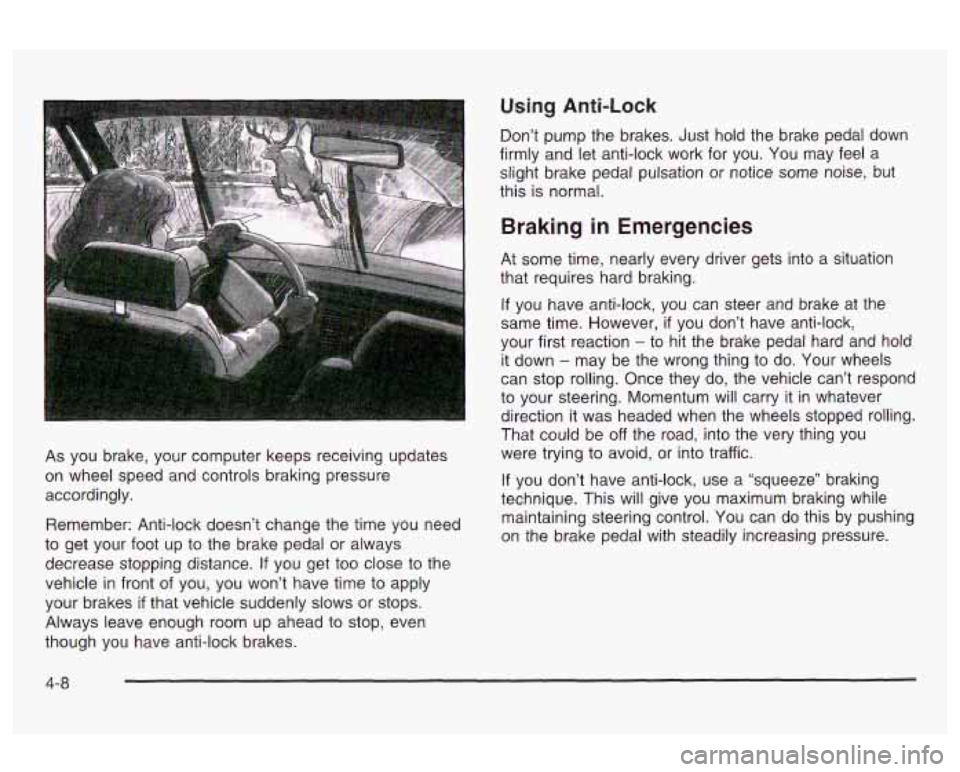
As you brake, your computer keeps receiving updates
on wheel speed and controls braking pressure
accordingly.
Remember: Anti-lock doesn’t change the time you need
to get your foot up to the brake pedal or always
decrease stopping distance.
If you get too close to the
vehicle
in front of you, you won’t have time to apply
your brakes
if that vehicle suddenly slows or stops.
Always leave enough room up ahead to stop, even
though you have anti-lock brakes. Don’t
pump the brakes. Just hold the brake pedal down
firmly and let anti-lock work for you. You may feel a
slight brake pedal pulsation or notice some noise, but
this is normal.
Braking in Emergencies
At some time, nearly every driver gets into a situation
that requires hard braking.
If you have anti-lock, you can steer and brake at the
same time. However,
if you don’t have anti-lock,
your first reaction
- to hit the brake pedal hard and hola
it down
- may be the wrong thing to do. Your wheels
can stop rolling. Once they do, the vehicle can’t respond
to your steering. Momentum will carry it in whatever
direction it was headed when the wheels stopped rolling.
That could be
off the road, into the very thing you
were trying to avoid, or into traffic.
If you don’t have anti-lock, use a “squeeze” braking
technique. This will give you maximum braking while
maintaining steering control. You can do this by pushing
on the brake pedal with steadily increasing pressure.
4-8
Page 183 of 354
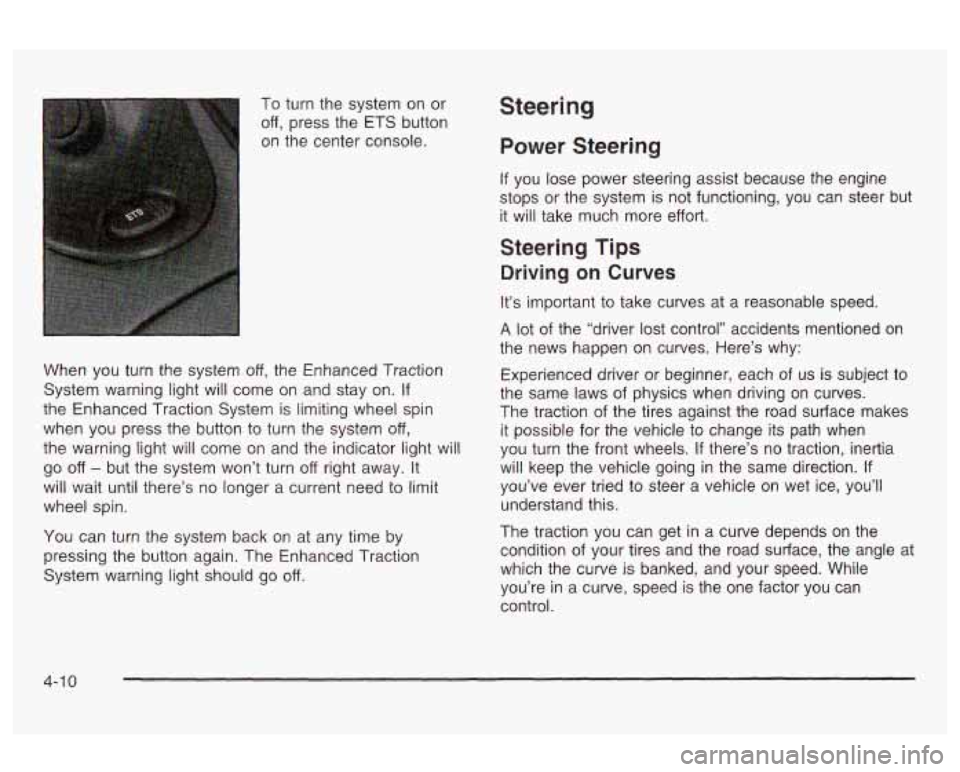
To turn the system on or
off, press the ETS button
on the center console.
When you turn the system
off, the Enhanced Traction
System warning light will come on and stay on.
If
the Enhanced Traction System is limiting wheel spin
when you press the button to turn the system
off,
the warning light will come on and the indicator light will
go off - but the system won’t turn off right away. It
will wait until there’s no longer a current need to limit
wheel spin.
You can turn the system back on at any time by
pressing the button again. The Enhanced Traction
System warning light should go
off.
Steering
Power Steering
If you lose power steering assist because the engine
stops or the system is not functioning,
you can steer but
it will take much more effort.
Steering Tips
Driving on Curves
It’s important to take curves at a reasonable speed.
A lot of the “driver lost control” accidents mentioned on
the news happen on curves. Here’s why:
Experienced driver or beginner, each
of us is subject to
the same laws of physics when driving on curves.
The traction of the tires against the road surface makes
it possible for the vehicle to change its path when
you turn the front wheels.
If there’s no traction, inertia
will keep the vehicle going in the same direction.
If
you’ve ever tried to steer a vehicle on wet ice, you’ll
understand this.
The traction you can get in a curve depends on the
condition of your tires and the road surface, the angle at
which the curve is banked, and your speed. While
you’re in a curve, speed is the one factor you can
control.
4-1 0
Page 187 of 354
Check your mirrors, glance over your shoulder, and
start your left lane change signal before moving out
of the right lane to pass. When you are far
enough ahead of the passed vehicle to see its front
in your inside mirror, activate your right lane
change signal and move back into the right lane.
(Remember that your right outside mirror is convex.
The vehicle you just passed may seem to be
farther away from you than it really is.)
Try not to pass more than one vehicle at a time on
two-lane roads. Reconsider before passing the
next vehicle.
Don’t overtake a slowly moving vehicle too rapidly.
Even though the brake lamps are not flashing, it
may be slowing down or starting to turn.
If you’re being passed, make it easy for the
following driver to get ahead of you. Perhaps you
can ease a little to the right.
Loss of Control
Let’s review what driving experts say about what
happens when the three control systems (brakes,
steering and acceleration) don’t have enough friction
where the tires meet the road to do what the driver
has asked.
Skidding
In a skid, a driver can lose control of the vehicle.
Defensive drivers avoid most skids by taking reasonable
care suited to existing conditions, and by not
“overdriving” those conditions. But skids are always
possible.
The three types of skids correspond to your vehicle’s
three control systems. In the braking skid, your wheels
aren’t rolling. In the steering or cornering skid, too
much speed or steering in a curve causes tires to slip
and lose cornering force. And in the acceleration
skid, too much throttle causes the driving wheels
to spin.
A cornering skid is best handled by easing your foot off
the accelerator pedal.
If you have the Enhanced Traction System, remember:
It helps to avoid only the acceleration skid. If you do
not have the Enhanced Traction System, or
if the system
is
off, then an acceleration skid is also best handled
by easing your foot
off the accelerator pedal.
If your vehicle starts to slide, ease your foot
off the
accelerator pedal and quickly steer the way you want
the vehicle to go.
If you start steering quickly enough,
your vehicle may straighten out. Always be ready
for a second skid
if it occurs.
In any emergency, don’t give up. Keep trying to steer
and constantly seek an escape route
or area of
less danger.
4-1 4
Page 209 of 354
Towing a Trailer
If you don’t use the correct equ,pment and
drive properly, you can lose control when you
pull a trailer. For example, if the trailer is too
heavy, the brakes may not work well
-- or even
at all.
You and your passengers could be
seriously injured. You may also damage your
vehicle; the resulting repairs would not be
covered by your warranty. Pull a trailer only
if
you have followed all the steps in this section.
Ask your dealer for advice and information
about towing a trailer with your vehicle. Your
vehicle can tow a trailer
if it is equipped with the
proper trailer towing equipment. To identify what
the vehicle trailering capacity is for your vehicle, you
should read the information in “Weight of the Trailer” that
appears later in this section. But trailering is different
than just driving your vehicle by itself. Trailering means
changes in handling, durability and fuel economy.
Successful, safe trailering takes correct equipment, and
it has to be used properly.
That’s the reason for this part. In it are many time-tested,
important trailering tips and safety rules. Many of
these are important for your safety and that of your
passengers.
So please read this section carefully before
you pull a trailer.
Load-pulling components such as the engine, transaxle,
wheel assemblies and tires are forced to work harder
against the drag of the added weight. The engine
is required to operate at relatively higher speeds and
under greater loads, generating extra heat. What’s more,
the trailer adds considerably to wind resistance,
increasing the pulling requirements.
4-36
Page 234 of 354
As in the chart shown previously, SAE 5W-30 is the
only viscosity grade recommended for your vehicle. You
should look for and use only oils which have the API
Starburst symbol and which are also identified as
SAE 5W-30.
If you cannot find such SAE 5W-30 oils,
you can use an SAE 1OW-30 oil which has the API
Starburst symbol,
if it’s going to be 0°F (-18°C)
or above.
Do not use other viscosity grade oils, such as
SAE 1OW-40 or SAE 20W-50 under any conditions.
Nofice: Use only engine oil with the American
Petroleum Institute Certified For Gasoline Engines
starburst symbol. Failure to use the recommended
oil can result in engine damage not covered by
your warranty.
GM Goodwrench@ oil meets all the requirements for
your vehicle.
If you are in an area of extreme cold, where the
temperature falls below -20°F (-29”C), it is
recommended that you use either an SAE 5W-30
easier cold starting and better protection for your engine
at extremely low temperatures.
s;.nthctic ci! cr 2:: sfl,E !-j\)!-zc e!!. Eeth ?.,I!!! nrn\/idn ra - - I--
Engine Oil Additives
Don’t add anything to your oil. The recommended oils
with the starburst symbol are all you will need for
good performance and engine protection.
When to Change Engine Oil
(GM
Oil Life SystemTM)
Your vehicle has a computer system that lets you know
when to change the engine oil and filter. This is
based on engine revolutions and engine temperature,
and not on mileage. Based
on driving conditions,
the mileage at which an oil change will be indicated can
vary considerably. For the oil life system to work
properly, you must reset the system every time the oil is
changed.
When the system has calculated that oil life has been
diminished, it will indicate that an oil change is
necessary. A CHANGE
OIL light will come on. Change
your oil as soon as possible within the next two
times you stop for fuel. It is possible that,
if you are
driving under the best conditions, the oil life system may
not indicate that an oil change is necessary for over a
year. However, your engine oil and filter must be
changed at least once a year and at this time the system
regularly and keep it at the proper level.
%Est !x rcsd. It is a!sc irr?pcrtz??t ?e check ;‘QL!T Qi!
If the system is ever reset accidentally, you must
change your oil at
3,000 miles (5 000 km) since your
last oil change. Remember to reset the oil life system
:vheneve: the ci! is changed.
5-1 9
Page 235 of 354
How to Reset the Change Oil Light
The GM Oil Life SystemTM calculates when to change
your engine oil and filter based on vehicle use. Anytime
your oil is changed, reset the system
so it can
calculate when the next oil change is required. If a
situation occurs where you change your oil prior to a
CHANGE OIL light being turned on, reset the system.
After changing the engine oil, the system must be reset.
To reset the oil life indicator, do the following steps:
1. With the ignition key in ON (a short time after
turning
off the engine), press the RESET button
located in the driver's side instrument panel
fuse block. See "Instrument Panel Fuse Block"
under
Fuses and Circuit Breakers on page 5-81.
2. When the CHANGE OIL light starts to flash, press
and hold the RESET button again.
The reset
is complete when you hear the chimes and
the CHANGE
OIL light goes out.
If your vehicle is equipped with a 2.2L L4 ECOTEC
engine, it has a unique oil filter element. When
reinstalling the filter cap do not exceed
18 Ib ft (25 N*m ).
Inspect the condition of the O-ring and replace if
damaged.
See your dealer for additional information.
What to Do with Used Oil
Used engine oil contains certain elements that may be
unhealthy for your skin and could even cause cancer.
Don't let used oil stay on your skin for very long. Clean
your skin and nails with soap and water, or a good
hand cleaner. Wash or properly dispose
of clothing or
rags containing used engine oil. See the manufacturer's
warnings about the use and disposal of oil products.
Used oil can be a threat to the environment. If you
change your own oil, be sure to drain all the oil from the
filter before disposal. Never dispose of oil by putting it
in the trash, pouring it on the ground, into sewers, or into
streams or bodies of water. Instead, recycle it by
taking it to a place that collects used oil.
If you have a
problem properly disposing of your used
oil, ask
your dealer, a service station or a local recycling center
for help.
5-20
Page 239 of 354
Notice: When adding coolant, it is important that
you use only
DEX-COOL@ (silicate-free) coolant.
If coolant other than DEX-COOL is added to
the system, premature engine, heater core or
radiator corrosion may result. In addition, the engine
coolant will require change sooner
-- at 30,000 miles
(50,000 km) or 24 months, whichever occurs first.
Damage caused by the use of coolant other
than DEX-COOL@
is not covered by your new vehicle
warranty.
What to Use
Use a mixture of one-half clean, drinkable wafer and
one-half
DEX-COOL@ coolant which won’t damage
aluminum parts.
If you use this coolant mixture,
you don’t need to add anything else. Adding only plain water to your cooling
system can be dangerous. Plain
water, or
some other liquid such as alcohol, can boil
before the proper coolant mixture will. Your
vehicle’s coolant warning system is set for the proper coolant mixture.
With plain water or the
wrong mixture, your engine could get too hot
but you wouldn’t get
the overheat warning.
Your engine could catch fire and you or others
could be burned. Use a
50/50 mixture of clean,
drinkable water and DEX-COOL@ coolant.
Notice: If you use an improper coolant mixture,
your engine could overheat and be badly damaged.
The repair cost wouldn’t be covered by your
warranty.
Too much water in the mixture can freeze
and crack the engine, radiator, heater core and
other parts.
If you have to add coolant more than four times a year,
have your dealer check your cooling system.
Notice: If you use the proper coolant, you don’t
have to add extra inhibitors or additives which claim
to improve the system. These can be harmful.
5-24
Page 256 of 354
Replacing Brake System Parts
The braking system on a vehicle is complex. Its many
parts have
to be of top quality and work well together if
the vehicle is to have really good braking. Your
vehicle was designed and tested with top-quality
GM
brake parts. When you replace parts of your braking
system
- for example, when your brake linings
wear down and you need new ones put in
- be sure
you get new approved replacement parts. If you
don’t, your brakes may no longer work properly. For
example,
if someone puts in brake linings that are wrong
for your vehicle, the balance between your front and
rear brakes can change
- for the worse. The braking
performance you’ve come
to expect can change in
replacement brake parts.
many other ways if someone puts in the wrong
Battery
Your new vehicle comes with a maintenance free
ACDelco@ battery. When it’s time for a new battery, get
one that has the replacement number shown on the
original battery’s label. We recommend an ACDelcoC”-‘
battery. See
Engine Compartment Overview on
page
5- 12 for battery location.
Warning; Battery posts, terminals and related
accessories contain lead and lead compounds,
chemicals known to the State of California to cause
cancer and reproductive harm. Wash hands after
handling.
Vehicle Storage
If you’re not going to drive your vehicle for 25 days or
more, remove the black, negative
(-) cable from
the battery. This will help keep your battery from
running down.
Batteries have acic bat can burn you and gas
that can explode. You can be badly hurt
if you
aren’t careful. See “Jump Starting” in the Index
for tips
on working around a battery without
I 3--L ’ =
rrnttjqrr hl Irt.
Contact your dealer to learn how to prepare your
vehicle for longer storage periods.
Also, for your audio system, see
Theft-Deterrent
Feature (Non-RDS Radios) on page
3-64 or
I nefi-Deterrent Feature (RDS RaQiosj on page 3-64. -.
5-41