ECU Oldsmobile Aurora 1997 s Owner's Guide
[x] Cancel search | Manufacturer: OLDSMOBILE, Model Year: 1997, Model line: Aurora, Model: Oldsmobile Aurora 1997Pages: 404, PDF Size: 20.75 MB
Page 121 of 404
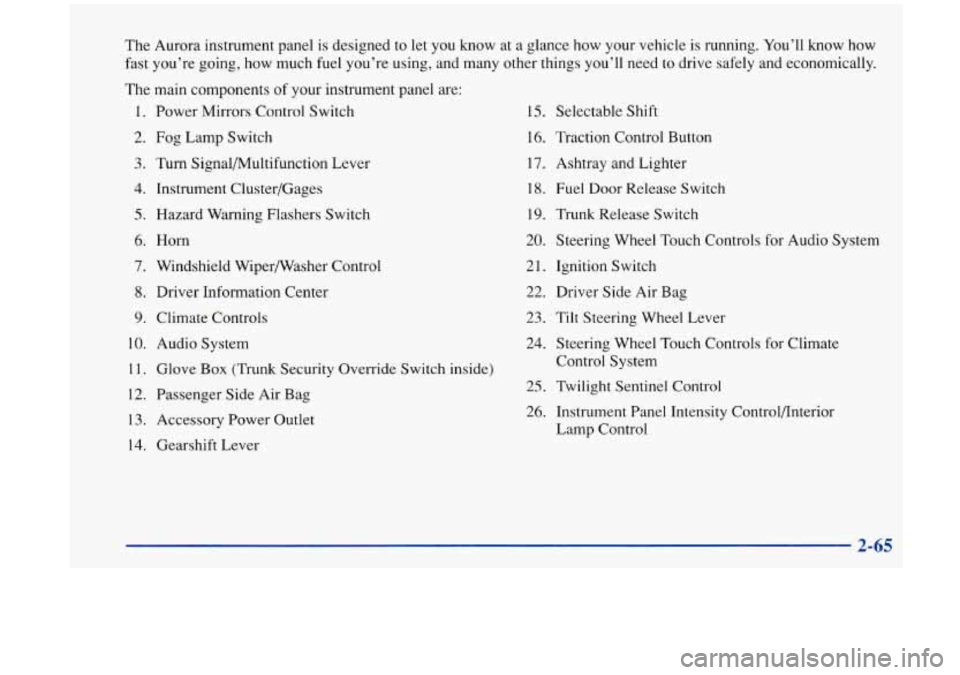
The Aurora instrument panel is designed to let you know at a glance how your vehicle is running. You’ll know how
fast you’re going, how much fuel you’re using, and many other things you’ll need to drive safely and economically.
The main components
of your instrument panel are:
1. Power Mirrors Control Switch
2.
Fog Lamp Switch
3. Turn Signal/Multifunction Lever
4. Instrument Cluster/Gages
5. Hazard Warning Flashers Switch
6.
Horn
7. Windshield Wipermasher Control
8. Driver Information Center
9. Climate Controls
10. Audio System
11. Glove Box (Trunk Security Override Switch inside)
12. Passenger Side Air Bag
13. Accessory Power Outlet
14. Gearshift Lever
15. Selectable Shift
16. Traction Control Button
17. Ashtray and Lighter
18. Fuel Door Release Switch
19. Trunk Release Switch
20. Steering Wheel Touch Controls for Audio System
21. Ignition Switch
22. Driver Side Air Bag
23. Tilt Steering Wheel Lever
24. Steering Wheel Touch Controls for Climate
Control System
25. Twilight Sentinel Control
26. Instrument Panel Intensity Control/Interior
Lamp Control
Page 170 of 404

Activating the Theft-Deterrent Feature
The instructions which follow, explain how to enter your
secret code to activate the THEFTLOCK system. It is
recommended that you read through all nine steps
before starting the procedure.
NOTE: If you allow more than
15 seconds to elapse
between any steps, the radio automatically reverts to
time and
you must start the procedure over at Step 4.
1. Write down any three or four-digit number from
000 to 1999 and keep it in a safe place separate from
the vehicle.
2. Turn the ignition to ACCESSORY or RUN.
3. Turn the radio off.
4. Press the 1 and 4 buttons together. Hold them down
until
--- shows on the display. Next you will use the
secret code number which
you have written down.
5. Press MN and 000 will appear on the display.
6. Press MN again to make the last two digits agree
7. Press HR to make the first one or two digits agree
with
your code.
with your code.
8. Press AM-FM after you have confirmed that the
code matches the secret code you have written down
The display will show REP to let you know that you
need to repeat Steps
5 through 7 to confirm your
secret code.
9. Press AM-FM and this time the display will show
SEC to let you know that your radio is secure.
3-26
Page 171 of 404

Unlocking the Theft-Deterrent Feature After a
Power
Loss
Enter your secret code as follows; pause no more than
15 seconds between steps:
1. LOC appears when the ignition is on.
2. Press MN and 000 will appear on the display.
3. Press MN again to make the last two digits agree
4. Press HR to make the first one or two digits agree
with
your code.
with your code.
5. Press AM-FM after you have confirmed that the
code matches the secret code you have written down.
The display will show SEC, indicating the radio is
now operable and secure.
If you enter the wrong code eight times, INOP will
appear
on the display. You will have to wait an hour
with the ignition on before you can try again. When you
try again, you will only have three chances to enter the
correct code before INOP appears.
If you lose or forget your code, contact your retailer.
Disabling the Theft-Deterrent Feature
1. Turn the ignition to ACCESSORY or RUN.
2. Turn the radio off.
3. Press the 1 and 4 buttons together. Hold them down
until SEC shows on the display.
4. Press MN and 000 will appear on the display.
5. Press MN again to make the last two digits agree
with your code.
6. Press HR to make the first one or two digits agree
with your code.
7. Press AM-FM after you have confirmed that the
code matches the secret code you have written down.
The display will show
---, indicating that the radio is
no longer secured.
If the code entered is incorrect, SEC will appear on the
display. The radio will remain secured until the correct
code is entered.
When battery power is removed and later applied to a
secured radio, the radio won’t turn
on and LOC will
appear on the display.
To unlock a secured radio,
see “Unlocking the
Theft-Deterrent Feature After a Power
Loss” earlier in
this section.
Enter your secret code as follows; pause no more than
15 seconds between steps:
3-27
Page 202 of 404

Winter Driving
Here are some tips for winter driving:
Have your Aurora in good shape for winter.
You may want to put winter emergency supplies in
your trunk. Include
an ice scraper, a small brush or broom, a supply
of windshield washer fluid, a rag, some winter outer
clothing, a small shovel, a flashlight, a red cloth and a
couple
of reflective warning triangles. And, if you will
be driving under severe conditions, include
a small bag
of sand, a piece of old carpet or a couple of burlap bags
to help provide traction. Be sure you properly secure
these items in your vehicle.
Page 207 of 404
A CAUTION:
Do not load your vehicle any heavier than the
GVWR, or either the maximum front or rear
GAWR.
If you do, parts on your vehicle can
break, or it can change the way your vehicle
handles. These could cause you to lose control.
Also, overloading can shorten the life of
your vehicle.
I NOTICE:
Your warranty does not cover parts or
components that
fail because of overloading.
A CAUTION:
Things you put inside your vehicle can strike and
injure people in
a sudden stop or turn, or in
a crash.
Put things in the trunk of your vehicle. In a
trunk, put them as far forward as you can.
Try to spread the weight evenly.
Never stack heavier things, like suitcases,
inside the vehicle
so that some of them are
above the tops
of the seats.
Don’t leave an unsecured child restraint in
your vehicle.
When you carry something inside the
vehicle, secure it whenever you can.
If you put things inside your vehicle- like suitcases,
tools, packages,
or anything else ~ they will go as fast
as the vehicle goes.
If you have to stop or turn quickly,
or if there is a crash, they’ll keep going.
Electronic Level Control
This feature keeps the rear of your vehicle level as the
load changes. It
is automatic -- you don’t need to
adjust anything.
Page 212 of 404

Trailer Brakes
Does your trailer have its own brakes?
Be sure to read and follow the instructions for the trailer
brakes
so you’ll be able to install, adjust and maintain
them properly.
Because you have anti-lock brakes, do not try
to tap into
your vehicle’s brake system. If you do, both brake
systems won’t work well, or at all.
Driving with a Trailer
Towing a trailer requires a certain amount of experience.
Before setting out for the open road, you’ll want to get
to know your rig. Acquaint yourself with the feel of
handling and braking with the added weight of the
trailer. And always keep in mind that the vehicle you are
driving is now a good deal longer and not nearly as
responsive as your vehicle is by itself.
Before you start, check the trailer hitch and platform
(and attachments), safety chains, electrical connector,
lamps, tires and mirror adjustment. If the trailer has
electric brakes, start your vehicle and trailer moving and
then apply the trailer brake controller by hand
to be sure
the brakes are working. This lets
you check your
electrical connection at the same time. During your trip, check occasionally
to be sure that the
load is secure, and that the lamps and any trailer brakes
are still working.
Following Distance
Stay at least twice as far behind the vehicle ahead as you
would when driving your vehicle without a trailer. This
can help you avoid situations that require heavy braking
and sudden turns.
You’ll need more passing distance up ahead when
you’re towing a trailer. And, because you’re a good deal
longer, you’ll need to go much farther beyond the
passed vehicle before you can return to your lane.
Backing Up
Hold the bottom of the steenng wheel with one hand.
Then, to move the trailer to the left, just move that hand
to the left. To move the trailer to the right, move your
hand to the right. Always back up slowly and, if
possible, have someone guide you.
4-36
Page 225 of 404

To help avoid injury to you or others:
Never let passengers ride in a vehicle that is
Never tow faster than safe or posted speeds.
Never tow with damaged parts not
fully secured.
Never get under your vehicle after it has
been lifted
by the tow truck.
Always secure the vehicle on each side with
separate safety chains when towing it.
Never use J-hooks. Use T-hooks instead.
being towed.
5-9
Page 226 of 404

A vehicle can fall from a car carrier if it isn’t
adequately secured. This can cause
a collision,
serious personal injury and vehicle damage. The
vehicle should be tightly secured with chains or
steel cables before it is transported.
Don’t use substitutes (ropes, leather straps,
canvas webbing, etc.) that can be cut by sharp
edges underneath the towed vehicle. Always use
T-hooks inserted in the T-hook slots. Never use
J-hooks. They will damage drivetrain and
suspension components. When
your vehicle
is being towed, have the ignition key
turned to
OFF. The steering wheel should be clamped in
a straight-ahead position, with a clamping device
designed for towing service. Do not use the vehicle’s
steering column lock for this. The transaxle should be in
NEUTRAL (N) and the parking brake released.
Don’t have your vehicle towed on the drive wheels, unless you must.
If the vehicle must be towed on the
drive wheels, be sure to follow the speed and distance
restrictions later in this section or your transaxle will be
damaged.
If these limitations must be exceeded, then the
drive wheels have
to be supported on a dolly.
5-10
Page 228 of 404

These slots are to be used when loading and securing to
car-carrier equipment.
Attach T-hook chains on both sides, in the slotted holes
in the bottom of the body rail, behind the front wheels
and cradle. Attach
a separate safety chain around
the outboard end
of each lower control arm.
NOTICE:
Be sure not to attach the safety chain to the
drive axle. This could cause damage to the drive
axle boot.
--
5-12
Page 243 of 404
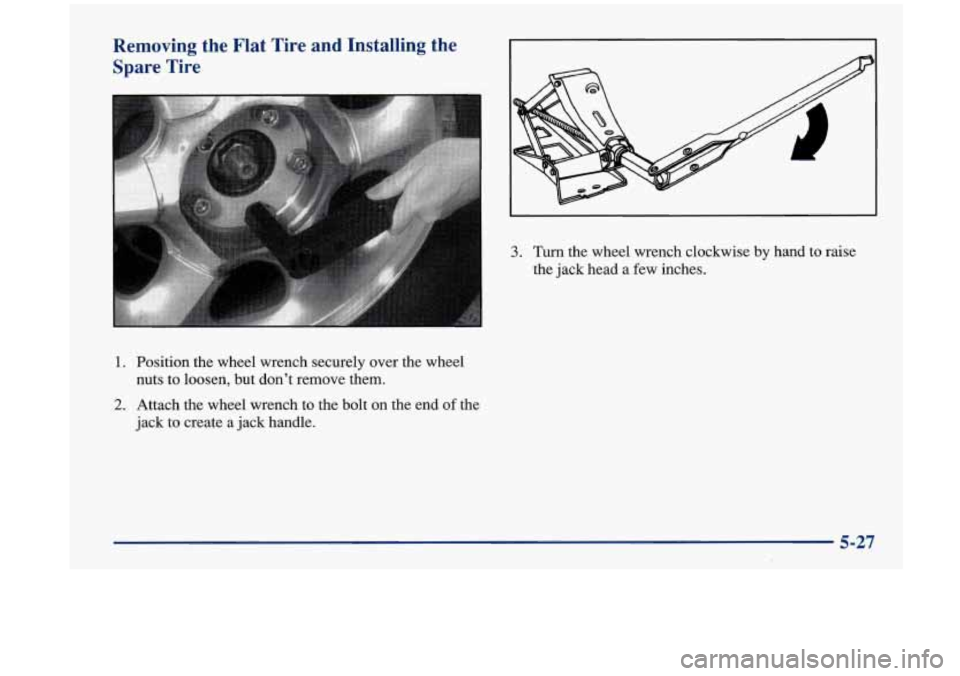
Removing the Flat Tire and Installing the Spare Tire
1. Position the wheel wrench securely over the wheel
nuts to loosen, but don’t remove them.
2. Attach the wheel wrench to the bolt on the end of the
jack to create a jack handle.
3. Turn the wheel wrench clockwise by hand to raise
the jack head a few inches.
5-27