door lock Oldsmobile Aurora 1998 Owner's Manuals
[x] Cancel search | Manufacturer: OLDSMOBILE, Model Year: 1998, Model line: Aurora, Model: Oldsmobile Aurora 1998Pages: 380, PDF Size: 19.75 MB
Page 11 of 380
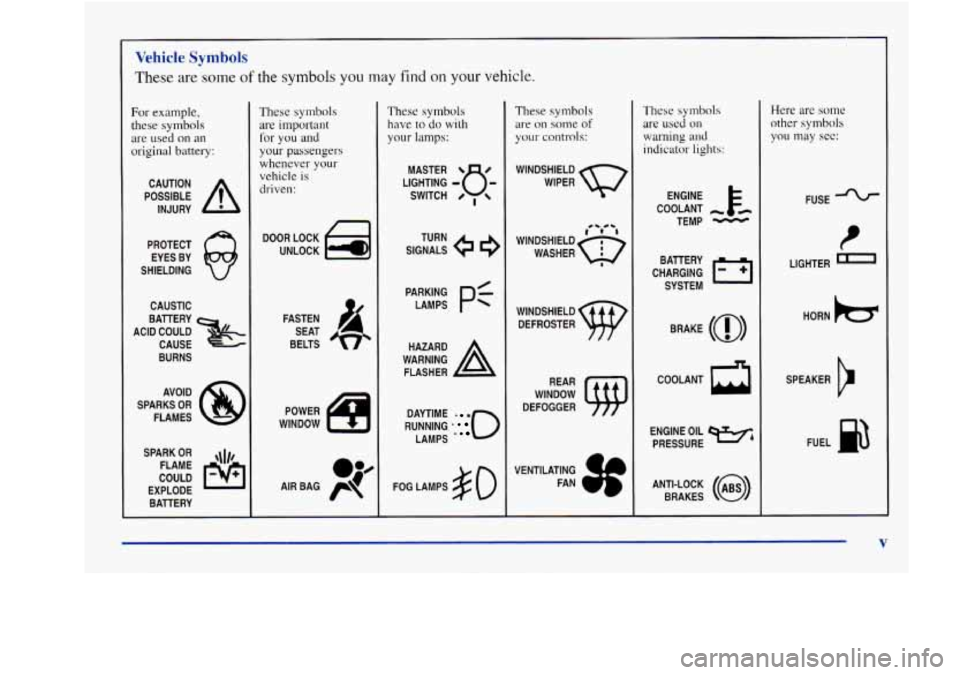
Vehicle Symbols
These are some of the symbols you may find on your vehicle.
For example,
these
symbols
are used on an
original battery:
POSSIBLE A
CAUTION
INJURY
PROTECT EYES BY
SHIELDING
CAUSTIC
BURNS AVOID
SPARKS
OR
FLAMES
SPARK
OR ,\I/,
COULD FLAME
EXPLODE BATTERY
These symbols
are important
for you and
your passengers
whenever
your
vehicle is
driven:
DOOR LOCK
UNLOCK
FASTEN SEAT
BELTS
POWER
WINDOW
These symbols have
to do with
your lamps:
SIGNALS e e3
TURN
RUNNING
* 0
DAYTIME - a
LAMPS .
FOG LAMPS # 0
These symbols
are on some of
your controls:
WINDSHIELD
WIPER
WINDOW
DEFOGGER
VENTILATING FAN
These symbols
are used on
warning and
indicator lights:
COOLANT -
TEMP -
CHARGING I-1
BATTERY
SYSTEM
BRAKE
(0)
h
ENGINE OIL e,
PRESSURE
ANTI-LOCK
(@)
BRAKES
Here are some
other symbols
you may see:
FUSE -%-
LIGHTER n
HORN )tr
SPEAKER
b
FUEL E3
V
Page 16 of 380
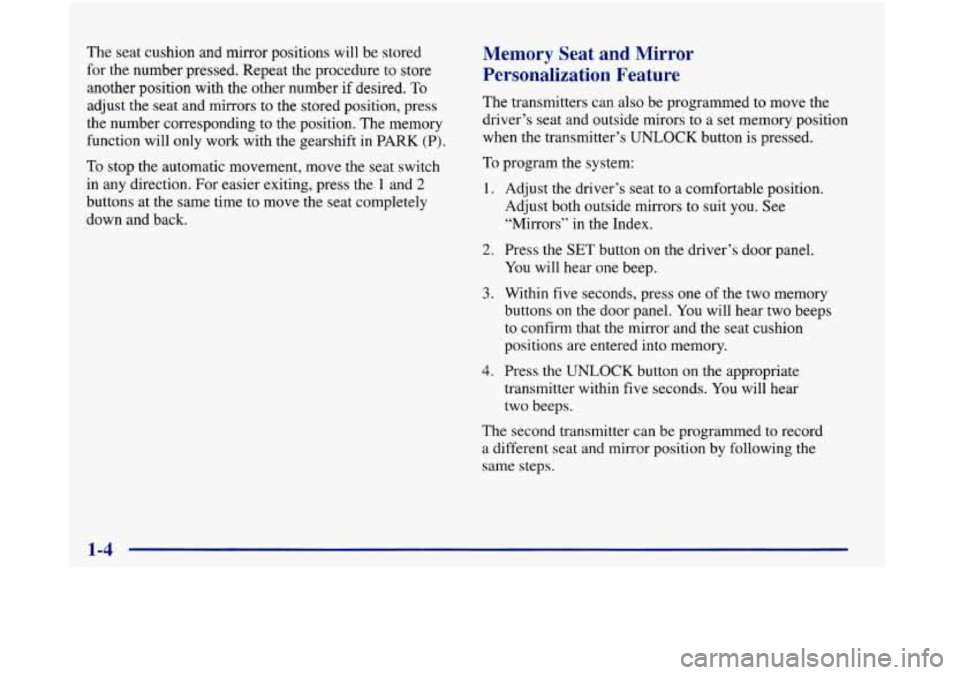
The seat cushion and mirror positions will be stored
for the number pressed. Repeat the procedure to store
another position with the other number if desired.
To
adjust the seat and mirrors to the stored position, press
the number corresponding to the position. The memory
function will only work with the gearshift in PARK
(P).
To stop the automatic movement, move the seat switch
in any direction. For easier exiting, press the
1 and 2
buttons at the same time to move the seat completely
down and back.
Memory Seat and Mirror
Personalization Feature
The transmitters can also be programmed to move the
driver’s seat and outside mirors to a set memory position
when the transmitter’s
UNLOCK button is pressed.
To program the system:
1.
2.
3.
4.
Adjust the driver’s seat to a comfortable position.
Adjust both outside mirrors to suit you. See
“Mirrors” in the Index.
Press the SET button on the driver’s door panel.
You will hear one beep.
Within five seconds, press one
of the two memory
buttons on the door panel. You will hear two beeps
to confirm that the mirror and the seat cushion
positions are entered into memory.
Press the
UNLOCK button on the appropriate
transmitter within five seconds.
You will hear
two beeps.
The second transmitter can be programmed to record
a different seat and mirror position by following the
same steps.
Page 17 of 380
If you prefer to program the exit seat position, which
moves the seat completely down and back, follow
these steps:
1. Press the SET button on the driver’s door panel.
You will hear one beep.
2. Press one of the memory buttons on the driver’s
door panel. You will hear one beep, but the seat
will not move at this time.
3. Press the UNLOCK button on the appropriate
transmitter within five seconds. You will hear
two beeps.
This personalization feature will work only when the
vehicle is in
PARK (P). A beep will sound inside the
vehicle when the UNLOCK button on the transmitter
is pressed to move the seat and mirrors.
To turn this feature off, press
SET and then UNLOCK
within five seconds.
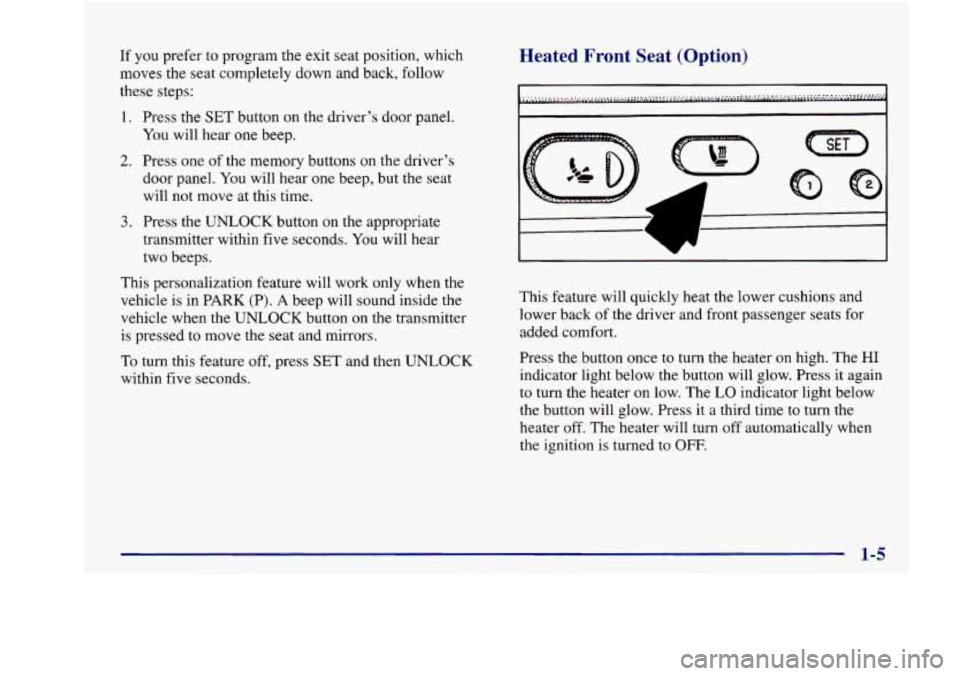
Heated Front Seat (Option)
7- I
This feature will quickly heat the lower cushions and
lower back of the driver and front passenger seats for
added comfort.
Press the button once to turn the heater on high. The
HI
indicator light below the button will glow. Press it again
to turn the heater on low. The
LO indicator light below
the button will glow. Press it a third time to turn the
heater off. The heater will turn
off automatically when
the ignition is turned to
OFF.
Page 25 of 380
How to Wear Safety Belts Properly
Adults
This part is only for people of adult size.
Be aware that there are special things to know about
safety belts and children. And there
are different rules
for smaller children and babies. If a child will be riding
in your vehicle, see the part of this manual called
“Children.” Follow those rules for everyone’s protection.
First, you’ll want to know which restraint systems your
vehicle has.
We’ll start with the driver position.
Driver Position
This part describes the driver’s restraint system.
Lap-Shoulder Belt
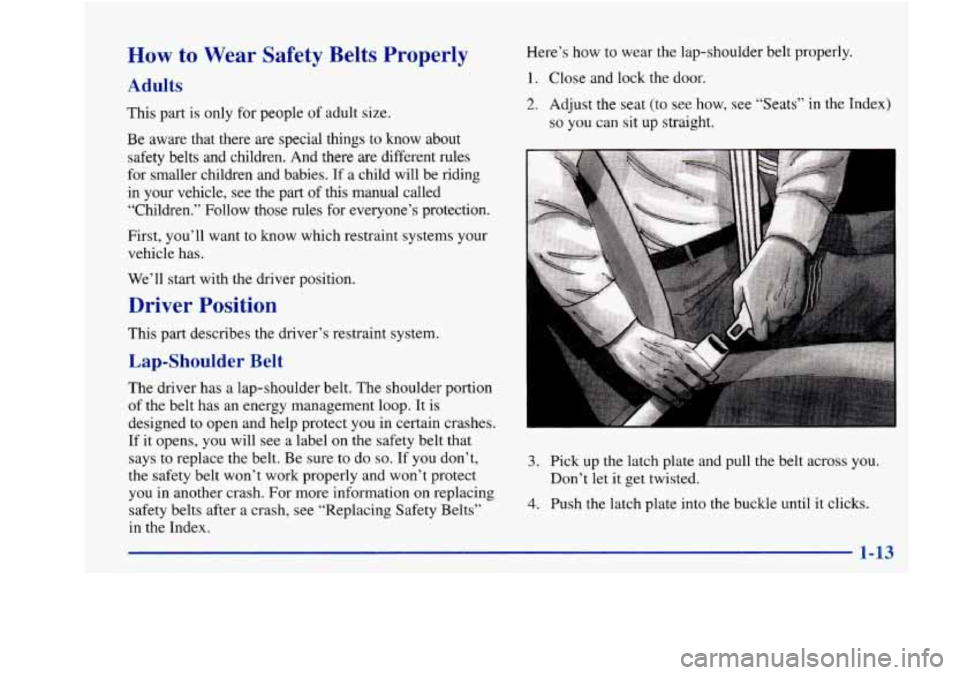
Here’s how to wear the lap-shoulder belt properly.
1. Close and lock the door.
2. Adjust the seat (to see how, see “Seats” in the Index)
so you can sit up straight.
R I
The driver has a lap-shoulder belt. The shoulder portion
of the belt has an energy management loop. It is
designed
to open and help protect you in certain crashes.
If it opens, you will
see a label on the safety belt that
says to replace the belt. Be sure
to do so. If you don’t,
the safety belt won’t work properly and won’t protect
you in another crash. For more information on replacing
safety belts after a crash, see “Replacing Safety Belts’’
in the Index.
1-13
3. Pick up the latch plate and pull the belt across you.
Don’t let it get twisted.
4. Push the latch plate into the buckle until it clicks.
Page 67 of 380
Section 2 Features and Controls
Here you can learn about the many standard and optional features on your vehicle, and information on starting,
shifting
and braking. Also explained are the instrument panel and the warning systems that tell you if everything is
working properly
-- and what to do if you have a problem.
2-2
2-4
2-9
2- 14
2-15
2- 16
2-1s
2- 19
2-20
2-21
2-23
2-27
2-28
2-30
2-3
1
Keys
Door Locks
Remote Lock Control TrUIlk
Theft
Universal Theft-Deterrent
PASS-Key(%
New Vehicle “Break-In”
Ignition Positions Starting Your Engine
Engine Coolant Heater (Option)
Parking Brake
Shifting Into PARK (P)
Shifting Out of PARK (P)
Parking Over Things That Burn 2-3 1
2-3
3
2-34
2-34
2-42
2-45
2-48
2-52
2-55
2-55 2-55
2-56
2-60
2-64
2-75 Engine Exhaust
Windows
Tilt Wheel
Turn SignaVMultifunction Lever
Exterior Lamps Interior Lamps
Mirrors
Storage Compartments
Cellular Telephone (Option)
Accessory Power Outlet
Sunroof (Option)
Universal Transmitter
Instrument Panel
Warning Lights, Gages and Indicators
Driver Information Center
2-1
Page 69 of 380
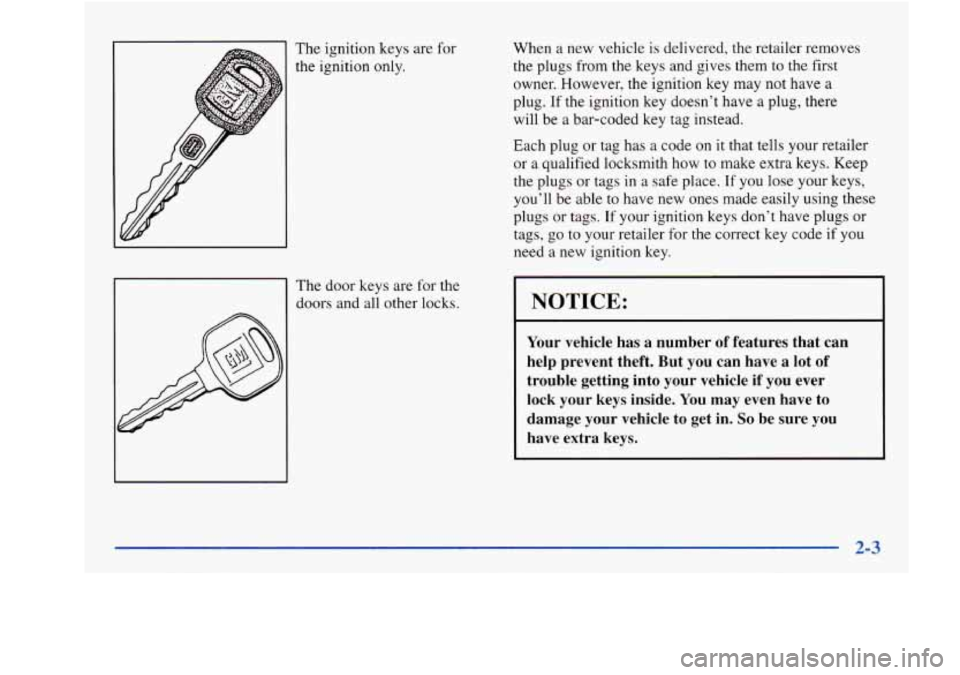
The ignition keys are for
the ignition only.
The door Keys are for the
doors and all other locks. When
a new vehicle is delivered, the retailer removes
the plugs from the keys and gives them to the first
owner. However,
the ignition key may not have a
plug. If the ignition key doesn’t have a plug, there
will be a bar-coded key tag instead.
Each plug or tag has a code on it that tells your retailer
or a qualified locksmith how to make extra keys. Keep
the plugs or tags in a safe place..
If you lose your keys,
you’ll be able to have new ones made easily using these
plugs or tags. If your ignition keys don’t have plugs or
tags, go to your retailer for the correct key code if you
need a new ignition key.
NOTICE:
Your vehicle has a number of features that can
help prevent theft. But you can have a lot of
trouble getting into your vehicle if you ever
lock your keys inside. You may even have to
damage your vehicle to get in.
So be sure you
have extra keys.
Page 70 of 380

Door Locks There are several ways to lock and unlock your vehicle.
From the outside, use your door key or remote lock
control transmitter.
I
Unlocked doors can be dangerous.
Passengers
-- especially children -- can easily
open the doors and fall out. When a door
is
locked, the inside handle won’t open it.
Outsiders can easily enter through an unlocked
door when you slow down or stop your vehicle.
This may not be
so obvious: You increase the
chance
of being thrown out of the vehicle in a
crash if the doors aren’t locked. Wear safety belt
properly, lock your doors, and you will be
far
better off whenever you drive your vehicle.
From the inside, to lock the door, rotate the locking
lever forward.
To unlock the door, rotate the locking lever rearward.
There
is a red mark on the switch when the door
is unlocked.
2-4
Page 71 of 380
Central Door Unlocking System
If the driver’s door key is held in the unlock position for
more than one second, all doors will unlock.
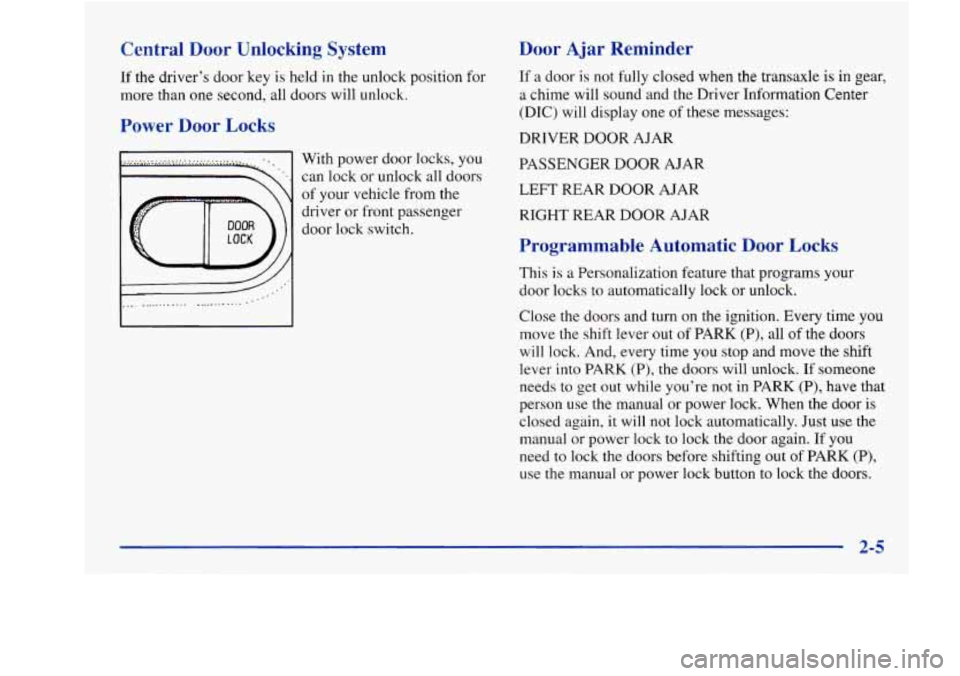
Power Door Locks
With power door locks, you
can lock or unlock all doors
of your vehicle from the
driver
or front passenger
door lock switch.
Door Ajar Reminder
If a door is not fully closed when the transaxle is in gear,
a chime will sound and the Driver Information Center
(DIC) will display one of these messages:
DRIVER DOOR AJAR
PASSENGER DOOR AJAR
LEFT REAR DOOR AJAR
RIGHT REAR DOOR AJAR
Programmable Automatic Door Locks
This is a Personalization feature that programs your
door locks to automatically lock or unlock.
Close the doors and turn on the ignition. Every time you
move the shift lever out of PARK (P), all of the doors
will lock. And, every time you stop and move the shift
lever into PARK
(P), the doors will unlock. If someone
needs to get out while you’re not in PARK (P), have that
person use the manual
or power lock. When the door is
closed again, it will not lock automatically. Just use the
manual or power lock to lock the door again. If
you
need to lock the doors before shifting out of PARK (P),
use the manual or power lock button to lock the doors.
A 2-5
Page 72 of 380
Customizing Your Automatic Door Locks Feature
You can program the automatic door locks feature to
change to the following modes:
Mode Operation
0 No automatic door lock or unlock.
1 All doors automatically lock when shifted
out of PARK (P).
No automatic door unlock.
2
3
All doors automatically lock when shifted
out of PARK
(P). Only the driver’s door
automatically unlocks when shifted into
PARK (P).
All doors automatically lock when shifted
out of PARK
(P). All doors automatically
unlock when shifted into PARK (P).
Vehicles are delivered programmed in Mode
3.
To change the modes:
1. Close all doors and turn the ignition on. Keep all
2. Press and hold the lock position on the driver’s
doors
closed throughout this procedure.
power door lock switch through Step
4.
3. Press the LOCK button on the remote lock control
transmitter. The automatic door locks will remain in
the current mode.
4. Press the LOCK button on the transmitter again.
Each time the transmitter’s
LOCK button is pressed,
the mode will advance by one, going from Mode
3 to
0 to 1, etc.
NOTE: The door locks will cycle according
to the
mode entered while customizing memory door locks.
(Mode
“0” has no feedback.)
5. Release the power door lock switch. The automatic door
locks will remain in the most recent mode selected.
6. Turn the ignition to OFF.
Delayed Locking
This Personalization feature lets the driver delay the
actual locking of the vehicle. When the power door lock
switch is pressed with the key removed from the ignition
and the driver’s door open, a chime will sound three
times to signal that the lock delay mode
is active. When
all doors have been closed, the doors will lock
automatically after five seconds. If any door
is opened
before this, the five-second timer will reset itself once
all
the doors have been closed again.
Pressing the door lock switch twice within two seconds will override this feature.
2-6
Page 73 of 380

Personalization Programming
The delayed locking feature can be turned on or off for
each driver’s remote lock control transmitter.
To turn the feature on:
1. Press and hold the lock position on the driver’s
power door lock switch throughout this procedure.
All of the doors will lock.
2. Press the UNLOCK button on the transmitter to
enter the programming mode. The lock delay is still
off and all doors will remain locked.
3. Press the UNLOCK button on the transmitter again.
Lock delay is now active and all doors will unlock.
4. Release the power door lock switch.
To turn the feature off, repeat this procedure.
This procedure changes the mode for only the
transmitter used to change this setting. The procedure
will need to
be repeated for the second transmitter.
Rear Door Security Locks
To Use One of These Locks
1. Open one of the rear doors.
2. Move the lever on the
door all the way up to
the ENGAGED position.
3. Close the door.
4. Do the same thing to the other rear door lock.
The rear doors of your vehicle cannot be opened from
inside when this feature is in use.
Your vehicle is equipped with rear door security locks
that help prevent passengers from opening the rear doors
of your vehicle from the inside.
2-7