battery OLDSMOBILE BRAVADA 1997 Owners Manual
[x] Cancel search | Manufacturer: OLDSMOBILE, Model Year: 1997, Model line: BRAVADA, Model: OLDSMOBILE BRAVADA 1997Pages: 358, PDF Size: 18.02 MB
Page 7 of 358

Vehicle Symbols
These are some of the symbols you may find on your vehicle.
For exumple,
thesc bymbols
aIe used on an
original battery:
POSSIBLE A
CAUTION
INJURY
PROTECT EYES BY
SHIELDING
CAUSTIC
ACID COULD
BATTERY
CAUSE
BURNS
AVOID
SPARKS
OR
FLAMES
SPARK
OR ,111,
COULD FLAME
EXPLODE BATTERY DOOR
LOCK
UNLOCK
FASTEN
&
BELTS SEAT
WINDOW
f j
POWER '* __ I
SIGNALS 6 @
TURN
RUNNING
* 0 DAYTIME . .
LAMPS *'*
FOG LAMPS # 0
WINDSHIELD
WIPER
WINDSHIELD DEFROSTER
WINDOW
DEFOGGER
VENTILATING
**
These sylnbols
are used on
warning and
indicator lights:
COOLANT -
TEMP -
CHARGING I-1
BATTERY SYSTEM
BRAKE
(a)
COOLANT a
ENGINE OIL
PRESSURE
Wb
ANTI-LOCK (@)
BRAKES
Here are some
other synbols
you may see:
FUSE
P
LIGHTER
HORN
)tr
SPEAKER
b
FUEL I&
V
ProCarManuals.com
Page 31 of 358

Servicing Your Air Bag-Equipped
Oldsmobile
The air bag affects how your Oldsmobile should be
serviced. There are parts
of the air bag system in several
places around your vehicle. You don't want the system
to inflate while someone
is working on your vehicle.
Your Oldsmobile retailer and the Bravada Service
Manual have information about servicing your vehicle
and the air bag system.
To purchase a service manual,
see "Service and Owner Publications"
in the Index.
For up to
10 minutes after the ignition key is
turned off and the battery is disconnected, an air
bag can still inflate during improper service. You
can be in,jured if you are close to an air bag when
it inflates. Avoid wires wrapped with yellow tape,
or yellow connectors. They are probably part
of
the air bag system. Be sure to follow proper
service procedures, and make sure the person
performing work for you
is qualified to do so.
The air bag system does not need regular maintenance.
Adding Equipment to Your Air
Bag-Equipped Oldsmobile
Q.' If I add a push bumper or a bicycle rack to the
front of my vehicle,
will it keep the air bag from
working properly?
A: As long as the push bumper or bicycle rack is
attached to your vehicle so that the vehicle's basic
structure isn't changed, it's not likely to keep the
air bag from working properly
in a crash.
Is there anything I might add to the front of the
vehicle that could keep the
air bag from
working properly?
A: Yes. If you add things that change your vehicle's
frame, bumper system, front end sheet metal or height,
they lnay keep the air bag system from working
properly. Also, the air bag system may not work
properly
if you relocate any of the air- bag sensors. If
you have any question about this, you should contact
Customer Assistance before you modify your vehicle. (The phone numbers and addresses for Customer
Assistance are
in Step Two of the Customer
Satisfaction Procedure
in this manual. See "Customer
Satisfaction Procedure"
in the Index.)
1-23
ProCarManuals.com
Page 55 of 358

a Section 2 Features and Controls
Here you can learn about the many standard and optional features on your Oldsnwbile, and information on starting,
shifting and braking. Also explained are the instrument panel and the warning systems that tell you
if everything is
working properly
-- and what to do if you have a problem.
2-2
2 -4
2-5
2-6
2-7
2-
IO
2-1 1
2- 12
2-13
2-
14
2-15
2-18
2-22
2-34 Important Information
About Keys
Door Locks
Operation of Child Security Locks
Remote Keyless Entry
Battery Replacement for RKE
Preventing
Theft of Your Vehicle
New Vehicle "Break-In"
Ignition Positions
Tips
on Starting Your Engine
Using the Engine Coolant Heater
Automatic Transmission Operation
Parking Brake Guidelines
Important Information
on Engine Exhaust
Operation of Your Windows 2-2s
2-25
2-26
2-27
2-28
2-3
1
2-32
2-33
2-34
2-35
2-48 2-52
Adjusting the Tilt Steering Wheel
Functions
of the Multifunction Lever
How
to Use the HighLow Beam
Headlamp Changer
Windshield Wipers and Fluid
Using Cruise Control
Exterior Lamps Daytime Running Lamps (DRL)
Rearview Mirrors
Storage Compartments
Instrument Panel Overview
All About Your Warning Lights and Gages
Interior
Lamps
ProCarManuals.com
Page 60 of 358

Keyless Entry System
You can lock and unlock your doors or unlock your
liftgate from up to
30 feet (9 m) away using the key
chain transmitter supplied with your vehicle.
Your Keyless Entry System operates on a radio
frequency subject to Federal Communications
Commission (FCC) Rules and with Industry and Science
Canada Rules.
This device complies with
Part 15 of the FCC Rules.
Operation is subject to
the following two conditions:
(1) this device may not cause harmful interference,
and
(2) this device must accept any interference received,
including interference that may cause undesired operation.
This device complies with RSS-210 of Industry and
Science Canada. Operation is subject to the following
two conditions:
(1) this device may not cause
interference, and
(2) this device must accept any
interference received, including interference that may
cause undesired operation
of the device.
The range
of this system is about 30 feet (9 m). At times
you may notice
a decrease in range. This is normal for
any remote lock control system.
If the transmitter does
not work
or if you have to stand closer to your vehicle
for the transmitter to work, try this:
0
0
0
0
Check to determine if battery replacement or
resynchronization
is necessary. See the instructions
that follow.
Check the distance. You may be too far from your
vehicle. You may need to stand closer during rainy
or snowy weather.
Check
the location. Other vehicles or objects may be
blocking the signal. Take
a few steps to the left
OS right.
If you’re still having trouble, see your Oldsmobile
retailer or
a qualified technician for service.
Changes or modifications to this system by other than an
authorized service facility could void authorization to
use
this equipment.
Operation
When you press UNLOCK, the driver’s door and
liftgate will unlock automatically.
If you press
UNLOCK again within five seconds, all
the doors will
unlock. Press LOCK to lock all the doors.
Press the REAR button twice within
3 1/2 seconds to
unlock and unlatch the liftgate. The transmission must
be
in PARK (P) or NEUTRAL (N).
2-6
ProCarManuals.com
Page 61 of 358

Matching Transmitter(s) To Your Vehicle
Each key chain transmitter is coded to prevent another
transmitter from unlocking your vehicle.
If a transmitter is
lost or stolen, a replacement can be purchased through
your retailer. Remember to bring any remaining
transmitters
with you when you go to your retailer. When
the retailer matches the replacement transmitter to your
vehicle, any remaining transmitters must also be matched.
Once your retailer has coded the new transmitter, the lost
transmitter will not unlock your vehicle. Each vehicle can
have only two tr'msmitters matched to it.
Battery Replacement
Under normal use, the battery in your key chain
transmitter should last about two years.
You can tell the battery is weak if the transmitter won't
work at the normal range in any location.
If you have to
get close to your vehicle before the transmitter works,
it's probably time to change the battery.
To replace the battery in the Keyless Entry transmitter:
1. Insert a dime in the slot between the covers of the
transmitter housing near the key ring hole. Remove
the bottom by twisting the dime.
2. Remove and replace the battery
with a three volt
NOTICE:
CR2032 or equivalent battery, positive (+) side down.
3. Align the covers and snap them together.
When replacing the battery, use care not to touch any
of the circuitry. Static from your body transferred to 4. Check the operation of the transmitter.
these surfaces may damage the transmitter.
2-7
ProCarManuals.com
Page 66 of 358

Ignition Positions
Use the key to turn the ignition switch to five
different positions.
C
A L E
ACCESSORY (A): ACCESSORY lets you use things
like the radio and
the windshield wipers when the
engine is
off. Push in the key and turn it toward you.
Your steering wheel will remain locked, just as it was
before you inserted the key.
I NOTICE:
Don’t operate accessories in the ACCESSORY
position for long periods
of time. Prolonged
operation of accessories in the ACCESSORY
position could drain your battery and prevent
you from starting your vehicle.
LOCK
(B): This position locks your ignition, steering
wheel and transmission. It’s a theft-deterrent feature.
You will only be able to remove your key when the
ignition
is turned to LOCK.
OFF (C): This position lets you turn off the engine but
still turn the steering wheel. Use
OFF if you must have
your vehicle
in motion while the engine is off (for
example,
if your vehicle is being towed).
RUN (D): This is the position for driving.
START (E): This starts your engine.
2-12
ProCarManuals.com
Page 67 of 358

NOTICE:
If your key seems stuck in LOCK and you can’t
turn it, be sure you are using the correct key;
if
so, is it all the way in? If it is, then turn the
steering wheel left and right while you turn the
key hard. But turn the key only with your hand.
Using
a tool to force it could break the key or the
ignition switch. If none
of this works, then your
vehicle needs service.
Starti 3 Your Engine
Move your shift lever to PARK (P) or NEUTRAL (N).
Your engine won’t start in any other position -- that’s a
safety feature. To restart when you’re already moving,
use NEUTRAL, (N j only.
.
NOTICE:
Don’t try to shift to PARK (P) if your Oldsmobile
is moving. If you do, you could damage the
transmission. Shift to
PARK (P) only when your
vehicle is stopped.
1. Without pushing the accelerator pedal, turn your
ignition key
to START. When the engine starts. let
go of the key. The idle speed will go down as your
engine gets
warm.
NOTICE:
Holding your key in START for longer than
15 seconds at a time will cause your battery to be
drained much sooner. And the excessive heat can
damage your starter motor.
2-13
ProCarManuals.com
Page 97 of 358

Visor Vanity Mirror
Pull the sun visor down and lift the cover to expose the
vanity mirror.
Illuminated Visor Vanity Mirror
Pull the sun visor down and lift the mirror cover to turn
on the lamps.
Accessory Power Outlets
The accessory power outlets are located below the
cigarette lighter. Just pull down from
the top of the door
and follow the proper installation instructions that are
included with any electrical equipment you install.
These circuits are protected by
a fuse and have
maximum current levels.
I NOTICE:
When using the accessory power outlets,
maximum electrical load must not exceed
25 amps. Always turn off any electrical
equipment when
not in use. Leaving electrical
equipment on for extended periods
will drain
your battery.
2-43
ProCarManuals.com
Page 99 of 358
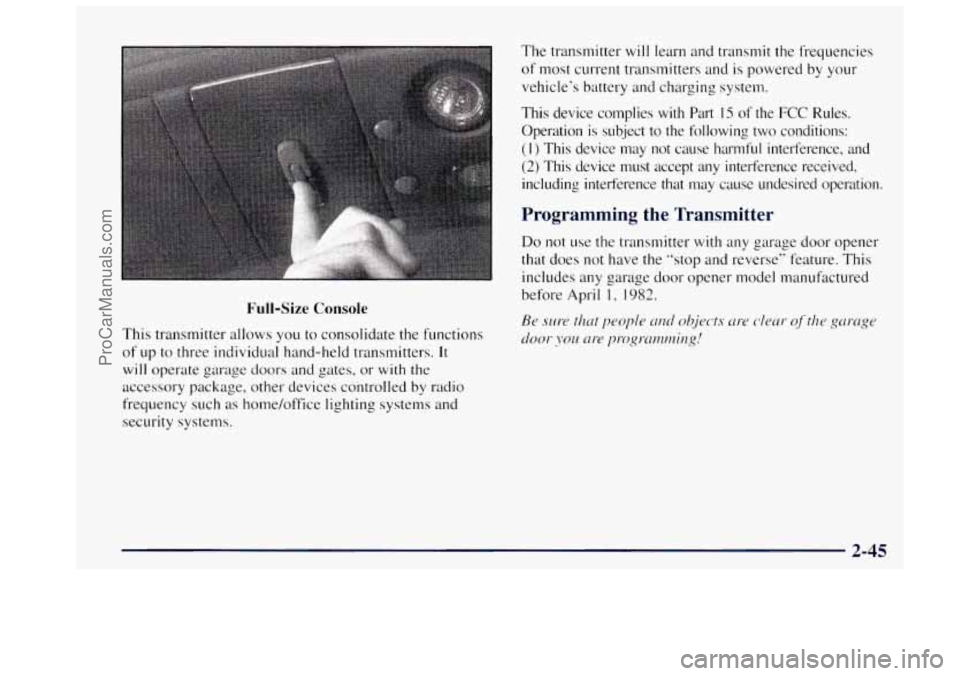
Full-Size Console
This transmitter allows you to consolidate the functions
of up to three individual hand-held transmitters.
It
will operate garage doors and gates, or with the
accessory package, other devices controlled
by radio
frequency such as home/office lighting systems and
security systems. The
transmitter will learn and transmit the frequencies
of most current transmitters and
is powered by your
vehicle‘s battery and charging system.
This device complies
with Part IS of the FCC Rules.
Operation is subject to the following two conditions:
(1) This device may not cause harmful interference. and
(2) This device must accept any interference received,
including interference that may cause undesired operation.
Programming the Transmitter
Do not use the transmitter with any garage door opener
that does not have the “stop and reverse” feature. This
includes any garage door opener model manufactured
before April
l? 1982.
Be sure that ppople LII~ objects [[re c-leur of’the gorcrge
~2‘oor JOU nt-e progrmmirzg!
2-45
ProCarManuals.com
Page 100 of 358
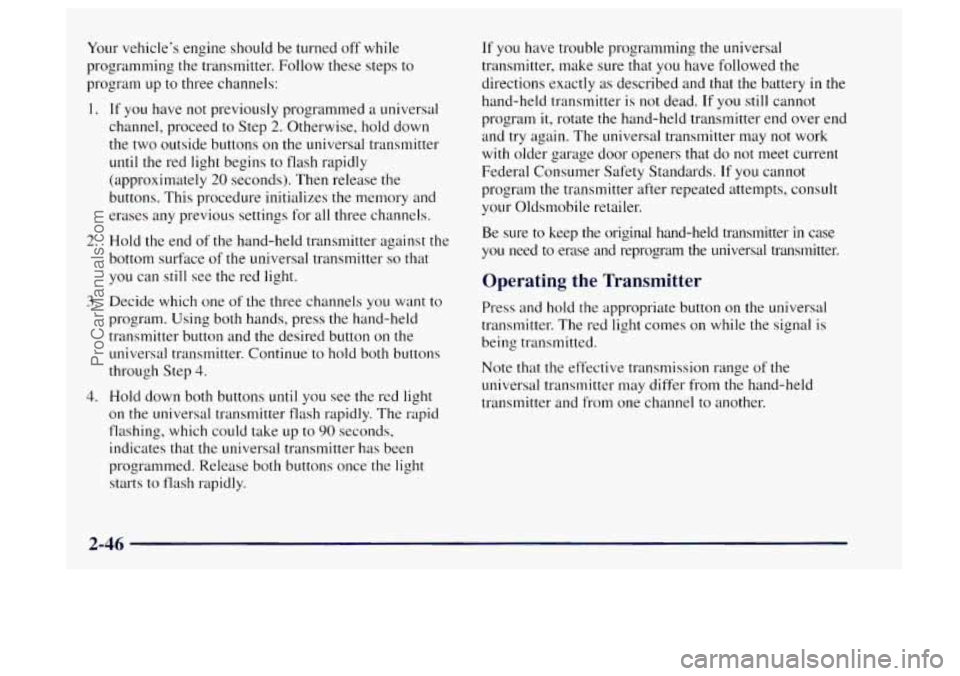
Your vehicle’s engine should be turned off while
programming the transmitter.
Follow these steps to
program up to three channels:
1. If you have not previously programmed a universal
channel, proceed to Step
2. Otherwise, hold down
the two outside buttons
on the universal transmitter
until the red light begins to flash rapidly
(approximately
20 seconds). Then release the
buttons. This procedure initializes the memory and
erases any previous settings for all three channels.
2. Hold the end of the hand-held transmitter against the
bottom surface of the universal transmitter
so that
you can still see the red light.
3. Decide which one of the three channels you want to
program. Using both hands, press the hand-held
transmitter button and the desired button on the
universal transmitter. Continue to hold both buttons
through Step 4.
4. Hold down both buttons until you see the red light
on the universal transmitter flash rapidly. The rapid
flashing, which could take up to
90 seconds,
indicates that the universal transmitter has been
programmed. Release both buttons once the light
starts to flash rapidly.
If you have trouble programming the universal
transmitter, make sure that you have followed the
directions exactly as described and that the battery
in the
hand-held transmitter
is not dead. If you still cannot
program
it, rotate the hand-held transmitter end over end
and try again. The universal transmitter may not work
with older garage door openers that do not meet current
Federal Consumer Safety Standards.
If you cannot
program the transmitter after repeated attempts, consult
your Oldsmobile retailer.
Be sure to keep the original hand-held transmitter
in case
you need to erase and reprogram the universal transmitter.
Operating the Transmitter
Press and hold the appropriate button on the universal
transmitter. The red light comes on while the signal is
being transmitted.
Note that the effective transmission range
of the
universal transmitter may differ from
the hand-held
transmitter and from one channel to another.
2-46
ProCarManuals.com