ignition Oldsmobile Cutlass Supreme 1993 s Owner's Guide
[x] Cancel search | Manufacturer: OLDSMOBILE, Model Year: 1993, Model line: Cutlass Supreme, Model: Oldsmobile Cutlass Supreme 1993Pages: 340, PDF Size: 16.21 MB
Page 120 of 340

Comfort Controls &Audio Systems
Audio Systems
The following pages describe the audio
systems available for your Oldsmobile,
and how to get the best performance
from them. Please read about the system
in your vehicle.
A
Hearing damage from loud
noise is almost undetectable
until it is too late. Your hearing can
adapt to higher volumes of sound.
Sound that seems normal can be
loud and harmful to your hearing.
Take precautions by adjusting the
volume control on your radio to a
safe sound level before your hearing
adapts to it.
To help avoid hearing loss or
damage:
1. Adjust the volume control to the
lowest setting.
2. Increase volume slowly until you
hear
comfort: ~ Id clez ’ ‘. __
equipment to your vehicle
tape player,
CB radio, mobil
telephone or two-way radio-De
sure you can add what you wanl.
I
you can, it’s very important to do i
properly. Added sound equipment
may interfere with the operation
oj
your vehicle’s engine, DelcoQ radic
or other systems, and even damage
them. And, your vehicle’s systems
may interfere with the operation
ol
No matter which audio system you have
in your vehicle, setting the clock is easy.
1 For Radios with SCAN and One
SEEK Button:
1. With the radio off and the ignition on,
press
SET. The SET indicator will
appear on the digital screen for five
seconds.
, During those five seconds, you can
set the clock to the correct hour and
minute by depressing the
SEEK and
SCAN buttons. For some radios
SEEK will set the hour, for others it
sets the minute. For some radios,
SCAN will set the hour, for others it
sets the minute.
Page 121 of 340
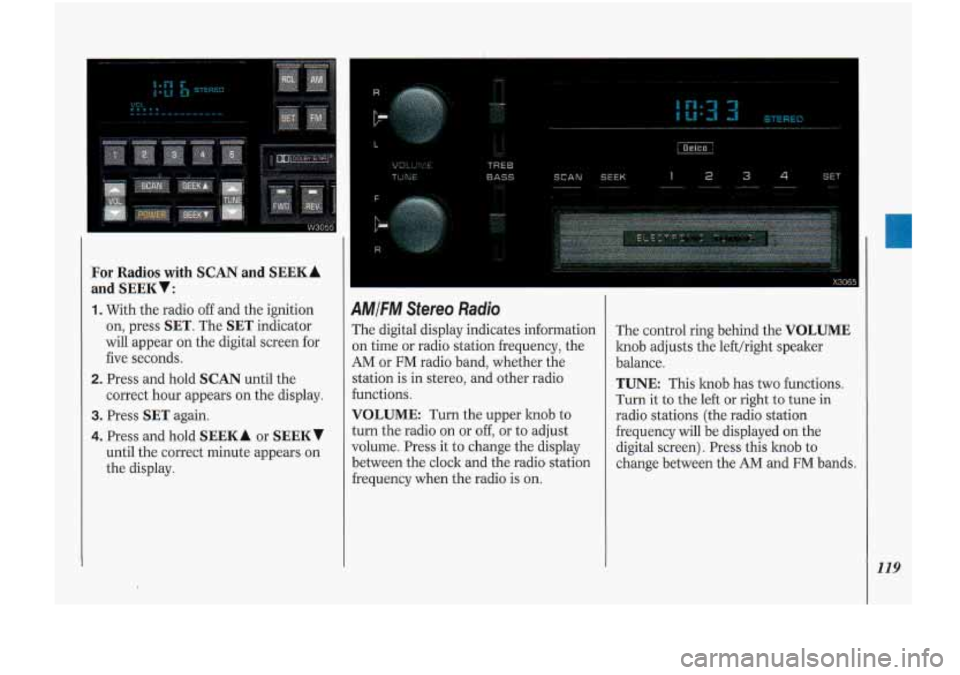
For Radios with SCAN and SEEKA
and SEEKV:
1. With the radio off and the ignition
on, press
SET. The SET indicator
will appear on the digital screen for
five seconds.
2. Press and hold SCAN until the
correct hour appears on the display.
3. Press SET again.
4. Press and hold SEEK A or SEEKV
until the correct minute appears on
the display.
R . ,._
Pi
L ..
as
4MIFM Stereo Radio
The digital display indicates information
3n time or radio station frequency, the
AM or FM radio band, whether the
station is in stereo, and other radio
€unctions.
VOLUME: Turn the upper knob to
turn the radio on or off, or to adjust
volume. Press it to change the display
between the clock and the radio station
hequency when the radio is
on.
The control ring behind the VOLUME
knob adjusts the lefthight speaker
balance.
TUNE: This knob has two functions.
Turn it to the left or right to tune in
radio stations (the radio station
frequency will be displayed on the
digital screen). Press this knob to
change between the AM and FM bands.
119
Page 125 of 340
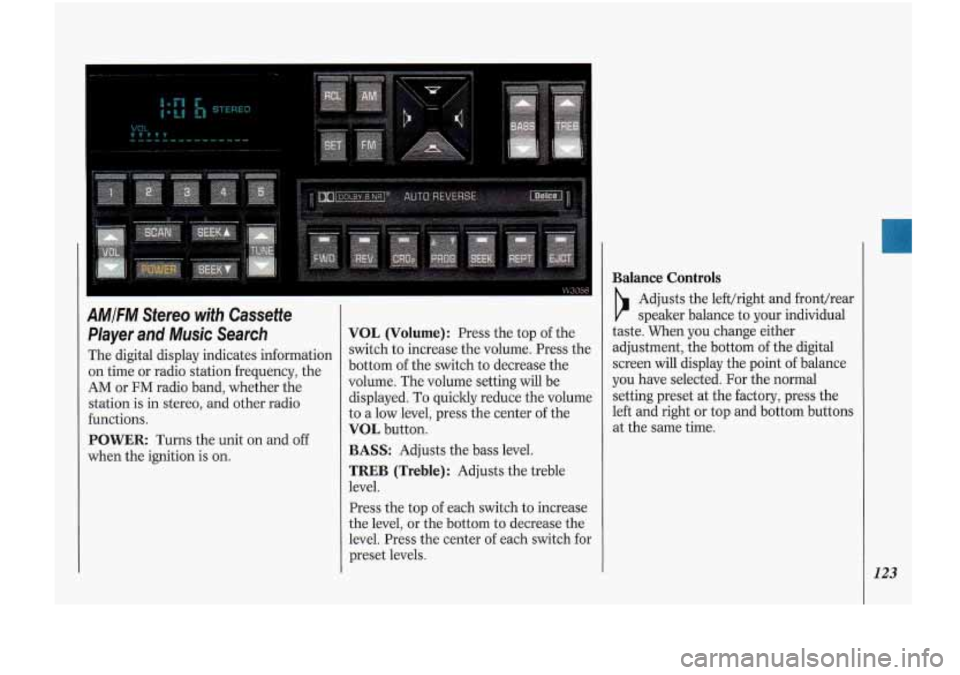
AMIFM Stereo with Cassette
Player and Music Search
The digital display indicates information
on time or radio station frequency, the
AM or FM radio band, whether the
station
is in stereo, and other radio
functions.
POWER: Turns the unit on and off
when the ignition is on.
VOL (Volume): Press the top of the
switch to increase the volume. Press the
bottom of the switch to decrease the
volume. The volume setting will be
displayed. To quickly reduce the volume
to a low level, press the center of the
VOL button.
BASS: Adjusts the bass level.
TREB (Treble): Adjusts the treble
level.
Press the top of each switch to increase
the level, or the bottom to decrease the
level. Press the center of each switch for
preset levels.
Balance Controls
b
Adjusts the lefthight and fronthear
speaker balance to your individual
taste. When you change either
adjustment, the bottom of the digital
screen will display the point
of balance
you have selected. For the normal
setting preset at the factory, press the
left and right or top and bottom button
at the same time.
.s
U
123
Page 128 of 340
Comfort Controls &Audio Systems
126
-
..^^L^ I
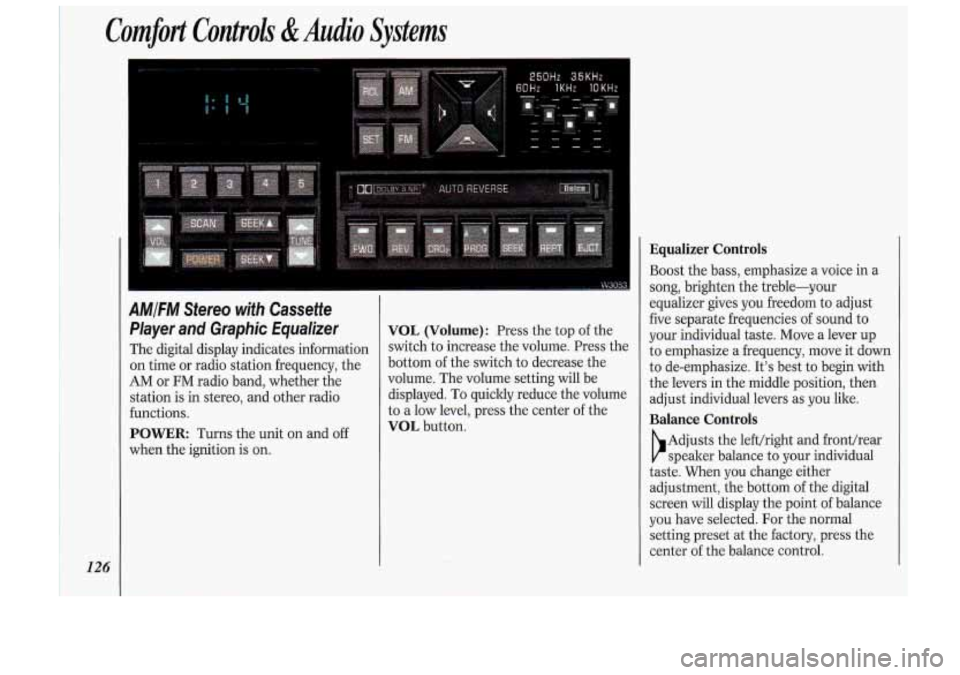
AMIFM Stereo with Cassette
Player and Graphic Equalizer
The digital display indicates information
on time or radio station frequency, the
AM or FM radio band, whether the
station is in stereo, and other radio
functions.
POWER Turns the unit on and off
when the ignition is on.
VOL (Volume): Press the top of the
switch to increase the volume. Press the
bottom of the switch to decrease the
volume. The volume setting will be
displayed. To quickly reduce the volume
to a low level, press the center of the
VOL button.
Equalizer Controls
Boost the bass, emphasize a voice in a
song, brighten the treble-your
equalizer gives you freedom to adjust
five separate frequencies
of sound to
your individual taste. Move a lever up
to emphasize a frequency, move it clown
to de-emphasize. It’s best to begin with
the levers in the middle position, then
adjust individual levers as you like.
Balance Controls
b
Adjusts the lefthight and front/rear
speaker balance to your individual
taste. When you change either
adjustment, the bottom of the digital
screen will display the point of balance
you have selected. For the normal
setting preset at the factory, press the
center of the balance control.
Page 131 of 340
i, DGlCO-l0C SI )
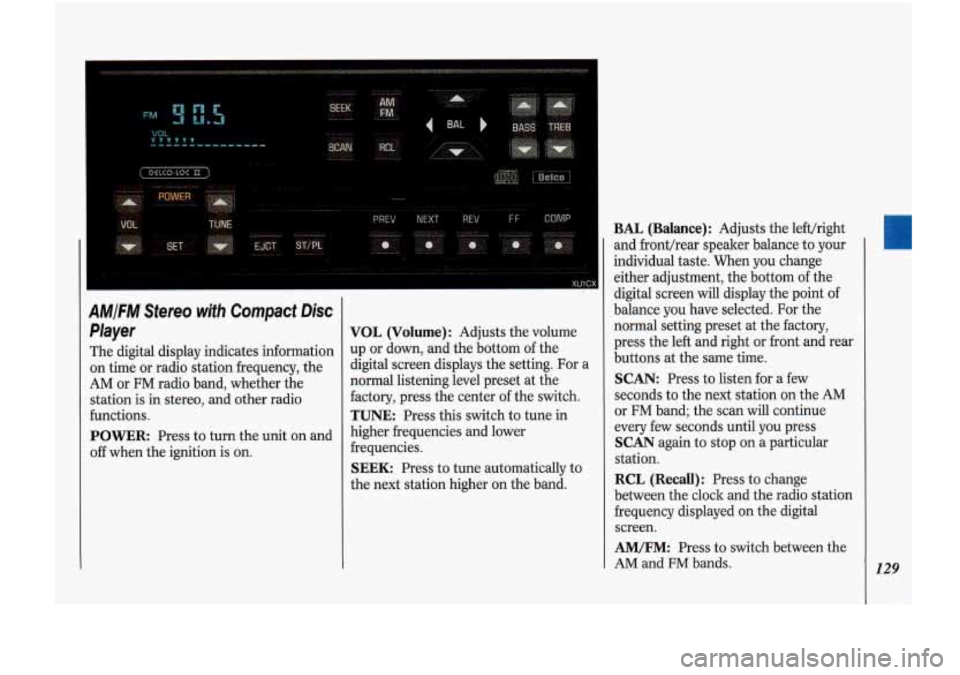
AM/FM Stereo with Compact Disc
Player
The digital display indicates information
on time or radio station frequency, the
AM or FM radio band, whether the
station
is in stereo, and other radio
functions.
POWER: Press to turn the unit on and
off when the ignition is on.
VOL (Volume): Adjusts the volume
up or down, and the bottom of the
digital screen displays the setting. For a
normal listening level preset at the
factory, press the center of the switch.
TUNE: Press this switch to tune in
higher frequencies and lower
frequencies.
SEEK: Press to tune automatically to
the next station higher on the band.
BAL (Balance): Adjusts the lefthight
and fronthear speaker balance to your
individual taste. When you change
either adjustment, the bottom of the
digital screen
will display the point of
balance you have selected.
For the
normal setting preset at the factory,
press the left and right or front and rear
buttons at the same time.
SCAN: Press to listen for a few
seconds to the next station on the AM
or
FM band; the scan will continue
every few seconds until you press
SCAN again to stop on a particular
station.
RCL (Recall): Press to change
between the clock and the radio station
frequency displayed on the digital
screen.
AM/FM: Press to switch between the
AM and
FM bands. 129
Page 133 of 340
When Finished with the Compact
Disc Player:
If you press POWER or turn off the
ignition, the disc will stay in the player
and start again when you turn on the
ignition or power switch. The disc will
begin playing
at the point where it had
been stopped.
ST/PL (Stop/Play): Press to stop the
disc player; the radio will play. Press
again to play the disc (the player will
start playing the disc where it was
stopped earlier).
EJCT (Eject): Press to eject the disc;
the radio will play.
CD Player Anfi-Theft Feature
Delco LOC II@ is a security feature that
can be used or ignored. If you ignore it,
your system will play normally. If you
use it, your system cannot be turned
on
if it is stolen. These instructions will tell
you how to enter a secret code into your
system. Then,
if battery power is lost for
any reason, the secret code must be
entered again before the system can be
turned on.
To Set:
1. Write down any six-digit number and
keep it in a safe place. This is your
secret code.
Run.
radio off.
the same time and hold until
--- ” shows on the display.
You now have only
15 seconds
between each of the following steps.
2. Turn the ignition to Accessory or
3. Press the POWER button to turn the
4. Press the PREV and FF buttons at
;<
5. Press SET and 000 appears on the
6. Press and hold SEEK until the first
7. Press and hold SCAN until the
display.
digit of your code appears.
second and third digits of your code
appear.
8. Press AM-FM (000 appears).
9. Press and hold SEEK until the
fourth digit of your code appears.
IO. Press and hold SCAN until the fifth
and sixth digits of your code appear.
11. Press AM/FM (rEP will appear for
five seconds, then
000).
12. Repeat steps 6 through 10. Then
press the
AM/FM button again.
SEC will appear, indicating that
Delco
LOC II@ is set, and your
radio is secure. If
‘‘ ” appears,
the steps were not successful and
you must repeat the entire
procedure.
131
Page 134 of 340
Comfort Controls &Audio Systems
132
CD Player Anti-Theft Feature
(CONT.)
To Disable the Anti-Theft System:
Enter your secret code by following
these steps (you will have only
15
seconds between each step).
1. Turn the ignition to Accessory or
Run and the radio off, then press the
PREV and FF buttons of the station
presets.
SEC will appear, showing the
radio is secure.
2. Press SET and 000 appears on the
display.
3. Press and hold SEEK until the first
digit of your secret code appears.
4. Press and hold SCAN until the
second and third digits of your code
appear.
the display).
5. Press AM-FM (000 will appear on
6. Press and hold SEEK until the fourth
digit of your code appears.
7. Press and hold SCAN until the fifth
and sixth digits of your code appear.
8. Press AM/FM. If the display shows
--- ” the radio is unsecured and
will play again. If the display shows
SEC, the steps were not successful
and the numbers did not match the
secret code.
If you lose or forget your code, see your
dealer.
If you lose battery power, when the
battery is reconnected, the system will
not turn on and
LOC will appear.
Follow steps
1-8 for disabling your
system (the time will appear if you are
successful). If
SEC appears, the
numbers did not match and your unit is
still locked.
((
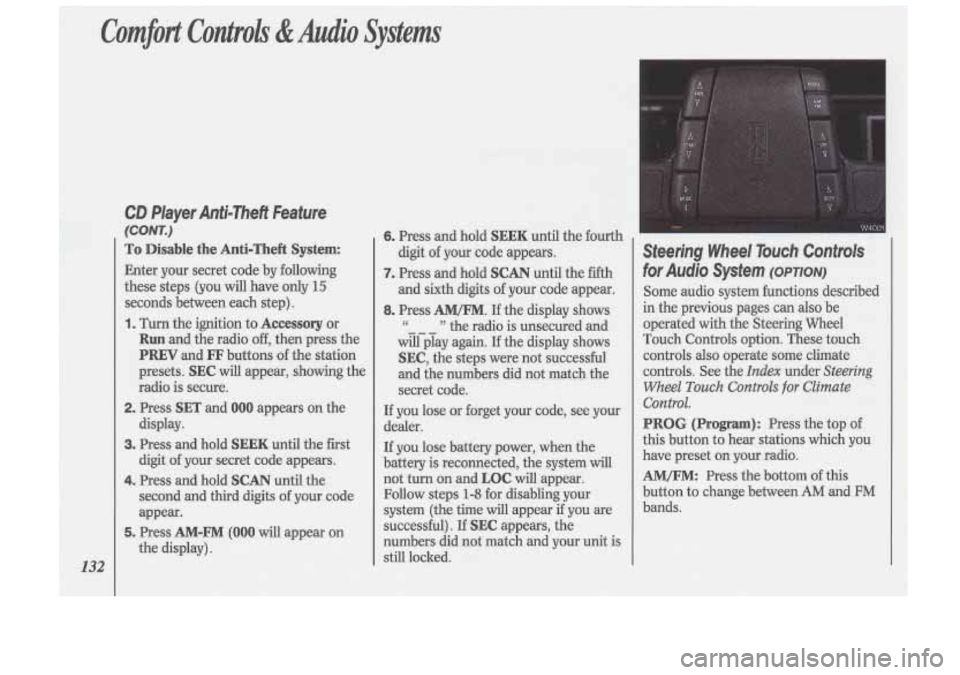
Steering Wheel Touch Controls
for Audio System (OPTION)
Some audio system functions described
in the previous pages can also be
operated with the Steering Wheel
Touch Controls option. These touch controls
also operate some climate
controls. See the
Index under Steering
Wheel
Touch Controls for Climate
Control.
PROG (Program): Press the top of
this button to hear stations which you
have preset on your radio.
AM/FM: Press the bottom of this
button to change between
AM and FM
bands.
Page 137 of 340
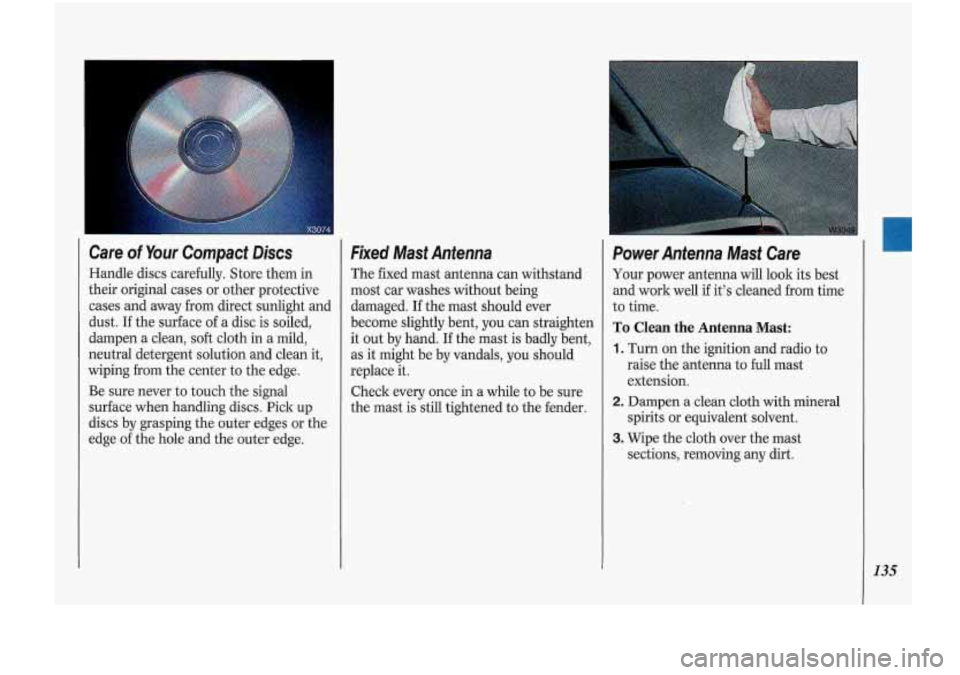
Care of Your Compact Discs
Handle discs carefully. Store them in
their original cases or other protective
cases and away from direct sunlight and
dust. If the surface of a disc is soiled,
dampen
a clean, soft cloth in a mild,
neutral detergent solution and clean it,
wiping from the center to the edge.
Be sure never to touch the signal
surface when handling discs. Pick up
discs by grasping the outer edges .or the
edge of the hole and the outer edge.
Fixed Mast Antenna
The fixed mast antenna can withstand
most car washes without being
damaged. If the mast should ever
become slightly bent, you can straighten
it
out by hand. If the mast is badly bent,
as it might be-
by vandals, you should
replace it.
Check every once in a while to be sure
the mast is still tightened to the fender.
Power Antenna Mast Care
Your power antenna will look its best
and work well if it’s cleaned from time
to time.
To Clean the Antenna Mast:
1. Turn on the ignition and radio to
raise the antenna to full mast
extension.
spirits or equivalent solvent.
2. Dampen a clean cloth with mineral
3. Wipe the cloth over the mast
sections, removing any dirt.
135
Page 138 of 340
Comfort Controls &Audio Systems
136
Power Antenna Mast Care (CONT.)
4. Wipe dry with a clean cloth before
retracting.
5. Make the antenna go up and down by
turning the radio or ignition on
and
Off.
6. Then repeat if necessary.
I
Before entering an automatic car
wash, turn
off your radio to make
the power antenna go down. This
will prevent the mast
from possibly
getting damaged, If the antenna
does not go down when you turn
the radio
off, it may be damaged or
lower the antenna by hand by
carefully pressing the antenna If
the mast portion of your antenna is
damaged, you can easily replace it. See
your dealer for a replacement kit and
follow the instructions in the lit.
Page 172 of 340
Your Driving and the Road
1 70
Hill and Mountain Roads
Driving on steep hills or mountains is
different from driving in flat or rolling
terrain.
If you drive regularly in steep
country, or if you’re planning to visit
there, here are some tips that can make
brakes, tires, cooling system and
transaxle. These parts can work hard
on mountain roads.
Know how to go down hills. The most
important thing to laow is this: let
your engine
do some of the slowing
down. Don’t make your brakes do it
all. Shift to a lower gear when you go
down a steep or long hill. That way,
you will slow down without excessive
your
trips safer and more enjoyable.
Keep your vehicle in good shape.
Check all fluid levels and also the
I
Coasting downhill in N
(Neutral) or with the ignition
off is dangerous. Your brakes will
have to do all the work of slowing
down. They could get
so hot that
they wouldn’t work well. You could
crash. Always have your engine
running and your vehicle in gear
when you go downhill.
use of your brakes.
I --
Know how to go uphill. You may
want to shift down to a lower gear.
The lower gears help cool your engine
and transaxle, and you can climb the
hill better.
Stay in your own lane when driving
on two-lane roads in hills or
mountains. Don’t swing wide or cut
across the center
of the road. Drive at
speeds that let you stay in your own
lane. That way, you won’t be
surprised by a vehicle coming toward
It takes longer to pass another vehicle
when you’re going uphill. You’ll want
to leave extra room to pass.
If a
I you in the same lane.
vehicle is passing you and doesn’t
have enough room, slow down to
make it easier for the other vehicle to
get by.