ignition Oldsmobile Cutlass Supreme 1994 s User Guide
[x] Cancel search | Manufacturer: OLDSMOBILE, Model Year: 1994, Model line: Cutlass Supreme, Model: Oldsmobile Cutlass Supreme 1994Pages: 276, PDF Size: 14.73 MB
Page 78 of 276
/1 Features & Controk
76
down. Of course, applying the brake
takes you .out of cruise control. Many
drivers find this to be too much trouble
and don’t use cruise control on steep
hills
*
To Get Out of Cruise Control
There are two ways to turn off the
cruise control:
Step lightly on the brake pedal; OR
Move the cruise switch to OFF.
To Erase Cruise Speed Memory
When you turn off the cruise control or
the ignition, or shift into
P (Park), your
cruise control set speed memory is
erased.
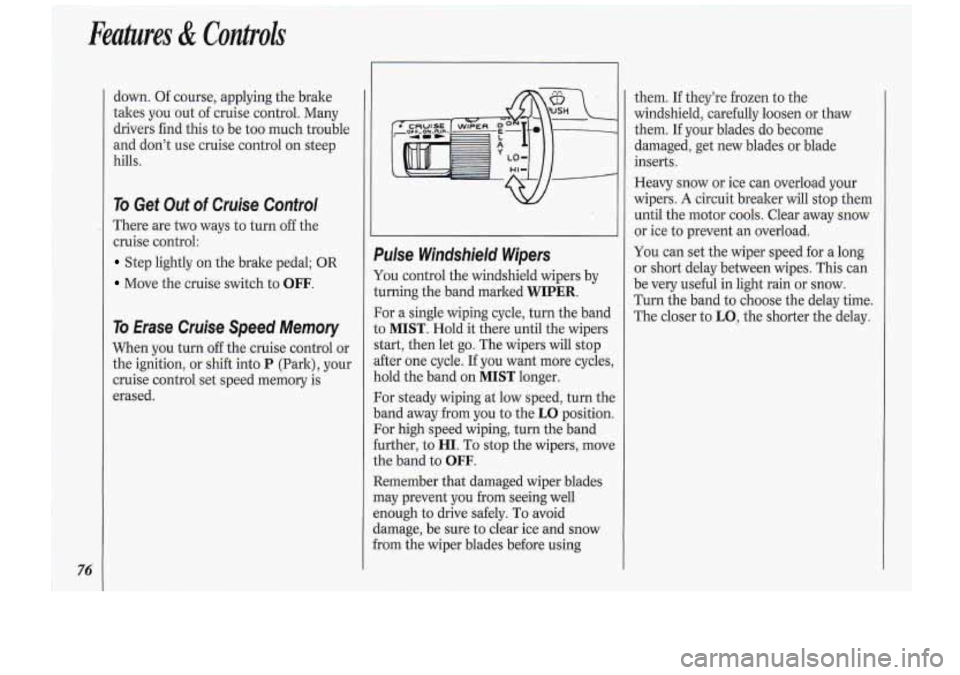
Pulse Windshield. Wipers
You control the windshield wipers by
turning the band marked
WIPER.
For a single wiping cycle, turn the band
to
MIST. Hold it there until the wipers
start, then let go. The wipers will stop
after one cycle. If you want more cycles,
hold the band on
MIST longer.
For steady wiping at low speed, turn the
band away from you to the
LO position.
For high-speed wiping, turn the band
further, to
HI. To stop the wipers, move
the band to
OFF.
Remember that damaged wiper blades
may prevent you from seeing well
enough to drive safely. To avoid
damage, be sure to clear ice and snow
from the wiper blades before using them.
If they’re
frozen to.the
windshield, carefully loosen or thaw
them.
If your blades do become
damaged, get new blades or blade
inserts.
Heavy snow or ice can overload your
wipers.
A circuit breaker will stop them
until the motor cools. Clear away snow
or ice to prevent an overload.
You can set the wiper speed for a long
or short delay between wipes. This can
be very useful
in light rain or snow.
Turn the band to choose the delay time.
The closer to
LO, the shorter the delay.
Page 80 of 276
78
1
1
I
I
I
1
1
4 ,I
i
I
1
-1
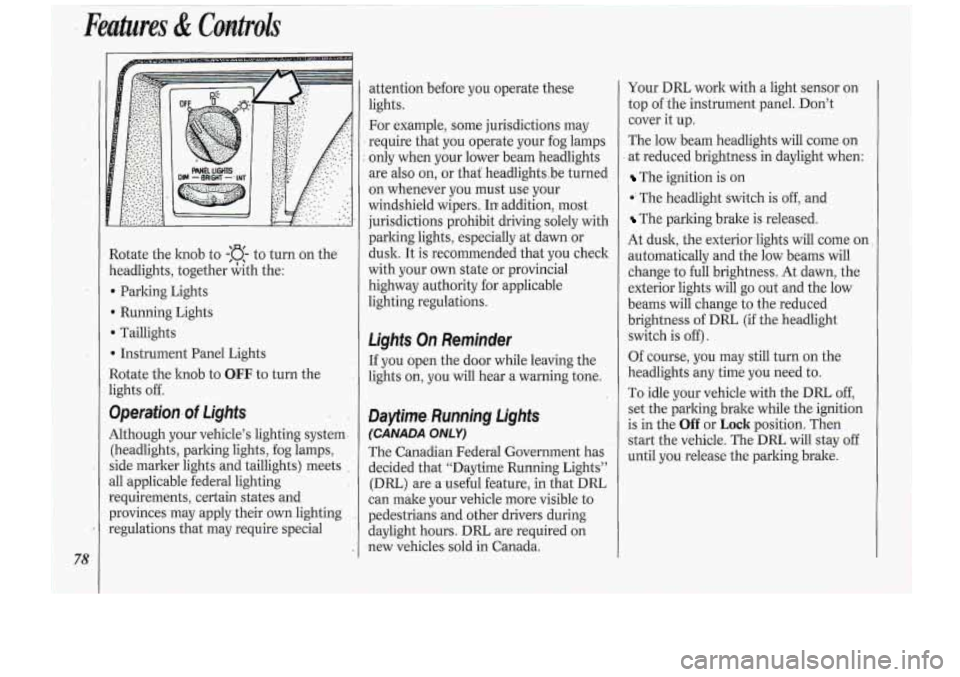
Rotate the knob to -:a- to turn on the
zeadlights, together &th the:
b Parking Lights
Running Lights
D ‘Taillights
b Instrument Panel Lights
3otate the hob to
OEF. to turn the
ights off.
9perafion.of Lights
Although your vehicle’s lighting system-
(headlights, parlung lights, fog lamps,
side marker lights and taillights) meets
311 applicable federal lighting
requirements, certain states and
provinces may apply thek own lighting
:egulations that may require special attention
before
you op~erate these
lights.
For example, some jurisdictions may
require that you operate your fog lamps
only when your lower beam headlights
are
also on, or that‘ headlightsbe turned
on whenever you must .use your
windshield wipers. In addition, mo.st
jurisdictions prohibit driving solely with
parking lights, especially at dawn or
dusk. It
is recommended that you check
with your
own state or provincial
highway authority for applicable
lighting regulations.
Ligk On Reminder
If you open the door while leaving the
lights on, you will hear a warning tone.
Daytinre. Rurmjng DgMs
(CANADA ONLY)
.The Canadian Federal Government has
decided that “Daytime Running Lights”
(DRL) are a useful feature, in that DRL
can make your vehicle more visible to
pedestrians and other drivers during
daylight hours.
DRL are required on
.new vehicles sold in Canada. Your
DIU work
with a light sensor on
top
of the instrument panel. Don’t
cover it up.
The low :beam headlights will come on
at reduced brightness in daylight when:
The ignition is on
*‘ The head,light switch is off, and
‘The parking brake is released.
At dusk, the exteriorlights will come on
automatically and the low beams will
change
to full brightness. At dawn, the
exterior lights will go out and the low
beams will change
to the reduced
brightness of
DRL (if the headlight
switch is
off).
Of course, you may still turn on the
headlights any time you need to.
To idle your vehicle with the DRL,
off,
set the parling brake while the ignition
is in the
Off or Loch position. Then
start the vehicle. The DRL will stay off
until
you: release the parking brake.
Page 88 of 276
86
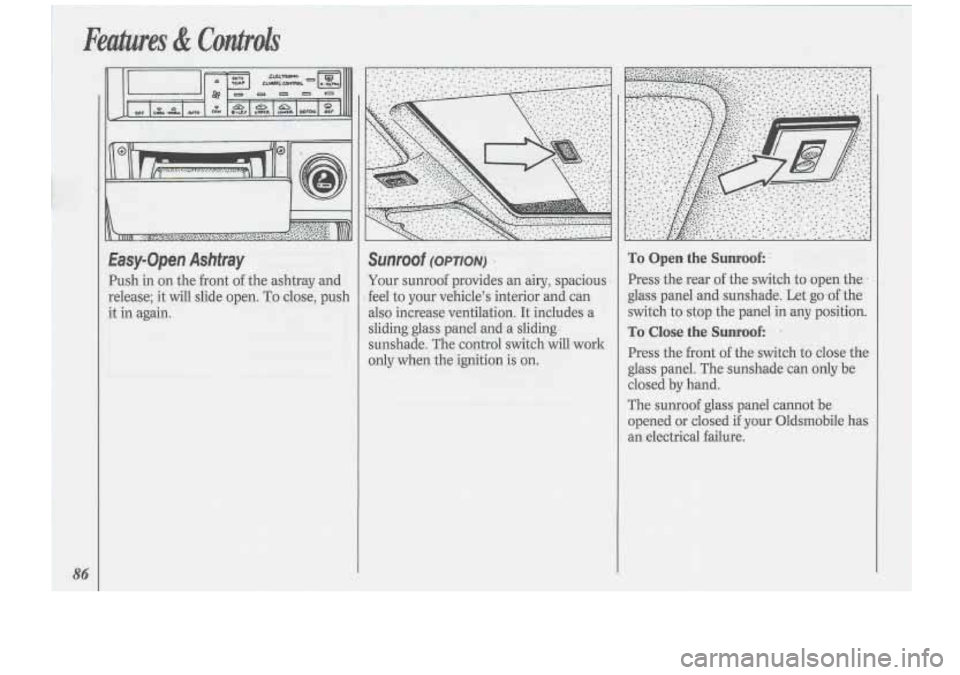
Easy-Open Ashtray
Push in on t.he front of the ashtray and
release;
it will slide open. To close, push
it in again.
Sunroof (OPTION) I
Your sunroof provides an airy, spacious
feel to your vehicle's interior and can
also increase ventilation. It includes a
sliding glass panel and a sliding
sunshade. The control switch will ,work
only when the ignition is
on.
To Open the Sunroof.
Press the rear of the switch to open the
glass panel and sunshade. Let go.of the
switch
to stop the panel in any position.
To Close the Sunroof: .
Press the front of the switch to close the
glass panel. The sunshade can
only be
closed by hand.
The sunroof glass panel cannot be
opened or closed
if your Oldsmobile has
an electrical failure.
Page 91 of 276
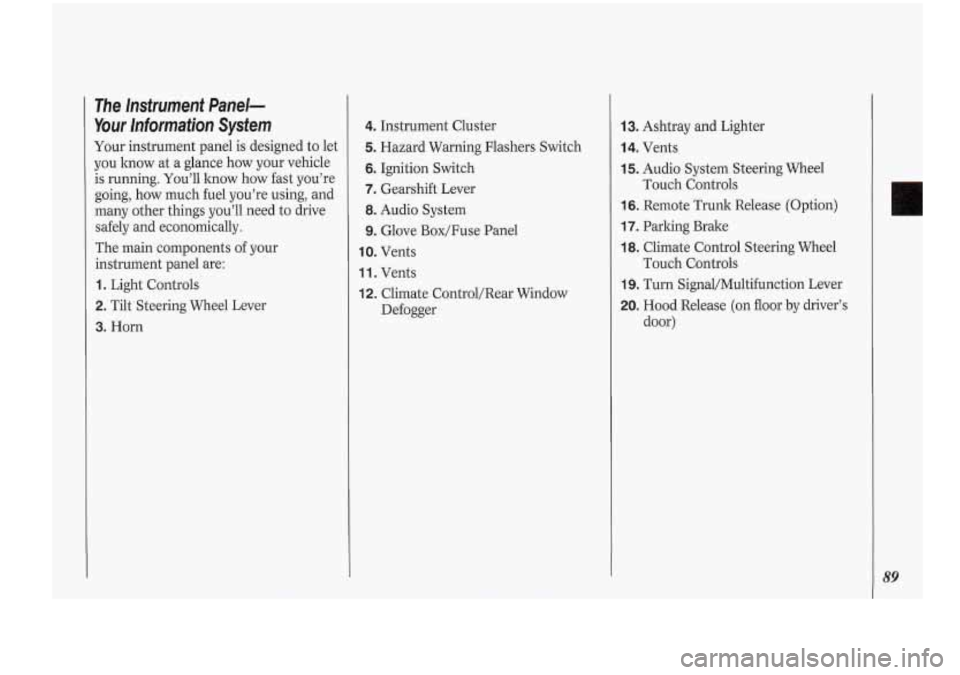
3. Horn
The Instrument Panel-
Your Information System
Your instrument panel is designed to let
you lmow at a glance how your vehicle
is running. You’ll how how fast you’re
going,
how much fuel you’re using, and
.many other things you’ll need to drive
safely and economically.
The main components
of your
instrument panel are:
1. Light Controls
2. Tilt Steering Wheel Lever
4. Instrument Cluster
5. Hazard Warning Flashers Switch
6. Ignition Switch
7. Gearshift Lever
8. Audio System
9. Glove Box/Fuse Panel
IO. Vents
1 1. Vents
12. Climate Control/Rear Window
Defogger
13. Ashtray and Lighter
14. Vents
15. Audio System Steering Wheel
16. Remote Trunk Release (Option)
17. Parking Brake
18. Climate Control Steering Wheel
19. Turn Signal/Multifunction Lever
20. Hood Release (on floor by driver’s
Touch Controls
Touch Controls
door)
Page 93 of 276
I. Warning Lights, Gages .and
l..icdors
This section describes the warning
lights and gages that may be on your
vehicle. The pictures will kelp you
locate them.
Warning lights and gages can signal that
something is wrong before it .becomes
serious enough to cause an expensive
repair or replacement. Paying attention
to your warning lights and- gages could
also save
you. or others,from injury.
Warning lights go on when there may
be or is
a problem with one of your
vehicle’s functions..
As you will see in
the details on the next few pages, some
warning lights come on briefly when
you turn the .ignition key just to let
you
know they’re worlting. If you are
familiar with this section, you should
not be alarmed when this happens.
Gages can indicate when there may be
or is a problem with one of your
vehicle’s functions. Often gages and
warning lights .work together to let you
know when there’s a problem with your
vehicle. When
one of the warning lights comes
on and stays on when you are driving,
or when one of the gages shows there
may be a problem, check -the section
that tells you what to
do about it. Please
follow the manual’s advice. Waiting to
do repairs can be costly
- and even
dangerous.
So please get to know. your
-warning lights and gages. They’re a big
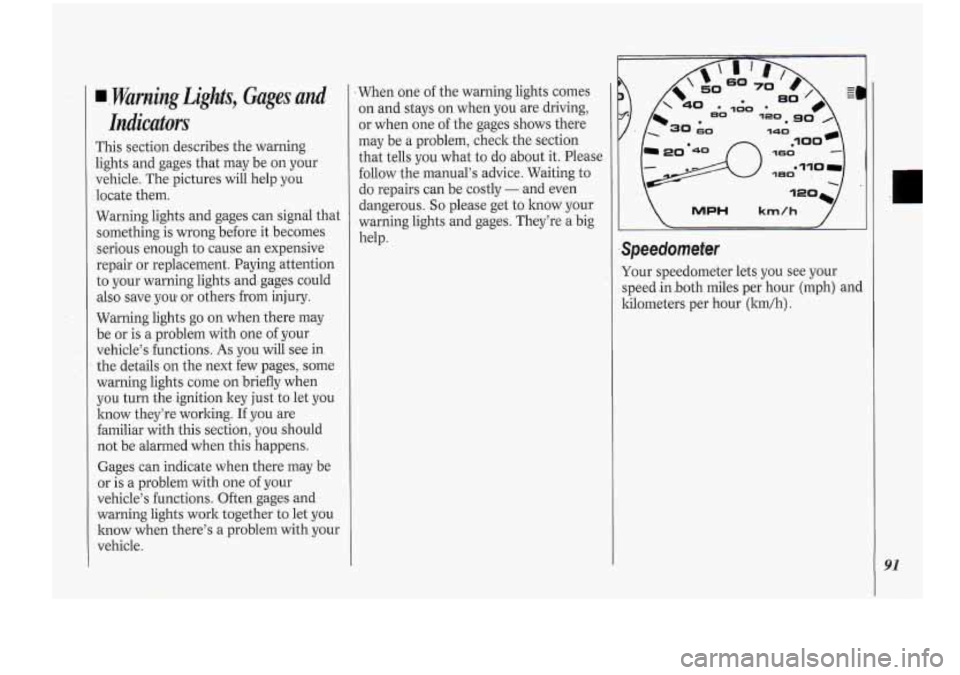
help. MPH km/h 7
Your speedometer lets you see your
speed.in.both miles p,er hour (mph) and
kilometers per hour (lun/h)
.
91
Page 95 of 276
Fuel Gage
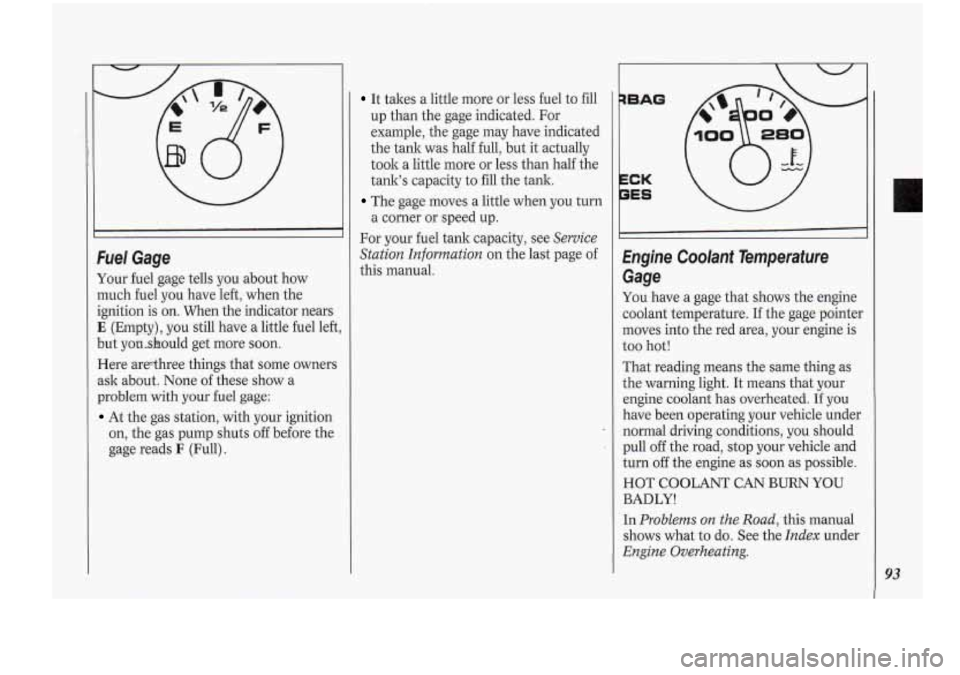
Your fuel gage tells you about how
much fuel you have left, when the
ignition is on. When the indicator nears
E (Empty), you still have a little fuel left,
but yonshould get more soon.
Here arethree things that some owners
ask about. None of these show a
problem
with your fuel gage:
At the gas station, with your ignition
on, the gas pump shuts
off before the
gage reads
F (Full).
It takes a little more or less fuel to fill
up than the gage indicated. For
example, the gage may have indicated
the tank was half full, but it actually
took a little more or less than half the
tank’s capacity to fill the tank.
The gage moves a little when you turn
a corner or speed up.
For your fuel tank capacity, see
Service
Station Information
on the last page of
this manual.
qBAG
1..
PES \/
Engine Coolant Temperafure
Gage
You have a gage that shows the engine
coolant temperature. If the gage pointer
moves into the red area, your engine is
too hot!
That reading means the same thing as
the warning light. It means that your
engine coolant has overheated. If you
have been operating your vehicle under
normal driving conditions you should
pull
off the road, stop your vehicle and
turn
off the engine as soon as possible.
HOT COOLANT CAN BURN YOU
BADLY!
In
Problems on the Road,. this manual
shows what to
do. See the Index under
Engine Overheating.
93
Page 96 of 276
94
P
,w 0I.L LOW
EVEL COOLANT I
I
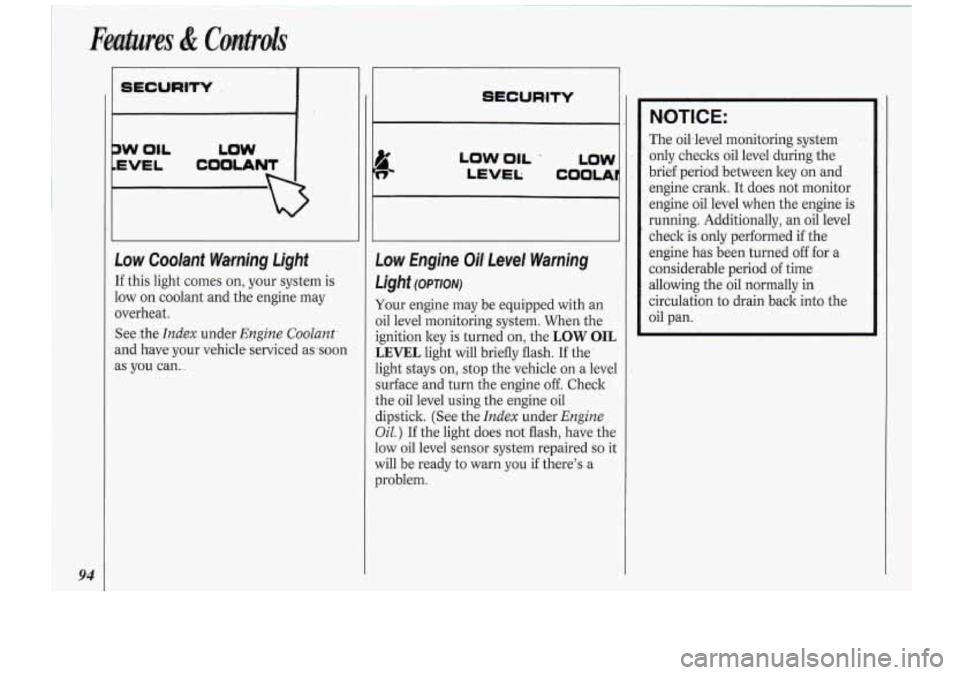
Low Coolant Wa-mjng Light
If this light comes on, your system is
low on coolant and the engine may
overheat.
See .the
Index. under Engine Coolant.
and have your vehicle serviced as.soon
as you can
...
LOW 'OIL .
LEV-E L; COOLA
Low Engine Oil- Level Warning
Light
(omorv)
Your engine may be equipped with an
oil level monitoring system. When. the
ignition key is turned on, the
LOW OIL
LEVEL light will briefly flash. If the
light stays
on, stop the vehicle on a level
surface and turn the engine off. Check
the oil level using the engine oil
dipstick. (See the
Index under Engine
Oil.) If the light does not flash, have the
low oil level sensor system repaired
so it
will be ready to warn you if there's a
problem.
NOTIC E:
The oil.leve1 monitoring system
only checks oil level during the
brief period between key on and
engine crank. It does not monitor
engine oil level when the engine is
running. Additionally, an oil level
check is only performed if the
engine has been turned off for a
considerable peri.od of time
allowing the oil normally in
circulation to drain back into the
oil pan.
Page 97 of 276
." -2
hn \ rnn c
Oil Pressure lndicafor
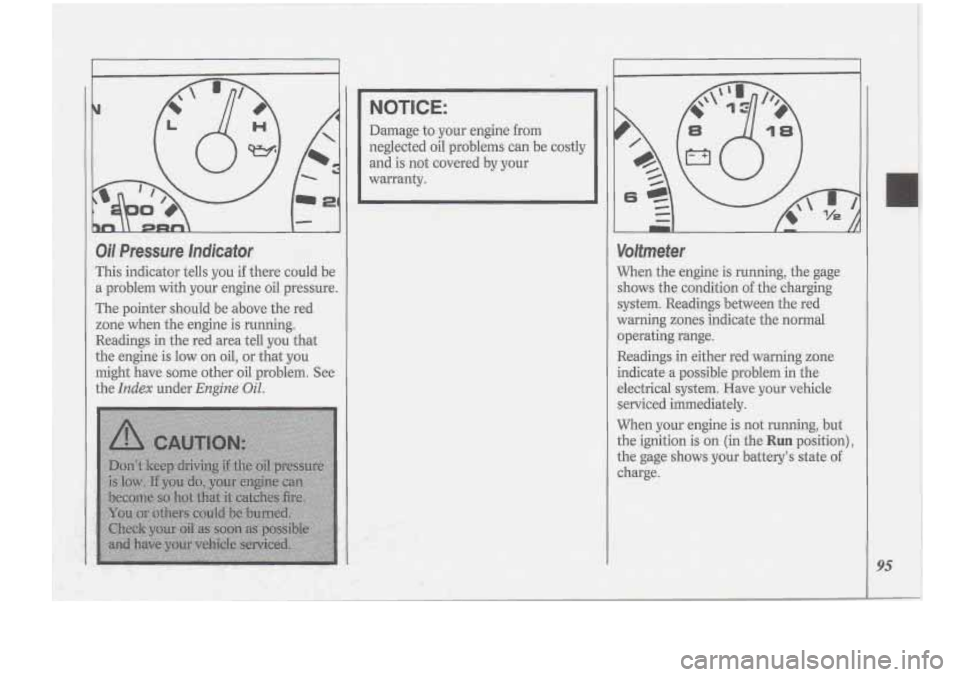
This indicator tells you if there could be
a problem with your engine oil pressure.
The pointer should be above the red
zone when the engine
is running.
Readings in the red area tell you that
the engine is low on oil, or that you
might have some other oil problem. See
the
Index under Engine Oil.
NOTICE:
Damage to your engine from
neglected oil problems can be costly
and is not covered by your
warranty.
Volfmefer
When the engine is running, the gage
shows the condition of the charging
system. Readings between the red
warning zones indicate the normal
operating range.
Readings in either red warning zone
indicate a possible problem in the
electrical system.
Have your vehicle
serviced immediately.
When your engine is not running, but
the ignition is on (in the
Run position),
the gage shows your battery's state
of
charge.
95
Page 99 of 276
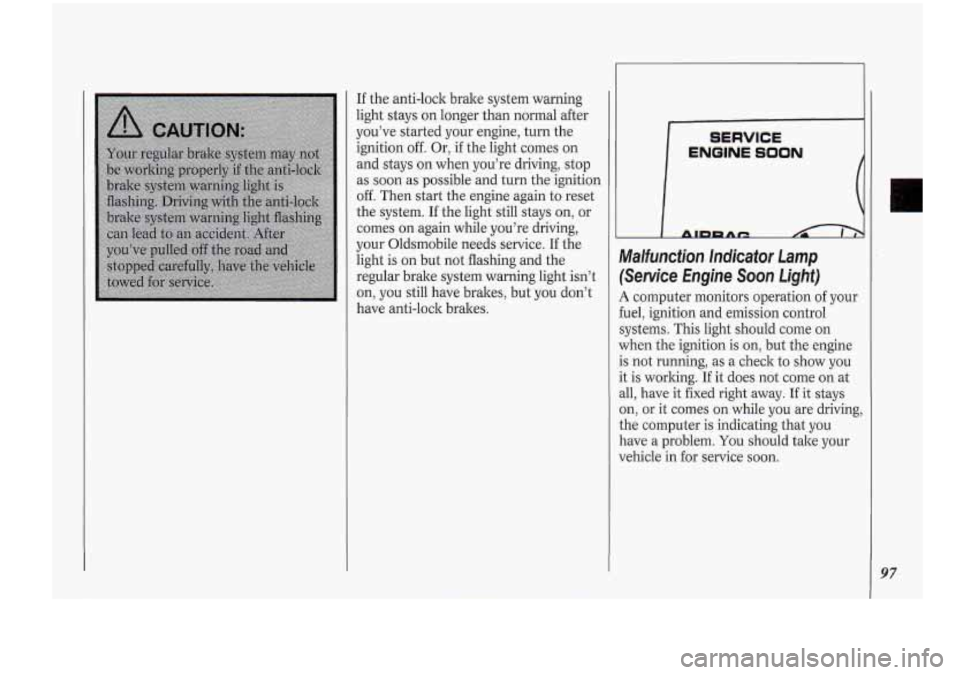
If the anti-lock brake system warning
light stays on longer than normal after
you’ve started your engine, turn the
ignition
off. Or, if the light comes on
and stays on when you’re driving, stop
as soon as possible and turn the ignition
off. Then start the,engine again to reset
the system. If the light still stays on, or
comes on again while you’re driving,
your Oldsmobile needs service. If the
light
is on but not flashing and the
regular brake system warning light isn’t
on, you still have brakes, but you don’t
have anti-lock brakes.
SERVICE
ENGINE SOON
Malfunction. Indicator Lamp
(Service Engine Soon Light)
A computer monitors operation of your
fuel, ignition and emission control
systems. This light should come on
when the ignition is on, but the engine
is not running, as a check to show you
it is working.
If it does not come on at
all, have it fixed right away. If it stays
on, or it comes on while you are driving,
the computer is indicating that you
have a problem.
You should take your
vehicle in for service soon.
97
Page 101 of 276
I
CHECK GAUGES
I'
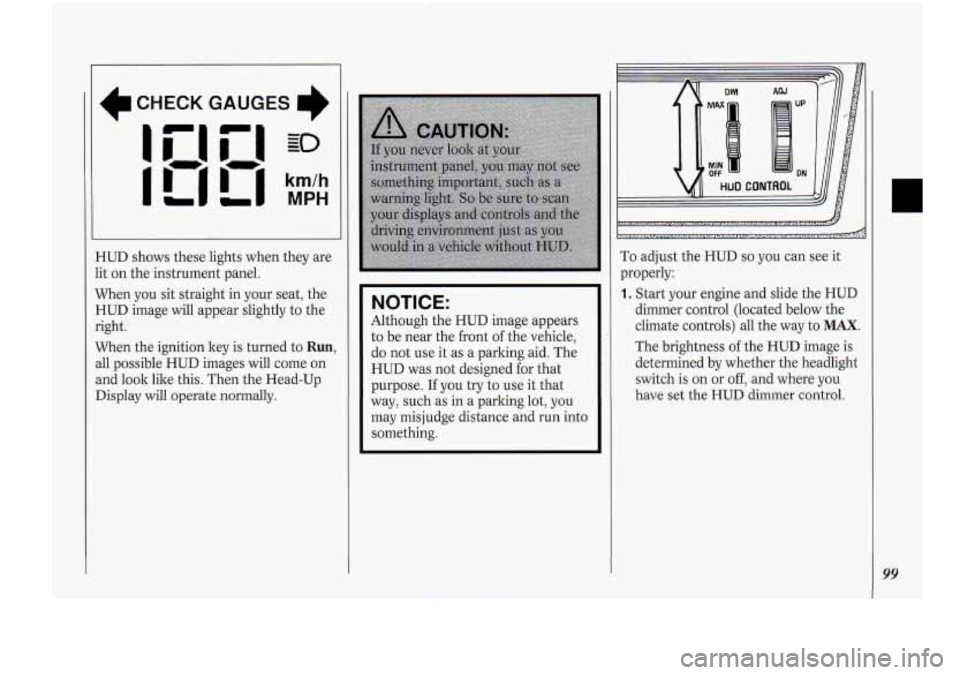
HUD shows these lights when they are
lit on the instrument panel.
When you sit straight in your seat, the
HUD image will appear slightly to the
right.
When the ignition key is turned to
Run,
all possible HUD images will come on
and look
lilce this. Then the Head-Up
Display will
operate normally.
NOITICE:
'Although the HUD image appears
to be near the front
of the vehicle,
do not use it as a parking aid. The
HUD was not designed for that
purpose.
If you try to use it that
way, such.as in a parking lot, you
may misjudge distance and
run into
something.
DIM AW
MAX UP
MIN OFF ON
HUD CONTROL
I
,:...>:.,.:.,;<.,.: ..,,,. r. .,,,..: ..n '..i..i.i .,.I
i...; .... "( ...-.. *zIL5b .,.. ~ ...,. ~ ....,......:.,,.. " ...._.._..... :.*....._.:.. ........., !I.... -&
To adjust the HUD so you can see it
properly:
1. Start your engine and slide the HUD
dimmer control (1ocate.d below the
climate controls) all the way to
MAX.
The brightness of the .HUD image is
determined by whether the headlight
switch is
on or off, and where you
have
set the HUD dimmer control.
99