instrument panel Oldsmobile Cutlass Supreme 1994 s User Guide
[x] Cancel search | Manufacturer: OLDSMOBILE, Model Year: 1994, Model line: Cutlass Supreme, Model: Oldsmobile Cutlass Supreme 1994Pages: 276, PDF Size: 14.73 MB
Page 92 of 276
90
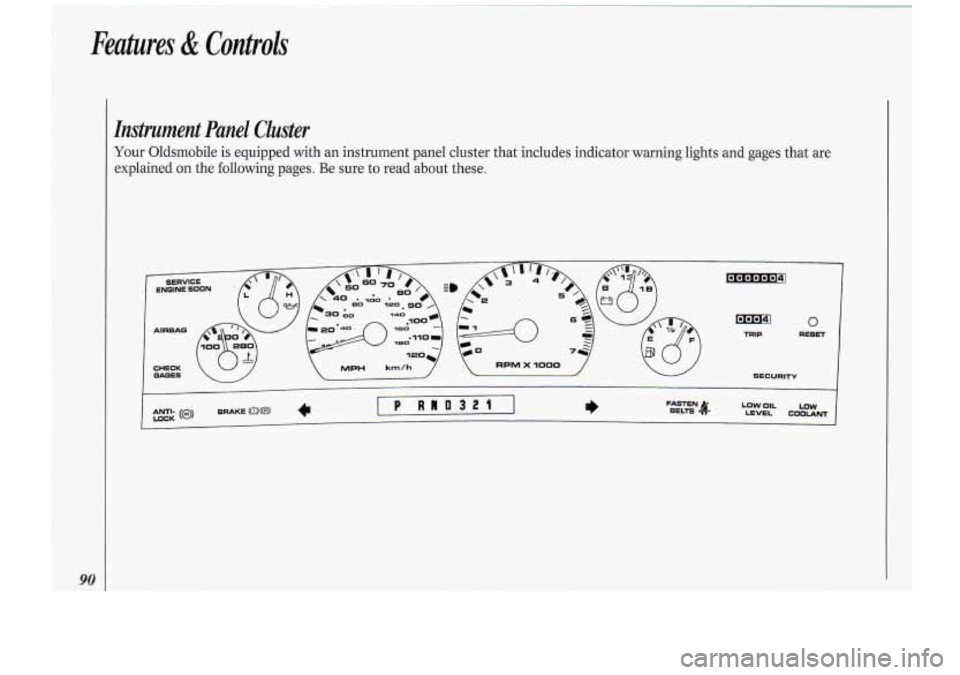
Instrument Panel Cluster
Your Oldsmobile is equipped with an instrument panel cluster that includes indicator warning lights and gages that are
explained on the following pages. Be sure to read about these.
Page 101 of 276
I
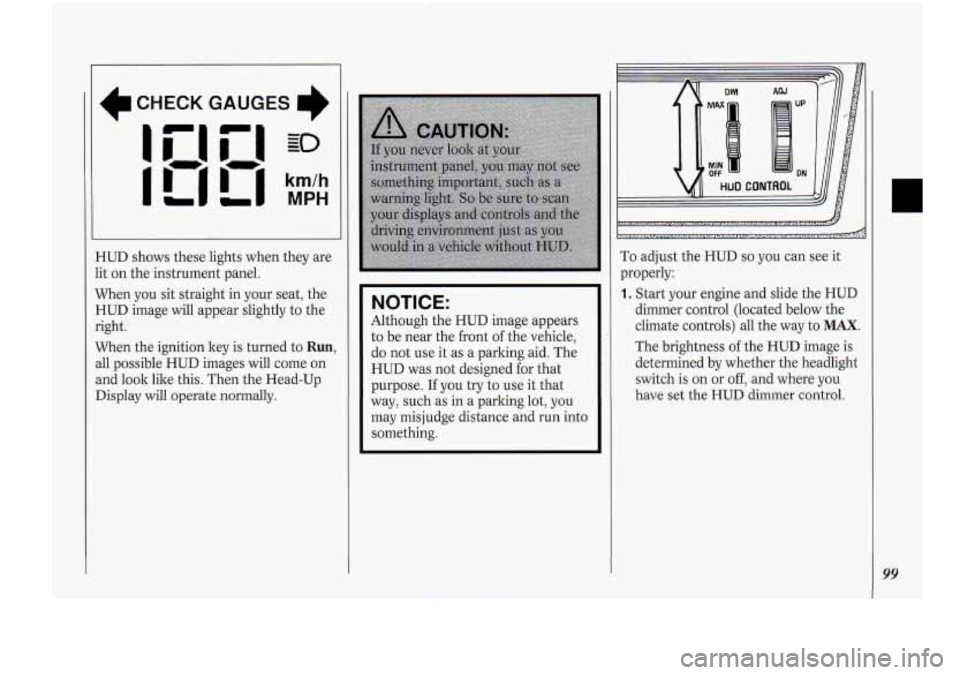
CHECK GAUGES
I'
HUD shows these lights when they are
lit on the instrument panel.
When you sit straight in your seat, the
HUD image will appear slightly to the
right.
When the ignition key is turned to
Run,
all possible HUD images will come on
and look
lilce this. Then the Head-Up
Display will
operate normally.
NOITICE:
'Although the HUD image appears
to be near the front
of the vehicle,
do not use it as a parking aid. The
HUD was not designed for that
purpose.
If you try to use it that
way, such.as in a parking lot, you
may misjudge distance and
run into
something.
DIM AW
MAX UP
MIN OFF ON
HUD CONTROL
I
,:...>:.,.:.,;<.,.: ..,,,. r. .,,,..: ..n '..i..i.i .,.I
i...; .... "( ...-.. *zIL5b .,.. ~ ...,. ~ ....,......:.,,.. " ...._.._..... :.*....._.:.. ........., !I.... -&
To adjust the HUD so you can see it
properly:
1. Start your engine and slide the HUD
dimmer control (1ocate.d below the
climate controls) all the way to
MAX.
The brightness of the .HUD image is
determined by whether the headlight
switch is
on or off, and where you
have
set the HUD dimmer control.
99
Page 106 of 276
Comfort Controls &Audio Systems
104
I. I
I/ * /I CLIMATE CONTROL
[El
I Climate Control
The air conditioner and heater work
)est if you keep your windows closed
vhile using them. Your vehicle also has
:he flow-through ventilation system
iescribed later in this section.
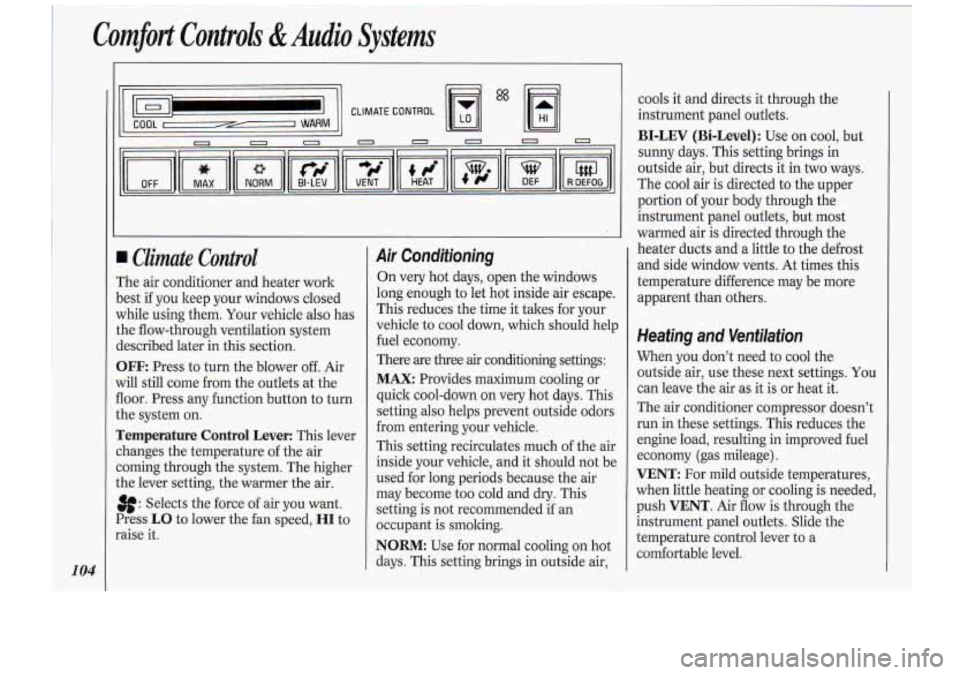
3FF: Press to turn the blower off. Air
vi11 still come from the outlets at the
loor. Press any function button to turn
.he system on.
remperature Control Lever: This lever
:hanges the temperature of the air
:oming through the system. The higher
.he lever setting, the warmer the air.
8: Selects the force of air you want.
Press
LO to lower the fan speed, HI to
raise it.
Air Conditioning
On very hot days, open the windows
long enough to let hot inside air escape.
This reduces the time it takes for your
vehicle to cool down, which should help
fuel economy.
There are three
air conditioning settings:
MAX: Provides maximum cooling or
quick cool-down on very hot days. This
setting also helps prevent outside odors
from entering your vehicle.
This setting recirculates much of the air
inside your vehicle, and it should not be
used for long periods because the air
may become too cold and dry. This
setting is not recommended if an
occupant is smoking.
NORM: Use for normal cooling on hot
days. This setting brings in outside air, cools
it and directs it through the
instrument panel outlets.
BI-LEV (Bi-Level): Use on cool, but
sunny days. This setting brings in
outside air, but directs it in two ways.
The cool air is directed to the upper
portion of your body through the
instrument panel outlets, but most
warmed air is directed through the
heater ducts and a little to the defrost
and side window vents. At times this
temperature difference may be more
apparent than others.
Heating and Ventilation
When you don’t need to cool the
outside air, use these next settings. You
can leave the air as it is or heat it.
The air conditioner compressor doesn’t
run in these settings. This reduces the
engine load, resulting in improved fuel
economy (gas mileage).
VENT: For mild outside temperatures,
when little heating or cooling is needed,
push
VENT. Air flow is through the
instrument panel outlets. Slide the
temperature control lever to a
comfortable level.
Page 108 of 276
1
Comfort Controls &Audio Svstems J
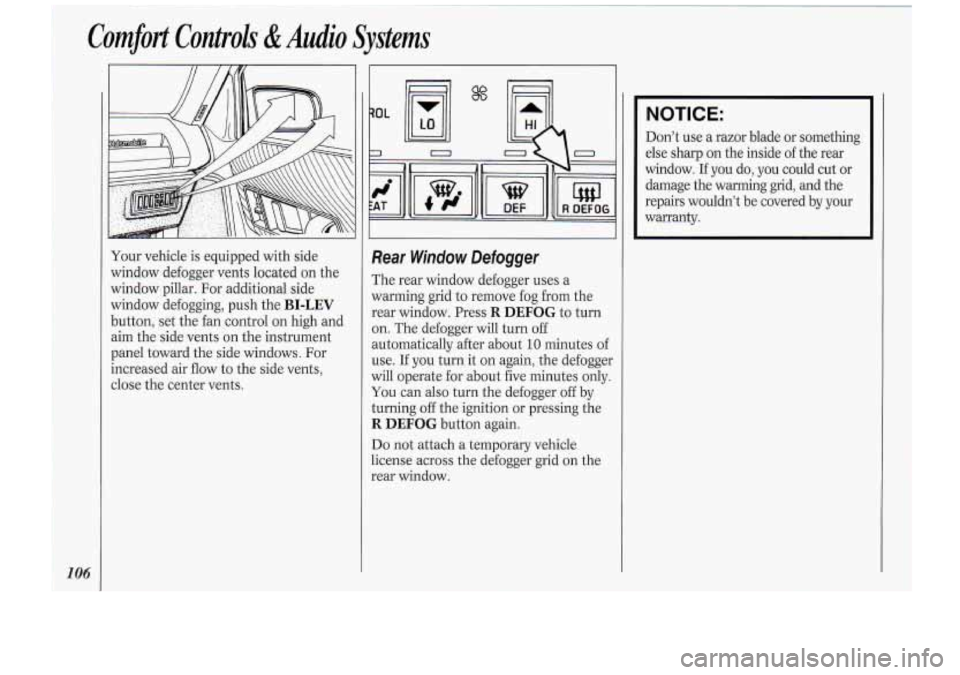
Your vehicle is equipped with side
window defogger vents located on the
window pillar. For additional side
window defogging, push the
BI-LEV
button, set the fan control on high and
aim the side vents on the instrument
panel toward the side windows. For
increased air flow to the side vents,
close the center vents.
$"'
Rear Window Defogger
The rear window defogger uses a
warming grid to remove fog from the
rear window. Press
R DEFOG to turn
on. The defogger will turn off
automatically after about
10 minutes of
use. If you turn
it on again, the defogger
will operate for about five minutes only.
You can also turn the defogger off by
turning
off the ignition or pressing the
R DEFOG button again.
Do not attach a temporary vehicle
license across the defogger grid on the
rear window.
I
NOTICE:
Don't use a razor blade or something
else sharp on the inside of the rear
window.
If you do, you could cut or
damage the warming grid, and the
repairs wouldn't be covered by your
warranty.
Page 110 of 276
Comfort Controls &Audio Systems
108
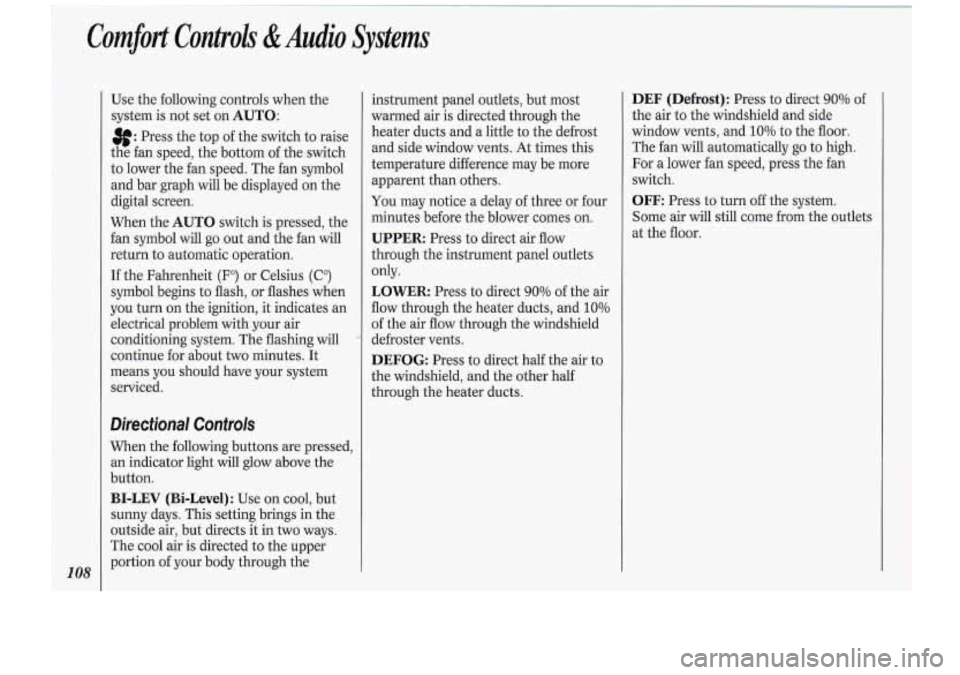
Use the following controls when the
system is not set on
AUTO:
8: Press.the top of the switch to raise
the fan speed, the bottom of the switch
to lower the fan speed. The fan symbol
and bar graph will be displayed on the
digital screen.
When the
AUTO switch is pressed, the
fan symbol will go out and the fan will
return to automatic operation.
If the Fahrenheit (F") or Celsius (C")
symbol begins to flash, or flashes when
you turn on the ignition, it indicates an
electrical problem with your air
conditioning system. The flashing will
continue for about two minutes. It
means you should have your system
serviced.
Directional Controls
When the following buttons are pressed,
an indicator light will glow above the
button.
BI-LEV (Bi-Level): Use on cool, but
sunny days. This setting brings in the
outside air, but directs it in
two ways.
The cool air is directed to the upper
portion of your body through the instrument
panel outlets, but most
warmed air is directed through the
heater ducts and a little to the defrost
and side window vents. At times this
temperature difference may be more
apparent than others.
You may notice a delay of three or four
minutes before the blower comes on.
UPPER: Press to direct air flow
through the instrument panel outlets
only.
LOWER Press to direct 90% of the air
flow through the heater ducts, and
10%
of the air flow through the windshield
defroster vents.
DEFOG: Press to direct half the air to
the windshield, and the other half
through the heater ducts.
DEF (Defrost): Press to direct 90% of
the air to the windshield and side
window vents, and
10% to the floor.
The fan will automatically go to high.
For a lower fan speed, press the fan
switch.
OFF: Press to turn off the system.
Some air will still come from the outlets
at the floor.
I
Page 149 of 276
Turn Signals When Towing a
Trailer
When you tow a trailer, your vehicle has
to have a different turn signal flasher
and extra wiring. The green arrows on
your instrument panel will flash
whenever you signal a turn or lane
change. Properly hooked up, the trailer
lights will also flash, telling other
drivers you’re about to turn, change
lanes or stop.
When towing
a trailer, the green arrows
on your instrument panel will flash for
turns even if the bulbs on the trailer are
burned out. Thus, you may think
drivers behind you are seeing your
signal when they are not. It’s important
to check occasionally to be sure the
trailer bulbs are still working.
Driving On Grades
Reduce speed and shift to a lower gear
before you start down a long or steep
downgrade.
If you don’t shift down, you
might have to use your brakes so much
that they would get hot and no longer
work well. On
a long uphill grade, shift down and
reduce your speed to around
45 mph
(70 ltm/h) to reduce the possibility of
engine and transaxle overheating.
If you are towing a trailer and you have
an automatic transaxle with Overdrive,
you may want to drive in
3 instead of D
(or, as you need to, a lower gear).
Parking on Hills
You really should not park your vehicle,
with a trailer attached, on a hill.
If
something goes wrong, your rig could
start to move. People can be injured,
and both your vehicle and the trailer
can be damaged.
But if you ever have to park your rig on
a hill, here’s how to do it:
1. Apply your regular brakes, but don’t
shift into
P (Park) yet.
2. Have someone place choclts under
the trailer wheels.
3. When the wheel choclts are in place,
release the regular brakes until the
choclts absorb the load.
4. Reapply the regular brakes. Then
apply your parking brake, and then
shift to
P (Park).
5. Release the regular brakes.
When You Are Ready to Leave
After Parking on a Hill
1. Apply your regular brakes and hold
the pedal down while you:
Start your engine;
Shift into a gear; and
Release the parking brake.
2. Let up on the brake pedal.
3. Drive slowly until the trailer is clear
of the chocks.
4. Stop and have someone pick up and
store the chocks.
147
Page 186 of 276
Service & Appearance Care
Engine Oil
If the LOW OIL LEVEL light on the
instrument panel comes
on, it means
you need to check your engine oil level
right away. For more information, see
Low Oil Level Light in the Index. You
should check your engine oil level
regularly; this is an added reminder.
It’s a good idea to check your engine .oil
:
every time you get fuel. In order to get
an accurate reading, the oil must be
warm and the vehicle must be on level
ground.
Turn
off the engine and give the 0il.a
few minutes to drain back into the
oil
pan. If you don’t, the oil dipstick might
not show the actual level.
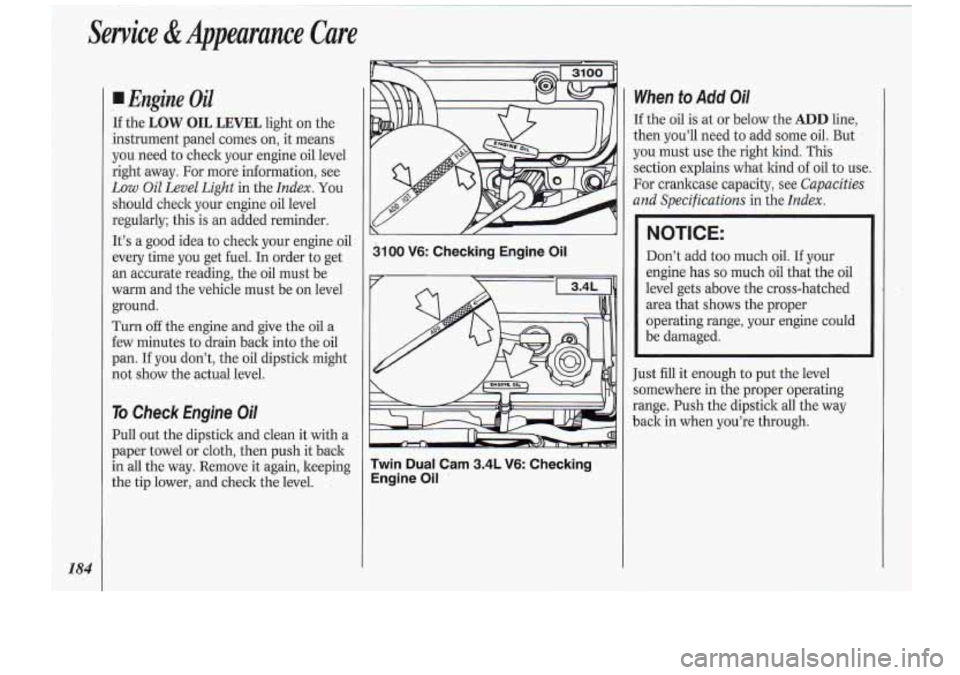
To Check Engine Oil
Pull out the dipstick and clean it with-a
paper towel or cloth, then push it bzck
in all the way. Remove it again, keeping
the tip lower, and check the level.
3100 V6: Checking Engine Oil
Twin
Dual Cam 3.4L V6: Checking
Engine Oil
’
When to Add Oil
If the oil is at or below the ADD line,
then you’ll need to add some
oil. But
you must use the right kind. This
section explains what kind
of oil to use.
For crankcase capacity, see
Capacities
and Specifications
in the Index.
NOTICE:
Don’t add too much oil. If your
engine has
so much oil that the oil
level gets above the cross-hatched
area that shows the proper
operating range, your engine could
be damaged.
Just fill it enough to put the level
somewhere in the proper operating
range. Push the dipstick all the way
back in when you’re through.
Page 216 of 276
Service &Appearance Care
21 4
fruit, fruit juice, milk, soft drinks, wine,
vomit, urine and blood.
Carefully scrape off excess stain, then
sponge the soiled area with cool
water.
If a stain remains, follow the foam-
type instructions described earlier.
If an odor lingers after cleaning vomit
or urine, treat the area with a
waterbaking soda solution:
1
teaspoon (5 ml) of baking soda to 1
cup (250 ml) of lukewarm water.
If needed, clean lightly with solvent-
type cleaner.
Combination Stains
Such as candy, ice cream, mayonnaise,
chili sauce and unknown stains.
Carefully scrape off excess stain, then
clean with cool water and allow to
dry-
* If a stain remains, clean it with
solvent-type cleaner.
Cleaning Vinyl
Use warm water and a clean cloth.
Rub with a clean, damp cloth to remove
dirt.
You may have to do it
more than once.
Things like tar, asphalt and shoe
polish will stain
if you don’t get them
off quickly. Use a clean cloth and a
solvent-type vinyl cleaner.
Cleaning Leather
Use a soft cloth with lukewarm water
and a mild soap or saddle soap.
For stubborn stains, use a mild
solution of
10% isopropyl alcohol
(rubbing alcohol) and
90% water.
Never use oils, varnishes, solvent-
based or abrasive cleaners, furniture
polish or shoe polish on leather.
Soiled leather should be cleaned
immediately. If dirt is allowed to work
into finish, it can harm the leather.
Cleaning the Top of the
Instrument Panel
Use only mild soap and water to clean
the top surfaces
of the instrument
panel. Sprays containing silicones or
waxes may cause annoying reflections
in the windshield and even make it
difficult to see through the windshield
under certain conditions.
Care of Safety Belts
Keep belts clean and dry.
Page 221 of 276
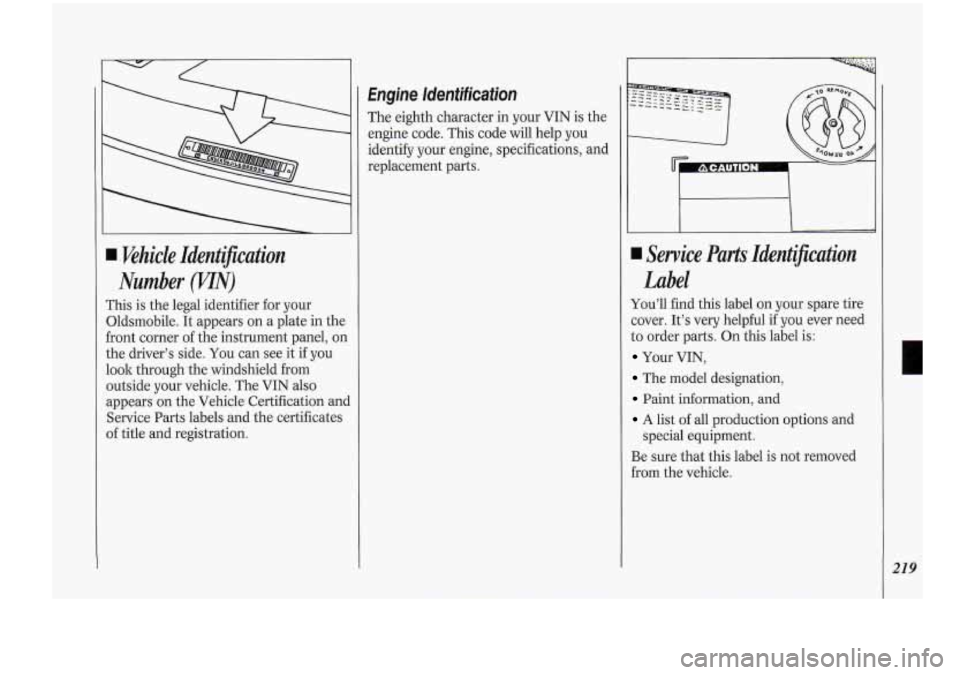
Wehick Identification
Number
m)
This is the legal identifier for your
Oldsmobile. It appears on a plate in the
front corner of the instrument panel, on
the driver’s side.
You can see it if you
look through the windshield from
outside your vehicle. The VIN also
appears on the Vehicle Certification anc
Service Parts labels and the certificates
of title and registration.
Engine Identification
The eighth character in your VIN is the
engine code. This code will help you
identify your engine, specifications, and
replacement parts.
Service Parts Identijcation
Label
You’ll find this label on your spare tire
:over. It’s very helpful
if you ever need
to order parts. On this label is:
Your VIN,
The model designation,
Paint information, and
A list of all production options and
Be sure that this label is not removed
€rom the vehicle.
special
equipment.
219
Page 222 of 276
Service & Appearance Care
Add-on Electrical
Equijment
NOTICE:
Don’t add anything electrical to
your Oldsmobile unless you check
with your dealer first. Some
electrical equipment can damage
your vehicle and the damage
wouldn’t be covered by your
warranty. Some add-on electrical
equipment can keep other
components from working as they
should.
Your vehicle has an air bag system.
Before attempting to add anything
electrical to your Oldsmobile, see
Servicing Your Air Bag-Equipped
Oldsrnobile in the Index.
h
.. ...- . . . ... .. ....... . . _. . , 1
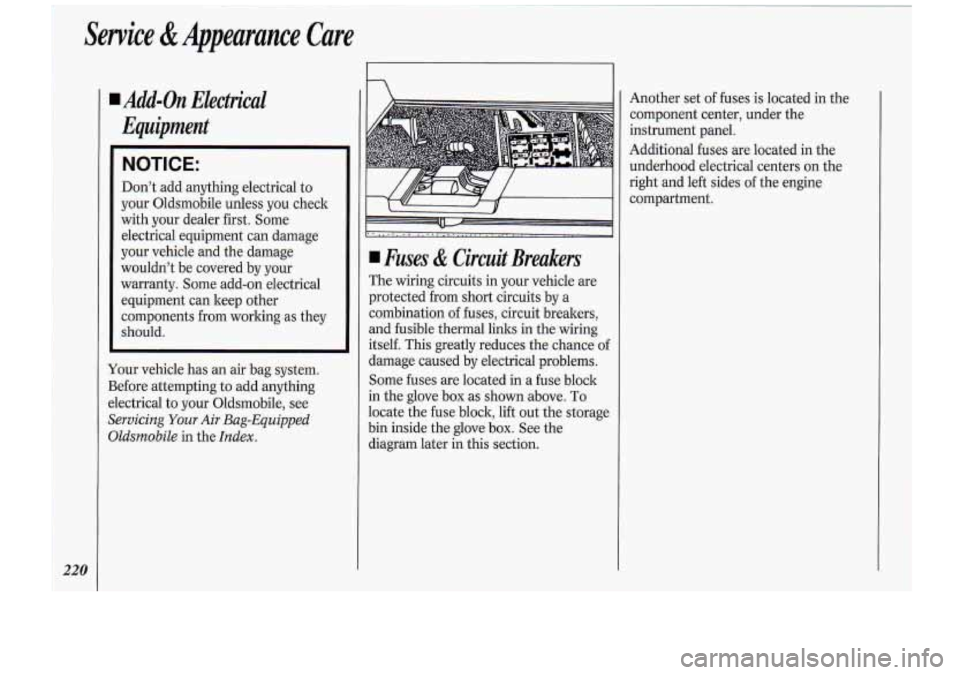
1 Fuses & Circuit Breakers
The wiring circuits in your vehicle are
protected from short circuits by a
combination of fuses, circuit breakers,
and fusible thermal links in the wiring
itself. This greatly reduces the chance of
damage caused by electrical problems.
Some fuses are located
in a fuse block
in the glove box as shown.above. To
locate the fuse block, lift out the storage
bin inside the glove box. See the
diagram later in this section. Another
set of fuses is located in the
component center, under the
instrument panel.
Additional fuses are located in the
underhood electrical centers
on the
right and left sides of the engine
compartment.