ECO mode Oldsmobile Cutlass Supreme 1994 Owner's Manuals
[x] Cancel search | Manufacturer: OLDSMOBILE, Model Year: 1994, Model line: Cutlass Supreme, Model: Oldsmobile Cutlass Supreme 1994Pages: 276, PDF Size: 14.73 MB
Page 26 of 276
Seats &Restraint Systems
24
I
AIRBAO
I
I CHECK
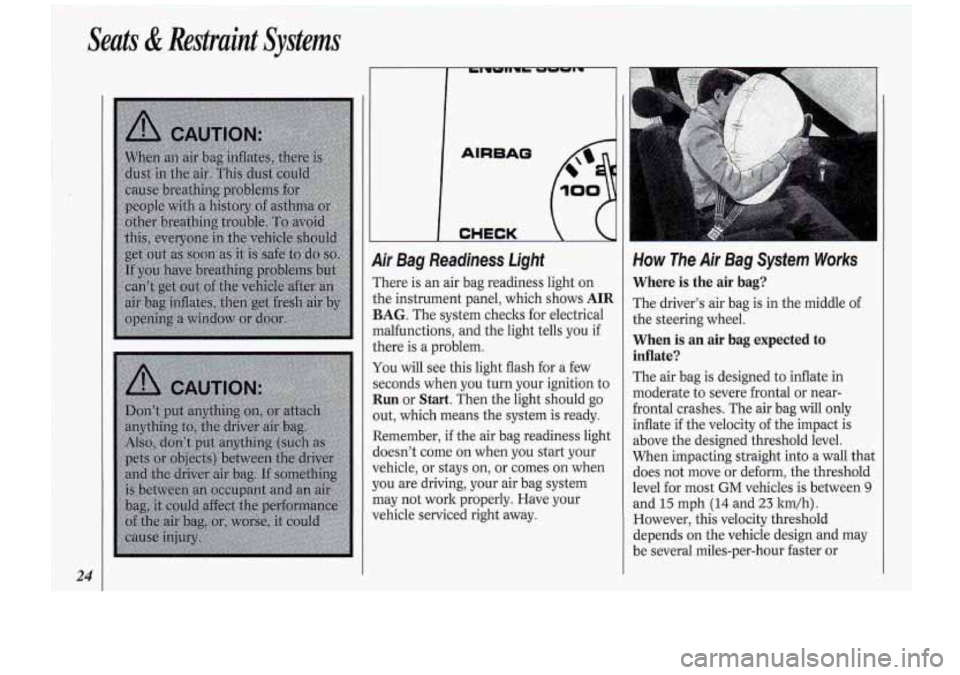
9ir Bag Readiness Light
rhere is an air bag readiness light on
;he instrument panel, which shows
AIR
BAG. The system checks for electrical
nalfunctions, and the light tells you
if
;here is a problem.
fou will see this light flash for a few
;econds when you turn your ignition to
Run or Start. Then the light should go
)ut, which means the system is ready.
Xemember,
if the air bag readiness light
ioesn’t come on when you start your
rehicle, or stays on, or comes on when
~OU are driving, your air bag system
nay not work properly. Have your
rehicle serviced right away.
How The Air Bag System Works
Where is the air bag?
The driver’s air bag is in the middle of
the steering wheel.
When is an air bag expected to
inflate?
The air bag is designed to inflate in
moderate to severe frontal or near-
frontal crashes. The air bag will only
inflate if the velocity
of the impact is
above the designed threshold level.
When impacting straight into a wall that
does not move or deform, the threshold
level for most
GM vehicles is between 9
and 15 mph (14 and 23 ltrn/h).
However, this velocity threshold
depends on the vehicle design and may
be several miles-per-hour faster or
Page 58 of 276
Features & Controls
56
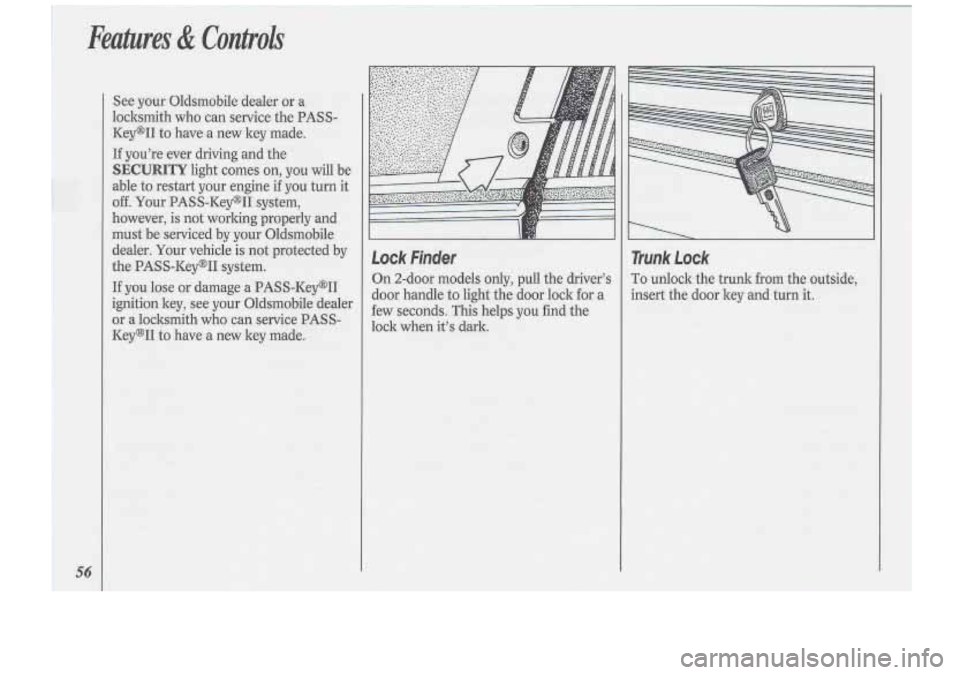
Lock Finder
On 2-door models only, pull the driver’s
door handle
to light the door lock for a
few seconds. This helps you find the
lock when it’s dark.
Trunk Lock
To unlock the trunk from the outside,
insert the door key and turn
it.
Page 109 of 276
CLIMATE CONTROL
ELECTRONIC
0 n 0 0 0
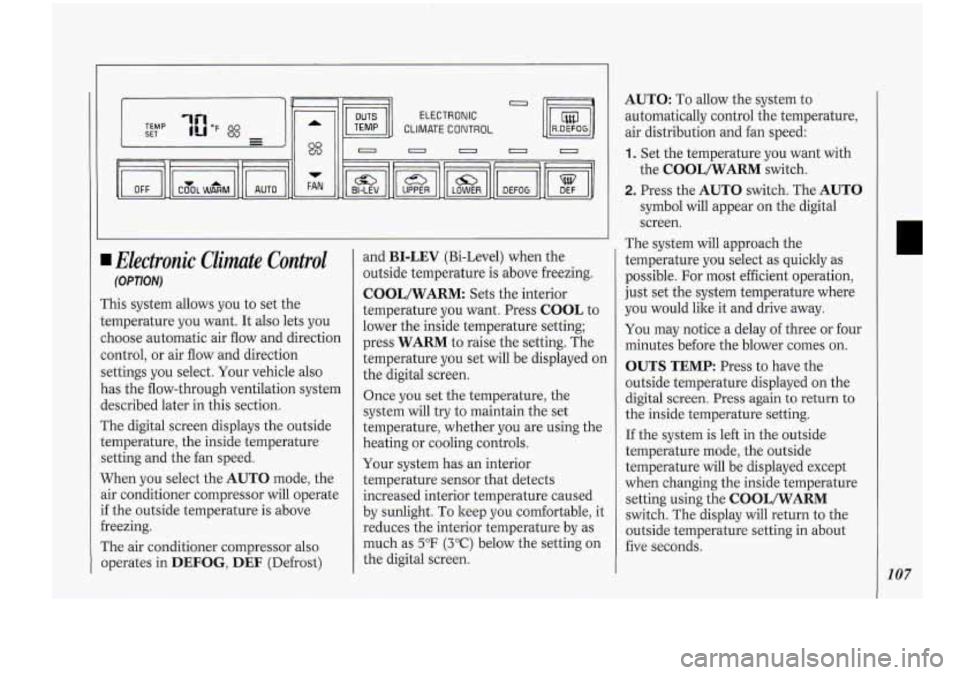
1 Electronic Climate Control
(OPTION)
This system allows you to set the
temperature
you want. It also lets you
choose automatic air flow and direction
control, or air flow and direction
settings you select. Your vehicle also
has the flow-through ventilation system
described later in this section.
The digital screen displays the outside
temperature, the inside temperature
setting and the fan speed.
When you select the
AUTO mode, the
air conditioner compressor
will operate
if the outside temperature is above
freezing.
The air conditioner compressor also
operates in
DEFOG, DEF (Defrost) and
BI-LEV (Bi-Level)
when the
outside temperature is above freezing.
COOL/WARM: Sets the interior
temperature you want. Press
COOL to
lower the inside temperature setting;
press
WARM to raise the setting. The
temperature you set will be displayed on
the digital screen.
Once you set the temperature, the
system will try to maintain the set
temperature, whether. you are using the
heating or cooling controls.
Your system has an interior
temperature sensor that dete.cts
increased interior temperature caused
by sunlight. To keep you comfortable, it
reduces the interior temperature by as
much as
5°F (3°C) below the setting on
the digital screen.
AUTO: To allow the system to
automatically control the temperature,
air distribution and fan speed:
1. Set the temperature you want with
the
COOL/WARM switch.
2. Press the AUTO switch. The AUTO
symbol will appear on the digital
screen.
The system will approach the
temperature you select as quickly as
possible.
For most efficient operation,
just set the system temperature where
you would like it and drive away.
You may notice a delay of three or four
minutes before the blower comes on.
OUTS TEMP: Press to have the
outside temperature displayed
on the
digital screen. Press
again to return to
the inside temperature setting.
If the system is left in the outside
temperature mode, the outside
temperature will be displayed except
when changing the inside temperature
setting using the
COOL/WARM
switch. The display will return to the
outside temperature setting in about
five seconds.
107
Page 200 of 276
Service, & Appearance Care
198
NOTICE:
To make sure your headlights are
aimed properly, read all the
instructions before beginning.
Failure to
follow these instructions
could cause damage to headlight
parts.
I
I
I
I
n- /J
Statekpection stations will allow a
vertical reading of up plus
.76 degrees
or down minus
.76 degrees for the
center of the bubble.
It is recommended that the upper limit
not exceed up plus
.4 degrees for the
center
of the bubble. There may be an
increased chance of being flashed
if
adjustment is much above up plus .4
degrees.
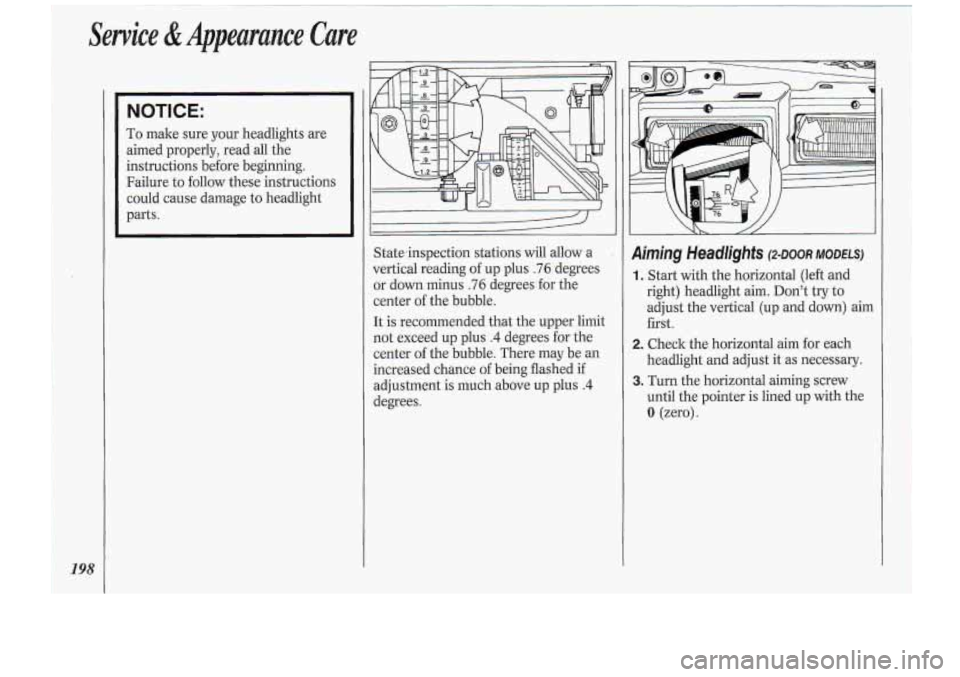
Aiming Headlights (2.~00~ MODELS)
1. Start with the horizontal (left and
right) headlight aim. Don’t
try to
adjust the vertical (up and down) aim
first.
headlight and adjust it as necessary.
until the pointer
is lined up with the
0 (zero).
2. Check the horizontal aim for each
3. Turn the horizontal aiming screw
Page 239 of 276
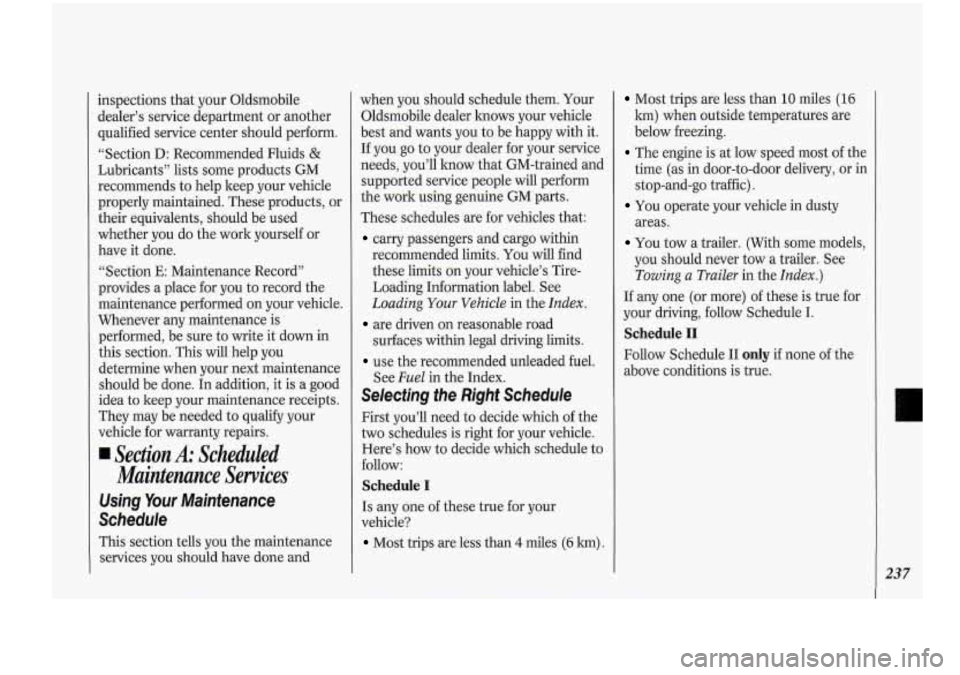
inspections that your Oldsmobile
dealer’s service department or another
qualified service center should perform.
“Section D: Recommended Fluids
&
Lubricants” lists some products GM
recommends to help keep your vehicle
properly maintained. These products, or
their equivalents, should be used
whether you do the work yourself or
have it done.
“Section
E: Maintenance Record”
provides a place for you to record the
maintenance performed on your vehicle.
Whenever any maintenance is
performed, be sure to write it down in
this section. This will.help you
determine when your next maintenance
should be done. In addition, it
is a good
idea to keep your maintenance receipts.
They may be needed to qual@ your
vehicle for warranty repairs.
Section A: Scheduled
Maintenance Services
Using Your Maintenance
Schedule
This section tells you the maintenance
services you should have done and when
you should schedule them. Your
Oldsmobile dealer knows your vehicle
best and wants you to be happy with it.
If you go to your dealer for your service
needs, you’ll how that GM-trained and
supported service people will perform
the work using genuine GM parts.
These schedules are for vehicles that:
carry passengers and cargo within
recommended limits. You will find
these limits on your vehicle’s Tire-
Loading Information label. See
Loading Your Vehicle in the Index.
are driven on reasonable road
surfaces within legal driving limits.
use the recommended unleaded fuel.
See
Fuel in the .Index.
Selecting fhe Right Schedule
First you’ll need to decide which of the
two schedules is right for your vehicle.
Here’s how
to decide which schedule to
follow:
Schedule I
Is any one of these true for your
vehicle?
Most trips are less than 4 miles (6 lm).
Most trips are less than 10 miles (16
lun) when outside temperatures are
below freezing.
The engine is at low speed most of the
time (as in door-to-door delivery, or in
stop-and-go traffic).
You operate your vehicle in dusty
areas.
You tow a trailer. (With some models,
you should never tow a trailer. See
Towing a Trailer in the Index.)
If any one (or more) of these is true for
your driving, follow Schedule
I.
Schedule I1
Follow Schedule I1 only if none of’the
above conditions is true.
L
237
Page 245 of 276
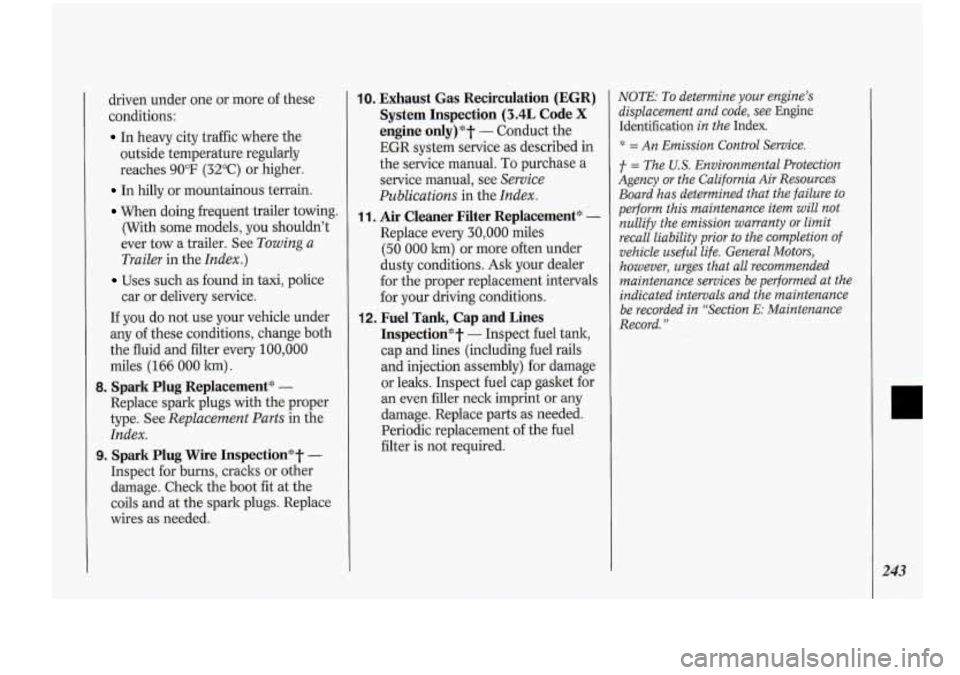
driven under one or more of these
c.onditions:
In heavy city traffic where the
outside temperature: regularly
reaches
90°F (32°C) or higher.
In hilly or mountainous terrain.
When doing frequent trailer towing.
(With some models, you shouldn’t
ever tow
a trailer. See Towing a
Trailer
in the Index.)
Uses such as.found in taxi, police
car or delivery service.
If-you do not use your vehicle under
any of these conditions, change both
the fluid and filter every
100,000
miles (166 000 km) .
Replace spark plugs with the proper
type. See
Replacement-Parts in the
Index.
9. Spark Plug Wire Inspection*T -
Inspect for burns, .cracks or other
damage. Check the boot fit at the
coils and at the spark plugs. Replace
wires as needed.
8. Spark PIug~Replacement* -
-10. Exhaust Gas Recirculation (EGR)
System Inspection
(3.4L Code X
engine only)*? - Conduct the
EGR system service-as described in
the service manual.
To purchase a
service manual, see Service
Publications
in the Index.
1 1. Air Cleaner Filter Replacementgc -
Replace every 30,000 miles
(50 000 lun) or more often under
dusty conditions. Ask your dealer
for the proper replacement intervals
for your driving conditions.
12. Fuel Tank, Cap and Lines
Inspectiong‘t
- Inspect fuel tank,
cap and lines (including fuel rails
and injection assembly). for damage
or leaks. Inspect fuel cap gasket for
an even filler neck imprint or any
damage. Replace parts as needed.
Periodic replacement of the fuel
filter is not required.
NOTE: To determine your engine’s
displacement and code, see
Engine
Identification
in the Index.
* = An Emission Control Service.
f = The U.S. Environmental Protection
Agency
or the California Air Resources
Board has determined that the failure to
perform this maintenance item will not
nullify the emission warranty
or limit
recall liability prior to the completion of
vehicle
useful life. General Motors,
however, urges that all recommended
maintenance services be performed at the
indicated intervals and the maintenance
be recorded in “Section
E: Maintenance
Record.”
243