warning light Oldsmobile Cutlass Supreme 1994 Owner's Manuals
[x] Cancel search | Manufacturer: OLDSMOBILE, Model Year: 1994, Model line: Cutlass Supreme, Model: Oldsmobile Cutlass Supreme 1994Pages: 276, PDF Size: 14.73 MB
Page 11 of 276
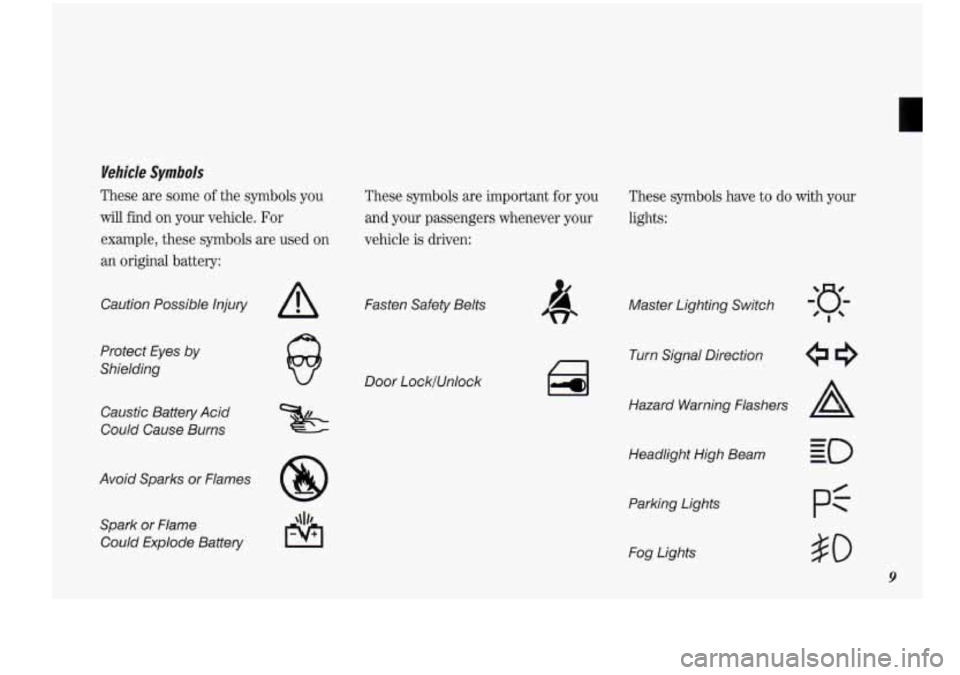
Wehicle Symbols
These are some of the symbols you
will find on your vehicle. For
example, these symbols are used
on
an original battery:
Caution Possible Injury
Protect Eyes
by
Shielding
Caustic Battery Acid
Could Cause Burns
A
Avoid Sparks or Flames
8
Spark or Flame
Could Explode Battery
These symbols are important for you
and your passengers whenever your
vehicle
is driven:
Fasten Safety Belts
Door LocklUnlock
a
These symbols have to do with your
lights:
Master Lighting Switch
Turn Signal Direction
Hazard Warning Flashers
A
Headlight High Beam
Parking Lights
Fog Lights
$0
9
Page 12 of 276
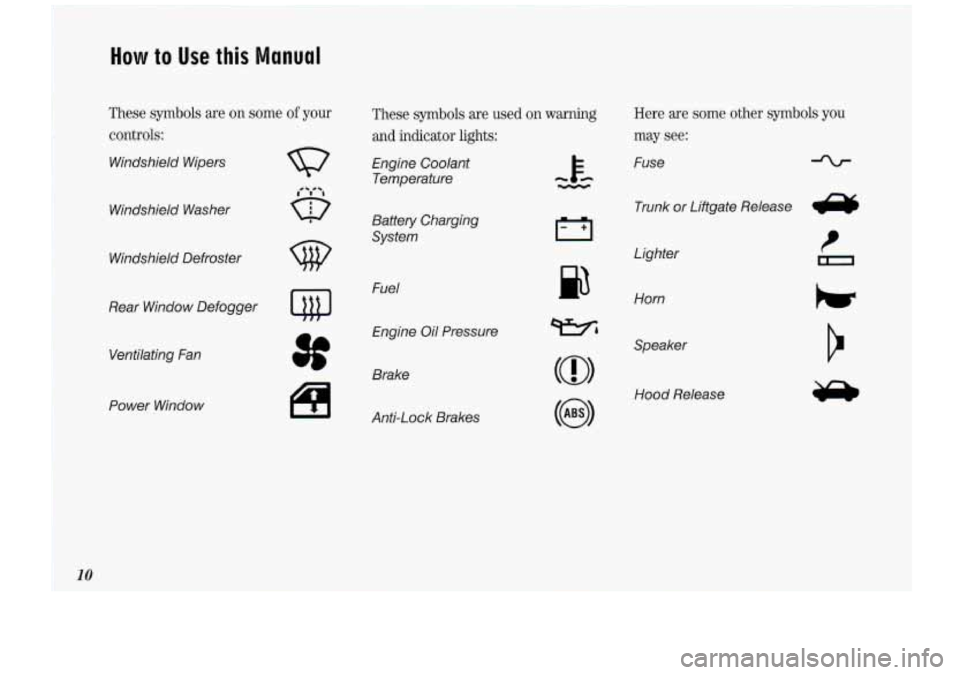
How to Use this Manual
These symbols are on some of your
controls:
Windshield Wipers
Windshield Washer
Windshield Defroster
Rear Window Defogger
Ventilating Fan
Power Window
w
3f
1+1
These symbols are used on warning
and indicator lights:
Engine Coolant
Temperature
Battery Charging
System
Fuel Engine Oil Pressure
Anti-Lock Brakes
Here are some other symbols you
may see:
Fuse
Trunk
or Liftgate Release e
I
n Lighter
Horn
Speaker
Hood Release
#
10
Page 51 of 276
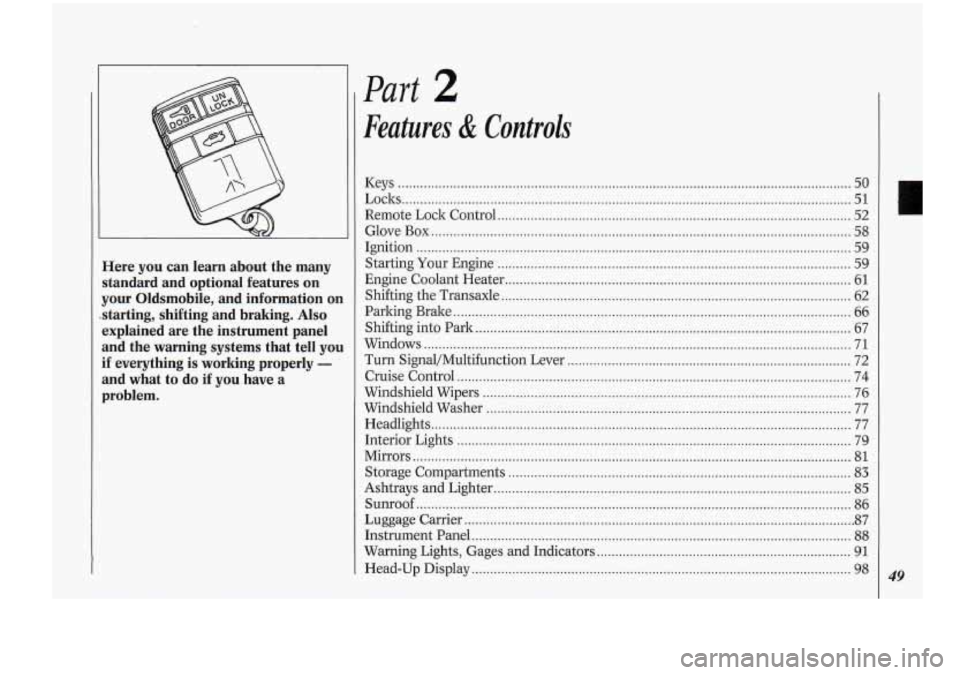
Here you can learn about the many
standard and optional features on
your Oldsmobile. and information on
starting. shifting and braking
. Also
explained are the instrument panel
and the warning systems that tell you
if everything is working properly -
and what to do if you have a
problem .
Part 2
Features & Controls
Keys ........................................................................\
............................
Loclts ........................................................................\
...........................
....
....
...
...
...
...
...
...
....
...
........ 50
........ 51
Remote Lock Control ........................................................................\
........................ 52
Glove Box ........................................................................\
.......................................... 58
Ignition
........................................................................\
.............................................. 59
Starting Your Engine
........................................................................\
........................ 59
Engine Coolant Heater
........................................................................\
....................... 61
Shifting the Transaxle
........................................................................\
....................... 62
Parking Brake
........................................................................\
.................................... 66
Shifting into Park
........................................................................\
.............................. 67
Windows
........................................................................\
............................................ 71
Turn Signal/Multifunction Lever
........................................................................\
..... 72
Cruise Control
........................................................................\
................................... 74
Windshield Wipers
........................................................................\
............................. 76
Windshield Washer
........................................................................\
........................... 77
Headlights
........................................................................\
.......................................... 77
Interior Lights
........................................................................\
................................... 79
Mirrors ........................................................................\
............................................... 81
Storage Compartments ........................................................................\
..................... 83
Ashtrays and Lighter ........................................................................\
......................... 85
Sunroof ........................................................................\
.............................................. 86
Luggage Carrier
........................................................................\
.................................. 87
Instrument Panel
........................................................................\
............................... 88
Warning Lights, Gages and Indicators ..................................................................... 91
Head-Up Display ........................................................................\
............................... 98 49
Page 61 of 276
ACCES
U
I Ijyzition Switch
NOTICE:
If your ltey seems stuck in Lock
and you can’t turn it, be sure it is
all the way in.
If it is, then turn the
steering wheel left and right while
you turn the key hard. But turn the
ltey
only with your hand. Using a
tool to force it could break the ltey
or the ignition switch. If none of
this worlcs, then your vehicle needs
service.
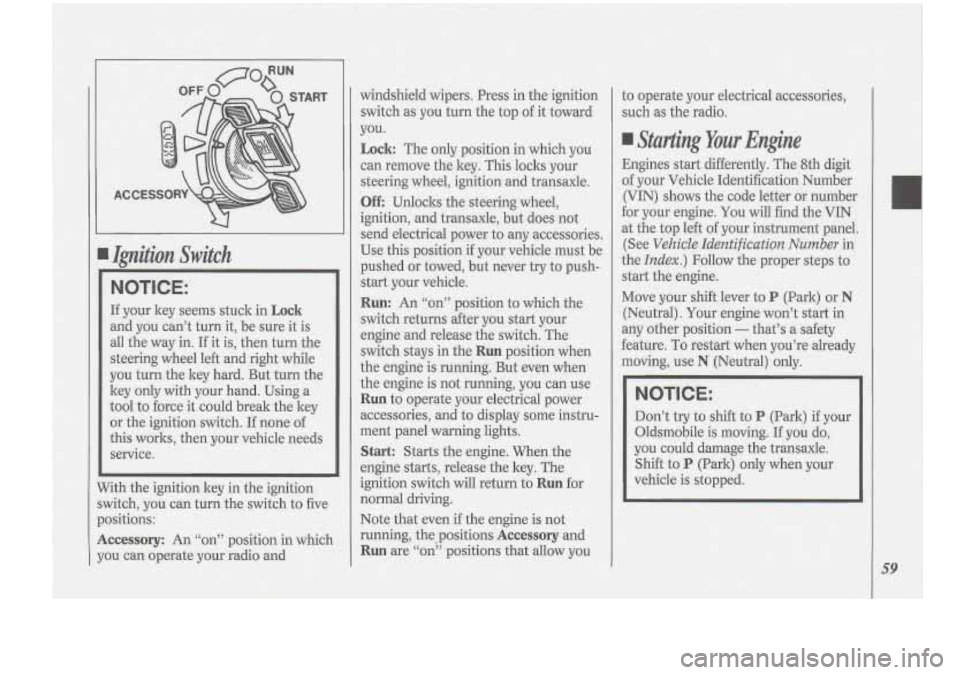
7ith the ignition key in the ignition
vitch, you can turn the switch to five
ositions:
ccessory: An ‘‘on” position in which
3u can operate your radio and windshield wipers.
Press in the ignition
switch as you turn the top
of it toward
you.
Lock: The only position in which you
can remove the ltey. This locks your
steering wheel, ignition and transaxle.
Off Unloclts the steering wheel,
ignition, and transaxle, but does not
send electrical power to any accessories.
Use this position
if your vehicle must be
pushed or towed, but never try to push-
start your vehicle.
Run: An “on” position to which the
switch returns after you start your
engine and release the switch. The
switch stays in the
Run position when
the engine is running. But even when
the engine is not running, you can use
Run to operate your electrical power
accessories, and to display some instru-
ment panel warning lights.
Start: Starts the engine. When the
engine starts, release the ltey. The
ignition switch will return to
Run for
normal driving.
Note that even if the engine
is not
running, the positions
Accessory and
Run are “on” positions that allow you to
operate your electrical accessories,
such as the radio.
Starting Your Engine
Engines start differently. The 8th digit
of your Vehicle Identification Number
(VIN) shows the code letter or number
for your engine. You will find the VIN
at the top left of your instrument panel.
(See
Vehicle Identification Number in
the
Index.) Follow the proper steps to
start the engine.
Move your shift lever to
P (Park) or N
(Neutral). Your engine won’t start in
any other position
- that’s a safety
feature. To restart when you’re already
moving, use
N (Neutral) only.
NOTICE:
Don’t try to shift to P (Park) if your
Oldsmobile is moving.
If you do,
you could damage the transaxle.
Shift to
P (Park) only when your
vehicle is stopped.
59
Page 68 of 276
Features & Controls
NOTICE:
Don’t drive in 2 (Second Gear) for
more than
5 miles (8 km) , or at
speeds over
55 mph (88 kwh), or
you can damage your transaxle.
Use
D or 3 as much as possible.
Don’t
shift into 2 unless you are
going slower than
65 mph (105
krn/h), or you can damage your
engine.
1 (First Gear): This position gives you
even more power (but lower fuel
economy) than
2. You can use it on
very steep hills, or in deep snow
or
mud. If the shift lever is put in 1, the
transaxle won’t shift into first gear until
the vehicle is going slowly enough.
NOTICE:
If your front wheels can’t rotate,
don’t
try to drive. This might
happen if you were stuck in very
deep sand or mud or were up
against a solid object. You could
damage your transaxle.
Also, if you stop when going uphill,
don’t hold your vehicle there with
only the accelerator pedal. This
could overheat and damage the
transaxle. Use your brakes or shift
into
P (Park) to hold. your vehicle.
in position on a hill.
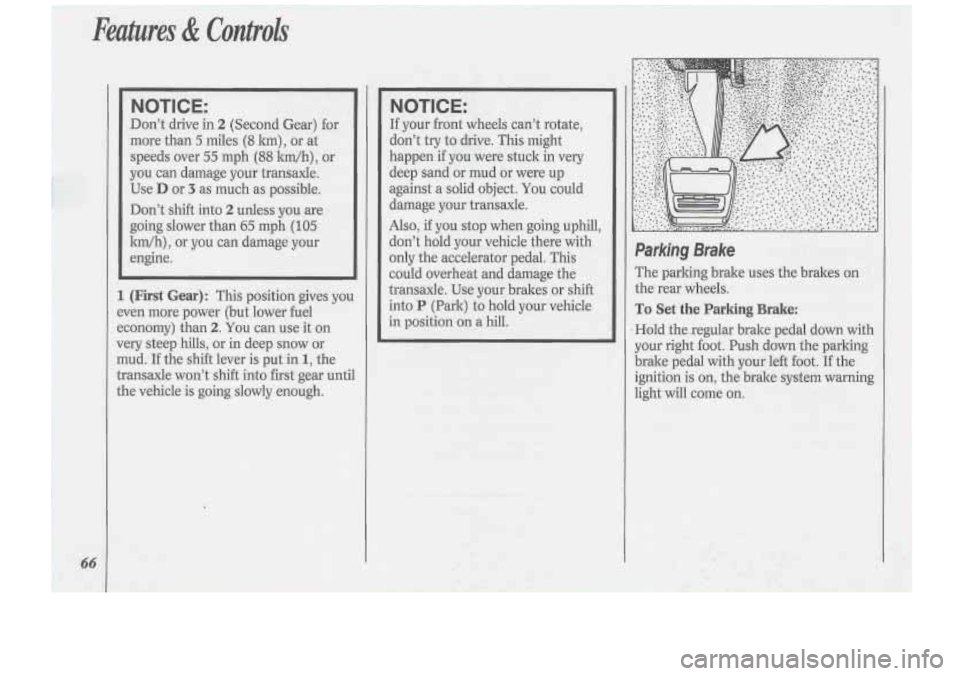
Parking Brake
The parking brake uses the brakes on
.the rear wheels.
To Set the Parking Brake:
Hold thexegular brake pedal down with
your right .foot. Push down the parking
brake pedal with your left foot. If the
ignition is
on, the brake system warning
light will come on.
Page 80 of 276
78
1
1
I
I
I
1
1
4 ,I
i
I
1
-1
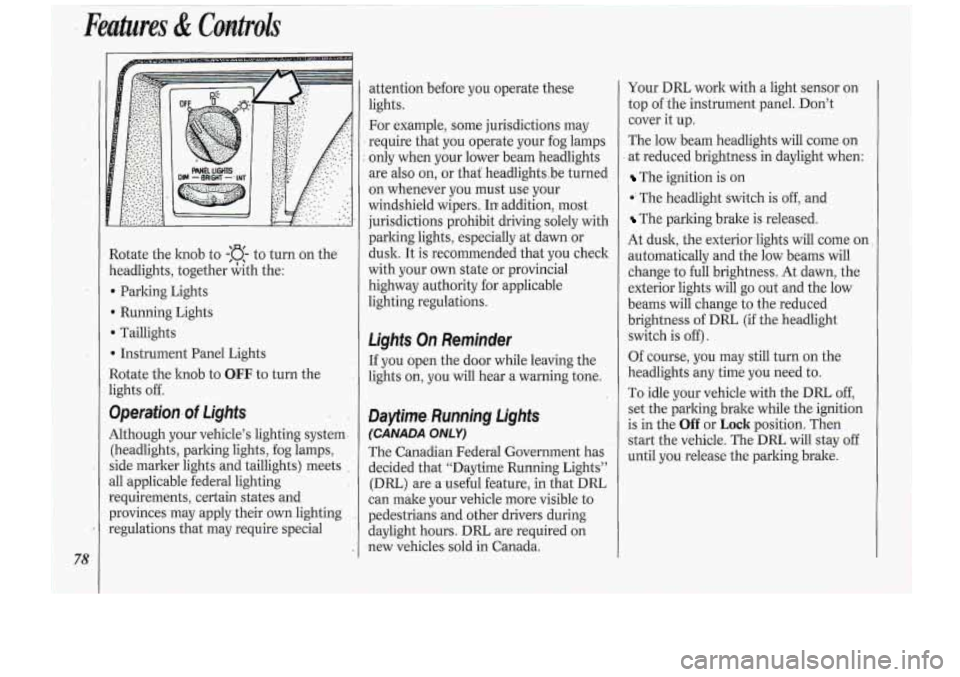
Rotate the knob to -:a- to turn on the
zeadlights, together &th the:
b Parking Lights
Running Lights
D ‘Taillights
b Instrument Panel Lights
3otate the hob to
OEF. to turn the
ights off.
9perafion.of Lights
Although your vehicle’s lighting system-
(headlights, parlung lights, fog lamps,
side marker lights and taillights) meets
311 applicable federal lighting
requirements, certain states and
provinces may apply thek own lighting
:egulations that may require special attention
before
you op~erate these
lights.
For example, some jurisdictions may
require that you operate your fog lamps
only when your lower beam headlights
are
also on, or that‘ headlightsbe turned
on whenever you must .use your
windshield wipers. In addition, mo.st
jurisdictions prohibit driving solely with
parking lights, especially at dawn or
dusk. It
is recommended that you check
with your
own state or provincial
highway authority for applicable
lighting regulations.
Ligk On Reminder
If you open the door while leaving the
lights on, you will hear a warning tone.
Daytinre. Rurmjng DgMs
(CANADA ONLY)
.The Canadian Federal Government has
decided that “Daytime Running Lights”
(DRL) are a useful feature, in that DRL
can make your vehicle more visible to
pedestrians and other drivers during
daylight hours.
DRL are required on
.new vehicles sold in Canada. Your
DIU work
with a light sensor on
top
of the instrument panel. Don’t
cover it up.
The low :beam headlights will come on
at reduced brightness in daylight when:
The ignition is on
*‘ The head,light switch is off, and
‘The parking brake is released.
At dusk, the exteriorlights will come on
automatically and the low beams will
change
to full brightness. At dawn, the
exterior lights will go out and the low
beams will change
to the reduced
brightness of
DRL (if the headlight
switch is
off).
Of course, you may still turn on the
headlights any time you need to.
To idle your vehicle with the DRL,
off,
set the parling brake while the ignition
is in the
Off or Loch position. Then
start the vehicle. The DRL will stay off
until
you: release the parking brake.
Page 91 of 276
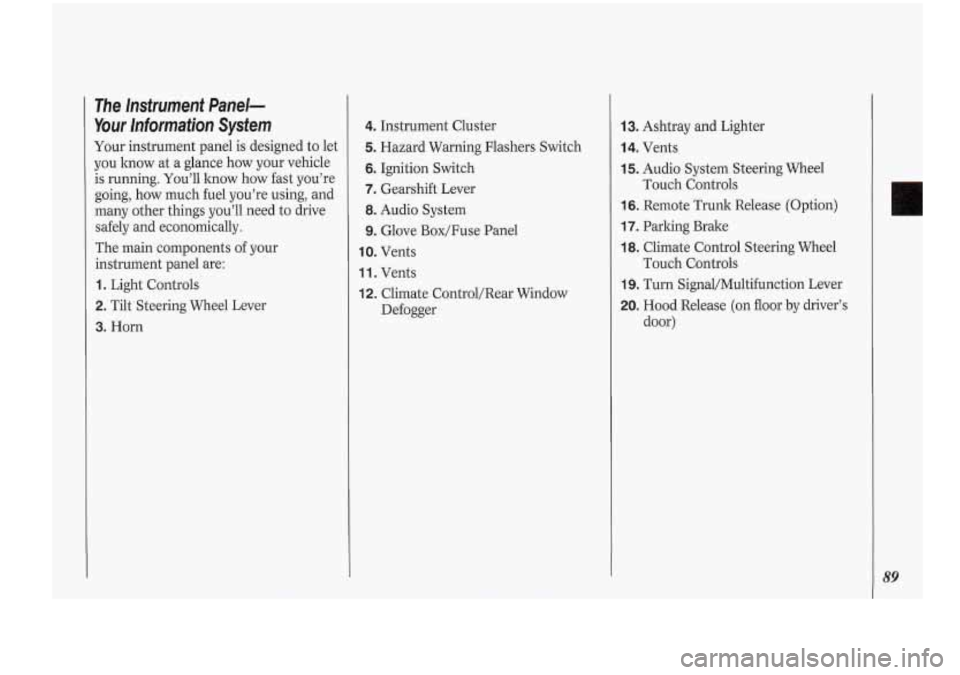
3. Horn
The Instrument Panel-
Your Information System
Your instrument panel is designed to let
you lmow at a glance how your vehicle
is running. You’ll how how fast you’re
going,
how much fuel you’re using, and
.many other things you’ll need to drive
safely and economically.
The main components
of your
instrument panel are:
1. Light Controls
2. Tilt Steering Wheel Lever
4. Instrument Cluster
5. Hazard Warning Flashers Switch
6. Ignition Switch
7. Gearshift Lever
8. Audio System
9. Glove Box/Fuse Panel
IO. Vents
1 1. Vents
12. Climate Control/Rear Window
Defogger
13. Ashtray and Lighter
14. Vents
15. Audio System Steering Wheel
16. Remote Trunk Release (Option)
17. Parking Brake
18. Climate Control Steering Wheel
19. Turn Signal/Multifunction Lever
20. Hood Release (on floor by driver’s
Touch Controls
Touch Controls
door)
Page 92 of 276
90
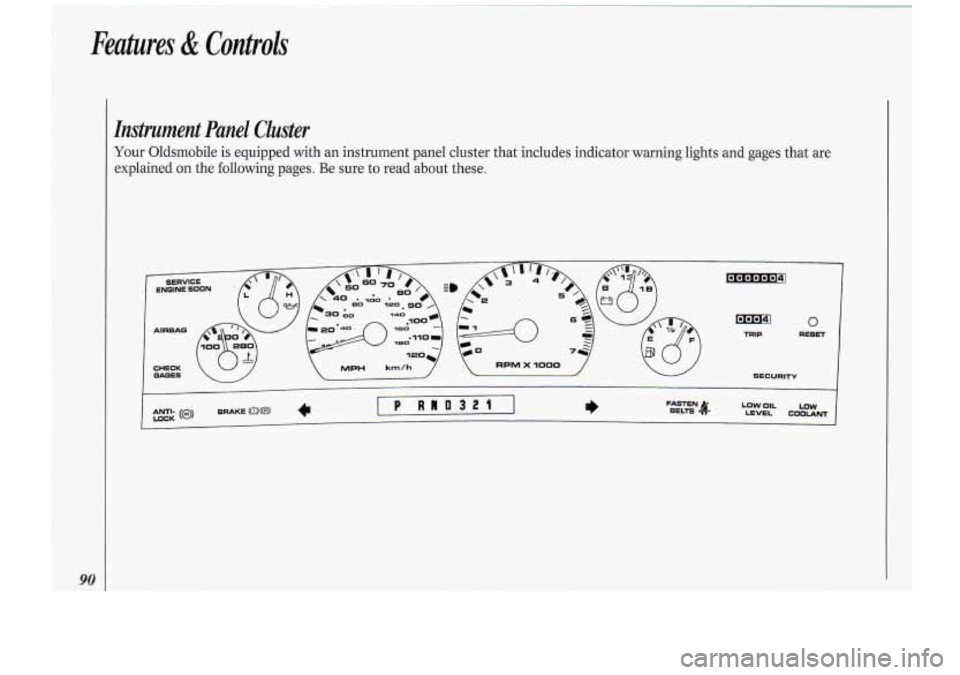
Instrument Panel Cluster
Your Oldsmobile is equipped with an instrument panel cluster that includes indicator warning lights and gages that are
explained on the following pages. Be sure to read about these.
Page 93 of 276
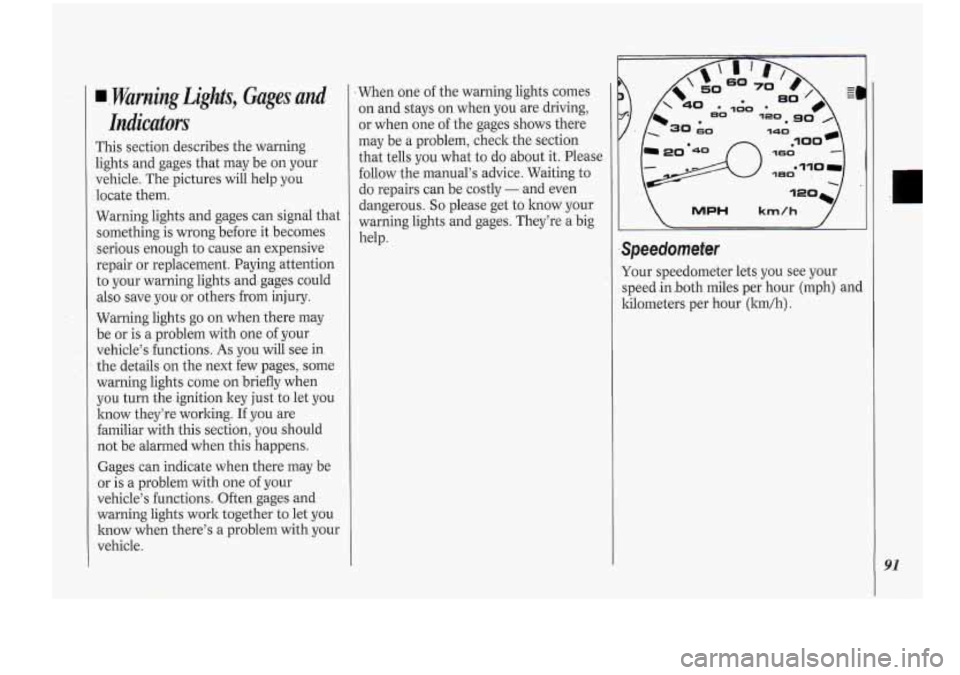
I. Warning Lights, Gages .and
l..icdors
This section describes the warning
lights and gages that may be on your
vehicle. The pictures will kelp you
locate them.
Warning lights and gages can signal that
something is wrong before it .becomes
serious enough to cause an expensive
repair or replacement. Paying attention
to your warning lights and- gages could
also save
you. or others,from injury.
Warning lights go on when there may
be or is
a problem with one of your
vehicle’s functions..
As you will see in
the details on the next few pages, some
warning lights come on briefly when
you turn the .ignition key just to let
you
know they’re worlting. If you are
familiar with this section, you should
not be alarmed when this happens.
Gages can indicate when there may be
or is a problem with one of your
vehicle’s functions. Often gages and
warning lights .work together to let you
know when there’s a problem with your
vehicle. When
one of the warning lights comes
on and stays on when you are driving,
or when one of the gages shows there
may be a problem, check -the section
that tells you what to
do about it. Please
follow the manual’s advice. Waiting to
do repairs can be costly
- and even
dangerous.
So please get to know. your
-warning lights and gages. They’re a big
help. MPH km/h 7
Your speedometer lets you see your
speed.in.both miles p,er hour (mph) and
kilometers per hour (lun/h)
.
91
Page 95 of 276
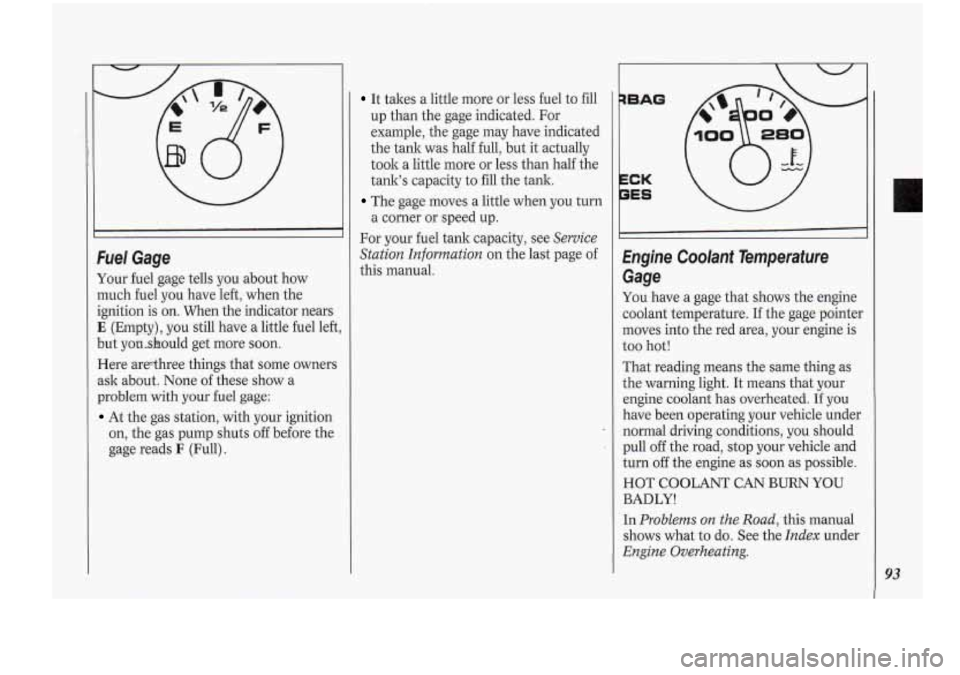
Fuel Gage
Your fuel gage tells you about how
much fuel you have left, when the
ignition is on. When the indicator nears
E (Empty), you still have a little fuel left,
but yonshould get more soon.
Here arethree things that some owners
ask about. None of these show a
problem
with your fuel gage:
At the gas station, with your ignition
on, the gas pump shuts
off before the
gage reads
F (Full).
It takes a little more or less fuel to fill
up than the gage indicated. For
example, the gage may have indicated
the tank was half full, but it actually
took a little more or less than half the
tank’s capacity to fill the tank.
The gage moves a little when you turn
a corner or speed up.
For your fuel tank capacity, see
Service
Station Information
on the last page of
this manual.
qBAG
1..
PES \/
Engine Coolant Temperafure
Gage
You have a gage that shows the engine
coolant temperature. If the gage pointer
moves into the red area, your engine is
too hot!
That reading means the same thing as
the warning light. It means that your
engine coolant has overheated. If you
have been operating your vehicle under
normal driving conditions you should
pull
off the road, stop your vehicle and
turn
off the engine as soon as possible.
HOT COOLANT CAN BURN YOU
BADLY!
In
Problems on the Road,. this manual
shows what to
do. See the Index under
Engine Overheating.
93