instrument panel OLDSMOBILE SILHOUETTE 1993 User Guide
[x] Cancel search | Manufacturer: OLDSMOBILE, Model Year: 1993, Model line: SILHOUETTE, Model: OLDSMOBILE SILHOUETTE 1993Pages: 323, PDF Size: 17.13 MB
Page 91 of 323
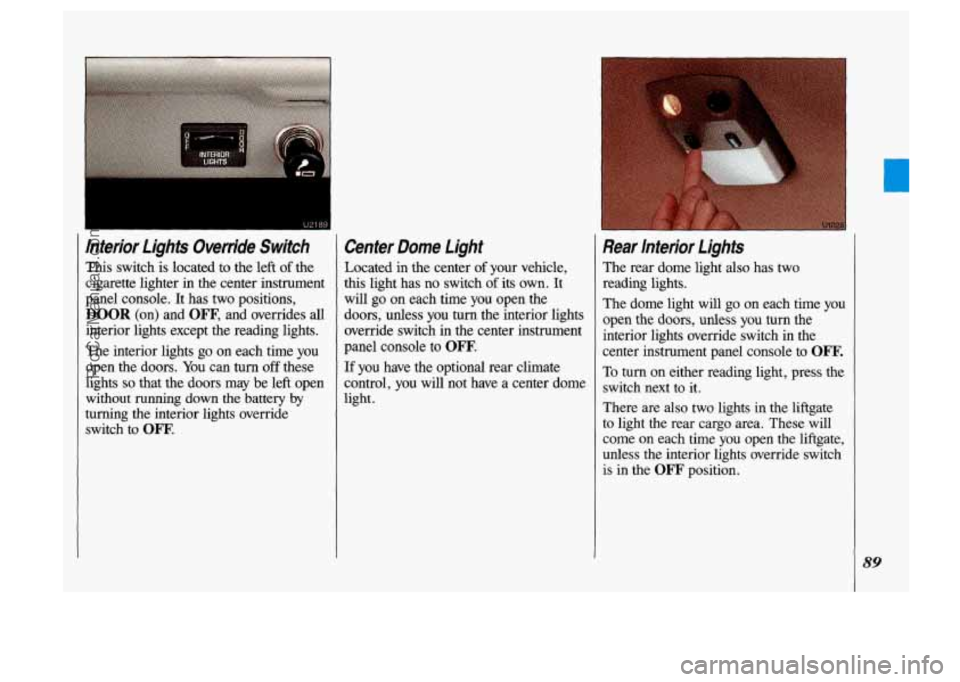
lnterior Lights Override Switch
This switch is located to the left of the
cigarette lighter in the center instrument
panel console. It has two positions,
DOOR (on) and OW, and overrides all
interior lights except the reading lights.
The interior lights
go on each time you
open the doors.
You can turn off these
lights
so that the doors may be left open
without
running down the battery by
turning the interior lights override
switch to
OW.
Center Dome Light
Located in the center of your vehicle,
this light has no switch
of its own. It
will
go on each time you open the
doors, unless you
turn the interior lights
override switch in the center instrument
panel console to
OFF.
If you have the optional rear climate
control, you
will not have a center dome
light.
Rear lnterior Lights
The rear dome light also has two
reading lights.
The dome light will
go on each time you
open the doors, unless
you turn the
interior lights override switch in the
center instrument panel console to
Om.
To turn. on either reading light, press the
switch next
to it.
There are
also two lights in the liftgate
to light the rear cargo area. These will
come
on each time you open the liftgate,
unless
the interior lights override switch
is in the
OFF' position.
89
ProCarManuals.com
Page 96 of 323

Features & Controls
94
Glove Bo&forage Compattmenf
(CONT.)
To open the glove box, pinch the latch
release.
The fuse panel is located inside the
glove box door. See the
Index under
Fuses & Circuit Breakers.
Cup Ho/ders/Ashfmy/ligh@r I I 1 NOTICE Two cup holders, an ashtray and a
lighter are located in the center
instrument panel console.
The
foam cup holder liners can be
removed for cleaning. Should the liners away
from the heating element
ever become damaged, see your dealer when it’s ready. That can make
for replacements. overheat, damaging the lighter and
To use the ashtray, lift the
lid.
To remove the ashtray for cleaning,
close the lid, then grasp the rear edge of
the ashtray with your fingertips and pull
up and out, in a rocking motion.
To use the lighter, push it in all the way
and let go. When it’s ready, it
will pop
back by itself.
ProCarManuals.com
Page 97 of 323

Locking Storage Bin
At the base of the center instrument
panel console
is a storage bin. Use the
door key to lock and unlock it. To open
the bin, pinch the latch release.
To remove the bin for cleaning, open
it ' part way, then pull out and slightly up.
1 To clean the inside of the bin, vacuum
or wipe with a slightly damp cloth.
I
To replace the bin, set the hinge pins
(one on each side of the bin, at the
bottom) into the hinge guides (one at
each side
of the console opening, at the
base), then close the
bin. If the hinge
pins
are placed properly in the guides,
the bin
will close easily.
Rear Storage Compartment and
Ashtray
The rear ashtray is located in the rear
storage compartment.
To open the ashtray, press one side and
turn it open.
To remove the ashtray for cleaning,
press the snuffer as you lift up the
bottom
of the ashtray.
95
ProCarManuals.com
Page 103 of 323

The Instrument Panel- Your Information System
Your instrument panel is designed to let
you know at a glance how your vehicle
is running. You’ll know how fast you’re
going, how much fuel you’re using, and
many other things you’ll need to drive
safely and economically.
Refer to the accompanying diagram of
your instrument panel
to locate the
components listed below.
1. Side Vents
2. Light Controls
3. Turn SignaVHeadlight Beam Lever
4. Tilt Steering Wheel Lever
5. Instrument Cluster
6. Gearshift Lever
7. WiperIWasher Controls
8. Center Vents
9. Storage Compartment
10. Side Vents
11. Circuit Breaker/Relay Panel
12. Glove Box/Fuse Panel
13. Audio System
14. Rear Fan Controls
15. Cup HolderdAshtray
1 6. Locking Storage Bin
17. Lighter
18. Interior Lights Override Switch
19. Climate Controls
20. Ignition Switch
21. Hazard Warning Flashers Switch
22. Horn
23. Parking Brake Release
24. Hood Release
101
ProCarManuals.com
Page 112 of 323
Features & Controls
SLIDIP
GAT1
SERVICE
ENGINE SOON
120 U2165
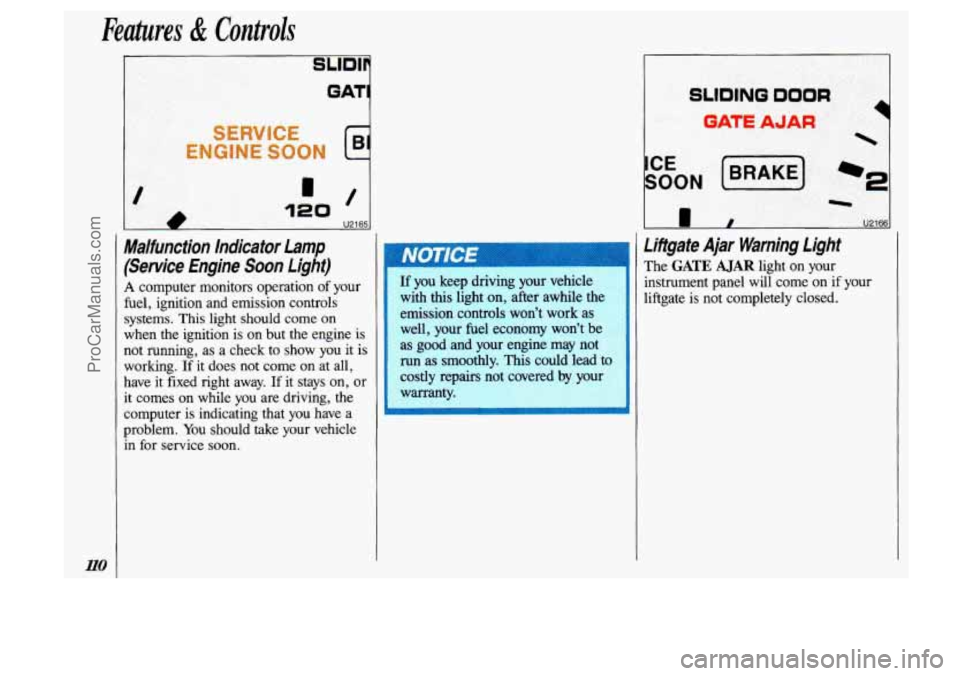
Malfunction Indicator Lamp
(Service Engine Soon Light)
A computer monitors operation of your
fuel, ignition and emission controls
systems. This light should come
on
when the ignition is on but the engine is
not running, as a check to show you it is
working.
If it does not come on at all,
have it fixed right away.
If it stays on, or
it comes
on while you are driving, the
computer is indicating that
you have a
problem.
You should take your vehicle
in for service
soon.
If you keep driving your vehicle
with this light
on, after awhile the
emission controls won’t work
as
well, your fuel economy won’t be
as good and your engine may not
run as smoothly. This could lead to
costly repairs not covered by you1
warranty.
Lifigate Ajar Warning light
The GATE AJAR light on your
instrument panel will come on if your
liftgate is not completely closed.
ProCarManuals.com
Page 113 of 323
' A It can be dangerous to drive
monoxide
(CO) gas can come into
your vehicle. You can't
see or
smell CO. It can cause uncon-
sciousness and even
death.
If you must drive with the liftgate
open:
Make sure all windows are shut.
* Turn the fan on your heating or
cooling system to its highest
speed with the setting on BI-
LEV (Bi-Level) or UPPER.
That will force outside air into
your vehicle.
See the Index under
Comfort Controls.
If you have air vents on or under
the instrument panel, open them
all
the way.
SLIDING DOOR
GATE AJAR
-
I U2173
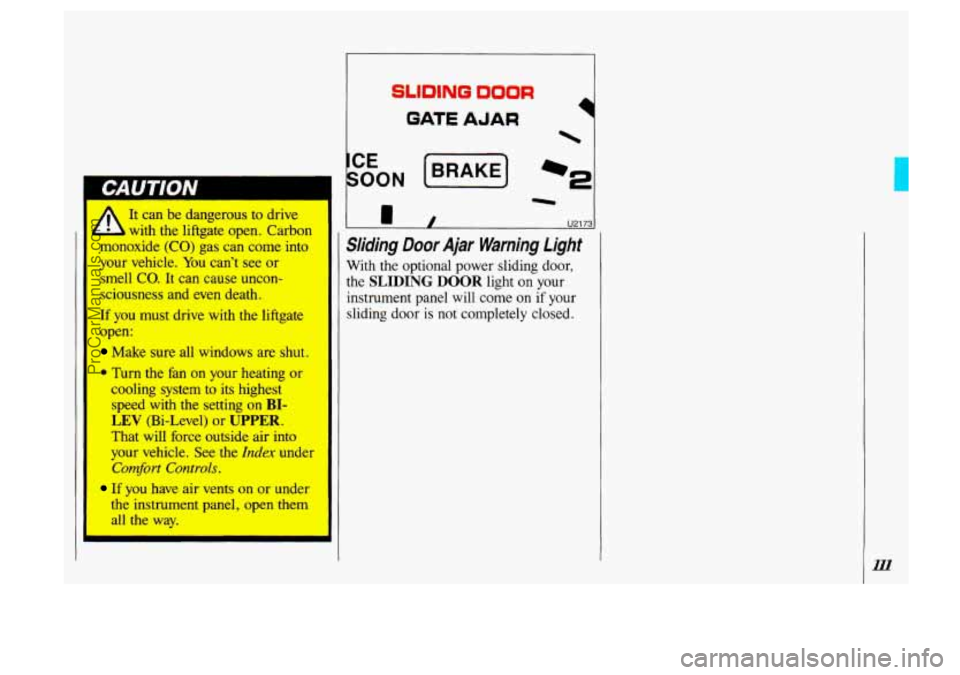
Sliding Door Ajar Warning Light
With the optional power sliding door,
the SLIDING DOOR light on your
instrument panel will come on if your
sliding door is not completely closed.
ProCarManuals.com
Page 117 of 323
When the air conditioner compressor is
on, you may sometimes notice slight
changes in your vehicle’s engine
performance and power. This is normal,
because the system is designed to help
fuel economy while it maintains the
desired cooling level.
The air conditioner removes moisture
from the air,
so you may sometimes
notice water dripping from under your
vehicle when it is idling or after it has
been turned off. This is normal.
On very hot days, your vehicle will cool
down more quickly and economically if
you open the windows long enough to
let hot inside air escape. For all settings,
adjust the temperature control lever and
fan speed as desired.
Directional Controls
RECIRC (Recirculate): Press to get
maximum cooling or quick cool-down
on very hot days. This setting
recirculates much of the air inside your
vehicle.
It should not be used for long
periods
of time because the air may
become too cold and dry.
Slide the temperature control lever down
to the coolest setting and adjust the fan
speed as desired.
UPPER: For normal cooling on hot
days, press
A/C along with UPPER.
This setting cools outside air and directs
it through the instrument panel outlets.
Adjust the temperature of the air with
the temperature control lever.
BI-LEV (Bi-Level): This setting is
designed for use
on sunny days when
the air is only moderately warm or cool.
On days like these, the sun may
adequately warm your upper body, but
your lower body may not be warm
enough.
The
BI-LEV setting directs outside air
into your vehicle
in two ways. Cooler
air is directed toward your upper body
through the front instrument panel
outlets, while warmed air
is directed
through the heater ducts at your feet.
At
times this temperature difference may be
more apparent than others. For best
results, slide
the temperature control
lever to the middle position, and then
adjust for comfort.
ProCarManuals.com
Page 118 of 323
Directional Controls (CONI)
LOWER: This setting brings in most
heated
air through the heater ducts, and
some through the defroster vents.
DEFOG: Because of your Silhouette’s
larger windshield area,
this mode is
particularly useful during cold or
inclement weather. Press to direct
warmed air to the windshield and
through the heater ducts.
DEF (Defrost): Press to direct most
warmed air to the windshield and side
window vents. To
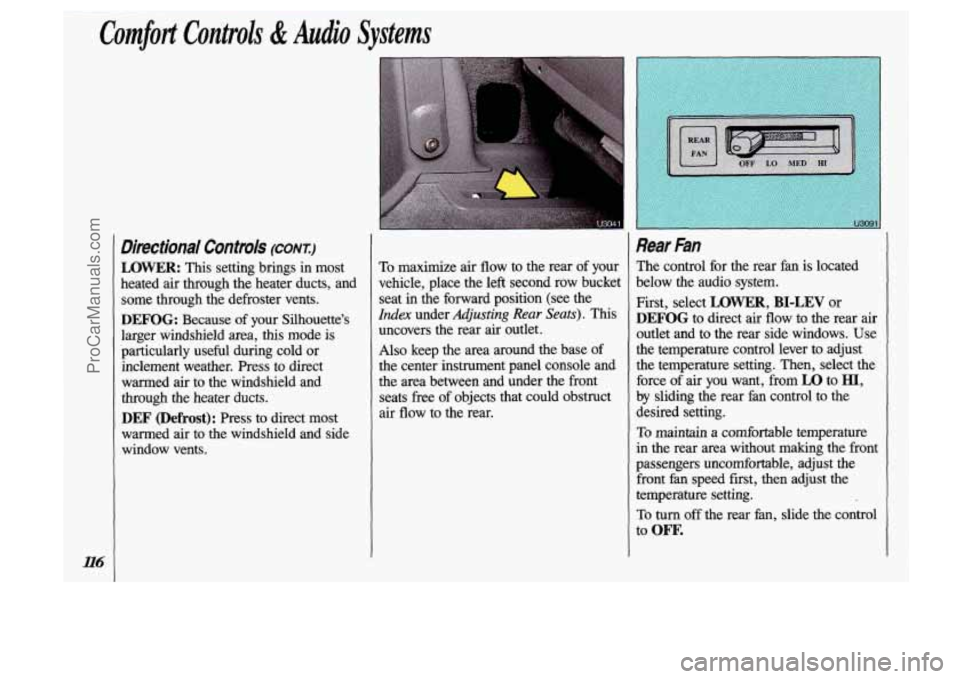
maximize air flow to the rear of your
vehicle, place the left second row bucket
seat in the forward position (see the
Index under Adjusting Rear Seats). This
uncovers the rear air outlet.
Also keep the area around the base of
the center instrument panel console and
the area between and under the front
seats free
of objects that could obstruct
air flow to the rear.
Rear Fan
The control for the rear fan is located
below the audio system.
First, select
LOWER, BI-LEV or
DEFOG to direct air flow to the rear air
outlet and to the rear side windows. Use
the temperature control lever to adjust
the temperature setting. Then, select the
force of air you want, from
LO to HI,
by sliding the rear fan control to the
desired setting.
To maintain a comfortable temperature
in the rear area without making the front
passengers uncomfortable, adjust the front
fan speed first, then adjust the
temperature setting.
To turn off the rear fan, slide the control
to
ow.
ProCarManuals.com
Page 119 of 323

r I
1 Rear Climate Control
(OPTION)
If you have this option, you will have a
master control for the rear fan on the
center instrument panel console, and a
rear control next to the rear seat, on the
driver side
of the vehicle.
Rear Air Vents
To maximize air flow through the rear
heater outlet, place the left second row
bucket seat in the forward position (see
the
Index under Adjusting Rear Seats).
The vent forward of the rear heater
outlet is the cold air return vent. Be sure
to keep it free of obstructions.
Also keep the area around the base
of
the center instrument panel console and
between and under the front seats free of
objects that could obstruct air
flow to
the rear.
U307
Rear Fan-Master Central
The master control for the rear fan is
located below the audio system.
To maintain a comfortable temperature
in the rear area, select the force of air
you want, from
LO to HI, by sliding the
control to
the desired setting.
To transfer control of the rear
fan to the
rear control switch, slide the master
control to
REAR. The rear control
switch will not operate when the master
control is in any other position.
To turn off the rear fan, slide the master
control to
OFF.
ProCarManuals.com
Page 120 of 323
Comfort Controls & Audio Systems
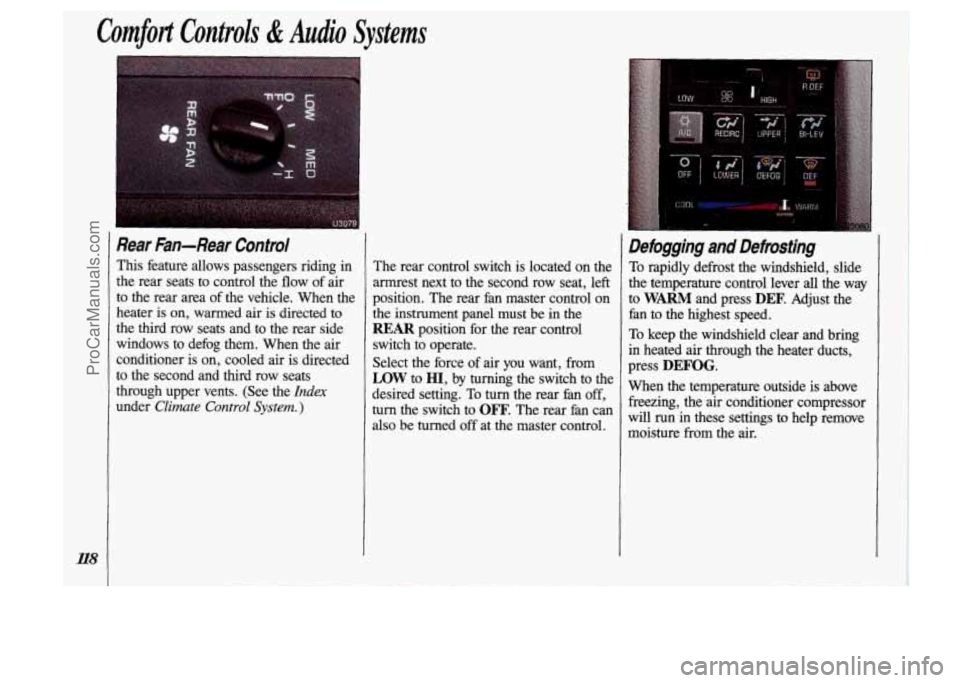
Rear Fan-Rear Control
This feature allows passengers riding in
the rear seats to control the flow of air
to the rear area of the vehicle. When the
heater
is on, warmed air is directed to
the third row seats and to the rear side
windows to defog them. When the air
conditioner is on, cooled air
is directed
to the second and third row seats
through upper vents. (See the
Index
under Climate Control System. )
The rear control switch is located on the
armrest next to the second row seat, left
position. The rear fan master control on
the instrument panel must be in the
REAR position for the rear control
switch to operate.
Select the force of air you want, from
LOW to HI, by turning the switch to the
desired setting. To turn the rear fan
off,
turn the switch to OFF. The rear fan can
also be turned off at the master control.
Defogging and Defrosting
To rapidly defrost the windshield, slide
the temperature control lever
all the way
to
WARM and press DEF. Adjust the
fan to the highest speed.
To keep the windshield clear and bring
in heated
air through the heater ducts,
press
DEFOG.
When the temperature outside is above freezing, the air conditioner compressor
will run in these settings to help remove
moisture
from the air.
ProCarManuals.com