battery OLDSMOBILE SILHOUETTE 1995 User Guide
[x] Cancel search | Manufacturer: OLDSMOBILE, Model Year: 1995, Model line: SILHOUETTE, Model: OLDSMOBILE SILHOUETTE 1995Pages: 390, PDF Size: 20.27 MB
Page 147 of 390
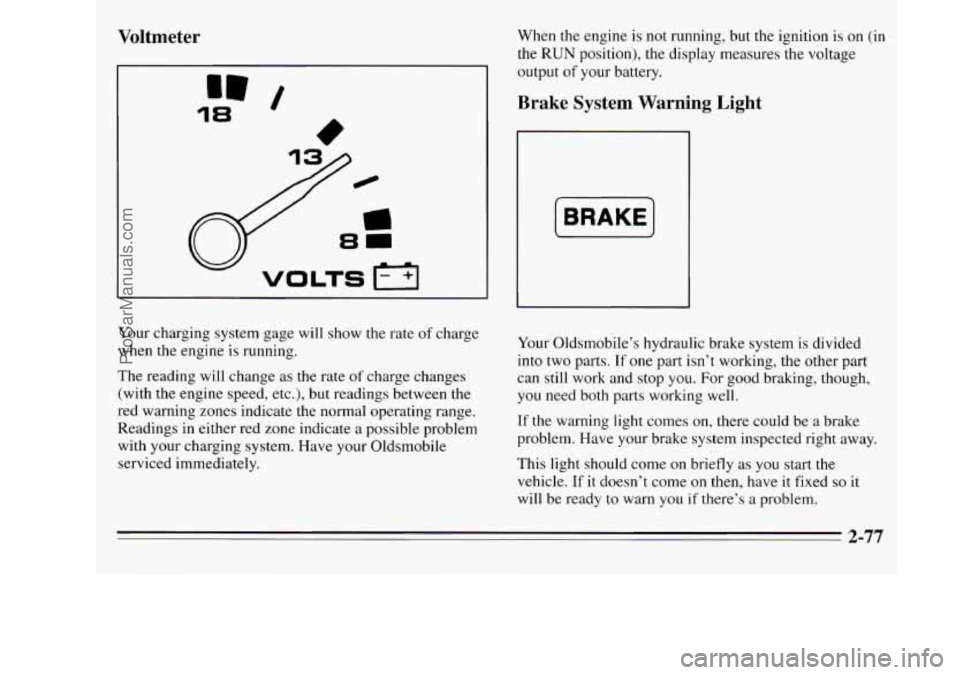
Voltmeter
18
” /
When the engine is not running, but the ignition is on (in
the RUN position), the display measures the voltage
output
of your battery.
Brake System Warning Light
[BRAKE]
Your charging system gage will show the rate of charge
when the engine is running.
The reading will change as the rate
of charge changes
(with the engine speed, etc.), but readings between the
red warning zones indicate the normal operating range.
Readings in either red zone indicate
a possible problem
with your charging system. Have your Oldsmobile
serviced immediately. Your
Oldsmobile’s hydraulic brake system is divided
into two parts.
If one part isn’t working, the other part
can still work and stop
you. For good braking, though,
you need both parts working well.
If the warning light comes on, there could be a brake
problem. Have your brake system inspected right away.
This light should come on briefly as you start the
vehicle.
If it doesn’t come on then, have it fixed so it
will be ready to warn
you if there’s a problem,
2-77
ProCarManuals.com
Page 175 of 390
RCL: Press this button once to see which track is
playing. Press it again within five seconds to see how
long your selection has been playing. The track number
also will be displayed when the volume is changed or a
new track starts to play.
PREV: Press this button to play a track again. If you
hold or keep pressing the PREV button, the disc will
keep backing up to previous tracks.
NEXT Press this button when you want to hear the next
track before the track you are listening to has finished.
If
you hold or keep pressing the NEXT button, the disc
will keep advancing
to other tracks.
REV: Press and hold this button to rapidly back up to a
favorite passage. Release it to resume playing.
FF: Press and hold this button to rapidly advance the
disc. Release
it to resume playing.
COMP: Press this button to make soft and loud
passages more alike in volume. Press it again
to resume
normal play.
When Finished with the Compact Disc Player
If you press POWER or turn off the ignition, the disc
will stay
in the player and start again when you turn on
the ignition or power switch. The disc will begin playing
at the point where it had been stopped.
STEL: Press this button to stop the disc player (the
radio will then play). Press
it again to play the disc (the
player will start playing the disc where it was stopped
earlier).
EJCT Press this button to eject the disc (the radio will
then play).
CD Player Anti-Theft Feature
Delco LOC 11' is a security feature for the compact disc
player. It can be used or ignored. If ignored, the system
plays normally. If it is used, your player won't be usable
if it is ever stolen, because it will go to
LOC mode any
time battery power is removed. Until an unlock code is
entered, it will not turn
on.
The instructions that follow tell you how to enter a
secret code into the system. If your vehicle loses battery
power for any reason, you must unlock the system with
the secret code before the radio will turn on.
3-17
ProCarManuals.com
Page 177 of 390
To Unlock the System After a Power Loss
When battery power is reapplied to a secured radio, the
radio won’t turn on and LOC will appear on the display.
Enter your secret code as follows; pause no more than
15 seconds between steps.
1. Turn the ignition on (radio off).
2. Press the SET button. The display will show “OOO.”
3. Enter the six digits of the code following steps 6-9
under “To Set the Anti-Theft System.” The display
will show the numbers
as entered.
4. Press the AM FM button. If the time appears, the
disabling sequence was successful.
If the display
indicates SEC, the numbers did not match and the
unit is still secured.
Disabling the Anti-Theft System
1.
2.
3.
4.
5.
6.
7.
Press PREV and FF together for five seconds with
the ignition on and the radio power off. The display
will show SEC, indicating the unit is
in the
“secured” mode. (If
“---” appears on the display,
the anti-theft system has already been disabled.)
Press the SET button. The display will show
“000.”
Press and hold SEEK until the first digit of your
code appears.
Press and hold SCAN until the second and third
digits of your code appear.
Press the AM FM button. The radio will display
“000.”
Repeat steps 3 and 4 to enter the second three digits
of the code. The display will show the numbers as
entered.
Press the
AM FM button. If “---,” then the time
appears, the disabling sequence was successful (the
numbers matched the secret code) and the unit is in
the “unsecured” mode.
If the display shows SEC, the
disabling sequence was unsuccessful (the numbers
did not match) and the unit will remain in the
“secured” mode.
ProCarManuals.com
Page 210 of 390
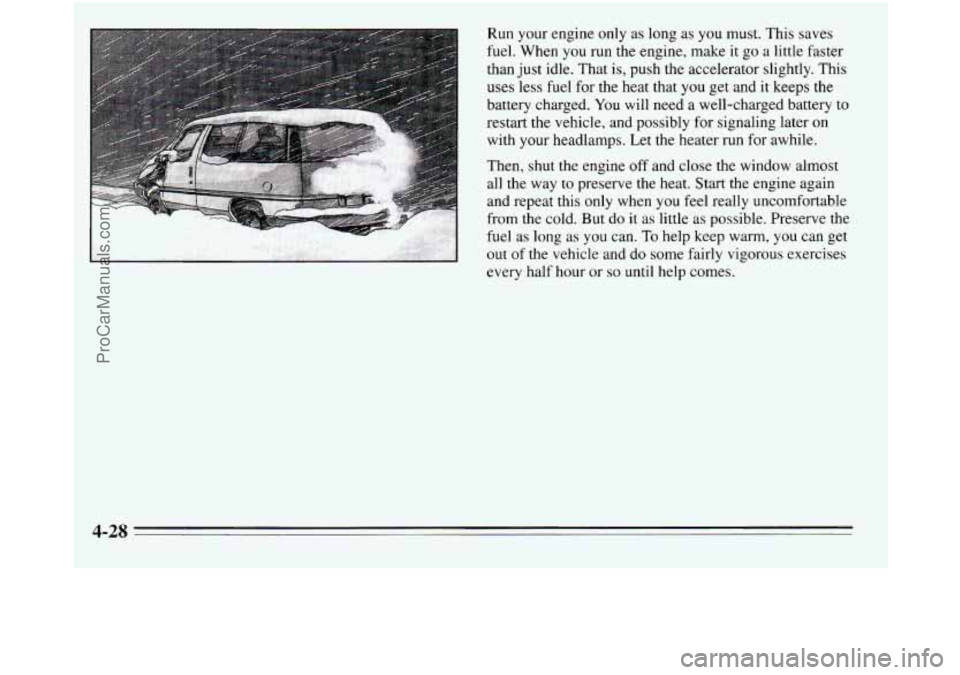
Run your engine only as long as you must. This saves
fuel. When
you run the engine, make it go a little faster
than just idle. That is, push the accelerator slightly. This
uses less fuel for the heat that you get and it keeps the
battery charged.
You will need a well-charged battery to
restart the vehicle, and possibly for signaling later
on
with your headlamps. Let the heater run for awhile.
Then, shut the engine off and close the window almost
all the way
to preserve the heat. Start the engine again
and repeat this only when you feel really uncomfortable
from the cold. But do it as little as possible. Preserve the
fuel as long as you can.
To help keep warm, you can get
out of the vehicle and
do some fairly vigorous exercises
every half hour or
so until help comes.
4-28
ProCarManuals.com
Page 224 of 390
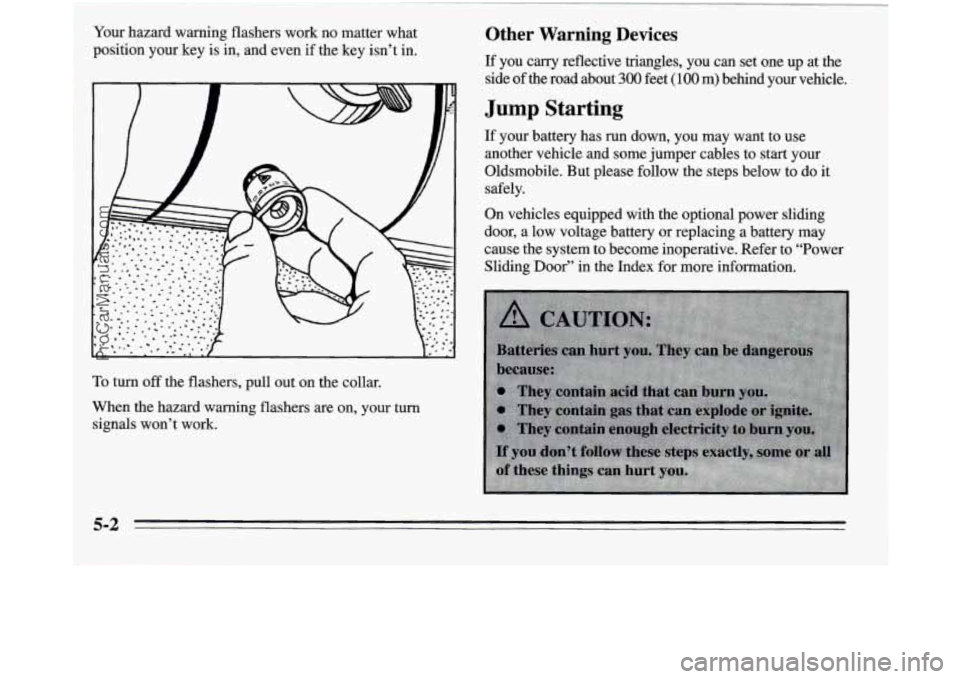
Your hazard warning flashers work no matter what
position your key is in, and even if the key isn’t in.
To turn off the flashers, pull out on the collar.
When the hazard warning flashers are on, your turn
signals won’t work.
Other Warning Devices
If you carry reflective triangles, you can set one up at the
side of
the road about 300 feet (100 m) behind your vehicle.
Jump Starting
If your battery has run down, you may want to use
another vehicle and some jumper cables to start your
Oldsmobile. But please follow the steps below to do it
safely.
On vehicles equipped with the optional power sliding
door, a low voltage battery or replacing a battery may
cause the system to become inoperative. Refer to “Power
Sliding Door” in the Index for more information.
5-2
ProCarManuals.com
Page 225 of 390
NOTICE:
Ignoring these steps could result in costly damage
to your vehicle that wouldn’t be covered by your
warranty. Trying to start your Oldsmobile by
pushing or pulling
it won’t work, and it could
damage your vehicle.
To Jump Start Your Oldsmobile
1. Check the other vehicle. It must have a 12-volt
battery with a negative ground system.
NOTICE:
If the other system isn’t a 12-volt system with a
negative ground, both vehicles can be damaged.
2. Get the vehicles close enough so the jumper cables
can reach, but be sure the vehicles aren’t touching
each other. If they are, it could cause a ground
connection you don’t want. You wouldn’t be able to
start your Oldsmobile, and the bad grounding could
damage the electrical systems. You
could be injured if the vehicles roll. Set the
parking brake firrnly on each vehicle. Put an
automatic transaxle in
PARK (P) or a manual
transaxle in
NEUTRAL (N).
3. Turn off the ignition on both vehicles. Turn off all
lamps that aren’t needed, and radios. This will avoid
sparks and help save both batteries. And it could
save your radio!
L
NOTICE:
If you leave your radio on, it could be badly
damaged. The repairs wouldn’t be covered by
your warranty.
4. Open the hoods and locate the batteries.
5-3
ProCarManuals.com
Page 226 of 390
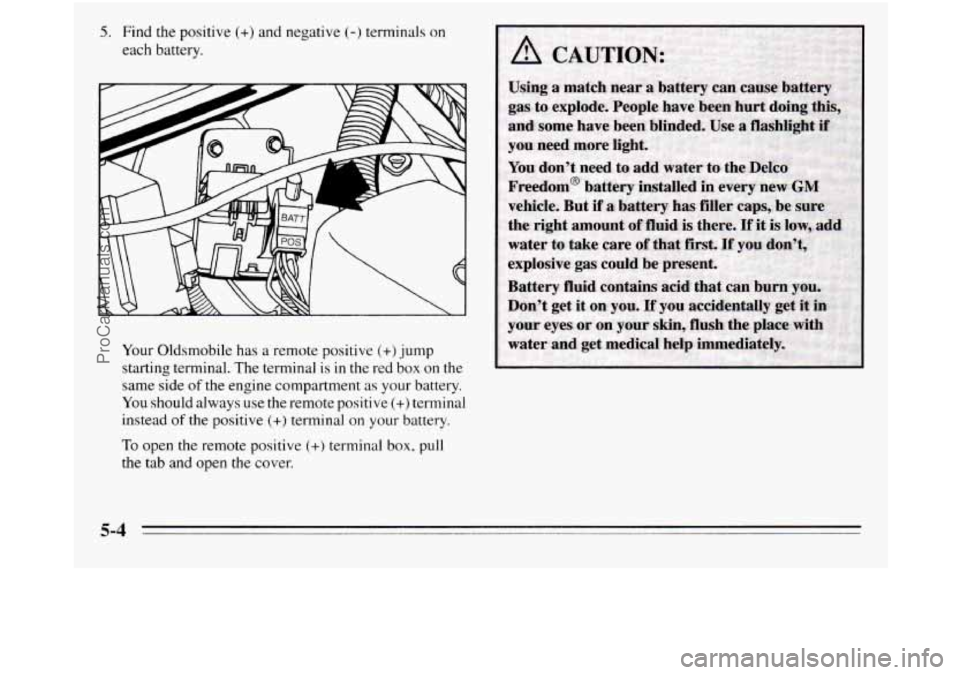
5. Find the positive (+) and negative (-) terminals on
each battery.
Your Oldsmobile has a remote positive
(+) jump
starting terminal. The terminal is
in the red box on the
same side
of the engine compartment as your battery.
You should always use the remote positive (+) terminal
instead
of the positive (+) terminal on your battery.
To open the remote positive (+) terminal box, pull
the tab and open the cover.
5-4
ProCarManuals.com
Page 227 of 390
6. Check that the jumper cables don’t have loose or
missing insulation.
If they do, you could get a shock.
The vehicles could be damaged, too.
Before you connect the cables, here are some things
you should know. Positive
(+) will go to positive (+)
and negative (-) will go to negative (-) or a metal
engine part. Don’t connect
(+) to (-) or you’ll get a
short that would damage the battery and maybe other
parts, too.
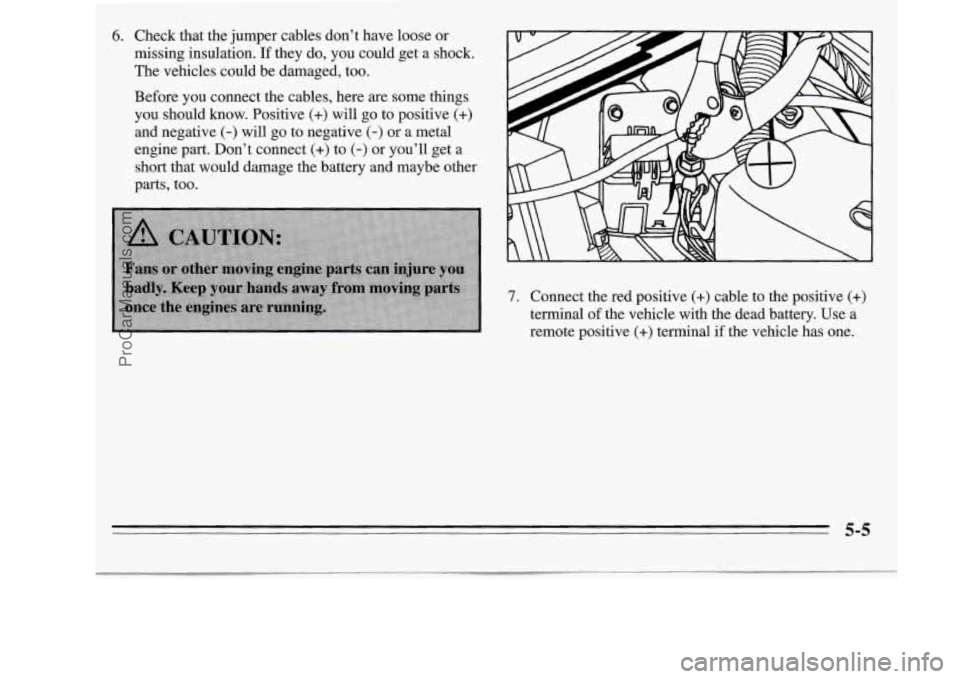
7. Connect the red positive (+) cable to the positive (+)
terminal of the vehicle with the dead battery. Use a
remote positive (+) terminal if the vehicle has one.
5-5
ProCarManuals.com
Page 228 of 390
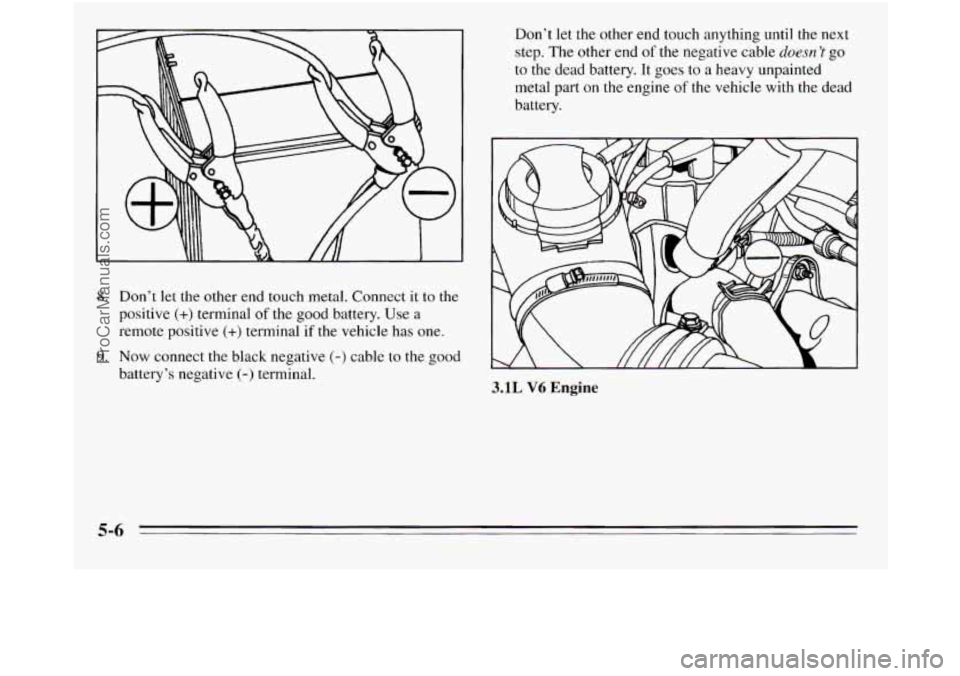
8. Don’t let the other end touch metal. Connect it to the
positive
(+) terminal of the good battery. Use a
remote positive
(+) terminal if the vehicle has one.
9. Now connect the black negative (-) cable to the good
battery’s negative
(-) terminal. Don’t
let the other end touch anything
until the next
step. The other end of the negative cable doesn ’t go
to the dead battery. It goes to a heavy unpainted
metal part on
the engine of the vehicle with the dead
battery.
3.1L V6 Engine
5-6
ProCarManuals.com
Page 229 of 390
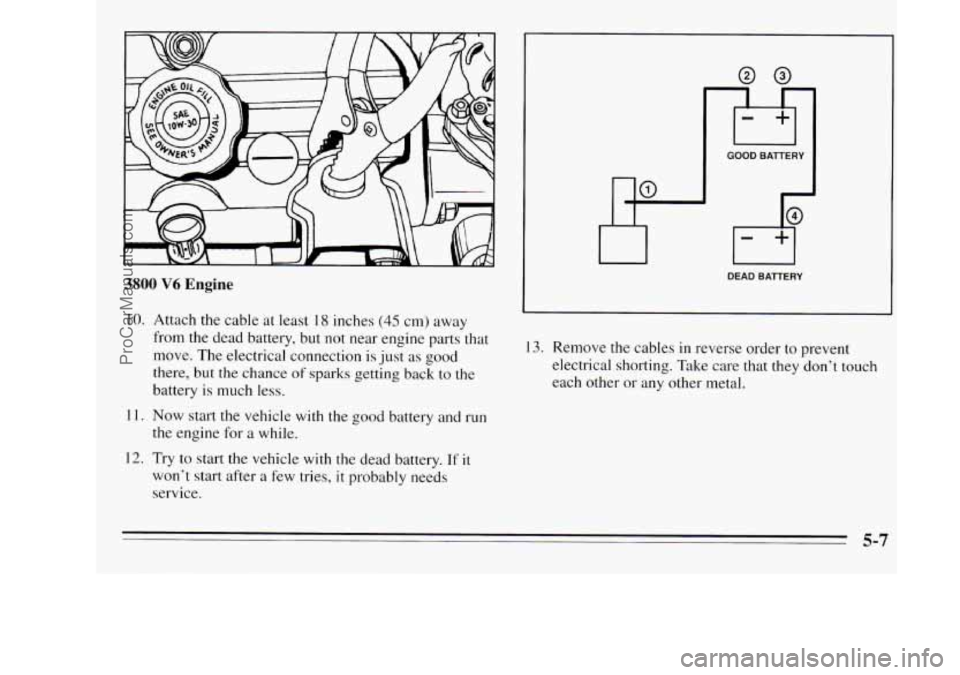
3800 V6 Engine
10. Attach the cable at least 18 inches (45 cm) away
from the dead battery, but not near engine parts that
move. The electrical connection is just as
good
there, but the chance of sparks getting back to the
battery is much
less.
11. Now start the vehicle with the good battery and run
the engine for
a while.
12. Try to start the vehicle with the dead battery. If it
won’t start after a few tries, it probably needs
service.
GOOD BATTERY
DEAD BATTERY
13. Remove the cables in reverse order to prevent
electrical shorting. Take care that they don’t touch
each other or any other metal.
5-7
ProCarManuals.com